
NHTSA ID Number: 10099641
Manufacturer Communication Number: B14-025
TSB/Document Date: 2017-05-18
Summary
SERVICE BULLETIN - THE TIMING BELT AREA MAKES A CHIRP AFTER THE ENGINE WARMS UP. THIS RESULTS FROM THE TIMING BELT CONTACTING THE BACK EDGE OF THE CRANKSHAFT PULLEY.
Service Bulletin
January 19, 2016
14-025
01816 Version 3
Timing Belt Chirps
Supersedes 14-025, dated April 28, 2015, to revise the information highlighted in yellow
AFFECTED VEHICLES
Year
Model
2014–15
MDX
2016
MDX
2016
MDX
2014–15
RLX
2016
RLX
2015
TLX
2015
TLX
Trim
ALL
2WD
AWD
ALL except Hybrid
ALL except Hybrid
2WD
AWD
VIN Range
ALL
5FRYD3…GB000001 thru 5FRYD3…GB008556
5FRYD4…GB000001 thru 5FRYD4…GB032107
ALL
JH4KC1…GC000001 thru JH4KC1…GC000922
19UUB2…FA000001 thru 19UUB2…FA025139
19UUB3…FA000001 thru 19UUB3…FA010310
REVISION SUMMARY
Under AFFECTED VEHICLES, VINs have been added.
SYMPTOM
The timing belt area makes a chirp after the engine warms up.
POSSIBLE CAUSES
The timing belt contacts the back edge of the crankshaft pulley.
CORRECTIVE ACTION
Do the diagnosis and, based on the results, install an idler pulley shim.
PARTS INFORMATION
Required Parts for all models:
Part Name
Idler Pulley Shim
Timing Belt Idler Bolt
Flange Bolt 10 mm x 60 mm
Flange Bolt 10 mm x 85 mm
Flange Bolt 10 mm x 105 mm
Part Number
14559-RCA-305
14551-RCA-A01
90168-TA1-A00
90002-R70-A00
95801-10105-08
Quantity
1
1
2
1
2
For MDX, add the following:
Part Name
O-Ring
Flange Bolt 12 mm x 45 mm
Part Number
91319-R70-A01
90165-SDA-A00
Quantity
1
1
Page 1 of 13
CLIENT INFORMATION: The information in this bulletin is intended for use only by skilled technicians who have the proper tools, equipment,
and training to correctly and safely maintain your vehicle. These procedures should not be attempted by “do-it-yourselfers,” and you should not
assume this bulletin applies to your vehicle, or that your vehicle has the condition described. To determine whether this information applies, contact
an authorized Acura automobile dealer.
© 2016 American Honda Motor Co., Inc. – All Rights Reserved
For RLX, add the following:
Part Name
O-Ring
Flange Bolt 12 mm x 45 mm
Part Number
91319-PAA-A01
90161-SDA-A01
Quantity
1
1
For TLX, add the following:
Part Name
O-Ring
Flange Bolt 12 mm x 45 mm
Part Number
91319-R70-A01
90161-SDA-A01
Quantity
1
1
REQUIRED TOOLS
Part Name
Tool Number
Quantity
Holder Handle
07JAB-001020B
1
Pulley Holder
07MAB-PY3010A
1
Breaker Bar (commercially available)
07JAA-001020A
1
WARRANTY CLAIM INFORMATION
The normal warranty applies.
Model
Operation Number
Description
Flat Rate
Time
Template ID
Failed Part
Number
MDX
1110A7
Diagnose, and install an
idler pulley shim.
2.5 hours
14-025N
14400-R9P-A01
RLX
1110A7
Diagnose, and install an
idler pulley shim.
2.5 hours
14-025P
14400-R9P-A01
TLX
1110A7
Diagnose, and install an
idler pulley shim.
2.5 hours
14-025Q
14400-R9P-A01
Defect Code:
07403
Symptom Code: 04201
Skill Level:
Repair Technician
DIAGNOSIS
NOTE: During the diagnosis and repair, you will do the basic procedures listed below. For more detail about any of
these procedures, see the electronic service manual.
• Wheel Removal and Installation
• Engine Undercover Removal and Installation
• Drive Belt Removal and Installation
• Crankshaft Pulley Removal and Installation
• Timing Belt Removal and Installation
• Side Engine Mount Removal and Installation
• Timing Belt Auto-Tensioner Removal and Installation
1. Start the engine, let it warm up, and listen for a chirp.
NOTE: It can take up to 30 minutes for the engine to become hot enough to hear a chirp.
Do you hear a chirp?
YES - If you hear a chirp, go to step 2.
NO - If you do not hear a chirp, this bulletin does not apply. Continue with normal troubleshooting procedures.
Page 2 of 13
2. Remove the drive belt and retest the engine while it is hot.
•
•
If you hear a chirp, go to step 3.
If you do not hear a chirp, this bulletin does not apply. Continue with normal troubleshooting procedures.
3. Remove the right front wheel.
4. Remove the engine undercover.
Page 3 of 13
5. Hold the crankshaft pulley with the holder handle and the pulley holder.
6. Remove the crankshaft bolt with a heavy duty 19 mm socket and a breaker bar, then remove the crankshaft pulley
and washer. Temporarily reinstall the crankshaft bolt.
7. Remove the front and rear upper covers.
NOTE: Keep the A/C pressure sensor harness out of the way of moving parts by attaching it to the A/C line with a
zip tie.
8. Remove the lower cover.
Page 4 of 13
9. Start the engine while it is still hot, then spray the back edge of the timing belt with water while it is running.
Do you still hear a chirp?
• If the chirp lessens, changes pitch, or goes away, go to REPAIR PROCEDURE.
• If the chirp does not change, this bulletin does not apply. Continue with normal troubleshooting procedures.
REPAIR PROCEDURE
1. Try to insert a 0.95 mm feeler gauge between the top edge of the timing belt idler pulley and the back side of the
side engine mount bracket that overhangs the pulley.
NOTE: Make sure you remove the feeler gauge from its holder to get a more accurate measurement.
• If you can insert the feeler gauge between the timing belt idler pulley and engine mount bracket, go to step 4.
• If you cannot insert the feeler gauge, go to step 2.
Page 5 of 13
2. Remove the side engine mount bracket.
3. Using a die grinder with a 2-inch grinding disc, use the circular casting offset as a guide to grind the side engine
mount bracket until the lip measures 2 mm in thickness.
NOTE: Use a vernier caliper or micrometer to confirm the amount of material removed.
Page 6 of 13
4. Set the engine to TDC (top dead center).
•
Align the TDC mark on the tooth of the timing belt drive pulley with the pointer on the oil pump.
•
Align the TDC marks on the camshaft pulleys with the pointers on the back covers.
5. Thread and hand-tighten a battery clamp bolt as shown to hold the timing belt adjuster in its current position.
NOTE: Do not use a wrench to tighten the battery clamp bolt.
Page 7 of 13
6. Remove the idler pulley.
7. Remove the timing belt.
8. Remove the rocker arm oil pressure sensor from the oil filter housing to access the timing belt auto-tensioner bolts.
•
•
•
Disconnect the rocker arm oil pressure sensor connector.
Remove the rocker arm oil pressure sensor.
Remove any old liquid gasket from the switch and the switch mounting hole.
Page 8 of 13
9. Remove the battery clamp bolt from the timing belt adjuster, then remove the timing belt auto-tensioner.
10. Place the idler pulley shim between the idler pulley and the oil pump housing; loosely install the new idler pulley bolt
with Hondalock 1 applied to its threads. Make sure you follow the instructions on the Hondalock 1 container.
NOTE: The shim is tapered from left to right. The word OUT is stamped into the tang and painted white. It should be
readable after the shim is installed.
Page 9 of 13
11. Install the new idler pulley bolt:
•
Insert the square end of a ¼-inch-drive ratchet extension to keep the shim’s tang in the correct position.
•
•
Tighten the idler pulley bolt to 44 N·m (33 lb-ft).
Bend the shim’s tang slightly towards the oil pump housing to keep it away from the idler pulley.
12. Compress the timing belt auto tensioner.
•
•
Align the holes on the rod and timing belt auto-tensioner housing.
Use a hydraulic press to slowly compress the timing belt auto-tensioner. Insert a 2 mm (5/64 in) pin through the
housing and the rod.
13. Thread and hand-tighten a battery clamp bolt to hold the timing belt adjuster.
NOTE: Do not use a wrench to tighten the battery clamp bolt.
Page 10 of 13
14. Reinstall the timing belt auto-tensioner. Do not remove the pin.
15. Reinstall the rocker arm oil pressure sensor.
•
•
•
Apply Hondabond 4 liquid gasket to the rocker arm oil pressure sensor threads.
NOTE: Do not use too much liquid gasket because excessive liquid may enter the oil passages or block the end
of the sensor.
Install the rocker arm oil pressure switch with a new O-ring.
Connect the rocker arm oil pressure switch connector.
16. Reinstall the timing belt.
17. Remove the pin from the timing belt auto-tensioner.
18. Remove the battery clamp bolt from the timing belt adjuster and return it to its original location.
Page 11 of 13
19. Reinstall the side engine mount with the new bolts and torque them as shown.
20. Install the upper and lower covers.
21. Remove the crank pulley bolt.
22. Remove any oil and clean the crankshaft pulley, washer, and bolt. Lubricate with new engine oil as shown.
Page 12 of 13
23. Install the crankshaft pulley and torque the bolt to 65 N·m (48 lb-ft).
24. Tighten the bolt an additional 60 degrees.
25. Install the drive belt.
26. Install the engine undercover.
27. Install the right front wheel and torque the nuts.
•
•
RLX: 127 N·m (94 lb-ft)
MDX: and TLX: 108 N·m (80 lb-ft)
28. Do the CKP pattern clear and the CKP pattern learn procedure.
NOTE: If you do not do these procedures, the PCM may falsely detect a misfire and set a DTC when there is no
misfire.
END
Page 13 of 13
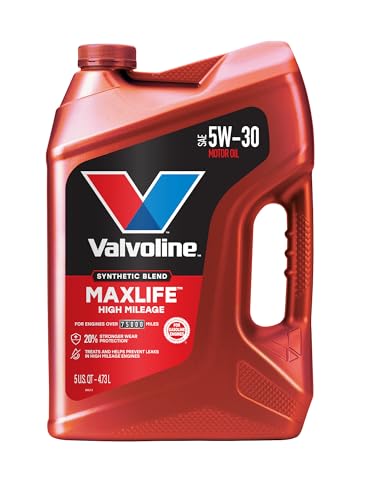
- Formulated for engines with 75,000 miles or more, Valvoline...
- Delivers 20% better wear protection and 15% better sludge...
- Extra detergents safeguard against friction, corrosion and...
- Advanced friction-fighting additives help maximize...
- Provides performance benefits for high mileage, new and...

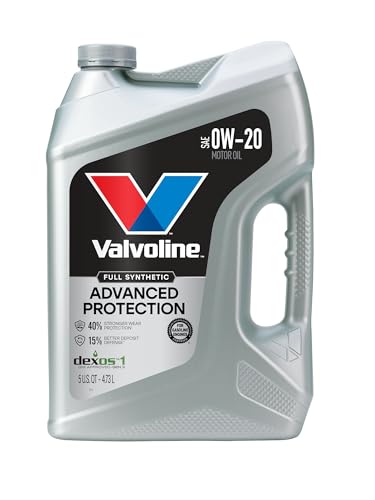
- Advanced protection against the four main causes of engine...
- Delivers 40% stronger wear protection than industry...
- Provides 15% better deposit defense vs. industry standards...
- Up to 2.5X better heat protection vs. industry standards to...
- Engineered for excellent low-temperature flow, reducing...
Last update on 2026-06-12 / Affiliate links / Images from Amazon Product Advertising API
If the PDF is very large, it may not load in the preview below.
Some older TSBs had multiple PDFs — visit the NHTSA Website to view all PDFs.
If the TSB PDF does not show, download or view it on the NHTSA Website.
Click on the (+) Plus Sign
Then Click on Associated Document(s)
Search NHTSA Database for Recalls
Search NHTSA Database for Vehicle Investigations
View Latest Vehicle Investigations
Search NHTSA Database for Vehicle Complaints
View Latest Vehicle Complaints
TSB/Document ID: B14-025
Replacement Service Bulletin Number:
MFR Communication Date: 2016-01-19
MFR Internal Campaign ID/Software Version:
Communication Type: Service Bulletin/Repair Instructions
NHTSA Components: ENGINE AND ENGINE COOLING:ENGINE:GASOLINE:BELTS AND ASSOCIATED PULLEYS
MFR Component System:
MFR Component Subsystem:
Previous TSB | Next TSB |

- [2026 Top-Tier Hardware and Software Upgrade]: Topdon ArtiDiag900 Lite scanner has enhanced hardware and latest features, including Android 11.0, 5x faster CPU, 10000mAh battery for 12 hours of continuous operation, stable wireless diagnosis with Bluetooth 5.0, 8-inch touchscreen. Added bi-directional control, wireless diagnosis, battery testing (optional), and DTC repair guide
- [TOPDON Bidirectional Scan Tool]: This bidirectional obd2 scanner sends commands to the vehicle's ECU for active testing, enabling users to accurately and quickly locate faulty components such as injectors, coolant pumps, windows, wipers, headlights, mirrors, etc. The bidirectional control scanner is the ideal choice for workshops/automotive repair shops as it significantly reduces mechanic's diagnostic time.
- [Wireless Bluetooth Diagnostic Experience]: The AD900 Lite scan tool comes with a Bluetooth 5.0 VCI, supporting a wireless diagnostic range of up to 33 feet (10 meters), allowing you to diagnose without being confined to cables or tight spaces. Stable and fast wireless diagnosis provides a comfortable repair environment. It also offers VCI cables to increase connectivity options.
- [DTC Repair Guide Function]: Easily diagnose issues with your vehicle and receive guidance on repairs with the topdon scan tool's fault code definitions for all systems,maximize your diagnostic capabilities. This function is compatible with Chrysler
 /Dodge/Jeep/Fiat 2010-2014 and expanding with continual updates,the AritDiag 900 Lite car diagnostic scanner is the must-have tool for any technician or DIY enthusiast.
 - [OE-Level Full System Diagnostics]:AritDiag900 Lite full system diagnostic scanner can scan ALL available modules(Engine, Transmission, Airbag, ABS, ESP, TPMS, Gateway, Steering, Radio, Air conditioning, ect.) to✔read ECU info, ✔read/clear codes, ✔view live data stream, ✔retrieves freeze-frame, ✔perform active tests, and more. With just a simple click, it provides you with accurate and in-depth diagnostics.

- Bi-Directional Control, Quickly Locate Problems: Turn your phone into a professional diagnostic tool. You can send commands from your phone to the ECU to test injectors, cooling fans, headlights, A/C clutch, windows, wipers, and more. See which one doesn't respond. Helps you quickly locate the problem and save time. No need to tear things apart, avoid blind disassembly.
- Flexible Subscription, Choose Advanced Features as Needed: TopScan Lite provides free-for-life access to core diagnostics, including full system scan, code reading, performance tests, and repair information. After purchase, advanced features (bi-directional control, service operations, live data, code clearing, and AI functions) are free-for-the-first-year. After the first year, if you want to use advanced features, you need to subscribe on a monthly, quarterly, or yearly basis. As new models and reset functions are updated, the tool will also be continuously upgraded.
- Full System Diagnostics, No Fault Hides: Unlike basic diagnostic tools that only cover 4 systems, TopScan can scan all systems. Read and clear trouble codes, view live data streams, and generate a complete vehicle health report – all issues are clear at a glance. Covers 10,000+ vehicle models and is compatible with 99.99% of vehicles.
- AI Assistant - TopFix: Think of TopFix as your personal AI mechanic. It leverages a repair database and OEM data to deliver clear, step-by-step repair solutions. Features include AI Q&A, one-click translation, and a full repair log, making your diagnostic process simpler and more efficient.
- 8+ Hot Resets, Keep Your Car in Top Shape: One-tap resets for oil, throttle, EPB, steering angle, DPF, ABS, BMS, and airbag. It enables car owners to easily perform essential maintenance, ensuring the vehicle stays in optimal condition and extends its service life.

- Dual WiFi & 10.1" Touchscreen: Provides a stable, high-speed wireless link 3x faster than bluetooth, and a responsive, professional interface. Topdon ONE obd2 scanner diagnostic tool ensures smooth, non-lagging diagnostic scan, boosting mechanic efficiency
- J2534 Pass-Thru Support: The included ONE VCI supports the J2534 standard, allowing it to function as a pass-thru device when paired with OEM diagnostic software.Through TOPDON’s RLink platform, technicians can perform dealer-level coding, expanding in-house capabilities without investing in multiple factory automotive scan tools
- OE Topology Mapping: Visualize the vehicle’s ECU network exactly as it’s built.Zoom, pan, and highlight specific modules to pinpoint component issues with precision.Topology mapping displays real-time communication between modules
- 50 Plus Service Functions: Covers high-demand services like ADAS calibration, DPF regen, TPMS reset, ABS bleed, and throttle adaptation.Expands your service menu, allows you to charge premium rates, and turns away zero jobs due to lack of tooling. Vehicle-specific functionality may vary
- Advaned ECU Coding: 10 of the most serviced brands in North America, including full ECU coding and flash hidden support for BMW, VW, Au-di, Benz, Porsche, Toyota, Ni ssan and more. Enables module replacement, feature customization, and personal settings with automatic backup or restore.Lets your shop safely offer high-margin customization services, attracting more customers and boosting profit
Last update on 2026-06-12 / Affiliate links / Images from Amazon Product Advertising API
This product presentation was made with AAWP plugin.