
NHTSA ID Number: 10096599
Manufacturer Communication Number: 2017 8-18-2016
TSB/Document Date: 2017-03-29
Summary
"SETTINGS SECTION: ADDED: LOAD ONBOARD VIDEO TUTORIALS FROM SD CARD REQUIREMENTS: 1 SD CARD AT LEAST 2GB IN SIZE. 1. WEBSITE: DOWNLOAD INSTALLATION CONTENT FROM HTTP:// WWW.AUDIIQS.COM/. SELECT IN-CAR VIDEO TUTORIALS FROM THE MAIN SCREEN. CHOOSE 2017 AND SELECT DOWNLOAD TUTORIAL FOR THE 2017 Q3. REFER TO THE FILE EXTRACTION DOCUMENT FOR INSTRUCTIONS TO COPY DATA TO SD CARD. 2. CAR: LOAD ONBOARD VIDEO TUTORIALS> TURN IGNITION ON> INSERT THE CREATED SD CARD FOR 2017 Q3 INTO SD1 SLOT> SELECT THE CAR FUNCTION BUTTON. SYSTEM WILL INITIALIZE> SELECT THE OWNERS MAN. FUNCTION BY SELECTING THE UPPER RIGHT CONTROL BUTTON> SELECT YES> SELECT SD1> SELECT START UPDATE> TURN OFF IGNITION TO START UPDATE (THE UPDATE WILL TAKE APPROX. 5 MINUTES)> ONCE COMPLETED, REMOVE THE SD CARD AND STORE TO BE USED AGAIN FOR THE NEXT VEHICLE."
Connect the dealer demo SIM card to the vehicle and make
sure the system fully connects to 2G or 3G (2G or 3G symbol
with Box surrounding it) (only applies if in a T-Mobile service
area)
If a known “sold” unit, set to appropriate Normal Load Condition. See separate “2017 Normal Load Condition Tire Pressure Table” posted on ServiceNet. If going to stock, set to
maximum recommended tire pressures listed on the B-pillar
doorjamb, and store tire pressure values in Car/System menu
Driving Performance
• Verify engine performance and acceleration
Listen for abnormal noise/vibrations
• Test drive vehicle applying brakes several times
Apply brakes at least 4 times at 20 mph (35 km/h) to clean
brake rotors. Check for abnormal noise/ vibration/pulsation
• Calibrate rear view mirror
Calibrate rear view mirror compass to proper zone and check
self-dimming function/lighting (if equipped)
Driver Assistance
• Verify operation of parking system (if equipped)
Verify operation of Audi parking system sensors with rear
view camera (if equipped)
• Turn on the wireless network (if equipped)
Ensure the wireless network is turned on (TEL function
button > Settings Ctrl button > Wi-Fi settings > Wi-Fi active >
select “Visible”)
• Check Wi-Fi hotspot functionality
Check Wi-Fi hotspot functionality is enabled and verify the
SSID is set to “AUDIXXXXX,” where XXXXX = the last five digits of VIN that are automatically preset in the system
• Enable Google Earth
Enable Google Earth in the navigation settings and verify the
white Google Logo appears next to the 2G or 3G symbol
On-Hoist Inspection
• Inspect wheel bolts for proper torque
Use torque wrench to verify
• Install wheel bolt covers and center caps as supplied
Wheel bolt covers and center caps can be found in the PDI kit
Effective 8-18-2016-US
Version 1.7
Model Year 2017 | Audi Pre-Delivery Reference Document | 8
A6/A6 competition/S6
Technician Reference Document
Vehicle Preparation
Exterior (continued)
• Deactivate vehicle transport mode
• Check all doors for proper power closing (if equipped)
Deactivate vehicle transport mode (via Special functions –>
Service work –> 19-Transport mode activating/deactivating)
For vehicles equipped with the power door closing feature,
check all doors for proper closing
• Deactivate air suspension loading mode (if equipped)
via Special Functions -> Service Work -> 34-Loading mode
activating/deactivating Warning! Car body may lower!
• Set adaption channel to enable CD Ripping (if equipped
with NAV)
Set adaptation channel (via Control Module list –> 5F –>
Guided Functions –> 5F Adaption). Also referred to as CD
Ripping. Perform 3 button reset of the MMI to complete the
activation. Refer to the owners manual for model specific
button sequence
• Set service reminder
via Special functions –> PDI Service –> 17-PDI-resetting SRI
at PDI, counter reset, etc.
• Perform any open campaigns
Follow instructions listed in campaign documentation
Lighting and Windshield
• Test front washers (and headlight washers if equipped)
Headlights must be on to test functionality of the headlight
washers
Trunk Inspection
• Install wheel bolt cover removal tool from PDI kit into
trunk tool kit
Install wheel bolt cover removal tool from PDI kit and wheel
lock key (if applicable) into trunk tool kit
• Set spare tire pressure
See separate “2017 Normal Load Condition Tire Pressure
Table” posted on ServiceNet
Under the Hood Inspection
Interior
• Check battery clamps for proper torque
• Check operation of window, lock, and seat controls
Re-torque if required
• Perform a battery test
Perform the A-battery test for new batteries using GFF in
ODIS Diagnosis –> Special functions –> PDI service. Select
option 2, the battery test for new batteries as part of the
pre–delivery inspection and act according to the test result
(ok, recharge, replace). Ensure diagnosis log is uploaded to
the GFF paperless server by selecting “ok” when tester wants
to send the current generated diagnosis protocol online.
(Note: Do not use Guided Function. The diagnosis log will not
be uploaded to GFF paperless)
• Check engine oil level
Fill oil to the max level when the vehicle is at operating temperature
Exterior
• Check all key buttons and features
Check functionality of all keys. Verify vehicle starts and runs
with all keys and the start/stop button. Verify all doors and
trunk remotely lock/unlock with all keys, including all door
handle sensors with Advanced Key (if equipped)
Effective 8-18-2016-US
Version 1.7
Check operation of all switches: Locks, windows, seat adjustment, seat ventilation and massage (if equipped), heated
seats and child safety features
• Check rear view mirror operation
Check self-dimming function/lighting (if equipped)
• Inspect mirrors for proper operation
Inspect folding, adjustments, right side tilt in reverse, heating (if equipped)
• Verify operation heated/ventilated and massaging seats (if
equipped)
Check both front and rear. Massaging feature is in the front
seats only (if equipped)
• Verify proper operation of climate control
Ensure proper heating and A/C cooling and open all panel
vents
• Check panoramic sunroof and sunshade operation
Verify open/close/vent/deflector at edge and sunshade
operation
Model Year 2017 | Audi Pre-Delivery Reference Document | 9
A6/A6 competition/S6
Technician Reference Document
Settings
Audi connect (USA ONLY) (if equipped) (continued)
• Set Time source setting to “GPS” and set Auto daylight
savings time to “on”
• Check Wi-Fi hotspot functionality
Change time zone appropriate to the dealer location
• Verify and set language and Measurement Units
This can be changed in the Setup/Settings menu
• Verify speech dialog system is operating
Press the “Talk” button and verify several commands
• Load Onboard Video Tutorials
Load Onboard Video Tutorials> Turn ignition on> Insert the
Onboard DVD into the DVD Drive> Select the CAR function
button. System will initialize>Select the Owner’s Man.
function by selecting the upper right control button> Select
“Yes”> Select “CD/DVD”> Select “Start update”> Turn off
ignition to start update (the update will take approx. 5 minutes)> Once completed, remove the disk and place back into
the case for the next vehicle
• Set “Music volume while parking” to 6 lines
Accessed via MMI rear view camera display, Settings > Music
volume while parking (applies to vehicles with park assist or
rear view camera)
• Set dealership location in navigation (if equipped)
Set dealership location for following back to dealership
during road test
Media / Radio / SAT
• Verify HD Radio is turned “off”
This can be found in the Radio/Settings Menu
Audi connect (USA ONLY) (if equipped)
• Verify Audi connect Information Packet is present (if
equipped)
Verify Audi connect Information Packet is present, including
Audi brochure, AT&T brochure, customer SIM card, AT&T
Terms & Conditions (T&C)(if applicable)
• Connect the dealer demo SIM card to verify system
connects to mobile network
Connect the AT&T dealer demo SIM card to the vehicle and
make sure the system fully connects to the wireless network
(LTE symbol with service bars)(only applies if in an AT&T
service area)
• Turn on the wireless network (if equipped)
Ensure the wireless network is turned on (TEL function
button > Settings Ctrl button > Wi-Fi settings > Wi-Fi active >
select “Visible”)
Effective 8-18-2016-US
Version 1.7
Check Wi-Fi hotspot functionality is enabled and verify the
SSID is set to “AUDIXXXXX,” where XXXXX = the last five digits of VIN that are automatically preset in the system
• Enable Google Earth (if equipped)
Enable Google Earth in the navigation settings and verify the
white Google Logo appears next to the 2G or 3G symbol
On-Hoist Inspection
• Inspect wheel bolts for proper torque
Use torque wrench to verify
• Install wheel bolt covers
Wheel bolt covers can be found in the PDI kit
• Set and store tire pressures for either sold vehicle OR stock
inventory vehicle
If a known “sold” unit, set to appropriate Normal Load Condition. See separate “2017 Normal Load Condition Tire Pressure Table” posted on ServiceNet. If going to stock, set to
maximum recommended tire pressures listed on the B-pillar
doorjamb, and store tire pressure values in Car/System menu
Driving Performance
• Verify engine Start-Stop System functionality
Verify the velum sticker is on the start/stop button. Remove
the start/stop information card from the car kit and place it
in the glove box with the owner’s manuals. Additional supply
can be ordered via the Brand Store on AccessAudi
• Verify engine performance and acceleration
Listen for abnormal noise/vibrations
• Test drive vehicle applying brakes several times
Apply brakes at least 4 times at 20 mph (35 km/h) to clean
brake rotors. Check for abnormal noise/ vibration/pulsation
• Calibrate rear view mirror
Calibrate rear view mirror compass to proper zone and check
self-dimming function/lighting (if equipped)
Driver Assistance
• Verify operation of parking system (if equipped)
Verify operation of Audi parking system with rear view camera and top and/or corner view cameras
• Verify all vehicle Head-up Display functionality (if
equipped)
Verify the image can be adjusted properly in the viewing
area of the windshield. Verify NAV directions, speed, cruise
control, and lane assist are all visible in Head-Up Display (as
equipped)
Model Year 2017 | Audi Pre-Delivery Reference Document | 10
A7/A7 competition/S7/RS 7/RS 7 performance
Technician Reference Document
Vehicle Preparation
Lighting and Windshield
• Deactivate vehicle transport mode
• Test front washers (and headlight washers if equipped)
Deactivate vehicle transport mode (via Special functions –>
Service work –> 19-Transport mode activating/deactivating)
Headlights must be on to test functionality of the headlight
washers
• Deactivate air suspension loading mode (if equipped)
via Special Functions -> Service Work -> 34-Loading mode
activating/deactivating Warning! Car body may lower!
• Set adaption channel to enable CD Ripping (if equipped
with NAV)
Set adaptation channel (via Control Module list –> 5F –>
Guided Functions –> 5F Adaption). Also referred to as CD
Ripping. Perform 3 button reset of the MMI to complete the
activation. Refer to the owners manual for model specific
button sequence
• Set service reminder
via Special functions –> PDI Service –> 17-PDI-resetting SRI
at PDI, counter reset, etc.
• Perform any open campaigns
Follow instructions listed in campaign documentation
Under the Hood Inspection
• Check battery clamps for proper torque
Re-torque if required
• Perform a battery test
Perform the A-battery test for new batteries using GFF in
ODIS Diagnosis –> Special functions –> PDI service. Select
option 2, the battery test for new batteries as part of the
pre–delivery inspection and act according to the test result
(ok, recharge, replace). Ensure diagnosis log is uploaded to
the GFF paperless server by selecting “ok” when tester wants
to send the current generated diagnosis protocol online.
(Note: Do not use Guided Function. The diagnosis log will not
be uploaded to GFF paperless)
• Check engine oil level
Fill oil to the max level when the vehicle is at operating temperature
Exterior
• Check all key buttons and features
Check functionality of all keys. Verify vehicle starts and runs
with all keys and the start/stop button. Verify all doors and
trunk remotely lock/unlock with all keys, including all door
handle sensors with Advanced Key (if equipped)
• Check all doors for proper power closing (if equpped)
For vehicles equipped with the power door closing feature,
check all doors for proper closing
Effective 8-18-2016-US
Version 1.7
Trunk Inspection
• Install wheel bolt cover removal tool from PDI kit into
trunk tool kit
Install wheel bolt cover removal tool from PDI kit and wheel
lock key (if applicable) into trunk tool kit
• Set spare tire pressure
See separate “2017 Normal Load Condition Tire Pressure
Table” posted on ServiceNet
Interior
• Check operation of window, lock, and seat controls
Check operation of all switches: Locks, windows, seat adjustment, seat ventilation and massage (if equipped), heated
seats and child safety features
• Check rear view mirror operation
Check self-dimming function/lighting (if equipped)
• Inspect mirrors for proper operation
Inspect folding, adjustments, right side tilt in reverse, heating (if equipped)
• Verify operation heated/ventilated & massaging seats (if
equipped)
Check both front and rear. Massaging feature is in the front
seats only (if equipped)
• Verify proper operation of climate control
Ensure proper heating and A/C cooling and open all panel
vents
• Check panoramic sunroof and sunshade operation
Verify open/close/vent/deflector at edge and sunshade
operation
Settings
• Set Time source setting to “GPS” and set Auto daylight
savings time to “on”
Change time zone appropriate to the dealer location
• Verify and set language and Measurement Units
This can be changed in the Setup/Settings menu
• Verify speech dialog system is operating
Press the “Talk” button and verify several commands
Model Year 2017 | Audi Pre-Delivery Reference Document | 11
A7/A7 competition/S7/RS 7/RS 7 performance
Technician Reference Document
Settings (continued)
On-Hoist Inspection
• Load Onboard Video Tutorials
• Inspect wheel bolts for proper torque
Load Onboard Video Tutorials> Turn ignition on> Insert the
Onboard DVD into the DVD Drive> Select the CAR function
button. System will initialize>Select the Owner’s Man.
function by selecting the upper right control button> Select
“Yes”> Select “CD/DVD”> Select “Start update”> Turn off
ignition to start update (the update will take approx. 5 minutes)> Once completed, remove the disk and place back into
the case for the next vehicle
• Set “Music volume while parking” to 6 lines
Accessed via MMI rear view camera display, Settings > Music
volume while parking (applies to vehicles with park assist or
rear view camera)
• Set dealership location in navigation (if equipped)
Set dealership location for following back to dealership
during road test
Media / Radio / SAT
• Verify HD Radio is turned “off”
This can be found in the Radio/Settings Menu
Use torque wrench to verify
• Install wheel bolt covers
Wheel bolt covers can be found in the PDI kit
• Set and store tire pressures for either sold vehicle OR stock
inventory vehicle
If a known “sold” unit, set to appropriate Normal Load Condition. See separate “2017 Normal Load Condition Tire Pressure Table” posted on ServiceNet. If going to stock, set to
maximum recommended tire pressures listed on the B-pillar
doorjamb, and store tire pressure values in Car/System menu
Driving Performance
• Verify engine Start-Stop System functionality
Verify the velum sticker is on the start/stop button. Remove
the start/stop information card from the car kit and place it
in the glove box with the owner’s manuals. Additional supply
can be ordered via the Brand Store on AccessAudi
• Verify engine performance and acceleration
Listen for abnormal noise/vibrations
• Test drive vehicle applying brakes several times
Audi connect (USA ONLY) (if equipped)
• Verify Audi connect Information Packet is present (if
equipped)
Verify Audi connect Information Packet is present, including
Audi brochure, AT&T brochure, customer SIM card, AT&T
Terms & Conditions (T&C)(if applicable)
• Connect the dealer demo SIM card to verify system
connects to mobile network
Connect the AT&T dealer demo SIM card to the vehicle and
make sure the system fully connects to the wireless network
(LTE symbol with service bars)(only applies if in an AT&T
service area)
• Turn on the wireless network (if equipped)
Ensure the wireless network is turned on (TEL function
button > Settings Ctrl button > Wi-Fi settings > Wi-Fi active >
select “Visible”)
Apply brakes at least 4 times at 20 mph (35 km/h) to clean
brake rotors. Check for abnormal noise/ vibration/pulsation
• Calibrate rear view mirror
Calibrate rear view mirror compass to proper zone and check
self-dimming function/lighting (if equipped)
Driver Assistance
• Verify operation of parking system (if equipped)
Verify operation of Audi parking system with rear view camera and top and/or corner view cameras
• Verify all vehicle Head-up Display functionality (if
equipped)
Verify the image can be adjusted properly in the viewing
area of the windshield. Verify NAV directions, speed, cruise
control, and lane assist are all visible in Head-Up Display (as
equipped)
• Check Wi-Fi hotspot functionality
Check Wi-Fi hotspot functionality is enabled and verify the
SSID is set to “AUDIXXXXX,” where XXXXX = the last five digits of VIN that are automatically preset in the system
• Enable Google Earth (if equipped)
Enable Google Earth in the navigation settings and verify the
white Google Logo appears next to the 2G or 3G symbol
Effective 8-18-2016-US
Version 1.7
Model Year 2017 | Audi Pre-Delivery Reference Document | 12
A8 L/S8 plus
Technician Reference Document
Vehicle Preparation
Lighting and Windshield
• Deactivate vehicle transport mode
• Test front washers (and headlight washers if equipped)
Deactivate vehicle transport mode (via Special functions –>
Service work –> 19-Transport mode activating/deactivating)
Headlights must be on to test functionality of the headlight
washers
• Deactivate air suspension loading mode (if equipped)
via Special Functions -> Service Work -> 34-Loading mode
activating/deactivating Warning! Car body may lower!
• Set adaption channel to enable CD Ripping (if equipped
with NAV)
Set adaptation channel (via Special functions –> Service
work –> : 5F–Activating/deactivating storage of music). Also
referred to as CD Ripping. Perform 3 button reset of the MMI
to complete the activation. Refer to the owners manual for
model specific button sequence
• Set service reminder
via Special functions –> PDI Service –> 17-PDI-resetting SRI
at PDI, counter reset, etc.
• Perform any open campaigns
Follow instructions listed in campaign documentation
Under the Hood Inspection
• Check battery clamps for proper torque
Re-torque if required
• Perform a battery test
Perform the A-battery test for new batteries using GFF in
ODIS Diagnosis –> Special functions –> PDI service. Select
option 2, the battery test for new batteries as part of the
pre–delivery inspection and act according to the test result
(ok, recharge, replace). Ensure diagnosis log is uploaded to
the GFF paperless server by selecting “ok” when tester wants
to send the current generated diagnosis protocol online.
(Note: Do not use Guided Function. The diagnosis log will not
be uploaded to GFF paperless)
• Check engine oil level
Fill oil to the max level when the vehicle is at operating temperature
Exterior
• Check all key buttons and features
Check functionality of all keys. Verify vehicle starts and runs
with all keys and the start/stop button. Verify all doors and
trunk remotely lock/unlock with all keys, including all door
handle sensors with Advanced Key (if equipped)
• Check all doors for proper power closing (if equpped)
For vehicles equipped with the power door closing feature,
check all doors for proper closing
Effective 8-18-2016-US
Version 1.7
Trunk Inspection
• Install wheel bolt cover removal tool from PDI kit into
trunk tool kit
Install wheel bolt cover removal tool from PDI kit and wheel
lock key (if applicable) into trunk tool kit
• Set spare tire pressure
See separate “2017 Normal Load Condition Tire Pressure
Table” posted on ServiceNet
Interior
• Check operation of window, lock, and seat controls
Check operation of all switches: Locks, windows, seat adjustment, seat ventilation and massage (if equipped), heated
seats and child safety features
• Check rear view mirror operation
Check self-dimming function/lighting (if equipped)
• Inspect mirrors for proper operation
Inspect folding, adjustments, right side tilt in reverse, heating (if equipped)
• Verify operation heated/ventilated & massaging seats (if
equipped)
Check both front and rear.
• Verify proper operation of climate control
Ensure proper heating and A/C cooling and open all panel
vents
• Check panoramic sunroof and sunshade operation
Verify open/close/vent/deflector at edge and sunshade
operation
Settings
• Set Time source setting to “GPS” and set Auto daylight
savings time to “on”
Change time zone appropriate to the dealer location
• Verify and set language and Measurement Units
This can be changed in the Setup/Settings menu
• Verify speech dialog system is operating
Press the “Talk” button and verify several commands
Model Year 2017 | Audi Pre-Delivery Reference Document | 13
A8 L/S8 plus
Technician Reference Document
Settings (continued)
Audi connect (USA ONLY) (if equipped) (continued)
• Load Onboard Video Tutorials
• Check Wi-Fi hotspot functionality
Load Onboard Video Tutorials> Turn ignition on> Insert the
Onboard DVD into the DVD Drive> Select the CAR function
button. System will initialize>Select the Owner’s Man.
function by selecting the upper right control button> Select
“Yes”> Select “CD/DVD”> Select “Start update”> Turn off
ignition to start update (the update will take approx. 5 minutes)> Once completed, remove the disk and place back into
the case for the next vehicle
• Set “Music volume while parking” to 6 lines
Accessed via MMI rear view camera display, Settings > Music
volume while parking (applies to vehicles with park assist or
rear view camera)
• Set dealership location in navigation (if equipped)
Set dealership location for following back to dealership
during road test
Media / Radio / SAT
• Verify operation of Rear Seat Entertainment (if equipped)
Rear Seat Entertainment/Rear MMI: Verify operation. Verify
the wireless headphones are present and pair them to the
RSE system (refer to RSE manual). When pairing the headphones, press and hold the on/off button for 4–5 seconds
until the light starts flashing quickly. Also verify the DVD
units operate
• Verify HD Radio is turned “off”


- [J2534 Pass-Thru Programmer] - TOPDON RLink J2534 is...
- [All-in-One OEM Reprogramming and Diagnostics] - When...
- [Tested, Trusted, and Proven for Accuracy] - TOPDON RLink...
- [One-Click Installation, Continuous Updates] - The exclusive...
- [Works with Windows Compatibility and OEM Software...
Last update on 2026-06-21 / Affiliate links / Images from Amazon Product Advertising API
If the PDF is very large, it may not load in the preview below.
Some older TSBs had multiple PDFs — visit the NHTSA Website to view all PDFs.
If the TSB PDF does not show, download or view it on the NHTSA Website.
Click on the (+) Plus Sign
Then Click on Associated Document(s)
Search NHTSA Database for Recalls
Search NHTSA Database for Vehicle Investigations
View Latest Vehicle Investigations
Search NHTSA Database for Vehicle Complaints
View Latest Vehicle Complaints
TSB/Document ID: 2017 8-18-2016
Replacement Service Bulletin Number:
MFR Communication Date: 2016-08-18
MFR Internal Campaign ID/Software Version:
Communication Type: Service Bulletin/Repair Instructions
NHTSA Components: ELECTRICAL SYSTEM:SOFTWARE
MFR Component System:
MFR Component Subsystem:
Previous TSB | Next TSB |

- 💯【Conta.ct us for Support Directly】If you met any issues about: Received a registered device/ Language Changing/ Function not Support/ VCI150 Blueto-oth connector malfunction/ Subscription Renewal, please conta.ct us via 📞autelsupply @outlook. com🛣️, we will provide perfect solution for you. ⚠️Note: Autel MK900BT comes with 1-Year Free Software Update, most features will remain active after update subscription expires. 1. For questions regarding updates or need more useful accessories, please conta.ct us via 📞autelsupply @outlook.com🛣️. 2. If the device fails to charge or turn on, please conta.ct us via 📞autelsupply @outlook. com🛣️, we will handle it promptly.
- 🔥🔥🔥【2026 AUTEL FLAGSHIP MK900BT MK900-BT, NEW MODEL OF MK808S MK900 MX900 MK808BT MX808S】2026 newest Autel MK900BT retains all features of MK808S MX900 MX808S MK808Z MK808Z-BT MK808K-BT, while EXTRA added powerful functions (value 2000+ bucks). The Pro-level Autel MK900BT makes a big leaps: 28+➡40+, 50+➡3000+ Active Tests, 2026 NEW✅CAN FD & DOIP protocols ✅Pre&Post diagnostic report ✅WIFI Print ✅Auto VIN&Auto Scan 2.0 ✅Scan VIN/ License ✅Battery Test (Need purcha.se BT506). If found defect or us.ed, please conta-ct 📞autelsupply @outlook. com📞 get perf-ect solut.ion.
- 🚗【3000+ ACTIVE TESTS (50➡3000+), SAME AS MS906 PRO】Differ from MS906BT MS906 MP808 MK808 MX808 MK808BT only 50 tests, Autel scanner MK900BT escaner automotriz professional offers 3000+ active tests, it can send command to ECUs & monitor actuators operation, quickly locating faulty components. Bidirectional scanning takes your diagnostics to the next level with menu lists 3000+ active tests, such as windows, rear mirrors, sunroof, wipers, fuel injector, coolant fans, radiator fan, AC clutch, coolant pump and more. Note: Functions are not available for all vehicles, please send vehicle VIN to us check compatibility.
- 🚗【40+ HOT SERVICES FOR 150 MAKES (28+➡40+)】Full level-up of OBD2 code reader MaxiCOM MK808S MK808 MK808Z MX808 MK808Z-BT with 28 service, Autel scan tool MK900BT/ MK900-BT offers 40+ maintenance service on 150+ brands 10,000 vehicles from 1996-2025-2026. Hottest Services like: Oil Reset, ABS Bleed, SAS Calibration, Injector Coding, SRS, Throttle Reset, Gearbox Reset, Battery Registration etc. Added 12+ advanced resets: rain slash light sensor reset, HVA.C/ SUS calibration etc. Welcome to send Vehicle Make>Model>Year>VIN>Functions you required to 📞autelsupply @ outlook . com📞 check compatibility.
- 🚗【OE ALL SYSTEM DIAGNOSE, AUTO SCAN 2.0: SCAN LICENSE/ AUTO VIN】2026 new release Autel MaxiCOM MK900-BT scan tool embodies all system diagnostic with its 8in display for all vehicles. Like Sna.p-on tools, it can perform ✔Read/Clear Codes✔Displays 5-in-1 Live Data✔Record & Playback Data✔Retrieve Info on all available systems like ABS ECM BCM SRS TCM etc. In addition to Auto VIN technology, Autel MK900BT adds Scan License/ Auto Scan 2.0 to identify vehicle’s VIN/ license, make, year, model, no need manual input; One-click WiFi Printing of Pre&Post comparison diagnostic reports, highlight root causes of problems.


- 【TURN OFF CEL】 This AL319 car scanner diagnostic tool supports Reading and Clearing DTCs, DTC Look Up, displaying Live Data, Freeze Frame & I/M Readiness, view vehicle information, etc., to figure out the root cause of the Check Engine Light (CEL) and turn it off, helping you catch any potential issues early and avoid excessive costs from unnecessary repairs.
- 【EXTENSIVE APPLICATION】 Autel AL319 Compatible with 7 languages (English, French, Spanish, etc.) and various post-1996 OBD II protocol vehicles (Toyota
 , Nissan, Honda, Ford, etc.), this OBD II scanner provides accurate and fast diagnosis for worldwide car owners.
 - 【FOR END USER & DIYERS】 This error code reader AL319 is “plug and play” and comes with an easy interface. Even if you’re not familiar with vehicle repair, you can quickly take control of this obd2 scanner, and get the information you want.
- 【USER-FRIENDLY DESIGN】 This OBD2 scanner and check engine code reader features a patented One-Click I/M Readiness, TFT color display, built-in speaker, LED Indicator etc. The cable is long enough without being too long and getting in the way. No batteries are needed.
- 【HIGH-QUALITY SERVICES】 12 months war.ranty from the date of purchase and lifetime free update are offered by this Automobile OBDII scan tool. Welcome to contact us via Q&A, email, or hotline, and our after-sale-service team for technical support.
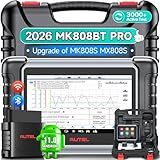
- 👨🎓Tips Before Order: 🚩All function are vehicle-specific - send VIN(17 digits)/Make/Model/Year & needed function via 📞auteldirect @ outlook . com📞 to check before order. 🚩Register tool: a) Follow on-screen guide; or b) Register em-ail on Autel we-b, then bind using SN(back of device) + verification code (find in tool settings or con-tact us via above em-ail). MK808BT PRO comes with ✅English, if need Spanish, please s.end device SN to add. ✅1-year war-ranty. ✅$150 worth 1yr fr-ee updates(New users: ignore renewal alerts). ⚠️📢Post-expiry: Most functions remain functional,for exclusions, refer to A+ Tips. ⚠️Fee for FCA AutoAuth Ga.teway(optional): $50/year, charged by AutoAuth,not Autel.
- 【2026 MK808BT PRO: Same as MK900BT, up of MK900 MX900 MK808S MX808S】Why pay more? 2026 MK808BT PRO functions as MK900BT and saves you 100USD. At same c0st, you now get diagnostic 8X faster and sup-port for 150+ models(1996-2026).💡Dramatically Improved: ✔️Faster & Smarter OS: Android 4.4➡ Android 11 ✔️More Services: 28+➡ 40+ ✔️Bidirectional Control: 50+➡ 3,000+ ✔️Enhanced Hardware: 1/32G➡ 4G/64G ✔️2.4GHz➡ 5G Dual WiFi ✔️Working range: 0.9m➡ 10m+ 🔋Battery test is clear on the large 7in display(BT506 required). 🔔Your Autel scanner is shipped brand new. For any issues(used, damaged, incompatible), e-m-a-il 📞auteldirect @ outlook . com📞 for priority resolution.
- 👍【New Next-Level Bidirectional Control, 50➡3000+ Tests, Covers Daily Repairs】Unlike the Autel DS708 DS808 MP808 MK808 and MX808 car diagnostic scanners, which offer only 50 functional tests, the Autel bidirectional scan tool MK808BT PRO is equipped with over 3000 active tests. These tests are widely used on car subsystems to help technicians quickly check if the car's actuators are functioning properly. Such as ABS, windows, rearview mirrors, wipers, sunroofs, fuel injectors, AC clutches, coolant fans, radiator fans, coolant pumps,etc. Tips📢: All functions are vehicle-specific, not universal to all vehicles,pls send VIN to 📞auteldirect @ outlook . com📞check compatibility before order.
- 👍【28+ Hot Services for 150+ Makes】Autel scan tool MK808BT PRO, upgraded with a BT VCI Mini(valued at 120USD), surpasses the old wired OBDII scanner MK808S MK900, by providing a convenient 33ft wireless working range, offering greater freedom and comfort compared to the 3.3ft cable limit of the MK900 MK808S MX808S car scanner. New features include VIN Check across different modules for comparison and 28+ resets, such as injector coding, ABS autobleed, Oil reset, SAS cali.bration, BMS, throttle relearn, suspension adjustments, etc. ⚠️📢Tips: Service functions are vehicle-specific, not universal to all vehicles, pls send VIN to 📞auteldirect @ outlook . com📞check compatibility before order.
- 👍【All Available Module Diagnosis - OE-Level Scanner】The OE versatile OBDII scan tool MK808BT PRO escaner para autos effectively works with all car systems: ABS, ECM, BCM, SRS, TCM,etc. It identifies vehicles via AutoVIN/manual input/select, like S.nap-on tools, it can ✔read/clear 7000+ DTCs, ✔read ECU info, ✔view 5-in-1 live data, ✔perform active tests, and ✔reset services. ✔Reports can be shared via QR-code and printed, working globally and 21+ multilingual. Supports 150+ US/EU/Asian makes, with ongoing updates from 2024 to 2026. ⚠️Note📢: The AutoVIN function usually works for post-2006 cars, depending on if the vehicle's VIN is stored in the ECU. You can always do manual input/select.
Last update on 2026-06-21 / Affiliate links / Images from Amazon Product Advertising API
This product presentation was made with AAWP plugin.