
NHTSA ID Number: 10071537
Manufacturer Communication Number: PI0901A
TSB/Document Date: 2016-06-17
Summary
SUMMARY TO BE PROVIDED ON A FUTURE DATE.
port. Compatible devices connected to the USB port can be controlled by the audio system. Not all devices may be
supported. Use the audio controls and audio steering wheel controls to access various functions.
Vehicle Personalization
Some vehicle features can be customized using the audio controls and menus. Vehicle Settings menus may include
Climate and Air Quality, Comfort and Convenience, Collision/Detection Systems, Exterior Ambient Lighting, Power
Door Locks, Remote Lock/Unlock/Start, and Restore Factory Settings.
Customize Settings
1. Press the CONFIG button.
2. Use the MENU/SELECT knob to open Vehicle Settings.
3. Use the MENU/SELECT knob to highlight and select the desired menus and settings.
4. Press the BACK button to exit each menu.
Audio Steering Wheel Control
3269549
Volume – Press + or – to adjust the volume.
SRC Source – Press to select an audio source.
Next/Previous – Toggle up or down to go to the next or previous favorite radio station, track, or file.
Push to Talk – Press to interact with the audio, OnStar®, Bluetooth or navigation system.
End Call/Mute – Press to end or reject an OnStar or a Bluetooth call. Press to mute the vehicle speakers.
See Instruments and Controls in your Owner Manual.
Bluetooth® System
Before using a Bluetooth-enabled device in the vehicle, it must be paired with the in-vehicle Bluetooth system. Not
all devices will support all functions. Bluetooth streaming audio is available with the IntelliLink system. For more
information, visit www.gm.com/bluetooth.
Notice: To Canadian Dealers, the link above is a United States website that is presented in English only. Canadian
carriers are not listed directly, but when identified, the phone model functions are similar.
Pair a Phone
3269551
1. To use voice recognition, press the Push to Talk button; after the beep, say “Pair phone.” To use the screen
buttons, press the Settings screen button and then touch Bluetooth Device List > New Device.
2. Start the pairing process on the phone. Select Your Vehicle on the phone.
3. Enter the four-digit code that appears on the touch screen into the phone or confirm the six-digit code on the
phone.
4. If your phone prompts you to accept the connection or phone book download, click “yes” and always allow.
Streaming Audio
With a paired device connected via Bluetooth, select Bluetooth Audio on the home screen to stream audio from the
device. Control audio operation using the device controls.
IntelliLink
IntelliLink uses a Bluetooth or USB connection to link a smartphone, cell phone, USB flash drive or portable audio
player/iPod™ to the touch screen infotainment display. It offers a variety of entertainment options, including
streaming audio from the Internet through a smartphone, and features enhanced hands-free voice control, music
information and the ability to play music files from a USB flash drive.
For assistance with Bluetooth pairing, application downloading and installation, mobile device compatibility, and
operation of the IntelliLink system, contact Customer Assistance at 1-855-4-SUPPORT (855-478-7767) or visit
www.buick.com/intellilink. In Canada, contact Customer Assistance at 1-800-263-3777 or visit www.gm.ca/gm/
english/vehicles/buick/infotainment/ (English) and www.gm.ca/gm/french/vehicles/buick/infotainment (French).
Voice Recognition
Control the music source and make phone calls hands-free (after pairing your Bluetooth-enabled phone) using the
enhanced voice recognition system.
1. Press the Push to Talk button on the steering wheel.
2. The radio will say “Command please,” followed by a beep.
3. After the beep, say what you want it to do.
Phone (Using your paired phone): Example command: “Call Amanda” or “Dial 555-1212”
Media Music Device Search (when connected to USB only): Example command: “Play artist [name]” or “Play
song “Dance the Night Away‟”
Radio Control: Example command: “Tune FM 104.3” or “Tune XM Classic Vinyl”
PANDORA® Internet Radio*
Listen to personalized radio stations based on favorite artists or genres (a slight delay may occur when loading a
song or changing a station).
• Download the Pandora app to your smartphone. Restart the smartphone and sign in to Pandora.
• Create a station on your phone to listen to a customized song list in the vehicle.
• If you like or dislike a song, you can say “Thumbs up” or “Thumbs down” using voice recognition, or touch the
Thumbs Up or Thumbs Down screen button.
• Use voice commands to tune your Pandora stations.
* Pandora Internet Radio is not available in Canada.
Stitcher SmartRadio™
Stream favorite podcasts, radio shows and news to your vehicle.
• Download the Stitcher app to your smartphone. Restart the smartphone and sign in to Stitcher.
• Select a category to listen to.
• If you like the station, touch the Star screen button to add it to your Favorites list.
Note: Pandora and Stitcher can be played using the Bluetooth connection. However, the Pandora and Stitcher
screen icons and voice commands will be active only when connected to the USB port.
Optional equipment : See Infotainment System in your Owner Manual.
Ultrasonic Rear Parking Assist
Ultrasonic sensors in the front and rear bumpers help avoid colliding with objects when parking. Detected objects are
indicated by audible beeps, which become more frequent as the vehicle gets closer to an object. When the distance
is less than 12 in (30 cm), the beeps are continuous.
To turn the system OFF or ON, press the Parking Assist button on the center of the instrument panel.
Note: The system operates only at speeds less than 5 mph (8 km/h). The system may be disabled if dirt, snow or ice
builds up on the sensors. Keep the vehicle clean for proper operation.
Rear Vision Camera (Standard on all Packages for US - Standard on Leather/
Premium Packages for Canada)
3269596
When the vehicle is in Reverse, a view of the area behind the vehicle appears on the infotainment screen.
To turn the system OFF or ON, press the CONFIG button on the infotainment system to open the Configure menu
and select Display > Rear Camera Options > Camera. A checkmark indicates the system is On.
Note: The system may not display a clear image if dirt, snow or ice builds up on the camera lens. Clean the camera,
located above the license plate, with water and a soft cloth.
Lane Departure Warning (Premium Package Only)
When crossing a detected lane marking without using a turn signal, a visual alert is displayed on the instrument
panel and audible beeps sound.
To turn the system OFF or ON, press the Lane Departure Warning button on the center of the instrument panel.
Forward Collision Alert
When approaching a vehicle directly ahead too quickly, a visual alert is displayed on the instrument panel and
audible beeps sound.
To turn the system Off or On, press the Lane Departure Warning button on the center of the instrument panel.
Traction Control and Stabilitrak® Systems
The traction control system limits wheelspin and the StabiliTrak stability control system assists with directional
control of the vehicle in difficult driving conditions. Both systems turn on automatically every time the vehicle is
started.
Turning the System Off/On
• To turn OFF traction control, press the Traction Control /StabiliTrak Off button on the center of the instrument
panel. The Traction Control Off light will illuminate on the instrument cluster. Turn off traction control if the
vehicle is stuck and rocking the vehicle is required.
• To turn OFF both traction control and StabiliTrak, press and hold the button. The Traction Control Off light and
StabiliTrak Off light will illuminate on the instrument cluster.
Cargo Shade
Remove the Shade
3269535
3269544
1. Unhook the cords from the liftgate and pull the shade out of the rear hinges.
2. Slide the shade along the channels to store it behind the rear seats.
Install the Shade
1. Insert the shade into the rear hinges.
2. Hook the cords to the liftgate.
Cargo Floor Storage Compartment
Additional storage space is available under the rear cargo floor cover.
See Storage in your Owner Manual.
Tire Pressure Monitor
The Low Tire Pressure warning light on the instrument cluster illuminates when a significant reduction in pressure
occurs in one or more of the vehicle’s tires. The warning light will remain ON until the tire pressure is corrected. The
proper tire pressures for the vehicle are listed on the Tire and Loading Information label located below the driver ’s
door latch.
Tire pressure is affected by cold weather and distance driven. If the low tire pressure warning light illuminates when
the vehicle is first started and then turns OFF as the vehicle is driven, check for the proper tire pressures.
Note: The Tire Pressure Monitor can alert you about low tire pressure, but it doesn’t replace normal monthly tire
maintenance. It is the driver’s responsibility to maintain correct tire pressures.
See Vehicle Care in your Owner Manual.
Engine Oil Life System
The Oil Life System calculates engine oil life based on vehicle use and displays Change Engine Oil Soon on the
Driver Information Center (DIC) when it’s necessary to change the engine oil and filter. The system should be reset
to 100% only following an oil change.
Resetting the Oil Life System
1. Turn the ignition to the ON position, but do not start the engine.
2. Press the MENU button to display the Vehicle Information menu on the DIC.
3. Rotate the [arrow icons] switch to view Remaining Oil Life.
4. Press the SET/CLR button until 100% is displayed.
5. Turn OFF the ignition.
Special Tools
The following new tools have been released for the 2013 Buick Encore:
Tool #
Description
DT-50839
Transmission Adapter Plate Bushing Replacer
J-44873-2
Shoulder Bolt, Special (M8x1.25)
J-45756
Rear Output Housing Flange Seal Installation
J-41819
Intermediate Shaft Seal Installer
DT-50840
Input Shaft Seal Installer (to main & ext. hsg)
DT-50937
IDS Seal Protector (from splines) - right side
DT-50985
IDS Excluder Seal Installer
J-36842
Service Holding Fixture
DT-48270
Spring Installer
DT-48271
Seal Protector
DT-48272
Spring Installer
DT-48273
Seal Protector
DT-48274
DT-48277
Differential Rotating Tool
DT-48866
3-5-R Spring Compressor
DT-48866
3-5-R Spring Compressor
DT-48903
DT-49101
Seal Installer
EN-28467-300
Engine Support Fixture-Adapter
EN-48488
Holding Wrench
EN-49940
Remover Quick Connector
EN-49941
Remover / Installer Piston Retainer Ring
EN-49942
Holding Wrench
EN-49977
Fixation Sensor Disks and Camshafts
EN-49979
Retainer Shock Mount Crankshaft
EN-50717
To install/remove valve cotters (6 mm)
J-35669
KM-235-6
Seal Installer Kit
KM-658-1
Installer
KM-952
Fixing Tool Crankshaft
KM-953-A
Fixing Tool Camshaft
KM-955
Locking Pins
Tool #
Description
KM-958
Installer (5 mm)
KM-960
Installer
Overview
Models
Encore Group (not applicable in Canada)
Convenience Group
Trim Packages
Leather Group
Premium Group
Engines
1.4L turbocharged DOHC I-4
Transmission
HydraMatic 6T40 6-speed automatic
Chassis/Suspension
Front
MacPherson strut with coil-over spring; direct-acting stabilizer
bar; steel 4-or 6-point rigid attachment front cross member
Rear
Compound crank (torsion beam); coil springs with twin-tube
shock absorbers
Steering Type
Column-mounted electric power steering; rack-and-pinion gear
(straight ratio)
Type
Four-wheel disc with ventilated front discs and solid rear discs;
standard ABS
18 x 7-inch painted aluminum (std.)
18 x 7-inch chromed aluminum (opt.)
Tires
P215/55R18 AL3 Blackwall
14 Gallons / 53 Liters
4.2 Quarts / 4.0 Liters
6.9 Quarts / 6.5 Liters
Capacities
Technical Training Courses
Technical training courses are available from the Center of Learning at www.centerlearning.com in support of the
Buick Encore. In Canada go to www.gmprocanada.com.

- 💯【Conta.ct us for Support Directly】If you met any...
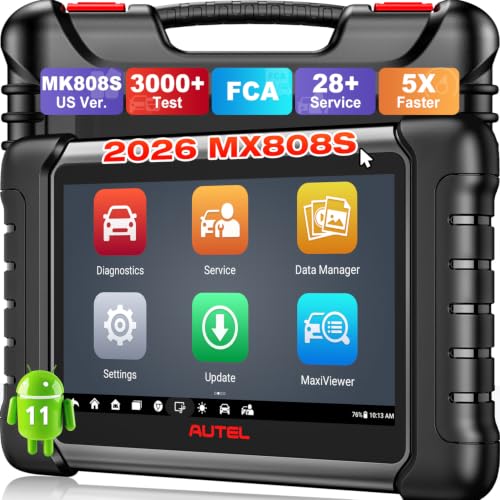
- 🔥🔥🔥【2026 AUTEL FLAGSHIP MK900BT MK900-BT, NEW...
- 🚗【3000+ ACTIVE TESTS (50➡3000+), SAME AS MS...
- 🚗【40+ HOT SERVICES FOR 150 MAKES (28+➡40+)】Full...
- 🚗【OE ALL SYSTEM DIAGNOSE, AUTO SCAN 2.0: SCAN LICENSE...

- 📌【We are Here for You】Dear valued customer, please be...
- 🚀【5X Faster Next-Level Hardware, Same as MK900/ MX...
- 🔥【3000+ Active Tests = MK900/MK900BT but...
- 📢【2026 U.S. Version, All-in-One as MK808S/ MK808Z...
- 🔥【28+ Hot Services for 150+ Brands】Same as MaxiCOM...
If the PDF is very large, it may not load in the preview below.
Some older TSBs had multiple PDFs — visit the NHTSA Website to view all PDFs.
If the TSB PDF does not show, download or view it on the NHTSA Website.
Click on the (+) Plus Sign
Then Click on Associated Document(s)
Search NHTSA Database for Recalls
Search NHTSA Database for Vehicle Investigations
View Latest Vehicle Investigations
Search NHTSA Database for Vehicle Complaints
View Latest Vehicle Complaints
TSB/Document ID: PI0901A
Replacement Service Bulletin Number:
MFR Communication Date: 2013-04-01
MFR Internal Campaign ID/Software Version:
Communication Type: Service Bulletin/Repair Instructions
NHTSA Components: EQUIPMENT:OTHER:OWNERS/SERVICE/OTHER MANUAL
MFR Component System:
MFR Component Subsystem:
Previous TSB | Next TSB |

- [Notice] When you receive a used device, it may be a customer return resold by Amazon without inspection. You can exchange it for a new one through Amazon. As this situation is unavoidable, we sincerely apologize. For any issues, contacting us via Amazon's "Messages" is the best way. THINKSCAN 689BT Bidirectional Scan Tool Can Be Used Immediately After It is Turned On, Without Complicated Registration Process, Which is More Convenient & Quick.
- Full Bi-Directional Control & 3000+ Active Tests: Take control and test components like actuators, fuel injectors, relays, and cooling fans in real time. You’ll quickly see if the problem is in the part itself or the control module — saving you hours of guesswork and frustrating trial-and-error.
- Advanced ECU Coding Capabilities: Handle module matching and hidden feature activation with confidence. When you replace an ECU or want to customize settings, this obd2 scanner diagnostic bi directional tool gives you the professional-level capabilities you need without the dealership price tag.
- 34+ Useful Reset and Maintenance Functions: Complete everyday service tasks smoothly with a wide range of helpful reset and maintenance functions. Whether you’re keeping up with regular upkeep or tackling a specific job, this scanner makes maintenance simpler and less stressful for both DIYers and pros.
- Comprehensive Full System Diagnostics: Diagnose every major system — Engine, Transmission
 , ABS, SRS, TPMS, and more — all in one place. Finally stop wondering if you’re missing something important; get the full picture and clear codes with ease.

- Top Reasons to Choose the D7S OBD2 Scanner: XTOOL D7S car scan tool, an upgrade of XTOOL D7, offers comprehensive features for automotive technicians, workshops, and DIY enthusiasts 1. Upgraded Hardware: 2+64GB memory, rear camera, intuitive interface, foldable bracket 2. Complete Diagnostics: FCA Autoauth, OE-level all system scan, 39+ maintenance services, 4K+ bidirectional, CANFD/DoIP protocol 3. Advanced Capabilities: ECU coding, PMI functions 4. Wide Compatibility: Support 10,000+ models, covering 99% vehicle brands 5. Multi-language: Available in 22+ languages, No IP Restrictions 6. 3-Year Updates: Save 300 bucks on software updates for the latest features and optimizations
- 2026 Upgraded D7S Car Scanner Features: The newly 2026 D7S V2.0 scanner for car brings exciting features for advanced vehicle diagnostics and enhanced user experience 1. FCA AutoAuth: Now supports FCA SGW module for Chrysler, for Jeep, for Dodge (2018+), for Fiat (2017+), enabling faster vehicle communication without gateway restrictions 2. PMI (Offline ECU Programming): Allows for Ford, for Lincoln, and for Mazda ECU programming for new modules 3. Optimized Diagnostic Report 2.0: Personalized reports with logos and customer info for auto shops. Note: Compatibility varies by cars, please check before order
- Cost-effective ECU Coding Scan Tool for Specific Brands: Enhance your vehicle's performance with XTOOL D7S! This obd2 scanner all systems bidirectional offers advanced capabilities at an affordable price, supports online for BMW, for Benz and offline for BENZ, for MIT, along with PMI functions for Ford, for Mazda, and for Lincoln. Ideal for technicians and DIY enthusiasts, this automotive scanner diagnostic tool optimizes vehicle performance and enhances the driving experience. Note: Not for all cars and modules, please send car VIN to check the compatibility before purchase
- OE All System Diagnostic & 8 Pids Graphing: XTOOL D7S is a comprehensive all system bi directional obd2 scanner that delivers dealer-level diagnostics, completely controlling over your vehicle’s performance and health. This automotive scan tool can read and clear DTCs, view live data and ECU information, retrieve freeze frames, and perform active tests and full obd2 functions. This bi-directional scan tool can can identify your vehicle's make, model, and year information with just one click and show up to 8 PIDs live data with options for CSV viewing, playback, and recording for in-depth analysis. It is easy-to-use for both professionals and beginners, helping pinpoint issues efficiently
- 3 Years Software Update, Value for Money: With 3 years of software updates and 22+ languages(no IP restrictions), XTOOL D7S auto scanner code scanner ensures ongoing compatibility for the latest car models and improved diagnostic functions. This all system vehicle diagnostic scanner comes with a 30-day return policy and a 24-month repair for dependable performance. XTOOL are dedicated to your satisfaction, so enjoy seamless support and lifetime expert assistance. Should you encounter any issues or concerns, don’t hesitate to reach out XTOOL. D7S with newest update with 22 languages freely transfer without authorization, check details from setting-language or from XTOOL

- 【✅Compared to BOSSCOMM IF742, IF745 Offers Full-System Diagnostics】The BOSSCOMM IF745 car diagnostic scanner is an upgraded model of IF742. In addition to supporting all OBD2 Code Reader functions and 6 reset options (ABS/EPB/SAS/BMS/Oil/Throttle), it expands diagnostics from 4 systems (Check Engine/ABS/SRS/Transmission) to vehicle All systems, including Steering, Suspension, and Body Electronics. This provides deeper, more comprehensive diagnostic capabilities.
- 【✨6 Essential Resets: ABS Bleeding, Oil, EPB, SAS, Throttle, BMS】The BOSSCOMM IF745 obd2 scanner diagnostic tool swiftly purges air from brake lines to restore braking sensitivity, fine-tunes maintenance cycles to eliminate false alerts, resolves parking brake issues with one-click control, recalibrates steering sensors for stability, optimizes engine idling/acceleration for smoother performance, and deeply resets battery systems to extend lifespan and range via precise parameter adjustments.❗NOTE: Does NOT support bidirectional control, coding, or programming.
- 【✨Deep Diagnostics for All Vehicle System Modules】Beyond code reading/clearing and ECU information retrieval, our all-in-one data stream feature lets you inspect all current fault codes and their locations across the vehicle’s systems. This vehicle code reader helps you turn off dashboard warning lights and perform a comprehensive self-check of your car at home—no more back-and-forth trips to the repair shop or hefty inspection fees.
- 【✨10 OBD2 Functions】The BOSSCOMM IF745 scan tool’s DTC Lookup instantly translates fault codes into user-friendly explanations, its I/M Readiness feature streamlines emissions testing with a single tap, and Freeze Frame lets you pinpoint the exact moment of a fault for in-depth root-cause diagnosis. Combined with a live data dashboard and advanced diagnostics (O2S, OBMon, EVAP), it delivers comprehensive insights for confident troubleshooting.
- 【✨10,000+ Car Models, AutoVIN, 13 Languages】The BOSSCOMM IF745 vehicle scanner diagnostic tool covers 73+ global car brands and offers support in 13 languages, making it perfect for DIYers, auto mechanics, or as a thoughtful gift. With a single-click AutoVIN feature, it instantly retrieves vehicle serial numbers, streamlining diagnostics for users globally. This adaptable tool balances user-friendliness with precision, catering to both personal and professional requirements.✅Unsure about compatibility? Compatibility will vary on vehicles' model and year, pls reach us via 📧 [email protected] 📧 before purchase.
This product presentation was made with AAWP plugin.