
NHTSA ID Number: 10071536
Manufacturer Communication Number: PI0901
TSB/Document Date: 2016-06-17
Summary
SUMMARY TO BE PROVIDED ON A FUTURE DATE.
File in Section:
Service Bulletin
Bulletin No.:
Date:
PI0901
February, 2013
PRELIMINARY INFORMATION
Subject:
Encore New Model Features and Service Guide
Models:
2013 Buick Encore
This is a special bulletin to introduce the 2013 Buick Encore. The purpose of this bulletin is to make you familiar with
the vehicle's features and describe the action your Service Department Personnel will need to take to ensure that
your dealership is able to fully service this vehicle.
About the Vehicle
The 2013 Buick Encore will offer several models for the 5-passenger small crossover market: Standard*,
Convenience, Leather and Premium. Visit http://www.Buick.com/Encore or www.Buick.ca and select Encore for full
packaging and ordering information.
* Not Applicable in Canada
Encore features include:
• 10 standard air bags , (frontal , knee , thorax and Side curtain air bags)
• 1.4L turbo four-cylinder LUV/six-speed automatic powertrain
• Dual-zone automatic climate control
• Rainsense wipers
• Remote vehicle start
• Heated front seats and a heated steering wheel
• Heated, leather-wrapped steering wheel with audio controls
• Forward collision alert and lane departure warning
• Front and rear park assist
• Rear vision camera (Standard on all packages for US - standard on Leather/Premium packages for Canada)
• Buick’s voice-activated IntelliLink – which uses Bluetooth or a USB to connect the driver’s smartphone, full
color seven-inch LCD display radio
• Bose premium sound system
• StabiliTrak electronic stability control
• Four-wheel disc brakes with ABS
• All-wheel-drive system (Available as an option)
• Variable-effort electric power steering system
• The front passenger seat and the rear seat feature a fold-down option
• Blue-accented projector-beam headlamps and detailed taillamps enhance the premium appearance
• 18-inch aluminum wheels
• Ice blue ambient lighting and premium seats
• Nine exterior colors and three interior color combinations will be offered
• Six-way, power-adjustable driver’s seat with power lumbar adjustment and driver memory
• Buick QuietTuning features include (treated headliner, high-strength-steel roof panel, Sound-absorbing
materials used in the cabin, under the hood and in the wheel house liners. Acoustic-laminated windshield and
thicker 5 mm side window glass, Foam baffle insulation at the opening of body structure cavities. Active noise
cancellation technology.
Trim Packages offered for US market (in Canada,
refer to www.buick.ca)
Encore Group
Convenience
Group
Leather Group
Premium
Group
Standard Equipment
X
X
X
X
X
X
X
X
X
Convenience Package
EC ISRVM/Remote Start/Dual Auto HVAC/120 Volt
Outlet/Fog Lights
Leather Package
Heated Steering Wheel/Power Passenger Seat/Heated
Seats/Leather/Driver Seat Memory
Premium Package
Rainsense Wipers/Premium Bose Audio/Front and
Rear Park Assist/FCA=LDW/Cargo Net and Mat
X
Premium Bose Audio (UQA)
X
OPT
OPT
OPT
Navigation (UHQ)
AWD
OPT
OPT
OPT
OPT
18 “ Chrome Wheels (RV8)
OPT
OPT
OPT
Sunroof (CF5)
OPT
OPT
OPT
Engine
The Buick Encore is powered by an efficient, power-dense Ecotec 1.4L turbocharged four-cylinder engine and
six-speed automatic transmission. It generates an estimated 138 horsepower.
The 1.4L turbocharger is integrated within the exhaust manifold, for reduced weight and greater packaging flexibility.
A reinforced crankshaft and forged connecting rods deliver additional strength to support the engine’s pressurized
power and torque over a wide rpm band.
Several of the engine’s features contribute to the Encore’s overall fuel efficiency, including:
• A high-efficiency alternator
• Regulated voltage control
• Electronically controlled returnless fuel system
• Deceleration fuel cut-off
Note: The cooling fan may run for up to four minutes after the ignition is turned off on the 1.4L RPO LUV equipped
vehicle to allow for additional turbo cooling.
Transmission
A Hydra-Matic 6T40 six-speed automatic transmission backs the Ecotec 1.4L turbo engine.
The Hydra-Matic 6T40 offers a “steep” first gear and a “tall” overdrive top gear to achieve a wide ratio spread of
6.14:1. This allows the Encore to achieve robust acceleration, as well as fuel efficiency and lower engine noise at
highway cruising speeds. A neutral-gear disengagement feature helps enhance smoothness and efficiency.
Manual Mode
Manual Mode allows the driver to manually select the range of gear positions. This feature can be used to drive the
vehicle in a sportier manner or to downshift when driving on a downhill grade to provide engine braking.
1. Move the shift lever to the Manual (M) position.
2. Press the + plus or – minus button on the side of the shift lever to upshift or downshift. The current gear will be
displayed on the Driver Information Center. If vehicle speed is too high or too low for the requested gear, the
shift will not occur. When coming to a stop, the transmission will downshift automatically.
Hill Start Assist (HSA)
Note: Hill Start Assist will not operate if StabiliTrak is disabled.
When stopped on a hill, the Hill Start Assist feature prevents the vehicle from rolling before driving off. During the
transition between when the driver releases the brake pedal and starts to accelerate, HSA holds the brake pressure
for two seconds to ensure the vehicle doesn’t roll.
Neutral Idle (Automatic Only)
The Encore is equipped with a feature called Neutral Idle. This feature saves on fuel by automatically shifting the
vehicle into a neutral state when the vehicle comes to a stop and your foot is on the brake. It will then shift back to
gear as you release the brake pedal. The customer may experience a different feeling during starts and stops when
driving this vehicle compared to other vehicles and may experience a slight roll on an incline.
Interior Door Handle Unlock Feature
Similar to other Global A electrical architecture vehicles, this vehicle is equipped with an interior door handle unlock
feature. With the doors locked, one pull on an interior door handle will unlock the door and a second pull will open the
door. Note: The rear doors will not function this way if the Electronic Child Safety Lock is activated.
Trunk Release
There is no trunk release switch in the cabin of the Encore. To release the trunk use the Key Fob or the electric
switch located directly beneath the Buick emblem on the cross car center of the rear deck lid. The key fob is not
active if the key is in the ignition.
Global Diagnostic System (GDS)
The 2013 Encore is utilizing GM’s Global A electrical architecture. This requires the use of the Global Diagnostic
System (GDS) software and the Multi Diagnostic Interface (MDI) module. Training courses 16048.30W-R2, H-R2
(U.S) and courses 16048.27V and 16039.16H (Canada) cover the use of the MDI and GDS for diagnostics.
Dealerships requiring assistance in the process of installing GDS and the MDI should contact the Techline Customer
Support Center@1-800-828-6860 (English) or 1-800-503-3222 (French).
Keys
Due to the uniqueness of the Encore ignition/door lock key, special equipment is required to cut a key. If you do not
have the required equipment, a cut/coded key can be ordered through GM CC&A. Refer to the latest version of
Corporate Bulletin Number 09-00-89-029 (Key Cutting Procedure for Obtaining Replacement Key) for additional
information. The remote control transmitter and the key shank are not serviced separately.
Remote Keyless Entry Transmitter
Unlock:
• Press to unlock the driver door. Press again to unlock all doors and liftgate.
Lock:
• Press to lock all doors and liftgate. The driver door will not lock if open.
Note: Open Vehicle Settings in the Configuration menu to change the remote lock and unlock settings.
Vehicle Locator/Panic Alarm
Press and release to locate your vehicle. The turn signal lamps will flash and the horn will sound.
Press and hold to activate the alarm. The turn signal lamps will flash and the horn will sound until the button is
pressed again or the ignition is turned ON.
Remote Vehicle Start
Press and release the Lock button and then press and hold the button to start the engine from outside the vehicle.
After entering the vehicle, turn the ignition to the ON position.
• The engine will run for 10 minutes. Repeat these steps for a 10-minute time extension.
• Only two remote starts are allowed between ignition cycles.
• Press and hold the button to cancel a remote start.
Express Power Windows
All windows have an express-down feature. Fully press the desired window switch for the window to open
completely.
The driver window has an express-up feature. Fully pull the driver window switch for the window to close completely.
Tilt/Telescope Steering Wheel
With the vehicle parked, push down the lever on the left side of the steering column to adjust the steering wheel. The
steering wheel can then be moved up or down and in or out. Pull up the lever to lock the steering wheel in place.
Seat
Power Driver Seat
6–Way Seat Adjustment: Move the horizontal control to move the seat forward or rearward and to tilt, raise or lower
the seat.
Lumbar Adjustment: Move the vertical control to adjust the lumbar support.
Seatback Recline Adjustment: Lift the rear lever to recline or raise the seatback.
Memory Seat
Set Memory Positions
1. Folding Front Passenger Seat Adjust the driver seat and power outside mirrors to the desired position.
Favorite radio stations and climate control settings also can be stored.
2. Press and hold the Memory button and button 1 on the outboard side of the driver seat until a beep sounds.
3. Repeat these steps using button 2 for a second driver.
Recall Memory Positions
Press and hold button 1 or 2 until the stored position is reached.
Note: Open vehicle settings in the Configuration menu to change the seat settings.
Folding Front Passenger Seat
3269553
1. Lower the head restraint all the way.
2. Move the seat as far back as possible.
3. Lift the lever fully and fold the seatback forward. If necessary, move the safety belt out of the way to access the
lever.
4. Continue lowering the seatback until it is completely folded and locks in place.
Folding Rear Seats
3271148
1. Unbuckle the safety belts and return them to their normal stowed position. Place the seat belt in the hook on the
seat back as shown.
3271149
3271152
2. Pull up the rear edge of the seat bottom cushion and tilt it forward.
3271150
3271151
3. Fully lower the headrest.
3271153
4. Press the release button in the upper seatback then fold down the seatback.
Lighting
3269524
Exterior Lights
Instrument Panel Lighting
[Off icon] Off/On
AUTO Automatic Headlamp System
Activates the Daytime Running Lamps (DRLs) in the daytime and the headlamps and other exterior lamps at night or
when necessary.
Parking Lamps
Headlamps
Fog Lamps
Press to turn the fog lamps on or off.
Instrument Panel Brightness
Rotate and hold the switch to adjust the instrument panel lighting.
Windshield Wipers and Washer
Windshield Wipers
3269522
Rear Wiper and Washer
Press the switch on the end of the lever to operate the rear wiper.
HI — High Speed
LO — Low Speed
INT Intermittent or Rainsense
Rotate the band to adjust the delay between wipes or the Rainsense system sensitivity. The wipers activate more
often as the band is rotated upward.
Mist Icon
Mist — Single Wipe
Washer Fluid
Push the lever away from you to spray washer fluid on the rear window
Cruise Control
3269546
Setting Cruise Control
1. Press the ON/OFF button. The Cruise Control symbol will illuminate in white on the instrument cluster.
2. When traveling at the desired speed, rotate the switch down to the SET position to set the speed. The symbol
will illuminate in green on the instrument cluster.
Adjusting Cruise Control
RES/+ Resume/Accelerate — Toggle the switch up to resume a set speed. When the system is active, toggle the
switch up to increase speed.
SET/– Set/Coast — When the system is active, toggle the switch down to decrease speed.
Cancel — Press to cancel the cruise control but retain the set speed in memory. Pressing the brake pedal also will
cancel the cruise control.
Turn off cruise control or the vehicle ignition to erase the cruise control set speed. (See Driving and Operating in your
Owner Manual)
Driver Information Center Controls
3269550
DIC Controls — Menu
Press to display the Vehicle Information menu (units, tire pressure, remaining oil life, battery voltage) or the Trip/Fuel
Information menu (digital speedometer, trip odometers, fuel range, average fuel economy, instantaneous fuel
economy, average vehicle speed, time, OnStar Turn-by-Turn guidance navigation)
DIC Controls — (Arrow Icons)
Rotate the switch to scroll through the items of each menu.
SET/CLEAR
Press and hold the button on the end of the lever to set or clear a menu item or warning message.
Infotainment System
3269560
3269526
Note: Avoid extended searching for specific items or configuring system settings while driving.
Setting The Time
1. Press the CONFIG button and then turn the TUNE/MENU knob to select Time and Date Settings.
2. Select the desired feature.
3. Turn the TUNE/MENU knob to adjust the highlighted number.
4. Press the TUNE/MENU knob to select the next number.
5. To save and return to the Time and Date Settings menu, press BACK at any time or press the TUNE/MENU
knob after adjusting the value.
6. Repeat steps 2–5 for the remaining feature.
Storing Favorite Stations
Radio stations from all bands (AM, FM or XM♦) can be stored, in any order, on up to six pages of favorites.
1. Tune in the desired radio station.
2. Press and hold one of the six preset screen buttons until a beep is heard.
3. Repeat the steps for each desired station.
Portable Audio Devices
Accessory power outlets are located in the center console and in the lower center of the instrument panel. A 110V
power outlet also is located in the lower center of the instrument panel.
Note: Connect an iPod/iPhone USB cord after starting the vehicle for optimum performance.
A USB port is located in the center console storage compartment.
An iPod™, iPhone™, MP3 Player, a USB flash drive or a USB mass storage device can be connected to the USB
port. Compatible devices connected to the USB port can be controlled by the audio system. Not all devices may be
supported. Use the audio controls and audio steering wheel controls to access various functions.
Vehicle Personalization
Some vehicle features can be customized using the audio controls and menus. Vehicle Settings menus may include

- 💯【Conta.ct us for Support Directly】If you met any...
- 🔥🔥🔥【2026 AUTEL FLAGSHIP MK900BT MK900-BT, NEW...
- 🚗【3000+ ACTIVE TESTS (50➡3000+), SAME AS MS...
- 🚗【40+ HOT SERVICES FOR 150 MAKES (28+➡40+)】Full...
- 🚗【OE ALL SYSTEM DIAGNOSE, AUTO SCAN 2.0: SCAN LICENSE...

- 📌【We are Here for You】Dear valued customer, please be...
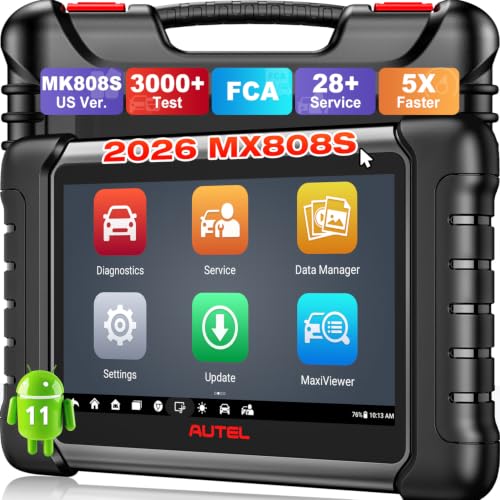
- 🚀【5X Faster Next-Level Hardware, Same as MK900/ MX...
- 🔥【3000+ Active Tests = MK900/MK900BT but...
- 📢【2026 U.S. Version, All-in-One as MK808S/ MK808Z...
- 🔥【28+ Hot Services for 150+ Brands】Same as MaxiCOM...
If the PDF is very large, it may not load in the preview below.
Some older TSBs had multiple PDFs — visit the NHTSA Website to view all PDFs.
If the TSB PDF does not show, download or view it on the NHTSA Website.
Click on the (+) Plus Sign
Then Click on Associated Document(s)
Search NHTSA Database for Recalls
Search NHTSA Database for Vehicle Investigations
View Latest Vehicle Investigations
Search NHTSA Database for Vehicle Complaints
View Latest Vehicle Complaints
TSB/Document ID: PI0901
Replacement Service Bulletin Number:
MFR Communication Date: 2013-02-01
MFR Internal Campaign ID/Software Version:
Communication Type: Service Bulletin/Repair Instructions
NHTSA Components: EQUIPMENT:OTHER:OWNERS/SERVICE/OTHER MANUAL
MFR Component System:
MFR Component Subsystem:
Previous TSB | Next TSB |

- [Notice] When you receive a used device, it may be a customer return resold by Amazon without inspection. You can exchange it for a new one through Amazon. As this situation is unavoidable, we sincerely apologize. For any issues, contacting us via Amazon's "Messages" is the best way. THINKSCAN 689BT Bidirectional Scan Tool Can Be Used Immediately After It is Turned On, Without Complicated Registration Process, Which is More Convenient & Quick.
- Full Bi-Directional Control & 3000+ Active Tests: Take control and test components like actuators, fuel injectors, relays, and cooling fans in real time. You’ll quickly see if the problem is in the part itself or the control module — saving you hours of guesswork and frustrating trial-and-error.
- Advanced ECU Coding Capabilities: Handle module matching and hidden feature activation with confidence. When you replace an ECU or want to customize settings, this obd2 scanner diagnostic bi directional tool gives you the professional-level capabilities you need without the dealership price tag.
- 34+ Useful Reset and Maintenance Functions: Complete everyday service tasks smoothly with a wide range of helpful reset and maintenance functions. Whether you’re keeping up with regular upkeep or tackling a specific job, this scanner makes maintenance simpler and less stressful for both DIYers and pros.
- Comprehensive Full System Diagnostics: Diagnose every major system — Engine, Transmission
 , ABS, SRS, TPMS, and more — all in one place. Finally stop wondering if you’re missing something important; get the full picture and clear codes with ease.

- Top Reasons to Choose the D7S OBD2 Scanner: XTOOL D7S car scan tool, an upgrade of XTOOL D7, offers comprehensive features for automotive technicians, workshops, and DIY enthusiasts 1. Upgraded Hardware: 2+64GB memory, rear camera, intuitive interface, foldable bracket 2. Complete Diagnostics: FCA Autoauth, OE-level all system scan, 39+ maintenance services, 4K+ bidirectional, CANFD/DoIP protocol 3. Advanced Capabilities: ECU coding, PMI functions 4. Wide Compatibility: Support 10,000+ models, covering 99% vehicle brands 5. Multi-language: Available in 22+ languages, No IP Restrictions 6. 3-Year Updates: Save 300 bucks on software updates for the latest features and optimizations
- 2026 Upgraded D7S Car Scanner Features: The newly 2026 D7S V2.0 scanner for car brings exciting features for advanced vehicle diagnostics and enhanced user experience 1. FCA AutoAuth: Now supports FCA SGW module for Chrysler, for Jeep, for Dodge (2018+), for Fiat (2017+), enabling faster vehicle communication without gateway restrictions 2. PMI (Offline ECU Programming): Allows for Ford, for Lincoln, and for Mazda ECU programming for new modules 3. Optimized Diagnostic Report 2.0: Personalized reports with logos and customer info for auto shops. Note: Compatibility varies by cars, please check before order
- Cost-effective ECU Coding Scan Tool for Specific Brands: Enhance your vehicle's performance with XTOOL D7S! This obd2 scanner all systems bidirectional offers advanced capabilities at an affordable price, supports online for BMW, for Benz and offline for BENZ, for MIT, along with PMI functions for Ford, for Mazda, and for Lincoln. Ideal for technicians and DIY enthusiasts, this automotive scanner diagnostic tool optimizes vehicle performance and enhances the driving experience. Note: Not for all cars and modules, please send car VIN to check the compatibility before purchase
- OE All System Diagnostic & 8 Pids Graphing: XTOOL D7S is a comprehensive all system bi directional obd2 scanner that delivers dealer-level diagnostics, completely controlling over your vehicle’s performance and health. This automotive scan tool can read and clear DTCs, view live data and ECU information, retrieve freeze frames, and perform active tests and full obd2 functions. This bi-directional scan tool can can identify your vehicle's make, model, and year information with just one click and show up to 8 PIDs live data with options for CSV viewing, playback, and recording for in-depth analysis. It is easy-to-use for both professionals and beginners, helping pinpoint issues efficiently
- 3 Years Software Update, Value for Money: With 3 years of software updates and 22+ languages(no IP restrictions), XTOOL D7S auto scanner code scanner ensures ongoing compatibility for the latest car models and improved diagnostic functions. This all system vehicle diagnostic scanner comes with a 30-day return policy and a 24-month repair for dependable performance. XTOOL are dedicated to your satisfaction, so enjoy seamless support and lifetime expert assistance. Should you encounter any issues or concerns, don’t hesitate to reach out XTOOL. D7S with newest update with 22 languages freely transfer without authorization, check details from setting-language or from XTOOL

- 【✅Compared to BOSSCOMM IF742, IF745 Offers Full-System Diagnostics】The BOSSCOMM IF745 car diagnostic scanner is an upgraded model of IF742. In addition to supporting all OBD2 Code Reader functions and 6 reset options (ABS/EPB/SAS/BMS/Oil/Throttle), it expands diagnostics from 4 systems (Check Engine/ABS/SRS/Transmission) to vehicle All systems, including Steering, Suspension, and Body Electronics. This provides deeper, more comprehensive diagnostic capabilities.
- 【✨6 Essential Resets: ABS Bleeding, Oil, EPB, SAS, Throttle, BMS】The BOSSCOMM IF745 obd2 scanner diagnostic tool swiftly purges air from brake lines to restore braking sensitivity, fine-tunes maintenance cycles to eliminate false alerts, resolves parking brake issues with one-click control, recalibrates steering sensors for stability, optimizes engine idling/acceleration for smoother performance, and deeply resets battery systems to extend lifespan and range via precise parameter adjustments.❗NOTE: Does NOT support bidirectional control, coding, or programming.
- 【✨Deep Diagnostics for All Vehicle System Modules】Beyond code reading/clearing and ECU information retrieval, our all-in-one data stream feature lets you inspect all current fault codes and their locations across the vehicle’s systems. This vehicle code reader helps you turn off dashboard warning lights and perform a comprehensive self-check of your car at home—no more back-and-forth trips to the repair shop or hefty inspection fees.
- 【✨10 OBD2 Functions】The BOSSCOMM IF745 scan tool’s DTC Lookup instantly translates fault codes into user-friendly explanations, its I/M Readiness feature streamlines emissions testing with a single tap, and Freeze Frame lets you pinpoint the exact moment of a fault for in-depth root-cause diagnosis. Combined with a live data dashboard and advanced diagnostics (O2S, OBMon, EVAP), it delivers comprehensive insights for confident troubleshooting.
- 【✨10,000+ Car Models, AutoVIN, 13 Languages】The BOSSCOMM IF745 vehicle scanner diagnostic tool covers 73+ global car brands and offers support in 13 languages, making it perfect for DIYers, auto mechanics, or as a thoughtful gift. With a single-click AutoVIN feature, it instantly retrieves vehicle serial numbers, streamlining diagnostics for users globally. This adaptable tool balances user-friendliness with precision, catering to both personal and professional requirements.✅Unsure about compatibility? Compatibility will vary on vehicles' model and year, pls reach us via 📧 [email protected] 📧 before purchase.
This product presentation was made with AAWP plugin.