
NHTSA ID Number: 10071459
Manufacturer Communication Number: 24-02-03
TSB/Document Date: 2016-06-17
Summary
SUMMARY TO BE PROVIDED ON A FUTURE DATE.
Outside Materials tab
Eng. Coolant (Routan)
GUS012001G1
1
1 gallon
As calculated
Materials tab
Engine Oil 5W20 (Routan)
G 052107S0
1
1 ltr (qt)
As calculated
Materials tab
Engine Oil 10W30 (Routan)
G 052108S0
1
1 ltr or 208.2 ltr drum As calculated
Materials tab
Engine Oil 5W30 (Routan)
G 052108S0
1
1 ltr or 208.2 ltr drum As calculated
Materials tab
1
1 ltr or 208.2 ltr drum As calculated
Materials tab
1
1 ltr (qt)
As calculated
Materials tab
1
1 ltr (qt)
As calculated
Materials tab
Use approp. part no.
1
1 ltr (qt)
As calculated
Materials tab
Description
2
A/C Refrigerant- R134A
Engine Oil 5W40 Synthetic
G 052167S0
(All gasoline except Routan)
Diesel Engine Oil SLX
504/507 Synthetic (All MY06 G 0521951L
and newer TDI)
Diesel Engine Oil 505 01
Synthetic (All MY06 and
G 052167M2
older TDI)
Manual Trans. (Gear) Oil
3
6
Materials tab
G 052154A2
0.5
125 ml or 0.130 qt
As calculated
Materials tab
1
G 002000
1
1 ltr (qt)
As calculated
Materials tab
1
G 002012
1
354.8 ml
As calculated
Materials tab
AMV17400401
0.5
83 ml tube
As calculated
Materials tab
AMV18800102
0.5
100 g tube
As calculated
Materials tab
D 176404A2
0.5
93 g tube
As calculated
Materials tab
AKD45600002
1
14 ml tube
As calculated
Materials tab
AMV18820003
0.5
100 g tube
As calculated
Materials tab
G 052910A2
0.5
0.5 gallon
As calculated
Materials tab
ZVP000600
1
PAG Oil
Sealant Compound
Sealant Compound
Sealant Compound Oil Pan
Sealant for Auto Trans
Sealant for Manual Trans
4
AdBlue (Urea for TDIs)
5
Top Off Fluid (For Free
Sched. Maintenance Only)
4
6
Enter value
Outside Materials tab
1.
2.
3.
4.
Use appropriate quantity while topping up by using the decimal point, e.g., "0.50"
Up to 454 g will be reimbursed for testing purposes
50% of 1 can of PAG oil can be used when replacing R134A, use part number 'G 052154A2'
These Sealant Compound tubes include enough of the compound to repair at least two vehicles. Claim the appropriate
amount by using decimal notation (e.g., "0.50")
5. When performing manufacturer's scheduled maintenance services, and you need to add any fluids listed in the
Maintenance Schedule Bulletin, use part number ZVP000600 (Top Off)
6. Reimbursement values may be found in ServiceNet
Volkswgen Group Canada, Inc.
BACK
174
FORWARD
Warranty Policies and Procedures
6.5.4 Reimbursement for Labour
6.5.4.1 Calculation
The labour reimbursement is based on the dealer's approved warranty labour rate in effect on the date of the repair and the time
associated with the repair / replacement. For most repair operations, Volkswagen has specified Suggested Repair Times (SRTs)
for labour operations published on ElsaWeb, which must be used, except where otherwise stated in written Volkswagen policy.
For exceptional conditions, the actual punched time (A-time) may be used.
Reimbursement of Labour
Reimbursed labour = Repair time x Warranty Labour rate
Volkswgen Group Canada, Inc.
BACK
175
FORWARD
Warranty Policies and Procedures
6.5.4.2 Suggested Repair Times (SRTs)
Suggested Repair Times (SRTs) for labour operations are based on the repair procedures approved by Volkswagen and are
provided for each model on ElsaWeb. They determine the labour portion of a repair and contain the average time for set-up,
standard diagnosis, and repair procedures.
Claimed labour operations must be consistent with the customer concern and repair work performed. Labour times used to
calculate reimbursable amounts may be based on the SRTs for such labour operations that were current at the time the repair /
replacement was performed.
Re-Evaluation and Establishment of a Labour Operation
Dealers may request re-evaluation of an existing labour operation perceived as incorrect. Dealers may also request the
establishment of a new labour operation if the labour operation is warrantable but not listed on ElsaWeb.
All concerns or requests regarding SRT discrepancies or revision requests, must be submitted by using the ElsaWeb Feedback
Button. Dealers submitting feedback must include detailed and supportive justification. For example, when asking to change the
length of a certain SRT, dealers must provide evidence of the same labour operation being performed in shop with recorded
times. The recorded times will serve as justification for the amendment of an SRT posted in ElsaWeb.
When submitting feedback, the dealer must follow-up the request by checking the ElsaWeb Feedback Button for a response. To
read a response, choose the View option. A response will be provided when the status of your original Feedback Form is closed.
Volkswgen Group Canada, Inc.
BACK
176
FORWARD
Warranty Policies and Procedures
6.5.4.3 Actual Clocked Time (A-Time)
A-time is the actual clocked time a technician works on a specific repair. It must be realistic and fair. Examples of conditions when
A-time may apply are listed in the table below.
Conditions for the Use of Actual Clocked Time
Necessary repair steps are not included in labour operation, e.g. a stud breaks
Additional repair steps
while removing a water pump.
Missing labour operation
The labour operation for the repair is not published in ElsaWeb.
Less time needed than labour operation
The repair is not carried out completely as described by the labour operation.
The repair shows common procedures with one or more repairs being performed
Overlapping labour operations
on the same vehicle.
Diagnostic procedures are required to investigate the source of the problem and
Diagnosis time
there is no diagnosis labour operation. See Section 6.5.4.4, “Diagnosis Time.”
A-time is claimed by using “99” as the index (the last two digits) of the labour operation. When using index “99” for
operations within a claim that do not have an assigned SRT, or for those that are considered over and above those necessary for
execution of a repair (removal of seized bolts for example), input the exact amount of time punched for the repair / operation in
question. See Section 6.5.4.5, “Labour Operation Codes.”
Documentation for A-time
Detailed technician notes (including VGCA Technical Helpline recommendations, date of contact and case number, when
applicable) must be recorded on the repair order to support the A-time. The VGCA Technical Helpline case number (when
applicable) must be entered in the claim comments. Refer to Section 7.3, “Technical Helpline, VTA Access Code, VTA Case
Code” for conditions when a Technical Helpline Case code is required.
Separate Punch Times for A-Time and Diagnosis Time
A-time and diagnosis time require a separate "on" and "off" punch time. The technician may also punch individually for A-time
and / or diagnosis time if used in combination with a SRT operation in order to preserve the technician's efficiency on the SRT
operation. For more information on time punches, please refer to Section 7.4, “Time Recording by the Technician.”
Volkswgen Group Canada, Inc.
BACK
177
FORWARD
Warranty Policies and Procedures
6.5.4.4 Diagnosis Time
Diagnosis time may be required to substantiate a customer complaint or to verify that a repair corrected the failure. All diagnosis
time must be thoroughly justified and will be closely verified by VGCA. For all Volkswagen vehicles, diagnosis time is not
included in Suggested Repair Times (SRTs) with the exception of visual diagnosis. Diagnosis time may be claimed starting after
the vehicle is brought into the work bay and before any repairs or services are performed.
Labour Operation Codes for Diagnosis
The following diagnostic labour operations must be utilized:
•
•
•
01 50 00 00: Guided Fault Finding (GFF)
Applicable to MY 2004 and newer models only, unless otherwise instructed in Volkswagen publications such as Technical
Bulletins, UPDATE Bulletins, Campaign Circulars, etc. In some cases the procedures in these documents may instruct
the technician to specifically use Self Diagnosis or Guided Functions
IMPORTANT! When this labour operation is used, input the exact number of time units shown on the diagnostic
paperwork provided in support of the claim. SAGA will accept the exact amount of time claimed.
01 32 00 00: Technical Diagnosis (Non-VAS Diagnosis)
IMPORTANT! Non-VAS or “hands-on” diagnostic time must be claimed using the above labour operation. Any other
labour operation included for non-VAS diagnostic time will not be accepted in the SAGA warranty claim. This policy
applies to all Volkswagen vehicles.
01 29 _ _ _ _: 5051/5051B/5052/etc. Self-Diagnosis (applicable to MY 2003 and older models only)
Road Tests
In some instances, a road test may be required based upon a customer complaint. An example of the appropriate use of
diagnosis time might be when a noise or vibration occurs while driving under specific conditions, or when a customer concern
arises regarding vehicle performance, although, no sign of a fault is present during normal diagnosis.
The repair order must clearly show the vehicle km "before" and "after" the road test as well as detailed technician notes explaining
the customer complaint, cause, and correction to justify and support the claim. Road tests may not be claimed more than one (1)
time per repair order.
Documentation for Diagnosis Time
Detailed technician notes (including VGCA Technical Helpline recommendations, date of contact and case number, when
applicable) must be recorded on the repair order to support the diagnosis time. The VGCA Technical Helpline case number (when
applicable) must be entered in the claim comments. Refer to Section 7.3, “Technical Helpline, VTA Access Code, VTA Case
Code” for conditions when a Technical Helpline Case Code is required.
Separate Punch Times for A-Time and Diagnosis Time
A-time and diagnosis time require a separate "on" and "off" punch time unless used in combination with a SRT operation, in which
case punch "on" when the repair is started and "off" when completed. The technician may also punch individually for A-time
and/or diagnosis time if used in combination with a SRT operation in order to preserve the technician's efficiency on the SRT
operation.
Diagnosis Time Exceeding 1 Hour
The Service Manager or assigned designate is responsible for repairs requiring diagnosis time over 1 hour and must approve the
extra time by:
•
•
signing and dating the approval on the repair order
clearly and legibly recording any technical information on the repair order to validate the extra time, including a road test
Diagnosis time exceeding 3 hours will require the technician to contact the Volkswagen Technical Assistance helpline. Please
refer to Section 7.3, “Technical Helpline, VTA Access Codes, and VTA Case Codes.”
Volkswgen Group Canada, Inc.
BACK
178
FORWARD
Warranty Policies and Procedures
Exclusions and Restrictions
•
•
•
•
When there is a warning light on (such as MIL light or brake warning light) and there is no defect associated, only the time
to clear the codes will be reimbursed. Use GFF diagnosis time (01 50 00 00) as specified above.
If no warranty defect is found, then the only reimbursable labour operation is 01 21 00 00 for a "road test with no repair
performed". Refer to Section 2.19, “Road Test Labour Operations,” for the appropriate use of road test labour operations.
Diagnosis time may not be claimed when the technician does not have sufficient technical training or experience for the
system or model of vehicle being repaired. The Service Manager is responsible to assign work based on the technician's
training and experience.
Do not claim diagnosis time while on hold or obtaining information from the Volkswagen Technical Helpline.
Volkswgen Group Canada, Inc.
BACK
179
FORWARD
Warranty Policies and Procedures
6.5.4.5 Labour Operation Codes
A labour operation is an 8-digit code that describes the kind of repair performed. Labour operations are published on ElsaWeb.
The applicable Suggested Repair Times (SRTs) in time units (TUs) allotted for each repair operation are shown together with the
codes. All repairs must be substantiated with punch times, technician notes, and any other supporting documentation necessary
to verify that the technician performed the claimed repairs at the time punched.
Refer to the table below for the meaning of each digit in a labour operation code.
Digit /
Position
Association
Description
1-4
Service Number Number associated with the part involved in the labour operation.
5-6
Service Activity A description of the action performed on the part involved. See Section 14.5,
Code
“Service Activity Codes,” for a list of these codes.
7-8
Index
00-49
Labour operations with this suffix indicate a main task which can be
completed and carried out alone.
50-96
Labour operations with this suffix indicate a combined item which can
only be carried with the item(s) that goes with it.
99
Dealers are to use this suffix only to indicate A-time in place of an
established SRT or if there is none assigned to the performed task.
Here, dealers are to input the exact number of time units as indicated
on the related punch times.
Exceptions
The use of labour operations ending in the suffix “9999” is not permissible unless under direct instruction from Volkswagen Group
Canada Inc. (VGCA). One would use this suffix when entering claims for:
•
•
Technical Service Bulletins (as specified within)
UPDATEs Bulletins (as specified within)
Volkswgen Group Canada, Inc.
BACK
180
FORWARD
Warranty Policies and Procedures
6.5.4.6 Volkswagen Warranty Labour Rate Policy
Warranty Labour Rate
Volkswagen Group Canada (VGCA), Inc. compensates dealers at a labour rate that takes into consideration the dealer’s current
market environment for automobile servicing as well as the competitive market situation for warranty reimbursement. The
warranty labour rate reimbursement does not relieve dealers from the obligation to comply with applicable federal, provincial, or
municipal laws.
Changing Warranty Labour Rate
The Dealer Principal and / or the Service Manager may make a written request to the Warranty Field Specialist for a re-evaluation
of the labour rate based on a Competitive Market Survey of the Average Market Warranty Labour Rate or Provincial inflation rate,
whichever is the greatest. Changes to the dealer’s labour rate are effective for repairs made on or after the effective date of any
increase granted. Repairs made prior to the effective date of the new labour rate will be reimbursed at the previous warranty
labour rate.
Guidelines:
•
•
•
•
•
Requests for re-evaluation are limited to once per 12-month period from the effective date of the last warranty labour rate
increase.
The requested rate may not exceed the effective rate. In the event the retail rate for customer-pay is reduced,
Volkswagen Group Canada Inc. Warranty must be notified in writing within 10 days. A sign with the following inscription
must be prominently displayed in the customer reception area, stating the posted hourly labour rate: “Customer labour
charges are based on a rate of $… per hour (or flat rate hour) based on … (identify the system chosen by the dealership).
The sign must not be less than 20”x20” with 1 ¼” high letters in dark bold print on a suitable light background.
Volkswagen Group Canada Inc. reserves the right to request additional supporting information at any time. If the dealer is
not in compliance with Volkswagen Group Canada Inc. Warranty policies for labour rate increase requests, the former
rate will be re-implemented, and the dealer will be debited for any warranty over-payment.
The Labour Rate Increase Request Form must be completed, signed by the Dealer Principal, and forwarded to the
Warranty Field Specialist together with any / all required supporting documentation.
Volkswagen Group Canada Inc. may or may not grant the request for change if dealer provided information is incomplete
or inaccurate.
Instructions for completing the Labour Rate Increase Request Form:
Repair Order Analysis:
1. Enter dealer name, code, address, region, and survey completion date.
2. Indicate which flat rate guide is used for customer-pay repairs. Dealers may use labour operations published on ElsaWeb
or use their own customer labour time charges. Whichever system is used, it must be used consistently.
3. Collect a sufficient quantity of numerically consecutive repair orders from the past 12 months of business to provide 30
Volkswagen customer-pay repair orders for use in completing the Repair Order Analysis. Repair orders that are not
eligible for calculation must also be listed. Do not include time units and labour from these repair orders.
Assign consecutive numbers starting with 1 to customer-pay repair orders and fill in the number in column “No.” until 30
Volkswagen customer-pay repair orders are listed. For non-eligible repair orders, assign the abbreviations from the list Noneligible repair orders for labour rate calculation in column “No.”
Non-eligible repair orders for labour rate calculation
Abbreviation Repair
Abbreviation Repair
B Body
O Other make
C Campaign
P paint
F Free maintenance
V Void
I Internal
W Warranty
Volkswgen Group Canada, Inc.
BACK
181
FORWARD
Warranty Policies and Procedures
4. Fill in other columns with:
o
o
o
o
Repair orders in numerical sequence
Labour operation (from repair order), indicate type of work
Time units charged (from repair order)
Labour charged in $ after any discounts (from repair order)
5. Add the “time units charged” and the “labour charged” into the subtotals and totals box.
6. Highlight the eligible 30 Volkswagen customer-pay repair orders and the corresponding time units
charged, labour charged and applicable discounts.
7. To calculate the “average labour rate” for the analysis, divide the “total labour charged” by the “total time units charged”.
Photocopies of the 30 Volkswagen customer-pay repair orders listed in the analysis must be included with the request.
Copies of non-eligible repair orders such as warranty or no-charge maintenance must not be included. Repair orders
must include the time units and dollars charged listed in the analysis. Handwritten changes to repair orders are not
acceptable.
Market Labour Rate Survey:
1. Survey local dealers of makes listed on the form by telephone and enter their dealer name, address, telephone number,
warranty and retail labour rates. This survey may not include information from any dealership in which the Volkswagen
Canada dealer owner/principal holds a business interest.
2. Total the “warranty labour rates” and divide by the number of surveyed dealers to determine the “average market
warranty labour rate”.
3. Total the “retail labour rates” and divide by the number of surveyed dealers to determine the “average market retail labour
rate”.
When completed, the forms and copies of all customer pay and internal repair orders must be mailed to the Warranty Field
Specialist. See the Warranty Information section of ServiceNet for the name, address and contact information of your respective
Warranty Field Specialist.
Warranty Field Specialist review process:
Your Warranty Field Specialist will make a determination of the applicability of the request after review of the documentation. If
the application is in compliance with policy, a new labour rate will be established for the requesting dealer. The Warranty Field
Specialist will contact the Service Manager with the effective date of the new warranty labour rate. The dealer will receive a

- 💯【Conta.ct us for Support Directly】If you met any...
- 🔥🔥🔥【2026 AUTEL FLAGSHIP MK900BT MK900-BT, NEW...
- 🚗【3000+ ACTIVE TESTS (50➡3000+), SAME AS MS...
- 🚗【40+ HOT SERVICES FOR 150 MAKES (28+➡40+)】Full...
- 🚗【OE ALL SYSTEM DIAGNOSE, AUTO SCAN 2.0: SCAN LICENSE...


- 【TURN OFF CEL】 This AL319 car scanner diagnostic tool...
- 【EXTENSIVE APPLICATION】 Autel AL319 Compatible with...
- 【FOR END USER & DIYERS】 This error code reader AL319 is...
- 【USER-FRIENDLY DESIGN】 This OBD2 scanner and check...
- 【HIGH-QUALITY SERVICES】 12 months war.ranty from the...
Last update on 2026-06-12 / Affiliate links / Images from Amazon Product Advertising API
If the PDF is very large, it may not load in the preview below.
Some older TSBs had multiple PDFs — visit the NHTSA Website to view all PDFs.
If the TSB PDF does not show, download or view it on the NHTSA Website.
Click on the (+) Plus Sign
Then Click on Associated Document(s)
Search NHTSA Database for Recalls
Search NHTSA Database for Vehicle Investigations
View Latest Vehicle Investigations
Search NHTSA Database for Vehicle Complaints
View Latest Vehicle Complaints
TSB/Document ID: 24-02-03
Replacement Service Bulletin Number:
MFR Communication Date: 2010-06-10
MFR Internal Campaign ID/Software Version:
Communication Type: Service Bulletin/Repair Instructions
NHTSA Components: EQUIPMENT:OTHER:OWNERS/SERVICE/OTHER MANUAL
MFR Component System:
MFR Component Subsystem:
Previous TSB | Next TSB |
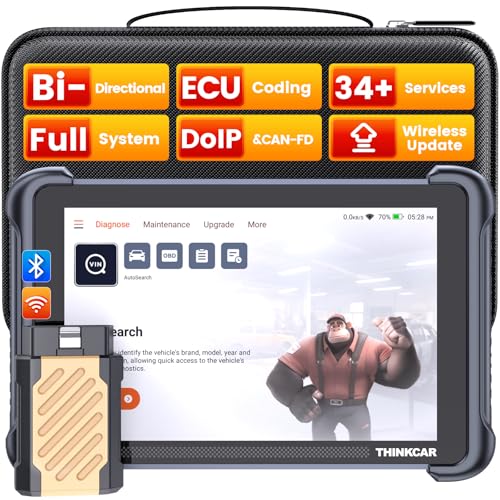
- [Notice] When you receive a used escaner automotriz device, it may be a customer return resold by Amazon without inspection. You can exchange it for a new one through Amazon. As this situation is unavoidable, we sincerely apologize. For any issues, contacting us via Amazon's "Messages" is the best way, and we’ll provide a solution within 24 hours. THINKSCAN 689BT Can Be Used Immediately After It is Turned On, Without Complicated Registration Process, Which is More Convenient & Quick.
- [Good News] THINKSCAN 689BT is the most competitive automotive scan tool to date, offering wireless updates with no subscription fees(valued 500Buc.ks) . With all the features of THINKTOOL PD8,PRO, built on Android 10 platform with 4-core CPU, 4GB RAM
 and 64GB ROM, serving up to 5X faster than older MAX/MINI/PLUS vehicle scanners escaner automotriz, no more slow and delayed feedbacks, it's time to update your garage tool.
 - [Big Money Saver] Premium THINKSCAN 689BT Wireless Diagnostic Scanner Escaner Automotriz, save up to 400USD per year, includes all useful features: Full bi-directional controls, ECU coding, 34+ services, OEM all system diagnostics, Worldwide vehicles coverage, CAN FD & DoIP, FCA AutoAuth(The 689BT only provides a login and purchase portal, and users are required to register for an FCA account and pay a membership fee in order to perform the relevant automotive diagnostics)
- [3000+ Active Tests]Active testing is one of the most useful features in automotive maintenance and greatly improves mechanic efficiency. THINKCAR 689BT bidirectional scanner can send action commends to vehicle sub-systems or components for active test without using vehicle controls. It can perform various tests such as: EVAP Test, Fuel Trim Reset, Injector Buzz Test, Window/ Mirror/ Door Lock Test, Pump and Value Tests, etc. Get functions from "Diagnose>Car Model>System>Active Test".
- [Hot Advanced Features] 689BT bidirectional tool scanner for car newly adds ECU Coding, Power Balance, Flash Hidden Functions, Reset Adaptive Data, Match Replaced Components, Customize OE-Settings. Such as: 1. changing the color of interior lights 2. switching on/off the auto hold, 3. customizing dash kits 4. activating the auto side mirror folding function 5. disables auto start-stop. Note: Coding functions vary by model&year.
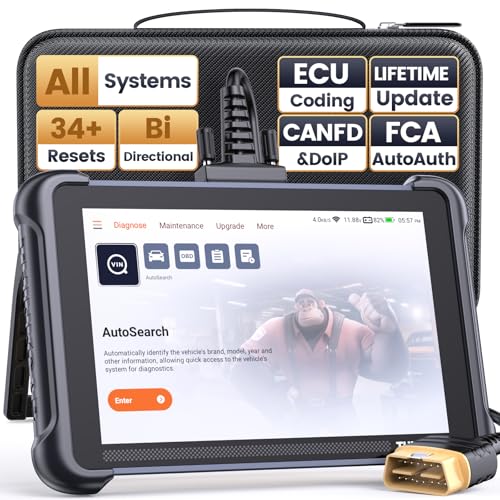
- 【Warm Tips】Wired THINKSCAN 689 is connected through a detachable OBDII cable, and we also have added OBD2 Extension Cable (about 60 cm/2 feet) as g ift, enabling customers handling vehicle repairs with ease. Just click "Bundles Item" above to get it. Note: FCA AutoAuth is a third-party service, additional cost may be required.
- 【Professional Car Diagnostic Tool】Tired of renew fees? Thinkscan 689 scanner provides dealer-level advanced functions without annual fees for auto mechanics and repair shops. 34+ Services, 3000+ Active Test, ECU Coding, 140+ Brands Coverage, FCA AutoAuth, CANFD&DOIP Protocol, Component Matching, Power Balance, V.A.G Guided, Compatible with Google Chrome integration, etc. With strong hardware backing, 64G Memory, Android 10, 4-core processors, and 4150mAh battery. Thinkscan 689 brings you the best as your daily business helper and never lets you drop the ball!
- 【Over 34 Reset Service, Adaptation + Relearn + Calibration + Initialization + Matching】Made for workshops, Thinkscan 689 scanner provides 34+ services for worldwide vehicles: such as Gear/SAS/EPB/TPMS/D.P.F/I.M.M.O/BMS/ETS/Oil/Brake/AFS/GEARBOX/SUNROOF/SUS Reset, ABS Bleed, Injector coding, etc. Warm tips: Compatibility may vary on vehicles' model and year, please contact seller before purchase to make sure it works well on your cars.
- 【Real Active Test】Thinkscan 689 scan tool features over 3000+ full bi-directional control ability, to send commands to vehicle’s systems/components, to verify system input/output without using the vehicle's controls, e.g. turn on the radiator fan, modulate the throttle, open/close windows, operate mirrors, Injector Buz Test, turn on interior&exterior lights, sound horn, test door lock actuators, turn on/off front/rear side ACM Solenoid, Vehicle level position calibration, Wheel Speed Sensor Supply.
- 【Comprehensive Solutions with Advanced Features】Take your vehicle customization to the next level with the Thinkscan 689's advanced ECU coding capabilities. This scan tool provides power balance, PMI, unlock more new features and enhance performance by activating dormant functions, customizing OE settings, matching replaced components, and reprogramming adaptive data to elevate your driving experience. Note: Compatibility varies by car models, please check before order.

- 【Cost-effective OBD2 scanner】 Thinkcar Thinkdiag2 is the most powerful wireless diagnostic tool for it's price! Equipped with multi-functions of Newly added CAN-FD protocol, BiDirectional control(Active Test), 15 Maintenance resets, All Systems diagnosis, Auto VIN, FCA AutoAuth, Unlock the protected FCA vehicle SGW module on Chrysler, Dodge, Jeep, Alfa Romeo, and Fiat vehicles manufactured after 2019.120+ Car brands coverage, No IP limited, etc. Good for workshops & DIYers. Kindly send us VIN to check compatibility before purchase
- 【OE-Level Full Systems Car Scanner with Added CAN FD Protocol】 Upgrade of Thinkdiag, Thinkdiag2 is a bluetooth diagnostic tool can diagnose Full System such as ECM, ABS, SRS, TCM, EPB, TPMS, SAS, A/C, BMS, etc. Thinkdiag2 can read/clear fault codes, read real-time data, read control module information,etc. As the only diagnostic scanner in this price range that supports the CAN-FD protocol, it suits for the latest GM(2019-) , saving $100 to buy a CAN FD adapter, reducing the risk of undetected errors to enhancing the user experience
- 【Bidirectional Test】This bidirectional scan tool Thinkdiag2 allows you to send commands from your smartphone directly to the vehicle's ECU for active testing, quickly locate problem areas, such as A/C clutch, windows, doors, sunroof, etc., reducing the diagnostic time and money. (Note: kindly send us VIN to check compatibility before order.)
- 【15+ Maintenance Functions】Thinkdiag2 OBDII code scanner is designed for individual car owners, DIYers, and small repair shops, which has a separate menu of 15 common special functions, such as Oil reset, EPB reset, SAS calibration, ABS bleeding, injector code, TPMS reset, etc. Enter from the all-system diagnostic menu to unlock more system special functions, and effectively handle the reset and relearn of most cars. Note: The Maintenance functions that each car can do may be different
- 【120+ car brands & FCA Autoauth+10 languages】Thinkcar thinkdiag2 helps you to troubleshoot the problems fast for 100 + US, European, Asian vehicle brands after 1996 that use the OBDII protocol. Only support 12V cars, including gasoline cars and diesel cars. Supporting Autoauth allows you to unlock the protected FCA vehicle SGW module on Chrysler, Dodge, Jeep, Alfa Romeo, Fiat vehicles, etc. (Note: Only provide AutoAuth login portal, and need purchase the registration number on the AutoAuth website by yourself.) Multilingual function allows workshop mechanics to avoid language barriers and use it around the world Without restriction
Last update on 2026-06-12 / Affiliate links / Images from Amazon Product Advertising API
This product presentation was made with AAWP plugin.