
NHTSA ID Number: 10065850
Manufacturer Communication Number: DVD131
TSB/Document Date: 2016-05-19
Summary
SUMMARY TO BE PROVIDED ON A FUTURE DATE.
17.
18.
Werk het systeem bij met IDS DVD 131.00
Laad de SDD-software vanuit het hoofdmenu van het SDD-systeem.
Het SDD-systeem geeft aan dat er geen verbinding met de server is.
Gebruik het Wachtwoord en de Gebruikersnaam die vermeld staan op TOPIx onder het
tabblad Dealer/SDD.
19. Selecteer Verifiëren
20. Het SDD-laadscherm verschijnt.
21. Het apparaat bevestigt deze gegevens en slaat ze in het systeem op.
N.B.: Binnenkort zult u zich regelmatiger moeten aanmelden; zorg ervoor dat u hiervoor uw eigen
Dealer Single Login DSL gebruikt.
DVD-installatie
Als onderdeel van de dvd-installatie zal SDD controleren of uw systeem compatibel is met de meest
recente software.
Installatie van voertuiggegevensbestanden wanneer u de standaardwaarden van uw IDSlaptop herstelt
第 11/5 页
Land Rover Diagnose
Software-update
BETREFT: DVD 131 –
KALIBRATIEBESTAND V.
DATUM: 09 / 2012
Vanwege de grootte van de installatie van de huidige SDD-software heeft Jaguar Land Rover Service
Diagnostics besloten dat de module Voertuiggegevensbestanden zal worden geleverd als een
afzonderlijk
image-bestand.
Dit
image
zal
beschikbaar
worden
op
HTTP://DIAGNOSTICDELIVERY.COM/IDSCENTRAL/. Het gebruik van dit image zal de tijd voor het uitvoeren
van een volledige Static Restore / Rebuild aanzienlijk verkorten. Om er zeker van te zijn dat uw
diagnosesysteem volledig bijgewerkt is, selecteert u in het hoofdmenu van het SDD-systeem het
tabblad Instellingen / Systeemhulpprogramma’s / Gecombineerde update van bestand af fabriek en
kalibratiebestand.
Voor
meer
informatie
raadpleegt
u
het
leesmijbestandHTTP://DIAGNOSTICDELIVERY.COM/IDSCENTRAL/.
Freelander MJ 13
Deze dvd biedt nu volledige diagnose-ondersteuning
Defender MJ 13
Deze dvd biedt nu volledige diagnose-ondersteuning
Range Rover MJ 13
Deze dvd biedt nu volledige diagnose-ondersteuning
Datalogger
Jaguar Land Rover Service Diagnostics kan met genoegen aankondigen dat in de dataloggertoepassing een nieuwe functie is om de monteur te helpen bij het zoeken naar signalen. Aan de
rechterkant van het scherm bevindt zich een nieuwe zoekfunctie. Hiermee kunnen gebruikers snel
een bepaald signaal zoeken op naam. Dit kan worden geopend met de nieuwe knop Zoeken. Mocht u
problemen met de lay-out, omschrijvingen en/of het functioneren van de datalogger ondervinden, dan
verzoeken wij u zoals gewoonlijk een EPQR in te dienen.
Range Rover Sport
Verbeteringen van het dataloggersignaal van de transmissie voor de 3.6L TDV8 met automatische
transmissie met 6 versnellingen
Evoque
Verbeteringen van de dataloggersignalen voor de temperatuur van de koelvloeistof in de Si4-variant
Discovery LR4 MJ 12
第 12/5 页
Land Rover Diagnose
Software-update
BETREFT: DVD 131 –
KALIBRATIEBESTAND V.
DATUM: 09 / 2012
Verbeteringen van de datalogger-offsetsignalen voor de 2.7-variant
Verbeteringen van CAN Link-monitor.
Verbeteringen doorgevoerd van de bedieningsknoppen voor de CAN Link-monitor
Onderhoudsfuncties
De groepering van onderhoudsfuncties is gewijzigd: zij zijn nu gegroepeerd per functioneel gebied
SPA
De SPA-omgeving is volgens schema bijgewerkt en er heeft een algemene schoonmaak
plaatsgevonden. Mocht u problemen met de lay-out, omschrijvingen en/of het functioneren van de
SPA-functie ondervinden, dan verzoeken wij u zoals gewoonlijk een EPQR in te dienen.
第 13/5 页
Diagnostics Land Rover
Mise à jour Logiciel
REFERENCE: DVD 131 –
FICHIER D’ETALONNAGE V.
DATE: 09 / 2012
MODE D’EMPLOI :
TOUS LES UTILISATEURS DU SYSTEME IDS DOIVENT INSTALLER CES MISES A JOUR.
Les mises à jour concernent la version du logiciel du système IDS (fichiers correctifs/DVD) et des fichiers
d’étalonnage.
Les numéros qui suivent la référence du DVD en en-tête indiquent le niveau de mise à jour du logiciel – 00,
01, 02 etc.
La version du Fichier d’étalonnage reflète la version actuelle des bases de données du fichier
d’étalonnage du véhicule.
•
Vous pouvez contrôler les versions de logiciel actuellement installées dans Paramètres –
•
Vous pouvez lancer les mises à jour dans Paramètres - Utilitaires système.
Informations système.
Pour plus d’informations sur la façon de mettre à jour votre logiciel, veuillez consulter les informations
publiées sur la Topix.
LE NON-RESPECT DES PRESENTES INSTRUCTIONS PEUT ENTRAINER LE REJET DES
RECLAMATIONS AU TITRE DE LA GARANTIE ET UNE INSATISFACTION DE LA PART DU CLIENT.
INTRODUCTION :
Ce document contient des informations importantes car il détaille la mise à jour de la version du logiciel du
DVD auquel il est fait référence en en-tête ; veuillez vous assurer que tous les utilisateurs du système de
diagnostic IDS ont pris connaissance de son contenu.
SIZE:
: 1.4 GB
Déclassement des anciens Panasonic Toughbooks
Avec la sortie du DVD 131, Jaguar Land Rover procèdera au déclassement de tous les Panasonic
Toughbooks CF18 et CF19MK1 pour l'utilisation du logiciel de diagnostic IDS/SDD, comme
communiqué précédemment.
Veuillez consulter la lettre d'information :
Configuration minimale révisée pour Toughbook JHSC666V2 - LRHSC151V2 - 1-245NAS et STE1110
Veuillez vérifier que vous utilisez le dernier équipement de diagnostic SDD de JLR
Authentification SDD
Lorsque cette version du DVD est chargée pour la première fois, SDD essaie de se connecter au
serveur. Cette connexion nécessite que l'utilisateur saisisse son Nom d'utilisateur et son Mot de
passe comme spécifié depuis la publication du DVD 122.
Page 14 de 5
Diagnostics Land Rover
Mise à jour Logiciel
REFERENCE: DVD 131 –
FICHIER D’ETALONNAGE V.
DATE: 09 / 2012
Ce processus d'authentification ne doit être effectué qu'une seule fois au moment de l'installation de
la version du DVD IDS SDD. L'authentification devra être répétée lors de la mise à jour de votre
ordinateur de diagnostic avec la prochaine version du DVD, par exemple pour passer de la version
DVD 130 à DVD 131
Deux options d'authentification sont possibles : "en ligne" et "hors ligne". Le processus hors ligne
permet aux utilisateurs d'authentifier des machines non connectées à Internet.
Authentification en ligne
19.
20.
21.
22.
23.
24.
Mettre à jour avec le DVD 131.00 de l'IDS
Charger SDD depuis le menu principal SDD.
La fenêtre Authentification SDD s'affiche.
Saisir votre Nom d'utilisateur et votre Mot de passe (Dealer Single Login – DSL).
Sélectionner Authentifier.
L'ordinateur va vérifier cet identifiant et l'enregistrer dans le système.
REMARQUE : bientôt, l'authentification devra se faire de manière plus régulière. S'assurer d'utiliser
son propre identifiant de connexion concessionnaire (Dealer Single Login, DSL)
Si l'authentification en ligne ne fonctionne pas, utiliser la méthode d'authentification hors ligne. Il est à
noter que cette fonction sera prochainement modifiée et par conséquent, l'authentification en ligne
sera requise.
Authentification hors ligne
22.
23.
24.
25.
Mettre à jour avec le DVD 131.00 de l'IDS
Charger SDD depuis le menu principal SDD.
SDD vous informe qu'il est impossible d'établir la connexion au serveur.
Utiliser le Mot de passe et le Nom d'utilisateur fournis dans TOPIx derrière l'onglet
Concessionnaire/SDD.
26. Sélectionner Authentifier.
27. La fenêtre de chargement SDD s'affiche.
28. L'ordinateur va vérifier cet identifiant et l'enregistrer dans le système.
REMARQUE : bientôt, l'authentification devra se faire de manière plus régulière. S'assurer d'utiliser
son propre identifiant de connexion concessionnaire (Dealer Single Login, DSL)
Installation du DVD
Dans le cadre de l'installation du DVD, le SDD contrôle que votre unité est compatible avec la
dernière version du logiciel.
Page 15 de 5
Diagnostics Land Rover
Mise à jour Logiciel
REFERENCE: DVD 131 –
FICHIER D’ETALONNAGE V.
DATE: 09 / 2012
Installation des fichiers de données des véhicules lors de la réinitialisation aux paramètres
d'usine de votre ordinateur portable IDS
Etant donnée la taille de l'installation du programme SDD actuel, Jaguar Land Rover Service
Diagnostics a décidé que le module Fichiers de données des véhicules serait fourni via une image
séparée. Cette image sera disponible à l'adresse HTTP://DIAGNOSTICDELIVERY.COM/IDSCENTRAL/.
L'utilisation de cette image réduira considérablement le temps nécessaire pour exécuter une
procédure de restauration statique/réinitialisation complète. Pour vous assurer que votre testeur de
diagnostic est à jour, veuillez sélectionner l'onglet Settings (Paramètres) dans le menu principal du
SDD, puis System Utilities (Utilitaires système) et enfin Combined as-built and calibration file update
(Mise à jour combinée des fichiers d'origine et d’étalonnage). Pour de plus amples informations,
consultez le fichier Lisez-moiHTTP://DIAGNOSTICDELIVERY.COM/IDSCENTRAL/.
Freelander AM 2013
Une prise en charge complète du diagnostic a été incluse dans ce DVD.
Defender AM 2013
Une prise en charge complète du diagnostic a été incluse dans ce DVD.
Range Rover AM 2013
Une prise en charge complète du diagnostic a été incluse dans ce DVD.
Enregistreur de données
Jaguar Land Rover Service Diagnostics est heureux d'annoncer la disponibilité d'une nouvelle
fonction dans l'application d'enregistrement des données, ayant pour but d'assister le technicien dans
la recherche de signaux. Une nouvelle fonction de recherche est située sur le côté droit de l'écran.
Cela permet aux utilisateurs de rechercher rapidement certains signaux par leur nom. Elle est
accessible à l'aide du nouveau bouton de recherche. Si vous rencontrez des problèmes relatifs à la
disposition, aux descriptions et/ou aux fonctionnalités de l'enregistreur de données, veuillez soumettre
un rapport EPQR selon la procédure habituelle.
Range Rover Sport
Améliorations apportées au signal de transmission de l'enregistreur de données sur boîte de vitesses
automatique à 6 rapports des modèles TDV8 3.6L
Evoque
Page 16 de 5
Diagnostics Land Rover
Mise à jour Logiciel
REFERENCE: DVD 131 –
FICHIER D’ETALONNAGE V.
DATE: 09 / 2012
Améliorations apportées aux signaux de température de liquide de refroidissement du moteur de
l'enregistreur de données sur la variante Si4
Discovery LR4 AM 2012
Améliorations apportées aux signaux de décalage d'injecteur de l'enregistreur de données sur la
variante 2.7L
Améliorations apportées à l'application CAN Link Monitor.
Des améliorations ont été apportées aux boutons de commande de l'application CAN Link Monitor
Fonctions de service
Le groupement des fonctions de service a été modifié, afin qu'elles soient regroupées par domaine
fonctionnel
SPA
Des mises à jour programmées et un nettoyage général de l'environnement SPA ont été entrepris. Si
vous rencontrez des problèmes relatifs à la disposition, aux descriptions et/ou aux fonctionnalités de
l'environnement SPA, veuillez soumettre un rapport EPQR selon la procédure habituelle.
Page 17 de 5
Land Rover Diagnostics
Softwareupdate
BEZUG: DVD 131 –
KALIBRIERUNGSDATEI V.
DATE: 09 / 2012
BITTE BEFOLGEN SIE DIE ANWEISUNGEN:
DIESE AKTUALISIERUNGEN MÜSSEN VON ALLEN IDS-BENUTZERN INSTALLIERT WERDEN
Die Aktualisierungen
Kalibrierungsdateien.
umfassen
IDS-Softwareaktualisierungen
(Patch-Dateien/DVDs)
und
neue
Die Zahl nach der DVD-Nummer in der Kopfzeile kennzeichnet die Version der Softwareaktualisierung –
00, 01, 02 usw.
Die Version der Kalibrierungsdatei weist auf die aktuelle Version der FahrzeugkalibierungsdateiDatenbanken hin:
•
Die aktuell installierte Softwareversion lässt sich über Einstellungen – Systeminformationen
ermitteln.
•
Aktualisierungen werden über Einstellungen – System-Dienstprogramme gestartet.
Für weitere Informationen zur Aktualisierung der Software siehe Topix.
DIE
NICHTBEACHTUNG
DIESER
ANWEISUNGEN
KANN
ZUM
VERLUST
VON
GARANTIEANSPRÜCHEN UND KUNDENZUFRIEDENHEIT FÜHREN.
Einführung:
Dieses Dokument enthält wichtige Informationen, da es den Inhalt der in der Kopfzeile angegebenen DVDSoftwareaktualisierungen beschreibt. Sämtliche Benutzer der IDS-Diagnoseplattform müssen über den
Inhalt dieses Dokuments informiert sein.
SIZE:
: 1.4 GB
Außerbetriebsetzung der älteren Panasonic-Toughbooks
Mit dem Erschienen von DVD 131 stellt Jaguar Land Rover für alle Panasonic-Toughbooks vom Typ
CF18 und CF19MK1 den Betrieb der IDS-/SDD-Diagnosesoftware ein, wie zuvor angekündigt.
Siehe Richtlinienschreiben:
Geänderte Toughbook-Mindestspezifikation: JHSC666v2 – LRHSC151v2 – 1-245NAS und STE11-10
Achten Sie darauf, dass Sie die neueste JLR SDD-Diagnoseausrüstung verwenden.
SDD-Authentifizierung
Beim ersten Laden dieser DVD-Version versucht das SDD-System, sich beim Server anzumelden.
Hierzu müssen Sie Ihren Benutzernamen und Ihr Passwort wie bei der DVD-Version 122 eingeben.
Für jede Installation einer SDD/IDS-DVD-Version muss diese Authentifizierung nur einmal
durchgeführt werden. Die Authentifizierung muss wiederholt werden, wenn Sie Ihr Diagnosegerät auf
die nächste DVD-Version aktualisieren, etwa bei der Aktualisierung von DVD 130 auf DVD 131.
Page 18 de 5
Land Rover Diagnostics
Softwareupdate
BEZUG: DVD 131 –
KALIBRIERUNGSDATEI V.
DATE: 09 / 2012
Es stehen zwei Möglichkeiten zur Authentifizierung zur Verfügung: „online“ und „offline“. Mit dem
Offlineverfahren können Systeme authentifiziert werden, die nicht mit dem Internet verbunden sind.
Online-Authentifizierung
25.
26.
27.
28.
29.
30.
Führen Sie eine Aktualisierung auf die IDS DVD 131.00 durch.
Laden Sie das SDD-System über das SDD-Hauptmenü.
Der SDD-Bildschirm Authentifizierung wird angezeigt.
Geben Sie Ihren Benutzernamen und Ihr Passwort ein (Händler-Einzelanmeldung – DSL).
Wählen Sie Authentifizieren aus.
Das Gerät bestätigt diese Angaben und protokolliert sie im System.
HINWEIS: Schon sehr bald müssen Sie sich regelmäßiger authentifizieren. Achten Sie darauf, dass
Sie dabei Ihren eigenen Dealer Single Login (DSL) verwenden.
Falls Sie sich mit der Online-Methode nicht erfolgreich authentifizieren können, müssen Sie die
Offline-Methode ausführen. Beachten Sie, dass diese Funktion sehr kurzfristig geändert werden kann,
woraufhin dann eine Online-Authentifizierung erforderlich sein wird.
Offline-Authentifizierung
29. Führen Sie eine Aktualisierung auf die IDS DVD 131.00 durch.
30. Laden Sie das SDD-System über das SDD-Hauptmenü.
31. Das System weist Sie darauf hin, dass keine Verbindung zum Server hergestellt werden
kann.
32. Verwenden Sie das Passwort und den Benutzernamen, die in TOPIx unter der HändlerRegisterkarte/SDD angegeben werden.
33. Wählen Sie Authentifizieren aus.
34. Der SDD-Ladebildschirm wird angezeigt.
35. Das Gerät bestätigt diese Angaben und protokolliert sie im System.
HINWEIS: Schon sehr bald müssen Sie sich regelmäßiger authentifizieren. Achten Sie darauf, dass
Sie dabei Ihren eigenen Dealer Single Login (DSL) verwenden.
DVD-Installation
Als Teil der DVD-Installation überprüft das SDD-System, ob Ihre Einheit mit der neuesten Software
kompatibel ist.
Installation der Fahrzeug-Datendateien
Werkseinstellungen
beim
Rücksetzen
des
IDS-Laptops
auf
die
Aufgrund des Installationsumfangs für das aktuelle SDD-Programm hat Jaguar Land Rover Service
Diagnostics beschlossen, die Fahrzeug-Kalibrierungsdateien über eine separate Image-Datei
Page 19 de 5
Land Rover Diagnostics
Softwareupdate
BEZUG: DVD 131 –
KALIBRIERUNGSDATEI V.
DATE: 09 / 2012
bereitzustellen. Diese Image-Datei wird auf HTTP://DIAGNOSTICDELIVERY.COM/IDSCENTRAL/ verfügbar
sein. Mit dieser Image-Datei wird die Zeit für eine komplette statische Wiederherstellung bzw.
Rücksetzung auf die Werkseinstellungen deutlich verkürzt. Um sicherzugehen, dass Ihr
Diagnosesystem dem neuesten Stand entspricht, müssen Sie im SDD-Hauptmenü die Registerkarte
„Einstellungen“ und dann „System-Dienstprogramme/Kombinierte Werksdatei- und KalibrierungsdateiAktualisierung“ auswählen. Weitere Informationen finden Sie in der Readme-Datei
HTTP://DIAGNOSTICDELIVERY.COM/IDSCENTRAL/.
Freelander MJ 13
Die DVD umfasst eine vollständige Diagnoseunterstützung.
Defender MJ 13
Die DVD umfasst eine vollständige Diagnoseunterstützung.
Range Rover MJ 13
Die DVD umfasst eine vollständige Diagnoseunterstützung.
Datalogger
In der Datalogger-Anwendung führt Jaguar Land Rover Service Diagnostics eine neue Funktion ein,
die die Techniker bei der Signalsuche unterstützt. Auf der rechten Seite des Bildschirms gibt es eine
neue Suchfunktion. Damit können Benutzer schnell eine Namenssuche nach bestimmten Signalen
Durchführen. Der Zugriff erfolgt über die neue Suchschaltfläche. Reichen Sie bitte wie gewohnt einen
ePQR ein, falls Sie auf Probleme mit dem Layout, den Beschreibungen und/oder den Funktionen des
Dataloggers stoßen.
Range Rover Sport
Verbesserungen für Datalogger-Getriebesignal für 3.6-L-TDV8-6-Gang-Automatikgetriebe
Evoque
Verbesserungen für Datalogger-Motorkühlmitteltemperatur-Signale für Variante Si4
Discovery LR4 MJ 12
Verbesserungen für Datalogger-Einspritzventilversatz-Signale für 2.7-Variante
Page 20 de 5
Land Rover Diagnostics
Softwareupdate
BEZUG: DVD 131 –
KALIBRIERUNGSDATEI V.
DATE: 09 / 2012
Erweiterungen des CAN-Verbindungsassistenten.
Für den CAN-Verbindungsassistenten wurden Erweiterungen vorgenommen.
Wartungsfunktionen

- 💯【Conta.ct us for Support Directly】If you met any...
- 🔥🔥🔥【2026 AUTEL FLAGSHIP MK900BT MK900-BT, NEW...
- 🚗【3000+ ACTIVE TESTS (50➡3000+), SAME AS MS...
- 🚗【40+ HOT SERVICES FOR 150 MAKES (28+➡40+)】Full...
- 🚗【OE ALL SYSTEM DIAGNOSE, AUTO SCAN 2.0: SCAN LICENSE...


- 【TURN OFF CEL】 This AL319 car scanner diagnostic tool...
- 【EXTENSIVE APPLICATION】 Autel AL319 Compatible with...
- 【FOR END USER & DIYERS】 This error code reader AL319 is...
- 【USER-FRIENDLY DESIGN】 This OBD2 scanner and check...
- 【HIGH-QUALITY SERVICES】 12 months war.ranty from the...
Last update on 2026-06-21 / Affiliate links / Images from Amazon Product Advertising API
If the PDF is very large, it may not load in the preview below.
Some older TSBs had multiple PDFs — visit the NHTSA Website to view all PDFs.
If the TSB PDF does not show, download or view it on the NHTSA Website.
Click on the (+) Plus Sign
Then Click on Associated Document(s)
Search NHTSA Database for Recalls
Search NHTSA Database for Vehicle Investigations
View Latest Vehicle Investigations
Search NHTSA Database for Vehicle Complaints
View Latest Vehicle Complaints
TSB/Document ID: DVD131
Replacement Service Bulletin Number:
MFR Communication Date: 2012-09-01
MFR Internal Campaign ID/Software Version:
Communication Type: Service Bulletin/Repair Instructions
NHTSA Components: ELECTRICAL SYSTEM:SOFTWARE
MFR Component System:
MFR Component Subsystem:
Previous TSB | Next TSB |

- Stay Updated with Lifetime Access: This obd2 scanner includes lifetime free software updates for all app service functions. With a single payment, enjoy full access to diagnostics, reset tools, and maintenance features — zero subscription fees. A budget-friendly choice for weekend mechanics, home car owners, and DIYers, supporting vehicles from 1996 onward. Come to us with your VIN to check compatibility.
- Full Bidirectional Control/Active Tests & Stable Wireless Connectivity: This car code reader features full bidirectional control, allowing you to send commands to the vehicle's ECU for active tests on components such as fuel pumps, injectors, A/C clutches, windows, sunroofs, and more. This car scanner diagnostic tool helps DIYers quickly diagnose and test vehicle parts, cutting down troubleshooting and repair time. With BT 4.0 wireless connectivity, you can enjoy cable-free diagnostics up to 33 feet. Stand in your garage and test windows, wipers, or even engine components—all without needing to move around your car.
- Portable Car Scanner with 26 Special Functions: Scheduled vehicle maintenance with the A30M car diagnostic scanner can keep your vehicle in peak condition and save you big on dealership trips. The XTOOL A30M obd2 scanner diagnostic tool features essential reset and relearn functions, such as Oil Reset, EPB Reset (Electronic Parking Brake Release), SAS, ABS Brake Bleeding, Throttle Body Relearn, Injector Coding, Crank Sensor Relearn, Headlight Adjustment, and Tire Size Reset. Note: Service functions may vary by vehicle model – check compatibility beforehand!
- Wide Compatibility CAN FD & FCA
 Autoauth: This obd2 scanner diagnostic tool is compatible with over 85+ car brands from the U.S., Europe, and Asia, providing extensive coverage through a BT connection with your smartphone or iPad. Now upgraded to support the latest protocols, it includes FCA AutoAuth access for Chrysler, Jeep, Dodge, and Fiat (2018+), and supports CAN FD for GM (2020+) models, giving you greater access to newer vehicles and systems. Note: The FCA AutoAuth account is not included with the device. Users must register and pay separately through the official FCA AutoAuth website to access diagnostic functions for vehicles that require it.
 - Up to 8 Live Data Streams Graphing – Real-Time Graphing for Deeper Insight: This car scanner supports up to 8 live data streams simultaneously with intuitive, real-time graphing. Gain comprehensive insights into your vehicle’s performance, making it easier to spot issues, detect trends, and make informed diagnostic decisions with confidence.
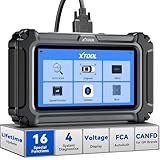
- Comprehensive OBD2 Scanner with 16 Resets: The XTOOL D5S car code reader and vehicle reset tool provides an advanced diagnostic solution with 16 commonly needed reset functions, including Electronic Parking Brake Reset (EPB Reset), SAS, BMS Reset (Battery Test), Throttle Body Relearn, TPMS Reset, ABS Bleeding, Injector Coding, Gearbox Match, Suspension Adjustment, Headlight, Window Initialization, Crank Sensor Relearn and more. Equipped with CAN FD Protocol and FAC AutoAuth, the D5S obd2 scanner diagnostic tool ensures compatibility with a broad range of modern vehicles, allowing users to address common maintenance needs quickly. NOTE: Please Check the Compatibility before ordering.
- 4 Main System Car Scanner & Full OBD2 Diagnostics: The XTOOL D5S car code reader is ideal for home mechanics, DIYers, and professionals, providing access to Transmission/Engine/ABS/SRS systems to read DTCs, Live data can be displayed in text or up to 4 PID data graphs, along with full OBD2 diagnostics to check the engine light on, other obd2 issues and routine maintenance. This car diagnostic scanner ensures you can keep your vehicles in top condition, avoiding costly repairs or unexpected breakdowns. NOTE: Some vehicles display three systems after connection because the transmission and engine of some vehicles are integrated into one.
- Check Engine Code Reader & Real-Time Engine Monitoring: Whether you're a car owner, a DIYer, or run a repair shop, the XTOOL D5S obd2 scanner diagnostic tool makes engine diagnostics fast and frustration-free, reading and explaining trouble codes in seconds—no confusion. Check live data like fuel trim, 02 sensor voltage, RPM, and coolant temp to pinpoint mis~fires, rough idle, or sensor issues. After repairs, simply use the D5S check engine code reader and reset tool to turn off the check engine light and confirm the problem’s fixed—saving time, money, and unnecessary shop visits. - Note: If the check engine light comes back on, it indicates the original problem still exists.
- Portable Car Scanner for ABS and SRS: XTOOL D5S gives you peace of mind when ABS or airbag warning lights come on. It reads and clears ABS codes to help you fix brake sensor, traction control, or wheel speed issues, and supports ABS bleeding after repairs like caliper or master cylinder replacement. For airbag systems, it scans and clears SRS codes related to airbags, seatbelt tensioners, and crash sensors. Whether you're doing repairs at home or running a small shop, the D5S is a cost-effective solution for safety diagnostics. Note: If a fault code returns after clearing, it usually means the issue hasn’t been fully resolved. Please check the compatibility before ordering.
- Transmission Warning Light ON? Here’s the Transmission Diagnostic and Reset Tool You Need: The XTOOL D5S is more than just a basic car scanner—it’s an easy-to-use transmission diagnostic tool. From rough shifts to slipping gears, the D5S lets you read and clear transmission trouble codes, monitor real-time TCM data, and perform transmission resets after fluid changes or repairs. Whether you’re a hands-on car owner or a pro running a busy shop, this OBD2 scanner with transmission functions helps you catch problems early—saving you time, money, and future headaches.. Note: Clearing fault codes is equivalent to a reset on some vehicles, but not all. For help, contact XTOOL Tech Support.
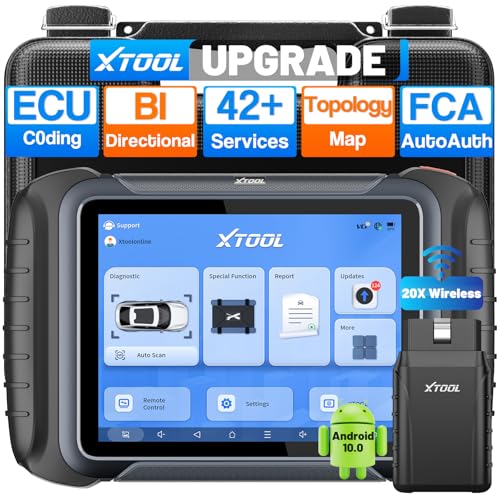
- AI-Assisted Wireless Car Diagnostic Scanner Puts $2,000 Scan Tools to Rest: Upgrade Ver. of D8BT/D7W, wireless ver. of D8S, XTOOL D8W obd2 scanner diagnostic tool targeted for professional US mechanics/workshops/family garage, with 64 GB high-end hardware, 20X faster Built-in WIFI connection, More Stable than BT, packs high-level comprehensive, easy to use AI Assistance features: Topology Mapping, ECU C0ding, PMI Function, 4K+ Active Tests, All System Diagnosis, 42+ Maintenance and more, FCA/CAN FD/DoIP, Pre/Post Scan, Diagnostic Report V2.0, etc. offers the “dealership” diagnosis, isn’t it a Top Pick Scan Tool in this budget
- Super Powerful WI-FI Communication, Extraordinary Built-in Wireless Connectivity: The WI-FI connection, the advanced version of BT, enables the D8W car scanner diagnostic tool to connect directly to vehicles more quickly, easily by simply plugging in the VCI, with the built-in Wi-Fi inside. No additional WiFi signal is required. Its Max high-speed 64 Mbps transmission speed, 33 ft-66 ft or further diagnostic distance, and stable connectivity, makes this obd 2 scanner the winner surpasses traditional BT scanners, more stable, faster, supports longer distance, convenient, and easy to plug and play
- Topology Mapping/AI-Assisted OE-Level Full Systems Diagnostics/Bi Directional Scan Tool/4000+ Active Test: D8W topology scan tool can scan, display all modules with a color topology structure, and view faults at a glance, comparable to other $1,200 to $2,000 obd scanners in the market. Its AI-powered system instantly analyzes fault codes and diagnostic reports for faster and precise repair solution. It also features full-featured bidirectional ability such as Compression Test, Mirror/Sunroof Test, and more active tests, save costs from "dearlership", covers more vehicles for Chrysler 2018+. Please check compatibility with XTOOL before purchase, AI is just for reference
- Advance ECU Configuration/PMI: XTOOL D8W advanced automotive scanner diagnostic tool has the abilities for BENZ/for BMW/for Mitsubishi are designed to unleash the hidden function like turn off the seat belt buzzer and improve car performance. New launched PMI function provided by XTOOL D8W car code scanner for Ford, for Lincoln, for Mazda supports restore full ECU operation into new modules to finish replacement. Note: Please check compatibility with VIN, and Modules
- 42+ Services/Calibration/Initialization/Matching/Relearn Functions: D8W wireless bidirectional obd2 scanner performs more than 42 comprehensive service functions for 10,000+ vehicles including Oil reset, EPB, SAS, Throttle, BMS reset, ABS Bleed, injector c0ding, Fuel Trim Reset, Cylinder Power Balance, Cam Crank Sensors Relearn, VIN Writing, Fuel Injector Balance, Language Change, Auto Stop/Start Reset, A/F Reset, PMI function, etc. Note: Special Functions do NOT work on all cars
Last update on 2026-06-21 / Affiliate links / Images from Amazon Product Advertising API
This product presentation was made with AAWP plugin.