
NHTSA ID Number: 10057460
Manufacturer Communication Number: SD-13-4986
TSB/Document Date: 2015-06-01
Summary
BENDIX ESP ES-80 CONTROLLER: INFORMATION TO ENHANCE BRAKING OF AIR-BRAKED HEAVY, MEDIUM-DUTY TRUCKS, TRACTORS & BUSES, ELECTRONIC CONTROL UNIT, WHICH ARE ONE OUT OF THREE ABS DEVICES, WHICH IS USED. *LJ
messages.
Once the ABS indicator lamp begins displaying a sequence
of codes, it continues until all blink code messages have
been displayed and then returns to the normal operating
mode. During this time, the Bendix ESP EC‑80 Controller
will ignore any additional Blink Code Switch activation.
All DTCs, with the exception of voltage and J1939 DTCs,
will remain in an active state for the remainder of the
power cycle.
Voltage DTCs will clear automatically when the voltage
returns within the required limits. All Bendix ABS functions
will be re-engaged.
J1939 DTCs will clear automatically when communications
are re-established.
22
Diagnostic Modes
To enter the various diagnostic modes:
No. of
Times to
Press the
Blink Code
Switch
System Mode Entered
1
Active Diagnostic Trouble Code (DTC) Retrieval
2
Inactive DTC Retrieval
3
Clear Active DTCs
4
System Configuration Check
5
Dynamometer Test
7*
Reconfigure ECU
* To enter the Reconfiguration Mode, the switch must be held
in before the application of ignition power. Once the power is
supplied, the switch is released and then pressed seven times.
FIGURE 16 - DIAGNOSTIC MODES
Active Diagnostic Trouble Code Mode
For troubleshooting, typically the Active and Inactive
DTC Retrieval Modes are used. The technician presses
the Blink Code Switch once and the ABS indicator lamp
flashes a first group of two codes, and if there are more
DTCs recorded, this is followed by a second set of codes,
etc. (See page 26 for a directory of these codes.) All
active DTCs may also be retrieved using a hand-held or
PC-based diagnostic tool, such as the Bendix® ACom®
Diagnostic Software.
To clear active DTCs (as problems are fixed), simply
clear (or “self-heal”) by removing and re‑applying ignition
power. The only exception is for wheel speed sensor
DTCs, which clear when power is removed, re-applied, and
the ECU detects valid wheel speed from all wheel speed
sensors. Alternately, codes may be cleared by pressing the
diagnostic Blink Code Switch three (3) times (to enter the
Clear Active Diagnostic Trouble Code Mode) or by using
a hand-held or PC-based diagnostic tool. Hand-held or
PC-based diagnostic tools are able to clear wheel speed
sensor DTCs without the vehicle being driven.
Inactive Diagnostic Trouble Code Mode
The Bendix ® ESP ® EC‑ 80™ Controller stores past
Diagnostic Trouble Codes (DTCs) and comments (such
as configuration changes) in its memory. This record is
commonly referred to as “event history.” When an active
DTC is cleared, the Electronic Control Unit (ECU) stores it
in the event history memory as an inactive DTC.
Using blink codes, the technician may review all inactive
DTCs stored on the ECU. The ABS indicator lamp
will display inactive diagnostic blink codes when the
diagnostic Blink Code Switch is depressed and released
two times. See page 26 for the index showing DTCs and
the troubleshooting guide page to read.
Inactive DTCs, and event history, may be retrieved and
cleared by using a hand-held or PC-based diagnostic tool,
such as the Bendix® ACom® Diagnostic Software.
1st Number System Power
1
2nd
Number
12 Volts
Wheel Speed Sensors
4
4 Sensors
6
6 Sensors
3rd Number Pressure Modulator Valves
4
4 Modulators
5
5 Modulators
6
6 Modulators
4th Number ABS Configuration
1
4S/4M or 6S/6M
2
6S/4M
3
6S/5M
5th Number Traction Control Configuration
Clearing Active DTCs
2
No ATC
The ECU will clear active DTCs when the diagnostic Blink
Code Switch is depressed and released three (3) times.
3
ATC Engine Control Only
4
ATC Brake Control Only
System Configuration Check Mode
5
Full ATC (Engine Control & Brake Control)
The ABS indicator lamp will display system configuration
information when the diagnostic Blink Code Switch is
depressed and released four times. The lamp will blink
out configuration information codes using the following
patterns. (See Figure 17).
6th Number Retarder Configuration
In this mode the ECU tells the technician — by means of a
series of seven (7) blink codes — the type of ABS system
that the ECU has been set up to expect. For example, if
the fourth blink code is the number two (2), the technician
knows that a 6S/4M sensor/modulator configuration has
been set.
7th Number Stability Configuration
Dynamometer Test Mode
The Dynamometer Test Mode is used to disable Bendix®
ESP® & ATC system functions when needed (e.g. when
performing any vehicle maintenance where the wheels are
lifted off the ground and moving, including dynamometer
testing). Note: For Bendix ESP and ABS EC‑80
Controllers, this mode will remain engaged even if
power to the ECU is removed and re-applied. To exit
the Dynamometer Test Mode, press and release the Blink
Code Switch three (3) times, or use a hand-held or PCbased diagnostic tool.
1
No Retarder
2
J1939 Retarder
3
Retarder Relay
4
J1939 Retarder, Retarder Relay
1
No Stability Program
2
Electronic Stability Program (ESP)
FIGURE 17 - SYSTEM CONFIGURATION CHECK
Reconfigure ECU Mode
Controller reconfiguration is carried out by using the
Reconfigure ECU Mode. (See page 16.)
Note: To enter the Reconfiguration Mode, the Blink Code
Switch must be held in before the application of ignition
power. Once the power is supplied, the switch is released
and then pressed seven times.
Other Methods
Troubleshooting and DTC clearing (as well as reconfigura‑
tion) may also be carried out using hand-held or PC-based
diagnostic tools such as the Bendix® Remote Diagnostic
Unit (RDU™), Bendix ACom Diagnostic Software, or similar
tools.
23
Troubleshooting: Using PC-Based or
Hand-Held Diagnostic Tools
BENDIX® ACOM® DIAGNOSTIC SOFTWARE
LED lights
illuminate
Diagnostic
Trouble
Codes
(10 locations
in total)
FIGURE 19 - THE BENDIX® REMOTE DIAGNOSTIC UNIT
Features of the Bendix RDU Tool
FIGURE 18 - BENDIX® ACOM® DIAGNOSTICS
Bendix ® ACom ® Diagnostic Software is a PC-based
program and is designed to meet RP-1210 industry
standards developed by the Truck Maintenance Council
(TMC). This software provides the technician with access
to all the available Bendix ® EC‑80™ ESP ® Controller's
diagnostic information and configuration capability,
including:
•
ECU information;
•
Diagnostic Trouble Codes (DTCs) and repair
information;
•
Configuration (ABS, ATC, and more);
•
Wheel speed information;
•
Perform component tests; and
•
Save and print information
Note: Bendix ACom Diagnostic Software V6.7.2.5 (or
higher) is required to calibrate the Steering Angle
Sensor, the Yaw Rate/Lateral Acceleration Sensor, the
Brake Demand Sensors and the Load Sensor.
When using ACom Diagnostic Software V6.7.2.5 (or
higher) to diagnose the Bendix ESP EC‑80 Controller, the
computer’s serial or parallel port needs to be connected
to the vehicle’s diagnostic connector.
BENDIX® RDU™ (REMOTE DIAGNOSTIC
UNIT)
The Bendix® RDU™ tool (Bendix part number K101596N001)
provides the technician with a visual indication of Antilock
Braking System (ABS) component Diagnostic Trouble
Code (DTC) information. Note: Previous versions of the
RDU tool are not compatible with the Bendix ESP EC‑80
Controller. The Bendix RDU tool is specifically designed
for use with Bendix® brand ABS systems and Bendix makes
no claims for its operation and/or usability with other brands
of ABS systems.
24
The Bendix RDU tool attaches to the 9-pin diagnostic
connector in the cab of the vehicle.
The Bendix RDU tool allows the technician to:
• Troubleshoot ABS system component problems using
DTC reporting via LEDs;
• Reset DTCs on Bendix ESP EC‑80 Controllers by
holding a magnet over the reset in the center of the RDU
tool for less than six (6) seconds; and
• Enter the Self-Configuration Mode used by Bendix ESP
EC‑80 Controllers by holding a magnet over the reset
area for greater than six (6) seconds but less than 30
seconds.
How the Bendix RDU Operates
See Figure 14 for typical vehicle connector locations.
When the Bendix RDU tool is plugged into the diagnostic
connector, all the LEDs will illuminate, and the green LED
will flash four (4) times to indicate communications have
been established.
If the Bendix ESP EC‑80 Controller has no active DTCs,
only the green LED will remain illuminated.
If the Bendix ESP EC‑80 Controller has at least one active
DTC, the RDU tool displays the first DTC by illuminating the
red LEDs, indicating the malfunctioning ABS component
and its location on the vehicle (See Figure 20.) If there
are multiple DTCs on the ABS system, the RDU tool will
display one DTC first, then — once that DTC has been
repaired and cleared — the next code will be displayed.
Typical Combination
Diagnostic Trouble Codes (DTCs) are:
• Right steer sensor
• Left steer sensor
• Right drive sensor
• Left drive sensor
• Right additional sensor
• Left additional sensor
• Right steer modulator
• Left steer modulator
• Right drive modulator
• Left drive modulator
• Right additional
modulator
• Left additional modulator
• Rear Axle Traction
modulator
• ECU
• Engine serial
communication
• MOD red LED illuminated, shows the "Common"
connection of one or more modulators is shorted to
battery or ground
• VLT (Flashing indicates either over- or under-voltage
condition)
To pinpoint the root cause and to ensure the system
Diagnostic Trouble Code is properly corrected the first time,
additional troubleshooting may be necessary.
Note: The Bendix ® RDU™ tool is not capable of diagnosing
certain Bendix ® ESP ® EC‑80™ system-specific DTCs
including additional sensors: steering angle sensors, yaw
sensors, pressure sensors, or modulator valves (trailer
pressure modulating valves or front axle traction control
valves.)
LED DIAGNOSTIC TROUBLE CODES
LFT -
RHT -
DRV -
ADD -
STR -
VLT -
ECU -
Left
Right
Drive Axle
Additional
Steer Axle
Power
ABS Controller
SEN -
Wheel Speed
Sensor
MOD - Pressure Modulator
Valve
TRC - Traction Control
Example: If the
Diagnostic Trouble Code
is "Right Steer Axle
Sensor", the Bendix RDU
tool will display one green
and three red LEDs
FIGURE 20 - DIAGNOSTIC TROUBLE CODES AS
DISPLAYED ON THE BENDIX® RDU™ TOOL
LEDs
Green
VLT
Red
SEN
STR
RHT
Bendix® RDU™ Reset Function
The magnetic reset switch is located in the center top of
the Bendix RDU tool. Activation requires a magnet with
30 gauss minimum.
The reset operations are:
1. If the magnet is held over the switch for less than 6
seconds the "clear current DTCs" command is sent.
2. If the magnet is held over the switch for more than 6
seconds, but less than 30 seconds, the Bendix ABS
"self-configuration command" is sent.
Additionally, it is recommended at the end of any inspection
that the user switches off and restores the power to
the Bendix ESP EC‑80 Controller, then check the ABS
Indicator Lamp operation and Bendix RDU tool to see if
they indicate any remaining DTCs.
Bendix RDU Communication Problems
If the Bendix ESP EC‑80 Controller does not respond to the
RDU tool’s request for DTCs, the RDU tool will illuminate
each red LED in a clockwise pattern. This pattern indicates
the loss of communication and will continue until the Bendix
ESP EC‑80 Controller responds and communication has
been established.
Possible sources of communication problems are:
1. A problem with the J1939 link at the in-cab off-board
diagnostic connector (9 or 6 Pin);
2. The Bendix ESP EC‑80 Controller does not support
PID194;
3. No power is being supplied to the Bendix ESP EC‑80
Controller and/or the diagnostic connector;
4. The J1939 bus is overloaded with information and the
RDU can not arbitrate access; or
5. A malfunctioning Bendix RDU tool.
Other Information
For more information on Bendix ® ACom ® Diagnostics
Software or RP-1210 compliant tools, go to www.bendix.
com or visit your local authorized Bendix distributor.
See pages 56-62 for Appendices showing J1939 SID, FMI,
codes and their Bendix blink code equivalents.
www.bendix.com
For the latest information, and for free downloads of
the Bendix® ACom® Diagnostic Software, and its User
Guide, visit the Bendix website at www.bendix.com.
Bendix Technical Assistance Team
For direct telephone technical support, call the Bendix
technical assistance team at:
1-800-AIR-BRAKE (1‑800‑247‑2725 option 2, then 1),
Monday through Friday, 8:00 a.m. to 6:00 p.m. ET,
and follow the instructions in the recorded message.
E‑mail the Bendix Technical Assistance Team at:
techteam@bendix.com.
25
Active or Inactive Diagnostic Trouble Codes (DTCs):
INDEX
How to interpret the first digit of messages received
when Active or Inactive Diagnostic Trouble Code Mode
is entered.
1st
Blink
Code
Number
Troubleshooting Tests
1. . . . . . . . . . . . . . . . . . . . . . . . . . . . . . . . No DTCs (1,1)
2. . . . . . . . . . . . . . Wheel Speed Sensors - pages 27-28
3. . . . . . . . . . . . . . Wheel Speed Sensors - pages 27-28
4. . . . . . . . . . . . . . Wheel Speed Sensors - pages 27-28
5. . . . . . . . . . . . . . Wheel Speed Sensors - pages 27-28
6. . . . . . . . . . . . . . . . . . . . . . . . Power Supply - page 29
7. . . . . . . . . . Pressure Modulator Valves - pages 30-31
8. . . . . . . . . . Pressure Modulator Valves - pages 30-31
9. . . . . . . . . . Pressure Modulator Valves - pages 30-31
10. . . . . . . . . Pressure Modulator Valves - pages 30-31
11. . . . . . . . . . . . . . . . . . . . . . . . . . J1939 - pages 32-33
12. . . . . . . . . . . . . . . . . . . Miscellaneous - pages 34-35
13. . . . . . . . . . . . . . . . . . . . . . . . . . . . . . . ECU - page 36
14. . . . . . . . . . . . . Wheel Speed Sensors - pages 27-28
15. . . . . . . . . . . . . Wheel Speed Sensors - pages 27-28
16. . . . . . . . . Pressure Modulator Valves - pages 30-31
17. . . . . . . . . Pressure Modulator Valves - pages 30-31
18. . . . . . . . Drive Axle Traction Control Valve - page 37
19. . . . . . . . Steer Axle Traction Control Valve - page 37
20. . . . . Trailer Pressure Modulator Valve - pages 30-31
21. . . . . . . . . . . . . Steering Angle Sensor - pages 38-39
22. . . . . . . . . . . . . . . . . Yaw Rate Sensor - pages 40-41
23. . . . . . . . . . . . Lateral Acceleration Sensor - page 42
24. . . . . . . . . . . Brake Demand/Load Sensors - page 43
25. . . . . . . . . . . . . . . . . Valves Miscellaneous - page 44
26. . . . . . . . . . . . . . . . J1939 ESP-Related - page 45-47
Example: For a message sequence of:
3, 2 12, 4
For the first sequence go to page 27 and
for the second sequence go to page 34.
See Page 56-62 for APPENDIX B: J1939 SPN and FMI Codes and their Bendix Blink Code Equivalents
26
Troubleshooting Diagnostic Trouble Codes (DTCs):
Wheel Speed Sensors
1st. Blink
Code
Location
2
Left Steer Axle Sensor
3
Right Steer Axle Sensor
4
Left Drive Axle Sensor
5
Right Drive Axle Sensor
14
Left Additional Axle Sensor
15
Right Additional Axle Sensor
2nd.
Blink
Code
1
Diagnostic Trouble
Code Description
Repair Information
Excessive Air Gap
Adjust the sensor to contact the exciter ring. Rotate the wheel and verify a minimum
of 0.25 VAC sensor output at ~ 0.5 RPS. Verify the condition of the sensor head.
Verify the mounting of the exciter ring and condition of the teeth. Verify the proper
bearing end-play. Verify the condition and retention of the clamping sleeve. Verify
the sensor lead routing and clamping.
2
Output Low at
Drive-off
3
Open or Shorted
4
Loss of Sensor Signal Adjust the sensor to contact the exciter ring. Rotate the wheel and verify a minimum
Verify 1500 – 2500 ohms is found across the sensor leads. Verify no continuity between

- 💯【Conta.ct us for Support Directly】If you met any...
- 🔥🔥🔥【2026 AUTEL FLAGSHIP MK900BT MK900-BT, NEW...
- 🚗【3000+ ACTIVE TESTS (50➡3000+), SAME AS MS...
- 🚗【40+ HOT SERVICES FOR 150 MAKES (28+➡40+)】Full...
- 🚗【OE ALL SYSTEM DIAGNOSE, AUTO SCAN 2.0: SCAN LICENSE...


- 【TURN OFF CEL】 This AL319 car scanner diagnostic tool...
- 【EXTENSIVE APPLICATION】 Autel AL319 Compatible with...
- 【FOR END USER & DIYERS】 This error code reader AL319 is...
- 【USER-FRIENDLY DESIGN】 This OBD2 scanner and check...
- 【HIGH-QUALITY SERVICES】 12 months war.ranty from the...
Last update on 2026-06-23 / Affiliate links / Images from Amazon Product Advertising API
If the PDF is very large, it may not load in the preview below.
Some older TSBs had multiple PDFs — visit the NHTSA Website to view all PDFs.
If the TSB PDF does not show, download or view it on the NHTSA Website.
Click on the (+) Plus Sign
Then Click on Associated Document(s)
Search NHTSA Database for Recalls
Search NHTSA Database for Vehicle Investigations
View Latest Vehicle Investigations
Search NHTSA Database for Vehicle Complaints
View Latest Vehicle Complaints
TSB/Document ID: SD-13-4986
Replacement Service Bulletin Number:
MFR Communication Date: 2015-01-01
MFR Internal Campaign ID/Software Version:
Communication Type: Service Bulletin/Repair Instructions
NHTSA Components: SERVICE BRAKES, AIR:ANTILOCK:ABS WARNING LIGHT
MFR Component System:
MFR Component Subsystem:
Previous TSB | Next TSB |

- 【OE-Level Full System Diagnostics-Lifetime F*REE Software Updates】The VDIAGTOOL D200 OBD2 Scanner for cars is a all system bidirectional scan tool that enjoy lifetime f*ree software updates, delivers complete system coverage. reading/clearing codes across engine, transmission, ABS, SAS, EPB, TPMS plus full access to body, chassis, powertrain and all control modules. This D200 Bidirectional car scanner works with most 1996+ OBD2 gasoline and hybrid
 cars and light trucks. It does NOT support pure electric and heavy-duty trucks. PLEASE CHECK COMPATIBILITY BEFORE ORDERING or Contact us with VIN to confirm compatibility.
 - 【Supports OBD2 Full Functions-ZERO Subscription Fees】D200 Bidirectional OBD2 Scanner is a upgarde of universal car code reader. It supports OBD2 full functions to help you turn off the annoying instrument fault indicator, such as read/clear codes, O2 sensor test, I/M readiness, on-board monitor test, datastream, freeze frame, E-VAP system test, and retrieve vehicle information. This professional obd2 scanner diagnostic tool can full access to diagnostics, reset tools and maintenance features with a single payment. NOTE: The fault code can only be cleared after the vehicle's malfunction has been repaired; please ensure the vehicle issue is fixed before clearing the code.
- 【D200 Hidden 2 Advantages: 1. $169 Expandable 49+ Advanced Resets. 2. $199 Get J2534 P*a*s*s-Thru Programming】Your core car diagnostics and 26 reset remain lifetime f*ree for everyday maintenance. When you need deeper repair capability, upgrade with 3-year access for $169 in Store on VDIAGTOOL App, gaining 49+ advanced resets. D200 configured with J2534 hardware, upgrade only when you need without replacing the entire device. You also can Lifetime Unlock for $199 in Store one-time, perform module programming, software re~flashing and ECU data updates directly. Supports 17+ major brands, including for BMW, for Audi, for GM, for Ford and more. Note:D200 does‘t provide any OE software.
- 【Full Bidirectional Control / Active Tests】The D200 car scanner diagnostic tool is a true bidirectional scan tool that lets you send commands directly to the vehicle’s ECU for active tests. Quickly test fuel pumps, relays, solenoids, injectors, cooling fans, windows, sunroofs and more to verify operation instantly. Get dealership-level diagnostic control at a fraction of the cost (ofter $100-200$ per diagnostic visit), reduce guessworkand confirm repairs faster, avoid unnecessary parts replacement, towing fees and wait times.
- 【26 F*ree Essential Reset & Relearn Functions – Everyday Maintenance Made Easy】Handle common maintenance and repair jobs without visiting the shop. The D200 code readers & scan tools includes 26 f*ree high-demand reset functions, including Oil Reset, EPB Service, SAS Calibration, ABS Brake Bleeding, Throttle Relearn, Injector Coding, Headlight Adjustment, Tire Size Reset and more. Perfect for home car owners, mechanics and DIYers – just plug and diagnose anytime, anywhere! Note: Service functions vary by vehicle model—please confirm compatibility.

- 【A MUST-HAVE TOOL FOR DIYERS】 - VDIAGTOOL VD10 car code reader is an incredibly useful obd scanner for each car owner or hobbyist, even for those with little to no experience when it comes to vehicle mechanics! Similar to a fixd car diagnostic tool, using this car diagnostic scanner is extremely easy. All you have to do is attach it to your car OBDII port and you can diagnose car problems in seconds! Read Codes (DTCs); Clear Codes; Live Data; View Freeze Frame; I/M Readiness; Vehicle Information.
- 【KEEP ENGINE IN GOOD STATUS】 - VDIAGTOOL check engine code reader brings a fast access to scan, read the car fault code, show its definition on the screen instantly, troubleshooting to find the root causes of problems, erase the engine fault code and turn off the MIL (Malfunction Indicator Light). Similar to a fixd car diagnostic tool, this car code reader helps ensure your engine stays in top condition.
- 【READ/CLEAR CODES & DTC LOOKUP】- No search online & saving your time, this vehicle car code reader retrieves generic (P0, P2, P3, and U0), manufacturer specific (P1, P3, and U1) codes, pending codes and displays DTC definitions based on the built-in database(more than 3000 codes) on the TFT screen, find out the root causes and clear the codes after fixed.
- 【LIVE DATA & RETRIEVE FREEZE FRAME】 - This diagnostic scan tool for accurate diagnosis enables you to retrieve data from vehicle sensors, such as Engine RPM, Intake air temperature, Short/Long term fuel, Misfire data and etc. The freeze frame is stored in the PCM together with the diagnostic trouble code (DTC) related to the fault. Comparable to a fixd car diagnostic tool, the VD10 car code reader car scanner can be a valuable & practical diagnostic aid and also greatly help when diagnosing intermittent problems.
- 【I/M READINESS for THE S-nn-0-g CHECK】- OBDII vehicle may not pass the annual inspection unless the required monitors since reset are complete. So you should at least read the readiness monitors and make sure they are ready. This car obd2 scanner diagnostic tool is equipped with I/M readiness function to check the operations of the e-m-issi0n system on OBD2 compliant vehicles, run I/M monitor readiness test, checking if the pass vehicle s-m-0-g inspection.
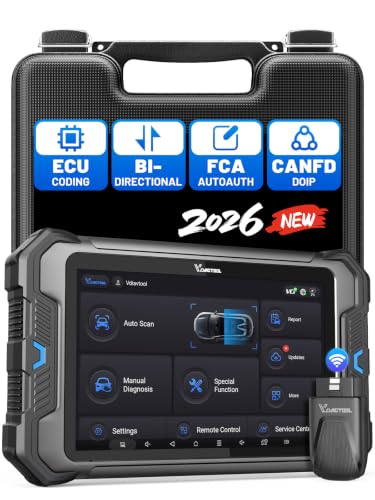
- 【Professional Diagnostics】 The VD80 BT Lite bidirectional obd2 scanner is a professional OBD2 scanner diagnostic tool, delivering vehicle diagnostics right in your own garage. It supports 4,000+ active diagnostic tests, 28+ maintenance service functions, ECU coding, PMI calibration, brake service reset, and OEM-grade full-system vehicle scanning—perfect for DIYers and pros looking for powerful automotive tools. The available function tests vary by model—please to confirm compatibility.
- 【ADVANCED ECU CODE, CUSTOMIZE OE-SETTINGS】As a complete car code reader and reset tool, the VD80 BT Lite bidirectional obd2 scanner supports ECU coding for VW, for Audi, for BMW, for Benz, for Mitsubishi and more. PMI function for Ford/for Lincoln/for Mazda, supports copy data into new module. Step-by-step Guided Diagnostics makes complex jobs easier—making this one of the most reliable code readers & scan tools on the market.
- 【100000+ Vehicles Compatibility – CAN FD/DOIP】 VD80 BT Lite Auto Scanner Compatible with 100,000+ vehicles worldwide, this bidirectiona car scanner works with all OBD2-compliant vehicles manufactured after 1996, covering more than 100 brands worldwide. It also supports CAN FD, DOIP and FCA Secure Gateway protocols, boost 2X faster data transfer, covers 99% of U.S., EU and Asian cars. With 22 languages and 2 years of f*ree updates—future-proofing your car reader diagnostic for all cars.
- 【28+ Maintenance Services & Calibration Functions】VD80 BT Lite scanner for car Supports 28 maintenance services, including resetting oil and service lights after routine maintenance, registering new batteries for proper system operation, and clear clogged filters and restore performance. Additionally, it calibrates TPMS sensors after tire rotations, resets brake systems after pad replacements, relearns steering angle sensors after alignments, and more. These functions help your vehicle quickly and accurately return to peak performance—without the costly dealer visits.
- 【True Bidirectional Control – Diagnose with Confidence】Standing out with full-system coverage and extensive active test capabilities, the VD80 BT Lite bidirectional scan tool retrieves data from electronic control units and performs a wide range of active tests. You can real-time control over modules like fuel pumps, windows, A/C clutches, and relays. Perform 100+ advanced functions including throttle adaptation, injector coding, VIN write, idle relearn, and ABS bleed—helping you fix it right the first time with this all-in-one car diagnostic scanner.
Last update on 2026-06-23 / Affiliate links / Images from Amazon Product Advertising API
This product presentation was made with AAWP plugin.