
NHTSA ID Number: 10056598
Manufacturer Communication Number: PB-13322
TSB/Document Date: 2015-01-13
Summary
GENERAL MOTORS : SEE DOCUMENT SEARCH BUTTON FOR OWNER LETTER. SOME VEHICLES MAY EXPERIENCE A LOSS OF RADIO STATION PRESETS, TIME SHIFT MALFUNCTION (LINK), CLOCK INACCURACY, NAVIGATION ROUTE RESETS, WILL NEED REPROGRAMMING RADIO CONTROL MODULE AND/OR RECALIBRATING AUDIO SYSTEM, IF NECESSARY. *PE UPDATED 6/16/15. UPDATED 10/30/15. *PE
Bulletin No.: 13322
Date: December 2014
Program Bulletin
SB-10056598-4235
CUSTOMER SATISFACTION PROGRAM
SUBJECT:
Navigation Radio Loss of Customer Settings
MODELS:
2010 Buick LaCrosse
2010 Cadillac SRX
2010 Chevrolet Equinox
2010 GMC Terrain
2011 Buick LaCrosse, Regal
2011 Cadillac SRX
2011 Chevrolet Cruze, Equinox
2011 GMC Terrain
THIS PROGRAM IS IN EFFECT UNTIL DECEMBER 31, 2016.
CONDITION
Certain 2010 model year Buick LaCrosse; Cadillac SRX; Chevrolet Equinox; GMC Terrain
and 2011 model year Buick LaCrosse; Buick Regal; Cadillac SRX; Chevrolet Cruze; Chevrolet
Equinox; GMC Terrain vehicles equipped with navigation radios may experience various
performance issues including clock inaccuracy, navigation-route resets, loss of radio-station
presets, and time-shift malfunction (link).
CORRECTION
Dealers are to reprogram the radio-control module and, if necessary, recalibrate the audio system.
VEHICLES INVOLVED
All involved vehicles are identified by Vehicle Identification Number on the Investigate Vehicle
History screen in GM Global Warranty Management system. Dealership service personnel should
always check this site to confirm vehicle involvement prior to beginning any required inspections
and/or repairs. It is important to routinely use this tool to verify eligibility because not all similar
vehicles may be involved regardless of description or option content.
For dealers with involved vehicles, a listing with involved vehicles containing the complete vehicle
identification number, customer name, and address information has been prepared and will be
provided to U.S. and Canadian dealers through the GM GlobalConnect Recall Reports, or sent
directly to export dealers. Dealers will not have a report available if they have no involved vehicles
currently assigned.
Copyright 2014 General Motors. All Rights Reserved.
Page 2
December 2014
Bulletin No.: 13322
The listing may contain customer names and addresses obtained from Motor Vehicle Registration
Records. The use of such motor vehicle registration data for any purpose other than follow-up
necessary to complete this program is a violation of law in several states/provinces/countries.
Accordingly, you are urged to limit the use of this report to the follow-up necessary to complete
this program.
PART INFORMATION
No physical parts are required; however, listed below are the regional variants of the software part
number required to complete this program and expected availability dates.
Region
North America
China
Australia
Japan
Mexico
Middle East
Europe (Including Russia)
Korea
Taiwan
Part Number
23319491
23225756
23225751
23225752
23224446
23224447
23225757
23225907
23225754
Availability
Available
January 12, 2015
February 2, 2015
February 2, 2015
February 2, 2015
February 2, 2015
February 2, 2015
February 2, 2015
February 2, 2015
SERVICE PROCEDURE
Note: Carefully read and follow the instructions below.
Do NOT attempt to order the calibration number from GM Customer Care and Aftersales.
The calibration numbers required for this service procedure are programmed into control
modules via a Multiple Diagnostic Interface (MDI) with the calibration update. If you cannot
access the calibration, call the Techline Customer Support Center and it will be provided.
DO NOT program a control module unless directed to by a service procedure or a service
bulletin. If the control module is not properly configured with the correct calibration software,
the control module will not control all of the vehicle features properly.
Ensure the programming tool is equipped with the latest software and is securely connected
to the data link connector. If there is an interruption during programming, programming failure
or control module damage may occur.
Stable battery voltage is critical during programming. Any fluctuation, spiking, over voltage or
loss of voltage will interrupt programming. When required install the EL-49642 SPS
Programming Support Tool to maintain system voltage. If not available, connect a fully
charged 12 V jumper or booster pack disconnected from the AC voltage supply. DO NOT
connect a battery charger.
This procedure begins with a USB flash drive programming event. Any existing data on the
USB flash drive will be erased during the TIS2WEB-to-USB flash drive download procedure.
To ensure important data IS NOT deleted from the USB flash drive, transfer the data from the
USB flash drive onto another approved storage device BEFORE attempting to download
software from TIS2WEB. Once the software is downloaded to the USB, DO NOT add any
data to the storage device.
Page 3
December 2014
Bulletin No.: 13322
Turn OFF or disable systems that may put a load on the vehicles battery such as; interior
lights, exterior lights (including daytime running lights), HVAC, radio, etc.
During the programming procedure, follow the SPS prompts for the correct ignition switch
position.
Clear DTCs after programming is complete. Clearing powertrain DTCs will set the
Inspection/Maintenance (I/M) system status indicators to NO.
Note: During programming, the battery voltage MUST be maintained within the proper range of
12-15 volts.
1. Connect the Midtronics® PSC 550 Battery Maintainer (SPS Programming Support Tool EL49642) or an equivalent to the battery.
2. Connect the MDI to the vehicle.
3. Turn ON the ignition, with the engine OFF.
4. Select: J-2534 MDI from the Select Diagnostics Tool and Programming Process screen.
5. Select: RAD – “Radio USB Programming for Navigation Software – Setup”, from the
Supported Controllers screen. Refer to SI and SPS for programming instructions, if required.
6. Insert a USB flash drive into the USB port of your computer. Press the REFRESH button if
your USB drive IS NOT selectable in the Available USB Drives box.
7. Select NEXT from the SPS Special Function screen.
8. Monitor the Progress Status bar at the bottom of the SPS Special Function screen.
Note: The files have been successfully loaded onto the USB flash drive when the Progress
Status bar is completely shaded and the SPS Special Functions screen displays the following
message: “Remove the USB stick and insert into the vehicle USB port.”
9. Remove the USB flash drive from the computer when the Progress Status bar indicates that
the software download has been completed.
10. Press FINISH from the SPS Special Function screen. DO NOT wait for the Completion
screen to appear on the display.
Note: On Cadillac SRX vehicles, turn on the radio and press the NAV button to raise the
viewscreen. If this is not done before inserting the USB drive, you will not be able to operate the
“Ok” button in the following step.
11. Insert the USB flash drive into the USB port of the vehicle. The radio will display the title
“Program Update” along with warnings not to interrupt power or remove the media. A bar
graph will form indicating progress and an “OK” button will appear. PRESS the appropriate
radio button or area of the screen to activate the “OK” command and begin programming.
Page 4
December 2014
Bulletin No.: 13322
Note: For Cadillac SRX Vehicles Only: The programming event will take about 35-40 minutes
to complete. Once the programming files have been transferred from the USB flash drive to the
radio module, the SRX viewscreen will partially raise and display the following message:
Program Update. Do not turn off power while updating. Do not remove the media while updating.
Disregard the message on the screen. Remove the USB flash drive and turn OFF the ignition.
Wait 60 seconds BEFORE proceeding to step 15.
12. When the programming event has completed, the radio will display Download Complete.
13. Remove the USB flash drive.
14. Turn OFF the ignition. Wait 60 seconds BEFORE proceeding to step 15.
15. Turn the vehicle to the ON or RUN position, engine OFF.
Page 5
December 2014
Bulletin No.: 13322
16. Determine if the temperature (1) is displayed on the radio and map screens.
If the temperature (1) is displayed on the radio and map screens, no further action is
required.
If the temperature (1) is NOT displayed on the radio and map screens, a radio calibration
MUST be performed. Proceed to step 17.
17. Document the current radio settings so they can be re-entered into the radio after the radio
calibration update has been completed.
18. Return to the SPS programming screen. Select J-2534 MDI from the Select Diagnostics Tool
and Programming Process screen.
19. Select RAD: Radio Programming from the Supported Controllers Screen.
21. Select the proper choices for the build of the vehicle you are servicing. Refer to the vehicle
SPID label or the vehicle build information through GWM for the specific RPOs the vehicle is
equipped with.
22. Once you have selected the proper vehicle options, select next to initiate the SPS
programming event. Follow on-screen instructions.
23. After performing the radio calibration, re-enter the customer’s radio settings documented in
step 17.
CUSTOMER REIMBURSEMENT - For U.S.
Customer requests for reimbursement of previously paid repairs for the condition described in this
bulletin are to be submitted to the dealer by December 31, 2015, unless otherwise specified by
state law. If this is not convenient for the customer, they may mail the completed Customer
Reimbursement Request Form and all required documents to the GM Customer Assistance
Center.
Page 6
December 2014
Bulletin No.: 13322
All reasonable and customary costs to correct the condition described in this bulletin
should be considered for reimbursement. Any questions or concerns should be reviewed
with your GM representative prior to processing the request.
When a customer requests reimbursement, they must provide the following:
A completed Customer Reimbursement Request Form. This form is mailed to the
customer or can be obtained through GM GlobalConnect.
The name and address of the person who paid for the repair.
Paid receipt confirming the amount of the repair expense, a description of the repair, and
the person or entity performing the repair.
IMPORTANT: GM requires dealers to approve or deny a reimbursement request within 30 days
of receipt. If a reimbursement request is approved, the dealer should immediately issue a check
to the customer and submit an appropriate warranty transaction for the incurred expense. If a
reimbursement request is denied, the dealer MUST provide the customer with a clear and concise
explanation, in writing, as to why the request was denied. The bottom portion of the Customer
Reimbursement Request Form may be used for this purpose. If the denial was due to missing
documents, the customer can resubmit the request when the missing documents are obtained, as
long as it is still within the allowed reimbursement period.
Warranty transactions for customer reimbursement of previously paid repairs are to be submitted
as required by GM Global Warranty Management. Additional information can also be found in
Warranty Administration Bulletin 11-00-89-004.
CUSTOMER REIMBURSEMENT - For Canada and Export
Customer requests for reimbursement of previously paid repairs to correct the condition described
in this bulletin are to be submitted to the dealer by December 31, 2015.
When a customer requests reimbursement, they must provide the following:
-
Proof of ownership at time of repair.
Original paid receipt confirming the amount of unreimbursed repair expense(s) (including
Service Contract deductibles), a description of the repair, and the person or entity
performing the repair.
All reasonable and customary costs to correct the condition described in this bulletin should be
considered for reimbursement. Any questions or concerns should be reviewed with your GM
representative prior to processing the request.
COURTESY TRANSPORTATION – For U.S. and Canada
The General Motors Courtesy Transportation program is intended to minimize customer
inconvenience when a vehicle requires a repair that is covered by the New Vehicle Limited
Warranties. The availability of courtesy transportation to customers whose vehicles are within the
warranty coverage period and involved in a product program is very important in maintaining
customer satisfaction. Dealers are to ensure that these customers understand that shuttle service
or some other form of courtesy transportation is available and will be provided at no charge.
Dealers should refer to the General Motors Service Policies and Procedures Manual for Courtesy
Transportation guidelines.
WARRANTY TRANSACTION INFORMATION
Submit a transaction using the table below. All transactions should be submitted as a ZFAT
transaction type, unless noted otherwise.
Page 7
December 2014
Bulletin No.: 13322
Note: To avoid having to "H" route the customer reimbursement transaction for approval, it must
be submitted prior to the repair transaction.
Labor
Code
9101097
9101098
9101099
9101100
Description
Radio USB Programming for Navigation Software – Setup
Temperature Displayed – No Further Action Required
Radio USB Programming for Navigation Software – Setup
Temperature Not Displayed - Reprogram Radio (Includes
Documenting Radio Settings)
Customer Reimbursement Approved
Customer Reimbursement Denied - For U.S. dealers only
Labor
Time
0.6
1.2
0.2
0.1
Note: Customer reimbursement will not close this program. The service procedure must also be
performed on the vehicle.
* The amount identified in “Net Item” should represent the dollar amount reimbursed to the
customer.
CUSTOMER NOTIFICATION – For U.S. and Canada
General Motors will notify customers of this program on their vehicle (see copy of customer letter
included with this bulletin).
CUSTOMER NOTIFICATION – For Export
Letters will be sent to known owners of record located within areas covered by the U.S. National
Traffic and Motor Vehicle Safety Act. For owners outside these areas, dealers should notify
customers using the attached sample letter.
DEALER PROGRAM RESPONSIBILITY
All unsold new vehicles in dealers' possession and subject to this program must be held and
inspected/repaired per the service procedure of this program bulletin before customers take
possession of these vehicles.
Dealers are to service all vehicles subject to this program at no charge to customers, regardless
of mileage, age of vehicle, or ownership, through December 31, 2016.
Customers who have recently purchased vehicles sold from your vehicle inventory, and for which
there is no customer information indicated on the involved vehicle listing, are to be contacted by
the dealer. Arrangements are to be made to make the required correction according to the
instructions contained in this bulletin. A copy of the customer letter is provided in this bulletin for
your use in contacting customers. Program follow-up cards should not be used for this purpose,
since the customer may not as yet have received the notification letter.
In summary, whenever a vehicle subject to this program enters your vehicle inventory, or is in your
facility for service through December 31, 2016, you must take the steps necessary to be sure the
program correction has been made before selling or releasing the vehicle.
GM bulletins are intended for use by professional technicians, NOT a "do-it-yourselfer". They are written to inform these technicians of conditions that
may occur on some vehicles, or to provide information that could assist in the proper service of a vehicle. Properly trained technicians have the tools,
equipment, safety instructions, and know-how to do a job properly and safely. If a condition is described, DO NOT assume that the bulletin applies to
your vehicle, or that your vehicle will have that condition. See your dealer for information on whether your vehicle may benefit from the information.
We Support
Voluntary Technician
Certification
Page 8
December 2014
Bulletin No.: 13322
December 2014
Dear General Motors Customer:
We have learned that your 2010 model year Buick LaCrosse; Cadillac SRX; Chevrolet Equinox;
GMC Terrain or 2011 model year Buick LaCrosse; Buick Regal; Cadillac SRX; Chevrolet Cruze;
Chevrolet Equinox; GMC Terrain vehicle equipped with a navigation radio may experience
various performance issues including clock inaccuracy, navigation-route resets, loss of radiostation presets, and time-shift malfunction (link). In general these conditions are not evident with
new radios, although they develop over time with normal radio usage.
Your satisfaction with your vehicle is very important to us, so we are announcing a program to
prevent this condition or, if it has occurred, to fix it.
What We Will Do: Your GM dealer will inspect and, if necessary, reprogram your vehicle’s radiocontrol module. This service will be performed for you at no charge until December 31, 2016.
After December 31, 2016, the cost of this repair will be covered, if at all, by any applicable warranty
program.
What You Should Do: To limit any possible inconvenience, we recommend that you contact
your dealer as soon as possible to schedule an appointment for this repair.
Reimbursement: Even though you may have already had repairs for this condition, you will still
need to take your vehicle to your dealer for additional repairs. If you have paid for repairs for the
condition described in this letter, please complete the enclosed reimbursement form and present
it to your dealer with all required documents. Working with your dealer will expedite your
request, however, if this is not convenient, you may mail the completed reimbursement form and
all required documents to Reimbursement Department, PO Box 33170, Detroit, MI 48232-5170.
The completed form and required documents must be presented to your dealer or received by
the Reimbursement Department by December 31, 2015, unless state law specifies a longer
reimbursement period.
If you have any questions or concerns that your dealer is unable to resolve, please contact the
appropriate Customer Assistance Center at the number listed below.
Division
Buick
Cadillac
Chevrolet
GMC
Guam
Puerto Rico – English
Puerto Rico – Español
Virgin Islands
Number
1-800-521-7300
1-800-458-8006
1-800-222-1020
1-800-462-8782
65-6267-1752
1-800-496-9992
1-800-496-9993
1-800-496-9994
Text Telephones (TTY)
1-800-832-8425
1-800-833-2622
1-800-833-2438
1-888-889-2438
We sincerely regret any inconvenience or concern that this situation may cause you. We want
you to know that we will do our best, throughout your ownership experience, to ensure that your
GM vehicle provides you many miles of enjoyable driving.
Alicia S. Boler-Davis
Sr. Vice President
Global Quality & Customer Experience
Enclosure
13322

- Seamless Bluetooth Connectivity: Car stereo with Bluetooth...
- Powerful, Clear Audio Performance: Equipped with a built-in...
- High-Quality Music Playback via USB: Enjoy clear, detailed...
- Compact 1-DIN Design: Single din radio is designed with a...
- Simple Sound Customization: Dedicated Direct EQ Keys let you...

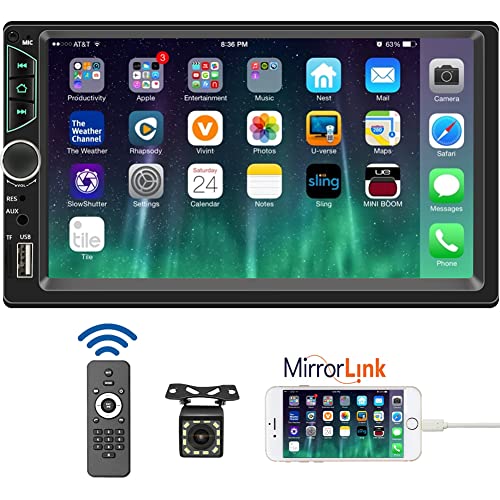
- 【High Quality Car Stereo Player】- Our double din car...
- 【Double Din Car Stereo Phone Mirror Link】- Support...
- 【7 inch Double Din Car Radio With Bluetooth 5.0 and FM...
- 【Car Stereo Double Din Inputs】- USB /SD/AUX input. car...
- 【Standard Double Din Stereo with Backup Camera】- Parking...
Last update on 2026-06-12 / Affiliate links / Images from Amazon Product Advertising API
If the PDF is very large, it may not load in the preview below.
Some older TSBs had multiple PDFs — visit the NHTSA Website to view all PDFs.
If the TSB PDF does not show, download or view it on the NHTSA Website.
Click on the (+) Plus Sign
Then Click on Associated Document(s)
- CSC-10056598-5907.pdf (106.02 KB)
- CSC-10056598-8037.pdf (79.28 KB)
- SB-10056598-4235.pdf (343.84 KB)
- SB-10056598-7889.pdf (817.71 KB)
- SB-10056598-8037.pdf (415.01 KB)
Search NHTSA Database for Recalls
Search NHTSA Database for Vehicle Investigations
View Latest Vehicle Investigations
Search NHTSA Database for Vehicle Complaints
View Latest Vehicle Complaints
TSB/Document ID: PB-13322
Replacement Service Bulletin Number: PB-13322-B
MFR Communication Date: 2015-06-01
MFR Internal Campaign ID/Software Version:
Communication Type: Service Bulletin/Repair Instructions
NHTSA Components: EQUIPMENT:ELECTRICAL:RADIO/TAPE DECK/CD ETC.
MFR Component System:
MFR Component Subsystem:
Previous TSB | Next TSB |

- [2026 Top-Tier Hardware and Software Upgrade]: Topdon ArtiDiag900 Lite scanner has enhanced hardware and latest features, including Android 11.0, 5x faster CPU, 10000mAh battery for 12 hours of continuous operation, stable wireless diagnosis with Bluetooth 5.0, 8-inch touchscreen. Added bi-directional control, wireless diagnosis, battery testing (optional), and DTC repair guide
- [TOPDON Bidirectional Scan Tool]: This bidirectional obd2 scanner sends commands to the vehicle's ECU for active testing, enabling users to accurately and quickly locate faulty components such as injectors, coolant pumps, windows, wipers, headlights, mirrors, etc. The bidirectional control scanner is the ideal choice for workshops/automotive repair shops as it significantly reduces mechanic's diagnostic time.
- [Wireless Bluetooth Diagnostic Experience]: The AD900 Lite scan tool comes with a Bluetooth 5.0 VCI, supporting a wireless diagnostic range of up to 33 feet (10 meters), allowing you to diagnose without being confined to cables or tight spaces. Stable and fast wireless diagnosis provides a comfortable repair environment. It also offers VCI cables to increase connectivity options.
- [DTC Repair Guide Function]: Easily diagnose issues with your vehicle and receive guidance on repairs with the topdon scan tool's fault code definitions for all systems,maximize your diagnostic capabilities. This function is compatible with Chrysler
 /Dodge/Jeep/Fiat 2010-2014 and expanding with continual updates,the AritDiag 900 Lite car diagnostic scanner is the must-have tool for any technician or DIY enthusiast.
 - [OE-Level Full System Diagnostics]:AritDiag900 Lite full system diagnostic scanner can scan ALL available modules(Engine, Transmission, Airbag, ABS, ESP, TPMS, Gateway, Steering, Radio, Air conditioning, ect.) to✔read ECU info, ✔read/clear codes, ✔view live data stream, ✔retrieves freeze-frame, ✔perform active tests, and more. With just a simple click, it provides you with accurate and in-depth diagnostics.

- Bi-Directional Control, Quickly Locate Problems: Turn your phone into a professional diagnostic tool. You can send commands from your phone to the ECU to test injectors, cooling fans, headlights, A/C clutch, windows, wipers, and more. See which one doesn't respond. Helps you quickly locate the problem and save time. No need to tear things apart, avoid blind disassembly.
- Flexible Subscription, Choose Advanced Features as Needed: TopScan Lite provides free-for-life access to core diagnostics, including full system scan, code reading, performance tests, and repair information. After purchase, advanced features (bi-directional control, service operations, live data, code clearing, and AI functions) are free-for-the-first-year. After the first year, if you want to use advanced features, you need to subscribe on a monthly, quarterly, or yearly basis. As new models and reset functions are updated, the tool will also be continuously upgraded.
- Full System Diagnostics, No Fault Hides: Unlike basic diagnostic tools that only cover 4 systems, TopScan can scan all systems. Read and clear trouble codes, view live data streams, and generate a complete vehicle health report – all issues are clear at a glance. Covers 10,000+ vehicle models and is compatible with 99.99% of vehicles.
- AI Assistant - TopFix: Think of TopFix as your personal AI mechanic. It leverages a repair database and OEM data to deliver clear, step-by-step repair solutions. Features include AI Q&A, one-click translation, and a full repair log, making your diagnostic process simpler and more efficient.
- 8+ Hot Resets, Keep Your Car in Top Shape: One-tap resets for oil, throttle, EPB, steering angle, DPF, ABS, BMS, and airbag. It enables car owners to easily perform essential maintenance, ensuring the vehicle stays in optimal condition and extends its service life.

- Dual WiFi & 10.1" Touchscreen: Provides a stable, high-speed wireless link 3x faster than bluetooth, and a responsive, professional interface. Topdon ONE obd2 scanner diagnostic tool ensures smooth, non-lagging diagnostic scan, boosting mechanic efficiency
- J2534 Pass-Thru Support: The included ONE VCI supports the J2534 standard, allowing it to function as a pass-thru device when paired with OEM diagnostic software.Through TOPDON’s RLink platform, technicians can perform dealer-level coding, expanding in-house capabilities without investing in multiple factory automotive scan tools
- OE Topology Mapping: Visualize the vehicle’s ECU network exactly as it’s built.Zoom, pan, and highlight specific modules to pinpoint component issues with precision.Topology mapping displays real-time communication between modules
- 50 Plus Service Functions: Covers high-demand services like ADAS calibration, DPF regen, TPMS reset, ABS bleed, and throttle adaptation.Expands your service menu, allows you to charge premium rates, and turns away zero jobs due to lack of tooling. Vehicle-specific functionality may vary
- Advaned ECU Coding: 10 of the most serviced brands in North America, including full ECU coding and flash hidden support for BMW, VW, Au-di, Benz, Porsche, Toyota, Ni ssan and more. Enables module replacement, feature customization, and personal settings with automatic backup or restore.Lets your shop safely offer high-margin customization services, attracting more customers and boosting profit
Last update on 2026-06-12 / Affiliate links / Images from Amazon Product Advertising API
This product presentation was made with AAWP plugin.