
NHTSA ID Number: 10045879
Manufacturer Communication Number: SB-12-048
TSB/Document Date: 2012-09-19
Summary
HONDA : INFORMATION ON REPLACEMENT AND REMOVAL OF JUNCTION BOARD FROM OLD IMA BATTERY AND NEW BATTERY MOUNTED BEFORE BATTERY IS INSTALLED. MODELS 2003-11 CIVIC HYBRID, 2011-12 CR-Z, 2000-06 INSIGHT, 2010-12 INSIGHT. *PE UPDATED 9/28/12. *PE UPDATED 10/11/12. *PE UPDATED 11/19/12. *PE UPDATED 8/6/13. *PE UPDATED 9/30/13. *PE
SB-10045879-1919
Service Bulletin
Applies To:
12-048
September 21, 2012
2003–11 Civic Hybrid – ALL
2011–12 CR-Z – ALL
2000–06 Insight – ALL
2010–12 Insight – ALL
Junction Board Replacement
(IMA Battery Module Replacement and Transfer of Junction Board)
(Supersedes 12-048, dated September 5, 2012; see REVISION SUMMARY)
NOTE: You must be fully certified in the Electrical
Fundamentals map, and have completed training
modules MAC 10 and 12 in the Electrical Systems
map, in order to do junction board and IMA battery
module replacements.
REVISION SUMMARY
This service bulletin has been revised extensively.
American Honda recommends that you review the
entire bulletin.
BACKGROUND
American Honda is no longer shipping IMA
replacement batteries with junction boards attached.
The junction board will now need to be removed from
the old IMA battery and installed onto the new battery
before the battery is installed into the vehicle.
Safety Equipment
The process of junction board replacement is not
difficult. Special safety high voltage insulated gloves
are required when working on the four electrical
connections. The high voltage insulated gloves are
marked with an inspection date. Their first use can be
no later than 12 months from the inspection date, or
else recertification is required (per OSHA 1910.137).
The gloves must be recertified by an accredited
laboratory every 6 months after their first use. For more
information on how and where to get the high voltage
insulated gloves recertified, go to: www.nail4pet.org.
When the junction board is attached, no high voltage is
accessible by the technician. However, the removal
and replacement of the junction board will expose the
technician to high voltage parts of the IMA battery that
cannot be shut off.
The gloves should always be used with the leather
outer protector gloves to protect the inner gloves from
damage. Prior to each use the gloves should be
inspected for any damage such as tears, holes, or
chemical damage. The rubber and leather gloves
should not be exposed to any cleaning solvents,
gasoline, or other chemicals, and they should be stored
in the high voltage insulated glove bag. If used
properly, the gloves should protect the technician from
electrical shock if accidental contact with a positive and
a negative IMA battery connection occurs.
The IMA battery module (a nickel metal hydride
battery) is made up of a number of individual cells
wired in series. (The number of cells varies with the
vehicle model and year.) All models break the module
into two parts, with each part including several “packs”
of cells. Each part includes individual positive and
negative connections. Terminals on the junction board
(two positive, two negative) combine these connections
to form a complete IMA battery assembly.
Insulated tools are available through the Honda Tool
and Equipment Program, or commercially. The primary
purpose of an insulated tool is to protect the technician
from an accidental short from a positive to negative
IMA battery connection due to contact with the tool. An
accidental short with non-insulated tools would result in
high, uncontrolled current and could possibly melt the
tool and the battery, but could also result in molten
metal flying out and potentially injuring the technician.
When replacing a junction board on an IMA battery, the
technician will be exposed to high voltage at the four
terminal connections. Specifically, a significant
potential for electric shock exists in each half of the
battery between the positive and negative terminal
connections.
Junction Board Components
NOTE: Do not use power tools when working on the
IMA battery or junction board. The bolt threads can be
easily damaged with power tools, and the excessive
torque may also damage the battery itself.
2012 American Honda Motor Co., Inc. – All Rights Reserved
In addition to junction board replacement, some
junction board components may now be replaced.
Service manual troubleshooting procedures have been
revised online to identify when these components
require replacement. If a junction board component
needs replacement, first remove the junction board
from the IMA battery. Once the junction board has
been removed, no special tools are required to replace
the junction board components.
ATB 48149-48346 (1209)
1 of 7
CUSTOMER INFORMATION: The information in this bulletin is intended for use only by skilled technicians who have the proper tools, equipment,
and training to correctly and safely maintain your vehicle. These procedures should not be attempted by “do-it-yourselfers,” and you should not assume
this bulletin applies to your vehicle, or that your vehicle has the condition described. To determine whether this information applies, contact an
authorized Honda automobile dealer.
TOOL INFORMATION
Required Tools (Auto-shipped):
High Voltage Insulated Gloves Safety Kit:
T/N OTCHON-4755 (Kit includes the following
items, or they may be purchased individually):
High Voltage Insulated Gloves, Small (size 9):
T/N OTCHON-487551
High Voltage Insulated Gloves, Medium (size 10):
T/N OTCHON-487552
High Voltage Insulated Gloves, Large (size 11):
T/N OTCHON-487553
High Voltage Insulated Gloves Bag:
T/N OTCHON-566182
NOTE: The High Voltage Insulated Gloves Safety Kit
was shipped to your dealership automatically during
the week of September 3, 2012.
Recommended Tools (Not required):
Insulated Tools: T/N OTCHON-5999, or equivalent
1,000 volt certified insulated tools (also commercially
available)
Order tools through the Honda Tool and Equipment
Program Online Catalog: Log on to the Interactive
Network (iN), and click on Service/Quick Links/Tool
and Equipment Program, or call 888-424-6857.
SOFTWARE INFORMATION
The replacement IMA battery may have a battery code
label that indicates it is the new IMA battery type. The
existing vehicle’s IMA software is not compatible with
a new IMA battery. After the replacement IMA battery
is installed, the vehicle’s IMA BCM software must be
updated to match the replacement battery type.
2 of 7
WARRANTY CLAIM INFORMATION
The normal warranty applies.
OP#
Description
FRT
1181H5 2003–08 Civic Hybrid: Remove the
old IMA battery module, and install
the new battery.
C Transfer the junction board to the new
battery.
1.0
1181H5 2009–11 Civic Hybrid: Remove the
old IMA battery module, and install
the new battery.
C Transfer the junction board to the new
battery.
1.0
1181H5 CR-Z: Remove the old IMA battery
module, and install the new battery.
C Transfer the junction board to the new
battery.
1.7
1181H5 2000–06 Insight: Remove the old IMA
battery module, and install the new
battery.
C Transfer the junction board to the new
battery.
1.0
1181H5 2010–12 Insight: Remove the old IMA
battery module, and install the new
battery.
C Transfer the junction board to the new
battery.
1.3
Failed Part:
1D080-RMX-405RM
Defect Code:
03214
Symptom Code:
03217
0.4
0.3
0.4
0.6
0.4
NOTE: You must be fully certified in the Electrical
Fundamentals map, and have completed training
modules MAC 10 and 12 in the Electrical Systems
map, in order to do junction board and IMA battery
module replacements.
12-048
REPAIR PROCEDURE
6. Install the junction board onto the new battery.
2003–05 Civic Hybrid
7. Install the junction board bolts, and torque them to
7 N.m (5 lb-ft).
NOTE: Make sure the ON/OFF switch on the top of the
junction board is in the OFF position before beginning
this procedure.
8. While wearing high voltage insulated gloves, install
the electrical terminal bolts. Then, install the
terminal covers.
1. Remove the IMA battery module assembly from the
vehicle.
NOTE: Insulated tools are recommended when
installing the bolts.
9. Install the new IMA battery module assembly into
the vehicle.
2. While wearing high voltage insulated gloves,
remove the four electrical terminal covers and
bolts.
NOTE: Insulated tools are recommended when
removing the bolts.
10. Make sure the vehicle’s software matches the
newly installed IMA battery.
SPACERS
ELECTRICAL
TERMINAL BOLTS
AND COVERS
JUNCTION
BOARD BOLTS (6)
7 N.m (5 lb-ft)
COVERS
3. Remove the six junction board bolts.
4. Remove the junction board from the old battery.
5. While wearing high voltage insulated gloves,
transfer the four spacers located between the four
junction board connections from the old battery to
the new battery.
NOTE: Insulated tools are recommended when
transferring the spacers.
12-048
3 of 7
2006–08 Civic Hybrid
7. Install the junction board onto the new battery.
NOTE: Make sure the ON/OFF switch on the top of the
junction board is in the OFF position before beginning
this procedure.
8. Install the junction board bolts, and torque them to
9 N.m (7 lb-ft).
1. Remove the IMA battery module assembly from the
vehicle.
2. While wearing high voltage insulated gloves,
remove the four electrical terminal covers and
bolts.
NOTE: Insulated tools are recommended when
removing the bolts.
SPACERS
9. While wearing high voltage insulated gloves, install
the electrical terminal bolts, and torque them to
8 N.m (6 lb-ft). Then, install the terminal covers.
NOTE: Insulated tools are recommended when
installing the bolts.
10. Reconnect the three 2-pin temperature sensor
connectors.
11. Install the new IMA battery module assembly into
the vehicle.
12. Make sure the vehicle’s software matches the
newly installed IMA battery.
TEMPERATURE
SENSOR
CONNECTOR
8 N.m (6 lb-ft)
TEMPERATURE
SENSOR
CONNECTORS
JUNCTION
BOARD BOLTS (4)
9 N.m (7 lb-ft)
COVERS
8 N.m (6 lb-ft)
3. Disconnect the three 2-pin temperature sensor
connectors and slide the wires out and to the side
of the junction board.
4. Remove the four junction board bolts.
5. Remove the junction board from the old battery.
6. While wearing high voltage insulated gloves,
transfer the four spacers located between the four
junction board connections from the old battery to
the new battery.
NOTE: Insulated tools are recommended when
transferring the spacers.
4 of 7
12-048
2009–11 Civic Hybrid
9. Install the junction board onto the new battery.
NOTE: Make sure the ON/OFF switch on the top of the
junction board is in the OFF position before beginning
this procedure.
10. Install the junction board bolts, and torque them to
8 N.m (6 lb-ft).
1. Remove the IMA battery module assembly from the
vehicle.
2. Disconnect the 3-pin contactor connector.
4-PIN BATTERY
CURRENT SENSOR
CONNECTOR
12-PIN JUNCTION
BOARD CONNECTOR
3-PIN
CONTACTOR
CONNECTOR
11. While wearing high voltage insulated gloves, install
the electrical terminal bolts, and torque them to
9 N.m (7 lb-ft). Then, install the terminal covers.
NOTE: Insulated tools are recommended when
installing the bolts.
12. Install the 12-pin junction board connector.
13. Reconnect the 4-pin battery current sensor
connector.
14. Reconnect the 3-pin contactor connector.
15. Install the new IMA battery module assembly into
the vehicle.
9 N.m (7 lb-ft)
16. Make sure the vehicle’s software matches the
newly installed IMA battery.
COVER
JUNCTION
BOARD BOLTS (4)
9 N.m (7 lb-ft)
8 N.m (6 lb-ft)
COVER
3. Disconnect the 4-pin battery current sensor
connector.
4. Remove the 12-pin junction board connector from
the junction board.
5. While wearing high voltage insulated gloves,
remove the four electrical terminal covers and
bolts.
NOTE: Insulated tools are recommended when
removing the bolts.
6. Remove the junction board bolts.
7. Remove the junction board from the old battery.
8. While wearing high voltage insulated gloves,
transfer the four spacers located between the four
junction board connections from the old battery to
the new battery.
NOTE: Insulated tools are recommended when
transferring the spacers.
12-048
5 of 7
2011–12 CR-Z
2010–12 Insight
9. Install the junction board onto the new battery.
NOTE: Make sure the ON/OFF switch on the top of the
junction board is in the OFF position before beginning
this procedure.
1. Remove the IMA battery module assembly from the
vehicle.
2. Release the clips holding the motor control module
(MCM) wire from the metal frame.
MCM CONNECTOR
METAL IPU
FRAME BOLTS (4)
CLIPS
11. While wearing high voltage insulated gloves, install
the electrical terminal bolts, and torque them to
7.7 N.m (5.7 lb-ft). Then, install the terminal
covers.
NOTE: Insulated tools are recommended when
installing the bolts.
12. Reconnect the 4-pin battery current sensor
connector.
13. Reconnect the 3-pin contactor connector.
CONTACTOR
3P CONNECTOR
CLIPS
10. Install the junction board bolts, and torque them to
9.8 N.m (7.2 lb-ft).
METAL IPU
FRAME
14. Reattach the clips holding the motor control module
(MCM) wire to the metal frame.
15. Install the new IMA battery module assembly into
the vehicle.
16. Make sure the vehicle’s software matches the
newly installed IMA battery.
METAL BRACKET
JUNCTION
BOARD
BOLTS (6)
9.8 N.m
(7.2 lb-ft)
COVERS
CURRENT SENSOR
4P CONNECTOR
ELECTRICAL
TERMINAL BOLTS
7.7 N.m (5.7 lb-ft)
3. Disconnect the 3-pin contactor connector.
4. Disconnect the 4-pin battery current sensor
connector.
5. While wearing high voltage insulated gloves,
remove the four electrical terminal covers and
bolts.
NOTE: Insulated tools are recommended when
removing the bolts.
6. Remove the junction board bolts.
7. Remove the junction board from the old battery.
8. Remove the metal IPU frame from the top of the old
battery and the small metal bracket from the side of
the junction board, and transfer them to the new
battery.
6 of 7
12-048
2000–06 Insight
7. Install the junction board onto the new battery.
NOTE: Make sure the ON/OFF switch on the top of the
junction board is in the OFF position before beginning
this procedure.
8. Install the junction board bolts, and torque them to
7 N.m (5 lb-ft).
1. Remove the IMA battery module assembly from the
vehicle.
2. Remove the cooling fan and air duct from the old
battery and transfer it to the new battery.
CONNECTOR
CLIPS
AIR DUCT
BOLTS (8)
9. While wearing high voltage insulated gloves, install
the four electrical terminal bolts. Then, install the
terminal covers.
NOTE: Insulated tools are recommended when
installing the bolts.
10. Install the new IMA battery module assembly into
the vehicle.
11. Make sure the vehicle’s software matches the
newly installed IMA battery.
7 N.m (5 lb-ft)
COOLING FAN
AND AIR DUCT
JUNCTION BOARD BOLTS (3)
7 N.m (5 lb-ft)
SPACERS
JUNCTION BOARD
BOLTS (3)
7 N.m (5 lb-ft)
ELECTRICAL
TERMINAL BOLTS (4)
AND COVERS
3. While wearing high voltage insulated gloves,
remove the four electrical terminal covers and
bolts.
NOTE: Insulated tools are recommended when
removing the bolts.
4. Remove the junction board bolts.
5. Remove the junction board from the old battery.
6. While wearing high voltage insulated gloves,
transfer the four spacers located between the four
junction board connections from the old battery to
the new battery.
NOTE: Insulated tools are recommended when
transferring the spacers.
12-048
7 of 7
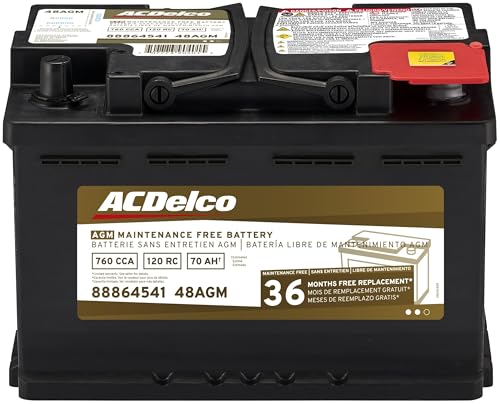
- High density negative paste, improves performance and...
- Enhanced life alloy or Silver Calcium stamped alloy...
- Calcium lead positive grid, maximizes conductivity and...
- Robust envelope separator with puncture resistant back...
- Vent cap design that resists acid leakage

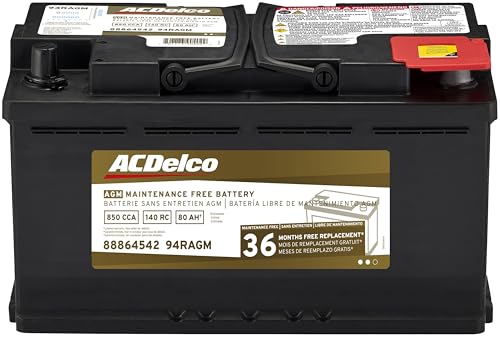
- High density negative paste, improves performance and...
- Enhanced life alloy or Silver Calcium stamped alloy...
- Calcium Lead positive grid, maximizes conductivity and...
- Robust Envelope Separator with puncture-resistant back...
- Vent cap design that resists acid leakage
Last update on 2026-05-30 / Affiliate links / Images from Amazon Product Advertising API
If the PDF is very large, it may not load in the preview below.
Some older TSBs had multiple PDFs — visit the NHTSA Website to view all PDFs.
If the TSB PDF does not show, download or view it on the NHTSA Website.
Click on the (+) Plus Sign
Then Click on Associated Document(s)
- SB-10045879-1919.pdf (560.08 KB)
- SB-10045879-3853.pdf (644.01 KB)
- SB-10045879-6420.pdf (644.86 KB)
- SB-10045879-8068.pdf (331.17 KB)
- SB-10045879-8291.pdf (332.83 KB)
- SB-10045879-9048.pdf (474.54 KB)
Search NHTSA Database for Recalls
Search NHTSA Database for Vehicle Investigations
View Latest Vehicle Investigations
Search NHTSA Database for Vehicle Complaints
View Latest Vehicle Complaints
TSB/Document ID: SB-12-048
Replacement Service Bulletin Number: SB-12-048-E
MFR Communication Date: 2013-06-19
MFR Internal Campaign ID/Software Version:
Communication Type: Service Bulletin/Repair Instructions
NHTSA Components: ELECTRICAL SYSTEM:12V/24V/48V BATTERY
MFR Component System:
MFR Component Subsystem:
Previous TSB | Next TSB |

- [2026 Top-Tier Hardware and Software Upgrade]: Topdon ArtiDiag900 Lite scanner has enhanced hardware and latest features, including Android 11.0, 5x faster CPU, 10000mAh battery for 12 hours of continuous operation, stable wireless diagnosis with Bluetooth 5.0, 8-inch touchscreen. Added bi-directional control, wireless diagnosis, battery testing (optional), and DTC repair guide
- [TOPDON Bidirectional Scan Tool]: This bidirectional obd2 scanner sends commands to the vehicle's ECU for active testing, enabling users to accurately and quickly locate faulty components such as injectors, coolant pumps, windows, wipers, headlights, mirrors, etc. The bidirectional control scanner is the ideal choice for workshops/automotive repair shops as it significantly reduces mechanic's diagnostic time.
- [Wireless Bluetooth Diagnostic Experience]: The AD900 Lite scan tool comes with a Bluetooth 5.0 VCI, supporting a wireless diagnostic range of up to 33 feet (10 meters), allowing you to diagnose without being confined to cables or tight spaces. Stable and fast wireless diagnosis provides a comfortable repair environment. It also offers VCI cables to increase connectivity options.
- [DTC Repair Guide Function]: Easily diagnose issues with your vehicle and receive guidance on repairs with the topdon scan tool's fault code definitions for all systems,maximize your diagnostic capabilities. This function is compatible with Chrysler
 /Dodge/Jeep/Fiat 2010-2014 and expanding with continual updates,the AritDiag 900 Lite car diagnostic scanner is the must-have tool for any technician or DIY enthusiast.
 - [OE-Level Full System Diagnostics]:AritDiag900 Lite full system diagnostic scanner can scan ALL available modules(Engine, Transmission, Airbag, ABS, ESP, TPMS, Gateway, Steering, Radio, Air conditioning, ect.) to✔read ECU info, ✔read/clear codes, ✔view live data stream, ✔retrieves freeze-frame, ✔perform active tests, and more. With just a simple click, it provides you with accurate and in-depth diagnostics.

- Bi-Directional Control, Quickly Locate Problems: Turn your phone into a professional diagnostic tool. You can send commands from your phone to the ECU to test injectors, cooling fans, headlights, A/C clutch, windows, wipers, and more. See which one doesn't respond. Helps you quickly locate the problem and save time. No need to tear things apart, avoid blind disassembly.
- Flexible Subscription, Choose Advanced Features as Needed: TopScan Lite provides free-for-life access to core diagnostics, including full system scan, code reading, performance tests, and repair information. After purchase, advanced features (bi-directional control, service operations, live data, code clearing, and AI functions) are free-for-the-first-year. After the first year, if you want to use advanced features, you need to subscribe on a monthly, quarterly, or yearly basis. As new models and reset functions are updated, the tool will also be continuously upgraded.
- Full System Diagnostics, No Fault Hides: Unlike basic diagnostic tools that only cover 4 systems, TopScan can scan all systems. Read and clear trouble codes, view live data streams, and generate a complete vehicle health report – all issues are clear at a glance. Covers 10,000+ vehicle models and is compatible with 99.99% of vehicles.
- AI Assistant - TopFix: Think of TopFix as your personal AI mechanic. It leverages a repair database and OEM data to deliver clear, step-by-step repair solutions. Features include AI Q&A, one-click translation, and a full repair log, making your diagnostic process simpler and more efficient.
- 8+ Hot Resets, Keep Your Car in Top Shape: One-tap resets for oil, throttle, EPB, steering angle, DPF, ABS, BMS, and airbag. It enables car owners to easily perform essential maintenance, ensuring the vehicle stays in optimal condition and extends its service life.

- Dual WiFi & 10.1" Touchscreen: Provides a stable, high-speed wireless link 3x faster than bluetooth, and a responsive, professional interface. Topdon ONE obd2 scanner diagnostic tool ensures smooth, non-lagging diagnostic scan, boosting mechanic efficiency
- J2534 Pass-Thru Support: The included ONE VCI supports the J2534 standard, allowing it to function as a pass-thru device when paired with OEM diagnostic software.Through TOPDON’s RLink platform, technicians can perform dealer-level coding, expanding in-house capabilities without investing in multiple factory automotive scan tools
- OE Topology Mapping: Visualize the vehicle’s ECU network exactly as it’s built.Zoom, pan, and highlight specific modules to pinpoint component issues with precision.Topology mapping displays real-time communication between modules
- 50 Plus Service Functions: Covers high-demand services like ADAS calibration, DPF regen, TPMS reset, ABS bleed, and throttle adaptation.Expands your service menu, allows you to charge premium rates, and turns away zero jobs due to lack of tooling. Vehicle-specific functionality may vary
- Advaned ECU Coding: 10 of the most serviced brands in North America, including full ECU coding and flash hidden support for BMW, VW, Au-di, Benz, Porsche, Toyota, Ni ssan and more. Enables module replacement, feature customization, and personal settings with automatic backup or restore.Lets your shop safely offer high-margin customization services, attracting more customers and boosting profit
Last update on 2026-06-12 / Affiliate links / Images from Amazon Product Advertising API
This product presentation was made with AAWP plugin.