
NHTSA ID Number: 11034270
Manufacturer Communication Number: 15-334-25R
TSB/Document Date: 2026-07-02
Summary
This Bulletin outlines the diagnostic procedures to be followed when identifying dark current/parasitic draw concerns caused by third-party mobile applications on Solterra vehicles. (This is an revised version of the original bulletin.)
ATTENTION:
GENERAL MANAGER
q
PARTS MANAGER
q
CLAIMS PERSONNEL
q
IMPORTANT - All
Service Personnel
Should Read and
Initial in the boxes
provided, right.
SERVICE MANAGER
q
© 2025 Subaru of America, Inc. All rights reserved.
SERVICE INFORMATION BULLETIN
APPLICABILITY:
SUBJECT:
2023-26MY Solterra
2026MY Trailseeker
2026MY Uncharted
NUMBER:
15-334-25R
DATE:
12/12/25
Revised:
06/29/26
12-Volt Accessory Battery Depletion and
Parasitic/Dark Current Draw Diagnosis
INTRODUCTION:
This Service Information Bulletin outlines the diagnostic procedures to be followed when identifying
dark current/parasitic draw concerns caused by third-party mobile applications on Solterra vehicles.
A customer may experience 12-Volt battery drain due to unconfirmed causes. Refer to the information
supplied in this bulletin when diagnosing 12-Volt battery drain concerns on Solterra models.
SERVICE PROCEDURE / INFORMATION:
STEP 1: Customer Interview and App Inventory (CRITICAL)
A detailed customer interview MUST be performed by Service Advisor prior to performing
diagnosis. The following information is to be recorded and documented on the repair order.
•
VEHICLE HISTORY: Document the frequency and conditions under which the 12-Volt
battery failure occurs.
•
APP INVENTORY: Create a documented inventory of any third-party mobile applications
the customer is using that interact with the vehicle.
A. Ask the customer specifically if they have provided their SubaruConnect login
credentials (username and password) to any other app or service for purposes such
as:
1. Home charging management (e.g., Optiwatt).
2. Charging network management.
3. Vehicle data monitoring or tracking.
4. Smartwatch/Wearable applications (e.g., Apple Watch companion for Solterra).
CAUTION: VEHICLE SERVICING PERFORMED BY UNTRAINED PERSONS COULD
RESULT IN SERIOUS INJURY TO THOSE PERSONS OR TO OTHERS.
Subaru Service Bulletins are intended for use by professional technicians ONLY. They
are written to inform those technicians of conditions that may occur in some vehicles,
or to provide information that could assist in the proper servicing of the vehicle. Properly
trained technicians have the equipment, tools, safety instructions, and know-how to
do the job correctly and safely. If a condition is described, DO NOT assume that this
Service Bulletin applies to your vehicle, or that your vehicle will have that condition.
Subaru of America, Inc. is
ISO 14001 Compliant
ISO 14001 is the international standard for
excellence in Environmental Management
Systems. Please recycle or dispose of
automotive products in a manner that is friendly
to our environment and in accordance with all
local, state and federal laws and regulations.
Continued...
Bulletin Number: 15-334-25R; Date: 06/29/26
Page 1 of 4
•
REPAIR ORDER DOCUMENTATION: Note all listed apps/services and the customer’s
response regarding login sharing on the Repair Order.
Category
App Name(s)
Notes on Integration and Parasitic Draw
Optiwatt
Explicitly mentioned in some consumer reports as a known
potential cause. It uses the vehicle’s API (likely by logging in
through the SubaruConnect App credentials) to monitor and
schedule charging, which can lead to excessive polling and
parasitic draw.
Other similar EV telematics/
management apps
Apps with similar functionality to Optiwatt—such as EV Passport,
Smartcar, Chargepoint (for home charging integration if it uses
the vehicle’s API instead of the charger’s), and services like Tesla
charging (though direct integration may be limited to specific
platforms/adapters)—could potentially operate via excessive
polling. Any third-party app requiring the owner’s SubaruConnect
App login should be scrutinized.
Public Charging
Networks
ChargePoint, Electrify
America, Blink, etc.
These apps are primarily used to initiate and pay for public charging and typically communicate with the charging station itself, not
the vehicle’s API, making them low risk for parasitic draw. However, if a user attempts to use a feature to monitor the Solterra’s
charge status through the vehicle’s API via a linked account, the
risk would increase.
Utility/Energy
Monitoring
Emporia Energy (as an
example of an app in the
same category)
While primarily focused on home energy management, if these
apps offer EV-specific features that require vehicle login
credentials to pull live data, they could cause parasitic draw
through frequent wake-ups.
Wearable Tech
Companion
Wear OS (Google) /
watchOS (Apple) companion
apps
The SubaruConnect app has a Wear OS companion. If the watch
app is set to constantly update vehicle status, the frequent polling
from the watch-to-phone-to-car communication could contribute
to a continuous wake-up state, though this is technically an
extension of the OEM app.
EV Smart Charging /
Telematics
EV Smart Charging /
Monitoring
STEP 2: PARASITIC DRAW/DARK CURRENT TESTING (AS REQUIRED)
IMPORTANT: This Step is ONLY required in cases when the customer interview indicates the
use of third-party apps that may be polling the vehicle, or the vehicle has a documented history of
repeated 12-Volt battery failures.
A. Initial Draw Test:
1. Ensure the 12-Volt battery is fully charged or replaced.
2. Follow the procedures in the Subaru Technical Information System (STIS) for parasitic
draw testing, including all setup and required vehicle “sleep” wait times (critical 25
minutes post-vehicle preparation).
Continued...
Bulletin Number: 15-334-25R; Date: 06/29/26
Page 2 of 4
3. Document: Record the initial parasitic draw level detected on the Repair Order.
B. Draw Threshold:
1. If the measured draw is below 120 mA, proceed to standard (non-parasitic draw-related)
battery system checks.
2. If the measured draw is 120 mA or greater, proceed immediately to Step 3.
STEP 3: ISOLATION OF CUSTOMER DEVICES AND PROFILES (PHONE APP SUSPECT)
If a high parasitic draw (120 mA or greater) is detected, the next step is to eliminate the customer’s
mobile environment before physical component testing.
A. Vehicle Reset:
1. Reconnect the 12-Volt battery.
2. Access the vehicle’s multimedia system.
3. Unpair all customer mobile phones (Bluetooth and Wi-Fi).
4. Delete all customer driver profiles from the vehicle system.
B. Second Parasitic Draw Test (Customer Profile Elimination):
1. Re-perform the parasitic draw test following all STIS setup and wait procedures.
2. Document: Record the parasitic draw level detected with no customer devices paired
and no customer profiles active.
C. Diagnosis:
1. If the draw is now below 120 mA, the root cause is likely a high-polling third-party
application on a customer device. Proceed to Step 4 for confirmation.
2. If the draw is still 120 mA or greater, the parasitic draw is likely internal to the vehicle’s
components or wiring. Proceed to Step 5 for component isolation.
STEP 4: CONFIRMATION OF THIRD-PARTY APP INTERFERENCE (IF DRAW
ELIMINATED)
A. Technician Confirmation Test:
1. Use a known-good testing phone that has ONLY the official SubaruConnect app
installed.
2. Create a new, temporary driver profile and pair the technician’s phone.
3. Ensure the SubaruConnect app is configured to allow full access to location, background
data, and master data.
B. Final Parasitic Draw Test (Technician Profile):
1. Re-perform the parasitic draw test following all STIS setup and wait procedures.
2. Document: Record the parasitic draw level using the technician’s phone, ensuring it is
only paired with SubaruConnect.
C. Conclusion & Repair Order Finalization:
1. If the draw remains below 120 mA, the diagnosis is confirmed: The customer’s 12-Volt battery
depletion is caused by an excessive polling rate from a third-party application using the
SubaruConnect API.
Continued...
Bulletin Number: 15-334-25R; Date: 06/29/26
Page 3 of 4
2. Advise the customer to uninstall the problematic app(s) or revoke their API access.
STEP 5: STANDARD COMPONENT ISOLATION (IF DRAW IS STILL CURRENT)
1. If, at the end of Step 3 (Second Parasitic Draw Test), the draw is still 120 mA or greater,
then proceed with the standard STIS procedures for component isolation (e.g., fuse
pulling, fuse voltage drop testing, and component disconnection).
2. R/O Documentation: In addition to the inventory and draw readings, the technician must
document the root cause indication (e.g., “Telematics Control Unit (TCU) faulty”) and
the value of the parasitic draw post-component replacement to confirm the repair.
WARRANTY / CLAIM INFORMATION:
There have been no changes made to the Labor Time Guide regarding these procedures.
IMPORTANT REMINDERS:
•
SOA strongly discourages the printing and/or local storage of service information as previously
released information and electronic publications may be updated at any time.
•
Always check for any open recalls or campaigns anytime a vehicle is in for servicing.
•
Always refer to STIS for the latest service information before performing any repairs.
Bulletin Number: 15-334-25R; Date: 06/29/26
Page 4 of 4

- 💯【Conta.ct us for Support Directly】If you met any...
- 🔥🔥🔥【2026 AUTEL FLAGSHIP MK900BT MK900-BT, NEW...
- 🚗【3000+ ACTIVE TESTS (50➡3000+), SAME AS MS...
- 🚗【40+ HOT SERVICES FOR 150 MAKES (28+➡40+)】Full...
- 🚗【OE ALL SYSTEM DIAGNOSE, AUTO SCAN 2.0: SCAN LICENSE...


- 【TURN OFF CEL】 This AL319 car scanner diagnostic tool...
- 【EXTENSIVE APPLICATION】 Autel AL319 Compatible with...
- 【FOR END USER & DIYERS】 This error code reader AL319 is...
- 【USER-FRIENDLY DESIGN】 This OBD2 scanner and check...
- 【HIGH-QUALITY SERVICES】 12 months war.ranty from the...
If the PDF is very large, it may not load in the preview below.
Some older TSBs had multiple PDFs — visit the NHTSA Website to view all PDFs.
If the TSB PDF does not show, download or view it on the NHTSA Website.
Click on the (+) Plus Sign
Then Click on Associated Document(s)
Search NHTSA Database for Recalls
Search NHTSA Database for Vehicle Investigations
View Latest Vehicle Investigations
Search NHTSA Database for Vehicle Complaints
View Latest Vehicle Complaints
TSB/Document ID: 15-334-25R
Replacement Service Bulletin Number:
MFR Communication Date: 2026-06-30
MFR Internal Campaign ID/Software Version:
Communication Type: Service Bulletin/Repair Instructions
NHTSA Components: ELECTRICAL SYSTEM
MFR Component System:
MFR Component Subsystem:
Previous TSB | Next TSB |
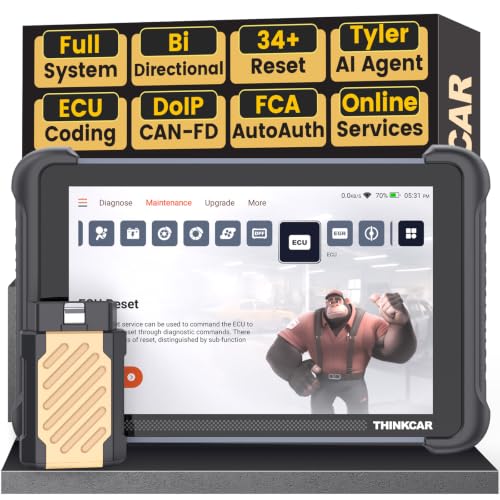
- [Notice] When you receive a used device, it may be a customer return resold by Amazon without inspection. You can exchange it for a new one through Amazon. As this situation is unavoidable, we sincerely apologize. For any issues, contacting us via Amazon's "Messages" is the best way. THINKSCAN 689BT Bidirectional Scan Tool Can Be Used Immediately After It is Turned On, Without Complicated Registration Process, Which is More Convenient & Quick.
- AI-Assisted Diagnosis Upgrade:Connect your THINKSCAN 689BT diagnostic scanner to WiFi and free-upgrade the software to unlock Tyler AI Agent. Get step-by-step diagnostic guidance, illustrated guides, and smart parts recommendations. One tap jumps to Amazon for real-time pricing. Boost efficiency up to 300% and finish jobs faster. Upgrade your shop today.
- Full Bi-Directional Control & 3000+ Active Tests: Take control and test components like actuators, fuel injectors, relays, and cooling fans in real time. You’ll quickly see if the problem is in the part itself or the control module — saving you hours of guesswork and frustrating trial-and-error.
- Advanced ECU Coding Capabilities: Handle module matching and hidden feature activation with confidence. When you replace an ECU or want to customize settings, this obd2 scanner diagnostic bi directional tool gives you the professional-level capabilities you need without the dealership price tag.
- 34+ Useful Reset and Maintenance Functions: Complete everyday service tasks smoothly with a wide range of helpful reset and maintenance functions. Whether you’re keeping up with regular upkeep or tackling a specific job, this car scanner diagnostic tool makes maintenance simpler and less stressful for both DIYers and pros.

- Top Reasons to Choose the D7S OBD2 Scanner: XTOOL D7S car scan tool, an upgrade of XTOOL D7, offers comprehensive features for automotive technicians, workshops, and DIY enthusiasts 1. Upgraded Hardware: 2+64GB memory, rear camera, intuitive interface, foldable bracket 2. Complete Diagnostics: FCA
 Autoauth, OE-level all system scan, 39+ maintenance services, 4K+ bidirectional, CANFD/DoIP protocol 3. Advanced Capabilities: ECU coding, PMI functions 4. Wide Compatibility: Support 10,000+ models, covering 99% vehicle brands 5. Multi-language: Available in 22+ languages, No IP Restrictions 6. 3-Year Updates: Save 300 bucks on software updates for the latest features and optimizations
 - 2026 Upgraded D7S Car Scanner Features: The newly 2026 D7S V2.0 scanner for car brings exciting features for advanced vehicle diagnostics and enhanced user experience 1. FCA AutoAuth: Now supports FCA SGW module for Chrysler, for Jeep, for Dodge (2018+), for Fiat (2017+), enabling faster vehicle communication without gateway restrictions 2. PMI (Offline ECU Programming): Allows for Ford, for Lincoln, and for Mazda ECU programming for new modules 3. Optimized Diagnostic Report 2.0: Personalized reports with logos and customer info for auto shops. Note: Compatibility varies by cars, please check before order
- Cost-effective ECU Coding Scan Tool for Specific Brands: Enhance your vehicle's performance with XTOOL D7S! This obd2 scanner all systems bidirectional offers advanced capabilities at an affordable price, supports online for BMW, for Benz and offline for BENZ, for MIT, along with PMI functions for Ford, for Mazda, and for Lincoln. Ideal for technicians and DIY enthusiasts, this automotive scanner diagnostic tool optimizes vehicle performance and enhances the driving experience. Note: Not for all cars and modules, please send car VIN to check the compatibility before purchase
- OE All System Diagnostic & 8 Pids Graphing: XTOOL D7S is a comprehensive all system bi directional obd2 scanner that delivers dealer-level diagnostics, completely controlling over your vehicle’s performance and health. This automotive scan tool can read and clear DTCs, view live data and ECU information, retrieve freeze frames, and perform active tests and full obd2 functions. This bi-directional scan tool can can identify your vehicle's make, model, and year information with just one click and show up to 8 PIDs live data with options for CSV viewing, playback, and recording for in-depth analysis. It is easy-to-use for both professionals and beginners, helping pinpoint issues efficiently
- 3 Years Software Update, Value for Money: With 3 years of software updates and 22+ languages(no IP restrictions), XTOOL D7S auto scanner code scanner ensures ongoing compatibility for the latest car models and improved diagnostic functions. This all system vehicle diagnostic scanner comes with a 30-day return policy and a 24-month repair for dependable performance. XTOOL are dedicated to your satisfaction, so enjoy seamless support and lifetime expert assistance. Should you encounter any issues or concerns, don’t hesitate to reach out XTOOL. D7S with newest update with 22 languages freely transfer without authorization, check details from setting-language or from XTOOL
 Autoauth, OE-level all system scan, 39+ maintenance services, 4K+ bidirectional, CANFD/DoIP protocol 3. Advanced Capabilities: ECU coding, PMI functions 4. Wide Compatibility: Support 10,000+ models, covering 99% vehicle brands 5. Multi-language: Available in 22+ languages, No IP Restrictions 6. 3-Year Updates: Save 300 bucks on software updates for the latest features and optimizations
- 🔥 Historical lowest pr-ice now on sa-le--hot se-lling.
- 【🎈𝗜𝗙𝟳𝟰𝟱 𝗽𝗲𝗿𝗳𝗼𝗿𝗺𝘀 𝟲 𝗲𝘀𝘀𝗲𝗻𝘁𝗶𝗮𝗹 𝗿𝗲𝘀𝗲𝘁 𝗳𝘂𝗻𝗰𝘁𝗶𝗼𝗻𝘀—𝗔𝗕𝗦 𝗕𝗹𝗲𝗲𝗱𝗶𝗻𝗴, 𝗢𝗶𝗹 𝗥𝗲𝘀𝗲𝘁, 𝗘𝗣𝗕, 𝗦𝗔𝗦, 𝗧𝗵𝗿𝗼𝘁𝘁𝗹𝗲 𝗥𝗲𝗹𝗲𝗮𝗿𝗻, 𝗮𝗻𝗱 𝗕𝗠𝗦—𝗽𝘂𝘁𝘁𝗶𝗻𝗴 𝗽𝗿𝗼𝗳𝗲𝘀𝘀𝗶𝗼𝗻𝗮𝗹-𝗴𝗿𝗮𝗱𝗲 𝗺𝗮𝗶𝗻𝘁𝗲𝗻𝗮𝗻𝗰𝗲 𝗯𝗮𝗰𝗸 𝗶𝗻 𝘆𝗼𝘂𝗿 𝗵𝗮𝗻𝗱𝘀.】Spongy brakes? Stuck oil light? Parking brake won't release? Off-center steering? Rough idle after battery disconnect? Draining battery? IF745 handles all with a few taps. One tool covers six dealer-level resets, saving hundreds in labor costs. ❗ NOTE: Does NOT support bidirectional control, coding, or programming.
- 【✨ 𝗜𝗙𝟳𝟰𝟱 𝗴𝗼𝗲𝘀 𝗯𝗲𝘆𝗼𝗻𝗱 𝗯𝗮𝘀𝗶𝗰 𝗰𝗼𝗱𝗲 𝗿𝗲𝗮𝗱𝗶𝗻𝗴 𝘄𝗶𝘁𝗵 𝟭𝟬 𝗶𝗻𝘁𝗲𝗴𝗿𝗮𝘁𝗲𝗱 𝗳𝘂𝗻𝗰𝘁𝗶𝗼𝗻𝘀—𝗗𝗧𝗖 𝗟𝗼𝗼𝗸𝘂𝗽, 𝗜/𝗠 𝗥𝗲𝗮𝗱𝗶𝗻𝗲𝘀𝘀, 𝗙𝗿𝗲𝗲𝘇𝗲 𝗙𝗿𝗮𝗺𝗲, 𝗟𝗶𝘃𝗲 𝗗𝗮𝘁𝗮, 𝗢𝟮𝗦, 𝗢𝗕𝗠, 𝗘𝗩𝗔𝗣, 𝗮𝗻𝗱 𝗺𝗼𝗿𝗲. 】Pulling a code tells you something is wrong. IF745 tells you what the code means, when the fault happened, and what data surrounds it. Pass emissions with one I/M Readiness tap. Freeze the fault moment with Freeze Frame. Monitor live sensor data in real time. Turn cryptic codes into clear answers.
- 【🛒 𝗜𝗙𝟳𝟰𝟱 𝗽𝗲𝗿𝗳𝗼𝗿𝗺𝘀 𝗳𝘂𝗹𝗹-𝘀𝘆𝘀𝘁𝗲𝗺 𝗱𝗶𝗮𝗴𝗻𝗼𝘀𝘁𝗶𝗰𝘀 𝗮𝗰𝗿𝗼𝘀𝘀 𝗮𝗹𝗹 𝗺𝗼𝗱𝘂𝗹𝗲𝘀—𝗲𝗻𝗴𝗶𝗻𝗲, 𝗔𝗕𝗦, 𝗮𝗶𝗿𝗯𝗮𝗴, 𝘁𝗿𝗮𝗻𝘀𝗺𝗶𝘀𝘀𝗶𝗼𝗻, 𝘀𝘁𝗲𝗲𝗿𝗶𝗻𝗴, 𝘀𝘂𝘀𝗽𝗲𝗻𝘀𝗶𝗼𝗻, 𝗯𝗼𝗱𝘆 𝗲𝗹𝗲𝗰𝘁𝗿𝗼𝗻𝗶𝗰𝘀, 𝗮𝗻𝗱 𝗺𝗼𝗿𝗲. 】Warning lights on but you don't know why? Skip the $100+ diagnostic fee at the shop. Run a complete self-check from your driveway. IF745 reads and clears fault codes, retrieves ECU info, and displays live data from every accessible module—delivering a full vehicle health report in minutes, without leaving home.
- 【✅𝗜𝗙𝟳𝟰𝟱 𝗳𝗲𝗮𝘁𝘂𝗿𝗲𝘀 𝗮 𝟳-𝗶𝗻𝗰𝗵 𝗱𝗶𝘀𝗽𝗹𝗮𝘆, 𝗲𝗿𝗴𝗼𝗻𝗼𝗺𝗶𝗰 𝗱𝗲𝘀𝗶𝗴𝗻, 𝗪𝗶-𝗙𝗶 𝘂𝗽𝗱𝗮𝘁𝗲𝘀, 𝗮𝗻𝗱 𝘇𝗲𝗿𝗼 𝘀𝘂𝗯𝘀𝗰𝗿𝗶𝗽𝘁𝗶𝗼𝗻 𝗳𝗲𝗲𝘀 𝗳𝗼𝗿 𝗵𝗮𝘀𝘀𝗹𝗲-𝗳𝗿𝗲𝗲 𝗱𝗶𝗮𝗴𝗻𝗼𝘀𝘁𝗶𝗰𝘀.】Large screen means no squinting. Intuitive navigation and customizable data displays put key info at your fingertips. Wi-Fi delivers lifetime free updates without a computer. No recurring fees. No hidden costs. Just a reliable tool that works as hard as you do.
This product presentation was made with AAWP plugin.