
NHTSA ID Number: 11032266
Manufacturer Communication Number: TSB 26-2200
TSB/Document Date: 2026-05-06
Summary
Some of the vehicles listed in the Model statement above may exhibit an inoperative dark car mode. The vehicle may exhibit at least one of the following features remaining functional when dark car mode is enabled: * Illuminated odometer, compass, outside air temperature, audio/phone display. * Illuminated main message center display area. * Courtesy lighting * Welcome/farewell animation * Night lock indicator * Passenger airbag disable (PAD) indicator dims to minimum brightness * Locking flash/horn feedback This may be due to the software in the body control module (BCM) and the accessory protocol interface module (APIM).
TECHNICAL SERVICE BULLETIN
Dark Car Mode Inoperative
26-2200
30 April 2026
Model:
Ford
2025 Police Interceptor Utility
Markets: North American markets only
Issue: Some of the vehicles listed in the Model statement above may exhibit an inoperative dark car mode. The
vehicle may also exhibit at least one of the following features remaining functional when dark car mode is enabled:
• Illuminated odometer, compass, outside air temperature, audio/phone display.
• Illuminated main message center display area.
• Courtesy lighting.
• Welcome/farewell animation.
• Night lock indicator.
• PAD indicator dims to minimum brightness.
• Locking flash/horn feedback.
Action: For vehicles that meet all of the criteria in the Issue and Model statements, follow the Service Procedure to
reprogram the BCM and the APIM.
Warranty Status: Warranty coverage limits and policies are not altered by a TSB. Warranty coverage limits are
determined by the identified causal part.
Labor Times
Description
Operation
No.
Time
2025 Police Interceptor Utility – Program BCM, Check APIM Software Version, Read The
Configuration Data, Includes Time To Connect Battery Charger and Add The Vehicle Story To
The Warranty Claim (Can Be Claimed With B1/B2 Or B3; C1/C2 Or C3; D1/D2 Or D3)
262200A
0.5
Hrs
2025 Police Interceptor Utility - Time To Program GWM Once (Claim With A, Cannot Be
Claimed With B2 Or B3)
262200B1
0.5
Hrs
2025 Police Interceptor Utility - Time To Program GWM Twice (Claim With A, Cannot Be
Claimed With B1 Or B3)
262200B2
1.0
Hrs
2025 Police Interceptor Utility - Time To Program GWM Three Times (Claim With A, Cannot Be
Claimed With B1 Or B2)
262200B3
1.4
Hrs
2025 Police Interceptor Utility - Time To Program APIM Once (Claim With A, Cannot Be
Claimed With C2 Or C3)
262200C1
0.8
Hrs
2025 Police Interceptor Utility - Time To Program APIM Twice (Claim With A, Cannot Be
Claimed With C1 Or C3)
262200C2
1.6
Hrs
2025 Police Interceptor Utility - Time To Program APIM Three Times (Claim With A, Cannot Be
Claimed With C1 Or C2)
262200C3
2.5
Hrs
2025 Police Interceptor Utility - Time To Program TCU Once (Claim With A, Cannot Be Claim
With D2 Or D3)
262200D1
0.1
Hrs
2025 Police Interceptor Utility - Time To Program TCU Twice (Claim With A, Cannot Be Claim
With D1 Or D3)
262200D2
0.3
Hrs
2025 Police Interceptor Utility - Time To Program TCU Three Times (Claim With A, Cannot Be
Claim With D1 Or D2)
262200D3
0.4
Hrs
Repair/Claim Coding
Causal Part:
15604
Condition Code: 42
Service Procedure
1. Using the latest software version of the FDRS scan tool, download and run the "BCM - Body Control Module
(BCM) Software Update" application.
2. Confirm the APIM software version:
While SYNC is powered up with ignition in run or accessory, go to the settings selection on the center display
screen. Refer to the Owner's Manual if settings can not be found.
Go to General Settings.
Select About SYNC.
Find the 5 digit SYNC 4 Software Version.
3. Is the APIM software version in the vehicle at V1.1.4.2 or higher?
(1). Yes - repair is complete.
(2). No - proceed to Step 4.
NOTE: The time required to complete this procedure varies depending on several factors including the
number of module software updates required, available internet bandwidth, USB flash drive variability, and
the potential that CAN flashing software update via the DLC with the FDRS may be required. Use a USB 3.2
Gen 2 or higher flash drive. When performing USB software updates, using high speed USB ports on the
laptop is recommended for faster file transfer. Refer to the WSM, Section 418-01A Module Configuration >
General Procedures > Module Programming.
4. Run the "Read The Configuration Data" application in FDRS, located in Toolbox > Multi-Module tab.
5. Navigate to the software updates tab. Is there a software update available for any of the following modules?
GWM
TCU
APIM
(1). Yes - proceed to Step 6.
(2). No - additional support may be required. Perform normal dealer internal escalation process outside this TSB.
Proceed to Step 9.
6. Prepare and update the GWM, TCU, and APIM. Refer to the WSM, Section 418-01A Module Configuration >
General Procedures > Module Programming.
7. Check the current APIM software version. Is the APIM software version in the vehicle at V1.1.4.2 or higher?
(1). Yes - proceed to Step 9.
(2). No - proceed to Step 8.
8. Are there any updates available for the GWM, TCU, and/or APIM
(1). Yes - return and repeat Step 6.
(2). No - additional support may be required. Perform normal dealer internal escalation process outside this TSB.
Proceed to Step 9.
9. Add the vehicle Story to warranty claim to support labor operations selected.
(1). ID the vehicle in PTS.
(2). Under the diagnostics tab select vehicle history.
(3). Select programming date.
(4). Select Story Creator.
(5). Select modules programmed.
(6). Click on Create Story.
(7). Copy Story to warranty comments.
© 2026 Ford Motor Company
All rights reserved.
NOTE: The information in Technical Service Bulletins is intended for use by trained, professional technicians with the knowledge, tools, and
equipment to do the job properly and safely. It informs these technicians of conditions that may occur on some vehicles, or provides information
that could assist in proper vehicle service. The procedures should not be performed by "do-it-yourselfers". Do not assume that a condition
described affects your car or truck. Contact a Ford or Lincoln dealership to determine whether the Bulletin applies to your vehicle. Warranty Policy
and Extended Service Plan documentation determine Warranty and/or Extended Service Plan coverage unless stated otherwise in the TSB article.
The information in this Technical Service Bulletin (TSB) was current at the time of printing. Ford Motor Company reserves the right to supersede
this information with updates. The most recent information is available through Ford Motor Company's on-line technical resources.


- [J2534 Pass-Thru Programmer] - TOPDON RLink J2534 is...
- [All-in-One OEM Reprogramming and Diagnostics] - When...
- [Tested, Trusted, and Proven for Accuracy] - TOPDON RLink...
- [One-Click Installation, Continuous Updates] - The exclusive...
- [Works with Windows Compatibility and OEM Software...

This product presentation was made with AAWP plugin.
If the PDF is very large, it may not load in the preview below.
Some older TSBs had multiple PDFs — visit the NHTSA Website to view all PDFs.
If the TSB PDF does not show, download or view it on the NHTSA Website.
Click on the (+) Plus Sign
Then Click on Associated Document(s)
Search NHTSA Database for Recalls
Search NHTSA Database for Vehicle Investigations
View Latest Vehicle Investigations
Search NHTSA Database for Vehicle Complaints
View Latest Vehicle Complaints
TSB/Document ID: TSB 26-2200
Replacement Service Bulletin Number:
MFR Communication Date: 2026-05-01
MFR Internal Campaign ID/Software Version:
Communication Type: Service Bulletin/Repair Instructions
NHTSA Components: EXTERIOR LIGHTING
MFR Component System:
MFR Component Subsystem:
Previous TSB | Next TSB |
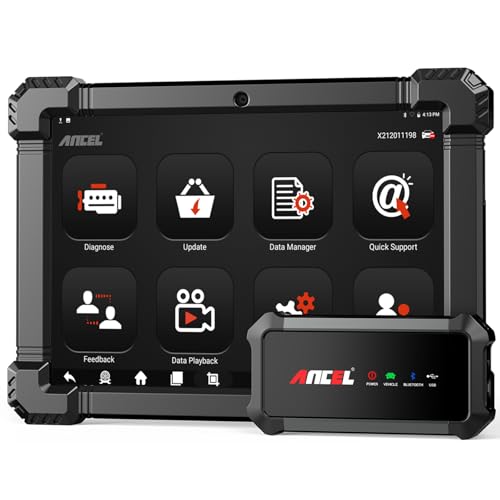
- 🔥🔥🔥2026 New Functions Making X7HD the Top Dog - Big Surprise!!! ANCEL X7HD truck scanner 10 major functional advantages .✅>Full HDOBD/OBD2 Function ✅>ALL System Diagnostic ✅>42+ Reset Function ✅>Active Test / Bi-Directional Control✅>ECU Coding✅>Graphing Live Data✅>Wide Compatibility ✅>2 Yrs Free Update✅>Remote Operation✅>Bluetooth 5.0 & Wifi In addition, 8 major hardware advantages: ✅>6000 mAh✅>10.1 inch Tablet✅>2G RAM
 ✅>32G ROM (Expandable to 128GB)✅>Data Record & Replay & Print✅>Android 10.0✅>Bluetooth 5.0 & Wifi✅>14 Languages
 - 🚛OEM DPF Forced Regen & Cylinder Cutout Test & more - ANCEL X7HD diesel scanner diagnostic tool not only supports DPF regeneration, DPF reset, DPF related information reset, DPR state reset, DPD forced regeneration etc, which helps you better solve the exhaust aftertreatment system problems, but also supports activate motor to do exhaust air in ABS Automatically. Moreover, it features TPMS activation, cylinder cut-off and learning functions
- 🚛Advanced ECU Coding & Programming - ANCEL X7HD 10.1inch truck scanner diagnostic tool is equipped with advanced ECU coding, supports Level calibration, Idle speed learning and Adjustment, Camshaft timing control learning, Control unit adaptations, Injector Codes, Read/Write VIN, Road speed limit optional vehicle speed set, etc... PLEASE NOTE that ECU codes are not compatible with all vehicles, please send us your VIN# to check vehicle compatibility
- 🚛42+ Reset Functions & Bidirectional Control - 2026 newest top heavy duty truck scan tool, comes with 42+ special services (ECU, Speed Limit and Idle Reset, Oil Reset, Injector Coding, EPB, ABS, SRS, Suspension, Throttle, etc. and always keep growing), which meet all your various needs for service and maintenance
- 🚛10 Inch All Systems Diesel Scanner & Full HDOBD/OBD2 Modes - ANCEL X7HD diesel truck scan tool supports all systems scan, such as Engine, Brake, Retarder, TECU Transmission, Tachograph, ABS, SRS, TPMS, EPB, SAS, ESP, and other vehicle systems, comes with 10 obd2 service modes: read/erase error codes, Data Stream, I/M Readiness, Vehicle Information, Actuations, DTC Lookup, EVAP, view freeze frame, etc
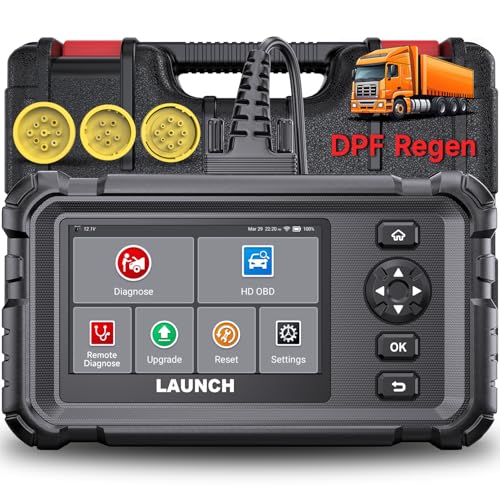
- Dealer-Level Diagnostics, Faster & Easier: The heavy duty truck scanner delivers full-system diagnostics for engine, ABS, transmission, and more, plus 7+ reset functions like DPF Regen and Speed Limit Adjust. Powered by a 1.3G CPU, 2GB RAM, 16GB storage, Android 8.1, and a 3000mAh battery, it runs smoothly for fast scanning, live data, reports, Auto VIN, Wi-Fi updates, and easy handheld use. It captures screenshots, replays live data, and generates reports to support your repair decisions.
- One Tool for 50+ Truck Brands: The diesel scanner supports J1939, J1708, J1587, and OBD2/CAN protocols, delivering broad coverage for major diesel trucks and commercial vehicles including Cummins, Cat, Detroit, Paccar, Volvo, Freightliner, Kenworth, Peterbilt, International, Mack, Isuzu, Hino, Scania, Mercedes-Benz, and more. Also supports Allison, Aisin, Eaton, WABCO, and Bendix, helping you diagnose more vehicles, reduce equipment costs, and handle more jobs with one professional scan tool.
- Diesel Truck DPF Regen & Reset Features: Experiencing loss of power, sluggish acceleration, or poor hill-climbing performance? These symptoms are often caused by a clogged or overloaded DPF. The truck diagnostic scanner offers OEM-level forced DPF regeneration, DPF reset, and DPD/DPR functions. This device extends DPF lifespan and efficiently diagnoses exhaust aftertreatment issues. It can significantly reduce diagnostic time and save you up to $3,000 or more in costly dealership fees.
- 7+ Resets - Perform Essential Procedures: The truck scanner features 7+ essential resets including DPF Regen clears carbon buildup; Oil Reset clears service light; Injector Coding matches new injectors; DEF Test checks urea injection; Speed Limit Adjust saves fuel; Cylinder Cutout pinpoints misfires; Clutch Relearn restores smooth engagement. Reset after maintenance or part replacement for proper truck operation. Vehicle compatibility varies. Email [email protected] to confirm before buying.
- Full System Diagnostic for Truck: The truck scanner diagnostic tool covers all systems like engine, ABS, transmission, SAS, SRS, TPMS and more. It reads fault codes and shows real-time data. Additionally, it includes full HD OBD and OBD2 modes: read/clear codes, live data stream, I/M readiness, freeze frame, DTC lookup, and more. When warning lights appear or performance issues arise, quickly identify which system is affected and gain the real-time data needed for accurate diagnosis.
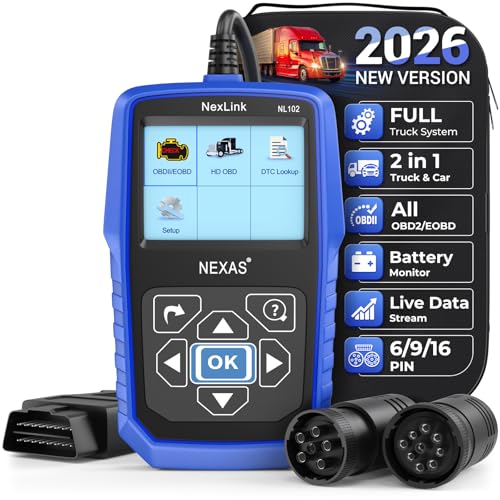
- Diagnose Heavy-Duty Truck Problems Fast — Read and clear fault codes and diagnose warning light issues on many Class 4–8 diesel trucks including Freightliner, Peterbilt, Kenworth, Volvo, Mack and Cummins-powered vehicles
- Help Reduce Downtime & Repair Costs — It offers full system diagnostics for major trucks meeting standard protocols, along with complete OBD2 functionality. Quickly check engine faults, view live truck data and identify issues before expensive repair shop visits or unnecessary repairs
- No complicated setup required — Simple menus and built-in DTC explanations make this truck code reader easy to use for owner-operators, mobile mechanics and small fleet maintenance
- Live Data & Built-in DTC Lookup — View real-time engine data and built-in truck fault code definitions directly on the scanner to help understand vehicle problems faster without searching through manuals
- Free Lifetime Updates & Technical Support — Includes free software updates plus responsive technical support for setup, compatibility and everyday truck diagnostics
This product presentation was made with AAWP plugin.
Last update on 2026-06-05 / Affiliate links / Images from Amazon Product Advertising API