
NHTSA ID Number: 11030372
Manufacturer Communication Number: ITS61080
TSB/Document Date: 2026-03-31
Summary
Instructions to remove DEF sensor bypass calibration from engine ECM and new sensor installation AR - 18inch DEF tank CA emissions
INSTRUCTION TO SERVICE
ITS:61080
3/20/2026
SECTION:
219 – Engine and Transmission
SUBJECT:
Reverting Bypassed DEF Tank Sensors – 18 Inch Tank CA
ISSUE:
DEF Tank Sensors Bypassed During Parts Shortage
SUMMARY:
Remove Bypass Calibration from Engine ECM and New Sensor Installation AR
ITS 61080
THIS ITS DOCUMENT SHOULD BE RETAINED AND REFERRED TO FOR FUTURE MAINTENANCE UNTIL
THE NEW FLYER PARTS AND/OR SERVICE MANUAL IS UPDATED TO REFLECT WORK DONE AS A
RESULT OF THIS DOCUMENT. ENSURE THAT THIS DOCUMENT IS AVAILABLE FOR PARTS AND
MAINTENANCE STAFF GOING FORWARD.
This document and the contents discussed herein are the confidential and proprietary information of New Flyer Industries Canada
ULC and New Flyer of America Inc. and are disclosed by New Flyer in confidence. This document and the contents herein are not
to be disclosed by the intended recipient without the prior written authorization of New Flyer. Any unauthorized disclosure,
reproduction or other distribution of this document or information strictly prohibited and may result in action being taken against
the party making the unauthorized disclosure. This document and all copies hereof must be returned to New Flyer upon request.
INSTRUCTION TO SERVICE
PROCEDURE:
1. Set park brake and chock wheels.
2. Turn the main battery disconnect switch to the “OFF” position.
3. Read these work instructions in their entirety prior to beginning the work.
4. Inspect the DEF tank sensor for replacement.
a.
b.
If the sensor harness is cut, this indicates the original sensor from the bypass operation is installed.
Proceed to part A.
If a new sensor has been installed in preparation for reverting the calibration, proceed to part b.
Part A – Install New DEF Tank Sensor
5. Sourcing the new sensor
a.
When the customer requested a bypass calibration, the process was to order a new sensor. This sensor
is to be used to replace the failed sensor.
b. Through this ITS, the customer will be able to order a sensor if required.
5.b.1. Contact your MCI/New Flyer field service representative if a sensor is needed.
6. Access the DEF tank per the vehicle maintenance manual.
7. Disconnect the coolant outlet, coolant inlet, DEF suction, and DEF return lines.
See Figure 1 and Figure 2 below.
NOTE: Ensure the coolant lines are blocked off prior to removing hose clamps. Otherwise coolant will
leak out of the lines. Also note which coolant line is for the MFHU outlet, and which is for the MFHU inlet
so that they are not reversed on reassembly.
ITS 61080
INSTRUCTION TO SERVICE
Figure 1: Top View of the Multi-Function Head Unit Assembly (MFHU).
Figure 2: DEF line removal.
8. Proceed to remove the DEF tank following the instructions provided in your New Flyer Service Manual.
9. Remove the two #10-32 screws securing the MFHU. See Figure 3 below.
Figure 3: Remove and retain MFHU retention screws.
ITS 61080
INSTRUCTION TO SERVICE
10. Pull the MFHU out of the DEF tank until the bottom of the header is at the bottom of the tank bore. At this
point, the MFHU will have to be tilted so that the heel of the sensor faces upwards. See Figure 4 below.
Figure 4: MFHU removal process.
11. With the MFHU in hand, loosen and remove the Tri-Function Sensor nut using a wrench.
NOTE: Set the sensor nut and O-ring to the side.
Figure 5: Remove and retain sensor nut and O-ring.
ITS 61080
INSTRUCTION TO SERVICE
12. Then remove the retention screws and sensor bracket. Slide the Tri-Function Sensor from the MFHU
mounting base, being careful to not damage the MFHU coil and suction tubes while removing the sensor.
Refer to Figure 6.
Figure 6: Remove and retain sensor bracket and retention screws.
13. Ensure that the new GEN 7 sensor has an O-ring installed. See Figure 7 below.
Figure 7: Ensure that an O-ring is installed on the new Tri-Function Sensor.
14. Feed the sensor harness through the bottom of the mounting base, as shown in Figure 8.
Figure 8: Feed the sensor harness through the bottom of the mounting base.
ITS 61080
INSTRUCTION TO SERVICE
15. Press the Sensor clamp onto the MFHU tubes to align with the sensor bracket and the foot of the sensor. The
sensor clamp must rest on the pad feature of the sensor housing. See Figure 9.
Torque screws to 13 - 19 in-lbs.
Figure 9: Secure GEN 6 Tri-Function Sensor with the sensor bracket and retention screws.
16. Position the top of the sensor through the mounting base such that the upper threaded portion of the sensor is
through the base of the MFHU, as seen in Figure 10 below. Ensure the top surface of the header is clean.
Tighten sensor nut to 40 - 44 in. lbs.
Figure 10: Ensure that the top of the MFHU is clean and tighten the sensor nut.
ITS 61080
INSTRUCTION TO SERVICE
17. Now, apply a thin layer of O-ring lubricant to the MFHU O-ring, per Figure 11 below.
Figure 11: Apply lubricant onto the MFHU O-ring.
18. Tilt the MFHU assembly to an approximate 45-degree angle, with the heel of the Tri-Function Sensor angled
upward, overtop of the DEF tank bore hole. Place the toe of the heater coil into the tank and angle the MFHU
assembly upwards as it is lowered into the DEF tank. Refer to Figure 12 below.
WARNING: DO NOT push the MFHU directly into the DEF tank as this could damage the unit.
Figure 12: MFHU installation process.
ITS 61080
INSTRUCTION TO SERVICE
19. Press on the top of the MFHU mounting base until it is completely seated in the tank bore
(do not press on the fittings). Refer to Figure 13 below
NOTE: The lugs on the MFHU will align with the recesses on the tank bore when oriented
correctly.
Figure 13: Align MFHU lugs with the recesses on the tank bore during re-assembly.
20. Position the retaining ring on the MFHU to align with the tank mounting holes and tighten the retention
screws to 20 - 30 in-lbs. Refer to Figure 14 below.
Figure 14: Secure MFHU assembly to the DEF tank with the two retention screws removed in Step 2.
21. Proceed to install the DEF tank following the instructions provided in your vehicle Service Manual.
22. Re-install the DEF lines by pushing them back onto the fittings, until a click is heard. The DEF lines cannot be
reversed as the fittings are sized differently. Re-install the coolant lines and tighten hose clamps until snug.
NOTE: Ensure that the coolant lines are not reversed on reassembly.
ITS 61080
INSTRUCTION TO SERVICE
Figure 15: MFHU line installation.
23. Sensor installation complete.
ITS 61080
INSTRUCTION TO SERVICE
Part B – Install Original Engine ECM Calibration
24. Turn on the main battery switch and engine run switch (ignition).
25. Using Cummins Insite Pro diagnostic software, connect to the engine and retrieve the current ECM calibration
code installed. See figure 17.
NOTE: The ECM calibration code for your vehicle may be different then what is shown in the
screenshots.
Figure 17
26. Disconnect Insite from the engine.
27. Using the ECM calibration look up tool (excel spreadsheet), enter in the current ECM code to retrieve the
original production ECM code number. See figure 18. Alternatively, this can be retrieved on the ECM decal or
on the Cummins Quickserve website.
Figure 18
ITS 61080
INSTRUCTION TO SERVICE
28. Using Insite and on the Calibration Selection page, select ECM/PDD Code Search. See figure 19. Note- Insite
is not connected to the engine at this time.
Figure 19
29. Enter the original production ECM code and select search. See figure 20.
Figure 20
ITS 61080
INSTRUCTION TO SERVICE
30. Select Save to download the calibration file to your laptop. See figure 21.
Figure 21
31. Confirmation the file was successfully saved to the laptop. Select Exit. See figure 22
Figure 22
ITS 61080
INSTRUCTION TO SERVICE
32. Reconnect Insite to the engine ECM.
33. Select ECM/PDD on the Calibration Selection page. See figure 23.
Figure 23
34. Expand the Work Space files until the ECM part number is shown. Double click on the ECM part number. See
figure 24.
Figure 24
ITS 61080
INSTRUCTION TO SERVICE
Note: If a Certification Code Selection window pops up, select ‘Move All’ and click OK. See figure 25.
Figure 25
35. Scroll to the ECM code for your engine. A small hard drive symbol will show under the green check mark. See
figure 26. Double click your ECM code and the ECM Download Calibration Wizard will launch.
Figure 26
ITS 61080
INSTRUCTION TO SERVICE
36. Select Next on the ECM Download Calibration Wizard. See figure 27.
Figure 27
37. Verify the Save/Restore Adjustable Parameters has a check mark. Select Next. See figure 28.
Figure 28
ITS 61080
INSTRUCTION TO SERVICE
38. Verify the ECM code desired is listed and select next. See figure 29.
Note: Because the bypass calibration being removed has been obsoleted by Cummins, Insite will
not require a Fleet Calibration (fleet count) to change the calibration code. If Insite requests a fleet count,
confirm your requested ECM calibration code is correct to the engine serial number. See figure 29.
Figure 29
39. Adjustment Confirmation. Before selecting OK, ensure the vehicle batteries are sufficient to provide power
throughout the calibration sequence, about 20 minutes. If the vehicle is equipped with engine radiator Efans,
disable the power source to the Efans. The ECM will go off-line and the Efan controller will run the fans at full
speed with no connection to the engine ECM. Select OK to start the calibration sequence. See figure 30.
ITS 61080
INSTRUCTION TO SERVICE
Figure 30
40. The programming sequence will take about 20 mins. There will be prompts to turn the ignition switch off and
on throughout the programming sequence. See figure 31.
Figure 31
ITS 61080
INSTRUCTION TO SERVICE
41. Select Next when the calibration is complete. See Figure 32.
Figure 32
42. Select Finish on the next screen to close the ECM Calibration Download Wizard. See figure 33.
Figure 33
43. ECM calibration complete.
44. Enable the Efans if disabled for programming.
45. Clear engine area for personnel, start engine and check for any active codes.
46. Disconnect Cummins Insite and turn off the ignition switch.
ITS 61080
INSTRUCTION TO SERVICE
47. Turn the main battery disconnect switch to the “OFF” position.
48. Install Cummins decal pn 5297400 on the engine valve cover next to the data plate.
49. Remove wheel chocks.
50. Turn on the main battery disconnect.
51. Return vehicle to service.
52. Provide the customer with Cummins PN 4310621, Emissions Campaign – Proof of Correction.
LABOUR ESTIMATE
Operation
1
Programming engine ECM
Number of
Technician(s)
1
2
Replace DEF Tank Sensor
1
Hours
1
Labor Time
T X HR
1
2.5
2.5
Units
Notes
Ea
As Required
PARTS REQUIRED
Item
Part Number
1
6485695
SENSOR KIT-DEF 18 GEN 7
Qty.
per
Coach
1 AR
2
5297400
Cummins Valve Cover Decal
1
Ea
3
4310621
Cummins Emission Campaign – Proof of
1
Ea
Qty.
Units
Description
Correction
SPECIAL TOOLS REQUIRED
Item
Part Number
Description
1
NPN
O-ring lubricant
AR
2
NPN
Cummins Insite Pro Diag Software
AR
Notes
Source Locally
ITS 61080

- 6X better wear protection on critical engine parts than...
- 1.3X better sludge protection than industry standards*
- 3X Stronger against viscosity breakdown than leading full...
- Protection for 10,000 miles between oil changes
- Meets or exceeds the following specifications: API SP/SN...

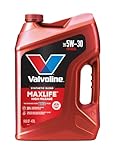
- Formulated for engines with 75,000 miles or more, Valvoline...
- Delivers 20% better wear protection and 15% better sludge...
- Extra detergents safeguard against friction, corrosion and...
- Advanced friction-fighting additives help maximize...
- Provides performance benefits for high mileage, new and...
Last update on 2026-06-23 / Affiliate links / Images from Amazon Product Advertising API
If the PDF is very large, it may not load in the preview below.
Some older TSBs had multiple PDFs — visit the NHTSA Website to view all PDFs.
If the TSB PDF does not show, download or view it on the NHTSA Website.
Click on the (+) Plus Sign
Then Click on Associated Document(s)
Search NHTSA Database for Recalls
Search NHTSA Database for Vehicle Investigations
View Latest Vehicle Investigations
Search NHTSA Database for Vehicle Complaints
View Latest Vehicle Complaints
TSB/Document ID: ITS61080
Replacement Service Bulletin Number:
MFR Communication Date: 2026-03-20
MFR Internal Campaign ID/Software Version:
Communication Type: Service Bulletin/Repair Instructions
NHTSA Components: FUEL/PROPULSION SYSTEM
MFR Component System:
MFR Component Subsystem:
Previous TSB | Next TSB |

- 🎉[OTOFIX D1 Lite, Perfect Cost-effective Diagnostic Tool]: OTOFIX D1 Lite, a newest bidirectional scan tool from OTOFIX company, is a great choice for DIYers and repair shops. 👉This obd2 scanner diagnostic tool packs all practical functions: OE level all systems diagnoses, Bi-Directional Control, 38+ reset services fixing 99% of common problems, support DoIP & CANDF protocols and FCA
 AutoAuth, high-end hardware configuration. Worldwide vehicles and 🔥2 Years Free Updating🔥 covered.
 - 🎉[Bi-Directional Scan Tool, Active Test]: OTOFIX D1 Lite bluetooth obd2 scanner can also command ECUs and monitor the operation of the actuators to track down the problems of certain parts, like windows, sunroof, wipers, fuel pumps, etc., saving repair time & trouble. This makes OTOFIX D1 Lite the most cost-effective bidirectional scan tool.
- 🎉[2026 Newest, 38+ Hot Reset Functions]: Equipped with 38+ reset functions in one, the OTOFIX D1 lite automotive scanner diagnostic tool allows you to troubleshoot 99% of common vehicle problems. You can use this car diagnostic scanner holding enough functions to easily repair common vehicle models in your repair shops. Including Oil Reset, Injector Coding, Throttle, DPF Reset, SCR Reset, Gear Learning, Clutch Learning, Suspension, etc. Note* Reset functions vary by model.
- 🎉[OE Level Full Systems Diagnostics]: Unlike the 2-system and 4-system diagnostic tools, the OTOFIX auto scan tool can complete comprehensive system diagnostics within 5 minutes. It accesses and scans all available onboard systems like for Engine /AT /ABS /EPB /BMS /TPMS /SRS /SAS /Audio System /BCM /Air Conditioning / etc., to read & clear codes, view live data, and check ECU information. Note: Active test is not involved.
- 🎉[Powerful Hardware Configuration]: Designed with a fashion appearance & a 7” touchscreen and a weight of 463g, this OTOFIX D1 Lite OBD2 diagnostic scanner scan tool is convenient for everywhere and easy to use & store. Android9.0 OS and 2+64GB memory enhance multi-task smoothness and diagnostic operation, no more wasting too much time. 5800mAh battery allows hours-lasting use. WiFi & VCI1 also bring faster communication for your diagnostics.
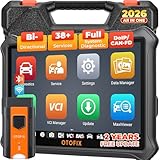
- 🏆【2026 TOP OBD2 Scanner Diagnostic Tool】OTOFIX D1 Lite wireless obd2 scanner has upgraded hardware configuration and car coverage. The newly upgraded D1 Lite with 🔥OS Android 9.0🔥1.5Ghz 4 core high efficiency processor🔥2GB RAM+64GB ROM large storage🔥5800mAh large battery, more stable and longer lasting diagnostics🔥 38+ Reset🔥action tests🔥full system diagnostic🔥Supports MV105 endoscope🔥21+ Language Supports🔥100000+ vehicle coverage to meet all your daily maintenance needs.
- 👍【Bi-Directional Control / Active Test】D1 Lite obd2 scanner has bidirectional control(worth $300+), which is the most beloved feature among mechanic. If your headlights or car windows are broken, going to a repair shop will cost a lot of money. You can use D1 Lite to send execution commands to the ECU module and identify the repair status. Such as ABS, car windows, doors, valves, wipers, headlights, etc., effectively shorten diagnostic time and reduce diagnostic costs.
- 🔥【All Systems Diagnostics, In-depth Checking】This advanced OBD2 Scanner D1 Lite can perform OE-level diagnosis of all systems including engine, transmission, airbag, ABS, ESP, TPMS, gateway, steering, radio, and air conditioning for more than 100 brands. This diagnostic scanner supports essential functions, such as reading ECU version info, reading and clearing fault codes, and reading data streams.With just a simple click, it provides you with accurate and in-depth diagnostics.
- 🏆【38+ Reset Hot Functions】For repair workshops, holding an OTOFIX D1 Lite Auto scanner is a strong advantage over others. Its 38+ maintenance functions provide various solutions for all module repairs, including Oil Reset, TPMS Reset, Injector Coding, Suspension, Throttle Matching, etc., which will usher your repair business to a new pinnacle. Continuously updating will never make the functionality & compatibility out-of-date.
- 🏆【150+ Models, 10000+ Car Coverage & 16 Languages】D1 Lite is a comprehensive car diagnostic scan tool, help you to troubleshoot car issues fast for 95% US, European, Asian auto makes. ✅ With frequent updates and optimizations allow D1 Lite to cover more vehicles to meet your needs. ✅ Multilingual menu allows auto mechanics around the world to use it without language barriers. 🚩Note: Kindly send us the S/N of the device to authorize new language updates before changing the menu language.

- 2026 Newest Wireless Bluetooth Scan Tool D1: OTOFIX D1 Diagnostic scanner is upgraded version with Enhanced Hardwares & Newest Functions, FASTER and SMARTER! ✅Alternative Bluetooth 5.0 +USB connect✅2G+64GB✅Android 9.0 OS✅5G & 2.4 GHz Dual WiFi✅5800mAh battery👍VAG Guided Function👍ECU Online Coding👍CANFD&DOIP👍40+ Services👍Bi-Directional Control👍Full Systems Diagnose👍2 Years Free Update👍150+ Vehicle Coverage🎁Contact to get gift: otofixaftersales-amz@ outlook.com
- ECU Coding to Unlock the Hidden Features: OTOFIX D1 obd2 scanner diagnostic tool newly adds ECU Coding which can Online Coding(ONLY for VW/Au.di/Sk0da), Variant Coding/Offline Programming, Flash Hidden Functions, Reset Adaptive Data, Match Replaced Components, Customize OE-Settings. Such as: halogen fog lamps retrofitted with xenon fog lamps, different capacity battery retrofit, disbale auto start-stop, sunroof initialization, injector calibration, etc. PS: Coding functions vary by model&year.
- Full Bidirectional Control for Active Car Tests: The D1 OTOFIX scanner also offers bi-directional control, allowing you to perform powerful active tests on car subsystems. This means that you can check the working status and functionality of open & close solenoids, energize injectors, turn cooling fan on & off, and more, all from the device itself.🚩The D1 bi-directional obd2 scanner can quickly help you to check if a system or component goes well,Improving 200% Efficiency.**Note that Active Tests available depend on the make/model/year of your car.
- 40+ Popular Maintenance Functions: OTOFIX D1 obd scanner for car performs 40+ hot services, including Oil Reset, EPB, TPMS, BMS, E.GR, G.PF, D.PF, SAS Calibration, ABS Bleeding, Injector Coding, Gearbox Match, Suspension, Crankshaft Relearn, Power Balance, etc., still growing. Great choice for DIYers, technician, repair shop. 🚩Get MORE special functions from "Car Brand>System>Service". Check compatibility before purchase via 📧 otofixaftersales-amz@ outlook.com.
- OE-Level All Systems Diagnostic + One-Click AutoVIN & AutoSCAN: OTOFIX D1 scanner automotriz gives you the ability to troubleshoot entire car systems including engion system,transmission system,body system,chassis,etc. 🚩One of the standout features of the D1 obd2 scanner diagnostic tool is the one-click AutoVIN & AutoScan function. This feature allows you to quickly and easily scan all diagnosable ECUs with just one click, and identify any problems hidden in your vehicle's systems.
Last update on 2026-06-23 / Affiliate links / Images from Amazon Product Advertising API
This product presentation was made with AAWP plugin.