
NHTSA ID Number: 11028471
Manufacturer Communication Number: TSB_2079690_7
TSB/Document Date: 2026-02-06
Summary
This bulleitn provides informaiotn on the combined software update KD2; 03.10.00/C (28.13.01).
ZN Connection offline
Technical Service Bulletin
00 Combined software update 03.10.00/C (28.13.01) KD2
Condition
Transaction No.: 2079690/7
Release date: Jan 30, 2026
Model(s) Year(s) VIN Range
Vehicle Specific Equipment
Ad, S5 (FU), A6
Sportback e-tron, S6
Sportback e-tron (GH),
Q5, Q5 Sportback e-
tron, SQ5, SQ5
Sportback e-tron (GU),
Q6 e-tron, Q6 Sportback
e-tron, SQ6 e-tron, and
SQ6 Sportback e-tron
(GF)
2025 All
Not applicable
REVISION HISTORY
Revision Date Purpose
7 - Revised Service (Updated verbiage)
6 01/21/2026 | Revised header (Included market 4NA)
5 11/26/2025 | Revised Service (Updated verbiage, Add adaptation instructions)
The following TSB describes the specific flashing procedure that must be used on the vehicle.
©
them according to their publication date
Please note that all open field campaigns must have been performed in advance. Please work through
The following complaints are resolved with this software update:
« Optimizations to appearance and user settings.
* Optimizations to appearance, route calculation, route guidance, navigation.
*« Optimizations to connectivity (APN, Bluetooth, radio, navigation, eCall).
« Optimizations to operation (voice assistant) and navigation system.
*« Optimizations to traffic sign recognition (general optimization of recognition, malfunctions and deactivation of
assist systems).
« — Improved driving characteristics (moving off, hold function, juddering).
* Avoidance of incorrect warning lamps.
* Optimizations to charging (charging times, app, SOC display, charging difficulties).
* Improvements to mobile key (key detection, keyless system).
* Optimizations to child presence detection (avoidance of incorrect triggering).
* Sharing digital key is now possible (up to 5 digital keys, including main key).
The physical key is required to perform the software update. The digital key and the digital key card
cannot be used to perform the software update.
Only applies to vehicles with PR number 2F1 - After the update, the digital key must first be reset to enable the
digital key to be shared with other people.
Perform the procedure described below to reactivate sharing of the digital key via the myAudi app.
NOTE: If a digital key is already in use, resetting the key user will remove this digital key and it must be set up
again.
Requirements:
* Make sure that a physical key (remote control key) is available.
* Make sure that the key user’s device is available.
* Make sure a key user has already been created for the vehicle
* Make sure the vehicle has mobile reception, is online and has a valid time signal (sufficient satellite reception).
Procedure part 1 (prior to software update):
1. The ignition of the vehicle must be switched on with the physical key (remote control key).
2. If there a digital key has already been adapted, it must be deleted BEFORE the software update:
a. Open the “Digital key” menu option in the MMI.
b. Select the “Management?” tab and then “Primary device management”.
c. Select “Remove primacy device”. The physical key must be inside the vehicle.
d. Confirm that you want to remove the main device.
Please note: The digital keys will be deactivated on the main device. The customer will receive a push notification
from the myAudi app and can then remove the keys from the wallet app. The push notification has no effect on the
following steps.
Procedure part 2 (following software update):
Following the software update, the digital key must be set up again, deleted again and then set up again. This
initiates the process in the backend that enables the digital key to be shared.
Set up the digital key together with the customer.
Then delete the digital key again. Only by deleting the digital key is the process in the backend initiated, enabling
the digital key to be shared.
1. Open the “Digital key” menu option in the MMI.
2. Select the “Management” tab and then “Primary device management’.
3. Select “Remove primary device”. The physical key must be inside the vehicle.
4. Confirm that you want to remove the main device.
The digital keys will be deactivated on the main device. The customer will receive a push notification from the
myAudi app and can then remove the keys from the wallet app. The push notification has no effect on the following
steps.
After a short wait, the customer will be able to add the digital key in the myAudi app again. Sharing the digital key is
now possible.
©
If it is not possible during the workshop procedure to set up the digital key, then delete it and set it up
again once after the software update has been performed. Please provide the customer with the following
instructions to set up digital key:
Requirements:
* Make sure that a physical key (remote control key) is available.
* Make sure that the key user’s device is available.
* Make sure a key user has already been created for the vehicle
* Make sure the digital key has already been set up for the key user. If this is not the case, a digital key must
first be set up. Make sure the vehicle has mobile reception, is online and has a valid time signal (sufficient
satellite reception).
Procedure:
To be able to share the digital key with other people, it is necessary to follow the deletion procedure once and set up
the digital key again after. Proceed as follows:
If a digital key has not yet been set up for the key user, set one up first using the myAudi app. Only proceed when
the digital key has been set up for the key user.
The ignition of the vehicle must be switched on with the physical key (remote control key).
The existing digital key for the key user must then be deleted again.
1. Open the “Digital key” menu option in the MMI.
2. Select the “Management” tab and then “Primary device management”.
3. Select “Remove primary device”. The physical key must be inside the vehicle.
4. Confirm that you want to remove the main device.
Please note: The digital keys will be deactivated on the main device. You will receive a push notification from the
myAudi app, and the key can then be removed from the wallet app.
After a short wait, the digital key can be added in the myAudi app again. It is now possible to use the digital key and
the “Share key” function
©
Please inform the customer that Mobile Data is turned off automatically after the software update and
may need to be reactivated.
Information for the customer after the software update:
Various settings must be re-adjusted after the software update. For this reason, a customer letter has been
attached to this TSB. Please print this document and give it to the customer when returning the vehicle.
Applies to vehicles with high-voltage components:
To prevent the high-voltage battery from charging during the software update, the high-voltage charging cable on
vehicles with high-voltage components must be unplugged BEFORE the SVM code is entered.
Please note that charging the high-voltage battery during a software update can cause damage to the high-voltage
components.
Technical Background
Not applicable.
Production Solution
Implemented from week 34 onwards (depending on model).
Service
Please read the following information carefully.
* The total duration of the combined software update (including preliminary and follow-up work) is approximately
3.5 hours.
* There are different procedures for the software update for PPE and PPC models.
* Under no circumstances should SVM configuration tests be performed if the software update via SVM
was not fully completed and documented. Already updated control units will otherwise be incorrectly
identified as faulty. The vehicle must be fully updated before documenting the version.
* If an update was aborted and a control unit therefore must be replaced, do not perform a configuration
test, but instead, use the function “Replace control unit".
Prerequisites for flashing:
* The driver’s door must remain open for the duration of the flashing procedure. Please do not run the
diagnostic interface cable through the window because the window regulators will be initialized in a later step.
* Please activate privacy mode (mobile data off).
* Please switch off the background lighting in the HMI to prevent negative interference.
« Please only place one vehicle key inside the vehicle. The key must be placed on the hazard warning lights
switch in the Audi Q6 e-tron and Audi A6 e-tron (PPE) and on the reader coil in the Audi A5, Audi Q5 and Audi
AG (PPC).
* Before entering each code, check whether the current date/time is displayed in the vehicle. If not, move the
vehicle to a location where there is GPS reception, or set the date and time manually. Otherwise, an update
will not be possible, or it will be aborted.
* No additional/other work may be performed on the vehicle for the entire duration of the update.
* The firewall settings which correspond to the latest release notes of the current ODIS version at Elsa2Go>>
Service References>>Vehicle Diagnostics always apply.
©
The vehicle must have undergone a bus sleep cycle before running the “SVM — Authorized Multiple
Code Entry” function. Please start the update after performing a bus sleep cycle.
Prepare vehicle for flashing:
* Put the vehicle in bus sleep mode (5 minutes).
— Ensure the vehicle is locked (close all doors, trunk, and hood)
— It is absolutely critical to allow the vehicle to sleep between retry attempts after a failure
* Connect battery charger unit in accordance with specifications in “Standards for workshop equipment”.
* Switch on Ignition.
-— Please note for Q6/A6 e-tron that ignition will automatically be switched off once the driver leaves the
driver’s seat (in this case switch on ignition without sitting in the driver’s seat).
* Switch off electrical equipment (blower, seat heater, lights, etc.).
¢ (Move selector lever to P.
* — Connect the diagnostic tester to the vehicle using a USB cable (with door open and window closed).
* The driver’s door must remain open for the duration of the flashing procedure. Please do not run the
diagnostic interface cable through the window because the window regulators will be initialized in a later
step.
A diagnostic tester with the following Audi brand version or higher is required: 2.39.4
©
We strongly recommend flashing using a USB cable. This ensures that data transmission is as reliable
as possible.
Infrastructure mode is not permissible as it is very prone to interference/errors.
For the Q6 e-tron and all later Audi models, you must ensure that port 8080 on your diagnostic device is
enabled for incoming TCP connections.
Please contact your local IT administrator regarding anything above.
If you have any support-related queries, please contact ODIS service support.
Performing software update
©
lf flashing is aborted, error messages are shown or messages are shown in the instrument cluster during
the software update, please refer to the separate TSB 2079692 00 Aid for TSB 2079690 (00 Combined
software update 03.10.00/C (28.13.01) KD2).
If the fault code 8024 is displayed, an incorrect SVM code was entered. Please note that various SVM codes
are available (distinction between PPE and PPC).
Procedure to begin flashing:
« Select “flash”.
*« Select “SVM — Authorized Multiple Code Entry’.
* Perform the software update using the function “SVM — Authorized Multiple Code Entry” and the following
SVM codes:
* PPE SVM Code (Q6 e-tron, Q6 e-tron Sportback, AG e-tron Sportback):
BLKD2PPE, DUCLDRM0046,DUCDOORWR
* PPC SVM Code (Audi Q5, A5 Sportback):
BLKD2PPC,DUCLDRM0046,DUCDOORWR
O
After the function “SVM — Authorized Multiple Code Entry’ is run, the vehicle is identified, the data is calculated in
the backend and then transmitted to the vehicle, and the update phase starts in the vehicle.
* When the update phase starts, a message will prompt you to unplug the diagnostic interface.
Unplugging the diagnostic interface and vehicle diagnostic tester during the update phase is possible. The vehicle
diagnostic tester indicates when the diagnostic interface can be unplugged.
Further information on how to proceed is displayed on the vehicle diagnostic tester.
©
You can track the progress of the update on the display in the vehicle. Information on the progress is also
displayed on the vehicle diagnostic tester. For this software update, the progress may not be displayed in
the vehicle during the first 20 to 30 minutes. The display in the vehicle switches on and off multiple times
and remains switched off (is dark) for several minutes. A reliable indication of the progress is only shown
after 20 to 30 minutes. You must not perform any actions on the vehicle during this time (e.g. switch the
ignition on/off, select a gear).
You are permitted work on other customer vehicles during the update phase if the diagnostic interface has
been unplugged.
Procedure if diagnostic interface has been unplugged:
* The diagnostic interface must not be plugged back in while the software update is running!
* — To view flash progress in the vehicle, tap the ‘bell icon’ on the top left of the MMI > scroll down and select
“RPC installation’.
— The following message in the vehicle indicates that the update was successful: “Install update finished
successful”.
— The following message in the vehicle indicates that the update was not successful: “Installation error”.
* — In both cases, the function “SVM — Authorized Multiple Code Entry” must be run again to ensure successful
feedback documentation or, if flashing was aborted, to receive further instructions.
* To do this, plug the vehicle diagnostic tester back in and run the function “SVM — Authorized Multiple Code
Entry’.
Procedure after flashing:
« Once the function “SVM — Authorized Multiple Code Entry’ is finished (special functions display), unplug the
vehicle diagnostic tester from the vehicle
* After the update, it is very important to open and close all vehicle doors and the rear lid (trunk) once (adaptive
cruise assist initialization).
¢ If applicable, please press the triggered manual release mechanism back into its starting position (see figure 1
below).
¢ Deactivate privacy mode (mobile data on)
* Please then check the tire pressures and initialize (i.e. store) these again.
« Please then perform a bus sleep cycle of at least 5 minutes (please close all doors and hooq).
*« Please perform a road test/calibration drive at a speed above 40 km/h. Please activate the cruise control
system and the ACC system during the calibration drive to check that they are working.
« Plug the vehicle diagnostic tester back into the vehicle.
« End the flashing procedure (the flash log will be sent online, and the event memory will be erased
automatically).
©
After the software update, please check whether the vehicle is equipped with either of the PR numbers
Ql4 or QI7. If this is the case, please use the following procedure and perform the following adaptations in
HCP3 (diagnostic address 0017 — Instrument cluster)
Adaption channels can be accessed via “Self-diagnosis” Mode > Select “0017 — Instrument cluster” in “Control
Module List” Tab > Choose “Adaption” in “Control module ODB” dropdown
Required adaptation channels/measured values:
0x0306 - Distance until next target data container inspection
0x0307 - Time until next target data container inspection
0x22A4 - Distance until next inspection
0x22A5 - Time until next inspection
If Ox0306 is not equal to 0x22A4
Read out value from 0x0306 and write to adaptation channel 0x22A4
If the values in the channels are the same, no action is required
If 0x0307 is not equal to 0x22A5
Read out value from 0x0307 and write to adaptation channel 0x22A5
If the values in the channels are the same, no action is required
©
To be able to share the digital key, it is necessary to follow the digital key deletion procedure once and
set up the digital key again after. Follow procedure described in the Condition section.
Figure 1. Door manual release mechanism.
Prior to the update attempt, the installed software version of the vehicle can be found in the MMI (Settings > System
> About).
KD2 “installed software version” = 03.10.00/C
Model & hardware
Model MMI
Android version
Android security patch leve
PTT
Kernel version
§.4.147-android12-9-g4f2¢24585ca6-ab615
#1 Mon Mar 10 12:46:41 UTC 2025
Build number
Figure 2. MMI screenshot showing KD2 “installed software version”.
rr’
(!)
ae
A total of 150 TU will be paid for this software update. This TSB only describes the flashing procedure in
the vehicle. The specific billing information for performing the combined software update is stored in the
respective “Customer complaint TSB”. Final billing is performed via the respective "Customer complaint
TSB".
When carrying out this TSB, time stamps are not required for billing under warranty. You are therefore permitted to
work on other vehicles at the same time. The update can also be performed by non-productive personnel.
All part and service references provided in this TSB (2079690) are subject to change and/or removal. Always check
with your Parts Department and/or ETKA for the latest information and parts bulletins. Please check the Repair
Manual for fasteners, bolts, nuts, and screws that require replacement during the repair.
©2026 Audi of America, Inc. All rights reserved. The information contained in this document is based on the latest
information available at the time of printing and is subject to the copyright and other intellectual property rights of
Audi of America, Inc., its affiliated companies, and its licensors. All rignts are reserved to make changes at any time
without notice. No part of this document may be reproduced, stored in a retrieval system, or transmitted in any form
or by any means, electronic, mechanical, photocopying, recording, or otherwise, nor may these materials be
modified or reposted to other sites, without the prior expressed written permission of the publisher.


- Advanced VCI Box, Industry-leading J2534 Pass-Thru...
- High-Speed OEM-Level Diagnostics & Programming: Unlock true...
- Coverage for 17 Car Brands & Ultra Reliability: Works...
- User-Friendly RLink Platform & Expert Support: TOPDON’s...
- 6.6 ft USB-C Cable & Portable Storage Case: The RLink J...
Last update on 2026-06-23 / Affiliate links / Images from Amazon Product Advertising API
If the PDF is very large, it may not load in the preview below.
Some older TSBs had multiple PDFs — visit the NHTSA Website to view all PDFs.
If the TSB PDF does not show, download or view it on the NHTSA Website.
Click on the (+) Plus Sign
Then Click on Associated Document(s)
Search NHTSA Database for Recalls
Search NHTSA Database for Vehicle Investigations
View Latest Vehicle Investigations
Search NHTSA Database for Vehicle Complaints
View Latest Vehicle Complaints
TSB/Document ID: TSB_2079690_7
Replacement Service Bulletin Number:
MFR Communication Date: 2026-01-30
MFR Internal Campaign ID/Software Version:
Communication Type: Service Bulletin/Repair Instructions
NHTSA Components: ELECTRICAL SYSTEM
MFR Component System:
MFR Component Subsystem:
Previous TSB | Next TSB |

- WHY CHOOSE THE 2025 CR MAX -Upgrade the latest diagnostic capabilities for all vehicles after 1996: upgrade to 49+maintenance services; 46 extra specific functions; real all systems/all control modules diagnose; over 40K+ bidirectional actuation tests for diagnosing all control moduels of cars; Powerful full OBD2 Functions; built-in ECU Coding for BMW
 / Audi/ VW/ RollsRoyce; Fr ee V.A.G Guide Function; Battery retistration for new battery adaptation and more. It covers all vehicle diagnostic services and some special professional vehicle maintenance servces, assists you to do home DIY vehicle maintenance or car repair as a pro technician.
 - NEWEST IN INNOVATION FULL OBD2 SERVICES- iCarsoft auto car diagnostic scanner compatible with CAN-FD, CR MAX can do it all-reads and clears trouble codes, ALL SYSTEM DIAGNOSIS such as engine, transmission, ABS and airbag etc. CR MAX code reader for all cars can perform I/M Readiness, Live Data, Freeze Frame, Vehicle Information, Monitor Test, On-Board Monitor, E vap System Test,O2 Sensor Test,DTC Library Lookup,etc. (Warm Tips: If you car is after 2023,please contact us for compatibility; 3. It comes with 16PIN OBD2 diagnostic adapter, please check your car diagnostic socket if it is 16pin socket, if your car is 14pin diagnostic socket please contact us for the solution.)
- 49 RESET+ 46 SERVICES- Performs: Oil Reset, EPB,SAS,Throttle, D-P - F, Battery, ABS, Injector, TPMS, Suspension, AC, Head Lamp, Body Stablity, Engine, Tramsmission, Airbag, Seat, Door-Win-Roof, Fuel Pump, Door, E-G- R.+21 NEWEST SERVICES( Need update scanner)-AdBlue, Clutch, Crankshaft, High Voltage Battery, Cruise Control, NO xSensor, Rain Sensor, Stop And Start, Turbocharger, Head Up Display, Radar Camera, Vehicle Setup, Cyliner Misfire Check,Speedlimitassist, ControlUnitReset,OxygenSensor, Seatbelt. Extra 46+ extra services based on car brand.(Tips: Quantity of reset/ calibration fucitons are based on car system that your vehicle model has)
- REVOLUTIONARY 40000+BIDIRECTIONAL ACTIVE TESTS: Upgraded CR Max scanner equip with numberous of actuational test items for covering all available vehicle control modules, no longer only do simple light test or window test like other scanners, performs hardware modules test and software control modules test for checking car units or new updated control moduels work well or not after maintenance/ repair/ re-installation/ control system updated (Example for Benz- Roller Sun Blind test; Backup Camera test ;Self-test; EPB test; Transport Mode test;Boost Pressure Positioner test; Fuel Pump test; AND MORE!!).(Warm tip: The available test items are based on control modules your car has)
- ECU CODING+ BATTERY REGISTRATION- Powerful ECU Coding service for BMW/MINI/RollsRoyce / Audi/VW/Seat/Skoda/Bentley/Bugatti/Lamborghini, Improves Engine Power Performance and Optimizes Fuel Efficiency and Match New Hardware Unit to car and Customized a comfortable Driving Modes and Fixes & Updates Original Software Bug. The battery test function for checking car battery health, perform battery reset (BMS ) for replacing a damaged or aging car battery with a new one and register new battery to car ECU
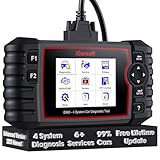
- 【Looking for More Professional Vehicle Scan Tool?】iCarsoft E660 2026 Upgrade Version OBD2 scan tool can do it all-reads and clears trouble codes on Engine system, ABS system, Transmission system and Airbag system, And with 6 reset function. It covers more than 59 vehicle makes from 1996-2023 models ( included most USA/ Asia / EU vehicle brand) with full OBDII. (As every car model has its-owned specific car system and ECUs, not all car models have full car ECUs which may prevent the scanner from performing all listed system diagnostics or reset services. Therefore, please email to us with car VIN and services required to do scanner's services for a compatibility check before purchasing.)
- 【OE-Level 4 Systems OBD2 Scanner】iCarsoft E660 2026 Upgrade Version diagnostic scanner offers comprehensive OBDII services, allowing you to quickly scan Engine system. It supports functions such as reading and erasing codes, checking I/M readiness, viewing freeze frame data, performing O2 sensor tests, conducting on-board monitoring, testing the evap system, auto VIN retrieval, and reading both generic and specific codes, as well as DTCs and battery tests.
- 【4 Systems Diagnosis for 10000+ Vehicles】 iCarsoft E660 2026 Upgrade Version adopts unique diagnostic software, works well for most Porsche, Benz, BMW, US Ford, Land Rover, Jaguar, Audi, VW, Volvo, Honda, Nissan, Infiniti, Toyota, Lexus, Scion, Isuzu, Hyundai, Kia, Daewoo, Mazda, Sprinter, Mini, Seat, Skoda, SAAB, EU Ford, Holden, AUS Ford, Acura, Subaru, Mitsubishi, Dacia, Renault, Fiat, GM, Chrysler, Citroen, Peugeot, Opel, Smart,Suzuki, Vauxhall, Alfa-Romeo, Lancia and etc.
- 【6 Reset Services】iCarsoft E660 2026 Upgrade Version is a diagnostic tool that offers professional maintenance services, including Oil Reset, EPB, BMS, ETC, SAS, TPMS Reset. It can help you easily reset oil change indicators, recalibrate steering angle sensors, relearn replaced electric parking brake and so on. For optimal vehicle performance and maintenance convenience. (Tips: Please update the softwareafter receiving the product to obtain new service functions)
- 【118+ Real Time Record & Live Graph View】iCarsoft E660 2026 Upgrade Version can automatically record vehicle text history and identify vehicle information. Preserve real-time data information. View & Graph Live Data. Support Data Review and Print. 15 languages: English, German, Dutch, Spanish, French and so on. We promise to offer Lifetime updates (Lifetime free Update via PC), and confidence in products. We also provide 1 year warranty + extra lifetime hardware free repair if you need it in the future. We prioritize user experience & strive to meet your expectations. Please do feel free to reach out to us if you have any question or problem about the usage.

- 【All-in-One Diagnostic Tool for Porsche + 2 Extra Vehicle Brands】New POR V4.0 is a professional car scanner specifically engineered with dedicated software pre-installed for Porsche. You can also download 2 additional software packages FOR FREE from 26 supported brands (e.g., for Benz, for BMW, for Audi, for Land Rover).Upgraded to adopt quad-core 1.3GHz processor and HD touchscreen and professional diagnsotic OS for faster& smooth diagnsotic.LIFETIME FREE UPDATES, NO SUBSCRIPTION COST! PLEASE TELL US YOUR CAR INFORMATION TO OBTAIN A LIST OF ALL COMPATIBLE SERVICES FOR YOUR CAR FIRST (FOR EXAMPLE: BATTERY REGISTRATION FUNCTION IS NOT COMPATIBLE WITH PORSCHE 997.2)
- 【29 MAINTENANCE SERVICES FOR PORSCHE SERIES CARS】 It can perform the 29 reset service for Porsche series cars-Oil Reset; SAS; EPB; BMS; ETC; DP ; ABS Bleeding; Injector Coding; TPMS; Air Suspension; Air Conditioner; Head Lamp; Body Stablity Control; Engine Control; Transmission; AirBag; Seat; DWR; MIS; EG; ODO; Clutch; High Voltage Battery; Cruise Control; Radar/Camera; Vehicle Setup,etc. Up to 49 vehicle-maintenance-services for the extra 2 vehicle brands you installed (Tip: Not all services will be worked on every car mode. Some vehicle models may be lack of certain ECU-control modules to make some services may not work).
- UPGRADE SERVICES: Breaks down 29 services to 234 sub-service for car owners/machinist to perform maintenance based on corresponding sub-modules! The detailed sub-service for sub-modules assist to perform precise vehicle maintenance.Improving the accuracy of car maintenance and reducing potential failure risks caused by whole-module maintenance to main modules.such as Oil Reset is refined into Reset maintenance interval/Reset service interval/Service Reset; Engine Control Reset is refined into Delete adaptation data/Short tests/System tests/Swirl-flap actuator/Bleeding high temperature coolant circuit and more.(sub-services vary based on vehicle model/year)
- 【EXTRA VEHICLE MAINTENANC SERVICES FOR SPECIFIC SYSTEMS】Have no ability to perferm calibration to special/specific systems/modules? This OBD2 scanner solve your troubles- for common systems/modules & for specific sytems/modules, assist you to perform diagnsing/calibration/reset/relearn services for non-common modules to finish your car maintenance/ diagnostic (eg: Central Computer system/module :Function activation/Multimedia interface test/AM Field Strength/Current FM Field Strength/FM Field Strength/MOST system reserve/Self-test/Deactivate Production Mode/Reset to factory settings/MOST System Test). (Tip: The services vary based on the vehicle brands)
- 【 MORE PROFESSIONAL BI-DIRECTIONAL ACTUATION TESET 】Exclusive POR V4.0 comes with powerful bidirectional testing capability,do actuaction test for deeper unit-checking after replacement or overhaul (1333 test items for Porsche, like:Fuel high-pressure fuel injector 1-4, Empty tank, Radiator fan, OTA-FC Connectivity, backrest, Backup battery, and more; 2136 test items for Audi; 1670 test items for Benz; 1599 test items for Volvo; 1360 test items for VW; 2705 test items for GM etc.). Help to check your car units work well or not after vehicle maintenance or daily car-body check, keep drives always in safety.(Warm tip:The quantity of test item is based on the units your car has)
Last update on 2026-06-23 / Affiliate links / Images from Amazon Product Advertising API
This product presentation was made with AAWP plugin.