
NHTSA ID Number: 11028366
Manufacturer Communication Number: IK2600284
TSB/Document Date: 2026-02-05
Summary
This document aims to enable technicians to: 1. Accurately identify third generation MaxxForce medium duty engine control systems. 2. Understand the programming intricacies related to these systems. 3. Autonomously execute programming tasks without needing technical support.
Countries:
AUSTRALIA, BAHAMAS, BOLIVIA, BRAZIL, BELIZE, CANADA,
CHILE, TAIWAN, COLOMBIA, COSTA RICA, DOMINICAN
REPUBLIC, ECUADOR, EL SALVADOR, GUAM, GUATEMALA,
GUYANA, HAITI, HONDURAS, JAMAICA, KOREA, SOUTH
KOREA, MEXICO, ARUBA, NEW ZEALAND, NICARAGUA,
PANAMA, PERU, PUERTO RICO, RUSSIA, SOUTH AFRICA,
TRINIDAD AND TOBAGO, UNITED STATES, URUGUAY,
VENEZUELA, Curaçao
Availability:
Major
PROGRAMMING SUPPORT
System:
Current
English
Language:
Other
NONE
Languages:
Viewed:
Document
IK2600284
ID:
Revision: 5
Created:
5/21/2025
Last
Modified:
1/2/2026
Author:
Matthew
Carrigan
272
Less Info
Coding Information
Hide Details
Copy Link
Copy Relative Link
Bookmark
Add to Favorites
Provide Feedback
Helpful
Not Helpful
1
0
View My Bookmarks
Title : Vehicle Programming Information Associated with Engine: MaxxForce 2013+ I6 & V8
Applies To : MaxxForce 2013+ I6 & V8
CHANGE LOG
Please refer to the change log text box below for recent changes to this article:
01/02/2025 - Added "SID 908" info, and link to ik2600273
09/26/2026 - Fixed broken link
06/10/2025 - Added Vehicle Programming Resource Center Link
05/28/2025 - Initial Article Release
DESCRIPTION
This document aims to enable technicians to:
1. Accurately identify third generation MaxxForce medium duty engine control systems.
2. Understand the programming intricacies related to these systems.
3. Autonomously execute programming tasks without needing technical support.
Table of Contents
Timeline
Connecting To A MaxxForce 2013+
Engine
MaxxForce 2013+ Horsepower Quotes
Software/Hardware Integrations
Source Addresses
MaxxForce 2013+ Engine Swaps
How MaxxForce 2013+ Modules
Work
MaxxForce 2013+ Module Parts
Information
Common Programming Issues With MaxxForce 2013+
Systems
Timeline
Return to Top
Software/Hardware Integrations
Navistar Engine Diagnostics (NED): Supported. Used for diagnostics & parameter changes.
NavKal: Supported. Used for flashing the entire ECM.
HeRo: Supported.
DLB: Supported.
360 Write Up: Supported.
The programming station works with this engine type.
Return to Top
How MaxxForce 2013+ Modules Work
ECM: Engine Control Module. The ECM holds both the caibration and the parameters. MaxxForce 2013+ ECMs are dealer programmable. Both the
calibration and parameters can be changed/programmed. I6 uses a different ECM than a V8.
DCU: Doser Control Unit. The DCU contains a calibration and is dealer programmable using NavKal. I6 uses a DCU while V8 does not use a DCU.
Functional info: This type of ECM and DCU communicates on the 1939 (CAN) data link. Only the 1939 data link is used for communicating with NED.
The 1939 data link is used for the entire NavKal process.
MaxxForce 2013+ I6 (MaxxForce DT/9/10)
MaxxForce 2013+ V8 (MaxxForce 7)
To see reference photos go to "Maxxforce 2013+ Module Part Information" section below.
Return to Top
Connecting To A MaxxForce 2013+ Engine
When NavKal connects to a 2013+ MaxxForce I6 or V8 engine, you should see data similar to the screenshot above. (further description is below)
Engine Type
Software Identification
Engine Family Rating Code
MaxxForce DT/9/10 (2013-) (or V8)
Will show an 8-digit ECM calibration name.
(ERFC) should show a 4-digit number.
Vehicle Identification Number
Will show the full 17-digit VIN.
Engine Serial Number
Will show the full 14-digit ESN.
Transmission Type
Rated Power
Total Miles
Total Fuel Used
Total Engine Hours
(not shown in screenshot above)
It should correctly reflect the installed transmission. (Unless the vehicle
has an Eaton automated manual transmission - then it is normal for NED
to show an Allison transmission)
It should correctly show the rated horsepower.
It should show the correct total vehicle distance.
- NavKal shows total miles from the ECM parameter for total miles.
- NED shows total miles from the instrument cluster.
It should show correct total fuel used.
It should show correct total engine hours.
When connecting NavKal to a 2013+ MaxxForce DT/9/10 or a 2013+ MaxxForce 7, if you are prompted to select the engine type, you need to
select "MaxxForce DT/9/10 (2013 - )" or "MaxxForce 7 (2013 - )" (shown in red box and blue box below, respectively).
It is common to confuse this engine type with the MaxxForce DT/9/10 (2010-2012) or the MaxxForce 7 (2010 - 2012). Selecting the wrong engine
type will result in either error 84 or 89 during the NavKal programming process. You can use the bullet points below to tell the difference between
2010-2012 vs 2013+ MaxxForce DT/9/10.
Looking for sales code 0012XAN, 0012UNN, or 0012UNP is the only way for technicians to tell the difference between a 2010-2012
and a 2013+ (including 2015).
2013+ MaxxForce DT/9/10 will show 0012XAN, 0012UNN, or 0012UNP in the Service Portal "Components" tab.
2010-2012 MaxxForce DT/9/10 will not show 0012XAN, 0012UNN, or 0012UNP in the Service Portal "Components" tab.
You cannot use the EPA date shown with the engine information in the Service Portal to determine if you're working with a 2010-2012 or if it
is a 2013+.
You cannot use the "Emissions, Calender Year Date" listed in the Service Portal Components tab to determine if you're working with a 20102012 or if it is a 2013+.
Return to Top
Source Addresses
The ECM broadcasts source address 0 (zero).
The DCU broadcasts source address 61 (sixty one).
The ECM and DCU source addresses are broadcast only on the 1939 data link.
These source addresses can be seen in the sniffer in either NED or NavKal.
If you are using a Nexiq Communication cable, you could check the Nexiq Device Tester to see if source addresses 0 & 61 show on the 1939 data
link.
Return to Top
MaxxForce 2013+ Module Parts Information
If you need engine identification information, please see IK2600242.
See IK2600273 for help visually identifying various modules.
SID numbers are important to consider when replacing an i6 ECM of this era. See TR2600003 for more information on ECM SID numbers.
MaxxForce 2013+ I6 (MaxxForce DT/9/10): Look up ECM part number by VIN. Should have "SID 913" on the label. It is very common to use an
ECM with the wrong SID number for this specific engine type; however, that ECM will not be programmable to your 2013+ VIN.
MaxxForce 2013+ V8 (MaxxForce 7): Look up ECM part number by VIN. Should have "SID 908" on the label
MaxxForce 2013+ I6 (MaxxForce
DT/9/10) ECM & DCU
MaxxForce 2013+ V8 (MaxxForce 7)
ECM
For additional information and photos see IK2600273
Return to Top
MaxxForce 2013+ Horsepower Quotes
"SID 908" on 2013+ MaxxForce 7 ECM
label
Horsepower increases are supported for these types of I6 & V8 engines. Follow the process outlined in IK2600069 to submit a case file for a
horsepower quote. If the engine you're considering is already rated at the highest possible rating, then no increases are available. These are a few
different ratings that are the highest in their class. See the chart below for the highest ratings. There is no need to submit a case requesting a
horsepower quote for an engine that is already at one of these ratings, as there are no increases available.
Rating
Engine
Torque Range
Horsepower
Torque
12NUM
MxF DT
Standard
230
660
860
12NUT
MxF DT
High
300
12NUW
MxF 9
Standard
330
950
12NUZ
MxF 10
High
350
1150
International does not support changes from standard torque ratings (and vice versa). Therefore, if you have a MaxxForce DT engine with a rating of
12NUM, it is not possible to increase it to a higher one. If you submit a case file with this type of request, you will receive the response that there are
no increases available.
Return to Top
MaxxForce 2013+ Engine Swaps
See IK2600047 for information about engine swaps. Programming changes may be needed in order to accommodate an engine swap. There are
some instances where International CANNOT support an engine swap. If you have any doubts about whether your engine swap will be supported by
International, please start a case file with the Vehicle Programming group and we will let you know if International will support the swap. It is advisable
to do this BEFORE swapping the engine. The potential negative outcome would be that you install an engine that International cannot support, then
we would not be able to provide you with the correct programming.
Return to Top
Common Programming Issues With MaxxForce 2013+ Systems
NavKal Error 117 Module Type: ...623..
This error can be caused by communication from other modules interfering with NavKal's communication on the data link.
Fix - Either pull transmission/ABS fuses, or use the programming station. See TL2900048 for information about the programming.
NavKal Error 8 indicates that NavKal expected to see a module on the data link, but couldn't detect it.
Fix - IK2600252 provides troubleshooting steps and direction.
NavKal Error 84 or 89 indicates that you are using an ECM that has the wrong SID number or you have selected the wrong engine type in
NavKal.
Possible Symptom: ECM loses VIN or ESN after key cycle once NavKal programming is completed.
Fix - Use the ECM that says "SID913" on the label. See TR2600003 for more information on the ECM SID numbers.
NED: In order to accommodate the installation of an open breather, parameter 69250 must be changed. That parameter is dealer programmable
through NED. A case file is NOT needed.
Return to Top
Other Resources
RC2600001 - Vehicle Programming Resource Center
Master Service Information Site
Return to Top
Hide Details
Feedback Information
Viewed:
271
Helpful:
1
Not Helpful: 0
No Feedback Found
Copyright © 2026 Navistar, Inc.
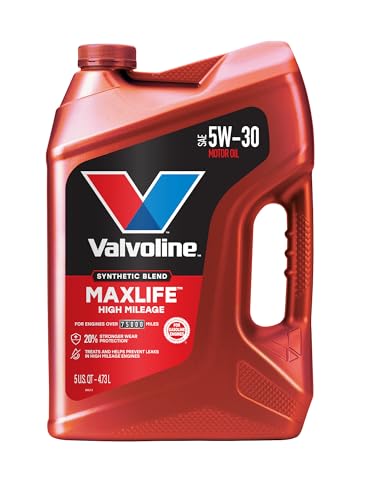
- Formulated for engines with 75,000 miles or more, Valvoline...
- Delivers 20% better wear protection and 15% better sludge...
- Extra detergents safeguard against friction, corrosion and...
- Advanced friction-fighting additives help maximize...
- Provides performance benefits for high mileage, new and...

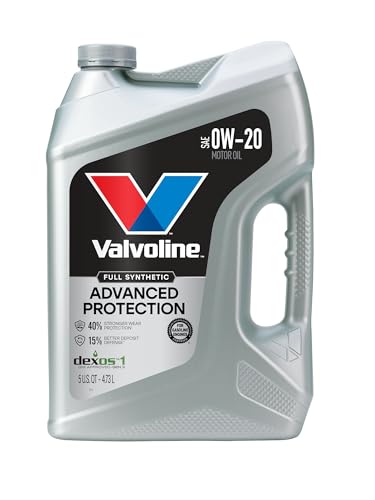
- Advanced protection against the four main causes of engine...
- Delivers 40% stronger wear protection than industry...
- Provides 15% better deposit defense vs. industry standards...
- Up to 2.5X better heat protection vs. industry standards to...
- Engineered for excellent low-temperature flow, reducing...
Last update on 2026-06-12 / Affiliate links / Images from Amazon Product Advertising API
If the PDF is very large, it may not load in the preview below.
Some older TSBs had multiple PDFs — visit the NHTSA Website to view all PDFs.
If the TSB PDF does not show, download or view it on the NHTSA Website.
Click on the (+) Plus Sign
Then Click on Associated Document(s)
Search NHTSA Database for Recalls
Search NHTSA Database for Vehicle Investigations
View Latest Vehicle Investigations
Search NHTSA Database for Vehicle Complaints
View Latest Vehicle Complaints
TSB/Document ID: IK2600284
Replacement Service Bulletin Number:
MFR Communication Date: 2026-01-02
MFR Internal Campaign ID/Software Version:
Communication Type: Service Bulletin/Repair Instructions
NHTSA Components: ENGINE
MFR Component System:
MFR Component Subsystem:
Previous TSB | Next TSB |
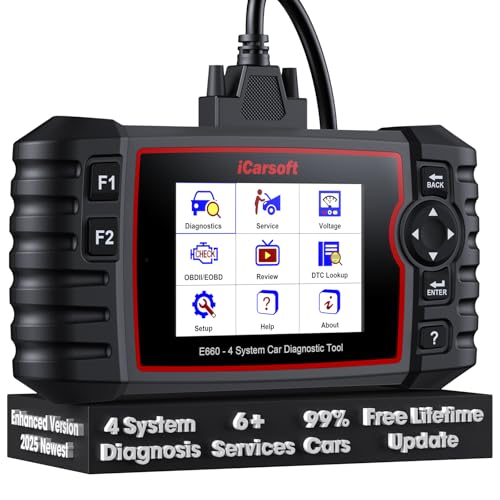
- 【Looking for More Professional Vehicle Scan Tool?】iCarsoft E660 2026 Upgrade Version OBD2 scan tool can do it all-reads and clears trouble codes on Engine system, ABS system, Transmission system and Airbag system, And with 6 reset function. It covers more than 59 vehicle makes from 1996-2023 models ( included most USA/ Asia / EU vehicle brand) with full OBDII. (As every car model has its-owned specific car system and ECUs, not all car models have full car ECUs which may prevent the scanner from performing all listed system diagnostics or reset services. Therefore, please email to us with car VIN and services required to do scanner's services for a compatibility check before purchasing.)
- 【OE-Level 4 Systems OBD2 Scanner】iCarsoft E660 2026 Upgrade Version diagnostic scanner offers comprehensive OBDII services, allowing you to quickly scan Engine system. It supports functions such as reading and erasing codes, checking I/M readiness, viewing freeze frame data, performing O2 sensor tests, conducting on-board monitoring, testing the evap system, auto VIN retrieval, and reading both generic and specific codes, as well as DTCs and battery tests.
- 【4 Systems Diagnosis for 10000+ Vehicles】 iCarsoft E660 2026 Upgrade Version adopts unique diagnostic software, works well for most Porsche
 , Benz, BMW, US Ford, Land Rover, Jaguar, Audi, VW, Volvo, Honda, Nissan, Infiniti, Toyota, Lexus, Scion, Isuzu, Hyundai, Kia, Daewoo, Mazda, Sprinter, Mini, Seat, Skoda, SAAB, EU Ford, Holden, AUS Ford, Acura, Subaru, Mitsubishi, Dacia, Renault, Fiat, GM, Chrysler, Citroen, Peugeot, Opel, Smart,Suzuki, Vauxhall, Alfa-Romeo, Lancia and etc.
 - 【6 Reset Services】iCarsoft E660 2026 Upgrade Version is a diagnostic tool that offers professional maintenance services, including Oil Reset, EPB, BMS, ETC, SAS, TPMS Reset. It can help you easily reset oil change indicators, recalibrate steering angle sensors, relearn replaced electric parking brake and so on. For optimal vehicle performance and maintenance convenience. (Tips: Please update the softwareafter receiving the product to obtain new service functions)
- 【118+ Real Time Record & Live Graph View】iCarsoft E660 2026 Upgrade Version can automatically record vehicle text history and identify vehicle information. Preserve real-time data information. View & Graph Live Data. Support Data Review and Print. 15 languages: English, German, Dutch, Spanish, French and so on. We promise to offer Lifetime updates (Lifetime free Update via PC), and confidence in products. We also provide 1 year warranty + extra lifetime hardware free repair if you need it in the future. We prioritize user experience & strive to meet your expectations. Please do feel free to reach out to us if you have any question or problem about the usage.
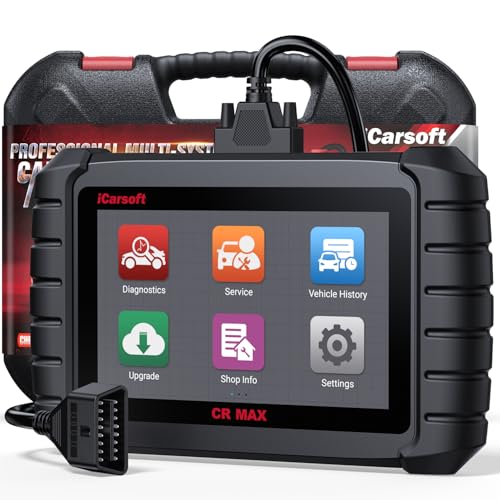
- WHY CHOOSE THE 2025 CR MAX -Upgrade the latest diagnostic capabilities for all vehicles after 1996: upgrade to 49+maintenance services; 46 extra specific functions; real all systems/all control modules diagnose; over 40K+ bidirectional actuation tests for diagnosing all control moduels of cars; Powerful full OBD2 Functions; built-in ECU Coding for BMW/ Audi/ VW/ RollsRoyce; Fr ee V.A.G Guide Function; Battery retistration for new battery adaptation and more. It covers all vehicle diagnostic services and some special professional vehicle maintenance servces, assists you to do home DIY vehicle maintenance or car repair as a pro technician.
- NEWEST IN INNOVATION FULL OBD2 SERVICES- iCarsoft auto car diagnostic scanner compatible with CAN-FD, CR MAX can do it all-reads and clears trouble codes, ALL SYSTEM DIAGNOSIS such as engine, transmission, ABS and airbag etc. CR MAX code reader for all cars can perform I/M Readiness, Live Data, Freeze Frame, Vehicle Information, Monitor Test, On-Board Monitor, E vap System Test,O2 Sensor Test,DTC Library Lookup,etc. (Warm Tips: If you car is after 2023,please contact us for compatibility; 3. It comes with 16PIN OBD2 diagnostic adapter, please check your car diagnostic socket if it is 16pin socket, if your car is 14pin diagnostic socket please contact us for the solution.)
- 49 RESET+ 46 SERVICES- Performs: Oil Reset, EPB,SAS,Throttle, D-P - F, Battery, ABS, Injector, TPMS, Suspension, AC, Head Lamp, Body Stablity, Engine, Tramsmission, Airbag, Seat, Door-Win-Roof, Fuel Pump, Door, E-G- R.+21 NEWEST SERVICES( Need update scanner)-AdBlue, Clutch, Crankshaft, High Voltage Battery, Cruise Control, NO xSensor, Rain Sensor, Stop And Start, Turbocharger, Head Up Display, Radar Camera, Vehicle Setup, Cyliner Misfire Check,Speedlimitassist, ControlUnitReset,OxygenSensor, Seatbelt. Extra 46+ extra services based on car brand.(Tips: Quantity of reset/ calibration fucitons are based on car system that your vehicle model has)
- REVOLUTIONARY 40000+BIDIRECTIONAL ACTIVE TESTS: Upgraded CR Max scanner equip with numberous of actuational test items for covering all available vehicle control modules, no longer only do simple light test or window test like other scanners, performs hardware modules test and software control modules test for checking car units or new updated control moduels work well or not after maintenance/ repair/ re-installation/ control system updated (Example for Benz- Roller Sun Blind test; Backup Camera test ;Self-test; EPB test; Transport Mode test;Boost Pressure Positioner test; Fuel Pump test; AND MORE!!).(Warm tip: The available test items are based on control modules your car has)
- ECU CODING+ BATTERY REGISTRATION- Powerful ECU Coding service for BMW/MINI/RollsRoyce / Audi/VW/Seat/Skoda/Bentley/Bugatti/Lamborghini, Improves Engine Power Performance and Optimizes Fuel Efficiency and Match New Hardware Unit to car and Customized a comfortable Driving Modes and Fixes & Updates Original Software Bug. The battery test function for checking car battery health, perform battery reset (BMS ) for replacing a damaged or aging car battery with a new one and register new battery to car ECU

- 【WHY CHOOSE CR PRO+】COST-EFFECTIVE BIDIRECTIONAL OBD2 SCANNER, COST 80 LESS THAN CR MAX, WITH THE SAME maintenance services as CR MAX, 49 Reset + 46 Brand-Specific services & ECU coding( for AU DI/BM W/ V W ONLY), OEM-level active tesing, multi-systems diagnostic(More than 4 basic systems), powerful full OBD2 functions. 2.0 GHz 4 core CPU, 16GB memory .Warm Tip: Some car models with FCA gateways, causing scanners failed diagnostic, please contact us for additional FCA adapter (please check the details in the following description)
- 【CONTACT US TO CONFIRM 】Few models need a special adapter cable, which will be available soon, please contact us for check if you are the following models: (2018&later) for Chrysler: 300, Great Jetdragon; for Dodge: Challenger, Warhorse, Durango, Cooley, Rams 1500, Rams 2500, Rams 3500, Rams 4500, Rams 5500; for JEEP: Grand Cherokee, Free Man, New Wrangler (JL), Grand Commander. (2019&later) for JEEP: Free Light, Compass. (2020&later)for JEEP: Gladiator. (2018&later) for Alfa Romeo: GIULIA; for Fiat: 500L, 500X, 500, Novo Uno fl, Toro. (2018&later) for Maserati. CONTACTING US FOR FCA GATEWAY ADAPTER.
- 【Bidirectional Test Covers 180,00+ vehicles】The CR Pro+ offers extensive actuator coverage, up to 9981 tests for AUDI A4, 4117 tests for Land Rover, 7092 tests for VW 0B-Magotan, 60776 tests for GM Chevrolet, 24611 for Benz S221, 3744 for Porsche, 114 for BMW. Beyond sending commands to basic control-units like headlights, mirrors, A/C clutches, fans, windows, doors and more, CR Pro+ CR Pro+ perform real-time bidirectional control with deeper ECU access, such as complex sensor or electronic responses or inner unit like fuel pump, injector, ignition coil, main relay, transmission coolant valve to catch potential issues. It enables you quickly locate the faults, avoid needless pa r.t swap.
- 【COST-EFFECTIVE 49 RESET SERVICE】iCarsoft Pro+features all Reset/ Adaptation/ Calibration/ Initialization service including ABS Reset/ Oil Reset/ EPB Reset/ ETC Reset/ INJ Reset/ SAS Reset/ BLD Reset/ BMS Reset/ LAP Reset/ SPS Reset/ TPMS Reset/ACS Reset/ AFS Reset/ FPP Reset/ IDL Reset/ BSC Reset/ Door Reset/ Seat Reset/ TCM Reset/ Service Interval Reset/ Brake Reset/ DWR Reset/ ECM Reset etc. IMPORTANT: CR PRO+ has been upgraded to provides numerous car maintenance functions for maintaining car systems/control units outside the systems corresponding to the above functions (in miscellaneous). NOTE:Above services vary by vehicle models, please contact us for the service list for your cars.
- 【OE MULTI-SYSTEMS DIAGNOSTICS】CR Pro+ can diagnose main vehicle systems like Engine, TCM, ABS, Airbag, Brake, BMS, Battery, windows, etc,AND ALSO diagnose vehicle specific systems like Antenna Module / Communication Control Module/ Parking Lock/Voice Control/ AC Reducing Agent Metering System,etc, helping to detect existing faults and potential faults, giving you complete vehicle health analysis. It displays module Info, real-time data graphs, such as transmission temperature, saves freeze frames to pinpoint intermittent faults. Note: Available systems vary by model. Each car model has unique systems. You can contact us for diagnoseable systems of your vehicle.
Last update on 2026-06-12 / Affiliate links / Images from Amazon Product Advertising API
This product presentation was made with AAWP plugin.