
NHTSA ID Number: 11027444
Manufacturer Communication Number: C2577
TSB/Document Date: 2026-01-07
Summary
This Warranty Field Campaign is being issued to address connectivity module (5615689), wiring harness (5628700) and GPS antenna (5628701)being replaced with a new connectivity module (5661267) and wiring harness (6380022) on certain BES CM2450 EV101B units. The cellular antenna (5628702) is common between the new and old connectivity module, and should be inspected for reuse where appropriate. There is no GPS antenna needed with the new Prox 2 Connectivity Module, and can be discarded. This is an update to the previously submitted communication.
Warranty Field Campaign
Campaign Number: c2577
Revision: F
BES CM2450 EV101B Prox 2 Connectivity Module Update Campaign
Released Date: 18-Dec-2025
Expiration Date (U.S. and Canada): 31-Jul-2026
Expiration Date (International ): 31-Jul-2026
Attention
U.S. / Canadian Distr./Branches and Div. Offices (Automotive)
This is to revise and replace Campaign 2577-E, dated 27-Feb-2025. This revision is to:
1. Extend Expiration Date to 31-Jul-2026.
If additional information is required, please contact your Cummins Warranty Operations Group Leader.
Description
This Campaign is being issued to address connectivity module (5615689), wiring harness (5628700) and GPS antenna (5628701) being replaced with a new connectivity
module (5661267) and wiring harness (6380022) on certain BES CM2450 EV101B units. The cellular antenna (5628702) is common between the new and old
connectivity module, and should be inspected for reuse where appropriate. There is no GPS antenna needed with the new Prox 2 Connectivity Module, and can be
discarded.
Action
In order to qualify for repair under this field action, a drivetrain system:
1. will be covered Regardless of coverage status, and
2. must show as OPEN on QuickServe® Online for this field action.
Note : The SSN list is attached for reference.
After verifying that the engine meets the above requirements, perform the following actions:
Remove Prox 1 and Replace with Prox 2:
1) Verify installed connectivity module. Check if unit has a Prox 1 (5615689) or Prox 2 (5661267) connectivity module.
1a) If a Prox 2 module is installed, no campaign is needed, no further action required. File an Admin ONLY Claim to close the action for the unit.
1b) If a Prox 1 module is installed, continue with campaign as indicated below. Please refer to Attachment B supporting information.
2) Remove the Prox 1 connectivity module. Please refer to the BES CM2450 EV101B Service Suite for detailed instructions.
3) Remove bracket (5615691) from the panel.
4) Mount the Prox 2 connectivity module to the bracket according to instructions in Attachment B.
5) 5. Install the new wiring harness (6380022) and re-connect the cellular antenna (5628702).
6) Record the Prox 2 MAC ID and the bus VIN in the campaign claim.
Verify Connectivity:
1) Ensure SSN/VIN are correct in SCM.
1a) Connect to INSITE and navigate to System ID and Dataplate.
1b) Under Engine Information ensure SSN matches dataplate on HVJB, change value if necessary.
1c) Under Vehicle/OEM Information ensure VIN matches OEM dataplate above driver seat, change value if necessary.
2) Turn on the vehicle for 15 minutes in an area of good cell reception.
3) Search by SSN in pdservice.ev.cummins.com.
Note : This is not a live link, you will need to key the URL into your browser.
4) The vehicle should populate and indicate a Last Sync status of ~1 minute ago.
4a) If a vehicle does not populate, ensure the SSN/VIN are correct in the SCM. If they are, contact connectedsol.support@cummins.com with the Device ID (Number
after the (S) on the box label), SSN, VIN.
4b) If the vehicle does populate and does not indicate a Last Sync status, ensure the cell antenna is securely installed and the green light on the Connectivity Module
is flashing. If so, contact connectedsol.support@cummins.com with the Device ID (Number after the (S) on the box label), SSN, VIN.
Material Disposition
Where applicable, items removed should be returned to ReCon for core credit. Unless otherwise indicated, items with no core liability can be scrapped.
Reimbursements
Parts
The following parts are covered under this field action:
Note : All parts listed are OPTIONAL. Claim only the parts required to complete the repair. Both individual components and the top level assembly
part numbers are listed. The intent of this Campaign is to update the system to the new Prox 2 Connectivity Module and related components. Where
possible and appropriate for the upfit, individual components should be inspected and reused.
PART #
QUANTITY
DESCRIPTION
562870200
1
ANT (OPTIONAL)
566126700
1
MDL,ACS (OPTIONAL)
638002200
1
HAR,WRG (OPTIONAL - REQUIRED FOR UPDATE)
638214000
1
MDL, ACS (OPTIONAL)
Note : SRTs to gain access that are required to complete the repair, that are sufficiently explained in the claim narrative, may also be claimed on this
action.
Note : All SRTs listed are OPTIONAL. Select ONLY the appropriate SRTs for the repair performed. If the Connectivity Module does not need changed,
file an Admin ONLY claim to close the field action.
Labor Using Applicable Access Code and Time
SRT Code
Description
Time (hrs)
00-90X
Administrative time
19-1G4
Connectivity Module - Remove and Install - BES
CM2450 EV101B (OPTIONAL)
99-00A
DRILL HOLES FOR NEW MODULE (QTY 1)
(OPTIONAL)
99-901
FEATURES AND PARAMETERS TRIM UPDATES (QTY
1) (OPTIONAL)
Travel
Travel is covered under this field action. Towing is covered under this field action.
Other Claimables
Consumables are covered under this field action.
Note : Additional parts, such as o-rings, gaskets and fasteners, that are required to complete the repair, but not listed, may be claimed in Other
Claimables. Please consolidate all consumables and claim them as one line item in Other Claimables titled CAMPAIGN SUPPLIES or other
appropriate selections. Please include brief summaries on the details of items claimed. A lack of documentation in the narrative may result in a
reduction in claim reimbursement or claim denial.
Claim Instructions
For Cummins Dealers, claims for this Field Campaign must be filed via RAPIDSERVE™ Web (rsw.cummins.com). For information regarding RAPIDSERVE™ Web, please
reference the "Warranty" tab in QuickServe® Online. If there are additional questions, please contact your local Cummins Distributor.
Claim Codes
Description
Code
Account Code:
65
Pay Code:
North America Distributor = X
Pay Code:
North America Dealer = D
Pay Code:
International Distributor = I
Pay Code:
International Dealer = R
Failure Code:
WDSCMB
Attachments
Click here to see c2577_esn-list.xlsx
(/service/english/attachments/c2577_esn-list.xlsx) Click here to see c2577_prox2_upfit_instructions_attachment-b.pdf
(/service/english/attachments/c2577_prox2_upfit_instructions_attachment-b.pdf)
Engine Family
Fuel System
Design Application
Market Application
Automotive
Bus
Document History
Date
Details
Document Created; 15-Mar-2022
Updated the Action, update Attachment B; 10-May-2022
Date
Details
Updated the Parts List; 19-May-2022
Update the Description, update the Action, update the Parts List, update the SRT list; 07-Mar-2023
Update the Description, update the Reimbursements, update the Parts list; 23-Mar-2023
Reopen the Field Action, extend the expiraiton date; 27-Feb-2025
Extend Expiration Date to 31-Jul-2026; 18-Dec-2025
Last Modified: 18-Dec-2025
Rover Telematics – Saucon Module – Prox2 Production changes
Prox1 5615688 ID21 Manufacturing Assy
5615689
MODULE,WIRELESS
ACCESS ID15-1
Prox2 Components
5661267
MODULE,WIRELESS
ACCESS ID15-1
5615691
BRACKET,MODULE ID10
5628700 HARNESS,WIRING ID15-1
5628701 ANTENNA ID15-1 (gps)
5628702 ANTENNA ID15-1 (cellular)
5661270 HARNESS,WIRING ID15-1
5628702 ANTENNA ID15-1 (cellular)
1
Rover Telematics – Saucon Module – Prox2 UPFIT
Required parts for Prox1 to Prox2 upfit:
5661267
MODULE,WIRELESS
ACCESS
5615691 BRACKET,MODULE
Re-use
5661270 HARNESS,WIRING
5628702 ANTENNA (cellular)
Re-use
2x 16mm long M5 bolt
2
Rover Telematics – Saucon Module – Prox2 UPFIT instructions
1.
Disconnect cellular antenna, but leave installed (will
reconnect and use)
2.
Disconnect & remove jumper harness and GPS antenna.
3.
Remove Prox1 module/bracket from OEM panel; save (4)
OEM screws for re-use.
4.
Remove 4 M4 screws attaching Prox1 to bracket
Prox1
Saucon Prox 1
mounted to bracket
Vertical
Up
OEM Sheet Metal Panel
installed on back wall of cabin
Cummins Confidential
3
Rover Telematics – Saucon Module – Prox2 UPFIT instructions (cont.)
6.
Attach Prox2 module backet using
existing 16mm long M5 bolts
7.
Install Prox2/bracket assembly to OEM panel re-using (2) OEM
screws. Mount the top of the bracket to the bottom OEM panel
holes to shift the bracket down
8.
Re-connect cellular antenna.
9.
Install new jumper harness.
1.8 Nm ± 0.3 Nm
Cummins Confidential
4
Verify Communication
Once the box is replaced:
1.
Ensure SSN/VIN are correct in SCM
•
Connect to INSITE and navigate to System ID and Dataplate
•
Under Engine Information ensure SSN matches dataplate on HVJB, change value if necessary
•
Under Vehicle/OEM Information enusre VIN matches OEM dataplate above driver seat, change value if
necessary
2.
Turn on the vehicle for 15 minutes in an area of good cell reception
3.
Search by ESN in pdservice.ev.cummins.com
4.
The vehicle should populate and indicate a Last Sync status of ~1 minute ago
•
If a vehicle doesn’t populate, ensure the SSN/VIN are correct in the SCM. If they are, contact
connectedsol.support@cummins.com with the Device ID (Number after the (S) on the box label), SSN, VIN.
•
If the vehicle does populate and doesn’t indicate a Last Sync status, ensure the cell antenna is securely
installed and the blue light on the Connectivity Module is flashing. If so, contact
connectedsol.support@cummins.com with the Device ID (Number after the (S) on the box label), SSN, VIN.
5


- Advanced VCI Box, Industry-leading J2534 Pass-Thru...
- High-Speed OEM-Level Diagnostics & Programming: Unlock true...
- Coverage for 17 Car Brands & Ultra Reliability: Works...
- User-Friendly RLink Platform & Expert Support: TOPDON’s...
- 6.6 ft USB-C Cable & Portable Storage Case: The RLink J...
Last update on 2026-06-23 / Affiliate links / Images from Amazon Product Advertising API
If the PDF is very large, it may not load in the preview below.
Some older TSBs had multiple PDFs — visit the NHTSA Website to view all PDFs.
If the TSB PDF does not show, download or view it on the NHTSA Website.
Click on the (+) Plus Sign
Then Click on Associated Document(s)
Search NHTSA Database for Recalls
Search NHTSA Database for Vehicle Investigations
View Latest Vehicle Investigations
Search NHTSA Database for Vehicle Complaints
View Latest Vehicle Complaints
TSB/Document ID: C2577
Replacement Service Bulletin Number:
MFR Communication Date: 2025-12-18
MFR Internal Campaign ID/Software Version: C2577
Communication Type: Service Campaign
NHTSA Components: FUEL/PROPULSION SYSTEM
MFR Component System:
MFR Component Subsystem:
Previous TSB | Next TSB |

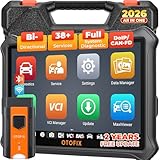
- 🎉[OTOFIX D1 Lite, Perfect Cost-effective Diagnostic Tool]: OTOFIX D1 Lite, a newest bidirectional scan tool from OTOFIX company, is a great choice for DIYers and repair shops. 👉This obd2 scanner diagnostic tool packs all practical functions: OE level all systems diagnoses, Bi-Directional Control, 38+ reset services fixing 99% of common problems, support DoIP & CANDF protocols and FCA
 AutoAuth, high-end hardware configuration. Worldwide vehicles and 🔥2 Years Free Updating🔥 covered.
 - 🎉[Bi-Directional Scan Tool, Active Test]: OTOFIX D1 Lite bluetooth obd2 scanner can also command ECUs and monitor the operation of the actuators to track down the problems of certain parts, like windows, sunroof, wipers, fuel pumps, etc., saving repair time & trouble. This makes OTOFIX D1 Lite the most cost-effective bidirectional scan tool.
- 🎉[2026 Newest, 38+ Hot Reset Functions]: Equipped with 38+ reset functions in one, the OTOFIX D1 lite automotive scanner diagnostic tool allows you to troubleshoot 99% of common vehicle problems. You can use this car diagnostic scanner holding enough functions to easily repair common vehicle models in your repair shops. Including Oil Reset, Injector Coding, Throttle, DPF Reset, SCR Reset, Gear Learning, Clutch Learning, Suspension, etc. Note* Reset functions vary by model.
- 🎉[OE Level Full Systems Diagnostics]: Unlike the 2-system and 4-system diagnostic tools, the OTOFIX auto scan tool can complete comprehensive system diagnostics within 5 minutes. It accesses and scans all available onboard systems like for Engine /AT /ABS /EPB /BMS /TPMS /SRS /SAS /Audio System /BCM /Air Conditioning / etc., to read & clear codes, view live data, and check ECU information. Note: Active test is not involved.
- 🎉[Powerful Hardware Configuration]: Designed with a fashion appearance & a 7” touchscreen and a weight of 463g, this OTOFIX D1 Lite OBD2 diagnostic scanner scan tool is convenient for everywhere and easy to use & store. Android9.0 OS and 2+64GB memory enhance multi-task smoothness and diagnostic operation, no more wasting too much time. 5800mAh battery allows hours-lasting use. WiFi & VCI1 also bring faster communication for your diagnostics.
- 🏆【2026 TOP OBD2 Scanner Diagnostic Tool】OTOFIX D1 Lite wireless obd2 scanner has upgraded hardware configuration and car coverage. The newly upgraded D1 Lite with 🔥OS Android 9.0🔥1.5Ghz 4 core high efficiency processor🔥2GB RAM+64GB ROM large storage🔥5800mAh large battery, more stable and longer lasting diagnostics🔥 38+ Reset🔥action tests🔥full system diagnostic🔥Supports MV105 endoscope🔥21+ Language Supports🔥100000+ vehicle coverage to meet all your daily maintenance needs.
- 👍【Bi-Directional Control / Active Test】D1 Lite obd2 scanner has bidirectional control(worth $300+), which is the most beloved feature among mechanic. If your headlights or car windows are broken, going to a repair shop will cost a lot of money. You can use D1 Lite to send execution commands to the ECU module and identify the repair status. Such as ABS, car windows, doors, valves, wipers, headlights, etc., effectively shorten diagnostic time and reduce diagnostic costs.
- 🔥【All Systems Diagnostics, In-depth Checking】This advanced OBD2 Scanner D1 Lite can perform OE-level diagnosis of all systems including engine, transmission, airbag, ABS, ESP, TPMS, gateway, steering, radio, and air conditioning for more than 100 brands. This diagnostic scanner supports essential functions, such as reading ECU version info, reading and clearing fault codes, and reading data streams.With just a simple click, it provides you with accurate and in-depth diagnostics.
- 🏆【38+ Reset Hot Functions】For repair workshops, holding an OTOFIX D1 Lite Auto scanner is a strong advantage over others. Its 38+ maintenance functions provide various solutions for all module repairs, including Oil Reset, TPMS Reset, Injector Coding, Suspension, Throttle Matching, etc., which will usher your repair business to a new pinnacle. Continuously updating will never make the functionality & compatibility out-of-date.
- 🏆【150+ Models, 10000+ Car Coverage & 16 Languages】D1 Lite is a comprehensive car diagnostic scan tool, help you to troubleshoot car issues fast for 95% US, European, Asian auto makes. ✅ With frequent updates and optimizations allow D1 Lite to cover more vehicles to meet your needs. ✅ Multilingual menu allows auto mechanics around the world to use it without language barriers. 🚩Note: Kindly send us the S/N of the device to authorize new language updates before changing the menu language.

- 2026 Newest Wireless Bluetooth Scan Tool D1: OTOFIX D1 Diagnostic scanner is upgraded version with Enhanced Hardwares & Newest Functions, FASTER and SMARTER! ✅Alternative Bluetooth 5.0 +USB connect✅2G+64GB✅Android 9.0 OS✅5G & 2.4 GHz Dual WiFi✅5800mAh battery👍VAG Guided Function👍ECU Online Coding👍CANFD&DOIP👍40+ Services👍Bi-Directional Control👍Full Systems Diagnose👍2 Years Free Update👍150+ Vehicle Coverage🎁Contact to get gift: otofixaftersales-amz@ outlook.com
- ECU Coding to Unlock the Hidden Features: OTOFIX D1 obd2 scanner diagnostic tool newly adds ECU Coding which can Online Coding(ONLY for VW/Au.di/Sk0da), Variant Coding/Offline Programming, Flash Hidden Functions, Reset Adaptive Data, Match Replaced Components, Customize OE-Settings. Such as: halogen fog lamps retrofitted with xenon fog lamps, different capacity battery retrofit, disbale auto start-stop, sunroof initialization, injector calibration, etc. PS: Coding functions vary by model&year.
- Full Bidirectional Control for Active Car Tests: The D1 OTOFIX scanner also offers bi-directional control, allowing you to perform powerful active tests on car subsystems. This means that you can check the working status and functionality of open & close solenoids, energize injectors, turn cooling fan on & off, and more, all from the device itself.🚩The D1 bi-directional obd2 scanner can quickly help you to check if a system or component goes well,Improving 200% Efficiency.**Note that Active Tests available depend on the make/model/year of your car.
- 40+ Popular Maintenance Functions: OTOFIX D1 obd scanner for car performs 40+ hot services, including Oil Reset, EPB, TPMS, BMS, E.GR, G.PF, D.PF, SAS Calibration, ABS Bleeding, Injector Coding, Gearbox Match, Suspension, Crankshaft Relearn, Power Balance, etc., still growing. Great choice for DIYers, technician, repair shop. 🚩Get MORE special functions from "Car Brand>System>Service". Check compatibility before purchase via 📧 otofixaftersales-amz@ outlook.com.
- OE-Level All Systems Diagnostic + One-Click AutoVIN & AutoSCAN: OTOFIX D1 scanner automotriz gives you the ability to troubleshoot entire car systems including engion system,transmission system,body system,chassis,etc. 🚩One of the standout features of the D1 obd2 scanner diagnostic tool is the one-click AutoVIN & AutoScan function. This feature allows you to quickly and easily scan all diagnosable ECUs with just one click, and identify any problems hidden in your vehicle's systems.
Last update on 2026-06-23 / Affiliate links / Images from Amazon Product Advertising API
This product presentation was made with AAWP plugin.