
NHTSA ID Number: 11027056
Manufacturer Communication Number: 25-BE-025G TSB
TSB/Document Date: 2026-01-06
Summary
Certain vehicles equipped with Premium Gen6 Navigation head units may exhibit issues with Genesis Connected Services, navigation, voice recognition, and Bluetooth functionality. In some cases, the home screen may display applications not intended for the U.S. market. This TSB provides the procedure to update the Premium Gen6 Navigation software to address these conditions.
GROUP
NUMBER
BODY ELECTRICAL
DATE
Technical Service Bulletin
SUBJECT:
25-BE-025G
MODEL(S)
DECEMBER 2025
SEE BELOW
AVN SOFTWARE UPDATE FOR INOPERABLE HEAD UNIT (PGEN6)
Description: Certain vehicles equipped with Premium Gen6 Navigation head units may exhibit issues
with Genesis Connected Services, navigation, voice recognition, and Bluetooth functionality. In some
cases, the home screen may display applications not intended for the U.S. market. This TSB provides
the procedure to update the Premium Gen6 Navigation software to address these conditions.
Applicable Vehicles:
Model Year
Model
2021 - 2024
G80 (RG3)
2023 - 2025
G80 Electrified (RG3 EV)
2022 – 2023, 2025
GV70 (JK1) (VIN starts with “KMU”)
2022 - 2025
GV70 (JK1A) (VIN starts with “5NM”)
2023 - 2025
GV70 Electrified (JK1A EV)
2021 - 2024
GV80 (JX1)
Equipped With
Premium Gen6 Navigation
NOTICE
To avoid any potential damage to Genesis EVs, Genesis EV repairs can only be performed by EV
certified Genesis retailers.
Circulate To: General Manager, Service Manager, Parts Manager, Warranty Manager, Service
Advisors, Technicians, Body Shop Manager, Fleet Repair
SUBJECT:
AVN SOFTWARE UPDATE FOR INOPERABLE HEAD UNIT (PGEN6)
Parts Information: Contact Techline to order the correct USB drive with the corresponding software
update for each vehicle. Give this TSB number to the Techline agent.
•
Techline Contact Information:
Phone: 1-855-240-6401
Hours: Mon-Fri, 5 AM – 5 PM PST
Sat, 6 AM – 3 PM PST
NOTICE
Each USB drive is specific to a VIN, model, and model year. To avoid any potential damage to
other vehicles, do NOT use this USB update on any vehicle other than the one it was ordered for.
Warranty Information:
Model
Op. Code
Operation
Op.
Time
Causal Part
Nature
Code
Cause
Code
Refer to WEBLTS for
AVN Software Update
applicable part to
ALL
96560F21
0.3 M/H
M45
ZZ3
for PGEN6
labor op code
combination
NOTE 1: Normal warranty applies.
NOTE 2: Submit claim on Claim Entry Screen as “Warranty” type.
NOTE 3: This TSB includes repair justification photo(s). Op times include VIN, mileage, and photo
capture of the software update screen as outlined in the Digital Documentation Policy.
NOTE 4: If any part(s) not subject to this TSB are found in need of replacement while performing the
repair procedure, and the affected part(s) are still under warranty, the dealer may submit a separate
claim using the same repair order. If the part(s) not subject to this TSB are out of warranty coverage,
the dealer has the option to submit a PA Request for goodwill consideration on a case-by-case basis.
TSB #: 25-BE-025G
Page 2 of 5
SUBJECT:
AVN SOFTWARE UPDATE FOR INOPERABLE HEAD UNIT (PGEN6)
Service Procedure:
DIGITAL DOCUMENTATION
This TSB includes repair justification photos. Refer to the latest Warranty Digital Documentation
Policy for requirements.
AVN Software Update
1.
Start the engine or place the vehicle in Ready
mode by pushing the Start Stop Button
(SSB).
2.
Confirm whether any of the pages (A) of the
home screen is showing apps NOT intended
for the U.S. market (B), and if communication
features such as Genesis Connected Services
are NOT functioning properly (C).
3.
•
FAIL: If conditions above are present,
proceed to the next step.
•
PASS: If the menu screen is OK, and
communication features operate
normally, the update in this TSB does
NOT apply.
B
A
C
DIGITAL
DOCUMENTATION
Using the STUI camera function, take a
photo of the menu screen showing the
incorrect Apps.
Upload the photo to STUI.
NOTE: If the STUI camera function is
NOT used, write the last 6 digits of the
VIN and date of repair on a piece of
paper to include in the photo.
TSB #: 25-BE-025G
Page 3 of 5
SUBJECT:
4.
AVN SOFTWARE UPDATE FOR INOPERABLE HEAD UNIT (PGEN6)
Insert the applicable USB flash drive into the
USB data port (D).
D
5.
On the update pop-up window (E), select
Update Now and OK.
E
NOTICE
Do NOT turn power OFF or remove the
USB drive during the update. This may
cause data loss or system failure.
Once the update starts, a progress icon (F) will
display in the top right corner. The update will
run in the background and take about
15 minutes.
i
Information
There is no progress bar, but the update
icon will remain until the update is
finished.
6.
F
When the update is finished, the update icon
disappears. Turn ignition OFF and then ON.
TSB #: 25-BE-025G
Page 4 of 5
SUBJECT:
7.
AVN SOFTWARE UPDATE FOR INOPERABLE HEAD UNIT (PGEN6)
Select Install now on the second update
popup window (G). This update will run in the
foreground for about 5 minutes.
G
The head unit will reboot automatically once
this update is finished.
8.
Verify that the menu screen displays apps for
U.S. market, like those shown in the picture to
the right, and that communication features
function normally.
i
Information
The software version does NOT change
for this update.
9.
The service procedure is now complete.
TSB #: 25-BE-025G
Page 5 of 5

- Advanced VCI Box, Industry-leading J2534 Pass-Thru...
- High-Speed OEM-Level Diagnostics & Programming: Unlock true...
- Coverage for 17 Car Brands & Ultra Reliability: Works...
- User-Friendly RLink Platform & Expert Support: TOPDON’s...
- 6.6 ft USB-C Cable & Portable Storage Case: The RLink J...
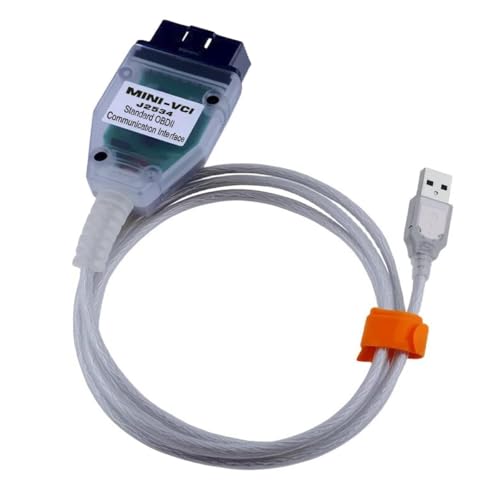
Last update on 2026-06-12 / Affiliate links / Images from Amazon Product Advertising API
If the PDF is very large, it may not load in the preview below.
Some older TSBs had multiple PDFs — visit the NHTSA Website to view all PDFs.
If the TSB PDF does not show, download or view it on the NHTSA Website.
Click on the (+) Plus Sign
Then Click on Associated Document(s)
Search NHTSA Database for Recalls
Search NHTSA Database for Vehicle Investigations
View Latest Vehicle Investigations
Search NHTSA Database for Vehicle Complaints
View Latest Vehicle Complaints
TSB/Document ID: 25-BE-025G TSB
Replacement Service Bulletin Number:
MFR Communication Date: 2025-12-24
MFR Internal Campaign ID/Software Version:
Communication Type: Service Bulletin/Repair Instructions
NHTSA Components: ELECTRICAL SYSTEM
MFR Component System:
MFR Component Subsystem:
Previous TSB | Next TSB |

- Obd2 Bluetooth Scanner Lifetime Update: Ediag Elite offers revolutionary Advantage Lifetime Updates with unlimited access to the superior 15 reset service, bidirectional testing and full system diagnostics.The Ediag Elite is an excellent Bluetooth obd2 scanner diagnostic tool ideal for diy's and private car owners
- Bidirectional Control for Quickly Locating Problems: The Bidirectional Scan tool allows you to send commands directly from your smartphone to your vehicle for active testing. This feature helps to quickly narrow down problems such as air conditioning clutches, windows, doors, sunroofs, etc., reducing diagnostic time for mechanics and helping Diy users locate faults more easily. In addition, Ediag Elite provides fault analysis and repair guidance to help you solve problems efficiently.
- 15 Maintenance Resets: The current version introduces 15 popular special features: Oil Reset, Headlight Matching, Bleeding Reset, TPMS Reset, BMS Reset, Gear Box Relearn, Throttle Learning, Injector Coding, SAS Reset and more special functions in system diagnose menu. These functions make it easy for owners to carry out the necessary maintenance and servicing, ensuring that your vehicle stays in top condition, prolonging its service life and preventing common problems and breakdowns. Note: The Special function vary by model& year, Reach us check compatibility.
- Wide Compatibility CANFD & FCA
 Autoauth: Compatible with GM, Ford, Toyota, Chrysler, Honda, Mazda, Nissan, Mitsubishi, Hyundai, KIA with standard OBD2 port from 1996 to newer. More car brands and features will be released gradually. Newest Ediag Elite scanner supports CANFD Protocol and FCA cars. Note: Coverage may vary on different vehicle by model& year ,Please contact us to confirm compatibility before purchase.
 - Perfect for Monitoring The Health of Your Vehicle: Ediag Elite is designed to make vehicle maintenance simple and efficient. With intelligent AutoVIN quick recognition, it is easy to connect to your car without the need for manual input. Real-time data is visualized in a variety of formats, including graphs, numeric, meter displays and clear 4-in-1 data charts, allowing you to effortlessly monitor real-time data. Data logging/reporting is available for playback and further analysis.
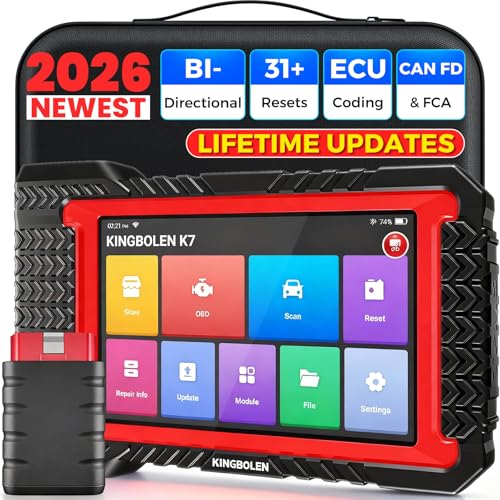
- No Annual Fees & 2026 Upgraded CAN FD: Why pay $199/year or more for updates? The 2026 newest Kingbolen K7 obd2 scanner features have been upgraded to Lifetime Updates without subscription fees, saving you significant costs in the long run. K7 scan tool also adds the CAN FD protocol for the latest GM models (2019+), enabling faster data transfer, reducing the risk of undetected errors
- 2026 Newest Top-tier Car Scanner: Kingbolen K7 diagnostic scan tool is equipped with most capabilities for daily repair/maintenance: Wireless diagnosis via Bluetooth, Bidirectional Test, ECU Online/Offline Code, 31+ Resets, PMI for Ford, Lincoln, Mazda, Global version for 100+ brand vehicles and 17 languages, no area limit, FCA AutoAuth
- OE-Level Full Systems Scan Tool: K7 professional diagnostic scanner with Auto Vin can do one-click to scan ECUs on most of vehicles, like pcm, ecm, eps, bcm, tpms, sas, a/c system... to read/clear code, view live data, freeze frame, read ecu info. 4-in-1 data stream graphics can make data viewing more intuitive. Detailed diagnostic reports will help you easily master the car situation as it can be shared by bluetooth or email! Adding workshop information can help your customers to know more
- Bidirectional Test/Active Test & ECU Code: Stop guessing and start fixing. Bidirectional scan tool Kingbolen K7 can perform real active test that can send commands to the vehicle's ECU to drive the actuators to work, like window, rear mirrors, sunroof, door, solenoids, wipers, headlamp, etc, helping you quickly find out bad parts and pinpoint faulty issues. K7 bidirectional scanner will be a good choice to save money and time on car repairs when performing complex maintenance and repair
- 31 Reset Functions: Avoid expensive dealership visits for simple services. Experience tells us that just a small repair service may cost a lot of money. Kingbolen K7 is a professional diagnostic scanner with 31 common maintenance services like Oil /SAS/EPB/TPMS Reset, Battery Matching, ABS Bleeding, Injector Code, etc. It effectively handles most of the car reset and relearning jobs, perfect for experienced DIYers and mechanics. Note: Functions in the menu vary across vehicles. Kindly check the compatibility before purchase

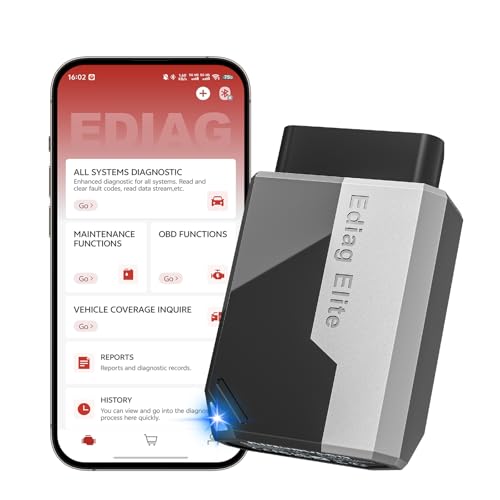
- 【Cost-effective Diagnostic Scan Tool】Lifetime updates without fee, No subscription fee required, No IP restrictions, Ediag Elite bluetooth scanner stands out. It can perform in-depth Full System diagnostics,15+ Reset Services, powerful Active Test, CANFD & FCA AutoAuth. Connect your phone via Bluetooth for diagnosis, providing a faster, smarter and smoother diagnostic experience. Easy to put in pocket, convenient to carry, keep track of the car's status anytime, anywhere. Best bang for your bucks.
- 【15+ Reset Service, Easy Problem Solving】 KINGBOLEN Ediag Elite obd2 scanner diagnostic scan tool comes with 15+ professional reset functions, including: Oil Reset, ABS Bleeding, Injector Code, SAS Reset, TPMS Reset, BMS Reset, AFS Reset, Sunroof Calibration, Brake Reset and more special functions in system diagnose menu. The ideal bluetooth scanner for mechanics and DIY enthusiasts, which can save unnecessary maintenance costs and significantly shorten repair time.
- 【Comprehensive Full Systems Diagnostic】 The Ediag Elite obd2 scanner bluetooth supports full system In-Depth diagnosis. It can read/clear fault codes, read real-time data/freeze frame, module information, and perform testing and reset functions for ECM, BCM, ABS, SRS, TPMS, TCM, BMS, SAS, A/C & RTM systems ect. It works with most car models after 1996, cover more than 150+ car brands. Supports 22 global languages for your convenience(EN, FR, ES, DE, IT, RU, PT, JP, TU...)
- 【Powerful Bidirectional Scan Tool & Active Test】 The obd2 code reader for Ediag Elite can perform real time active test that can send commands to the vehicle’s ECU to drive the actuators to work, such as turn on the radiator fan, modulate the throttle, open/close windows, etc. It can help you quickly find out the bad components and the cause of the fault, which can save you a lot of time. With BT 5.2 wireless connectivity, you can enjoy wireless diagnostics up to 33 feet.
- 【FCA AutoAuth & CANFD Compatibility】 Ediag Elite scan tool offers support with FCA Gateway Access, allowing you to perform protected functions on FCA vehicles, including Chrysler, Dodge, Jeep, Alfa Romeo, Fiat vehicles, etc.(Note:just allows you to access the FCA, but need to have your own FCA account) Supports the CAN-FD protocol, provide high-speed vehicle diagnostic communication and data transfer, working perfectly on GM vehicles produced after 2020, saving $100 to buy a CAN FD adapter.
Last update on 2026-06-12 / Affiliate links / Images from Amazon Product Advertising API
This product presentation was made with AAWP plugin.