
NHTSA ID Number: 11025614
Manufacturer Communication Number: ITS61479
TSB/Document Date: 2025-11-19
Summary
Instructions to rework center drive axle encoder harnesses.
INSTRUCTION TO SERVICE
ITS-61479
10/30/2025
SECTION:
292 - Electrical Harnesses
SUBJECT:
Rework center axle encoder harnesses.
ISSUE:
Encoder harness connector terminals become corroded due to moisture
ingress.
SUMMARY:
Supplier has lengthened the temperature and speed sensor harness to 2.5
meters. Existing harness will be shortened to move connectors to the interior of
the bus.
ITS-61479
Ref. NHTSA Recall No.
Not Applicable
Ref. Transport Canada Recall No.
Not Applicable
THIS ITS DOCUMENT SHOULD BE RETAINED AND REFERRED TO FOR FUTURE MAINTENANCE UNTIL
THE NEW FLYER PARTS AND/OR SERVICE MANUAL IS UPDATED TO REFLECT WORK DONE AS A
RESULT OF THIS DOCUMENT. ENSURE THAT THIS DOCUMENT IS AVAILABLE FOR PARTS AND
MAINTENANCE STAFF GOING FORWARD.
This document and the contents discussed herein are the confidential and proprietary information of New Flyer Industries Canada
ULC and New Flyer of America Inc. and are disclosed by New Flyer in confidence. This document and the contents herein are not
to be disclosed by the intended recipient without the prior written authorization of New Flyer. Any unauthorized disclosure,
reproduction or other distribution of this document or information strictly prohibited and may result in action being taken against
the party making the unauthorized disclosure. This document and all copies hereof must be returned to New Flyer upon request.
INSTRUCTION TO SERVICE
ITS-61479
PROCEDURE:
1. Set the park brake and chock wheels.
2. Set the Master Run Switch to the Stop Engine position.
Caution: Wait two minutes after turning the Master Run Switch to Stop Engine, before turning the
Battery Disconnect switch OFF.
3. Turn the 12/24V battery disconnect switch to the “OFF” position. Lock and tag the switch and retain key.
4. Place the Emergency Power Disconnect switch to the “OFF” position.
NOTE: The Emergency Power Disconnect Switch cannot be locked out but should be switched OFF to
disconnect low voltage power to the High Voltage system.
5. Verify the Low Voltage and High Voltage Systems are disabled. Refer to Section 1.7 “De-Energizing &
Energizing Procedure in the Service Manual or Appendix A in this ITS.
6. Remove both curbside and streetside aisle facing wheelhouse seats by removing the mounting hardware on
floor and rear side of the seat. Set aside for reinstallation later.
Remove Seats
Figure 1: Aisle Facing Wheelhouse Seats
7. Remove lower joint access panels on both curbside and streetside. Set aside panel and hardware.
Remove Panels
Figure 2: Remove Panels
ITS-61479
Page 2 of 12
10/30/2025
INSTRUCTION TO SERVICE
ITS-61479
8. Raise the bus in accordance with the procedures in the Service manual and install jackstands.
NOTE: Rework procedure is assumed to be completed with the center axle removed from the bus.
9. Locate the encoder cable X2 connector in the curbside center axle wheel well.
10. Remove the two tyraps and P-clamps that secure the encoder harness with the cooling hose if still present.
Set aside P-clamps.
Encoder Harness
Tyraps
X2 Connector
P-Clamps
Figure 3: Curbside X2 Connector, Tyraps and P-Clamp locations.
ITS-61479
Page 3 of 12
10/30/2025
INSTRUCTION TO SERVICE
ITS-61479
11. Locate the encoder cable X1 connector. Remove and set aside the four P-clamps that secure the encoder
harness with the cooling hose.
X1 Connector
P-Clamps
Figure 4: Curbside X1 Connector and P-Clamp locations. Exterior Panels are hidden.
12. Cut the existing harness to the same level as the floor support bracket splitting the two cables with about 6” of
cable length each.
Note: Ensure cables remain identified, CTR DRIVE CS-X1 for temperature sensor and CTR DRIVE CSX2 for speed sensor.
Cut existing harness
to this point
Figure 5: Existing Harness Cut Point
ITS-61479
Page 4 of 12
10/30/2025
INSTRUCTION TO SERVICE
ITS-61479
Wire Crimping Instruction
•
Use a well-maintained stripping plier that is suitable for the wire size to be stripped.
o
When Ø over insulation ≤ 2 mm strip to a 4.5 mm length
o
When Ø over insulation > 2 mm strip to a 7 mm length
Figure 6: Recommended Wire Stripping Length
•
Find the pin at the bottom of the turret, and align it with the hole on the retaining ring. Tighten down the
two screws. When doing this procedure, ensure the handle of the crimping tool is in an open position.
Figure 7: Turret Installation
•
Raise the selector setting and align it to #3 as we’re crimping a 20 AWG wire.
Figure 8: Adjusting the Selector Setting
ITS-61479
Page 5 of 12
10/30/2025
INSTRUCTION TO SERVICE
ITS-61479
•
Rotate the turret to the red position, then press on it to lock it in place.
Figure 9: Turret in Lock Position
•
Take the terminal pin and install it on the tool. Install the wire after the pin. Ensure all the strands of the
wire are securely inside the contact barrel.
Figure 10: Insert Terminal Pin and Wire
•
Squeeze pliers until you hear a distinct click. The pliers should spring open when the ratchet mechanism
is released. Check the crimp aspect
Figure 11: Crimping Tool Squeezed
ITS-61479
Page 6 of 12
10/30/2025
INSTRUCTION TO SERVICE
ITS-61479
Insertion Instructions
•
Disassemble and slide connector rear accessory over cables.
•
Using the insertion tool, manually insert the contact into the desired insert cavity.
•
Insert the wires between the plier jaws, the tip of the jaws butting the contact shoulder.
•
Introduce contacts one by one in insert cavities pushing straight in until the contact snaps into position
and the clip ensures contact retention. Ensure filler plugs as used as necessary.
Figure 11: Wire Insertion
ITS-61479
Page 7 of 12
10/30/2025
INSTRUCTION TO SERVICE
ITS-61479
13. Pin the following wires to new supplied X1 connector (NF PN: 585038). Insert cavity plugs (NF PN: 630781)
into cavities except A and B.
Note: Follow Wire Crimping and Insertion Instructions above when loading wires to connector.
a.
Load wire 904HP20#22BK to CTR DRIVE CS-X1 cavity A with terminal (NF PN: 603426).
b.
Load wire 904HP20#22BN to CTR DRIVE CS-X1 cavity B with terminal (NF PN: 603426).
c.
For 904HP20#22DRN, cut wire and leave unterminated.
d.
For 904HP20#22OR, cut shield flush with cable insulation.
e.
For 904HP20#22RD, cut shield flush with cable insulation.
14. Pin the following wires to new supplied X2 connector (NF PN: 585039). Insert cavity plugs (NF PN: 630781)
into cavities except A, B, E and F.
a.
Load wire 904HP20#5BK to CTR DRIVE CS-X2 cavity A with terminal (NF PN: 603426).
b.
Load wire 904HP20#5BN to CTR DRIVE CS-X2 cavity E with terminal (NF PN: 603426).
c.
For 904HP20#5DRN, cut wire and leave unterminated.
d.
Load wire 904HP20#5OR to CTR DRIVE CS-X2 cavity B with terminal (NF PN: 603426).
e.
Load wire 904HP20#5RD to CTR DRIVE CS-X2 cavity F with terminal (NF PN: 603426).
15. Apply loom (NF PN: 795551) on the cables. Apply tape (NF PN: 795551) on junction and on loom as
necessary.
Figure 12: Tape Junction Sample
16. Slide a 2” piece of adhesive heat shrink (NF PN: 136365) to the X1 and X2 cable harness.
17. Shrink the heatshrink on both X1 and X2 cables extending over the back of the connector and wire bundle.
18. Relabel the harness as following using (NF PN: 8112067) at about 2-3” back from the connector body.
Label Note: CTR DRIVE CS-X1 for temperature sensor and CTR DRIVE CS-X2 for speed sensor.
Figure 13: Finished Harness Sample
ITS-61479
Page 8 of 12
10/30/2025
INSTRUCTION TO SERVICE
ITS-61479
19. Connect the new temperature sensor to X1 connector.
20. Connect the new speed sensor to X2 connector.
Note: The new temperature and speed sensors are provided with the reworked AVE130 ZF center axle.
21. Route the new temperature and speed sensor cables along the center axle cooling line which is the same
route as before. Secure new cables using the set aside P-clamps (NF PN: 514099), screw (NF PN:
22S00012) and lock nut (NF PN: 42N00000). As required, coil up excess length of new ZF sensors, See
Figure 14 and 15.
Coil Excess
Length
Secure with
P-Clamps
Figure 14: New Temperature and Speed Sensor Harness Routing on Cooling Line
Figure 15: Coiled Harness Example
ITS-61479
Page 9 of 12
10/30/2025
INSTRUCTION TO SERVICE
ITS-61479
22. Secure harness with the cooling hose connected to the center axle with set aside P-Clamps (NF PN: 514099
& 514101), screw (NF PN: 22S00012) and lock nut (NF PN: 42N00000). The bigger P-clamp (NF PN:
514101) is used on the cooling hose. Use tyraps (NF PN: 5955945) as needed.
Secure with
P-Clamps
Tyraps
Figure 16: New Temperature and Speed Sensor Harness Routing on Cooling Hose
23. Secure the new temperature and speed sensor harness to the cable bracket in orange in Figure 14. Using
cable tie mount (NF PN: 291987), tyrap (NF PN: 5958112) and self-tapping screw (NF PN: 34S00006).
Connect the temperature and speed sensor to the center axle.
Cable bracket
Secure harness
Temperature
sensor
connector
Speed sensor
connector
.
Figure 17: New Temperature and Speed Sensor Harness Routing on Center Axle
ITS-61479
Page 10 of 12
10/30/2025
INSTRUCTION TO SERVICE
ITS-61479
24. Repeat step 9-23 to do the same rework on streetside harness.
25. Remove the jack stands and lower the bus.
26. Reinstall lower joint access panels on both curbside and streetside.
Reinstall
Panels
Figure 18: Reinstall Lower Joint Access Panels
27. Reinstall aisle facing wheelhouse seats using the same hardware. Torque hardware of rear side to 30-35 ftlbs. Torque hardware on the floor to 15-17 ft-lbs. Apply 1 to 2 drops of Loctite-243 as required.
Figure 19: Aisle Facing Wheelhouse Seats
28. Remove all tools and debris from work area to return coach to service.
29. Turn on the 12/24V battery switch.
30. Re-Energize the High Voltage System. Refer to the De-Energizing & Energizing Procedure in Section 9, 1.7
the Service Manual.
ITS-61479
Page 11 of 12
10/30/2025
INSTRUCTION TO SERVICE
ITS-61479
LABOUR ESTIMATE
Operation
1
Rework existing NF center axle encoder cables
Number of
Technician(s)
1
Hours
Labor Time
T X HR
4.0
4.0
PARTS REQUIRED
Qty.
per
Coach
Item
Part Number
Description
Units
1
136365
TUBE-HEAT SHRINK .75 SS
1
FT
2
585038
CONN-6CCT TWR 851
1
EA
3
630781
PLUG-CAVITY SOURIAU 851
6
EA
4
603426
SOCKET- 18-24 AWG 851 SOURIAU
6
EA
5
585039
CONN-6CCT TWR 851
1
EA
6
5955945
TYRAP-14.5 BLACK
12
EA
7
5958112
TYRAP-7.0 BLACK
8
EA
8
795551
LOOM-CONVOL LIGHT WALL 0.39"
1
FT
9
5962260
TAPE-ELECTRICAL, .75 WIDE
1
EA
10
8112067
MARKER-WRITE ON
2
EA
Notes
SPECIAL TOOLS REQUIRED
Qty.
Units
Notes
TOOL-CRIMP WIRE AF8
1
EA
Source Locally
6701656
TOOL-TURRET HEAD AF8
1
EA
Source Locally
3
6701684
TOOL-INSERTION AF8
1
EA
Source Locally
4
6701683
TOOL-EXTRACTION AF8
1
EA
Source Locally
Item
Part Number
1
6701657
2
ITS-61479
Description
Page 12 of 12
10/30/2025

- 💯【Conta.ct us for Support Directly】If you met any...
- 🔥🔥🔥【2026 AUTEL FLAGSHIP MK900BT MK900-BT, NEW...
- 🚗【3000+ ACTIVE TESTS (50➡3000+), SAME AS MS...
- 🚗【40+ HOT SERVICES FOR 150 MAKES (28+➡40+)】Full...
- 🚗【OE ALL SYSTEM DIAGNOSE, AUTO SCAN 2.0: SCAN LICENSE...


- 【TURN OFF CEL】 This AL319 car scanner diagnostic tool...
- 【EXTENSIVE APPLICATION】 Autel AL319 Compatible with...
- 【FOR END USER & DIYERS】 This error code reader AL319 is...
- 【USER-FRIENDLY DESIGN】 This OBD2 scanner and check...
- 【HIGH-QUALITY SERVICES】 12 months war.ranty from the...
If the PDF is very large, it may not load in the preview below.
Some older TSBs had multiple PDFs — visit the NHTSA Website to view all PDFs.
If the TSB PDF does not show, download or view it on the NHTSA Website.
Click on the (+) Plus Sign
Then Click on Associated Document(s)
Search NHTSA Database for Recalls
Search NHTSA Database for Vehicle Investigations
View Latest Vehicle Investigations
Search NHTSA Database for Vehicle Complaints
View Latest Vehicle Complaints
TSB/Document ID: ITS61479
Replacement Service Bulletin Number:
MFR Communication Date: 2025-11-05
MFR Internal Campaign ID/Software Version:
Communication Type: Service Bulletin/Repair Instructions
NHTSA Components: POWER TRAIN
MFR Component System:
MFR Component Subsystem:
Previous TSB | Next TSB |
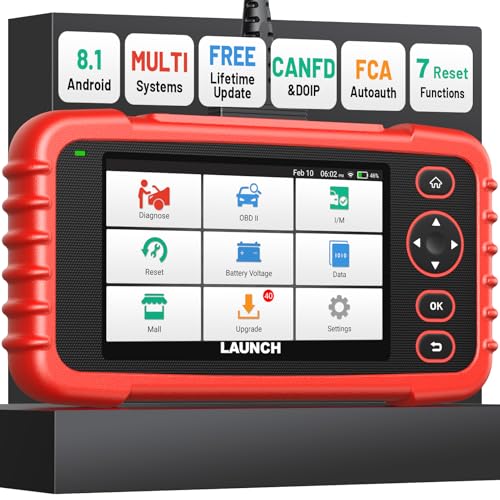
- [Newly Added in 2026: 7 Reset Functions] The 2026 new version of the OBD2 scanner diagnostic tool CRP123X V3.0 Elite has new special functions for F.REE: Throttle Ad.aptation, Oil/SAS/BMS/Brake Reset, D-P.F Re.generation and ABS Service. Before you visit a mechanic, launch obd2 Scanner CRP123X Elite can perform a more in-depth diagnosis of the car system and provide accurate data within minutes. What's more, the list of compatible models has been expanded. Upgrading frequency is regular, occurring monthly even weekly.
- 🔥[FCA AutoAuth + CAN FD & DoIP] As an upgraded version of the LAUNCH CRP123X/CRP129X, FOXWELL NT614, and ANCEL FX2000, The Newest LAUNCH CRP123X V3.0 auto diagnostic scanner supports the following new protocols: CAN-FD for 2020 and newer G.M and Chrysler
 models, as well as DoIP for V.olvo, Land Rover/Jaguar, and B.MW F/G chassis. With integrated AutoAuth, you can diagnose 2018 and newer FCA cars equipped with S.GW. Note: CAN-FD and DoIP protocols require an additional obd2 cable. *Menus vary by make, model, and year of gasoline or diesel engine vehicle. Email us your VIN data.
 - 🔥[No extra software fee. Works on 90 vehicle brands.] Most OBD2 scanners work with vehicles manufactured after 2001. However, the LUNCH OBD2 scanner is compatible with OBDII-equipped vehicles built after 1996 and works with more than 90 vehicle brands. One-click lifetime updates over WIFI 2.4&5.0Ghz keep the car software current and ensure constant coverage additions, diagnose vehicles from 1996 to 2026 with a massive global database. Android 8.1 ensures lightning-fast boot-up and processing.
- [Accurate & Intuitive Multi System Diagnosis] Will you be confused about what happens when the warning light of transmission, ABS, and SRS Airbag check engine flashes? Launch obd2 scanner diagnostic tool CRP123X V3.0 to pinpoint the problem components for a faster diagnosis for your car instead of taking your car to the dealership. Generate vehicle health reports with one click and share them via email over Wi-Fi to help avoid blind maintenance. And will turn off the warning light for you after fixing the problem, make to know more about your cars and do your own repair.
- [Multiple Display of Live Data + DTC Code Definition Explanation] Launch car tools show real-time data of oil temp, pressure, transmission temp, engine speed, coolant temperature, you will know which car part is abnormal. Data can be shown in a single, multi- graph, and merge two graphs for analysis(or 4-in-1 merged waveform graph),you can save, share, print, or email the overall inspection report for easier analysis.🔥Code Search,DTC Library provide massive information. Inbuilt “Feedback” module provides customized repair suggestions from our certified professionals.
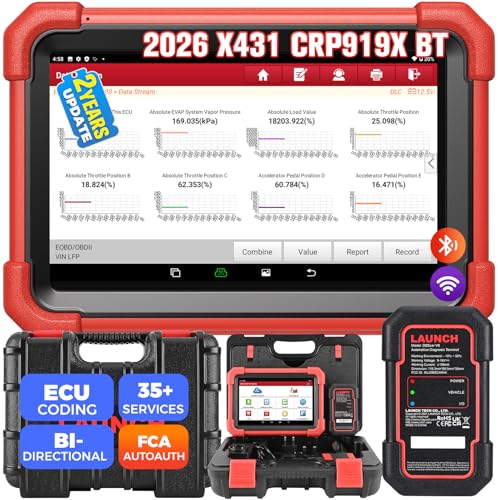
- 【2026 Most-cost-effective LAUNCH Scanner】 LAUNCH X431 CRP919XBT, upgraded from CRP919X, includes a VCI for wireless data transmission (3Mbps max). ✅HARDWARE: MTK's chip + doubled memory & battery capacity ensure 5X faster & smoother navigation than OBD2 scanner diagnostic tools in the same category. ✅SOFTWARE: Its productive features (same as LAUNCH X431 scanners), 99% car coverage, more-frequent software renewals, field-tested accurate database, are superior to most competitors on market.
- 【FCA AutoAuth + CANFD&DOIP】 LAUNCH X431 CRP919XBT uses a newly-developed wireless connector “DBSCar VII VCI” instead of a connection cable. You can be at workbench or any location around vehicle while running diagnostics. ✅With this VCI, this OBD2 scanner supports new protocols of tomorrow: CANFD for 2020-now GM&Chrysler Models; DoIP for Volvo, Land Rover/Jaguar, BMW F/G Chassis. ✅And with integrated AutoAuth, you can diagnose 2018+ FCA SGW-equipped cars without separate adapters.
- 【ECU Coding & 35+ Reset Services】 For just 500 bucks you’ll get fully-featured ECU coding & resets/relearns from LAUNCH X431 CRP919XBT. 👍Online Code for VW/Audi/Skoda/Ford/Lincoln/Mazda; 👍Open/close hidden functions; 👍Personalized modifications/changeover; 👍Shortcut to 35+ special functions like “Oil Reset/Brake Reset/Throttle Adaptation” etc., to quickly meet your daily repair needs. 🚩100+ more resets/relearns are under “car brand – system” waiting to explore.
- 【All Brands All System Scan】 With a market focus, LAUNCH X431 CRP919XBT boasts a complete filed-tested database for your deeper dive into car's health to handle more complex repairs. Back up by leading LAUNCH technology, you can do all system coding/scans/read&clear codes/bidirectional control/resets covering 99% cars, unlike many scanners for cars on market (x-tool) with fake advertisement claiming to “do it all” but in reality, they ONLY work for certain cars with limited services.
- 【Bi-directional Control】This LAUNCH bidirectional scan tool CRP919XBT allows technicians to command specific vehicle components (like solenoids, relays) to monitor real-time working status, without using the vehicle controls. Achieve fast, accurate diagnostics and take control like never before. Turn on the radiator fan, modulate the throttle, open or close windows, operate mirrors, Injector Buz Test, turn on interior and exterior lights, sound horn, etc.
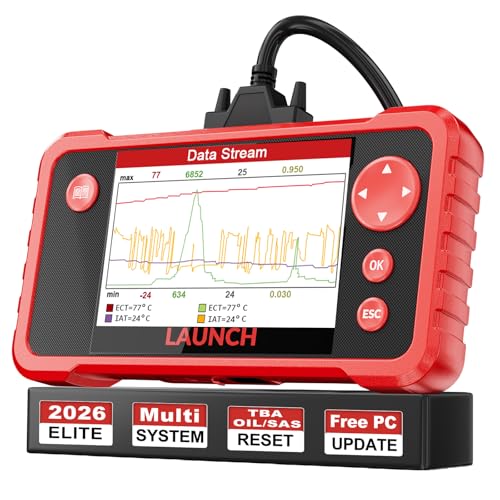
- 【Great Ideal For Every Car Owner】Prefect choice for your father, husband, brother or boyfriend. EVERY CAR OWNER WILL NEED IT! Also, the lifetime update is provided for more vehicle coverage, bug fixes. SAVE AT LEAST $1000+ PER YEAR!Get LAUNCH CRP123 V2.0 car diagnostic scanner and give your lover a surprise!*R each us to Get the Extra Gifts :Protective Case Storage Bag.
- 【Newly Added 3 Reset Functions】CRP123 V2.0 obd2 scanner with upgrades it offers Throttle Adaptation,Oil Reset and SAS Reset functions for FREE now!! Optimize your engine performance with Throttle Adaptation, reset your oil life system with ease to save time and money on maintenance, and enhance your vehicle's handling and safety with SAS Reset.Covering more daily repairs,become the most cost-effective product in its price range,save your time and money!
- 【 Read & Clear/Reset Engine/ABS/SRS/Transmission Diagnostic Scan Tool 】LAUNCH CRP123 V2.0 OBD2 Scanner can test Engine, Transmission, ABS and Airbag four systems, also reads and resets code, displays data stream graphic, stores and playbacks dynamic data stream,helps to quick analysis and diagnosis.
- 【 Error Fault Code Reader】Except the full 10 modes OBD2 diagnostic functions like, retrieving I/M readiness, Freeze Frame Data, Read Dynamic Data stream and Vehicle Information, O2 Sensor Test, EVAP Test of Fuel Tank System (Mode 8) and Advanced On-board Monitoring (Mode 6), launch crp123 v2.0 obd2 scanner can not only reveal what error codes your car is producing, but also erase your vehicle’s check engine light after problem fixed, the DTC help and explanation also tell you the exact problem.
- 【 Live Data Graphing + Read/Record/Playback Data stream + Print diagnostic data 】Live Data Graphing,more intuitive to know your vehicle’s problem.4 inches Screen Screen ;Print Function:Print the diagnose result easily; with user manual and register & update tutorial video uploaded in the link by us,you can Look up it anytime by ONE-CLICK.
Last update on 2026-06-10 / Affiliate links / Images from Amazon Product Advertising API
This product presentation was made with AAWP plugin.