
NHTSA ID Number: 11023503
Manufacturer Communication Number: WRI-22R
TSB/Document Date: 2025-10-02
Summary
In the interest of customer satisfaction, Subaru of America, Inc. (Subaru) is initiating this service program for certain 2023 model year Legacy and Outback vehicles equipped with STARLINK® InVehicle Technology.
If the PDF is very large, it may not load in the preview below.
Some older TSBs had multiple PDFs — visit the NHTSA Website to view all PDFs.
If the TSB PDF does not show, download or view it on the NHTSA Website.
Click on the (+) Plus Sign
Then Click on Associated Document(s)


- Advanced VCI Box, Industry-leading J2534 Pass-Thru...
- High-Speed OEM-Level Diagnostics & Programming: Unlock true...
- Coverage for 17 Car Brands & Ultra Reliability: Works...
- User-Friendly RLink Platform & Expert Support: TOPDON’s...
- 6.6 ft USB-C Cable & Portable Storage Case: The RLink J...
This product presentation was made with AAWP plugin.
Search NHTSA Database for Recalls
Search NHTSA Database for Vehicle Investigations
View Latest Vehicle Investigations
Search NHTSA Database for Vehicle Complaints
View Latest Vehicle Complaints
TSB/Document ID: WRI-22R
Replacement Service Bulletin Number:
MFR Communication Date: 2025-09-09
MFR Internal Campaign ID/Software Version:
Communication Type: Service Bulletin/Repair Instructions
NHTSA Components: ELECTRICAL SYSTEM
MFR Component System:
MFR Component Subsystem:
Previous TSB | Next TSB |
ATTENTION:
GENERAL MANAGER
q
PARTS MANAGER
q
CLAIMS PERSONNEL
q
IMPORTANT - All
Service Personnel
Should Read and
Initial in the boxes
provided, right.
SERVICE MANAGER
q
© 2022 Subaru of America, Inc. All rights reserved.
SERVICE PROGRAM BULLETIN
APPLICABILITY:
SUBJECT:
2023 MY Legacy
2023 MY Outback
NUMBER: WRI-22R
DATE:
10/19/22
Telematics DCM Replacement
REVISED:
09/09/25
In the interest of customer satisfaction, Subaru of America, Inc. (Subaru) is initiating this service
program for certain 2023 model year Legacy and Outback vehicles equipped with STARLINK® InVehicle Technology.
REASON FOR THIS SERVICE PROGRAM
The APN (Access Point Name) profile within the telematics data communications module (DCM)
software is not applicable for U.S. vehicles. When the DCM cannot connect to the 4G VoLTE
network for in-vehicle voice calls, the DCM tries to connect to the 3G network. As a result, since the
3G network is no longer available in the U.S., the attempted call will fail.
In-vehicle voice calling includes Automatic Collision Notification (ACN), SOS Emergency
Assistance, and Enhanced Roadside Assistance.
DESCRIPTION OF THE REPAIR
Subaru retailers will replace the telematics DCM at no cost to the customer.
AFFECTED VEHICLES
The number of U.S. vehicles included in this service program is 21,763.
Model Year
Carlines
Production date range
2023
Legacy and Outback
July 22, 2022 – September 29, 2022
Not all vehicles in the production date range listed above may be included in this service program.
Coverage for all affected vehicles must be confirmed by using the Vehicle Coverage Inquiry function
on subarunet.com.
CAUTION: VEHICLE SERVICING PERFORMED BY UNTRAINED PERSONS COULD
RESULT IN SERIOUS INJURY TO THOSE PERSONS OR TO OTHERS.
Subaru Service Bulletins are intended for use by professional technicians ONLY. They
are written to inform those technicians of conditions that may occur in some vehicles,
or to provide information that could assist in the proper servicing of the vehicle. Properly
trained technicians have the equipment, tools, safety instructions, and know-how to
do the job correctly and safely. If a condition is described, DO NOT assume that this
Service Bulletin applies to your vehicle, or that your vehicle will have that condition.
Subaru of America, Inc. is
ISO 14001 Compliant
ISO 14001 is the international standard for
excellence in Environmental Management
Systems. Please recycle or dispose of
automotive products in a manner that is friendly
to our environment and in accordance with all
local, state and federal laws and regulations.
Continued...
Bulletin Number: WRI-22R; Revised: 09/09/24
Page 1 of 13
RETAILER RESPONSIBILITY
Any vehicles listed in any recall or campaign that are in retailer stock must be:
•
Immediately identified
•
Tagged or otherwise marked to prevent their delivery or use prior to repair
•
Repaired in accordance with the repair procedures outlined in the bulletin
Retailers are to promptly perform the applicable service procedures, to correct all affected vehicles in
their inventory (new, used, demo & SSLP). Additionally, whenever a vehicle subject to this service
program is taken into inventory or in for service, necessary steps should be taken to ensure the repair
has been made before selling or releasing the vehicle.
OWNER NOTIFICATION
Owners will be notified by first class mail. Retailers will be advised when owner notification is
scheduled.
PART INFORMATION:
Part Description
Part Number
Application
Data Control Module (for Standard Audio)
86229AN30B
NOT Limited or Touring
Data Control Module (for Harman Kardon Premium Audio)
86229AN31B
Limited & Touring Only
NOTE: The backup battery is NOT included with the modules listed above. The backup battery must
be transferred from the old module to the new module.
SERVICE PROCEDURE / INFORMATION:
DCM REPLACEMENT PROCEDURE:
STEP 1: Apply the parking brake
STEP 2: Refer to the applicable Service Manual and review: General Description > Repair Contents
> Action required before & after Battery Disconnect. Additionally, record any stored seat position(s)
before proceeding. Relearn any seat position memory after work is complete. If the power rear gate
(PRG) height has been customized, that position must also be noted and relearned. CAREFULLY
disconnect the ground terminal from the battery sensor. Once disconnected, wait at least 60 seconds
before starting any further procedures.
NOTE: A suitable plastic trim tool will be required for the following procedures.
Continued...
Bulletin Number: WRI-22R; Revised: 09/09/24
Page 2 of 13
STEP 3: Release the four mounting clips securing the driver side instrument panel side cover. Once
released, remove the cover.
NOTE: If a GREEN sticker is present, STOP. This vehicle has the latest DCM, and is not affected by
the WRI-22 service program.
STEP 4: Release the three mounting clips securing the driver side front under cover. Once released,
remove the cover.
STEP 5: Remove the two mounting screws securing the lower driver cover. Once removed, pull the
cover in a straight direction toward the rear of the vehicle to release the mounting clips.
Continued...
Bulletin Number: WRI-22R; Revised: 09/09/24
Page 3 of 13
CAUTION: When removing the lower driver cover, ALWAYS pull the cover in a straight
direction. Pulling in a lateral or upward direction may cause damage to the lower driver cover.
CAREFULLY disconnect all electrical connections. Remove the lower driver cover from the vehicle.
STEP 6: Release the steering column lock, adjust the steering wheel to the lowest level and pull it
outward to its full extent. Lock the steering in this position. Using a small screwdriver, remove the
two mounting screws for the combination meter trim panel. Release the four mounting clips securing
the panel. The panel can then be removed.
STEP 7: Release the 7 mounting clips form the driver monitoring unit. Once released, pull the unit
toward the rear of the vehicle in a straight direction. Release the electrical connection and remove the
unit from the vehicle.
Continued...
Bulletin Number: WRI-22R; Revised: 09/09/24
Page 4 of 13
STEP 8: Remove the rubber grip mat from the center tray. Using a screwdriver or suitable tool,
release the shift lock and shift the lever into the neutral position.
STEP 9: Detach clamp (A) from the shift knob. Release clip (B) from the shift knob and remove
the knob from the lever. ALWAYS maintain proper shift rod alignment when reinstalling (detailed
information can be found in the September 2021 TechTIPS article).
STEP 10: Release the center console cover mounting clips and remove the cover with the shift boot/
bezel attached.
Continued...
Bulletin Number: WRI-22R; Revised: 09/09/24
Page 5 of 13
STEP 11: Release the mid passenger ornament panel mounting clips and remove the panel.
NOTE: Vehicles equipped with push button start will require the push button ignition switch to be
disconnected prior to removal.
STEP 12: Remove the four screws securing the Center Information Display (CID) assembly. Release
the mounting clips and CAREFULLY pull the assembly out far enough to disconnect the electrical
connections. Once all the connectors are disconnected, the CID assembly can be removed. Use
caution when handling, the display can be easily scratched.
STEP 13: Place the CID assembly on a secure flat surface. Disconnect the Data Communication
Module (DCM) cable.
Continued...
Bulletin Number: WRI-22R; Revised: 09/09/24
Page 6 of 13
STEP 14: Remove the four DCM mounting screws located on the left and right side. The DCM can
then be removed.
CAUTION: DO NOT apply any impact to the CID assembly or DCM during this process.
NOTE: If a GREEN sticker is present, STOP. This vehicle has the latest DCM, and is not affected by
the WRI-22 service program.
STEP 15: Read and record the serial number of the replacement DCM. Replace the DCM. Reinstall
all parts in the reverse order of removal.
IMPORTANT NOTE: Whenever reconnecting the ground cable terminal to the battery sensor,
torque to 7.5Nm (5.5ft.-lbs. or 66inch-lbs.) while supporting the sensor with the other hand as
outlined in the applicable Service Manual under: STARTING/CHARGING SYSTSEMS > Battery
Sensor.
Continued...
Bulletin Number: WRI-22R; Revised: 09/09/24
Page 7 of 13
STEP 16: Perform Telematics Control Module registration of the immobilizer as per TSB 15-24619R.
NOTE: Type G = Key Start models. Type H = Keyless Access with Push Button Start models.
STEP 17: Perform the “Comm Check” procedure and confirm the LED illumination status.
A. Disconnect Subaru Select Monitor (SSM) if connected to the vehicle.
B. Press and hold the i-button for two seconds.
C. Confirm the LED located on the telematics i-button illuminates and observe the result.
NOTE: When the subscription is complete, the telematics system will automatically activate during
the “Comm Check.” The LED blinks GREEN & RED alternately during activation. When finished
the LED will display one of the five results shown below.
D. After reconnecting the Subaru Select Monitor (SSM), read the “Subscription Status” data
monitor item in the Telematics system. Verify the stored VIN. Verify the subscription
displays “Subscribed” or “Unsubscribed.” Verify the PID matches the results of the initial
“Comm Check.”
Continued...
Bulletin Number: WRI-22R; Revised: 09/09/24
Page 8 of 13
CAUTION: In rare cases, the data monitor item may display “Comm Check” or “Factory Mode.”
This indicates the initial “Comm Check” procedure was unsuccessful. Check the radio wave
environment and confirm no DTCs have been stored within the telematics system. Turn the ignition
switch to the “OFF” position and confirm the LED turns off. Restart the “Comm Check” procedure
and continue.
After successful completion of the “Comm Check” procedure, continue to the following applicable
Repair Confirmation Processes.
REPAIR CONFIRMATION PROCEDURES:
Repair Confirmation Process for the i-Button on vehicles subscribed to STARLINK® Safety
Plus.
NOTE: Always confirm the vehicle is subscribed to STARLINK® Safety Plus or higher. This can be
confirmed by the customer or by a STARLINK® Call Center Operator.
1. Confirm all electrical accessories, headlamps, HVAC, etc. are in the off position.
2. Confirm the gear selector is in the “Park” position. Apply the Electronic Parking Brake (EPB).
3. Switch the ignition switch to the “ON” position (engine off).
4. Confirm all doors (including the rear gate if equipped) are closed and locked.
5. Press the i-button and wait for the STARLINK® Operator to respond. Verify your retailer
credentials and inform the Operator of test work being performed on the telematics system.
6. Request the Operator to report the last 8 characters of the VIN along with the vehicle location.
Verify the information given is accurate.
Repair Confirmation Process for the Remote Service Operation on vehicles subscribed to
STARTLINK® Safety Plus and Security Plus.
NOTE: Always confirm the vehicle is equipped with a Gen 2 head unit and is subscribed to
STARLINK® Security Plus. This can be confirmed by the customer or by a STARLINK® Safety
Call Center Operator.
1. Confirm all electrical accessories, headlamps, HVAC, etc. are in the off position.
2. Confirm the gear selector is in the “Park” position. Apply the Electronic Parking Brake (EPB).
3. Switch the ignition switch to the “ON” position (engine off).
4. Confirm all doors (including the rear gate if equipped) are closed and locked.
5. Press the i-button and wait for the STARLINK® Operator to respond. Verify your retailer
credentials, the last 8 characters of the VIN, and the vehicle location.
6. Request and test remote door unlock command to be sent to the vehicle and verify the successful
or unsuccessful result of this request.
Continued...
Bulletin Number: WRI-22R; Revised: 09/09/24
Page 9 of 13
Repair Confirmation of DCM replacement for vehicles without STARLINK® subscription.
1. Verify both SOS LEDs are NOT illuminated.
2. Using SSM, read the data monitors of the Telematics System.
3. Using Subaru Select Monitor (SSM), read the “Subscription Status” and the “Stored VIN”
data monitor items in the Telematics system. Verify the subscription displays “Unsubscribed”
and the VIN is correct.
CLAIM REIMBURSEMENT AND ENTRY PROCEDURES:
Credit to perform this recall will be based on properly completed repair order information. Retailers
may submit claims through Subarunet.com.
Labor Description
Labor Operation #
Labor Time
Fail Code
DCM Replacement R&R
A065-000
0.7*
WRI-22
NOTE: The serial number of the replacement DCM must be noted on the repair order as this
information is required for entry in the Miscellaneous Detail field during claim submission.
IMPORTANT REMINDERS:
•
SOA strongly discourages the printing and/or local storage of service information as
previously released information and electronic publications may be updated at any time.
•
Always check for any open recalls or campaigns anytime a vehicle is in for servicing.
•
Always refer to STIS for the latest service information before performing any repairs.
Continued...
Bulletin Number: WRI-22R; Revised: 09/09/24
Page 10 of 13
Appendix
Normal Conditions:
Malfunctioning Condition:
Bulletin Number: WRI-22R; Revised: 09/09/24
Page 11 of 13
This notice applies to the VIN identified in
the address section printed below
Subaru of America, Inc
PO Box 9103
Camden, NJ 08101-9877
844-373-6614
www.subaru.com
Subaru Service Program WRI-22
December 2022
Dear Subaru Owner:
We would like to thank you for your selection of a Subaru vehicle. We take pride in our
products and are committed to your continued satisfaction.
Subaru of America, Inc. (Subaru) is initiating a service program for certain 2023 model year
Legacy and Outback vehicles equipped with SUBARU STARLINK In-Vehicle Technology.
You have received this notice because our records indicate that you currently own one of
these vehicles.
REASON FOR THIS SERVICE PROGRAM
The telematics data communications module (DCM) in your vehicle may have an incorrect
Access Point Name (APN) profile. When the DCM cannot connect to the 4G network for
in-vehicle voice calls, the APN tries to connect to the 3G network. As a result, since the 3G
network is no longer available in the U.S., the attempted call will fail. In-vehicle voice calling
includes Automatic Collision Notification, SOS Emergency Assistance, and Enhanced
Roadside Assistance.
REPAIR
Your Subaru retailer (dealer) will replace the telematics DCM in your vehicle at no cost to
you.
WHAT YOU SHOULD DO
Please contact your Subaru retailer for an appointment to have this repair performed.
HOW LONG WILL THE REPAIR TAKE?
The time to replace the DCM is less than 40 minutes. Your retailer can provide you with a
better estimate of the overall time for this service visit, as it may be necessary to make your
vehicle available for a longer period of time for scheduling purposes.
CHANGED YOUR ADDRESS OR SOLD YOUR SUBARU?
If you have moved or sold your vehicle, please go to https://www.subaru.com/support/
customer-support.html to send us your information.
IF YOU NEED FURTHER ASSISTANCE:
To locate the nearest Subaru retailer, you can access our website at www.subaru.com and
select ‘Find a Retailer.’
For additional information, please go to: http://www.wri22.service-campaign.com.
If you need additional assistance, please contact us directly:
•
By e-mail: Go to https://www.subaru.com/subaru-email-us.html
•
By telephone: 1-844-373-6614
Monday through Friday between 8:00 a.m. and 7:00 p.m. ET
•
By U.S. Postal mail: Write us at Subaru of America, Inc.,
Attn: Customer Advocacy Department,
P.O. Box 9103, Camden, NJ 08101-9877
Please contact us immediately if the Subaru retailer fails or is unable to make the necessary
repairs free of charge.
Your continued satisfaction with your Subaru is important to us. Please understand that
we have taken this action in the interest of your vehicle’s proper operation. We sincerely
apologize for any inconvenience this matter may cause and urge you to schedule an
appointment as soon as possible to have this repair performed.
Sincerely,
Subaru of America, Inc.
A subsidiary of SUBARU CORPORATION
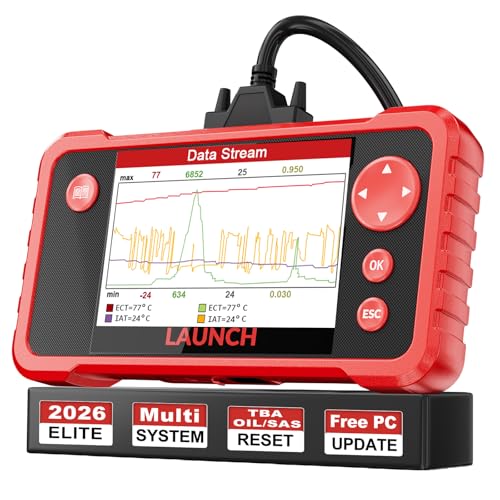
- 【Great Ideal For Every Car Owner】Prefect choice for your father, husband, brother or boyfriend. EVERY CAR OWNER WILL NEED IT! Also, the lifetime update is provided for more vehicle coverage, bug fixes. SAVE AT LEAST $1000+ PER YEAR!Get LAUNCH CRP123 V2.0 car diagnostic scanner and give your lover a surprise!*R each us to Get the Extra Gifts :Protective Case Storage Bag.
- 【Newly Added 3 Reset Functions】CRP123 V2.0 obd2 scanner with upgrades it offers Throttle Adaptation,Oil Reset and SAS Reset functions for FREE now!! Optimize your engine performance with Throttle Adaptation, reset your oil life system with ease to save time and money on maintenance, and enhance your vehicle's handling and safety with SAS Reset.Covering more daily repairs,become the most cost-effective product in its price range,save your time and money!
- 【 Read & Clear/Reset Engine/ABS/SRS/Transmission Diagnostic Scan Tool 】LAUNCH CRP123 V2.0 OBD2 Scanner can test Engine, Transmission, ABS and Airbag four systems, also reads and resets code, displays data stream graphic, stores and playbacks dynamic data stream,helps to quick analysis and diagnosis.
- 【 Error Fault Code Reader】Except the full 10 modes OBD2 diagnostic functions like, retrieving I/M readiness, Freeze Frame Data, Read Dynamic Data stream and Vehicle Information, O2 Sensor Test, EVAP Test of Fuel Tank System (Mode 8) and Advanced On-board Monitoring (Mode 6), launch crp123 v2.0 obd2 scanner can not only reveal what error codes your car is producing, but also erase your vehicle’s check engine light after problem fixed, the DTC help and explanation also tell you the exact problem.
- 【 Live Data Graphing + Read/Record/Playback Data stream + Print diagnostic data 】Live Data Graphing,more intuitive to know your vehicle’s problem.4 inches Screen Screen ;Print Function:Print the diagnose result easily; with user manual and register & update tutorial video uploaded in the link by us,you can Look up it anytime by ONE-CLICK.

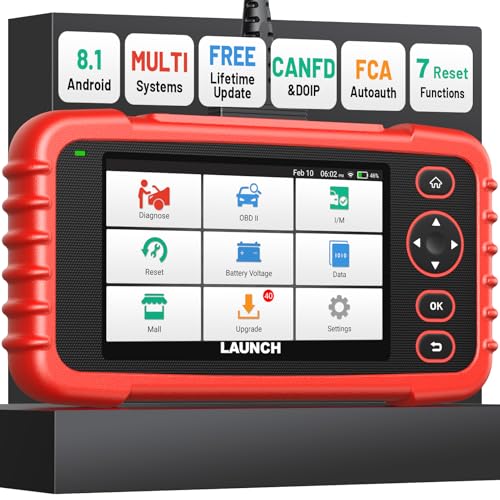
- [Newly Added in 2026: 7 Reset Functions] The 2026 new version of the OBD2 scanner diagnostic tool CRP123X V3.0 Elite has new special functions for F.REE: Throttle Ad.aptation, Oil/SAS/BMS/Brake Reset, D-P.F Re.generation and ABS Service. Before you visit a mechanic, launch obd2 Scanner CRP123X Elite can perform a more in-depth diagnosis of the car system and provide accurate data within minutes. What's more, the list of compatible models has been expanded. Upgrading frequency is regular, occurring monthly even weekly.
- 🔥[FCA AutoAuth + CAN FD & DoIP] As an upgraded version of the LAUNCH CRP123X/CRP129X, FOXWELL NT614, and ANCEL FX2000, The Newest LAUNCH CRP123X V3.0 auto diagnostic scanner supports the following new protocols: CAN-FD for 2020 and newer G.M and Chrysler
 models, as well as DoIP for V.olvo, Land Rover/Jaguar, and B.MW F/G chassis. With integrated AutoAuth, you can diagnose 2018 and newer FCA cars equipped with S.GW. Note: CAN-FD and DoIP protocols require an additional obd2 cable. *Menus vary by make, model, and year of gasoline or diesel engine vehicle. Email us your VIN data.
 - 🔥[No extra software fee. Works on 90 vehicle brands.] Most OBD2 scanners work with vehicles manufactured after 2001. However, the LUNCH OBD2 scanner is compatible with OBDII-equipped vehicles built after 1996 and works with more than 90 vehicle brands. One-click lifetime updates over WIFI 2.4&5.0Ghz keep the car software current and ensure constant coverage additions, diagnose vehicles from 1996 to 2026 with a massive global database. Android 8.1 ensures lightning-fast boot-up and processing.
- [Accurate & Intuitive Multi System Diagnosis] Will you be confused about what happens when the warning light of transmission, ABS, and SRS Airbag check engine flashes? Launch obd2 scanner diagnostic tool CRP123X V3.0 to pinpoint the problem components for a faster diagnosis for your car instead of taking your car to the dealership. Generate vehicle health reports with one click and share them via email over Wi-Fi to help avoid blind maintenance. And will turn off the warning light for you after fixing the problem, make to know more about your cars and do your own repair.
- [Multiple Display of Live Data + DTC Code Definition Explanation] Launch car tools show real-time data of oil temp, pressure, transmission temp, engine speed, coolant temperature, you will know which car part is abnormal. Data can be shown in a single, multi- graph, and merge two graphs for analysis(or 4-in-1 merged waveform graph),you can save, share, print, or email the overall inspection report for easier analysis.🔥Code Search,DTC Library provide massive information. Inbuilt “Feedback” module provides customized repair suggestions from our certified professionals.
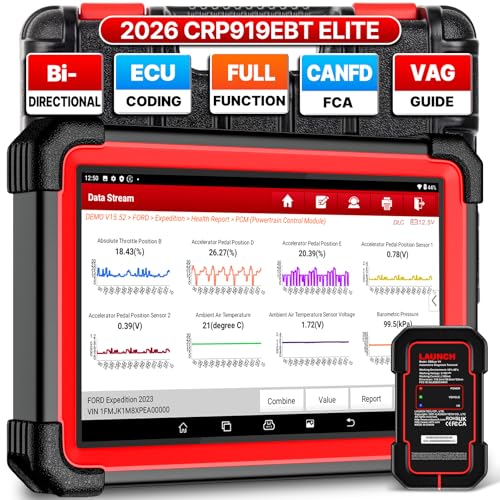
- 🔥【2026 TOP HARDWARE AND SOFTWARE UPGRADE,UPGRADED OF CRP919E】LAUNCH scanner CRP919EBT wireless obd2 scanner has upgraded TOP HARDWARE CONFIGURATION and ADD NEWEST FUNCTIONS. The more FASTER and SMARTER CRP919EBT with 🔥Bluetooths & USB 2-in-1 connect🔥Android 10.0 OS🔥2.0Ghz 4 core high efficiency processor 4GB RAM+64GB ROM large storage🔥6300mAh large battery, more stable and longer lasting diagnostics🔥VAG Guided🔥ECU Code🔥Bi-directional Control🔥35+ Resets🔥CANFD&DOIP🔥FCA AutoAuth🔥Full System Diagnostics🔥2 Yrs Update🔥Newly add BST360 battery tester & I-TPMS & VSP600 endoscope🔥23+ Languages. Provide an unparalleled diagnostic experience at an affordable price.
- 🚗【CAN FD & DOIP & FCA, SUPER PROTOCOL】LAUNCH X431 CRP919EBT is equipped with the DBSCAR VII Bluetooth connector supporting CANFD and DoIP. The CRP919EBT automotive diagnostic scanner supports CAN FD protocol (compatible with post-2020 GM vehicles). It also meets DoIP protocol requirements (adapter sold separately) for compatibility with BMW (E & F chassis) models from 2017 onward. Autoauth for FCA SGW supports FCA vehicles including Chrysler models from 2017 and later.
- ✔️【ADVANCED ECU CODE, ADAPTATION, CALIBRATION & INITIALIZATION】The LAUNCH X431 CRP919EBT automotive scanner delivers exceptional ECU code capabilities for customized vehicle setups. It provides dealer-level functionality to streamline maintenance and repairs, enabling ECU matching and learning for enhanced customization.
- 👍【BIDIRECTIONAL CONTROL, 4000+ ACTIVE TESTS】LAUNCH OBD2 scanner CRP919EBT features bi-directional control - the most demanded capability among mechanics. When headlights or windows malfunction, repairs can be costly. With CRP919EBT, execute ECU commands and assess repair status through systems including ABS, windows, valves, wipers, and headlights - streamlining diagnostics while slashing repair expenses.
- 🥇【35+ MOST POPULAR RESET SERVICE FOR 160 MAKES】Same as Snap-on scanners, CRP919EBT scan tool delivers 35+ reset functions for 160+ vehicle models, including: service oil reset, throttle adaptation, steering angle calibration, brake pad replacement code, tire pressure reset, ABS bleeding, battery registration, gear signal learning, and injector code, etc.
This product presentation was made with AAWP plugin.
Last update on 2026-05-12 / Affiliate links / Images from Amazon Product Advertising API