
NHTSA ID Number: 11022903
Manufacturer Communication Number: TSB102
TSB/Document Date: 2025-09-08
Summary
There is a possible condition where the exterior entrance door handle mechanism can bypass the inside linkage causing a lock-out situation whereby the door cannot be opened from the exterior handle.
Technical Service Bulletin
TSB102
Purpose: There is a possible condition where the exterior entrance door handle
mechanism can bypass the inside linkage causing a lock-out situation whereby the
door cannot be opened from the exterior handle.
PTL Engineering Inc. Entrance Door Model 3000
TriMark Corporation 030-0900 Motor Home Entrance Door Hardware
OEMs: Newmar , Winnebago, Entegra, Tiffin, Dynamax, Forest River, Foretravel, Thor Motor
Coach, Farber Specialty Vehicles and Wakarusa Coach
Models Affected: This Campaign affects certain 2025 and 2026 model motor homes that were
manufactured after August 14, 2024. See Appendix A for affected 2025 and 2026 Coaches with
PTL door serial #068849 through #072552.
Any questions regarding this Service or TSB instructions, please call TriMark Corporation at
1-641-394-1045.
Kit Includes:
· Technical Service Bulletin
· Reimbursement Card
· L Bracket & 2 Fasteners
· Red Vinyl Cap (provided as spare)
· Inside Handle Assembly
· 3 Torx Head Screws (provided as spare)
· Plastic Cap
TSB Step by Step Guide
Live Installa on Video
Tools Required:
· Phillips 2-Bit Screwdriver
· T-20 torx driver
· Torque wrench/driver
· 5/16” standard socket (bracket)
· 2-1/2 - 3” Extender
· 7/16” deep well socket (acorn nut)
· Flat blade screwdriver or plastic flat tool
PLEASE READ INSTRUCTIONS THOROUGHLY BEFORE STARTING
Note: The information in this bulletin is intended for use only by skilled technicians who have the proper tools, equipment, and
training to correctly and safely maintain the vehicle. These procedures should not be attempted by “do-it-yourselfers”. You should not
assume this bulletin applies to your vehicle or that your vehicle has the condition described, to determine whether this information
applies, contact your authorized dealer, who has the Model, VIN and Customer Information.
Technical Service Bulletin
TSB102
Confirm your door serial number is within
#068849 through #072552
Similar to the sticker shown, if your coach serial number is within the
range mentioned above, please proceed to Step 1. If your coach door
serial number is outside of this range, you can disregard these TSB
instructions.
With the door fully open, you can locate the door serial number label
on the hinge side, behind the screen door.
Step 1: Inspect the Black Plastic Plug on the door
edge to see if there are holes on the top. If there are,
the door hardware has already been upgraded,
please disregard these TSB instructions.
Does the
plug have
Holes or
No Holes?
Step 2: Carefully remove
the Black Plastic Plug with
a flat blade screwdriver or
plastic flat tool.
Be careful not to
scratch the door paint
when removing.
Step 4: Remove the
(3) Torx Head Screws
from the inside plate
assembly and set
aside for reuse later.
If applicable, remove
the vinyl cap from the
inside handle lock
knob and set aside
for reuse later.
Step 5: While carefully supporting the outside
assembly, remove the inside handle assembly from
the door, sliding the connecting rod away from the
door edge. Continue to support the outside handle
through step 11e, noting it may have to shift some in
order to align the two together.
Step 3: Remove the
Acorn Nut from the
Connecting Rod
located in the nut
adjusting hole using a
7/16” deep well socket.
Note: The information in this bulletin is intended for use only by skilled technicians who have the proper tools, equipment, and
training to correctly and safely maintain the vehicle. These procedures should not be attempted by “do-it-yourselfers”. You should not
assume this bulletin applies to your vehicle or that your vehicle has the condition described, to determine whether this information
applies, contact your authorized dealer, who has the Model, VIN and Customer Information.
Technical Service Bulletin
TSB102
Step 6: Verify the part number stamped on the
inside release as 21396 and the date code is
between (32U through 52U) or (01V through 24V).
If it is, continue to Step 7.
If the part number or the
date code is something
other than 21396 and
date code is not in the
range listed above, this
door is not included in
this campaign, follow
Step 10b and
reassemble the
existing door
Part Number and Date Code
hardware.
Inspect the end of the
Connecting Rod. If there is a
“-“ mark on the threaded end,
proceed to Step 7. If there is
a “X” mark or a “-“ AND a “.”
on the threaded end the
hardware has already been
updated, skip to Step 10b
and reassemble the existing
door hardware. No hardware
from the kit will be needed.
Viewing the rod end requires fine attention to detail
Proceed to Step 7
Step 7:
Remove
Bezel from
door and
set aside for
later use.
Skip to Step 10b
Step 8a: While supporting the outside handle, slightly
shift the outside assembly out of the door about 1/2-3/4”
to make room for the removal of the bracket fasteners.
Step 8b: Using a 5/16” socket with
a 2 1/2 - 3” extender, remove the
bracket fasteners and set aside for
later use. (Two extra fasteners are
provided in the event one is lost).
Remove old bracket.
Step 9a: Align the new bracket with
the bracket mounting holes in the door
and the outside assembly mounting
holes, while the outside assembly is
aligned with the paint lines. This is a
critical step.
Step 9b: (Using the old bracket
fasteners, unless lost, use new) Install
the upper fastener first only turning 2-3 rotations. Then
start the lower fastener. Once both are installed a few
rotations, check paint alignment and tighten until snug.
Step 9c: Loosen but DO NOT
REMOVE the (4) Phillip head
screws on the power actuator
plate. Slide power actuator/
plate towards the outside edge
of the door. Tighten down the
(4) screws.
Step 10a: Remove the Acorn Nut
on the new system. Replace the
new inside system, carefully sliding
the Connecting Rod all the way
through the nut adjusting hole.
Step 10b: Reassemble the acorn nut
finger tight to the end of the rod to
ensure the rod doesn’t come loose
through the trip lever, (the adjustment
of the nut will occur at Step 13).
Note: The information in this bulletin is intended for use only by skilled technicians who have the proper tools, equipment, and
training to correctly and safely maintain the vehicle. These procedures should not be attempted by “do-it-yourselfers”. You should not
assume this bulletin applies to your vehicle or that your vehicle has the condition described, to determine whether this information
applies, contact your authorized dealer, who has the Model, VIN and Customer Information.
Technical Service Bulletin
TSB102
Upper
Lock
Knob
Step 11b: Make sure
the Upper Lock Knob
engages with the “D”
shaped shaft on the
exterior handle.
Step 10c: Slide bezel
around inside handle
making sure the
alignment tabs are
towards the top of the
door.
Step 11a: Lift the interior handle to make sure the
system is seated properly, and the outside driving
cam is behind the inside pivot plate, while pressing
the inside and outside together.
Step 11c:
Reinstall the (3)
Torx Head
Screws in the
order listed to
make sure
everything is
aligned correctly.
Only install the
screws 2-3
rotations.
3
2
(3)
1
Support
Outside
Handle
Step 11d: Lift interior handle
to ensure proper engagement.
Incorrect Orientation
Correct Orientation
Step 11e: Once all 3 screws have been installed, then
torque each screw to 13 in-lbs in the same order listed.
If applicable, reinstall the vinyl cap on the inside handle
lock knob.
Step 12a-d: With the door open, manually cycle the hardware from the exterior handle, inside release, and
both lock knobs to ensure they function without binding.
a.
b.
c.
Note: The information in this bulletin is intended for use only by skilled technicians who have the proper tools, equipment, and
d.
training to correctly and safely maintain the vehicle. These procedures should not be attempted by “do-it-yourselfers”. You should not
assume this bulletin applies to your vehicle or that your vehicle has the condition described, to determine whether this information
applies, contact your authorized dealer, who has the Model, VIN and Customer Information.
Technical Service Bulletin
TSB102
Step 13: With the door open, begin Nut
adjustment by pushing the inside Lower Lock
Knob down into the locked position.
Lower Lock Knob
Step 14: Manually close the rotor of the latch while the hardware is still locked from Step 13.
Interior View
While locked, pull up on the inside handle and continue holding the inside handle up. Using a 7/16” deep
well socket, manually (no power), turn the nut clockwise until the latch releases, being sure the nut is
contacting the trip lever, and the nut driver is NOT contacting the trip lever. After the latch releases, let go
of the inside handle and then turn the nut counterclockwise 1-1/4 to 1-1/2 turns.
2
3
1
Trip Lever
Note: The information in this bulletin is intended for use only by skilled technicians who have the proper tools, equipment, and
training to correctly and safely maintain the vehicle. These procedures should not be attempted by “do-it-yourselfers”. You should not
assume this bulletin applies to your vehicle or that your vehicle has the condition described, to determine whether this information
applies, contact your authorized dealer, who has the Model, VIN and Customer Information.
Technical Service Bulletin
TSB102
Step 15a: Unlock the door.
With the door open, manually close the latch and open the latch from the inside handle. The latch should
release before the inside handle reaches maximum travel.
1
2
3
Step 15b: With the door open, repeat this operation sequence for the outside handle. The latch should
release before the outside handle reaches maximum travel.
Note: The information in this bulletin is intended for use only by skilled technicians who have the proper tools, equipment, and
training to correctly and safely maintain the vehicle. These procedures should not be attempted by “do-it-yourselfers”. You should not
assume this bulletin applies to your vehicle or that your vehicle has the condition described, to determine whether this information
applies, contact your authorized dealer, who has the Model, VIN and Customer Information.
Technical Service Bulletin
TSB102
Step 16: Similarly to the sequence in step 15,
with the door open, manually close the latch and
lock the Lower Lock Knob. Function the outside
handle multiple times to make sure the outside
handle does not open the latch. Then function
the inside handle multiple times to make sure the
inside handle does not open the latch.
Step 19: Please dispose/scrap the Inside Handle
Assembly, Bracket and Plastic Cap in
accordance with local and state regulations.
Step 17: Install the new Black Plastic Cap
with holes into the door edge provided in the
kit. If the system didn’t need to be replaced
and you don’t have a new cap, reinstall the
existing cap and mark it with a silver Sharpie.
Note that all fields are required and cards must be
signed.
Please complete the Dealer Reimbursement Card
and return it to TriMark Corporation by 1) Mail or 2)
[email protected]
New Black
Plastic Plug
Step 18: Check the full functionality (opening and closing)
of the entire handle assembly:
Any questions regarding this Service or
TSB instructions, please call TriMark
Corporation at 1-641-394-1045.
· Inside release
· Exterior release
· Inside deadbolt function
with knob
· Interior lock knob
· Exterior lock with key
· Exterior deadbolt
function with key and
power lock with FOB
and/or keypad
500 Bailey Avenue
P.O. Box 350
New Hampton, IA 50659
Tel: ( 641) 394-3188
Fax: (641) 394-2392
www.trimarkcorp.com
TSB102
07/25-1a
Note: The information in this bulletin is intended for use only by skilled technicians who have the proper tools, equipment, and
training to correctly and safely maintain the vehicle. These procedures should not be attempted by “do-it-yourselfers”. You should not
assume this bulletin applies to your vehicle or that your vehicle has the condition described, to determine whether this information
applies, contact your authorized dealer, who has the Model, VIN and Customer Information.
Appendix A
Model Year 2025 and 2026 with PTL door serial #068849 through #072552
Foretravel
FS605 P Presidential Unit
FS605 Realm Unit
Winnebago
622A Ekco
623B Ekco
425S
J-series/425S (cargo door)
425S
Dynamax
Isata-5- 28SS, 30FW, Isata-6-31KS, Europa-31SS, 32KD, 34SS, DX3 & XL- 3200KD,32KD, 3400KD,
34KD, 3700BD, 37BD, 3700RB, 37RB, 3801TS, 37TS.
Isata-6-30FW, 28SS, Europa-36BD, DX3 & XL-3800RB, 38RB
Entegra
Reatta, Reatta XL
Aspire, Anthem, Cornerstone
THOR
Aria, Riviera
Farber
Wakarusa Coach
3000 series
9000 series
Forest River
XL/XLT
Newmar
King Aire, Essex, London Aire, Mountain Aire, New Aire, Dutch Star, Ventana, Northern Star
Tiffin
ByWay, Allegro RED, Phaeton, Allegro Bus, Zephyr, Breeze
Note: The information in this bulletin is intended for use only by skilled technicians who have the proper tools, equipment, and
training to correctly and safely maintain the vehicle. These procedures should not be attempted by “do-it-yourselfers”. You should not
assume this bulletin applies to your vehicle or that your vehicle has the condition described, to determine whether this information
applies, contact your authorized dealer, who has the Model, VIN and Customer Information.

- 💯【Conta.ct us for Support Directly】If you met any...
- 🔥🔥🔥【2026 AUTEL FLAGSHIP MK900BT MK900-BT, NEW...
- 🚗【3000+ ACTIVE TESTS (50➡3000+), SAME AS MS...
- 🚗【40+ HOT SERVICES FOR 150 MAKES (28+➡40+)】Full...
- 🚗【OE ALL SYSTEM DIAGNOSE, AUTO SCAN 2.0: SCAN LICENSE...


- 【TURN OFF CEL】 This AL319 car scanner diagnostic tool...
- 【EXTENSIVE APPLICATION】 Autel AL319 Compatible with...
- 【FOR END USER & DIYERS】 This error code reader AL319 is...
- 【USER-FRIENDLY DESIGN】 This OBD2 scanner and check...
- 【HIGH-QUALITY SERVICES】 12 months war.ranty from the...
Last update on 2026-06-21 / Affiliate links / Images from Amazon Product Advertising API
If the PDF is very large, it may not load in the preview below.
Some older TSBs had multiple PDFs — visit the NHTSA Website to view all PDFs.
If the TSB PDF does not show, download or view it on the NHTSA Website.
Click on the (+) Plus Sign
Then Click on Associated Document(s)
Search NHTSA Database for Recalls
Search NHTSA Database for Vehicle Investigations
View Latest Vehicle Investigations
Search NHTSA Database for Vehicle Complaints
View Latest Vehicle Complaints
TSB/Document ID: TSB102
Replacement Service Bulletin Number:
MFR Communication Date: 2025-09-08
MFR Internal Campaign ID/Software Version:
Communication Type: Service Bulletin/Repair Instructions
NHTSA Components: STRUCTURE:BODY
MFR Component System:
MFR Component Subsystem:
Previous TSB | Next TSB |

- Stay Updated with Lifetime Access: This obd2 scanner includes lifetime free software updates for all app service functions. With a single payment, enjoy full access to diagnostics, reset tools, and maintenance features — zero subscription fees. A budget-friendly choice for weekend mechanics, home car owners, and DIYers, supporting vehicles from 1996 onward. Come to us with your VIN to check compatibility.
- Full Bidirectional Control/Active Tests & Stable Wireless Connectivity: This car code reader features full bidirectional control, allowing you to send commands to the vehicle's ECU for active tests on components such as fuel pumps, injectors, A/C clutches, windows, sunroofs, and more. This car scanner diagnostic tool helps DIYers quickly diagnose and test vehicle parts, cutting down troubleshooting and repair time. With BT 4.0 wireless connectivity, you can enjoy cable-free diagnostics up to 33 feet. Stand in your garage and test windows, wipers, or even engine components—all without needing to move around your car.
- Portable Car Scanner with 26 Special Functions: Scheduled vehicle maintenance with the A30M car diagnostic scanner can keep your vehicle in peak condition and save you big on dealership trips. The XTOOL A30M obd2 scanner diagnostic tool features essential reset and relearn functions, such as Oil Reset, EPB Reset (Electronic Parking Brake Release), SAS, ABS Brake Bleeding, Throttle Body Relearn, Injector Coding, Crank Sensor Relearn, Headlight Adjustment, and Tire Size Reset. Note: Service functions may vary by vehicle model – check compatibility beforehand!
- Wide Compatibility CAN FD & FCA
 Autoauth: This obd2 scanner diagnostic tool is compatible with over 85+ car brands from the U.S., Europe, and Asia, providing extensive coverage through a BT connection with your smartphone or iPad. Now upgraded to support the latest protocols, it includes FCA AutoAuth access for Chrysler, Jeep, Dodge, and Fiat (2018+), and supports CAN FD for GM (2020+) models, giving you greater access to newer vehicles and systems. Note: The FCA AutoAuth account is not included with the device. Users must register and pay separately through the official FCA AutoAuth website to access diagnostic functions for vehicles that require it.
 - Up to 8 Live Data Streams Graphing – Real-Time Graphing for Deeper Insight: This car scanner supports up to 8 live data streams simultaneously with intuitive, real-time graphing. Gain comprehensive insights into your vehicle’s performance, making it easier to spot issues, detect trends, and make informed diagnostic decisions with confidence.
- Comprehensive OBD2 Scanner with 16 Resets: The XTOOL D5S car code reader and vehicle reset tool provides an advanced diagnostic solution with 16 commonly needed reset functions, including Electronic Parking Brake Reset (EPB Reset), SAS, BMS Reset (Battery Test), Throttle Body Relearn, TPMS Reset, ABS Bleeding, Injector Coding, Gearbox Match, Suspension Adjustment, Headlight, Window Initialization, Crank Sensor Relearn and more. Equipped with CAN FD Protocol and FAC AutoAuth, the D5S obd2 scanner diagnostic tool ensures compatibility with a broad range of modern vehicles, allowing users to address common maintenance needs quickly. NOTE: Please Check the Compatibility before ordering.
- 4 Main System Car Scanner & Full OBD2 Diagnostics: The XTOOL D5S car code reader is ideal for home mechanics, DIYers, and professionals, providing access to Transmission/Engine/ABS/SRS systems to read DTCs, Live data can be displayed in text or up to 4 PID data graphs, along with full OBD2 diagnostics to check the engine light on, other obd2 issues and routine maintenance. This car diagnostic scanner ensures you can keep your vehicles in top condition, avoiding costly repairs or unexpected breakdowns. NOTE: Some vehicles display three systems after connection because the transmission and engine of some vehicles are integrated into one.
- Check Engine Code Reader & Real-Time Engine Monitoring: Whether you're a car owner, a DIYer, or run a repair shop, the XTOOL D5S obd2 scanner diagnostic tool makes engine diagnostics fast and frustration-free, reading and explaining trouble codes in seconds—no confusion. Check live data like fuel trim, 02 sensor voltage, RPM, and coolant temp to pinpoint mis~fires, rough idle, or sensor issues. After repairs, simply use the D5S check engine code reader and reset tool to turn off the check engine light and confirm the problem’s fixed—saving time, money, and unnecessary shop visits. - Note: If the check engine light comes back on, it indicates the original problem still exists.
- Portable Car Scanner for ABS and SRS: XTOOL D5S gives you peace of mind when ABS or airbag warning lights come on. It reads and clears ABS codes to help you fix brake sensor, traction control, or wheel speed issues, and supports ABS bleeding after repairs like caliper or master cylinder replacement. For airbag systems, it scans and clears SRS codes related to airbags, seatbelt tensioners, and crash sensors. Whether you're doing repairs at home or running a small shop, the D5S is a cost-effective solution for safety diagnostics. Note: If a fault code returns after clearing, it usually means the issue hasn’t been fully resolved. Please check the compatibility before ordering.
- Transmission Warning Light ON? Here’s the Transmission Diagnostic and Reset Tool You Need: The XTOOL D5S is more than just a basic car scanner—it’s an easy-to-use transmission diagnostic tool. From rough shifts to slipping gears, the D5S lets you read and clear transmission trouble codes, monitor real-time TCM data, and perform transmission resets after fluid changes or repairs. Whether you’re a hands-on car owner or a pro running a busy shop, this OBD2 scanner with transmission functions helps you catch problems early—saving you time, money, and future headaches.. Note: Clearing fault codes is equivalent to a reset on some vehicles, but not all. For help, contact XTOOL Tech Support.
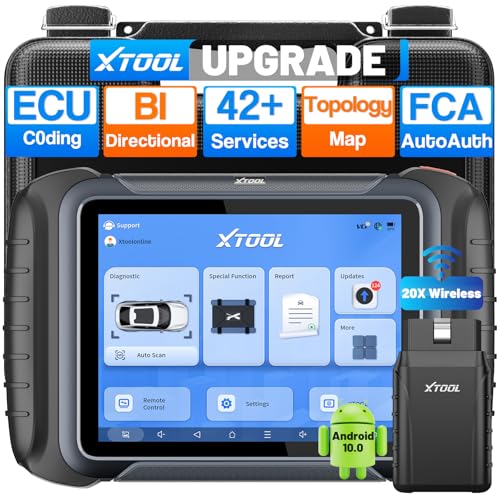
- AI-Assisted Wireless Car Diagnostic Scanner Puts $2,000 Scan Tools to Rest: Upgrade Ver. of D8BT/D7W, wireless ver. of D8S, XTOOL D8W obd2 scanner diagnostic tool targeted for professional US mechanics/workshops/family garage, with 64 GB high-end hardware, 20X faster Built-in WIFI connection, More Stable than BT, packs high-level comprehensive, easy to use AI Assistance features: Topology Mapping, ECU C0ding, PMI Function, 4K+ Active Tests, All System Diagnosis, 42+ Maintenance and more, FCA/CAN FD/DoIP, Pre/Post Scan, Diagnostic Report V2.0, etc. offers the “dealership” diagnosis, isn’t it a Top Pick Scan Tool in this budget
- Super Powerful WI-FI Communication, Extraordinary Built-in Wireless Connectivity: The WI-FI connection, the advanced version of BT, enables the D8W car scanner diagnostic tool to connect directly to vehicles more quickly, easily by simply plugging in the VCI, with the built-in Wi-Fi inside. No additional WiFi signal is required. Its Max high-speed 64 Mbps transmission speed, 33 ft-66 ft or further diagnostic distance, and stable connectivity, makes this obd 2 scanner the winner surpasses traditional BT scanners, more stable, faster, supports longer distance, convenient, and easy to plug and play
- Topology Mapping/AI-Assisted OE-Level Full Systems Diagnostics/Bi Directional Scan Tool/4000+ Active Test: D8W topology scan tool can scan, display all modules with a color topology structure, and view faults at a glance, comparable to other $1,200 to $2,000 obd scanners in the market. Its AI-powered system instantly analyzes fault codes and diagnostic reports for faster and precise repair solution. It also features full-featured bidirectional ability such as Compression Test, Mirror/Sunroof Test, and more active tests, save costs from "dearlership", covers more vehicles for Chrysler 2018+. Please check compatibility with XTOOL before purchase, AI is just for reference
- Advance ECU Configuration/PMI: XTOOL D8W advanced automotive scanner diagnostic tool has the abilities for BENZ/for BMW/for Mitsubishi are designed to unleash the hidden function like turn off the seat belt buzzer and improve car performance. New launched PMI function provided by XTOOL D8W car code scanner for Ford, for Lincoln, for Mazda supports restore full ECU operation into new modules to finish replacement. Note: Please check compatibility with VIN, and Modules
- 42+ Services/Calibration/Initialization/Matching/Relearn Functions: D8W wireless bidirectional obd2 scanner performs more than 42 comprehensive service functions for 10,000+ vehicles including Oil reset, EPB, SAS, Throttle, BMS reset, ABS Bleed, injector c0ding, Fuel Trim Reset, Cylinder Power Balance, Cam Crank Sensors Relearn, VIN Writing, Fuel Injector Balance, Language Change, Auto Stop/Start Reset, A/F Reset, PMI function, etc. Note: Special Functions do NOT work on all cars
Last update on 2026-06-21 / Affiliate links / Images from Amazon Product Advertising API
This product presentation was made with AAWP plugin.