
NHTSA ID Number: 11022874
Manufacturer Communication Number: 25-NA-116
TSB/Document Date: 2025-09-06
Summary
This service bulletin provides information and the condition correction on the "Service Steering Column Lock" message and/or those who are unable to move the steering wheel after starting the vehicle.
Bulletin No.: 25-NA-116
Service Bulletin
Date: May, 2025
TECHNICAL
Subject:
Brand:
Service Steering Column Lock Message, Electronic Steering Column Lock
U3000.49
Model:
Model Year:
from
to
Blazer EV
2025
2025
Equinox EV
2025
2025
Silverado 1500
2025
2025
Silverado 2500HD/
3500HD
2025
2025
Escalade IQ
2025
2025
LYRIQ
2025
2025
Sierra 1500
2025
2025
Sierra 2500HD/
3500HD
2025
2025
VIN:
from
to
–
—
Engine:
All
All
Involved Region or Country
United States, Mexico, Europe, Kazakhstan, Uzbekistan, Middle East, Israel
Condition
Some customers may comment on a "Service Steering Column Lock" message or are
unable to move the steering wheel after starting the vehicle.
A technician may also find a U3000.49 set as current.
Cause
The cause of the condition may be software anomalies.
Correction
Confirm DTC U3000.49 is current. Program the K60 Column Lock Module with the latest
software in Techline Connect. Clear all DTC's and confirm the message/condition and
DTC have not returned.
Service Procedure
Important: Service agents must comply with all International , Federal, State, Provincial, and/or Local laws
applicable to the activities it performs under this bulletin, including but not limited to handling, deploying,
preparing, classifying, packaging, marking, labeling, and shipping dangerous goods. In the event of a
conflict between the procedures set forth in this bulletin and the laws that apply to your dealership, you
must follow those applicable laws.
Important: This technical service bulletin (TSB) can only be completed by certified repair facilities who have met all
specific training, tool, and equipment requirements pertaining to the vehicle Brand and Model serviced. Repairs must
be performed by a technician who has successfully completed the required training.
Caution: Before downloading the update files, be sure the computer is connected to the internet through a network
cable (hardwired). DO NOT DOWNLOAD or install the files wirelessly. If there is an interruption during programming,
programming failure or control module damage may occur.
• Ensure the programming tool is equipped with the latest software and is securely connected to the data link
connector. If there is an interruption during programming, programming failure or control module damage may
occur.
• Stable battery voltage is critical during programming. Any fluctuation, spiking, over voltage or loss of voltage will
interrupt programming. Install a GM Authorized Programming Support Tool to maintain system voltage. Refer to
Copyright 2025 General Motors. All Rights Reserved.
Page 2
May, 2025
Bulletin No.: 25-NA-116
www.gmdesolutions.com for further information. If not available, connect a fully charged 12 V jumper or booster
pack disconnected from the AC voltage supply. DO NOT connect a battery charger.
• Follow the on-screen prompts regarding ignition power mode but ensure that anything that drains excessive
power (exterior lights, HVAC blower motor, etc) is off.
• Please verify that the radio time and date are set correctly before inserting USB drive into vehicle for
programming; otherwise, an error will result. .
• Clear DTCs after programming is complete. Clearing powertrain DTCs will set the Inspection/Maintenance (I/M)
system status indicators to NO.
Important: The service technician always needs to verify that the VIN displayed in the TLC left side drop down
menu and the top center window match the VIN plate of the vehicle to be programmed prior to using Service
Programming System 2 (SPS2) for programming or reprogramming a module.
• For the TLC application, service technicians need to always ensure that the power mode (ignition) is “ON”
before reading the VIN from the vehicle’s VIN master module and that they do not select a VIN that is already in
the TLC application memory from a previous vehicle.
• If the VIN that shows up in the TLC top center window after correctly reading the VIN from the vehicle does not
match the VIN plate of the vehicle, manually type in the VIN characters from the vehicle VIN plate into the TLC
top center window and use these for programming or reprogramming the subject module with the correct vehicle
VIN and software and/or calibrations.
• The Engine Control Module (ECM) is the master module (for VIP vehicles) that TLC reads to determine the VIN
of the vehicle. If the VIN read from the vehicle by TLC does not match the VIN plate of the vehicle, the ECM
also needs to be reprogrammed with the correct VIN, software and calibrations that match the vehicle’s VIN
plate.
• The Body Control Module (BCM) is the master module (for GEM vehicles) that TLC reads to determine the VIN
of the vehicle. If the VIN read from the vehicle by TLC does not match the VIN plate of the vehicle, the BCM
also needs to be reprogrammed with the correct VIN, software and calibrations that match the vehicle’s VIN
plate.
Caution: Be sure the VIN selected in the drop-down menu (1) is the same as the vehicle connected (2) before
beginning programming.
Bulletin No.: 25-NA-116
May, 2025
Page 3
5743643
Important: If the vehicle VIN DOES NOT match, the message below will be shown
5877000
Page 4
May, 2025
Bulletin No.: 25-NA-116
5644477
Important: Techline Connect screens shown above.
Important: If the same calibration/software warning is noted on the TLC Summary screen, select OK and follow
screen instructions. After a successful programming event, the WCC is located in the Service Programming System
dialogue box of the SPS Summary screen. No further action is required. Refer to the Warranty section of the bulletin.
1. Reprogram the Column Lock module. Refer to K60 Column Lock Module: Programming and Setup in SI.
Bulletin No.: 25-NA-116
May, 2025
Page 5
5644478
Note: The screenshot above is an example of module programming and may not be indicative of the specific module
that is being programmed. Module selection and VIN information have been blacked out.
Important: To avoid warranty transaction rejections, you MUST record the warranty claim code provided on the
Warranty Claim Code (WCC) screen shown above on the job card. Refer to callout 1 above for the location of the
WCC on the screen.
2. Record SPS Warranty Claim Code on job card for warranty transaction submission.
Parts Information
No parts are required for this repair.
Warranty Information
For vehicles repaired under warranty, use:
Labor Operation
Description
Labor Time
2810775
Steering Column Lock Control Module Reprogramming with
SPS
Use Published Labor
Operation Time
Important: **To avoid warranty transaction rejections, carefully read and follow the instructions below:
Page 6
May, 2025
Labor Operation
Bulletin No.: 25-NA-116
Description
Labor Time
6125814
• The Warranty Claim Code must be accurately entered in the “Warranty Claim Code” field of the transaction.
• When more than one Warranty Claim Code is generated for a programming event, it is required to document all Warranty
Claim Codes in the “Correction” field on the job card. Dealers must also enter one of the codes in the “Warranty Claim
Code” field of the transaction, otherwise the transaction will reject. It is best practice to enter the FINAL code provided by
SPS2.
Warranty Claim Code Information Retrieval
6125774
Bulletin No.: 25-NA-116
May, 2025
Page 7
If the Warranty Claim Code was not recorded on the Job Card, the code can be retrieved in the SPS2 system as
follows:
1. Open TLC on the computer used to program the vehicle.
2. Select and start SPS2.
3. Select Settings (1).
4. Select the Warranty Claim Code tab (2).
The VIN, Warranty Claim Code and Date/Time will be listed on a roster of recent programming events. If the code is
retrievable, dealers should resubmit the transaction making sure to include the code in the SPS Warranty Claim
Code field.
Version
1
Modified
Released May 09, 2025
Keywords: U3000
GM bulletins are intended for use by professional technicians, NOT a "do-it-yourselfer". They are written to inform these
technicians of conditions that may occur on some vehicles, or to provide information that could assist in the proper
service of a vehicle. Properly trained technicians have the equipment, tools, safety instructions, and know-how to do a job
properly and safely. If a condition is described, DO NOT assume that the bulletin applies to your vehicle, or that your
vehicle will have that condition. See your GM dealer for information on whether your vehicle may benefit from the
information.
WE SUPPORT VOLUNTARY
TECHNICIAN
CERTIFICATION

- 💯【Conta.ct us for Support Directly】If you met any...
- 🔥🔥🔥【2026 AUTEL FLAGSHIP MK900BT MK900-BT, NEW...
- 🚗【3000+ ACTIVE TESTS (50➡3000+), SAME AS MS...
- 🚗【40+ HOT SERVICES FOR 150 MAKES (28+➡40+)】Full...
- 🚗【OE ALL SYSTEM DIAGNOSE, AUTO SCAN 2.0: SCAN LICENSE...


- 【TURN OFF CEL】 This AL319 car scanner diagnostic tool...
- 【EXTENSIVE APPLICATION】 Autel AL319 Compatible with...
- 【FOR END USER & DIYERS】 This error code reader AL319 is...
- 【USER-FRIENDLY DESIGN】 This OBD2 scanner and check...
- 【HIGH-QUALITY SERVICES】 12 months war.ranty from the...
Last update on 2026-06-12 / Affiliate links / Images from Amazon Product Advertising API
If the PDF is very large, it may not load in the preview below.
Some older TSBs had multiple PDFs — visit the NHTSA Website to view all PDFs.
If the TSB PDF does not show, download or view it on the NHTSA Website.
Click on the (+) Plus Sign
Then Click on Associated Document(s)
Search NHTSA Database for Recalls
Search NHTSA Database for Vehicle Investigations
View Latest Vehicle Investigations
Search NHTSA Database for Vehicle Complaints
View Latest Vehicle Complaints
TSB/Document ID: 25-NA-116
Replacement Service Bulletin Number:
MFR Communication Date: 2025-05-10
MFR Internal Campaign ID/Software Version:
Communication Type: Service Bulletin/Repair Instructions
NHTSA Components: ELECTRICAL SYSTEM
MFR Component System:
MFR Component Subsystem:
Previous TSB | Next TSB |
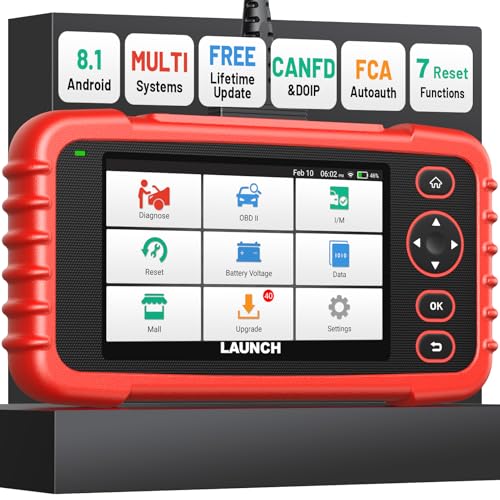
- [Newly Added in 2026: 7 Reset Functions] The 2026 new version of the OBD2 scanner diagnostic tool CRP123X V3.0 Elite has new special functions for F.REE: Throttle Ad.aptation, Oil/SAS/BMS/Brake Reset, D-P.F Re.generation and ABS Service. Before you visit a mechanic, launch obd2 Scanner CRP123X Elite can perform a more in-depth diagnosis of the car system and provide accurate data within minutes. What's more, the list of compatible models has been expanded. Upgrading frequency is regular, occurring monthly even weekly.
- 🔥[FCA AutoAuth + CAN FD & DoIP] As an upgraded version of the LAUNCH CRP123X/CRP129X, FOXWELL NT614, and ANCEL FX2000, The Newest LAUNCH CRP123X V3.0 auto diagnostic scanner supports the following new protocols: CAN-FD for 2020 and newer G.M and Chrysler
 models, as well as DoIP for V.olvo, Land Rover/Jaguar, and B.MW F/G chassis. With integrated AutoAuth, you can diagnose 2018 and newer FCA cars equipped with S.GW. Note: CAN-FD and DoIP protocols require an additional obd2 cable. *Menus vary by make, model, and year of gasoline or diesel engine vehicle. Email us your VIN data.
 - 🔥[No extra software fee. Works on 90 vehicle brands.] Most OBD2 scanners work with vehicles manufactured after 2001. However, the LUNCH OBD2 scanner is compatible with OBDII-equipped vehicles built after 1996 and works with more than 90 vehicle brands. One-click lifetime updates over WIFI 2.4&5.0Ghz keep the car software current and ensure constant coverage additions, diagnose vehicles from 1996 to 2026 with a massive global database. Android 8.1 ensures lightning-fast boot-up and processing.
- [Accurate & Intuitive Multi System Diagnosis] Will you be confused about what happens when the warning light of transmission, ABS, and SRS Airbag check engine flashes? Launch obd2 scanner diagnostic tool CRP123X V3.0 to pinpoint the problem components for a faster diagnosis for your car instead of taking your car to the dealership. Generate vehicle health reports with one click and share them via email over Wi-Fi to help avoid blind maintenance. And will turn off the warning light for you after fixing the problem, make to know more about your cars and do your own repair.
- [Multiple Display of Live Data + DTC Code Definition Explanation] Launch car tools show real-time data of oil temp, pressure, transmission temp, engine speed, coolant temperature, you will know which car part is abnormal. Data can be shown in a single, multi- graph, and merge two graphs for analysis(or 4-in-1 merged waveform graph),you can save, share, print, or email the overall inspection report for easier analysis.🔥Code Search,DTC Library provide massive information. Inbuilt “Feedback” module provides customized repair suggestions from our certified professionals.
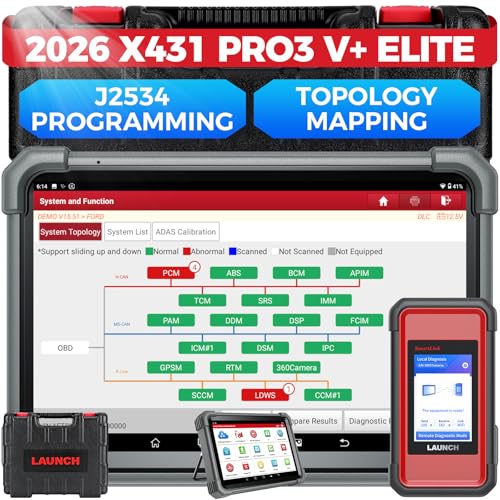
- [2026 X431 PRO3 V+ Elite] A great value for the X431 series that differs from similar diagnostic tools by adding: 1) J2534 protocol for over $800 in savings; 2) CANFD/DOIP support for enhanced communications; 3) Configuration of over $900 worth of HD(heavy truck) modules, needed purchase HD diagnostic software by HD vehicle model for use.; 4) A 10.1 inch Gorilla screen with 1280*800 resolution and 80% more touch screen sensitivity
- [J2534 Protocol Scan Tool] The J2534 Direct Access Device can be used as a factory scanning tool at no cost to you, saving you over $2,000. You can easily expand your ECU protocol capabilities for Toyota, Honda, VW, BMW, Ford, GM, Chrysler, Mercedes-Benz and more. The LAUNCH X431 PRO3 V+ ELITE Scan Tool is equipped with the newly upgraded smartlinkC V2.0. smartLinkC is a communication interface that supports the J2534 specification. It can also be used as a J2534 PassThru device to implement the J2534 protocol with a PC that has OEM diagnostic software installed.The J2534 protocol is the only way to solve problems ranging from drivability and power loss to poor fuel economy
- [Top Hardware Configuration, Upgraded Version of V+] LAUNCH Diagnostic Scanner adopts Android 10.0 OS; CPU is 4-core processor with 2.0 GHz, which greatly improves the speed of running multi-tasks. 2.4GHz/5GHz; 6300mAh/7.6V ultra-large capacity battery; 10.1 inch Gorilla screen, sunlight readable, 8MP camera; Auto VIN; 4GB+64GB storage; 20x transfer rate to save more vehicle files and customer data; New TYPE A interface to connect expansion tools such as oscilloscopes, sensors, etc.; Supports more than 25 software languages such as EN, DE, FR, SP and JP
- [60+ Reset 3000+ Active Test] Full Bi-Directional Scan Tool quickly detects problems and guides repairs based on the response of actuators such as air conditioning clutches, windows, doors, mirrors and more. With the touch of a finger, you can easily send command signals from the scanner to a variety of modular actuators, testing component integrity and functionality in minutes or even seconds to determine if a replacement or repair is needed. In addition, the machine enjoys 60+ special services such as oil reset, ABS brake bleed, EPB, SAS, BMS, suspension, injector reset and more, and undergoes rigorous field testing to ensure availability
- [Unrivaled Coverage, Over 200 Vehicle Brands] LAUNCH X431 PRO3 V+ Elite Automotive Scanner is suitable for over 200 vehicle brands, including commercial vehicles and new energy vehicles. This professional car scanner supports: 1) J2534/D-PDU protocol for HD trucks; DoIP/CANFD for Land Rover/Jaguar, BMW F/G chassis, GM, etc.; 2) FCA Autoauth, covering 2018+ Chrysler/Dodge/Fiat, etc. New/old models, all covered. Includes frequently updated vehicle software and car coverage for faster support of other new models
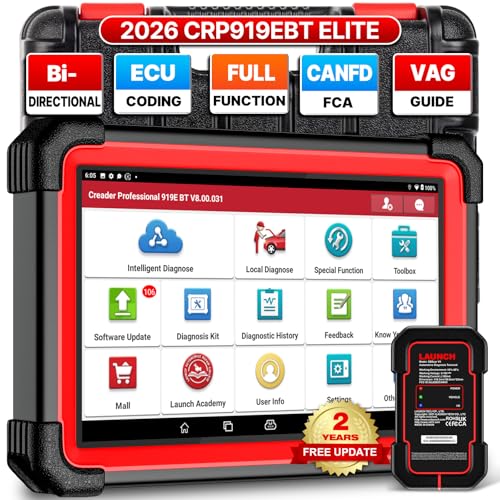
- 🔥【2026 TOP HARDWARE AND SOFTWARE UPGRADE,UPGRADED OF CRP919E】LAUNCH scanner CRP919EBT wireless obd2 scanner has upgraded TOP HARDWARE CONFIGURATION and ADD NEWEST FUNCTIONS. The more FASTER and SMARTER CRP919EBT with 🔥Bluetooths & USB 2-in-1 connect🔥Android 10.0 OS🔥2.0Ghz 4 core high efficiency processor 4GB RAM+64GB ROM large storage🔥6300mAh large battery, more stable and longer lasting diagnostics🔥VAG Guided🔥ECU Code🔥Bi-directional Control🔥35+ Resets🔥CANFD&DOIP🔥FCA AutoAuth🔥Full System Diagnostics🔥2 Yrs Update🔥Newly add BST360 battery tester & I-TPMS & VSP600 endoscope🔥23+ Languages. Provide an unparalleled diagnostic experience at an affordable price.
- 🚗【CAN FD & DOIP & FCA, SUPER PROTOCOL】LAUNCH X431 CRP919EBT is equipped with the DBSCAR VII Bluetooth connector supporting CANFD and DoIP. The CRP919EBT automotive diagnostic scanner supports CAN FD protocol (compatible with post-2020 GM vehicles). It also meets DoIP protocol requirements (adapter sold separately) for compatibility with BMW (E & F chassis) models from 2017 onward. Autoauth for FCA SGW supports FCA vehicles including Chrysler models from 2017 and later.
- ✔️【ADVANCED ECU CODE, ADAPTATION, CALIBRATION & INITIALIZATION】The LAUNCH X431 CRP919EBT automotive scanner delivers exceptional ECU code capabilities for customized vehicle setups. It provides dealer-level functionality to streamline maintenance and repairs, enabling ECU matching and learning for enhanced customization.
- 👍【BIDIRECTIONAL CONTROL, 4000+ ACTIVE TESTS】LAUNCH OBD2 scanner CRP919EBT features bi-directional control - the most demanded capability among mechanics. When headlights or windows malfunction, repairs can be costly. With CRP919EBT, execute ECU commands and assess repair status through systems including ABS, windows, valves, wipers, and headlights - streamlining diagnostics while slashing repair expenses.
- 🥇【35+ MOST POPULAR RESET SERVICE FOR 160 MAKES】Same as Snap-on scanners, CRP919EBT scan tool delivers 35+ reset functions for 160+ vehicle models, including: service oil reset, throttle adaptation, steering angle calibration, brake pad replacement code, tire pressure reset, ABS bleeding, battery registration, gear signal learning, and injector code, etc.
Last update on 2026-06-12 / Affiliate links / Images from Amazon Product Advertising API
This product presentation was made with AAWP plugin.