
NHTSA ID Number: 11022310
Manufacturer Communication Number: IK1400005
TSB/Document Date: 2025-09-02
Summary
Title: Driveline Information Center and Troubleshooting Procedures Applies To: All Vehicles
Countries:
AUSTRALIA, BAHAMAS, BOLIVIA, BRAZIL, BELIZE, CANADA,
CHILE, TAIWAN, COLOMBIA, COSTA RICA, DOMINICAN
REPUBLIC, ECUADOR, EL SALVADOR, GUAM, GUATEMALA,
Document
GUYANA, HAITI, HONDURAS, JAMAICA, KOREA, SOUTH
IK1400005
KOREA, MEXICO, ARUBA, NEW ZEALAND, NICARAGUA,
ID:
PANAMA, PERU, PUERTO RICO, RUSSIA, SOUTH AFRICA,
TRINIDAD AND TOBAGO, UNITED STATES, URUGUAY,
VENEZUELA, Curaçao
Availability:
Major
System:
Current
Language:
Other
Languages:
ISIS, Bus ISIS, FleetISIS, IsSIR
Revision: 29
REAR AXLE
Created:
English
Last
8/25/2025
Modified:
Français, Español, Portuguese,
Author:
Viewed:
37412
5/16/2008
David
Horner
Less Info
Coding Information
Hide Details
Copy Link
Copy Relative Link
Bookmark
Add to Favorites
Provide Feedback
View My Bookmarks
Helpful
Not Helpful
1769
2133
Title : Driveline Information Center and Troubleshooting Procedures
Applies To : All Vehicles
CHANGE LOG
Dealers: Please refer to the change log text box below for recent changes to this article:
05/22/25- added new images and new ride height tool.
9/09/2024 - Added info about Allison Calc replacement.
08/25/2020 - Added seat and plate information for Hendrickson HAS with Air Disc Brakes (ADB), specified parts for Henrickson HAS with Drum Brakes
12/23/2019 - No content change. Verified links for worksheets on step 5 are all working.
08/20/2019 - Updated author for feedback purposes
12/17/2018 - Added IK0300071 link to measure non-IROS air suspension procedure
11/13/2018 - Updated ride height adjustment procedure
11/07/2018 - Updated article owner
03/16/2018 - Updated coding
05/24/2016 Updated tool PN
DESCRIPTION
This article provides information to properly check driveline angles and driveline runout, and how to use that information to properly repair the vehicle
and bring the driveline into specification. The information is to assist in resolving a vibration complaint that may be caused by the driveline. This article
does not address other possible vibration issues, such as vibrations caused by the engine.
For engine vibrations, cab vibrations, or mirror shake issues, please refer to IK0300008 - Vibration Troubleshooting
SYMPTOMS
Vibration, unexplained power divider or transmission failures, poor u-joint life, poor carrier bearing life, and noises
SPECIAL TOOLS / SOFTWARE
Tool Description
Tool Number
Digital Protractor
ZTSE4329
Dial Indicator
Comments
Obtain Locally
INSPECTING AND MEASURING THE DRIVELINE
Instructions
Troubleshooting
1. Check and record the air ride height setting.
If the air ride is not adjusted properly, then readjust to the proper specifications and road test to determine if the problem has now been fixed.
Refer to the Truck Manual for proper ride height measurement procedures and ride height settings.
For Non-IROS air suspension instructions, if not already in the truck technician manual, please follow: IK0300071 - Non-IROS Rear Air
Suspension Ride Height Specifications and Adjustment Procedures (includes CV) to properly adjust the ride height:
Steer axle tires must be chocked and the parking brake released when air suspension is raised and lowered for ride height setting and
driveline angle measurements.
Ride height check for most air suspensions should be measured with this new tool (April 2025) LINK
If ride height is higher specification:
Do not bend height control system brackets or rods to adjust suspension height.
Loosen lever arm bolt that holds arm to height control valve.
Pivot lever arm down to exhaust air from suspension, lowering chassis to some point below the correct air spring height.
Add air until axle travel reaches the proper value per the truck manual ride height recommendations.
When the correct axle travel value has been achieved, retighten the lever arm bolt.
If ride height is less than specification:
Do not bend height control system brackets or rods to adjust suspension height
Loosen lever arm bolt that holds arm to height control valve.
Push the lever arm up to add air to the suspension, raising the chassis, until axle travel reaches the proper value per the truck manual ride
height recommendations.
When the correct axle travel value has been achieved, retighten the lever arm bolt.
2. Visually inspect the driveline for damage
Inspect for dents or missing weights, undercoating, and incorrect installation
Inspect u-joints and yokes for excessive play and damage. It is important to do this prior to greasing the joints.
Ensure the u-joint bearing cups are properly seated in the yokes and that the caps are not spinning.
3. Measure driveshaft runout in three locations on each shaft.
3” from each end of and the center of the tube.
Interaxle shafts can be measured in the center only.
For accurate measurements, the paint should be removed first.
Mark the “high” spots at each location on the tube.
The ends should be less than 0.020”, ideally below 0.010”, and the center should be less than 0.025”, ideally below 0.015”.
If the measurements exceed the limits at either end, the u-joint at the end of the shaft with the high measurement should be removed from
the yoke and reinstalled in the yoke after rotating either the yoke or the shaft 180 degrees.
Remeasure the runouts and note the location of the high spots.
If the runout is still excessive, check to see if the high spot moved on the shaft approximately 180 degrees or if it stayed in the same spot.
Moving of the high spot indicates the yoke is out of round, not the shaft. The yoke or the axle pinion shaft/transmission shaft could be the
cause.
Although you may have a driveline shop rebalance and/or straighten a shaft, if a vibration remains, it is important to again document the
runout and verify it is below the previously mentioned “ideal” limits.
Click here for a printable worksheet.
Figure 1 - Measuring Driveline Runout
4. Inspect the amount of movement in the spline section of the driveshaft
The dial or digital indicator base must be installed on one side of the splines (on the prop shaft), and the needle on the other side of the
splines.
If the dial indicator base is mounted on a solid surface, erroneous measurements will result.
This measurement should read less than 0.015"
Trans, T-Case, and axle yoke runout should not exceed .003" (minus any bearing play that exists)
5. Mark every yoke and driveline section before removal so it can be reinstalled in the same location
6. If the problem still exists, then you will need to obtain driveline angle measurements.
Choose the appropriate form for the chassis configuration you are working on.
4x2
6x4
4x4 / 6x6
4x2 / 6x4 with Aux Section
1 Piece Driveline
1 Piece Main Driveline
4x4
2 Piece Driveline with 2 Axles
2 Piece Driveline
2 Piece Main Driveline
4x4 with 2 Piece Rear Driveline
3 Piece Driveline with 2 axles
3 Piece Driveline
3 Piece Main Driveline
6x6
4 Piece Driveline
4 Piece Main Driveline
6X6 with 3 piece rear driveline
4X4 or 6X6 with 2 piece to steer axle
Helpful hints for accurate driveline and angle measuring:
To properly check your digital inclinometer (angle meter), use a two-foot level on a workbench; level the level, then set the protractor on level and
press zero, then turn your protractor around 180 degrees to face away from you and recheck to make sure it still reads zero. The two readings
should be within 0.1 degrees of each other. This test is performed to check the accuracy of the digital inclinometer.
Once you have tested the accuracy of the tool, place the digital inclinometer on the frame rail and zero it. This is done so you always have the
same reference. If you zero the protractor at any other location, you would need to verify that the frame angle is the same as the original recorded
angle before any adjustments could be made.
Take all readings from the same surface of the digital inclinometer and keep it pointed in the same direction for every measurement. The example
photos show this clearly. The orientation of the writing (do not turn the tool upside down from when you started), and the same end of the digital
inclinometer always facing the front of the vehicle.
Double-check transmission angle measurement, which can be obtained from the u-joint cap on the output yoke, oil pan bolts, and sometimes a flat
surface on the head of the engine.
Be very diligent to get a good reading off the rear end housing. The surface of the cup needs to be properly cleaned to ensure you get an accurate
measurement. Use a socket on the u-joint cap. The caps will not all be vertical when the unit is pulled into the work bay. Removing the wheel
chocks and rolling the truck forward or backward until the u-joint is vertical is the most acceptable method to obtain an accurate reading.
In some cases the axle tube/housing (near the u-bolts) has a flat surface that is parallel to the pinion. Below is an example of a pinion angle
measurement taken on the axle tube.
DO NOT use this method on STEER axles on 4x4 or 6x6 vehicles as it is innacurate on these axles.
Due to the short tube length of drive shafts between the rear drive axles, it is highly recommended to use the v-block that comes with the Road
Ranger driveline angle analyzer kit to keep the digital clinometer from contacting the welds at the end of the tube.
Be aware that the ARROW in the LCD points towards 0°. The angles in Figure 2 and Figure 3 are positive angles.
Arrow pointing down is a positive angle. (Front side of the component is higher than the rear).
Arrow pointing up is a negative angle. (Front side of the component is lower than the rear).
Example: The transmission will typically have a positive angle.
Example: The prop shaft to the steer axle in a 4x4 will typically have a negative angle.
Figure 2 - Measuring Pinion Angle
This is a positive reading. The arrow points towards 0°. This means the front of the component is higher than the rear.
The arrow would point up for a negative reading.
Use caution with the digital protractor to ensure you do not hit the "Hold" or "Alt Zero" buttons while taking your readings.
Be diligent to ensure the tool has the same orientation when taking your readings.
Figure 3 - Measuring the Intermediate Shaft
This is a positive reading. The arrow points towards 0°. This means the front of the component is higher than the rear.
The arrow would point up for a negative reading.
Use caution with the digital protractor to ensure you do not hit the "Hold" or "Alt Zero" buttons while taking your readings.
Be diligent to ensure the tool has the same orientation when taking your readings.
Filling out the Driveline Angle Worksheet
6. Measure the frame rake. Place a 3-6 foot straightedge on the ground parallel to the frame & between the front (steer) and rear axles. Place angle
meter on top of the staight edge. Zero the tool. Next find a clean flat surface on the frame. Verify level is on and the arrow on the level labeled
facing toward the front of the vehicle is facing toward the front of the vehicle, and the arrow on the level labeled facing toward the rear is actually
facing toward the rear. Once this is verified and you have your frame rake angle, Next hit the zero button on the level. This will allow the level to
set the frame rake for the calculation of drive line measurements.
Zeroing the digital protractor on the frame will allow you to always have the same reference point to zero if multiple measurements are
required. (Even if the truck is moved between each set of measurements).
7. Measure the transmission angle. This will rarely need to be changed; a normal measurement for transmission angle is between 3 and 4 degrees.
To take the transmission angle, you will have to get measurements off the transmission pan rail (not bottom of the pan) or engine block surface,
and sometimes a boss on the bell housing. Take multiple measurements to make sure you are getting the correct reading.
8. Measure the first prop shaft. Take measurements in the middle of the prop shaft, taking several measurements at each component to get as
accurate angles as possible. Depending on the model and drive line setup take the remaining drive line angles at each prop shaft until the
differential or the transfer case depending on the setup of the truck. Always remember to keep protractor, or level pointed in the same direction on
each component measured.
9. To measure the transfer case angle- use the socket on u-joit cap method.
10. Measure the interaxle driveline angle. There is an attachment in Road Ranger tooling kit used for interaxle shaft due to the prop shaft being so
short it is difficult to get good measurement. (Refer to Figure 3 above).
11. Measure the rear differential using the same procedure as forward differential. (see above).
Correcting Driveline Angles
The driveline angles will need to be checked using Eaton Driveline Angle Analyzer Software (DAA) or Meritor's "Driveline Angle Analysis" ,or Allison
iScaan. Its recommended use Allison iScaan if the vehicle is equipped with an Allison transmission. It is located inside Allison HUB and all Allison
dealers have access to it.
You will need the following information:
Tire Revs per Mile
Transmission Top Gear Ratio
Rear Axle Ratio
Max Vehicle Speed
Input this information into IK2600160 - Vehicle Speed Calculator.
Leave "Engine Speed" blank.
Hit "Calculate" to find the Max Engine Speed in Top Gear (Refer to Figure 4)
Figure 4 - Vehicle Speed Calculator Example
This is an example only. You need the information you gathered from NED for accurate calculations.
Using Eaton Driveline Angle Analyzer (DAA)
Figure 5 - Open Eaton DAA and Select Driveline Configuration
Open Eaton Driveline Angle Analyzer, Select New Driveline, Scroll through the Driveline Types until you find
the configuration that matches the vehicle you are working on.
Figure 6 - Enter Driveline and Axle Information
Enter the basic information for the Driveline and Axle.
Choosing the incorrect driveline series will affect the inertials when the measurements are inputted.
Choosing the axle does not affect the inertials. You must not choose "other" or Corrective Mode will not work properly.
Prop Shaft Information
Series
English Metric
Number
209
409
SPL55
207
407
SPL70
210
410
SPL100
210
410
SPL100
214
414
SPL140
217
417
SPL170
225
425
SPL250
235
435
SPL350
259
459
SPL90
249
449
1480
255
455
1550
259
459
1590
259
459
1590
260
426
1610
270
427
1710
276
428
1760
281
429
1810
440
RPL20
450
RPL25
Many Dana driveline Prop Codes can be converted to Dana a part number here
Figure 7 - Entering the Measurements Taken on Vehicle
Enter the measurements you took on the vehicle and see if any adjustment is required.
Figure 8 - Entering Corrective Mode to Make Adjustments
Enter Corrective Mode.
Attempt to correct the drive line angles with the least amount of changes.
Correcting by adjusting the prop shafts is less labor intensive than changing seats and plates.
If the seats and plates need to be changed to make the correction, you must use the chart below and calculate the difference in pinion
angle from the measured pinion angle.
Example:
8° was measured on truck. Truck had 3548298C1 Seats installed.
Truck is unloaded, 7.58° on the chart. Changing to a 3548299C1 Seat shows 9.53° unloaded.
That would give you 1.95° of pinion angle change (9.53 minus 7.58).
The 8° measured plus 1.95° increase is 9.95° and brings the driveline into specification.
You must also check that when the vehicle is loaded, the angles will stay within specification. (Refer to Figure 9).
0 working angles are not acceptable. Eaton DAA will not catch this error.
Figure 9 - Using Corrective Mode to Check Loaded Angles (If Required)
Verify the angles remain in specification when loaded. (If Required)
Example Continued:
Front Drive Axle Seats installed: 3548297C1. Pinion angle will increase 0.75° when loaded. (4.45 minus 3.70)
Rear Drive Axle Seats now installed: 3548299C1. Pinion angle will increase 0.75° when loaded (10.28 minus 9.53)
Increase both pinion angles in corrective mode to see the reaction.
In this example the drive line is within specification when loaded.
Every seat is 0.75° difference between loaded and unloaded.
Using Allison Calc (Calc has been replaced by Allison iScaan and is only available tthrough an Allison HUB account)
Allison Calc will only check one single axle at a time.
For 6x4, 4x4, 6x6 or Drop Box applications you will need to run multiple analysis.
Refer to the information below which uses the 6x4 from Figure 9 as the example.
If a drive line needs to be adjusted it is easier to run the adjustments in Eaton DAA, then check using Allison Calc before making any changes to
the vehicle.
Figure 10 - Open Allison Calc
Open Allison Calc
Select Multiple-Joint Driveline Analysis
Figure 11 - Transmission and Axle Information
As this checks to a single axle at a time, the axle vertical slope in this example is the Forward Drive Axle.
Enter all required information.
Use 0 for Horizontal Slope.
There are 2 prop shafts between the transmission and forward drive axle in Figure 9. This gives you 3
joints.
Transmission Output RPM is calculated using IK2600160 - Vehicle Speed Calculator the same way it is
calculated for Eaton Driveline Angle Analyzer.
Figure 12 - Prop Shaft Information
Enter Prop Shaft angles and lengths.
Joint Offset is 0.
Shaft Phasing should match the phasing on the truck.
Figure 13 - Overview
This provides an overview of the information you have entered.
Click Continue.
Figure 14 - Results
Results of the First Section of the driveline analysis.
This example is for a 6x4 and the process have to be completed twice.
Figure 15 - Analysis of the Forward Drive Axle to Rear Drive Axle
Still using the drive line example from Figure 9.
The Forward Drive Axle to Rear Drive axle must be checked.
There is only 1 prop shaft. This gives you 2 joints.
The slope of the Forward Drive Axle is entered in the Transmission Vertical Slope box.

- 💯【Conta.ct us for Support Directly】If you met any...
- 🔥🔥🔥【2026 AUTEL FLAGSHIP MK900BT MK900-BT, NEW...
- 🚗【3000+ ACTIVE TESTS (50➡3000+), SAME AS MS...
- 🚗【40+ HOT SERVICES FOR 150 MAKES (28+➡40+)】Full...
- 🚗【OE ALL SYSTEM DIAGNOSE, AUTO SCAN 2.0: SCAN LICENSE...


- 【TURN OFF CEL】 This AL319 car scanner diagnostic tool...
- 【EXTENSIVE APPLICATION】 Autel AL319 Compatible with...
- 【FOR END USER & DIYERS】 This error code reader AL319 is...
- 【USER-FRIENDLY DESIGN】 This OBD2 scanner and check...
- 【HIGH-QUALITY SERVICES】 12 months war.ranty from the...
This product presentation was made with AAWP plugin.
If the PDF is very large, it may not load in the preview below.
Some older TSBs had multiple PDFs — visit the NHTSA Website to view all PDFs.
If the TSB PDF does not show, download or view it on the NHTSA Website.
Click on the (+) Plus Sign
Then Click on Associated Document(s)
Search NHTSA Database for Recalls
Search NHTSA Database for Vehicle Investigations
View Latest Vehicle Investigations
Search NHTSA Database for Vehicle Complaints
View Latest Vehicle Complaints
TSB/Document ID: IK1400005
Replacement Service Bulletin Number:
MFR Communication Date: 2025-08-25
MFR Internal Campaign ID/Software Version: IK1400005
Communication Type: Service Bulletin/Repair Instructions
NHTSA Components: POWER TRAIN
MFR Component System:
MFR Component Subsystem:
Previous TSB | Next TSB |

- Stay Updated with Lifetime Access: This obd2 scanner includes lifetime free software updates for all app service functions. With a single payment, enjoy full access to diagnostics, reset tools, and maintenance features — zero subscription fees. A budget-friendly choice for weekend mechanics, home car owners, and DIYers, supporting vehicles from 1996 onward. Come to us with your VIN to check compatibility.
- Full Bidirectional Control/Active Tests & Stable Wireless Connectivity: This car code reader features full bidirectional control, allowing you to send commands to the vehicle's ECU for active tests on components such as fuel pumps, injectors, A/C clutches, windows, sunroofs, and more. This car scanner diagnostic tool helps DIYers quickly diagnose and test vehicle parts, cutting down troubleshooting and repair time. With BT 4.0 wireless connectivity, you can enjoy cable-free diagnostics up to 33 feet. Stand in your garage and test windows, wipers, or even engine components—all without needing to move around your car.
- Portable Car Scanner with 26 Special Functions: Scheduled vehicle maintenance with the A30M car diagnostic scanner can keep your vehicle in peak condition and save you big on dealership trips. The XTOOL A30M obd2 scanner diagnostic tool features essential reset and relearn functions, such as Oil Reset, EPB Reset (Electronic Parking Brake Release), SAS, ABS Brake Bleeding, Throttle Body Relearn, Injector Coding, Crank Sensor Relearn, Headlight Adjustment, and Tire Size Reset. Note: Service functions may vary by vehicle model – check compatibility beforehand!
- Wide Compatibility CAN FD & FCA
 Autoauth: This obd2 scanner diagnostic tool is compatible with over 85+ car brands from the U.S., Europe, and Asia, providing extensive coverage through a BT connection with your smartphone or iPad. Now upgraded to support the latest protocols, it includes FCA AutoAuth access for Chrysler, Jeep, Dodge, and Fiat (2018+), and supports CAN FD for GM (2020+) models, giving you greater access to newer vehicles and systems. Note: The FCA AutoAuth account is not included with the device. Users must register and pay separately through the official FCA AutoAuth website to access diagnostic functions for vehicles that require it.
 - Up to 8 Live Data Streams Graphing – Real-Time Graphing for Deeper Insight: This car scanner supports up to 8 live data streams simultaneously with intuitive, real-time graphing. Gain comprehensive insights into your vehicle’s performance, making it easier to spot issues, detect trends, and make informed diagnostic decisions with confidence.
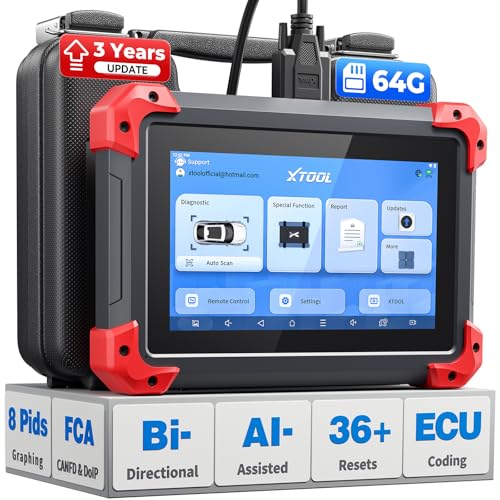
- 2026 Latest Version – Now Upgraded from 32GB to 64GB: XTOOL D7 obd2 scanner diagnostic tool with bidirectional is designed for DIY enthusiasts, professional mechanics. It now offers 64GB storage for smoother operation. Its 5000mAh battery (with 2500mAh 7.3V fast-charging) supports all-day use. With FCA, CAN FD, and DOIP protocol support, it covers more vehicle models and newer systems. A newly added battery voltage reading shows battery status before diagnostics, helping prevent low-voltage tests that could harm the vehicle. The V2.0 Diagnostic Report allows shops to personalize results with logos, customer details, and attachments to build trust and maintain records.
- Save $500+/Year with Pro-Level Diagnostics: Whether you're a DIYer, starting a repair business, or beginning work at an auto shop, XTOOL D7 car scanner offers advanced features typically found only in expensive professional OBD2 scanners - without the high price tag. With 4,000+ Active Tests & Bidirectional Pids, 36+ Special Functions, advanced module resets like SRS Reset, OE-level All-System Scan (one-click), FCA AutoAuth, CAN FD, DoIP, data export, and 8 PIDs graphing, the D7 auto scan tool covers 100,000+ vehicles (excluding Indian models). Includes 3-Year updates and supports the XV200 endoscope to detect em!ssions and intermittent issues.
- Full Bidirectional Advantage Over Other Code Readers & Scan Tools: The XTOOL D7 automotive scanner offers true bidirectional control plus advanced bidirectional PIDs, letting you send commands to components like A/C clutches, fuel injectors, windows, fans and more, while monitoring sensor responses live to catch elusive issues (even those without warning lights). Unlike budget bidirectional obd2 scanners limited to basic active tests,the D7 car fault scanner gives you full bidirectional control to run ABS pump tests, throttle position, turn fan on/off and solenoid tests, etc. No guessing, no extra fees—just smarter diagnostics
- OE-Level Full System Car Diagnostic Scanner with 8 Live Data Graphs: The XTOOL D7 is a pro-grade diagnostic tool that gives you full access to all vehicle systems—just like Snap on scanners & the factory scan tools, it delivers deep, accurate diagnostics you can trust. Easily view live data streams, retrieve freeze frame, and run active tests to pinpoint issues fast. With the ability to graph up to 8 PIDs at once, you can spot performance trends and troubleshoot like a pro. Whether you're a mechanic or car owner, with the D7 auto scanner you can stay ahead of problems and keep your vehicle running at its best
- High-value Automotive Scanner Diagnostic Tool with 36+ Special Function, Module Resets, Relearns, Calibrations, Adaptations & Initializations: XTOOL D7 diagnostic tool packs 36+ common & advanced maintenance, skip the $150 fee for battery registration after replacement, throttle body relearn after cleaning, or TPMS resets post-rotation, Auto bleed after the pad changes, or Electronic Parking Brake. Need to reset the transmission after towing? Crank sensor relearn for GM/for Dodge? Done. D7 also covered advanced functions like Ad~blue Reset, VIN Write, and many more professional OBD2 scanner functions that we can't list here. Text us your VIN + what you need, we’ll check the compatibility
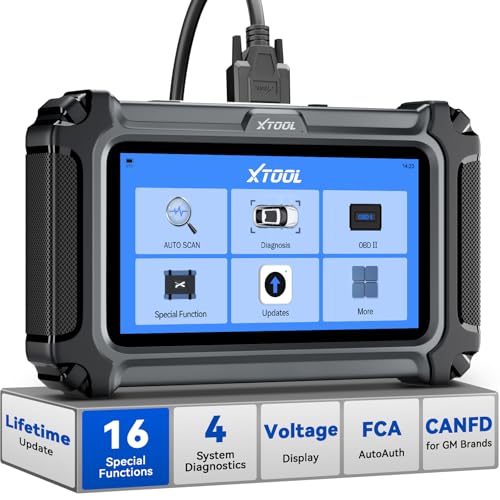
- Comprehensive OBD2 Scanner with 16 Resets: The XTOOL D5S car code reader and vehicle reset tool provides an advanced diagnostic solution with 16 commonly needed reset functions, including Electronic Parking Brake Reset (EPB Reset), SAS, BMS Reset (Battery Test), Throttle Body Relearn, TPMS Reset, ABS Bleeding, Injector Coding, Gearbox Match, Suspension Adjustment, Headlight, Window Initialization, Crank Sensor Relearn and more. Equipped with CAN FD Protocol and FAC AutoAuth, the D5S obd2 scanner diagnostic tool ensures compatibility with a broad range of modern vehicles, allowing users to address common maintenance needs quickly. NOTE: Please Check the Compatibility before ordering.
- 4 Main System Car Scanner & Full OBD2 Diagnostics: The XTOOL D5S car code reader is ideal for home mechanics, DIYers, and professionals, providing access to Transmission/Engine/ABS/SRS systems to read DTCs, Live data can be displayed in text or up to 4 PID data graphs, along with full OBD2 diagnostics to check the engine light on, other obd2 issues and routine maintenance. This car diagnostic scanner ensures you can keep your vehicles in top condition, avoiding costly repairs or unexpected breakdowns. NOTE: Some vehicles display three systems after connection because the transmission and engine of some vehicles are integrated into one.
- Check Engine Code Reader & Real-Time Engine Monitoring: Whether you're a car owner, a DIYer, or run a repair shop, the XTOOL D5S obd2 scanner diagnostic tool makes engine diagnostics fast and frustration-free, reading and explaining trouble codes in seconds—no confusion. Check live data like fuel trim, 02 sensor voltage, RPM, and coolant temp to pinpoint mis~fires, rough idle, or sensor issues. After repairs, simply use the D5S check engine code reader and reset tool to turn off the check engine light and confirm the problem’s fixed—saving time, money, and unnecessary shop visits. - Note: If the check engine light comes back on, it indicates the original problem still exists.
- Portable Car Scanner for ABS and SRS: XTOOL D5S gives you peace of mind when ABS or airbag warning lights come on. It reads and clears ABS codes to help you fix brake sensor, traction control, or wheel speed issues, and supports ABS bleeding after repairs like caliper or master cylinder replacement. For airbag systems, it scans and clears SRS codes related to airbags, seatbelt tensioners, and crash sensors. Whether you're doing repairs at home or running a small shop, the D5S is a cost-effective solution for safety diagnostics. Note: If a fault code returns after clearing, it usually means the issue hasn’t been fully resolved. Please check the compatibility before ordering.
- Transmission Warning Light ON? Here’s the Transmission Diagnostic and Reset Tool You Need: The XTOOL D5S is more than just a basic car scanner—it’s an easy-to-use transmission diagnostic tool. From rough shifts to slipping gears, the D5S lets you read and clear transmission trouble codes, monitor real-time TCM data, and perform transmission resets after fluid changes or repairs. Whether you’re a hands-on car owner or a pro running a busy shop, this OBD2 scanner with transmission functions helps you catch problems early—saving you time, money, and future headaches.. Note: Clearing fault codes is equivalent to a reset on some vehicles, but not all. For help, contact XTOOL Tech Support.
This product presentation was made with AAWP plugin.
Last update on 2026-06-06 / Affiliate links / Images from Amazon Product Advertising API