
NHTSA ID Number: 11021901
Manufacturer Communication Number: MAS004769_A DS 25-29
TSB/Document Date: 2025-08-18
Summary
This Technical bulletin serves as a guide and provides additional diagnostic info on the 12V Battery as well as new updated warranty policies and exceptions. MODELS AFFECTED: Grecale M182 (All MY), GranTurismo/GranCabrio M189 (All MY) (internal combustion engine and Folgore BEV vehicles) SECTION: 08.20-1 Energy generation and accumulation
Diagnostic Sheet
FROM: Maserati TSO
TSO
TO: Maserati Network
Grecale GranTurismo and GranCabrio 12 Volt
Battery Best Practices
IMPORTANT NOTICE This bulletin supersedes MAS004769 DS 25-18 released on June 26, 2025. It contains
updated information, please ensure all previous versions are discarded.
DATE: August 5, 2025
This Technical bulletin serves as a guide and provides additional diagnostic info on the 12V Battery
as well as new updated warranty policies and exceptions.
MODELS AFFECTED: Grecale M182 (All MY), GranTurismo/GranCabrio M189 (All MY) (internal
combustion engine and Folgore BEV vehicles)
SECTION: 08.20-1 Energy generation and accumulation
Diagnostic procedures for a “Dead Battery” concern
Please refer to “MAS004655 MCL 25-21 Battery Policy for “E-XTEQ” Maximus charger
tester” for details and best practices on how to properly test the 12V battery. Then
proceed with the instructions outlined in this bulletin.
© 2025 Maserati North
America. Aftersales
www.maseratiusa.com
MAS004769_A
All rights reserved. Reproduction or translation in
whole or in part is not permitted without
authorization from the publisher. Printed in USA
Page 1 of 7
TECHNICAL SERVICE OPERATIONS
MAS004769_A DS 25-29
A BOL is NOT mandatory: But it is mandatory to attach the following documents to the Warranty Claim:
1.
2.
3.
Attach a complete vehicle scan report (in pdf format), including DTCs and Parameters analyzed at
vehicle entry. Provide the Battery Test report (in PDF format) performed at vehicle entry, indicating that
the battery needs to be replaced and including the vehicle's VIN.
Evidence of the checks conducted to confirm the absence or installation of any aftermarket devices
(e.g., GPS tracker, alarm). If applicable, a BOL must be opened, including the brand/model, pictures of
any device found in the vehicle, and details of its installation. These should be included in the BOL report
for further investigation. A claim cannot be processed without a BOL report.
Check the battery part number (PN) and attach a picture of the label on the upper cover. In addition, it
is mandatory to provide a detailed description of the customer concern in the NOTE field of the claim.
For MY23 vehicles, a BOL report should be opened as a "Support Request" ONLY in the following cases:
- Difficulty in diagnosis (after 2hrs spent)
- If an aftermarket device is found installed on the vehicle
- In case of repeated visits for the same concern.
- If an excessive Parasitic Draw is found (At any point in time).
NOTE: Refer to the attached PARASITIC DRAW TEST (Attachments: PAGE 7) for detailed instructions
and to record the results.
NOTE: Only in case of battery replacement, it is mandatory to perform a SW update for the following modules:
RFHM, BCM and SLML/SLMR. The SW update of the modules must be done consecutively. The operation code
to be used for this SW update is: 9.99.000.B (0.40 h).
Warranty Claim information for MY23 vehicles
**Always check warranty coverage in the White Book before submitting a battery replacement or
recharge claim.**
Complete the warranty request as follows:
Description
Code
Warranty code
16
Defect code
122
Component Code
Spare Parts
8.20.001
Please, check the correct battery Part Number in Tech Doc
Operation Code*
▪
Battery test
0.20.046.0 (0.15 h)
▪
Battery replacement
o
Grecale ICE/MHEV
8.20.001.0 (0.15 h)
o
GT and GC ICE
8.20.001.1 (0.10 h)
▪
OBD/EOBD check
0.20.013.0 (0.20 h)
▪
SW update
9.99.000.B (0.40 h)
* For battery charging only (not replacement), the operation codes to be used are:
•
0.20.046.0 (BATTERY TEST)
•
0.20.013.0 (OBD/EOBD check)
•
0.10 of Straight Time for charging.
In this case, it is mandatory to attach a second battery test report to the claim to verify the charging.
NOTE: Maserati reserves the right to modify or cancel claims that do not meet the criteria outlined in this
communication and, if necessary, to correct and adjust them based on market averages.
© 2025 Maserati North
America. Aftersales
www.maseratiusa.com
MAS004769_A
All rights reserved. Reproduction or translation in
whole or in part is not permitted without
authorization from the publisher. Printed in USA
Page 2 of 7
TECHNICAL SERVICE OPERATIONS
MY23 vehicles:
A BOL as “Support Request” is MANDATORY: Please complete the MANDATORY → CUSTOMER USAGE AND
ROAD ASSISTANCE INFORMATION QUESTIONNAIRE and the DIAGNOSTIC CHECKLIST (Attachments: PAGES 4-6)
and attach it to the “Support Request” Blue Online (BOL). If a parasitic draw is suspected then perform the
parasitic draw checklist on the last page of this bulletin and attach results to the BOL.
Software Update Campaign Verification and Procedure
Use ModisCS+ to check if the vehicle is included in a software update campaign:
- For Grecale: MAS004696 Rapid Update (RU) #735 – Electric Absorption Improvement
- For GranTurismo/GranCabrio: MAS004778 Rapid Update (RU) #791 – Battery Draw Improvement
a. If the vehicle is involved in RU 735 (Grecale) or RU 791 (GranTurismo/GranCabrio):
- Perform the required software updates for the following control modules: RFHM, BCM, and SLML/SLMR.
- Refer to the relevant Rapid Update bulletin for applicable operation codes.
- Open a Blue On Line case under “Factory Information” and submit:
• The completed checklist with battery test (see attached document)
• A Vehicle Scan Report before and after the software update
b. If the vehicle is NOT involved in RU 735 (Grecale) or RU 791 (GranTurismo/GranCabrio):
- ONLY IF A BATTERY REPLACEMENT IS BEING PERFORMED, it is mandatory to update the following
modules:
• RFHM
• BCM
• SLML/SLMR
- These software updates must be performed consecutively.
- Use operation code: 9.99.000.B (0.40 h)
- Open a Blue On Line case under “Factory Information” and submit:
• The completed checklist with battery test (see attached document)
• A Vehicle Scan Report before and after the software update
c. If the vehicle has already received RU 735 or RU 791, or already has the latest
software version for RFHM, BCM, and SLML/SLMR:
- Open a Blue On Line case under “Support Request” for further analysis.
- Submit:
• The completed checklist with battery test (see attached document)
• A current Vehicle Scan Report
Warranty Claim Info for MY24 and Newer Vehicles
For the operations described in this publication, only the operations listed here will be approved under warranty. Any additional
requests will be rectified.
Description
Component Code
Operation Code
Code
8.20.001
8.20.001.D (1.8 h)
NOTE: Maserati reserves the right to modify or cancel claims that do not meet the criteria outlined in this
communication and, if necessary, to correct and adjust them based on market averages.
© 2025 Maserati North
America. Aftersales
www.maseratiusa.com
MAS004769_A
All rights reserved. Reproduction or translation in
whole or in part is not permitted without
authorization from the publisher. Printed in USA
Page 3 of 7
TECHNICAL SERVICE OPERATIONS
MY24 and newer vehicles:
OPERATIONS
TECHNICAL SERVICE OPERATIONS
ATTACHMENTS – 12 VOLT BATTERY DIAGNOSTIC CHECKLISTS
CUSTOMER USAGE AND ROAD ASSISTANCE INFORMATION QUESTIONNAIRE
(Checklist to be filled out by dealer if customer experienced a “Dead Battery” event)
ROAD ASSISTANCE INFORMATION
Was the vehicle Jump Started?
Battery cables attached to the battery posts loose?
YES
NO
YES
NO
QUESTIONNAIRE FOR THE CUSTOMER
Where was the vehicle Parked at the time of battery discharge?
Vehicle doors closed/locked?
YES
NO
Did the vehicle open using the Key FOB?
YES
NO
YES
NO
YES
NO
Has the customer noticed that the digital clock, comfort display, or backlighting of the
instrument cluster comes on when the car is closed?
Did the customer notice any malfunctions when the battery was discharged?
(e.g., Malfunction warning indicators lights or messages in the cluster)
If yes, which ones
(Describe in detail)
Check with the customer whether Customer Feedback:
the car may have erroneously been
left with the ignition ON (Refer to
MAS003511)
Vehicle recently been moved, or has been parked for an
extended period of days?
If YES, how many Days/Hours
NO
How many miles per day does the customer travel on average?
Miles
City
City & Highway
Highway
Type of route used most
frequently (insert flag)
Does the customer usually use the radio at KEY OFF?
After KEY OFF, does the customer leave electrical devices connected (USB or 12V devices)?
YES
YES
NO
NO
Were the key FOBs left in the vehicle?
How far away from the vehicle were the key FOBs outside the vehicle?
YES
NO
GPS tracker or other aftermarket KIT installed on the car?
YES
If YES, which ones
(Describe in detail)
FT
NO
If yes, which ones
(Describe in detail)
Was the car left with the parking lights on?
YES
NO
Connected Services Subscription Activated?
YES
NO
Has the customer noticed the engine cooling fan turning ON with the engine OFF?
YES
NO
Was the vehicle washed or exposed to rain before the discharge event?
YES
NO
What features or APPs of the radio did the customer use before the discharge event?
© 2025 Maserati North
America. Aftersales
www.maseratiusa.com
MAS004769_A
All rights reserved. Reproduction or translation in
whole or in part is not permitted without
authorization from the publisher. Printed in USA
Page 4 of 7
%
What was the High Voltage Battery charge status?
Has the HV battery been recharged recently or just before the 12V Battery discharge event?
YES
NO
AC
DC
YES
NO
How was the high-voltage battery charged?
The front hood was closed during the High Voltage recharge?
© 2025 Maserati North
America. Aftersales
www.maseratiusa.com
MAS004769_A
All rights reserved. Reproduction or translation in
whole or in part is not permitted without
authorization from the publisher. Printed in USA
Page 5 of 7
TECHNICAL SERVICE OPERATIONS
(CUSTOMER QUESTIONNAIRE CONTINUED) FOLGORE (BEV) ONLY RELATED QUESTIONS
To be performed ONLY after the vehicle has been sold and or AFTER PDI has been performed and the vehicle
stored for a long time.
ATTENTION! DO NOT DISCONNECT BATTERY CABLES OR IBS (until completion of the checklist)
The disconnection of the battery on connected (Active Maserati Connected Service) vehicles generates the
activation of the "STOLEN” mode by the TBM with a parasitic draw of approximately 150 mA for 8 hours after
the battery has been re-connected
Provide the 12V battery value recorded during PDI (attach the PDI checklist)
Volts
Provide an E-XTEQ Battery test printout performed at vehicle entry.
If the car is in PDI, indicate how many days it has been in stock and how often the battery check and recharge
procedure has been performed. Attach CHECKLIST FOR LONG-TERM OPERATIONS (not for Folgore)
Check the status of the following Rapid update actions upon entry of the vehicle:
(Circle “N/A” if the RU does not apply to the VIN)
Rapid Update 735
N/A
Done
Not Done
Rapid Update 791
N/A
Done
Not Done
Check for the presence/ installation of any aftermarket devices (GPS
tracker, alarm). If present, indicate brand/model and attach pictures
of the device and related installation
Brand/model:
Check the Battery production date attaching a picture of the hot
printed code on the upper cover
Code:
Check battery PN and attach a picture of the label on the upper cover
PN:
Did the Flat battery event occur while in Logistic Mode or Customer
Mode?
Logistic Mode
YES
NO
YES
NO
Battery post terminals free of corrosion or mechanical anomalies?
YES
NO
Is the battery post terminal secure and not loose?
YES
NO
Are SW updates available?
YES
NO
Check the position of the external lights selector (auto, manual) and if the lights stay ON.
YES
NO
YES
NO
Customer Mode
Check for SW updates previously performed on the car. Updated ECUs:
Check the radio power off delay, indicating in minutes (3,6, or 12min selectable in the MIA
min
MANDATORY: Attach a complete vehicle scan (DTC and Parameter) report of ALL modules
If the outcome of the battery test indicates that the battery needs to be re-charged, carry out a complete
charging cycle. Attach a picture of the battery charger display at the beginning and end of charging, including
the final printout.
If the car is in PDI, indicate how many days it has been in stock and how often the battery check and recharge
procedure has been performed. Attach CHECKLIST FOR LONG-TERM OPERATIONS last page of MAS004488 MCL
25-15 MGNT And MAINT Of In-stock Vehicles
© 2025 Maserati North
America. Aftersales
www.maseratiusa.com
MAS004769_A
All rights reserved. Reproduction or translation in
whole or in part is not permitted without
authorization from the publisher. Printed in USA
Page 6 of 7
TECHNICAL SERVICE OPERATIONS
DIAGNOSTIC CHECKLIST
PARASITIC DRAW TEST
ATTENTION! The disconnection of the battery on connected (Active Maserati Connected Service) vehicles
Activates the “STOLEN” mode by the TBM with a parasitic draw of approximately 150 mA for 8 hours after the
battery has been re-connected. To prevent this, follow the procedure below.
12V Battery Preconditions:
If the outcome of the battery test indicates that the battery needs to be re‐charged, carry out a complete
charging cycle. Attach a picture of the battery charger display at the beginning and end of charging.
(If possible, also add a picture after 3 hours of charging)
(In case of usage of no smart charger, the re-charging will have to last at least 8 hours)
Parasitic Draw Preconditions:
1)
2)
3)
4)
5)
6)
7)
12V Battery adequately charged (12.5V or above)
All doors closed the exception of the rear trunk/Tailgate
Interior and exterior lights must be OFF
All Keys out of detection range (more than 16 FT)
The rear Trunk opened, and the latch manually closed
No electronic device connected to USB ports or OBD connector
Lock the car by the key fob and remove it from the detection range
(more than 16 FT)
8) Wait at least 10 minutes (Vehicle Sleep Mode)
9) Use a digital multimeter and connect leads to the negative battery
post and a clean chassis ground.
10) Disconnect the quick connector of the negative battery cable while
keeping both the multimeter leads connected to the negative
battery post and chassis ground.
© 2025 Maserati North
America. Aftersales
www.maseratiusa.com
MAS004769_A
Record the results every 30 min up
to 90 minutes below:
1) 30 min_______mA
2) 60 min_______mA
3) 90 min_______mA
All rights reserved. Reproduction or translation in
whole or in part is not permitted without
authorization from the publisher. Printed in USA
Page 7 of 7
TECHNICAL SERVICE OPERATIONS
IMPORTANT: the disconnection of the battery on connected (Active Maserati Connected Service) vehicles
generates the activation of the "STOLEN” mode by the TBM with a parasitic draw of approximately 150 mA for
8 hours after the battery has been re-connected. It is important to prevent this from occurring when
performing a parasitic draw test. Because of this, we suggest that you follow the procedure below when
diagnosing a vehicle with a suspected excessive parasitic draw:
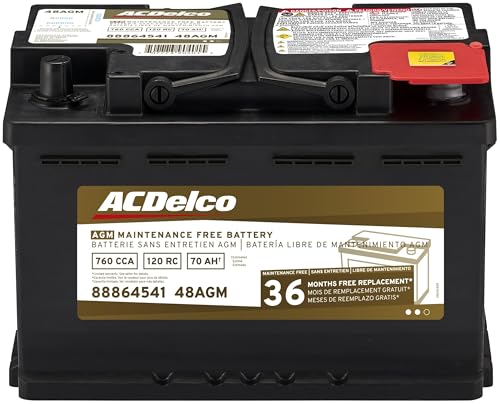
- High density negative paste, improves performance and...
- Enhanced life alloy or Silver Calcium stamped alloy...
- Calcium lead positive grid, maximizes conductivity and...
- Robust envelope separator with puncture resistant back...
- Vent cap design that resists acid leakage

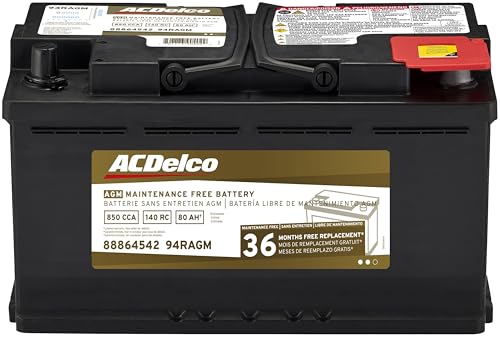
- High density negative paste, improves performance and...
- Enhanced life alloy or Silver Calcium stamped alloy...
- Calcium Lead positive grid, maximizes conductivity and...
- Robust Envelope Separator with puncture-resistant back...
- Vent cap design that resists acid leakage
Last update on 2026-05-30 / Affiliate links / Images from Amazon Product Advertising API
If the PDF is very large, it may not load in the preview below.
Some older TSBs had multiple PDFs — visit the NHTSA Website to view all PDFs.
If the TSB PDF does not show, download or view it on the NHTSA Website.
Click on the (+) Plus Sign
Then Click on Associated Document(s)
Search NHTSA Database for Recalls
Search NHTSA Database for Vehicle Investigations
View Latest Vehicle Investigations
Search NHTSA Database for Vehicle Complaints
View Latest Vehicle Complaints
TSB/Document ID: MAS004769_A DS 25-29
Replacement Service Bulletin Number:
MFR Communication Date: 2025-08-05
MFR Internal Campaign ID/Software Version:
Communication Type: Other
NHTSA Components: UNKNOWN OR OTHER
MFR Component System:
MFR Component Subsystem:
Previous TSB | Next TSB |

- 🎉[OTOFIX D1 Lite, Perfect Cost-effective Diagnostic Tool]: OTOFIX D1 Lite, a newest bidirectional scan tool from OTOFIX company, is a great choice for DIYers and repair shops. 👉This obd2 scanner diagnostic tool packs all practical functions: OE level all systems diagnoses, Bi-Directional Control, 38+ reset services fixing 99% of common problems, support DoIP & CANDF protocols and FCA
 AutoAuth, high-end hardware configuration. Worldwide vehicles and 🔥2 Years Free Updating🔥 covered.
 - 🎉[Bi-Directional Scan Tool, Active Test]: OTOFIX D1 Lite bluetooth obd2 scanner can also command ECUs and monitor the operation of the actuators to track down the problems of certain parts, like windows, sunroof, wipers, fuel pumps, etc., saving repair time & trouble. This makes OTOFIX D1 Lite the most cost-effective bidirectional scan tool.
- 🎉[2026 Newest, 38+ Hot Reset Functions]: Equipped with 38+ reset functions in one, the OTOFIX D1 lite automotive scanner diagnostic tool allows you to troubleshoot 99% of common vehicle problems. You can use this car diagnostic scanner holding enough functions to easily repair common vehicle models in your repair shops. Including Oil Reset, Injector Coding, Throttle, DPF Reset, SCR Reset, Gear Learning, Clutch Learning, Suspension, etc. Note* Reset functions vary by model.
- 🎉[OE Level Full Systems Diagnostics]: Unlike the 2-system and 4-system diagnostic tools, the OTOFIX auto scan tool can complete comprehensive system diagnostics within 5 minutes. It accesses and scans all available onboard systems like for Engine /AT /ABS /EPB /BMS /TPMS /SRS /SAS /Audio System /BCM /Air Conditioning / etc., to read & clear codes, view live data, and check ECU information. Note: Active test is not involved.
- 🎉[Powerful Hardware Configuration]: Designed with a fashion appearance & a 7” touchscreen and a weight of 463g, this OTOFIX D1 Lite OBD2 diagnostic scanner scan tool is convenient for everywhere and easy to use & store. Android9.0 OS and 2+64GB memory enhance multi-task smoothness and diagnostic operation, no more wasting too much time. 5800mAh battery allows hours-lasting use. WiFi & VCI1 also bring faster communication for your diagnostics.

- 🏆【2026 TOP OBD2 Scanner Diagnostic Tool】OTOFIX D1 Lite wireless obd2 scanner has upgraded hardware configuration and car coverage. The newly upgraded D1 Lite with 🔥OS Android 9.0🔥1.5Ghz 4 core high efficiency processor🔥2GB RAM+64GB ROM large storage🔥5800mAh large battery, more stable and longer lasting diagnostics🔥 38+ Reset🔥action tests🔥full system diagnostic🔥Supports MV105 endoscope🔥21+ Language Supports🔥100000+ vehicle coverage to meet all your daily maintenance needs.
- 👍【Bi-Directional Control / Active Test】D1 Lite obd2 scanner has bidirectional control(worth $300+), which is the most beloved feature among mechanic. If your headlights or car windows are broken, going to a repair shop will cost a lot of money. You can use D1 Lite to send execution commands to the ECU module and identify the repair status. Such as ABS, car windows, doors, valves, wipers, headlights, etc., effectively shorten diagnostic time and reduce diagnostic costs.
- 🔥【All Systems Diagnostics, In-depth Checking】This advanced OBD2 Scanner D1 Lite can perform OE-level diagnosis of all systems including engine, transmission, airbag, ABS, ESP, TPMS, gateway, steering, radio, and air conditioning for more than 100 brands. This diagnostic scanner supports essential functions, such as reading ECU version info, reading and clearing fault codes, and reading data streams.With just a simple click, it provides you with accurate and in-depth diagnostics.
- 🏆【38+ Reset Hot Functions】For repair workshops, holding an OTOFIX D1 Lite Auto scanner is a strong advantage over others. Its 38+ maintenance functions provide various solutions for all module repairs, including Oil Reset, TPMS Reset, Injector Coding, Suspension, Throttle Matching, etc., which will usher your repair business to a new pinnacle. Continuously updating will never make the functionality & compatibility out-of-date.
- 🏆【150+ Models, 10000+ Car Coverage & 16 Languages】D1 Lite is a comprehensive car diagnostic scan tool, help you to troubleshoot car issues fast for 95% US, European, Asian auto makes. ✅ With frequent updates and optimizations allow D1 Lite to cover more vehicles to meet your needs. ✅ Multilingual menu allows auto mechanics around the world to use it without language barriers. 🚩Note: Kindly send us the S/N of the device to authorize new language updates before changing the menu language.

- 2026 Newest Wireless Bluetooth Scan Tool D1: OTOFIX D1 Diagnostic scanner is upgraded version with Enhanced Hardwares & Newest Functions, FASTER and SMARTER! ✅Alternative Bluetooth 5.0 +USB connect✅2G+64GB✅Android 9.0 OS✅5G & 2.4 GHz Dual WiFi✅5800mAh battery👍VAG Guided Function👍ECU Online Coding👍CANFD&DOIP👍40+ Services👍Bi-Directional Control👍Full Systems Diagnose👍2 Years Free Update👍150+ Vehicle Coverage🎁Contact to get gift: otofixaftersales-amz@ outlook.com
- ECU Coding to Unlock the Hidden Features: OTOFIX D1 obd2 scanner diagnostic tool newly adds ECU Coding which can Online Coding(ONLY for VW/Au.di/Sk0da), Variant Coding/Offline Programming, Flash Hidden Functions, Reset Adaptive Data, Match Replaced Components, Customize OE-Settings. Such as: halogen fog lamps retrofitted with xenon fog lamps, different capacity battery retrofit, disbale auto start-stop, sunroof initialization, injector calibration, etc. PS: Coding functions vary by model&year.
- Full Bidirectional Control for Active Car Tests: The D1 OTOFIX scanner also offers bi-directional control, allowing you to perform powerful active tests on car subsystems. This means that you can check the working status and functionality of open & close solenoids, energize injectors, turn cooling fan on & off, and more, all from the device itself.🚩The D1 bi-directional obd2 scanner can quickly help you to check if a system or component goes well,Improving 200% Efficiency.**Note that Active Tests available depend on the make/model/year of your car.
- 40+ Popular Maintenance Functions: OTOFIX D1 obd scanner for car performs 40+ hot services, including Oil Reset, EPB, TPMS, BMS, E.GR, G.PF, D.PF, SAS Calibration, ABS Bleeding, Injector Coding, Gearbox Match, Suspension, Crankshaft Relearn, Power Balance, etc., still growing. Great choice for DIYers, technician, repair shop. 🚩Get MORE special functions from "Car Brand>System>Service". Check compatibility before purchase via 📧 otofixaftersales-amz@ outlook.com.
- OE-Level All Systems Diagnostic + One-Click AutoVIN & AutoSCAN: OTOFIX D1 scanner automotriz gives you the ability to troubleshoot entire car systems including engion system,transmission system,body system,chassis,etc. 🚩One of the standout features of the D1 obd2 scanner diagnostic tool is the one-click AutoVIN & AutoScan function. This feature allows you to quickly and easily scan all diagnosable ECUs with just one click, and identify any problems hidden in your vehicle's systems.
Last update on 2026-06-12 / Affiliate links / Images from Amazon Product Advertising API
This product presentation was made with AAWP plugin.