
NHTSA ID Number: 11019231
Manufacturer Communication Number: 2077315/8
TSB/Document Date: 2025-06-05
Summary
Software Update | BiL 5.3.1 v1 to v2 | Continental GT/GTC | 25MY (SC25/09). Technical background: Software updates must be applied to update the vehicles Baseline. The software update corrects the following Diagnostic trouble codes: • P060100: High Voltage Battery (Address 008C) Internal Control Module Memory Checksum Error • P057F00: Battery "A" State of Charge Performance, B11B300 Igniter for high voltage battery interrupt • P0A0B00: High Voltage System Interlock Circuit Performance (HVIL).
If the PDF is very large, it may not load in the preview below.
Some older TSBs had multiple PDFs — visit the NHTSA Website to view all PDFs.
If the TSB PDF does not show, download or view it on the NHTSA Website.
Click on the (+) Plus Sign
Then Click on Associated Document(s)



- Advanced VCI Box, Industry-leading J2534 Pass-Thru...
- High-Speed OEM-Level Diagnostics & Programming: Unlock true...
- Coverage for 17 Car Brands & Ultra Reliability: Works...
- User-Friendly RLink Platform & Expert Support: TOPDON’s...
- 6.6 ft USB-C Cable & Portable Storage Case: The RLink J...
This product presentation was made with AAWP plugin.
Search NHTSA Database for Recalls
Search NHTSA Database for Vehicle Investigations
View Latest Vehicle Investigations
Search NHTSA Database for Vehicle Complaints
View Latest Vehicle Complaints
TSB/Document ID: 2077315/8
Replacement Service Bulletin Number:
MFR Communication Date: 2025-05-16
MFR Internal Campaign ID/Software Version: ED39
Communication Type: Service Campaign
NHTSA Components: ENGINE
MFR Component System:
MFR Component Subsystem:
Previous TSB | Next TSB |
Field campaign
Topic
Market area
Brand
Transaction No.
Campaign number
Note
Type
US code
Software Update | BiL 5.3.1 v1 to v2 | Continental GT/GTC | 25MY (SC25/09)
Bentley: worldwide (2WBE),China 796 VW Import Comp. Ltd (Vico), Beijing (6796)
Bentley
2077315/8
ED39
Vehicle data
25MY Continental GT & GTC
Sales types
Type MY Brand Designation Engine code Gearbox code Final drive code
Z23* 2025 E
*
*
*
Z24* 2025 E
*
*
*
Documents
Document name
master.xml
ed39_svm_code.pdf
ed39vinlist.pdf
ED39
Software Update | BiL 5.3.1 v1 to v2 | Continental GT/GTC | 25MY (SC25/09)
Notes
Transaction No.: 2077315/8
Release date: May 16, 2025
Repair instructions
Technical background
Software updates must be applied to update the vehicles Baseline.
The software update corrects the following Diagnostic trouble codes:
•
P060100: High Voltage Battery (Address 008C) Internal Control Module Memory Checksum Error
•
P057F00: Battery "A" State of Charge Performance, B11B300 Igniter for high voltage battery interrupt
•
P0A0B00: High Voltage System Interlock Circuit Performance (HVIL).
CAUTION
If Campaign ED18 is marked as an outstanding Campaign in ElsaPro, it must be completed before starting this update.
Remedy
The instructions within the ‘Work’ section must be conducted to completion.
Customer notification
Please ensure all applicable instructions are conducted at the nearest opportunity.
Warranty
SVM Update Time
Claim type: 790 or 710
Service number: ED39
Damage code: 0066
Criteria:01
Labour Operation Code: 01 51 00 00
Time: As per ODIS log (Must not exceed 200TU)
Additional Time Allowance
A 100TU allowance may be claimed only if a SVM update fails to complete successfully. This is intended to cover additional diagnostic or
recovery work directly resulting from the failed update. It must not be used for unrelated delays or issues.
ODIS logs must be attached to a DISS ticket for evidence of failure. Claims without valid documentation will be rejected. Warranty Adjudicators
will review associated ODIS logs and DISS queries to determine actual software update time.
Parts
Not Applicable
Parts supply
Not Applicable
Parts despatch control
Not Applicable
Repair instructions
Technical background
Software updates must be applied to update the vehicles Baseline.
The software update corrects the following Diagnostic trouble codes:
•
P060100: High Voltage Battery (Address 008C) Internal Control Module Memory Checksum Error
Notes
•
P057F00: Battery "A" State of Charge Performance, B11B300 Igniter for high voltage battery interrupt
•
P0A0B00: High Voltage System Interlock Circuit Performance (HVIL).
CAUTION
If Campaign ED18 is marked as an outstanding Campaign in ElsaPro, it must be completed before starting this update.
Check
Check if the vehicle is already listed as repaired in “Repair history" (in ElsaPro).
Please also refer to the “Identification” section and check if a paint identification mark is evident in the vehicle.
If the vehicle is not shown in ElsaPro as repaired, and the identification mark is not present, please conduct the instructions within the ‘Work’
section to completion
Parts
Not Applicable
Work
CAUTION
The Bentley ODIS-S Brand Version MUST be at least 2.35.1 (or higher)
CAUTION
Before conducting the onward instructions, the operative MUST recheck the communication method in ODIS and ensure
that DoIP is selected before proceeding. Within ODIS-S, perform the following:
– On the right hand side, select the “Admin” tile (Within ‘Operating modes’)
– Select “GFF sequence” (Within ‘General information’ section)
– Under the “Selection of Communication path” drop-down menu, select “Only permit DoIP communication”.
CAUTION
DO NOT, UNDER ANY CIRCUMSTANCES, ATTEMPT TO CONDUCT THE SOFTWARE UPDATE VIA THE CAN NETWORK.
ONLY DoIP SHOULD BE USED WHEN PERFORMING THE SVM UPDATE.
CAUTION
You MUST ONLY use the Diagnosis Interface VAS 6154 (WiFi Diagnostic Tool) in USB OPERATION or the CABLECONNECTED VAS 5055 for the reprogramming (updating) of the control units.
– If neither of these units are available, the VAS 5054 (A) may be used in USB MODE.
– DO NOT under any circumstances use a Bluetooth connection to conduct the reprogramming (updating) of any control
units.
Battery Charger
CAUTION
ONLY Chargers that meet the approved specification on the Mandatory Equipment List (available on the Bentley Hub)
MUST be used.
– The charger must be set to a mode where a MINIMUM of 90a is supplied to the battery during the process. Typically, this
is known as ‘Power Supply Mode’ or ‘DIAG+ Mode’.
– A voltage of exactly 14.8v must be set and maintained throughout the process.
– Please refer to the manual to ensure that these requirements are met before beginning any SVM update
Preparation Before Update
WARNING
Hybrid Vehicles use a High Voltage System and therefore MUST ONLY be worked on by suitable personnel
CAUTION
During the update, switch off all unnecessary consumers. For example, ventilation, seat heaters, interior illumination,
exterior lights ect.
Conduct a full guided fault find of the vehicle.
If a ‘Check Installation List’ pop-up appears, select ‘close’ (see below image)
Referring to TPI 2075920, address any unknown faults BEFORE conducting any of the below updates.
Ensure that the correct battery charge is connected to the vehicle. – Refer to the ‘’Battery Charger’’ Section above.
Obtaining Hotfix for ODIS-S
Visit https://bentley.atheer.io/ and log in with the following case-sensitive account details.
•
Username: bilupdate
•
Password: Bentley123!
NOTICE
If you are already logged into your retailer account, you will need to logout first. To do this, click on your account initials
(bottom left corner) and click “Sign Out”.
After logging in, using the navigation bar on the left hand side, click on the ‘conversations’ tab
Next, click the conversation named “ED37/ED39 Hotfix Download”
In this conversation, you will find a file named “ED37_ED39_Hotfix”. Left click the file name and download the file.
After left-clicking the files to download them, the download will take circa 5-10 minutes, do not interrupt this process. You may need to wait a
short period (internet speed dependent) for the files to download.
During/before the download commences, there may be a warning about a "pop-up" being blocked which will prevent the file from downloading,
ensure to select option "Allow Pop-Ups from this website" to download the file. Wording may differ depending on web browser.
Locate the download file and extract it. To do this, right click the file, click “7 zip” and then “Extract here”
After successfully downloading the file, please logout of the account.
Loading ODIS-S Hotfix
With the hotfix you have downloaded from Atheer, load the hotfix into ODIS-S. The Bentley ODIS-S Brand Version MUST be at least 2.35.1 (or
higher).
Obtaining Correct SVM Code
Due to the intricacies behind Bentley Integration Levels (BiL), you must identify which SVM code each VIN requires.
Please find the applicable VIN on the attached “ed39_svm_code” document.
Note down the associated SVM code from the SVM Code column.
Keep note of this SVM code as you will be required to enter this into ODIS-S, later on in the procedure.
First SVM Code Input
CAUTION
At this point, a suitable battery charger must be connected to the vehicle.
1. In ODIS-S, navigate to the “Special Functions” tab.
2. Navigate to ‘SVM – Code Input’ and enter the SVM code which you have obtained from the attached “ed39_svm_code” pdf.
3. On the next screen, ensure that the SVM code displayed is correct.
4. You will be shown the communication type. This MUST be set to “DoIP”.
a. If “DoIP” is not selected, select option 3 until the communication type is set to “DoIP”.
5. After ensuring DoIP is selected, and a suitable battery charger is connected, select Option 1 – “Yes”.
a. From here, all control modules will be interrogated and the SVM action will take place.
6. Ensure that the diagnostic device remains connected for the duration of the update.
7. Follow all on-screen prompts until the program ends.
a. If you have a prompt stating there is no communication established with 00CC, select done/continue.
8. Follow the on-screen instructions to completion.
NOTICE
If you receive an error code: 8088, you must follow the below instructions.
1. In ODIS-S, navigate to the “Special Functions” tab.
2. Navigate to ‘SVM – Code Input’ and enter the SVM code: “372A5CONFIG01”
3. On the next screen, ensure that the SVM code displayed is correct.
4. You will be shown the communication type. This MUST be set to “DoIP”.
a. If “DoIP” is not selected, select option 3 until the communication type is set to “DoIP”.
5. After ensuring DoIP is selected, and a suitable battery charger is connected, select Option 1 – “Yes”.
a. From here, all control modules will be interrogated and the SVM action will take place.
6. Ensure that the diagnostic device remains connected for the duration of the update.
7. Follow all on-screen prompts until the program ends.
a. If you have a prompt stating there is no communication established with 00CC, select done/continue.
8. You may or may not encounter an error after the update.
9. Refer back to the start of “First SVM Code Input” and repeat the process to input the SVM code obtained from the attached document
“ed39_svm_code”.
10. Perform a whole vehicle DTC clear by exiting the current diagnostic session.
11. Perform a 15 minute CAN bus sleep.
a. Turn off the ignition.
b. Remove all equipment from the car (Diagnostic tester/dongle, battery charger, keys).
c. Close all doors, windows, bonnet and boot lid.
d. Lock the vehicle to perform a CAN-BUS sleep (wait 15 minutes).
12. Re-run guided fault finding and clear DTCs
High Voltage Shutdown
WARNING
De-energise the high-voltage system via ODIS-S. Refer to ElsaPro, Repair Group 93 – “De-energising high-voltage system”
to do so.
Second SVM Code Input
1. Navigate to ‘SVM – Code Input’
a. If the vehicle is any variant of a Continental GT or GTC, enter the SVM Code: “372HVBJB01”.
b. If the vehicle is any variant of a Continental Flying Spur, enter the SVM Code: “373HVBJB01”.
2. On the next screen, ensure that the SVM code displayed is correct.
3. You will be shown the communication type. This MUST be set to “DoIP”.
a. If “DoIP” is not selected, select option 3 until the communication type is set to “DoIP”.
4. After ensuring DoIP is selected, and a suitable battery charger is connected, select Option 1 – “Yes”.
a. From here, all control modules will be interrogated and the SVM action will take place.
5. Ensure that the diagnostic device remains connected for the duration of the update.
6. Follow all on-screen prompts until the program ends.
a. If you have a prompt stating there is no communication established with 00CC, select done/continue.
7. Follow the on-screen instructions to completion.
NOTICE
Flashing of the control module 06D0 may fail due to pre-conditions not being met. (Fig 1)
– Please follow the steps below if you encounter this problem.
Fig 1
1. Press “Done/Continue” and then on the next screen, select Option 3: ‘Cancel test programme’.
2. Perform a 15 minute CAN bus sleep.
a. Turn off the ignition.
b. Remove all equipment from the car (Diagnostic tester/dongle, battery charger, keys).
c. Close all doors, windows, bonnet and boot lid.
d. Lock the vehicle to perform a CAN-BUS sleep (wait 15 minutes).
3. Perform a whole vehicle DTC clear by exiting the current diagnostic session. Then, re-run guided fault finding.
4. Navigate to ‘SVM – Code Input’
a. If the vehicle is any variant of a Continental GT or GTC, enter the SVM Code: “372HVBJB01”.
b. If the vehicle is any variant of a Continental Flying Spur, enter the SVM Code: “373HVBJB01”.
5. On the next screen, ensure that the SVM code displayed is correct.
6. You will be shown the communication type. This MUST be set to “DoIP”.
a. If “DoIP” is not selected, select option 3 until the communication type is set to “DoIP”.
7. After ensuring DoIP is selected, and a suitable battery charger is connected, select Option 1 – “Yes”.
a. From here, all control modules will be interrogated and the SVM action will take place.
8. Ensure that the diagnostic device remains connected for the duration of the update.
9. This error message may or may not appear (Fig 2) on the ODIS-S terminal. Regardless of if the error message appears, continue with the next
steps.
Fig 2
Third SVM Code Input
WARNING
Re-energise the high-voltage system via ODIS-S. Refer to ElsaPro, Repair Group 93 – “Re-energising high-voltage system”
to do so.
1. After re-energising the High Voltage System, navigate to the “Special Functions” tab in ODIS-S.
2. Navigate to ‘SVM – Code Input’
a. If the vehicle is any variant of a Continental GT or GTC, enter the SVM Code: “372531COM01”.
b. If the vehicle is any variant of a Continental Flying Spur, enter the SVM Code: “373531COM02”.
3. On the next screen, ensure that the SVM code displayed is correct.
4. You will be shown the communication type. This MUST be set to “DoIP”.
a. If “DoIP” is not selected, select option 3 until the communication type is set to “DoIP”.
5. After ensuring DoIP is selected, and a suitable battery charger is connected, select Option 1 – “Yes”.
a. From here, all control modules will be interrogated and the SVM action will take place.
6. Ensure that the diagnostic device remains connected for the duration of the update.
7. Follow all on-screen prompts until the program ends.
a. If you have a prompt stating there is no communication established with 00CC, select done/continue.
8. Follow the on-screen instructions to completion.
9. If you are presented with this screen (Fig 3) at the end of the update, the update was successful. Please continue to step 11.
Fig 3
10. If you encounter any errors during the update, please raise a FULL TECHNICAL DISS query.
a. Customer Statement: “ED39 Support”
b. Workshop Findings: Give a summary of the error encountered and ensure that the GFF log is submitted online.
11. After successful completion of the update, perform the following.
a. Turn off the ignition.
b. Remove all equipment from the car (Diagnostic tester/dongle, battery charger, keys).
c. Close all doors, windows, bonnet and boot lid.
d. Lock the vehicle to perform a CAN-BUS sleep (wait 10 minutes).
12. After 30 minutes, unlock and open the driver’s door. Turn on the ignition, re-connect the battery charger and diagnostic dongle.
13. Re-run guided fault finding and clear DTCs. If any faults are present, refer to TPI 2075920. If any other faults are present are non-sporadic,
please raise a full DISS query with a fill GFF log uploaded online stating the error encountered.
Identification
Once the applicable action has been conducted, the operative must submit a warranty claim as this will show the service campaign action as
complete within Elsa Pro “Repair history”.
You must also add a blue paint mark as per the picture below.
Repair instructions
Notes
INTERNAL
#
VIN
SVM Code
SCBCF13S8SC020919 372531ED3901
SCBCR2ZG2SC021256 372531ED3901
SCBCF13S7SC021267 372531ED3901
SCBDR4ZG5SC021266 372531ED3901
SCBDR4ZG9SC021254 372531ED3901
SCBCF13S0SC021255 372531ED3901
SCBCF13S1SC021264 372531ED3901
SCBCF13S8SC021259 372531ED3901
SCBCR2ZG3SC021279 372531ED3901
SCBDF33S5SC021252 372531ED3901
SCBDF33S8SC021276 372531ED3901
SCBDR4ZG4SC021260 372531ED3901
SCBDR4ZG7SC021270 372531ED3901
SCBDR4ZGXSC021294 372531ED3901
SCBCF13S4SC021274 372531ED3901
SCBCF13S7SC021320 372531ED3901
SCBCF13S8SC021262 372531ED3901
SCBCJ13S0SC021304 372531ED3901
SCBCJ13S1SC021313 372531ED3901
SCBCJ13S8SC021308 372531ED3901
SCBDF33SXSC021280 372531ED3901
SCBDR4ZG1SC021314 372531ED3901
SCBDR4ZG5SC021283 372531ED3901
SCBCF13S3SC021332 372531ED3901
SCBCF13S5SC021347 372531ED3901
SCBCJ13S4SC021340 372531ED3901
SCBCJ1ZG9SC021353 372531ED3901
SCBCR13S2SC021278 372531ED3901
SCBCR2ZG1SC021300 372531ED3901
SCBCR2ZGXSC021344 372531ED3901
SCBDF33S0SC021272 372531ED3901
SCBDF33S0SC021322 372531ED3901
SCBDF33SXSC021358 372531ED3901
SCBDR4ZG1SC021345 372531ED3901
SCBDR4ZG4SC021310 372531ED3901
SCBDR4ZG4SC021355 372531ED3901
SCBDR4ZG7SC021334 372531ED3901
SCBDR4ZG8SC021326 372531ED3901
SCBDR4ZGXSC021330 372531ED3901
SCBCF13S1SC021328 372531ED3901
SCBCF13S5SC021381 372531ED3901
SCBCJ13S8SC021390 372531ED3901
SCBCR13S4SC021363 372531ED3901
INTERNAL
#
SCBCR2ZG0SC021370 372531ED3901
SCBCR2ZG3SC021377 372531ED3901
SCBDF33S6SC021342 372531ED3901
SCBDR4ZG2SC021287 372531ED3901
SCBDR4ZG4SC021338 372531ED3901
SCBDR4ZG5SC021302 372531ED3901
SCBDR4ZG7SC021348 372531ED3901
SCBCG13S9SC021350 372531ED3901
SCBCR2ZG5SC021414 372531ED3901
SCBDF33S2SC021306 372531ED3901
SCBDF33S4SC021291 372531ED3901
SCBDF33S9SC021318 372531ED3901
SCBDF33S9SC021352 372531ED3901
SCBDR4ZG0SC021384 372531ED3901
SCBDR4ZG6SC021258 372531ED3901
SCBCF13S3SC021430 372531ED3901
SCBCG13S1SC021309 372531ED3901
SCBCG13S5SC021393 372531ED3901
SCBCG13SXSC021406 372531ED3901
SCBCJ13S2SC021336 372531ED3901
SCBCJ13S8SC021339 372531ED3901
SCBCR13SXSC021383 372531ED3901
SCBDF33S0SC021398 372531ED3901
SCBDF33S2SC021368 372531ED3901
SCBDF33S5SC021428 372531ED3901
SCBDF33S7SC021365 372531ED3901
SCBDF33S9SC021416 372531ED3901
SCBDR4ZG1SC021362 372531ED3901
SCBDR4ZG7SC021379 372531ED3901
SCBDR4ZG8SC021424 372531ED3901
SCBCF13S1SC021460 372531ED3901
SCBCF13S4SC021470 372531ED3901
SCBCF13S7SC021396 372531ED3901
SCBCF1ZG9SC021418 372531ED3901
SCBCG13S8SC021324 372531ED3901
SCBCG13S8SC021467 372531ED3901
SCBCG13SXSC021356 372531ED3901
SCBCJ13S8SC021292 372531ED3901
SCBCR2ZG1SC021426 372531ED3901
SCBCR2ZG5SC021462 372531ED3901
SCBCR2ZG6SC021440 372531ED3901
SCBDR4ZG1SC021412 372531ED3901
SCBDR4ZG2SC021371 372531ED3901
SCBDR4ZG7SC021446 372531ED3901
INTERNAL
#
SCBDR4ZGXSC021375 372531ED3901
SCBCF13S5SC021431 372531ED3901
SCBCF13S7SC021477 372531ED3901
SCBCF13S7SC021480 372531ED3901
SCBCG13S2SC021285 372531ED3901
SCBCG13S7SC021444 372531ED3901
SCBCG13S7SC021475 372531ED3901
SCBCR2ZG0SC021367 372531ED3901
SCBCR2ZG5SC021445 372531ED3901
SCBDF33SXSC021392 372531ED3901
SCBDR4ZG7SC021463 372531ED3901
SCBDR4ZG9SC021402 372531ED3901
SCBDR4ZGXSC021408 372531ED3901
SCBCF13S6SC021504 372531ED3901
SCBCF1ZGXSC021458 372531ED3901
SCBCR2ZG3SC021282 372531ED3901
SCBCR2ZG9SC021500 372531ED3901
SCBDF33S1SC021510 372531ED3901
SCBDR4ZG8SC021388 372531ED3901
SCBCF13S6SC021535 372531ED3901
SCBCF13S8SC021536 372531ED3901
SCBCG13S1SC021312 372531ED3901
SCBCG13S3SC021487 372531ED3901
SCBCG13S5SC021488 372531ED3901
SCBCG13S6SC021404 372531ED3901
SCBCJ1ZG7SC021531 372531ED3901
SCBCR2ZG2SC021516 372531ED3901
SCBCR2ZG3SC021508 372531ED3901
SCBCR2ZG7SC021558 372531ED3901
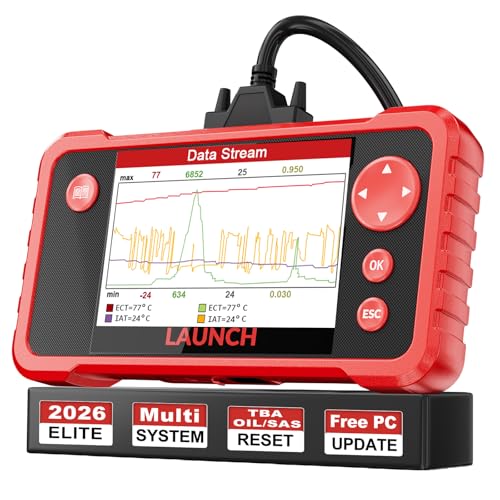
- 【Great Ideal For Every Car Owner】Prefect choice for your father, husband, brother or boyfriend. EVERY CAR OWNER WILL NEED IT! Also, the lifetime update is provided for more vehicle coverage, bug fixes. SAVE AT LEAST $1000+ PER YEAR!Get LAUNCH CRP123 V2.0 car diagnostic scanner and give your lover a surprise!*R each us to Get the Extra Gifts :Protective Case Storage Bag.
- 【Newly Added 3 Reset Functions】CRP123 V2.0 obd2 scanner with upgrades it offers Throttle Adaptation,Oil Reset and SAS Reset functions for FREE now!! Optimize your engine performance with Throttle Adaptation, reset your oil life system with ease to save time and money on maintenance, and enhance your vehicle's handling and safety with SAS Reset.Covering more daily repairs,become the most cost-effective product in its price range,save your time and money!
- 【 Read & Clear/Reset Engine/ABS/SRS/Transmission Diagnostic Scan Tool 】LAUNCH CRP123 V2.0 OBD2 Scanner can test Engine, Transmission, ABS and Airbag four systems, also reads and resets code, displays data stream graphic, stores and playbacks dynamic data stream,helps to quick analysis and diagnosis.
- 【 Error Fault Code Reader】Except the full 10 modes OBD2 diagnostic functions like, retrieving I/M readiness, Freeze Frame Data, Read Dynamic Data stream and Vehicle Information, O2 Sensor Test, EVAP Test of Fuel Tank System (Mode 8) and Advanced On-board Monitoring (Mode 6), launch crp123 v2.0 obd2 scanner can not only reveal what error codes your car is producing, but also erase your vehicle’s check engine light after problem fixed, the DTC help and explanation also tell you the exact problem.
- 【 Live Data Graphing + Read/Record/Playback Data stream + Print diagnostic data 】Live Data Graphing,more intuitive to know your vehicle’s problem.4 inches Screen Screen ;Print Function:Print the diagnose result easily; with user manual and register & update tutorial video uploaded in the link by us,you can Look up it anytime by ONE-CLICK.
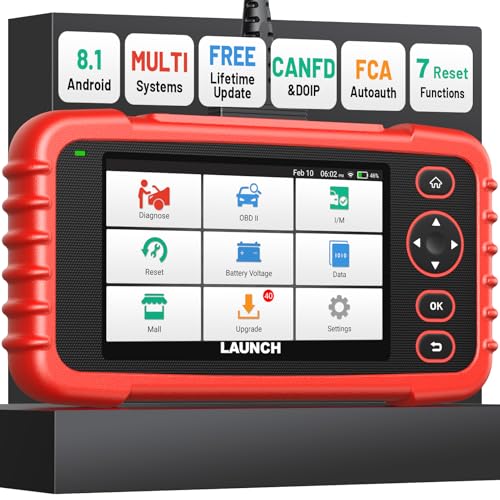
- [Newly Added in 2026: 7 Reset Functions] The 2026 new version of the OBD2 scanner diagnostic tool CRP123X V3.0 Elite has new special functions for F.REE: Throttle Ad.aptation, Oil/SAS/BMS/Brake Reset, D-P.F Re.generation and ABS Service. Before you visit a mechanic, launch obd2 Scanner CRP123X Elite can perform a more in-depth diagnosis of the car system and provide accurate data within minutes. What's more, the list of compatible models has been expanded. Upgrading frequency is regular, occurring monthly even weekly.
- 🔥[FCA AutoAuth + CAN FD & DoIP] As an upgraded version of the LAUNCH CRP123X/CRP129X, FOXWELL NT614, and ANCEL FX2000, The Newest LAUNCH CRP123X V3.0 auto diagnostic scanner supports the following new protocols: CAN-FD for 2020 and newer G.M and Chrysler
 models, as well as DoIP for V.olvo, Land Rover/Jaguar, and B.MW F/G chassis. With integrated AutoAuth, you can diagnose 2018 and newer FCA cars equipped with S.GW. Note: CAN-FD and DoIP protocols require an additional obd2 cable. *Menus vary by make, model, and year of gasoline or diesel engine vehicle. Email us your VIN data.
 - 🔥[No extra software fee. Works on 90 vehicle brands.] Most OBD2 scanners work with vehicles manufactured after 2001. However, the LUNCH OBD2 scanner is compatible with OBDII-equipped vehicles built after 1996 and works with more than 90 vehicle brands. One-click lifetime updates over WIFI 2.4&5.0Ghz keep the car software current and ensure constant coverage additions, diagnose vehicles from 1996 to 2026 with a massive global database. Android 8.1 ensures lightning-fast boot-up and processing.
- [Accurate & Intuitive Multi System Diagnosis] Will you be confused about what happens when the warning light of transmission, ABS, and SRS Airbag check engine flashes? Launch obd2 scanner diagnostic tool CRP123X V3.0 to pinpoint the problem components for a faster diagnosis for your car instead of taking your car to the dealership. Generate vehicle health reports with one click and share them via email over Wi-Fi to help avoid blind maintenance. And will turn off the warning light for you after fixing the problem, make to know more about your cars and do your own repair.
- [Multiple Display of Live Data + DTC Code Definition Explanation] Launch car tools show real-time data of oil temp, pressure, transmission temp, engine speed, coolant temperature, you will know which car part is abnormal. Data can be shown in a single, multi- graph, and merge two graphs for analysis(or 4-in-1 merged waveform graph),you can save, share, print, or email the overall inspection report for easier analysis.🔥Code Search,DTC Library provide massive information. Inbuilt “Feedback” module provides customized repair suggestions from our certified professionals.
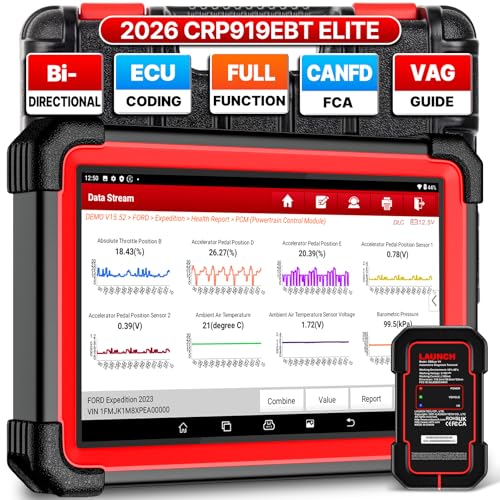
- 🔥【2026 TOP HARDWARE AND SOFTWARE UPGRADE,UPGRADED OF CRP919E】LAUNCH scanner CRP919EBT wireless obd2 scanner has upgraded TOP HARDWARE CONFIGURATION and ADD NEWEST FUNCTIONS. The more FASTER and SMARTER CRP919EBT with 🔥Bluetooths & USB 2-in-1 connect🔥Android 10.0 OS🔥2.0Ghz 4 core high efficiency processor 4GB RAM+64GB ROM large storage🔥6300mAh large battery, more stable and longer lasting diagnostics🔥VAG Guided🔥ECU Code🔥Bi-directional Control🔥35+ Resets🔥CANFD&DOIP🔥FCA AutoAuth🔥Full System Diagnostics🔥2 Yrs Update🔥Newly add BST360 battery tester & I-TPMS & VSP600 endoscope🔥23+ Languages. Provide an unparalleled diagnostic experience at an affordable price.
- 🚗【CAN FD & DOIP & FCA, SUPER PROTOCOL】LAUNCH X431 CRP919EBT is equipped with the DBSCAR VII Bluetooth connector supporting CANFD and DoIP. The CRP919EBT automotive diagnostic scanner supports CAN FD protocol (compatible with post-2020 GM vehicles). It also meets DoIP protocol requirements (adapter sold separately) for compatibility with BMW (E & F chassis) models from 2017 onward. Autoauth for FCA SGW supports FCA vehicles including Chrysler models from 2017 and later.
- ✔️【ADVANCED ECU CODE, ADAPTATION, CALIBRATION & INITIALIZATION】The LAUNCH X431 CRP919EBT automotive scanner delivers exceptional ECU code capabilities for customized vehicle setups. It provides dealer-level functionality to streamline maintenance and repairs, enabling ECU matching and learning for enhanced customization.
- 👍【BIDIRECTIONAL CONTROL, 4000+ ACTIVE TESTS】LAUNCH OBD2 scanner CRP919EBT features bi-directional control - the most demanded capability among mechanics. When headlights or windows malfunction, repairs can be costly. With CRP919EBT, execute ECU commands and assess repair status through systems including ABS, windows, valves, wipers, and headlights - streamlining diagnostics while slashing repair expenses.
- 🥇【35+ MOST POPULAR RESET SERVICE FOR 160 MAKES】Same as Snap-on scanners, CRP919EBT scan tool delivers 35+ reset functions for 160+ vehicle models, including: service oil reset, throttle adaptation, steering angle calibration, brake pad replacement code, tire pressure reset, ABS bleeding, battery registration, gear signal learning, and injector code, etc.
This product presentation was made with AAWP plugin.
Last update on 2026-05-11 / Affiliate links / Images from Amazon Product Advertising API