
NHTSA ID Number: 11015219
Manufacturer Communication Number: 24P36
TSB/Document Date: 2025-03-06
Summary
Certain 2025 Model Year Explorer vehicles Gear Shift Module Update
Service Engineering Operations
Customer Service Division
Ford Motor Company
PO Box 1904
Dearborn, Michigan 48121
February 18, 2025
TO:
All U.S. Ford and Lincoln Dealers
SUBJECT:
Customer Satisfaction Program 24P36
Certain 2025 Model Year Explorer vehicles
Gear Shift Module Update
PROGRAM TERMS
This program will be in effect through February 28, 2026 for vehicles within the new bumper-tobumper warranty coverage period.
URGENCY / EXPIRATION DATE
This Customer Satisfaction Program has an expiration date of February 28, 2026 to encourage
dealers and customers to have this service performed as soon as possible.
FSA VIN Lists are expected to be available on February 18, 2025.
AFFECTED VEHICLES
Vehicle
Model Year
Assembly Plant
Build Date Range
Explorer
2025
Chicago
November 29, 2023 through November 4, 2024
U.S. population of affected vehicles: 59,309. Affected vehicles are identified in OASIS and FSA VIN
Lists.
REASON FOR THIS PROGRAM
On some of the affected vehicles, the Malfunction Indicator (wrench) light will illuminate in the
instrument cluster due to a software error in the gear shift module.
SERVICE ACTION
Customer satisfaction P-type programs are to be performed on impacted vehicles already in for other
service work (either mobile repair or in dealership). Dealers are to update the gear shift module
software through FDRS. This service must be performed on all affected vehicles at no charge to the
vehicle owner. For new vehicle storage guidelines, refer to EFC13033, Storage Guidelines for New
Vehicles.
OWNER NOTIFICATION MAILING SCHEDULE
Owner letters will not be mailed for this program.
Copyright 2025 Ford Motor Company
ATTACHMENTS
• Administrative Information
• Labor Allowances and Parts Ordering Information
• Technical Instructions
QUESTIONS & ASSISTANCE
For questions and assistance, contact the Special Service Support Center (SSSC) via the SSSC Web
Contact Site. The SSSC Web Contact Site can be accessed through the Professional Technician
System (PTS) website using the SSSC link listed at the bottom of the OASIS VIN report screen or
listed under the SSSC tab.
Customer Service Division
Copyright 2025 Ford Motor Company
Administrative Information
Page 1 of 3
Customer Satisfaction Program 24P36
MOBILE SERVICE REPAIR ASSESSMENT LEVEL
•
•
•
All repairs in this program have the following assessment level.
- Mobile Reprogramming
Customer satisfaction P-type programs are to be performed on impacted vehicles already in for
other service work (either mobile repair or in dealership) and Remote Experience reimbursement
for just this repair is not allowed.
OASIS ACTIVATION
OASIS will be activated on February 18, 2025.
FSA VIN LISTS ACTIVATION
FSA VIN Lists will be available through https://web.fsavinlists.dealerconnection.com on February 24,
2025.
SOLD VEHICLES
• Correct affected vehicles identified in OASIS which are brought to your dealership within the
applicable bumper-to-bumper warranty coverage period.
Dealers are to prioritize repairs of customer vehicles over repairs of new and used vehicle inventory.
STOCK VEHICLES
• Correct all affected units in your new vehicle inventory before delivery.
• Use OASIS to identify any affected vehicles in your used vehicle inventory.
BRANDED / SALVAGED TITLE VEHICLES
Branded / salvaged title vehicles are eligible for this service action.
OWNER REFUNDS
Refunds are not approved for this program.
RENTAL VEHICLES
Rental vehicles are not approved for this program.
MOBILE SERVICE CLAIMING QUESTIONS
Dealers participating in the Remote Experience Program:
• Ford and Lincoln Dealers - refer to EFC16075, Announcing the 2025 Remote Experience
Program.
Dealers NOT participating in the 2025 Remote Experience Program:
For questions and assistance, contact the Special Service Support Center (SSSC) via the SSSC Web
Contact Site. Work with the Dealership warranty administrator to create an SSSC contact ID#.
• Once an SSSC agent responds to the new contact ID#, you may opt to call the SSSC hotline:
(800) 325-5621.
Copyright 2025 Ford Motor Company
Administrative Information
Page 2 of 3
Customer Satisfaction Program 24P36
FORD PICK-UP & DELIVERY
• Dealers participating in the Remote Experience Program:
o Refer to EFC16075, Announcing the 2025 Remote Experience Program for additional
details.
• Dealers NOT participating in the 2025 Remote Experience Program:
o Dealers may claim one-half labor hour per repair for vehicle Pick-Up & Delivery
services.
o Dealers must retain a Vehicle Pick-Up & Delivery Record with the repair order
documentation.
ADDITIONAL REPAIR (LABOR TIME AND/OR PARTS)
Additional repairs identified as necessary to complete the FSA should be managed as follows:
• For related damage and access time requirements, refer to the Warranty and Policy Manual /
Section 6 – Ford & Lincoln Program Policies / General Information & Special Circumstances
for FSA’s / Related Damage.
• For vehicles within new vehicle bumper-to-bumper warranty coverage, no SSSC approval is
required, although related damage must be on a separate repair line with the “Related
Damage” radio button checked.
o Ford vehicles – 3 years or 36,000 miles
• For vehicles outside new vehicle bumper-to-bumper warranty coverage, submit an Approval
Request to the SSSC Web Contact Site before completing the repair.
CLAIMS PREPARATION AND SUBMISSION
• Technician Competency Requirement: The STST Competency 10 certification requirement
in the U.S. market only will be enforced starting with repair orders opened on or after August
31, 2024. FSA repairs will reject, and the claim will not be paid if the repairing technician is not
certified in STST Competency 10 FSA. See EFC15936 for more details.
• Claim Entry: Enter claims using Dealer Management System (DMS) or One Warranty
Solution (OWS) online.
o When entering claims:
Claim type 31: Field Service Action.
Sub Code: 24P36
Customer Concern Code (CCC): P50
Condition Code (CC): 42
Causal Part Number: 7P155, Quantity 0
o For additional claims preparation and submission information, refer to the Recall and
Customer Satisfaction Program (CSP) Repairs in the OWS User Guide.
• Related Damage/Additional labor and/or parts: Must be claimed as Related Damage on a
separate repair line from the FSA with the same claim type and subcode as described in Claim
Entry above.
IMPORTANT: Click the Related Damage Indicator radio button.
Copyright 2025 Ford Motor Company
Administrative Information
Page 3 of 3
Customer Satisfaction Program 24P36
CLAIMS PREPARATION AND SUBMISSION (continued)
• Ford Pick-Up & Delivery:
o Dealers participating in the Remote Experience Program:
Refer to EFC16075, Announcing the 2025 Remote Experience Program for
additional details.
o Dealers NOT participating in the 2025 Remote Experience Program:
Dealers may claim one-half labor hour per repair for vehicle Pick-Up & Delivery
services.
Dealers must retain a Vehicle Pick-Up & Delivery Record with the repair order
documentation.
• Mobile Repair:
o Dealers participating in the 2025 Remote Experience Program –
Ford and Lincoln - Refer to EFC16075, Announcing the 2025 Remote
Experience Program for additional details.
o Dealers NOT participating in the 2025 Remote Experience Program –
Mobile repair allowances can be claimed for dealer-performed mobile repairs.
Dealers that are working with Ford-contracted mobile repair companies should
refer to those companies for claiming instructions.
For dealer-performed mobile repairs, retain a copy of the Service Management
signed record (see Repair Procedure Improvement & Revised Labor Time),
with the repair order documentation.
Claim the mobile repair allowance Labor Operation Code 24P36MM along with
the applicable Labor Operation Code for the repair (refer to the Labor
Allowances table in Labor Allowances and Parts Ordering Information).
Copyright 2025 Ford Motor Company
Labor Allowances and Parts Ordering Information
Page 1 of 2
Customer Satisfaction Program 24P36
LABOR ALLOWANCES
Gear Shift Module (GSM)– Technical Support Request (TSR) - Dealer Software Support Hotline
(DSSH)
• If you experience gear shift module (GSM) software programming errors, multiple
programming failures, or GSM module replacement, and require assistance - submit
a Technical Support Request (TSR) and request the following:
• GSM programming assistance or GSM replacement from DSSH
o A Repair Validation Code (RVC) is only required for GSM Module Replacement
o RVC Codes are not required for additional labor hours.
o Use labor operation code MT24P36RR for additional labor hours required for
programming failures.
o Clock times should be consistent with vehicle history on PTS and may be
requested for review.
• For this program it is NOT necessary to contact the SSSC for additional approvals,
this includes the following:
o additional labor hours
o module replacement
o related damage
Description
Re-program the Gear Shift Module (GSM)
GSM software failed and/or Gear Shift Module replacement
required:
o TSR/DSSH contact required.
o RVC provided for GSM module replacement only.
SSSC approval is not required unless M-Time is exceeded.
Mobile Service:
This allowance is only for non-eligible 2025 Remote
Experience Program Dealers.
Can be used when the repair takes place away from the
dealership.
If Additional Time is Required Due to Travel, Please Submit
an SSSC Approval Form.
Ford Vehicle Pick-Up & Delivery Allowance:
This allowance is only for non-eligible 2025 Remote
Experience Program Dealers.
NOTE: This allowance is for dealer-performed vehicle PickUp & Delivery for dealership repairs only. Can only be
claimed once, regardless of outstanding FSAs repaired.
Labor Operation
Labor Time
24P36B
0.3 Hours
MT24P36RR
Up to 4.4 Hours
24P36MM
0.5 Hours
24P36PP
0.5 Hours
Copyright 2025 Ford Motor Company
Labor Allowances and Parts Ordering Information
Page 2 of 2
Customer Satisfaction Program 24P36
PARTS REQUIREMENTS / ORDERING INFORMATION
Parts are not required to complete this repair.
PARTS RETENTION, RETURN, & SCRAPPING
In the event a module is replaced, follow the provisions of the Warranty and Policy Manual, Section 1
- WARRANTY PARTS RETENTION AND RETURN POLICIES. If a replaced part receives a scrap
disposition, the part must be scrapped by all applicable local, state, and federal environmental
protection and hazardous material regulations. Federal law prohibits selling motor vehicle parts or
components that are under safety, compliance, or emissions recall.
Copyright 2025 Ford Motor Company
TECHNICAL INSTRUCTIONS
PAGE 1 OF 2
CUSTOMER SERVICE PROGRAM 24P36
CERTAIN 2025 MODEL YEAR EXPLORER VEHICLES — GEAR SHIFT MODULE
(GSM) SOFTWARE UPDATE
SERVICE PROCEDURE
IMPORTANT! The Service Technician Specialty Training (STST) Competency 10 certification
requirement in the U.S. market only will be enforced starting with repair orders
opened on or after August 31, 2024. Field Service Action (FSA) repairs will reject
and the claim will not be paid if the repairing technician is not certified in STST
Competency 10 FSA. See Electronic Field Communication (EFC)15936 for more
details.
Module Programming
NOTE: Program appropriate vehicle modules before performing diagnostics and clear all Diagnostic
Trouble Codes (DTCs) after programming. For DTCs generated after programming, follow normal
diagnostic service procedures.
1. Connect a battery charger to the 12 Volt (V) battery.
• Use of a heavy-duty charger is recommended to maintain proper battery voltage during this
procedure.
NOTE: Verify the negative cable of the charger is installed on a chassis or engine ground and not
the 12V battery negative terminal to prevent the battery saver mode from activating on the
vehicle.
NOTE: If the diagnostic software does not load or if the vehicle cannot be identified properly, make sure
there is a good internet connection and the Vehicle Communication Module (VCM) is properly
connected to the Data Link Connector (DLC).
2. Log into Ford Diagnostic and Repair System (FDRS).
NOTE: Vehicle information is automatically retrieved by the diagnostic software and a Network Test is
run. Vehicle identification data appears on the screen when this is complete.
3. Click Read VIN from Vehicle or manually enter the Vehicle Identification Number (VIN).
NOTE: Available modules are shown on the left hand (LH) side of the screen and available procedures
are listed on the right hand (RH) side of the screen. Modules that are communicating are
highlighted in green.
4. Select Toolbox tab.
5. From the list on the LH side of the screen, select the GSM.
6. From the list on the RH side of the screen, select GSM - Gear Shift Module (GSM) Software Update.
7. Click RUN. Follow all on-screen instructions carefully.
CPR © 2025 FORD MOTOR COMPANY
DEARBORN, MICHIGAN 48121
02/2025
TECHNICAL INSTRUCTIONS
PAGE 2 OF 2
CUSTOMER SERVICE PROGRAM 24P36
8. From the list on the RH side of the screen, select Self-Test and click RUN.
9. Click the Run Selected Tests button in the lower right.
10. Click the Clear & Retest button at the top of the screen to clear DTCs in all modules.
11. Disconnect the battery charger from the 12V battery once the programming has completed.
Important Information for Module Programming
NOTE: When programming a module, use the following basic checks to ensure programming completes
without errors.
• Make sure the 12V battery is fully charged before carrying out the programming steps and connect
FDRS/scan tool to a power source.
NOTE: A good internet connection is necessary to identify the vehicle and to load the diagnostic software.
• Inspect the Vehicle Communication Module II (VCM II)/Vehicle Communication Module III (VCM III) or
the Vehicle Communication and Measurement Module (VCMM) and the cables for any damage. Make
sure scan tool connections are not interrupted during programming.
• A hardwired connection is strongly recommended.
• Turn off all unnecessary accessories (radio, heated/cooled seats, headlamps, interior lamps, HVAC
system, etc.) and close doors.
• Turn the accessories back on after programming has completed.
• Disconnect/depower any aftermarket accessories (remote start, alarm, power inverter, CB radio,etc.).
• Follow all scan tool on-screen instructions carefully.
• Disable FDRS/scan tool sleep mode, screensaver, hibernation modes.
• Create all sessions key on engine off (KOEO). Starting the vehicle before creating a session will cause
errors within the programming inhale process.
Recovering a module when programming has resulted in a blank module
a. Disconnect the VCM II/VCM III or the VCMM from the data link connector (DLC) and your computer.
b. After ten seconds, reconnect the VCMII/VCMIII or the VCMM to the DLC and the PC. Launch FDRS.
The VCMII/VCMIII or the VCMM icon should turn green in the bottom right corner of the screen. If it
does not, troubleshoot the FDRS to VCM connection.
c. If you are using the same FDRS as the initial programming attempt, select the appropriate VIN from
the Vehicle Identification menu. If you are using a different FDRS, select “Read VIN from Vehicle”
and proceed through the Network Test.
d. In the Toolbox menu, navigate to the failed module and Download/Run Programmable Module
Installation (PMI). Follow the on-screen prompts. When asked if the original module is installed,
select “No” and continue through the installation application.
e. Once programming has completed, a screen may list additional steps required to complete the
programming process. Make sure all applicable steps are followed in order.
CPR © 2025 FORD MOTOR COMPANY
DEARBORN, MICHIGAN 48121
02/2025


- Advanced VCI Box, Industry-leading J2534 Pass-Thru...
- High-Speed OEM-Level Diagnostics & Programming: Unlock true...
- Coverage for 17 Car Brands & Ultra Reliability: Works...
- User-Friendly RLink Platform & Expert Support: TOPDON’s...
- 6.6 ft USB-C Cable & Portable Storage Case: The RLink J...
Last update on 2026-06-23 / Affiliate links / Images from Amazon Product Advertising API
If the PDF is very large, it may not load in the preview below.
Some older TSBs had multiple PDFs — visit the NHTSA Website to view all PDFs.
If the TSB PDF does not show, download or view it on the NHTSA Website.
Click on the (+) Plus Sign
Then Click on Associated Document(s)
Search NHTSA Database for Recalls
Search NHTSA Database for Vehicle Investigations
View Latest Vehicle Investigations
Search NHTSA Database for Vehicle Complaints
View Latest Vehicle Complaints
TSB/Document ID: 24P36
Replacement Service Bulletin Number:
MFR Communication Date: 2025-02-18
MFR Internal Campaign ID/Software Version:
Communication Type: Other
NHTSA Components: UNKNOWN OR OTHER
MFR Component System:
MFR Component Subsystem:
Previous TSB | Next TSB |

- 💯【Conta.ct us for Support Directly】If you met any issues about: Received a registered device/ Language Changing/ Function not Support/ VCI150 Blueto-oth connector malfunction/ Subscription Renewal, please conta.ct us via 📞autelsupply @outlook. com🛣️, we will provide perfect solution for you. ⚠️Note: Autel MK900BT comes with 1-Year Free Software Update, most features will remain active after update subscription expires. 1. For questions regarding updates or need more useful accessories, please conta.ct us via 📞autelsupply @outlook.com🛣️. 2. If the device fails to charge or turn on, please conta.ct us via 📞autelsupply @outlook. com🛣️, we will handle it promptly.
- 🔥🔥🔥【2026 AUTEL FLAGSHIP MK900BT MK900-BT, NEW MODEL OF MK808S MK900 MX900 MK808BT MX808S】2026 newest Autel MK900BT retains all features of MK808S MX900 MX808S MK808Z MK808Z-BT MK808K-BT, while EXTRA added powerful functions (value 2000+ bucks). The Pro-level Autel MK900BT makes a big leaps: 28+➡40+, 50+➡3000+ Active Tests, 2026 NEW✅CAN FD & DOIP protocols ✅Pre&Post diagnostic report ✅WIFI Print ✅Auto VIN&Auto Scan 2.0 ✅Scan VIN/ License ✅Battery Test (Need purcha.se BT506). If found defect or us.ed, please conta-ct 📞autelsupply @outlook. com📞 get perf-ect solut.ion.
- 🚗【3000+ ACTIVE TESTS (50➡3000+), SAME AS MS906 PRO】Differ from MS906BT MS906 MP808 MK808 MX808 MK808BT only 50 tests, Autel scanner MK900BT escaner automotriz professional offers 3000+ active tests, it can send command to ECUs & monitor actuators operation, quickly locating faulty components. Bidirectional scanning takes your diagnostics to the next level with menu lists 3000+ active tests, such as windows, rear mirrors, sunroof, wipers, fuel injector, coolant fans, radiator fan, AC clutch, coolant pump and more. Note: Functions are not available for all vehicles, please send vehicle VIN to us check compatibility.
- 🚗【40+ HOT SERVICES FOR 150 MAKES (28+➡40+)】Full level-up of OBD2 code reader MaxiCOM MK808S MK808 MK808Z MX808 MK808Z-BT with 28 service, Autel scan tool MK900BT/ MK900-BT offers 40+ maintenance service on 150+ brands 10,000 vehicles from 1996-2025-2026. Hottest Services like: Oil Reset, ABS Bleed, SAS Calibration, Injector Coding, SRS, Throttle Reset, Gearbox Reset, Battery Registration etc. Added 12+ advanced resets: rain slash light sensor reset, HVA.C/ SUS calibration etc. Welcome to send Vehicle Make>Model>Year>VIN>Functions you required to 📞autelsupply @ outlook . com📞 check compatibility.
- 🚗【OE ALL SYSTEM DIAGNOSE, AUTO SCAN 2.0: SCAN LICENSE/ AUTO VIN】2026 new release Autel MaxiCOM MK900-BT scan tool embodies all system diagnostic with its 8in display for all vehicles. Like Sna.p-on tools, it can perform ✔Read/Clear Codes✔Displays 5-in-1 Live Data✔Record & Playback Data✔Retrieve Info on all available systems like ABS ECM BCM SRS TCM etc. In addition to Auto VIN technology, Autel MK900BT adds Scan License/ Auto Scan 2.0 to identify vehicle’s VIN/ license, make, year, model, no need manual input; One-click WiFi Printing of Pre&Post comparison diagnostic reports, highlight root causes of problems.

- 【TURN OFF CEL】 This AL319 car scanner diagnostic tool supports Reading and Clearing DTCs, DTC Look Up, displaying Live Data, Freeze Frame & I/M Readiness, view vehicle information, etc., to figure out the root cause of the Check Engine Light (CEL) and turn it off, helping you catch any potential issues early and avoid excessive costs from unnecessary repairs.
- 【EXTENSIVE APPLICATION】 Autel AL319 Compatible with 7 languages (English, French, Spanish, etc.) and various post-1996 OBD II protocol vehicles (Toyota
 , Nissan, Honda, Ford, etc.), this OBD II scanner provides accurate and fast diagnosis for worldwide car owners.
 - 【FOR END USER & DIYERS】 This error code reader AL319 is “plug and play” and comes with an easy interface. Even if you’re not familiar with vehicle repair, you can quickly take control of this obd2 scanner, and get the information you want.
- 【USER-FRIENDLY DESIGN】 This OBD2 scanner and check engine code reader features a patented One-Click I/M Readiness, TFT color display, built-in speaker, LED Indicator etc. The cable is long enough without being too long and getting in the way. No batteries are needed.
- 【HIGH-QUALITY SERVICES】 12 months war.ranty from the date of purchase and lifetime free update are offered by this Automobile OBDII scan tool. Welcome to contact us via Q&A, email, or hotline, and our after-sale-service team for technical support.
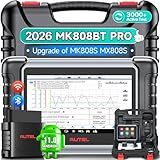
- 👨🎓Tips Before Order: 🚩All function are vehicle-specific - send VIN(17 digits)/Make/Model/Year & needed function via 📞auteldirect @ outlook . com📞 to check before order. 🚩Register tool: a) Follow on-screen guide; or b) Register em-ail on Autel we-b, then bind using SN(back of device) + verification code (find in tool settings or con-tact us via above em-ail). MK808BT PRO comes with ✅English, if need Spanish, please s.end device SN to add. ✅1-year war-ranty. ✅$150 worth 1yr fr-ee updates(New users: ignore renewal alerts). ⚠️📢Post-expiry: Most functions remain functional,for exclusions, refer to A+ Tips. ⚠️Fee for FCA AutoAuth Ga.teway(optional): $50/year, charged by AutoAuth,not Autel.
- 【2026 MK808BT PRO: Same as MK900BT, up of MK900 MX900 MK808S MX808S】Why pay more? 2026 MK808BT PRO functions as MK900BT and saves you 100USD. At same c0st, you now get diagnostic 8X faster and sup-port for 150+ models(1996-2026).💡Dramatically Improved: ✔️Faster & Smarter OS: Android 4.4➡ Android 11 ✔️More Services: 28+➡ 40+ ✔️Bidirectional Control: 50+➡ 3,000+ ✔️Enhanced Hardware: 1/32G➡ 4G/64G ✔️2.4GHz➡ 5G Dual WiFi ✔️Working range: 0.9m➡ 10m+ 🔋Battery test is clear on the large 7in display(BT506 required). 🔔Your Autel scanner is shipped brand new. For any issues(used, damaged, incompatible), e-m-a-il 📞auteldirect @ outlook . com📞 for priority resolution.
- 👍【New Next-Level Bidirectional Control, 50➡3000+ Tests, Covers Daily Repairs】Unlike the Autel DS708 DS808 MP808 MK808 and MX808 car diagnostic scanners, which offer only 50 functional tests, the Autel bidirectional scan tool MK808BT PRO is equipped with over 3000 active tests. These tests are widely used on car subsystems to help technicians quickly check if the car's actuators are functioning properly. Such as ABS, windows, rearview mirrors, wipers, sunroofs, fuel injectors, AC clutches, coolant fans, radiator fans, coolant pumps,etc. Tips📢: All functions are vehicle-specific, not universal to all vehicles,pls send VIN to 📞auteldirect @ outlook . com📞check compatibility before order.
- 👍【28+ Hot Services for 150+ Makes】Autel scan tool MK808BT PRO, upgraded with a BT VCI Mini(valued at 120USD), surpasses the old wired OBDII scanner MK808S MK900, by providing a convenient 33ft wireless working range, offering greater freedom and comfort compared to the 3.3ft cable limit of the MK900 MK808S MX808S car scanner. New features include VIN Check across different modules for comparison and 28+ resets, such as injector coding, ABS autobleed, Oil reset, SAS cali.bration, BMS, throttle relearn, suspension adjustments, etc. ⚠️📢Tips: Service functions are vehicle-specific, not universal to all vehicles, pls send VIN to 📞auteldirect @ outlook . com📞check compatibility before order.
- 👍【All Available Module Diagnosis - OE-Level Scanner】The OE versatile OBDII scan tool MK808BT PRO escaner para autos effectively works with all car systems: ABS, ECM, BCM, SRS, TCM,etc. It identifies vehicles via AutoVIN/manual input/select, like S.nap-on tools, it can ✔read/clear 7000+ DTCs, ✔read ECU info, ✔view 5-in-1 live data, ✔perform active tests, and ✔reset services. ✔Reports can be shared via QR-code and printed, working globally and 21+ multilingual. Supports 150+ US/EU/Asian makes, with ongoing updates from 2024 to 2026. ⚠️Note📢: The AutoVIN function usually works for post-2006 cars, depending on if the vehicle's VIN is stored in the ECU. You can always do manual input/select.
Last update on 2026-06-23 / Affiliate links / Images from Amazon Product Advertising API
This product presentation was made with AAWP plugin.