
NHTSA ID Number: 11014280
Manufacturer Communication Number: 24-NA-155
TSB/Document Date: 2025-02-17
Summary
This service bulletin provides repair information to correct a customer concern of software related issues with release of Radio Software Update Version is W38E-174.4.1-M170-SQBR5-180.5.
Bulletin No.: 24-NA-155
Service Bulletin
Date: February, 2025
TECHNICAL
Subject:
Radio Software Update Version is W38E-174.4.1-M170-SQBR5-180.4
This Service Bulletin replaces PIT6047D, PIT6048B, and PIT6174. Please discard all
previous versions of PIT6047, PIT6048, and PIT6174.
Brand:
Model:
Model Year:
from
to
LYRIQ
2023
2023
Colorado
2023
2023
Canyon
2023
2023
VIN:
from
to
—
—
Engine:
—
—
Involved Region or Country
North America, Middle East, Cadillac Korea (South Korea)
Additional Options (RPOs)
Equipped with RPO IVD
Condition
Some customers may comment on software related issues. Continuous improvement
software updates are being released with improvements made in several areas.
Cause
The causes of the condition may be software anomalies.
Correction
A new radio software update, version is W38E-174.4.1-M170-SQBR5-180.4, was
released to service for vehicles equipped with Infotainment system RPO IVD being
brought into the service department. In addition to providing general robustness and
stability enhancements, this update includes all enhancements from previous software
version releases. Along with the vehicles mentioned above; fleet customers may need
the dealer to reprogram the radio with the new software package.
Caution: to avoid potential programming errors, ensure both programming events (Programming and USB File Transfer) are performed.
Important: Improvements will vary by model, build configuration, system, and sales region. Not all vehicles have all
features.
Most notable improvements contained in this release may include:
Camera:
• The screen may go black when in a camera view
• Camera views may overlap
• Cargo Bed Camera is not mirrored
• Cargo Bed Camera may not be available
• False pedestrian notification on Rear View Camera
• Intermittently the Rear View Camera will show the no camera icon
• May not be able to exit the camera app because there is no menu or X button
• Rear View Camera may not work properly with Quick Start Up on
• Rear View Camera always on
• Rear View Camera will not work properly
• The camera may flicker
• The cameras may not work after a cold boot
Copyright 2025 General Motors. All Rights Reserved.
Page 2
February, 2025
• The heated seat screen may overlay the Rear View Camera
• The Parking Assist may not show indicators
• The Rear View Camera may be slow to load
• The side camera angles may be incorrect
• When the radio loses the speed signal the camera view will go away
• While using Automated Park Assist there may not be a camera view
• Delayed camera screen
• Blank screen with grid lines
• Rear View Camera image freezes for a short period
• Green screen
• Front View Camera has Rear View Camera viewing options
Displays:
• "Your Audio will be Muted" message for Teen Driver doesn't display
• B1D73-04 may set in the radio, along with DTCs in the BCM for the VCD
• Black screen
• Drive mode titles and icons overlap
• Icon changes
• Not able to switch from Flow theme to V series theme
• Pop-up message may not have icons
• Porch view may stop working
• Radio display may not dim at night
• SWC audio source change does not show on VCD
• The screen may be distorted when shifting from Reverse to Drive
• Volume bar listed as Navigation instead of Voice for OnStar call
• When switching from Driver to Guest, "tseuG" shows on the status bar
• User may see "Update Failed. See dealer to restore system" OR Black Screen
• Brightness adjustment may not change screen brightness
• Rear HVAC control screen may be brighter than set
• Radio hard buttons may not work
• Audio source list stuck on display
• Audio unavailable message
• Auto Start Stop icon overlaps speed when there is a pop-up message
• Blank cluster display
• Cluster screen may freeze
• Map view may be slow to load
• DIC may overlap with gauge
• Navigation information may not show in Zone 3
• Cluster flickers
• Android icon pops up while switching cluster views
• Prevent ellipsis from showing on cluster
• Selected cluster view may not be saved after vehicle shutdown
• Best fuel economy is blank
• Audio message appears over gauges when creating new user profile
• The vehicle ahead green telltale may overlap with the speed info
Bulletin No.: 24-NA-155
Bulletin No.: 24-NA-155
February, 2025
Page 3
• IPC and ICS info mismatch
• Cluster layout issues
• Blank Screens and/or Update Failed Screen after low voltage/dead battery
• Speedometer not updating
• Both displays black screen
• No Touch Response on radio display
• Display illumination improvements
• Cluster screen flickers
• Black radio screen at startup
• Delayed Cluster bring up
• Blank Cluster display with telltales
• PRND stuck on reverse
• eAWD telltale not activating
• Radio Display Illumination Too Dark Compared to Cluster Display
• Fuel Economy scale missing
• Cannot remove Cluster Info tile
• HUD black screen for key cycle
• CarPlay maps black screen on Cluster display
• HUD blank with radio setting B19B0
• Offroad display stuck on
• HUD missing info and not responsive
• Quickly switching between Cluster views causes display failures/hang ups
• (Cadillac only) Radio display flickers after using MFC
• HUD not working after deep sleep
• Radio display loss of touch and erratic dimming
• HUD settings not remembered
• Speed Limit icon will not disappear when driver setting set to Hide
• IPC and HUD info mismatch
• Cluster navigation option missing
• Blank Cluster display
• Transmission temperature gauge color on Cluster shows red hot when vehicle is within operating temperature
range
• Cluster reset
• Lane lines don't show colored in Cluster Assist layout
• Navigation route on Cluster display is not still shown after ignition cycle with STR
• Android System message at start up
• HUD shows cruise at "0" instead of "--" when no speed is set
• Vehicle info apps show "Add to Driver Display" when already shown
• Display layout issues
• Drive mode app flickers when changing modes
• Pressing "Turn Off Display" can cause the display to get stuck in a flickering/resetting cycle
• Service Display message and loss of radio screen and virtual controls
Stability:
• Lagging
Page 4
February, 2025
Bulletin No.: 24-NA-155
• Radio may not fully shut down, but looks off
• Radio may reset while the camera views keep being switched
• Slow bootup time
• Maps and/or audio app may crash
Phone:
• Removing the Text play buttons when Alexa is the assistant
• Text messages might not be seen on display
• When CarPlay is connected you can't access Alexa
• With CarPlay the first phone call of every ignition cycle will cause CarPlay to disconnect
• Voice recognition pass through to the connected phone may not work
• When trying to exit android auto, display goes black
• CarPlay disconnects when radio is off and passthrough voice recognition is activated
• Phone app will not launch while wired android auto is connected
• Delete paired device confirmation appears twice
• Apple CarPlay and Android Auto will disconnect after about 5 minutes
• When Bluetooth is not the audio source there is no audio chime for incoming text messages
• Wired Android Auto might reconnect instead of Bluetooth
• Bluetooth may not reconnect
• Voice Recognition pass through has no audio response
• An incoming Bluetooth call ringtone might have a sound when answering
• CarPlay audio still through vehicle when toggled to phone
• Phone auto-connect not functioning after profile change
• Incoming call alert not shown when in another call
• Android Auto shows wireless charging icon incorrectly
• Text messages pop up not shown in vehicle
• Bluetooth audio lost after voice assistant long press
• "Add Phone" button not working
• No sound when using Android Auto
• Call Ended shown incorrectly when disabling call profile
• Phone pairing dialog pops up every key cycle
• Call timer shows negative value after call reconnect
• Cannot launch Android Auto/Apple CarPlay
• Cannot repair Bluetooth devices
• Text message notification sound not heard
• CarPlay Siri does not work after SWC long press radio reset
• Phone screen shows blank when canceling in progress Bluetooth pairing
• Bluetooth audio start up volume too high
• Bluetooth crashes when cable is unplugged
• Bluetooth device listed twice in media
• Cannot pair device as pair mode stuck OFF
Virtual Controls:
• Customer will be unable to rename garage door
• HVAC virtual controls might not work
Bulletin No.: 24-NA-155
February, 2025
Page 5
• May not be able to exit the Virtual Controls app
• The Virtual Controls app can be opened with the radio off
• The Virtual Controls app may not open
• Headlight controls may be covered by HVAC controls
• Ride height adjustment may not work
• Virtual controls, such as headlights, may not work
Other Apps:
• The MyBrand app may not launch
• The Owner's Manual may have no information
• Park Assist does not function
• Tire pressure missing
• Trailer app may default to "lite" mode instead of full mode, losing some options
• Vehicle model may not show on vehicle status screen
• Vehicle information app crashes when pressing energy info
• Auto parking app will not show animations and camera video feed
• Teen Driver volume limit may not be consistent from one key cycle to another
• Auto Park Assist tells the driver they have to shift when they don't
Programming:
• After an OTA update, new features may not be activated
• During USB updating the process might fail at the 21-minute mark
• If a customer interrupts an OTA and dismisses the message, every time they shift from Park to Drive the
message will return until the update is done
• Radio shows the old part number after programming until it is rebooted
• Radio stuck on How to Complete This Update Screen after USB update
• When updating from R3 to R5 any custom pages will be lost
• Display goes black at 21 minutes remaining in update
• Wrong firmware version could be displayed in settings
• "LCDD Data Provisioning failed" message after attempting provisioning
• The LCDD write can take too long
• "Update Unsuccessful" message stuck on until full sleep cycle.
• "Vehicle Software Updates are available" does not show on every ignition.
• Radio screen shows no icons after programming.
• Speed limit shows dashes after SW update.
• Blank screen during USB programming.
• USB recovery status bar shows on cluster display.
• Cannot enable Quick Start Up after USB Update.
• No success pop up or record of USB updates
Radio:
• Battery drain from radio of 3A
• Radio may not leave Quick Start Up mode and go to off
• Radio may not turn off when RAP is cancelled
• Radio thinks the vehicle is in Drive so customer is unable to access pages where the vehicle must be in Park
• The radio may not power back on
Page 6
February, 2025
Bulletin No.: 24-NA-155
• Audio distorted
• Audio pauses during projection
• No audio
• Possible noise on startup
• Two sources playing audio at the same time
• When switching to the MaxPower drive mode the audio may stop
• While a traffic announcement comes in while using voice recognition the audio bar name will show
Announcement
• Customer may hear turn signal chime/clack without turn signal active
• No audio after phone call
• At startup, Bluetooth audio is too loud
• No Bluetooth audio after starting Nav. Route
• Stability improvements.
• RVC does not work or shows red triangle.
• Delayed RVC bring up.
• Cannot launch Android Auto/Apple CarPlay.
• Infotainment lockout while driving not working.
• HVAC screen missing icons/text.
• Bad audio quality.
• (Cadillac only) MFC press not functioning.
• (Cadillac only) MFC focus issue.
• CarPlay black screen.
• No audio.
• Radio stays on Bluetooth instead of Android Auto/Apple CarPlay.
• Virtual Controls not responding when pressed during welcome animation.
• Add Phone button not responding.
• Welcome animation freezes.
• Camera view selection not available.
• Overspeed chime does not continuously play.
• Pop Up Window layout issues.
• Welcome animation plays twice after quick door open ignition on.
• Reset Trip not functioning.
• Add profile stuck loading.
• Universal Remote settings do not respond correctly.
• Ambient Lighting app crashes.
• Ambient lighting app not working.
• Ambient Lighting missing audio selection feedback.
• Forward camera exits at speeds lower than target speed.
• Radio does not respond/freezes.
• Driver settings not being saved.
• Trailering Light Test screen stuck.
• Android Auto display shifted on the screen.
• Android Auto/Apple CarPlay won't launch after switch user.
• Profiles page blank after deleting new profile.
Bulletin No.: 24-NA-155


- Advanced VCI Box, Industry-leading J2534 Pass-Thru...
- High-Speed OEM-Level Diagnostics & Programming: Unlock true...
- Coverage for 17 Car Brands & Ultra Reliability: Works...
- User-Friendly RLink Platform & Expert Support: TOPDON’s...
- 6.6 ft USB-C Cable & Portable Storage Case: The RLink J...
Last update on 2026-06-23 / Affiliate links / Images from Amazon Product Advertising API
If the PDF is very large, it may not load in the preview below.
Some older TSBs had multiple PDFs — visit the NHTSA Website to view all PDFs.
If the TSB PDF does not show, download or view it on the NHTSA Website.
Click on the (+) Plus Sign
Then Click on Associated Document(s)
Search NHTSA Database for Recalls
Search NHTSA Database for Vehicle Investigations
View Latest Vehicle Investigations
Search NHTSA Database for Vehicle Complaints
View Latest Vehicle Complaints
TSB/Document ID: 24-NA-155
Replacement Service Bulletin Number:
MFR Communication Date: 2025-02-07
MFR Internal Campaign ID/Software Version:
Communication Type: Service Bulletin/Repair Instructions
NHTSA Components: UNKNOWN OR OTHER
MFR Component System:
MFR Component Subsystem:
Previous TSB | Next TSB |

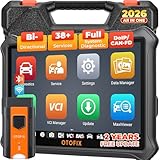
- 🎉[OTOFIX D1 Lite, Perfect Cost-effective Diagnostic Tool]: OTOFIX D1 Lite, a newest bidirectional scan tool from OTOFIX company, is a great choice for DIYers and repair shops. 👉This obd2 scanner diagnostic tool packs all practical functions: OE level all systems diagnoses, Bi-Directional Control, 38+ reset services fixing 99% of common problems, support DoIP & CANDF protocols and FCA
 AutoAuth, high-end hardware configuration. Worldwide vehicles and 🔥2 Years Free Updating🔥 covered.
 - 🎉[Bi-Directional Scan Tool, Active Test]: OTOFIX D1 Lite bluetooth obd2 scanner can also command ECUs and monitor the operation of the actuators to track down the problems of certain parts, like windows, sunroof, wipers, fuel pumps, etc., saving repair time & trouble. This makes OTOFIX D1 Lite the most cost-effective bidirectional scan tool.
- 🎉[2026 Newest, 38+ Hot Reset Functions]: Equipped with 38+ reset functions in one, the OTOFIX D1 lite automotive scanner diagnostic tool allows you to troubleshoot 99% of common vehicle problems. You can use this car diagnostic scanner holding enough functions to easily repair common vehicle models in your repair shops. Including Oil Reset, Injector Coding, Throttle, DPF Reset, SCR Reset, Gear Learning, Clutch Learning, Suspension, etc. Note* Reset functions vary by model.
- 🎉[OE Level Full Systems Diagnostics]: Unlike the 2-system and 4-system diagnostic tools, the OTOFIX auto scan tool can complete comprehensive system diagnostics within 5 minutes. It accesses and scans all available onboard systems like for Engine /AT /ABS /EPB /BMS /TPMS /SRS /SAS /Audio System /BCM /Air Conditioning / etc., to read & clear codes, view live data, and check ECU information. Note: Active test is not involved.
- 🎉[Powerful Hardware Configuration]: Designed with a fashion appearance & a 7” touchscreen and a weight of 463g, this OTOFIX D1 Lite OBD2 diagnostic scanner scan tool is convenient for everywhere and easy to use & store. Android9.0 OS and 2+64GB memory enhance multi-task smoothness and diagnostic operation, no more wasting too much time. 5800mAh battery allows hours-lasting use. WiFi & VCI1 also bring faster communication for your diagnostics.
- 🏆【2026 TOP OBD2 Scanner Diagnostic Tool】OTOFIX D1 Lite wireless obd2 scanner has upgraded hardware configuration and car coverage. The newly upgraded D1 Lite with 🔥OS Android 9.0🔥1.5Ghz 4 core high efficiency processor🔥2GB RAM+64GB ROM large storage🔥5800mAh large battery, more stable and longer lasting diagnostics🔥 38+ Reset🔥action tests🔥full system diagnostic🔥Supports MV105 endoscope🔥21+ Language Supports🔥100000+ vehicle coverage to meet all your daily maintenance needs.
- 👍【Bi-Directional Control / Active Test】D1 Lite obd2 scanner has bidirectional control(worth $300+), which is the most beloved feature among mechanic. If your headlights or car windows are broken, going to a repair shop will cost a lot of money. You can use D1 Lite to send execution commands to the ECU module and identify the repair status. Such as ABS, car windows, doors, valves, wipers, headlights, etc., effectively shorten diagnostic time and reduce diagnostic costs.
- 🔥【All Systems Diagnostics, In-depth Checking】This advanced OBD2 Scanner D1 Lite can perform OE-level diagnosis of all systems including engine, transmission, airbag, ABS, ESP, TPMS, gateway, steering, radio, and air conditioning for more than 100 brands. This diagnostic scanner supports essential functions, such as reading ECU version info, reading and clearing fault codes, and reading data streams.With just a simple click, it provides you with accurate and in-depth diagnostics.
- 🏆【38+ Reset Hot Functions】For repair workshops, holding an OTOFIX D1 Lite Auto scanner is a strong advantage over others. Its 38+ maintenance functions provide various solutions for all module repairs, including Oil Reset, TPMS Reset, Injector Coding, Suspension, Throttle Matching, etc., which will usher your repair business to a new pinnacle. Continuously updating will never make the functionality & compatibility out-of-date.
- 🏆【150+ Models, 10000+ Car Coverage & 16 Languages】D1 Lite is a comprehensive car diagnostic scan tool, help you to troubleshoot car issues fast for 95% US, European, Asian auto makes. ✅ With frequent updates and optimizations allow D1 Lite to cover more vehicles to meet your needs. ✅ Multilingual menu allows auto mechanics around the world to use it without language barriers. 🚩Note: Kindly send us the S/N of the device to authorize new language updates before changing the menu language.

- 2026 Newest Wireless Bluetooth Scan Tool D1: OTOFIX D1 Diagnostic scanner is upgraded version with Enhanced Hardwares & Newest Functions, FASTER and SMARTER! ✅Alternative Bluetooth 5.0 +USB connect✅2G+64GB✅Android 9.0 OS✅5G & 2.4 GHz Dual WiFi✅5800mAh battery👍VAG Guided Function👍ECU Online Coding👍CANFD&DOIP👍40+ Services👍Bi-Directional Control👍Full Systems Diagnose👍2 Years Free Update👍150+ Vehicle Coverage🎁Contact to get gift: otofixaftersales-amz@ outlook.com
- ECU Coding to Unlock the Hidden Features: OTOFIX D1 obd2 scanner diagnostic tool newly adds ECU Coding which can Online Coding(ONLY for VW/Au.di/Sk0da), Variant Coding/Offline Programming, Flash Hidden Functions, Reset Adaptive Data, Match Replaced Components, Customize OE-Settings. Such as: halogen fog lamps retrofitted with xenon fog lamps, different capacity battery retrofit, disbale auto start-stop, sunroof initialization, injector calibration, etc. PS: Coding functions vary by model&year.
- Full Bidirectional Control for Active Car Tests: The D1 OTOFIX scanner also offers bi-directional control, allowing you to perform powerful active tests on car subsystems. This means that you can check the working status and functionality of open & close solenoids, energize injectors, turn cooling fan on & off, and more, all from the device itself.🚩The D1 bi-directional obd2 scanner can quickly help you to check if a system or component goes well,Improving 200% Efficiency.**Note that Active Tests available depend on the make/model/year of your car.
- 40+ Popular Maintenance Functions: OTOFIX D1 obd scanner for car performs 40+ hot services, including Oil Reset, EPB, TPMS, BMS, E.GR, G.PF, D.PF, SAS Calibration, ABS Bleeding, Injector Coding, Gearbox Match, Suspension, Crankshaft Relearn, Power Balance, etc., still growing. Great choice for DIYers, technician, repair shop. 🚩Get MORE special functions from "Car Brand>System>Service". Check compatibility before purchase via 📧 otofixaftersales-amz@ outlook.com.
- OE-Level All Systems Diagnostic + One-Click AutoVIN & AutoSCAN: OTOFIX D1 scanner automotriz gives you the ability to troubleshoot entire car systems including engion system,transmission system,body system,chassis,etc. 🚩One of the standout features of the D1 obd2 scanner diagnostic tool is the one-click AutoVIN & AutoScan function. This feature allows you to quickly and easily scan all diagnosable ECUs with just one click, and identify any problems hidden in your vehicle's systems.
Last update on 2026-06-23 / Affiliate links / Images from Amazon Product Advertising API
This product presentation was made with AAWP plugin.