
NHTSA ID Number: 11014249
Manufacturer Communication Number: 611TSB
TSB/Document Date: 2025-02-13
Summary
Winegard has identified an issue with some Trav’ler Pro products when the auto-stow feature is enabled. In a specific scenario, when the auto-stow feature is active, the firmware may occasionally encounter difficulty in recognizing the stowed position. This bulletin supersedes bulletin (607T) now that Winegard has released the firmware update for a complete resolution.
Newmar Corporation
PO Box 30
Nappanee, IN 46550
TSB 611
September 25, 2024
TECHNICAL SERVICE BULLETIN
AFFECTED MODELS
2024 coaches (in production prior to 4/16/24) :: Canyon Star, Kountry Star, Ventana, Super Star,
Dutch Star, Supreme Aire, New Aire, Mountain Aire, London Aire, Essex, and King Aire coaches,
which are equipped with a Winegard Trav’ler Satellite System and have the auto-stow feature wired
for operation.
DESCRIPTION
Winegard has identified an issue with some Trav’ler Pro products when the auto-stow feature is
enabled. In a specific scenario, when the auto-stow feature is active, the firmware may occasionally
encounter difficulty in recognizing the stowed position. This bulletin supersedes bulletin (607T) now
that Winegard has released the firmware update for a complete resolution.
ISSUE
This situation may lead to an occasional unintended stow command when there is a power
interruption. This may cause the antenna to lift, rotate, and return to the stowed position.
UNITS AFFECTED
Please refer to the attached population list for affected units and VINs.
CORRECTIVE ACTION
Winegard has now developed a firmware update that needs to be installed. (See the attached links to
view the tutorial videos on how to complete this process).
Onboarding a Trav’ler Pro in the RV Halo app (1 minute, 42 seconds)
https://youtu.be/5otqRWDKCoE?si=tMgOWhMndCrFMjbB
Updating the Trav’ler Pro software (1 minute, 41 seconds)
https://youtu.be/F9iZrfwtpB8?si=VWAtvZtZFax3Ge4H
FLAT RATE CODE:
TSB 611
LABOR TIME:
.15 hr.
NOTE
This is a permanent fix that supersedes the temporary short-term bulletin (607T) intended to eliminate
the possibility of the intended stow command. Winegard IDU has new firmware available to fix and
add features to the auto stow control and IDU buzzer.
IDU SW: 1.3.5 and ODU SW: v1.17.85
IMPORTANT: Please read this bulletin in its entirety prior to beginning any diagnosis or repairs.
NOTICE: Any technical information published in this bulletin is intended for use only by a qualified, Newmar-authorized service technician. Newmar is not responsible for the misuse of this information.
Clarification from Winegard on Update Issues
1. Currently the IDU’s WiFi scan will not find any SSID that contains an apostrophe. So a
hotspot named Zack’s iPhone or Bryan’s iPhone would not be listed. (Not ideal, we realize.)
2. The app’s progress bar is simply an animation and is not directly proportional to the IDU or
ODU progress. The real progress is displayed on the IDU screen.
3. When you see the update start off with an ODU update, that means the antenna (ODU) and
IDU control box have Firmware mismatched from the Newmar plant. This happens when an
IDU on older firmware gets installed with an antenna on newer firmware. When the tech
sees the TSB update process begin with an ODU download the tech is witnessing is the IDU
rolling back the ODU firmware to an older but compatible version of firmware. This roll back
does not require internet access. The ODU firmware and installer reside permanently in the
IDU. This roll back feature exists should an antenna need replacement years in the future,
the original IDU can ensure the ODU antenna is rolled back to compatible
firmware. (Antenna and IDU need compatible firmware to ensure accurate app control). As
of June 2024, the factory keeps the IDU and antenna as a matching set.
4. When the QR code does not allow app pairing, it’s because someone has already paired a
device to that IDU. If that someone forgets to press “Remove Device from RV” in the app, it
will prevent a second person from pairing to the IDU. Winegard uses a bonded Bluetooth
pairing with secure key. That’s how we prevent unauthorized persons from pairing to a
customer’s Travler Pro IDU. If a tech runs into this issue, pressing and holding the reset
button on the back of IDU until the IDU display goes dark is the only way to purge the pairing
key. Once the pairing key is purged from IDU, a new user can then scan the QR and pair to
the IDU.
5. Any non-mismatched IDU / ODU will upgrade straight to the newest firmware
versions. There are no sequential update hops. (The explanation in item 3 above clarifies
things.)
6. Once the IDU update is complete (download, installation, reboot), internet access is no
longer required. The ODU update is ready and waiting inside the updated IDU. The tech just
needs to start the ODU update via app.
7. Both IDU and ODU updates are needed to satisfy the TSB and ensure proper Auto Stow
functionality.
8. Cloud icon on IDU must illuminate. An illuminated Cloud icon indicates the IDU has
internet access to Winegard’s upgrade server. The “!” exclamation point inside the Cloud
icon indicates there is an update job available for download. I have seen some WiFi
networks prevent connectivity to the Winegard upgrade server, so the cloud icon never
illuminates. Newmar’s Guest network is an example. That network allows general internet
access, but blocks lots of things. So, keep in mind that a dealership may never get the
cloud to illuminate on an IDU. If this is the case, it’s something on their network (an IT rule
or restriction) preventing the connection.
9. We don’t allow the IDU to connect to an open unsecured network. We don’t want our
firmware payload transmitted across an unsecured network.
10. The ODU update is slower than the IDU’s. That is normal behavior. The ODU update is
transmitted up the 6 pin control cable that connects the IDU to the ODU. We have to run a
slower baud rate to ensure data transmission accuracy.
11. There were concerns expressed about ODU update starting first. Number 3 explains the
how and why.
12. The only time a Travler Pro antenna autostow event will begin is when these 4 criteria are
met: Travler Pro IDU has AC power, IDU displays “Not Stowed,” the coach engine is running,
and the park brake is released.
13. The tech (or owner) can also see Firmware versions from screen of IDU. I find that easier
than using app.
Hopefully this helps clarify edge case behavior. Remember, once the IDU completes the download,
install, and reboot; internet is not needed for the ODU update. This should streamline the process
and efficiency. Don’t hesitate to reach out.
Bryan Holmes
Lead Technical Manager, Winegard
2736 Mt. Pleasant St., Burlington, IA 52601
319.758.5876 o 574.536.9221 m
Prod#
USA Units
162974
163002
163003
163004
163005
230489
230525
230544
230545
230547
230548
230552
230567
230571
230572
230573
230574
230581
230583
230584
230585
230592
230602
230603
230606
270221
270240
270246
270247
270248
270253
270258
270259
270262
270269
270272
270274
416286
416288
416292
416293
416302
416328
416329
416330
416331
416348
416351
416352
VIN Number
4UZACMFCXRCUM4594
4UZACMFC0RCVH5951
4UZACMFC2RCVH5952
4UZACMFC3RCVE7562
4UZACMFC0RCVG3170
1FVACYFE0PHNX5194
1FVACYFE4PHNX5196
1FVACYFE5RHVA6757
1FVACYFE2RHUR6449
1FVACYFE2RHVA6764
1FVACYFE2RHVA6750
1FVACYFE2RHVA6747
1FVACYFEXRHVA6754
1FVACYFE4RHUR6467
1FVACYFE7RHVA6744
1FVACYFE9RHVA6759
1FVACYFE9RHUR6464
1FVACYFE3RHUR6444
1FVACYFE4RHUR6436
1FVACYFE3RHUR6461
1FVACYFE1RHVA6755
1FVACYFE8RHUR6438
1FVACYFE3RHUR6475
3ALACYFE7RDVE7980
1FVACYFE6RHUR6485
1FVHC5DV7PHNY4023
1FVHC5DV9PHNY4024
1FVHC5DV0RHVA6763
1FVHC5DV7RHVA6758
1FVHC5DV8RHVA6753
1FVHC5DV4RHVA6748
1FVHC5DV6RHUR6454
1FVHC5DV0RHUR6451
1FVHC5DV6RHUR6440
1FVHC5DV4RHUR6453
1FVHC5DV1RHUR6460
1FVHC5DV4RHUR6470
4VZAT1D11RC093626
4UZACHFEXRCUM8959
4UZFCHFE8RCUM8979
4VZAT1D15RC093631
4VZAT1D10PC093632
4VZAT1D14RC095175
4VZAT1D12RC095174
4VZAT1D19RC095172
4VZAT1D10RC095173
4UZFCHFE6PCUR3559
4UZFCHFE4PCUS0691
4UZFCHFE9PCUZ3040
Year
2024
2024
2024
2024
2024
2024
2024
2024
2024
2024
2024
2024
2024
2024
2024
2024
2024
2024
2024
2024
2024
2024
2024
2024
2024
2024
2024
2024
2024
2024
2024
2024
2024
2024
2024
2024
2024
2024
2024
2024
2024
2024
2024
2024
2024
2024
2024
2024
2024
Brand
Type Floor
CS
CS
CS
CS
CS
SS
SS
SS
SS
SS
SS
SS
SS
SS
SS
SS
SS
SS
SS
SS
SS
SS
SS
SS
SS
SA
SA
SA
SA
SA
SA
SA
SA
SA
SA
SA
SA
VT
VT
VT
VT
VT
VT
VT
VT
VT
VT
VT
VT
FD
FD
FD
FD
FD
CC
CC
CC
CC
CC
CC
CC
CC
CC
CC
CC
CC
CC
CC
CC
CC
CC
CC
CC
CC
CC
CC
CC
CC
CC
CC
CC
CC
CC
CC
CC
CC
DP
DP
DP
DP
DP
DP
DP
DP
DP
DP
DP
DP
Chassis
3947
3947
3947
3957
3947
3731
4059
3731
3731
4059
4059
3727
4059
4059
4059
4061
3727
3727
4059
3731
4065
4059
4059
3731
4059
4530
4051
4051
4530
4530
4530
4051
4530
4530
4530
4051
4530
4369
3512
4037
3809
4369
3809
4037
4326
4369
4369
4369
4310
FL
FL
FL
FL
FL
FS
FS
FS
FS
FS
FS
FS
FS
FS
FS
FS
FS
FS
FS
FS
FS
FS
FS
FS
FS
FS
FS
FS
FS
FS
FS
FS
FS
FS
FS
FS
FS
S
FL
FL
S
S
S
S
S
S
FL
FL
FL
Date In
1/24/2023
10/16/2023
10/23/2023
8/9/2023
9/6/2023
11/17/2022
2/21/2023
10/3/2023
10/12/2023
11/1/2023
11/7/2023
8/1/2023
10/5/2023
12/19/2023
9/7/2023
11/15/2023
12/15/2023
10/18/2023
11/21/2023
11/6/2023
10/10/2023
12/4/2023
2/15/2024
2/14/2024
2/12/2024
12/14/2022
1/26/2023
10/9/2023
9/28/2023
7/31/2023
7/19/2023
11/9/2023
11/29/2023
10/30/2023
11/16/2023
2/29/2024
2/15/2024
2/6/2023
2/23/2023
2/21/2023
3/7/2023
3/28/2023
6/16/2023
6/16/2023
6/19/2023
6/22/2023
10/18/2023
9/1/2023
7/18/2023
Date Off
2/2/2023
10/24/2023
11/1/2023
8/18/2023
9/14/2023
11/29/2022
3/1/2023
10/12/2023
10/20/2023
11/9/2023
11/14/2023
8/10/2023
10/13/2023
1/16/2024
9/26/2023
11/29/2023
1/11/2024
10/26/2023
12/4/2023
11/14/2023
10/18/2023
12/13/2023
2/27/2024
2/21/2024
2/20/2024
1/10/2023
2/6/2023
10/17/2023
10/9/2023
8/9/2023
7/27/2023
11/17/2023
12/11/2023
11/7/2023
11/30/2023
3/19/2024
2/27/2024
2/14/2023
3/7/2023


- Advanced VCI Box, Industry-leading J2534 Pass-Thru...
- High-Speed OEM-Level Diagnostics & Programming: Unlock true...
- Coverage for 17 Car Brands & Ultra Reliability: Works...
- User-Friendly RLink Platform & Expert Support: TOPDON’s...
- 6.6 ft USB-C Cable & Portable Storage Case: The RLink J...
Last update on 2026-06-23 / Affiliate links / Images from Amazon Product Advertising API
If the PDF is very large, it may not load in the preview below.
Some older TSBs had multiple PDFs — visit the NHTSA Website to view all PDFs.
If the TSB PDF does not show, download or view it on the NHTSA Website.
Click on the (+) Plus Sign
Then Click on Associated Document(s)
Search NHTSA Database for Recalls
Search NHTSA Database for Vehicle Investigations
View Latest Vehicle Investigations
Search NHTSA Database for Vehicle Complaints
View Latest Vehicle Complaints
TSB/Document ID: 611TSB
Replacement Service Bulletin Number:
MFR Communication Date: 2024-09-25
MFR Internal Campaign ID/Software Version:
Communication Type: Service Bulletin/Repair Instructions
NHTSA Components: UNKNOWN OR OTHER
MFR Component System:
MFR Component Subsystem:
Previous TSB | Next TSB |

- Obd2 Bluetooth Scanner Lifetime Update: Ediag Elite offers revolutionary Advantage Lifetime Updates with unlimited access to the superior 15 reset service, bidirectional testing and full system diagnostics.The Ediag Elite is an excellent Bluetooth obd2 scanner diagnostic tool ideal for diy's and private car owners
- Bidirectional Control for Quickly Locating Problems: The Bidirectional Scan tool allows you to send commands directly from your smartphone to your vehicle for active testing. This feature helps to quickly narrow down problems such as air conditioning clutches, windows, doors, sunroofs, etc., reducing diagnostic time for mechanics and helping Diy users locate faults more easily. In addition, Ediag Elite provides fault analysis and repair guidance to help you solve problems efficiently.
- 15 Maintenance Resets: The current version introduces 15 popular special features: Oil Reset, Headlight Matching, Bleeding Reset, TPMS Reset, BMS Reset, Gear Box Relearn, Throttle Learning, Injector Coding, SAS Reset and more special functions in system diagnose menu. These functions make it easy for owners to carry out the necessary maintenance and servicing, ensuring that your vehicle stays in top condition, prolonging its service life and preventing common problems and breakdowns. Note: The Special function vary by model& year, Reach us check compatibility.
- Wide Compatibility CANFD & FCA
 Autoauth: Compatible with GM, Ford, Toyota, Chrysler, Honda, Mazda, Nissan, Mitsubishi, Hyundai, KIA with standard OBD2 port from 1996 to newer. More car brands and features will be released gradually. Newest Ediag Elite scanner supports CANFD Protocol and FCA cars. Note: Coverage may vary on different vehicle by model& year ,Please contact us to confirm compatibility before purchase.
 - Perfect for Monitoring The Health of Your Vehicle: Ediag Elite is designed to make vehicle maintenance simple and efficient. With intelligent AutoVIN quick recognition, it is easy to connect to your car without the need for manual input. Real-time data is visualized in a variety of formats, including graphs, numeric, meter displays and clear 4-in-1 data charts, allowing you to effortlessly monitor real-time data. Data logging/reporting is available for playback and further analysis.
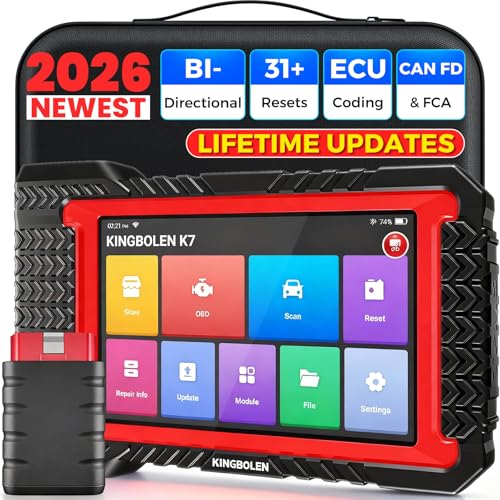
- No Annual Fees & 2026 Upgraded CAN FD: Why pay $199/year or more for updates? The 2026 newest Kingbolen K7 obd2 scanner features have been upgraded to Lifetime Updates without subscription fees, saving you significant costs in the long run. K7 scan tool also adds the CAN FD protocol for the latest GM models (2019+), enabling faster data transfer, reducing the risk of undetected errors
- 2026 Newest Top-tier Car Scanner: Kingbolen K7 diagnostic scan tool is equipped with most capabilities for daily repair/maintenance: Wireless diagnosis via Bluetooth, Bidirectional Test, ECU Online/Offline Code, 31+ Resets, PMI for Ford, Lincoln, Mazda, Global version for 100+ brand vehicles and 17 languages, no area limit, FCA AutoAuth
- OE-Level Full Systems Scan Tool: K7 professional diagnostic scanner with Auto Vin can do one-click to scan ECUs on most of vehicles, like pcm, ecm, eps, bcm, tpms, sas, a/c system... to read/clear code, view live data, freeze frame, read ecu info. 4-in-1 data stream graphics can make data viewing more intuitive. Detailed diagnostic reports will help you easily master the car situation as it can be shared by bluetooth or email! Adding workshop information can help your customers to know more
- Bidirectional Test/Active Test & ECU Code: Stop guessing and start fixing. Bidirectional scan tool Kingbolen K7 can perform real active test that can send commands to the vehicle's ECU to drive the actuators to work, like window, rear mirrors, sunroof, door, solenoids, wipers, headlamp, etc, helping you quickly find out bad parts and pinpoint faulty issues. K7 bidirectional scanner will be a good choice to save money and time on car repairs when performing complex maintenance and repair
- 31 Reset Functions: Avoid expensive dealership visits for simple services. Experience tells us that just a small repair service may cost a lot of money. Kingbolen K7 is a professional diagnostic scanner with 31 common maintenance services like Oil /SAS/EPB/TPMS Reset, Battery Matching, ABS Bleeding, Injector Code, etc. It effectively handles most of the car reset and relearning jobs, perfect for experienced DIYers and mechanics. Note: Functions in the menu vary across vehicles. Kindly check the compatibility before purchase
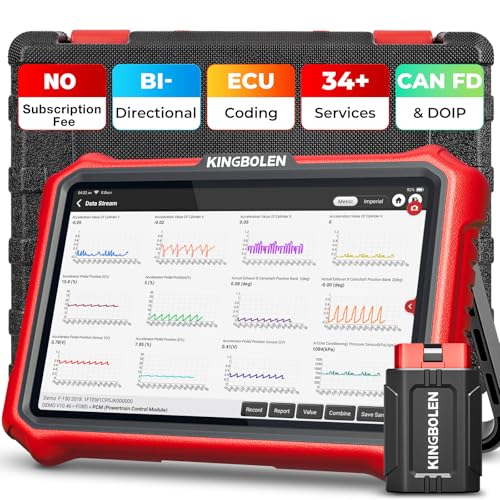
- 【Lifetime Database & Software Updates— No Subscription Fee, No Feature Lock, Save you $399/Y】KINGBOLEN K8 Pro's software can already be permanently upgraded and used for while software of other same price product still needs annual fee of almost $400. K8 pro scanner has packed all capabilities auto technicians would ever need for repair & maintenance services: Added CAN-FD & DOIP protocol, Bluetooth Wireless Diagnosis, Bidirectional Test, ECU Online/Offline Code & Guided Functions for VW, for Audi...34+ Restes, Autoauth for FCA SGW, Larger 4GB+64GB memory, 12600mAh battery, 8'' touch screen with 1280 * 800 Resolution. A Kickstand can allow the tablet to sit at a comfortable angle
- 【Newly Added CAN FD & DOIP Protocol】As Upgrade Version of Kingbolen K8, K8 Pro obd2 scanner supports CANFD and DOIP protocol, which will save you 200+ bucks as no need extra buy for special adapter. CANFD protocol suits for the latest GM(2019-), reducing the risk of undetected errors. The DoIP protocol (comes with DoIp cable) fits for 2017+ BMW(F&G chassis), for Jaguar & Land Rover after 2017, for Volvo after 2018. Plus, K8 Pro's Memory from 2G+32G expanded to 4G+64G, update period extended from 2 years to permanent
- 【34+ Hot Special Functions & V.A.G Guide】KINGBOLEN K8 pro bluetooth obd2 scanner covers almost all common services including Oil Reset, EPB, SAS, BMS Reset, ABS bleed, Throttle Reset, Suspension, Injector Code, Power Balance, Transmission Adaptation, Fuel Trim Learn, HVAC Control Module Calibrate, Language Change, A/F Settings, Stop/Start Reset, Crankshaft Sensor Relearn, TPMS, PMI function and etc. Imagine how much money and time you spend on car maintenance every year? K8 pro car scanner will be a good helper and saver for your car. V.A.G Guided function provides step-by-step guide to work for Volkswagen/Audi/Skoda. Note: Please send us model/year/vin to check compatibility before order
- 【Powerful Bidirectional Test/Active Test & ECU Code】As a bidirectional scan tool, KINGBOLEN K8 pro allows you to request information from a vehicle's ECU or send commands to the vehicle's modules to perform specific tests and functions, such as EVAP Tests, Turn on/off radiator fan, Window/Mirror/Door Lock Test, Pump and Value Tests, Sound horn Test, et. Without using the vehicle control system and dismantling car’s parts, it can quickly and accurately pinpoint the fault causes, simple operation saves time and money
- 【Wireless OE-Level All Systems Diagnostics】Equipped with Bluetooth VCI, you can do car diagnostics out of the car (up to 33F/10M) without being confined to a small space inside the car. Provides the convenience of Auto VIN, K8 pro allowing for easy access and diagnosis of all available modules on a wide range of vehicles, like PCM, ECM, BCM, TPMS, SAS, Fuel System, etc, to perform read/clear codes, view live data, freeze frame, perform active tests, and read ECU info... 12-In-1 Data Stream Graphics make data viewing more intuitive.Diagnostic reports can be shared via QR Code, Bluetooth or email.Built-in Browser and Fault Code Library allows you directly query the fault code when diagnosing
Last update on 2026-06-23 / Affiliate links / Images from Amazon Product Advertising API
This product presentation was made with AAWP plugin.