
NHTSA ID Number: 11010666
Manufacturer Communication Number: SC-22-085
TSB/Document Date: 2024-11-19
Summary
Service Bulletin Instructions to update the vehicle controller software, bug fixes ands improvements to the vehicle.
If the PDF is very large, it may not load in the preview below.
Some older TSBs had multiple PDFs — visit the NHTSA Website to view all PDFs.
If the TSB PDF does not show, download or view it on the NHTSA Website.
Click on the (+) Plus Sign
Then Click on Associated Document(s)


- Advanced VCI Box, Industry-leading J2534 Pass-Thru...
- High-Speed OEM-Level Diagnostics & Programming: Unlock true...
- Coverage for 17 Car Brands & Ultra Reliability: Works...
- User-Friendly RLink Platform & Expert Support: TOPDON’s...
- 6.6 ft USB-C Cable & Portable Storage Case: The RLink J...
This product presentation was made with AAWP plugin.
Search NHTSA Database for Recalls
Search NHTSA Database for Vehicle Investigations
View Latest Vehicle Investigations
Search NHTSA Database for Vehicle Complaints
View Latest Vehicle Complaints
TSB/Document ID: SC-22-085
Replacement Service Bulletin Number:
MFR Communication Date: 2022-07-19
MFR Internal Campaign ID/Software Version: SC-22-085
Communication Type: Service Bulletin/Repair Instructions
NHTSA Components: ELECTRICAL SYSTEM
MFR Component System:
MFR Component Subsystem:
Previous TSB | Next TSB |
ISSUE DATE:
SERVICE BULLETIN SUBJECT:
VINs or MODELS AFFECTED:
COMPLETE BY:
SERVICE BULLETIN #:
Labor Operation Code:
7/7/2022
800 Volt Vehicle Controller Software Update
Service Specified Buses
Next Service Opportunity
SB-22-85
HC55Z
NOTICE! It is expected that this process may require up to one hour per bus.
Please schedule appropriately to minimize vehicle downtime.
VEHICLE CONTROLLER SOFTWARE UPDATE
Description
This procedure describes the process for updating the Vehicle Controller software to the latest version.
Headquarters: 1815 Rollins Road, Burlingame, CA 94010
East Coast Manufacturing: 1 Whitlee Court, Greenville, SC 29607
West Coast Manufacturing: 383 Cheryl Lane, City of Industry, CA 91789
1|Page
Summary of Software Changes:
Vehicle Controller:
• The Powertrain 1.0 Inverter has some overheating IGBT that is under investigation. It is
suspected that the issue derives from induced stress from the thermal paste between
the coolant plate and the IGBT's which is resulting in IGBT failure. To reduce the
thermal stress, a request was made to run the PE coolant pump at 100% with HV
active.
• Start-up improvements for auxiliary systems enable. All HV auxiliary systems must
enable after HV connected status is received. During testing, it was discovered that the
HVAC inverter enables the signal pre-maturely during HV connect sequence. It is an
improvement to pre-charge operation with no diagnostics impact on the system.
• Thermal Protection Software is being introduced for the Hydrovane Compressor;
warning and shutdown thresholds for the compressor exist to protect from severe
damage when the compressor reaches temperatures far above the expected operating
temperature.
The above thresholds are defined as High-Temperature Driver Warning at 95 °C and
High-Temperature Compressor Shut Down defined at 105 °C. The warning light will be
disabled when the compressor temperature drops below 90 °C. The High-Temperature
Driver Warning DTC: SPN 520777/FMI-16 is the affected parameter. The controls
system responds to a Driver Warning Temperature. This will include broadcasting an
yellow warning light on the dash and a warning on the message center that an overtemperature was reached. These indicators shall be activated within 30 seconds of
reaching this temperature threshold. The Yellow light and warning shall be disabled
once the temperature falls below 90 °C and has not reached the compressor Shut Down
Temperature. High-Temperature Compressor Shut Down DTC: SPN520777/FMI-0 The
controls system responds to a Compressor Shut Down Temperature. This will include
broadcasting a red light on the dash and a warning on the message center that the high
compressor temperature reached the compressor shut down. These indicators will be
activated within 30 seconds of reaching this temperature threshold. The compressor will
remain disabled until the temperature of the compressor reaches 75 °C or below and a
key on is performed. It will indicate a need for service until the DTC is cleared from
active by the service tool.
Headquarters: 1815 Rollins Road, Burlingame, CA 94010
East Coast Manufacturing: 1 Whitlee Court, Greenville, SC 29607
West Coast Manufacturing: 383 Cheryl Lane, City of Industry, CA 91789
2|Page
Tools/Programs Required
Tools Required:
• Laptop Computer
• Nexiq USB-Link 2
Programs Required:
• Proterra Diagnostics Tool
Software Files Required / Preparation
IMPORTANT! NEVER access the software from the USB memory device, ALWAYS copy the
software files to your computer hard drive and access the software from this location. Secure the
bus with the Vehicle Master Disconnect in the rear ON.
Component
Part Number
Version
Vehicle Controller
061943
4.7.1
It is recommended that you copy the entire “service bulletin files” folder to your local machine in order
to more effectively keep track of the software versions you are deploying:
\\bus.local\files\Engineering\Service Bulletins\Service Bulletin Files for SC-22-85\
Headquarters: 1815 Rollins Road, Burlingame, CA 94010
East Coast Manufacturing: 1 Whitlee Court, Greenville, SC 29607
West Coast Manufacturing: 383 Cheryl Lane, City of Industry, CA 91789
3|Page
VEHICLE SOFTWARE UPDATE PROCEDURE
Description
This document contains the necessary information to update the Proterra Vehicle Integration
Controller. This controller provides the electrical integration of ancillary systems on 800V models. It
owns the vehicle operational state control, startup and shutdown, steering, pneumatics, thermal
management, and brake interlock controls.
Tools/Programs Required
Tools Required:
• Laptop Computer
• Nexiq USB-Link 2
Programs Required:
• Proterra Diagnostics Tool
Software Files Required / Preparation
It is recommended that you download any files local to your machine. To program the vehicle
controller, you will need a *.hex data file. This file will contain memory address and data information
that will be written to the controller in order to update the user code space. This will not update the
boot loader or other firmware files.
IMPORTANT! NEVER access the software from the USB memory device, ALWAYS copy the
software files to your computer hard drive and access the software from this location.
Headquarters: 1815 Rollins Road, Burlingame, CA 94010
East Coast Manufacturing: 1 Whitlee Court, Greenville, SC 29607
West Coast Manufacturing: 383 Cheryl Lane, City of Industry, CA 91789
4|Page
Preparing the Vehicle to be Programmed
When programming a vehicle, it is critical that the low-voltage batteries remain connected throughout
the process. Ensure that the LV batteries are fully charged before starting the process. If they are
low, use the vehicle to recharge them buy turning on high-voltage or place the bus on a low-voltage
charger for the duration of the process.
Connecting to the Vehicle
1. Power up and login to the Proterra-Supplied laptop or a comparable PC that has the Proterra
Diagnostics Tool software installed with a valid license.
2. Turn ON the 12/24V rear Vehicle Master Disconnect located at the curbside rear charge port
access panel.
Vehicle Master
Disconnect
3. Connect the Nexiq USB Link2 device to the laptop and to the OBDII Diagnostic Port located in
the streetside wheel well box.
4. Press and hold the streetside wheel well WORK LIGHT switch until the work lights turn on.
5. On the laptop, double-click on the Proterra Diagnostics Tool software icon to start the software.
Headquarters: 1815 Rollins Road, Burlingame, CA 94010
East Coast Manufacturing: 1 Whitlee Court, Greenville, SC 29607
West Coast Manufacturing: 383 Cheryl Lane, City of Industry, CA 91789
5|Page
6. When the program opens, read and click “OK” for the high-voltage safety prompt.
7. On the Home tab, select the appropriate device from the drop down and click “Connect”.
8. Once the diagnostic tool has connected to the vehicle, a VIN number and connection status
will be displayed on the Home screen, and tabs available to navigate. If you do not see the
Home Screen, check that the low-voltage batteries are connected and that the Nexiq tool is
plugged in.
NOTE: 800V Proterra vehicles are equipped with an automatic battery disconnect that will
protect the low-voltage batteries from a deep discharge.
9. Before beginning the programming process, check the bus for existing faults by clicking on the
“Diagnostics” button below and make a note of any found.
Headquarters: 1815 Rollins Road, Burlingame, CA 94010
East Coast Manufacturing: 1 Whitlee Court, Greenville, SC 29607
West Coast Manufacturing: 383 Cheryl Lane, City of Industry, CA 91789
6|Page
Update Using the Proterra Diagnostic Tool
1. Click on the “Overhead Charging” button on the left side of the screen.
NOTE: If the bus that you are working on is not capable of overhead charging, skip to step 3
below.
Click “Overhead
Charging”
2. Record the value displayed in the “Vehicle Tag” data field. This will be re-entered into the
controller after the software update.
Record Vehicle Tag
Headquarters: 1815 Rollins Road, Burlingame, CA 94010
East Coast Manufacturing: 1 Whitlee Court, Greenville, SC 29607
West Coast Manufacturing: 383 Cheryl Lane, City of Industry, CA 91789
7|Page
3. Navigate to the CONFIGURATION tab in the left menu.
Click
CONFIGURATION
4. Select the option for Vehicle Controller “START FLASH”.
NOTICE: The “INITIAL FLASH” button is only for offline programing of the Vehicle Controller
with an Offline Programming Kit.
Beside Vehicle Controller,
Click START FLASH
Headquarters: 1815 Rollins Road, Burlingame, CA 94010
East Coast Manufacturing: 1 Whitlee Court, Greenville, SC 29607
West Coast Manufacturing: 383 Cheryl Lane, City of Industry, CA 91789
8|Page
5. In the pop-up window, select the software flash file to load the controller. The correct file is
named SW_VIC_4.7.1.
Select the file and
Click Open
6. The Programming window will come up and may take a few minutes to complete.
7. After completing the software update, turn OFF the Work Light switch inside the streetside
wheel well box.
8. Click on the “Overhead Charging” button on the left side of the screen.
NOTE: If the bus that you are working on is not capable of overhead charging, skip to step 10
below.
Click “Overhead
Charging”
Headquarters: 1815 Rollins Road, Burlingame, CA 94010
East Coast Manufacturing: 1 Whitlee Court, Greenville, SC 29607
West Coast Manufacturing: 383 Cheryl Lane, City of Industry, CA 91789
9|Page
9. The following screen will appear. Enter the “Vehicle Tag” that you recorded previously into the
field circled in red below. Click the button under the field. This will populate the “Vehicle Tag”
into the field above and into the controller.
Click “Button”
10. Click on the “Configuration” button at the bottom left of the screen.
Click “Configuration”
11. Scroll through the list of “Body Parameters” on this screen.
12. Note the values listed for the following three parameters:
"EP _bo_RHSC_DoorOpenRqrdforKneel"
"EP _bo_EXLI_HazardlightsActiveWhenDoorsOpen"
"EP _bo_RHSC_AutoKneelWhenDoorsOpen"
Headquarters: 1815 Rollins Road, Burlingame, CA 94010
East Coast Manufacturing: 1 Whitlee Court, Greenville, SC 29607
West Coast Manufacturing: 383 Cheryl Lane, City of Industry, CA 91789
10 | P a g e
13. These parameters should all have a value of 0. If these parameters have any other value, use
the Diagnostic Too to set them to 0.
14. Scroll through the entire list of Body Parameters. No Body Parameter should have a value of
238. If any Body Parameters have a value of 238, use the Diagnostic Tool to set the value to 0.
15. Turn OFF the 12/24V rear Vehicle Master Disconnect located behind the vehicle curbside rear
charge port access panel, wait ten seconds, and then turn back to ON.
Vehicle Master
Disconnect
16. Verify that the vehicle turns on with no faults and that it is capable of charging.
17. Return the vehicle to service.
Headquarters: 1815 Rollins Road, Burlingame, CA 94010
East Coast Manufacturing: 1 Whitlee Court, Greenville, SC 29607
West Coast Manufacturing: 383 Cheryl Lane, City of Industry, CA 91789
11 | P a g e
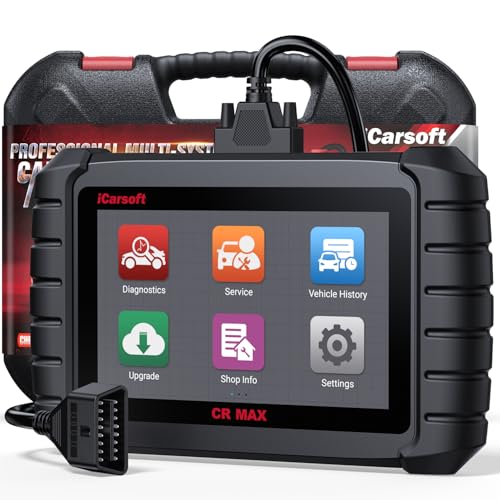
- WHY CHOOSE THE 2025 CR MAX -Upgrade the latest diagnostic capabilities for all vehicles after 1996: upgrade to 49+maintenance services; 46 extra specific functions; real all systems/all control modules diagnose; over 40K+ bidirectional actuation tests for diagnosing all control moduels of cars; Powerful full OBD2 Functions; built-in ECU Coding for BMW
 / Audi/ VW/ RollsRoyce; Fr ee V.A.G Guide Function; Battery retistration for new battery adaptation and more. It covers all vehicle diagnostic services and some special professional vehicle maintenance servces, assists you to do home DIY vehicle maintenance or car repair as a pro technician.
 - NEWEST IN INNOVATION FULL OBD2 SERVICES- iCarsoft auto car diagnostic scanner compatible with CAN-FD, CR MAX can do it all-reads and clears trouble codes, ALL SYSTEM DIAGNOSIS such as engine, transmission, ABS and airbag etc. CR MAX code reader for all cars can perform I/M Readiness, Live Data, Freeze Frame, Vehicle Information, Monitor Test, On-Board Monitor, E vap System Test,O2 Sensor Test,DTC Library Lookup,etc. (Warm Tips: If you car is after 2023,please contact us for compatibility; 3. It comes with 16PIN OBD2 diagnostic adapter, please check your car diagnostic socket if it is 16pin socket, if your car is 14pin diagnostic socket please contact us for the solution.)
- 49 RESET+ 46 SERVICES- Performs: Oil Reset, EPB,SAS,Throttle, D-P - F, Battery, ABS, Injector, TPMS, Suspension, AC, Head Lamp, Body Stablity, Engine, Tramsmission, Airbag, Seat, Door-Win-Roof, Fuel Pump, Door, E-G- R.+21 NEWEST SERVICES( Need update scanner)-AdBlue, Clutch, Crankshaft, High Voltage Battery, Cruise Control, NO xSensor, Rain Sensor, Stop And Start, Turbocharger, Head Up Display, Radar Camera, Vehicle Setup, Cyliner Misfire Check,Speedlimitassist, ControlUnitReset,OxygenSensor, Seatbelt. Extra 46+ extra services based on car brand.(Tips: Quantity of reset/ calibration fucitons are based on car system that your vehicle model has)
- REVOLUTIONARY 40000+BIDIRECTIONAL ACTIVE TESTS: Upgraded CR Max scanner equip with numberous of actuational test items for covering all available vehicle control modules, no longer only do simple light test or window test like other scanners, performs hardware modules test and software control modules test for checking car units or new updated control moduels work well or not after maintenance/ repair/ re-installation/ control system updated (Example for Benz- Roller Sun Blind test; Backup Camera test ;Self-test; EPB test; Transport Mode test;Boost Pressure Positioner test; Fuel Pump test; AND MORE!!).(Warm tip: The available test items are based on control modules your car has)
- ECU CODING+ BATTERY REGISTRATION- Powerful ECU Coding service for BMW/MINI/RollsRoyce / Audi/VW/Seat/Skoda/Bentley/Bugatti/Lamborghini, Improves Engine Power Performance and Optimizes Fuel Efficiency and Match New Hardware Unit to car and Customized a comfortable Driving Modes and Fixes & Updates Original Software Bug. The battery test function for checking car battery health, perform battery reset (BMS ) for replacing a damaged or aging car battery with a new one and register new battery to car ECU
 /
/ 
- Scanner POR V2.0 with all obd2 services
- Do the scanning for engine
- Support OBDII/EOBD Ten Modes of Operation

- 【Designed for Most Mercedes-Benz, Sprinter and Smart from 1996-2023】As every car model of Benz has its-owned specific car system and ECUs, not all models are equipped with a complete vehicle ECU, which may cause the scanner to be unable to perform all listed reset services on some models, or even completely incompatible. Like For Sprinter's newer models, it support diagnostic functions only, lacking support for specialized service functions.. So please tell us the car's VIN and required service before purchase for compatibility check. You may also refer to the instructions in the eighth image of the main product photos to perform your inquiry.
- 【Up to 38 Reset Services】MB V3.0 2026 Version diagnostic tool performs Up to 38 maintenance services - Oil Rest , SAS, EPB, ETC, D-P-F, TPMS, ABS, Suspension, Air Conditioner, Head Lamp, Body Stability, Engine Control, Seat, Fuel Pump, Air-Filter, Engine Idle, Door, Im-mo-bilizer, Injector Coding, Transmission Control, Miscellaneous, Adblue, BMS, Cluth, Water Pump, NOxSensor, Rain/Light Sensor, Start/Stop, Radar/Camera, Cylinder Shutoff Test, Speed Limit Assist, Control Unit Reset, Oxygen Sensor, Seat Belt, Cruise Control System, Turbocharger, Crankshaft, Language Setting and etc. (Tips: Please update the software after receiving the product to obtain new service functions)
- 【OE-Level All System OBD2 Scanner】iCarsoft MB V3.0 (2026 Version) diagnostic scanner offers comprehensive OBDII services, allowing you to quickly scan all systems, including the Engine, ABS, SAS, SRS, TPMS, TCM, Fuel Pump System, ESP, EPB, EPS, Suspension, SCM, Adaptive Systems, and more. It supports functions such as reading and erasing codes, checking I/M readiness, viewing freeze frame data, performing O2 sensor tests, conducting on-board monitoring, testing the evap system, auto VIN retrieval, and reading both generic and specific codes, as well as DTCs and battery tests.
- 【Bidirectional Scan Tool】iCarsoft MB V3.0 (2026 Version) Bidirectional scanner supports activate or control a vehicle system or component, allows commanding cars’ modules and receiving info from the ECU to perform active tests on individual components, including EVAP/ABS Motor Pump/Windows/Sunroof and more, to pinpoint fault causes & resolve issues,and allows you to re-learn certain components after making repairs or replacement.
- 【Real Time Record & Graph View】iCarsoft MB V3.0 (2026 Version) can automatically record vehicle text history and identify vehicle information. Preserve real-time data information. View & Graph Live Data. Support Data Review and Print. Multi-language: English, German, Dutch, Spanish, French and so on. We promise to offer Lifetime updates (Lifetime free Update via PC), and confidence in products. We also provide 1 year warranty + extra lifetime hardware free repair if you need it in the future. We prioritize user experience & strive to meet your expectations. Please do feel free to reach out to us if you have any question or problem about the usage, our tech team will service you in time.

This product presentation was made with AAWP plugin.
Last update on 2026-05-13 / Affiliate links / Images from Amazon Product Advertising API