
NHTSA ID Number: 11010421
Manufacturer Communication Number: 20-NA-132
TSB/Document Date: 2024-11-09
Summary
This warranty administration bulletin provides policy information on the requirements for 12V battery testing and warranty replacements.
If the PDF is very large, it may not load in the preview below.
Some older TSBs had multiple PDFs — visit the NHTSA Website to view all PDFs.
If the TSB PDF does not show, download or view it on the NHTSA Website.
Click on the (+) Plus Sign
Then Click on Associated Document(s)

- 💝【Questions? We’re Here Anytime】MK808S is a...
- 🔥🔥🔥【2026 NEWLY RELEASED BI-DIRECTIONAL...
- 【28+ MOST POPULAR RESET SERVICE FOR 150 MAKES】Autel...
- 【ALL SYSTEM DIAGNOSTICS, FACTORY-LEVEL SCANNER】The...
- 【AUT0 SCAN & AUT0V1N, 10X FASTER】How much have you spent...


- 💯【Conta.ct us for Support Directly】If you met any...
- 🔥🔥🔥【2026 AUTEL FLAGSHIP MK900BT MK900-BT, NEW...
- 🚗【3000+ ACTIVE TESTS (50➡3000+), SAME AS MS...
- 🚗【40+ HOT SERVICES FOR 150 MAKES (28+➡40+)】Full...
- 🚗【OE ALL SYSTEM DIAGNOSE, AUTO SCAN 2.0: SCAN LICENSE...
This product presentation was made with AAWP plugin.
Search NHTSA Database for Recalls
Search NHTSA Database for Vehicle Investigations
View Latest Vehicle Investigations
Search NHTSA Database for Vehicle Complaints
View Latest Vehicle Complaints
TSB/Document ID: 20-NA-132
Replacement Service Bulletin Number:
MFR Communication Date: 2024-10-03
MFR Internal Campaign ID/Software Version:
Communication Type: Service Bulletin/Repair Instructions
NHTSA Components: ELECTRICAL SYSTEM
MFR Component System:
MFR Component Subsystem:
Previous TSB | Next TSB |
Bulletin No.: 20-NA-132
Service Bulletin
Date: October, 2024
WARRANTY ADMINISTRATION
Subject:
Attention:
Brand:
Warranty Administration – 12V Battery Testing and Warranty Replacement
Requirements (U.S and Canada ONLY)
This bulletin applies ONLY to the U.S. and Canadian markets. Reference
the Applicable Warranties section of Investigate Vehicle History (IVH) for
Coverage Information.
Model:
Model Year:
Breakpoint:
from
to
from
to
2010
2025
—
—
Engine:
—
—
BrightDrop
Buick
Cadillac
Chevrolet
Passenger
Cars and
Trucks
(including
Medium Duty)
Note: This bulletin excludes Corvette E-Ray. The E-Ray 12-volt lithium-ion battery cannot be tested and does not
require a warranty code.
Involved Region or Country
United States and Canada Only
The Midtronics GR8 (EL-50313) or DCA (DCA-8000P) Battery Tester/Charger, or the E-XTEQ Diagnostic Charge
Battery Station/DCBS (EL-52800) must be used in diagnosing battery replacements and maintaining batteries on
new vehicles in dealer inventory. A Warranty Code on the printed test result slip are decodable by GM to capture
critical information on batteries that require replacement. This code must be entered on the warranty transaction
(see below for details). Codes will be 15-digits with GR8, 16 digits with DCA, or 20 digits with DCBS.
Important: A copy of the battery test result printout and the job card must be returned with each battery requested
by the Warranty Parts Center. Failure to include both documents may result in a debit.
Copyright 2024 General Motors. All Rights Reserved.
Page 2
October, 2024
Bulletin No.: 20-NA-132
Midtronics GR8 Example: English and French-Canadian Versions
6593312
Midtronics DCA Example: English and French-Canadian Versions
6593319
Bulletin No.: 20-NA-132
October, 2024
Page 3
DCBS Example: English and French-Canadian Versions
6312471
6312472
Note: Only diagnostic tests performed by the DCBS Trolley will generate a warranty code. Tests using the DCBS
remote will not generate a warranty code.
1 and 2 shown above is an example of a battery test slip that is ACCEPTABLE for support on a warranty battery
replacement which contains the warranty code (1) and show the Diagnostic tool (Trolley) (2).
3 and 4 shown above is an example of a battery test slip that is NOT ACCEPTABLE for support on a warranty
battery replacement which contains no warranty code (3) and showing the Diagnostic tool (Remote) (4).
Important: Only Warranty Codes generated by approved equipment using current software, are valid for batteries
replaced under warranty. Warranty Codes generated by past versions of software, or the old hand-held tester are not
valid.
Page 4
October, 2024
Bulletin No.: 20-NA-132
12V Battery Testing
When testing 12V batteries, always follow current Service Information (SI) procedures for Battery Inspection/Test,
including:
• Ensure that the GR8, DCA, or DCBS is programmed with the dealerships correct 6-digit BAC code. This code
will then appear at the top of all battery test result printouts.
• Disconnect the battery from the vehicle. When using the GR8, select the “Out of Vehicle” test.
• Enter the correct VIN and Job Card Number.
• Select the proper battery type (Flooded or AGM) and CCA rating. If you are unable to determine battery type
and CCA through visual inspection, refer to Service Information to identify 2019 and newer model year OEM
battery types and CCA ratings. After entering the VIN or Year/Make/Model, locate the 12V Battery Usage table
under General Information/General Information/Specifications. Battery information is also included in Techlink
(https://gm-techlink.com) in the “Reference Charts” section and includes 2016-2018 model years.
Important: Selecting the correct battery type and CCA rating during setup will ensure correct test results and
prevent damage to the battery. If using a DCBS, it is recommended to use the VIN scan feature which will automatically populate the battery type. Battery replacements performed as a result of a failure to properly set up the GR8/
DCBS will be subject to chargeback.
Note: There are 2 common types of battery CCA Ratings; EN CCA & SAE CCA. EN is a European Standard and
SAE is a North American Standard. Dealers are to use the SAE number when testing 12V batteries.
• On vehicles with two batteries, including Stop/Start vehicles with Auxiliary batteries, each battery must be
electrically isolated and charged individually. The Auxiliary battery may not be connected in a manner that will
allow both batteries to be charged at the same time and must be charged individually, which will result in two
printouts.
• When testing a vehicle with two batteries, you must identify the correct specifications for each. Specifications
may differ between a primary and auxiliary battery.
Cold Battery Testing – Battery Temperature at Less Than 0°C (32°F)
Notice: Batteries that are deeply discharged will take an extended time to recharge. Batteries that are cold (below
freezing) can falsely fail testing. Batteries that are cold and deeply discharged must first be warmed to above 4°C
(40°F) prior to testing & charging.
When a 12 Volt battery is cold (below freezing), its capacity starts to reduce. This can be observed in the voltage
level of the battery, as well as measured cold cranking amps. A cold battery is also resistant to charging. The colder
the battery, the more these characteristics are affected. Therefore, warm the battery prior to testing. Longer warming
times will be needed depending on how cold the battery is. External surface temperatures are not reliable for determining actual battery temperature, measure at multiple points for best results.
Note: If you suspect that a battery may be frozen, inspect the case for cracks prior to charging. Do not charge a
frozen battery.
Tool Software Updates
Dealers are responsible for having the latest software installed prior to tool use.
• For the DCBS, refer to owner manual instructions for software update instructions. The DCBS must be
connected to a computer with Optimus every 30 days to prevent lock out of the remote. Update the software
when available; if no software update is available, the remote will automatically unlock and reset the 30-day.
• GR8 must be equipped with software version 192-675P_July_2017 or newer.
• For the DCA, software updates are pushed over the air upon the software release. If a tool is left plugged in
overnight and is connected to Wi-Fi, the tool will automatically apply the update. If it is not left plugged in
overnight, the tool will provide the user a notification to allow them to manually apply the update or for information so they can apply the update when there is time and not interrupt a service event. The DCA will launch
on Revision A which can be verified on the version screen within settings.
Battery replacement transactions involving of batteries tested with outdated software are subject to debit.
Bulletin No.: 20-NA-132
October, 2024
Page 5
Proactive Alerts
On connected vehicles, GM is able to evaluate the condition of the battery and report the state of health to the
customer through the Vehicle Diagnostics Report and/or to the dealer through the Multi-Point Inspection screen on
Service Workbench. Technicians may also validate alerts by using the Scan Tool through Vehicle Diagnostics/
Vehicle Proactive Alerts.
Level of testing based on Indicator:
• Green – No issues are detected with the battery, and it is unlikely the component will require replacement at this
time. For customer concerns, follow standard diagnostic procedures. A battery test and “replace battery” test
result IS REQUIRED prior to battery replacement.
• Yellow – Verify proactive alert SAC002 – SAC005 and follow the diagnostic service procedure for the applicable
code. A battery test and “replace battery” test result IS REQUIRED prior to battery replacement.
• Red – Verify proactive alert SAC001 and follow the service procedure for this code. If proactive alert SAC001 is
present, replace battery. A battery test IS NOT REQUIRED. Transactions involving battery replacement due to
SAC001 are not eligible for Diagnostic Add Time and dealers must enter “SAC001” in the Battery Tester Code
field.
• No Indicator/Blank – Either the battery condition is not available on the vehicle, or there is not enough information to make a determination on the condition of the battery. For customer concerns, follow standard
diagnostic procedures. A battery test and “replace battery” test result IS REQUIRED prior to battery
replacement.
New Vehicle Inventory
If a new vehicle arrives at your dealer from transportation that will not start due to a discharged or defective battery,
the claim must be submitted within one week of the vehicle arrival at the dealer. Vehicle delivery documentation must
be provided when submitting the transaction.
Once a vehicle is in dealer inventory, dealers are responsible for battery maintenance up to the point of delivery to
the customer. Refer to Service Bulletin # 21-NA-043 for requirements on properly maintaining vehicles in
dealer inventory and Service Bulletin # 22-NA-115 Battery Maintenance Report FAQs.
Dealers in the U.S. Only
• U.S. dealers are to utilize the Battery Maintenance Report located in the GlobalConnect Dealer Maxis app to
identify vehicles in dealer inventory that require charging or moving. Dealers should perform required actions
within 7 days of the report using the process identified in Service Bulletin # 21-NA-043 and 22-NA-115 Battery
Maintenance Report FAQs.
• If a vehicle requiring charging per the Battery Maintenance Report fails the initial test, retain the test printout and
RETEST, again using the required “Diagnostic Charge” (GR8 or DCA) or “Diagnostic – Trolley” (DCBS) process.
The retest is covered as follows:
− If upon retest the battery PASSES, the vehicle can be returned to inventory. Dealers may claim a ZREG
Transaction Type for performing the retest using Labor Code 0600284 (Pre-Sale Charge and Test). The
allowable allowance mirrors the vehicle’s applicable published Base Labor Time for Labor Code 4041512
(Battery Charging and Testing). Published Add Times are ineligible. The transaction must be routed to the
Warranty Support Center with a copy of both the initial test and the retest result printouts attached to the
transaction. The Warranty Code from the initial failed test must be entered in the Battery Tester Code field of
the warranty transaction.
− If the battery FAILS the retest, replace the battery, and submit a ZREG warranty claim using the applicable
labor operation and published allowance per the Labor Time Guide (labor for testing is included in the
published allowance for battery replacement). Attach both copies of the test result to the transaction. Enter
the second code (obtained after retest) in the Battery Tester Code field of the warranty transaction.
• Warranty Coverage is ineligible for batteries that fail because the dealership did not take the recommended
action per the Battery Maintenance Report within a timely manner and claims will be rejected and or subject to a
chargeback in these cases.
• Note: The Battery Maintenance Report is only applicable to OnStar-equipped vehicles, excluding Chevrolet
Express and GMC Savana vans. For Express, Savana, and vehicles not equipped with OnStar, a PDI Mode
charge is required every 30-days while in dealer inventory. See process applicable to Canada in Service
Bulletin# 21-NA-043 for details.
Page 6
October, 2024
Bulletin No.: 20-NA-132
Dealers in Canada Only
Using the GR-8 Tool (EL-50313), DCA, or EL-52800 Diagnostic Charge Battery Station (DCBS) in the PDI mode,
check condition and charge of the battery at vehicle delivery to the dealership (PDI), every 30 days thereafter and
again at point of sale. Refer to Service Bulletin # 21-NA-043.
Warranty Information
Original Equipment (OE) vs. Non-OE 12V Battery Coverage (U.S. Only)
U.S. dealers can ONLY submit warranty claims in Global Warranty Management (GWM) for the following:
• Defective factory-installed OE batteries that fail within the vehicle’s New Vehicle Bumper to Bumper Limited
Warranty.
• Defective dealer-installed batteries that were replaced under the New Vehicle Bumper to Bumper Limited
Warranty and fail within the remainder of the vehicle’s Bumper to Bumper Limited Warranty or 12 months of
replacement, whichever is greater.
• Reminder: Removal of battery warranty tags on batteries installed under the New Vehicle Bumper to Bumper
Limited Warranty is required per Service Policies and Procedures. This will make it easy for dealers to identify
potential warrantable batteries that can be claimed in GWM.
Dealers must refer to their ACDelco distributor for all other warrantable ACDelco battery situations and must not
submit those claims in GWM.
6306278
To determine if the failed battery on vehicles within the Bumper-to-Bumper Warranty is OE, service consultants and
technicians can view the battery labeling which is significantly different. ACDelco replacement batteries (1), as
shown in the picture above, will have a label on the side of the battery, whereas OE batteries (2) do not.
When charging and testing batteries, ALWAYS use the information on the battery label. Dealers can compare the
CCA rating and/or type on the battery to OE specifications listed in Service Information (see 12V Battery Testing
section above for further details).
Note: There are two common types of 12V Battery Testing battery CCA Ratings; EN CCA & SAE CCA. EN is a
European Standard and SAE is a North American Standard. Dealers are to use the SAE number when testing 12V
batteries.
Bulletin No.: 20-NA-132
October, 2024
Page 7
Battery Replacement Labor Operations 4041510 and 4041520 – Required Warranty Code
The Warranty Code generated by the GR8, DCA, or DCBS is displayed on the printout and must be entered into the
required “Battery Tester Code” field when submitting all transactions for battery replacement (labor operations
4041510 Battery Replace or 4041520 Auxiliary Battery Replacement). The complete code (No Dashes or Spaces)
must be entered. Do not enter the code in the cause/correction/comments field. It must be entered into the
system generated mandatory field that appears when using labor operations 4041510 or 4041520 (see GWM
screenshot example below).
4489025
Technicians must attach the test result printout with a “Replace Battery” (GR8 or DCA) or “Battery is bad” (DCBS)
decision, that includes the Warranty Code, to the job card.
Important: A copy of the battery test result printout and the job card must be returned with each battery requested
by the Warranty Parts Center. Failure to include both documents may result in a debit.
Note: To warranty administrators, the following characters are not used in the Warranty Code: The letters I, O, Y, & Z
or any ‘Special’ characters like &, (, ), $, % etc.
Special Cases
• Damaged or leaking batteries - It is not necessary to test leaking batteries. Enter LEAKS into the Battery Tester
Code Field. For AGM batteries, LEAKS is not a valid entry unless the battery case is damaged, and the
cause of the damage must be documented in the Cause field.
Note: Any other parts damaged and replaced due to leaking battery acid (ie: cables) must also be claimed on the
same line, not a separate line. Use appropriate authorizations for additional parts and OLH claimed.
Per design, GM does not recognize an AGM battery as capable of leaking. See Bulletin 23-NA-044 for
further details.
• Batteries replaced due to SAC001/Red Proactive Alert – As battery testing is not required in these cases, enter
SAC001 into the Battery Tester Code field. Note: Diagnostic Add Time is ineligible in these cases and must not
be claimed on the transaction.
• GM Fleet and Commercial in-shop warranty stations- If the Warranty Code is available, enter it into the Battery
Tester Code Field. If the Warranty Code is not available, enter FLEET into the Battery Tester Code Field. Valid
only for approved GM Fleet and Commercial in-shop warranty stations.
• Customer reimbursement cases - Existing policies on customer reimbursement apply. If the customer's battery
is available, enter the Warranty Code into the Battery Tester Code Field. If the customer's battery is not
available, enter REIMBURSEMENT into the Battery Tester Code Field.
• DCA or DCBS test equipment not working/not available. Any non-functional or missing test equipment must be
repaired/replaced within 30 days. Contact GM Dealer Equipment for assistance. On a temporary basis (within
those 30 days) the dealership should enter INOP in the Battery Tester Code field.
Page 8
October, 2024
Bulletin No.: 20-NA-132
Note: Due to the phase out of the GR8, a non-functional GR8 is no longer an acceptable special case to excuse a
missing Battery Tester Code.
• Cadillac Roadside service claims (U.S.) - Batteries replaced under the Cadillac Roadside program do not fall
under the 4041510 Labor Operation. They should be submitted under Labor Operation 0600102 as defined by
that program.
• Subsequent failure of batteries replaced under the New Vehicle Bumper to Bumper Warranty (Canada Base
Warranty) – These transactions still require proper testing to validate battery replacement. A valid Warranty
Code is still required in the Battery Tester Code field. Refer to Service Policies and Procedures Manual for
further policies related to battery replacement parts warranties. Transactions must be submitted as a ZPTI
Transaction Type and routed for GM Authorization.
• Batteries purchased as a retail transaction (over the counter or dealer-installed) and subsequently replaced
under the GM Replacement Parts Warranty:
• Dealers in the U.S.: Replacement Parts Warranty is handled through your local ACDelco distributor. U.S.
Dealers must not submit claims in GWM.
• Dealers in Canada: Submit applicable ZPTI/ZPTC parts warranty in GWM. These transactions still require
proper testing to validate battery replacement. A valid Warranty Code is still required in the Battery Tester
Code field.
• Battery damaged or stolen in transit – This is to be properly noted on the Delivery Receipt. Transaction is to be
submitted as a ZTPT (Transportation) Transaction Type. Enter DAMAGED or STOLEN as applicable in Battery
Tester Code Field. Valid only for ZTPT transaction types.
• New Vehicle arrives from transportation with defective battery – Battery must still be properly tested, and a valid
Warranty Code must be entered on transaction. The transaction must be submitted within one week of vehicle
arrival at dealership.
• Battery “too low” is NOT a valid entry – The test equipment is designed to test batteries and provide results,
including the printout and Warranty Code, at a very low voltage (less than 3 volts). If a vehicle initially enters the
service department with no voltage, the battery must be charged to a level which will support the test to be
completed.
Transactions Requiring GM Authorization
For battery replacement labor operations 4041510 and 4041520 that require any type of GM authorization, the test
result printout from the diagnosis performed prior to battery replacement must be scanned and attached to the transaction.
• Paid battery replacement transactions with invalid or missing Warranty Codes in the Battery Tester Code field
are subject to chargeback.
• Batteries must be properly tested before replacement. Battery warranty test codes obtained by retesting
batteries after repair completion will not be accepted.
• Battery replacement transactions on vehicles with 100 miles (U.S.)/160 km (Canada) or less will require routing
to the Warranty Support Center for review and approval. Proof of inventory battery maintenance must be
attached to the transaction in addition to a copy of the battery test result printout.
Bulletin No.: 20-NA-132
October, 2024
Page 9
Version
10
Modified
Released June 25, 2020 – Corporate Service Bulletin Number 03-06-03-004Z has now
become Global format Service Bulletin 20-NA-132. This update adds a Proactive Alerts
section and adds the second bullet under Special Cases.
Revised March 09, 2021 – Added the 2021 Model Year and updated applicable
information throughout the bulletin.
Revised June 07, 2021 – Added the 2022 Model Year and updated the Dealers in the U.S
Only under New Vehicle Inventory to reflect new requirements effective May 2, 2021.
Revised August 06, 2021 – Updated information under 12V Battery Testing.
Revised April 04, 2023 – Clarified the Subject, added the 2023-2024 Model Years and
updated applicable information throughout the bulletin.
Revised December 08, 2023 – Changed the effective date in the first Important statement
and under Tool Software Updates.
Revised March 26, 2024 – Added new picture under Midtronics GR8 Example: English
and French-Canadian Versions and Midtronics DCA Example: Engine and FrenchCanadian Versions and updated information throughout the bulletin.
Revised April 15, 2024 – Clarified the Note below the Models, corrected format, and
updated legend for Midtronics DCA Example: English and French Canadian Versions and
added the second Important statement at beginning of bulletin.
Revised April 26, 2024 – Added the 2025 Model Year, BrightDrop Models and clarified
the Important statement under Battery Replacement Labor Operations 4041510 and
4041520 – Required Warranty Code section.
Revised October 02, 2024 – Updated applicable information throughout the bulletin.
GM bulletins are intended for use by professional technicians, NOT a "do-it-yourselfer". They are written to inform these
technicians of conditions that may occur on some vehicles, or to provide information that could assist in the proper
service of a vehicle. Properly trained technicians have the equipment, tools, safety instructions, and know-how to do a job
properly and safely. If a condition is described, DO NOT assume that the bulletin applies to your vehicle, or that your
vehicle will have that condition. See your GM dealer for information on whether your vehicle may benefit from the
information.
WE SUPPORT VOLUNTARY
TECHNICIAN
CERTIFICATION

- Stay Updated with Lifetime Access: This obd2 scanner includes lifetime free software updates for all app service functions. With a single payment, enjoy full access to diagnostics, reset tools, and maintenance features — zero subscription fees. A budget-friendly choice for weekend mechanics, home car owners, and DIYers, supporting vehicles from 1996 onward. Come to us with your VIN to check compatibility.
- Full Bidirectional Control/Active Tests & Stable Wireless Connectivity: This car code reader features full bidirectional control, allowing you to send commands to the vehicle's ECU for active tests on components such as fuel pumps, injectors, A/C clutches, windows, sunroofs, and more. This car scanner diagnostic tool helps DIYers quickly diagnose and test vehicle parts, cutting down troubleshooting and repair time. With BT 4.0 wireless connectivity, you can enjoy cable-free diagnostics up to 33 feet. Stand in your garage and test windows, wipers, or even engine components—all without needing to move around your car.
- Portable Car Scanner with 26 Resets: Scheduled vehicle maintenance with the A30M car diagnostic scanner can keep your vehicle in peak condition and save you big on dealership trips. The XTOOL A30M obd2 scanner diagnostic tool features essential reset and relearn functions, such as Oil Reset, EPB Reset (Electronic Parking Brake Release), SAS, ABS Brake Bleeding, Throttle Body Relearn, Injector Coding, Crank Sensor Relearn, Headlight Adjustment, and Tire Size Reset. Note: Service functions may vary by vehicle model – check compatibility beforehand!
- Wide Compatibility CAN FD & FCA
 Autoauth: This obd2 scanner diagnostic tool is compatible with over 85+ car brands from the U.S., Europe, and Asia, providing extensive coverage through a BT connection with your smartphone or iPad. Now upgraded to support the latest protocols, it includes FCA AutoAuth access for Chrysler, Jeep, Dodge, and Fiat (2018+), and supports CAN FD for GM (2020+) models, giving you greater access to newer vehicles and systems. Note: The FCA AutoAuth account is not included with the device. Users must register and pay separately through the official FCA AutoAuth website to access diagnostic functions for vehicles that require it.
 - Up to 8 Live Data Streams Graphing – Real-Time Graphing for Deeper Insight: This car scanner supports up to 8 live data streams simultaneously with intuitive, real-time graphing. Gain comprehensive insights into your vehicle’s performance, making it easier to spot issues, detect trends, and make informed diagnostic decisions with confidence.
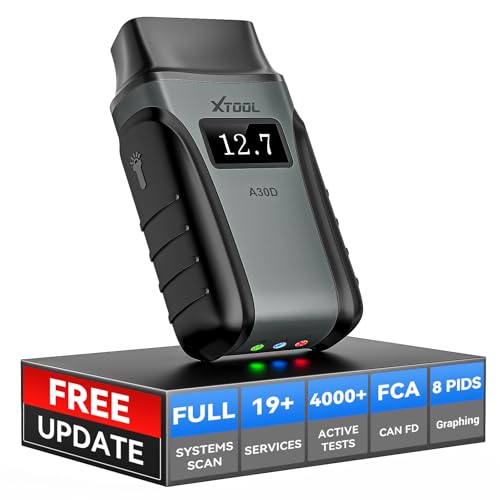
- Save $500+/Year with Pro-Level Diagnostics -No Subscriptions: The Portable XTOOL Anyscan A30D OBD2 scanner diagnostic tool includes free lifetime software updates for all app service functions, without extra cost. With a single payment, enjoy full access to diagnostics, relearn scan tools, and maintenance features. A cost-effective, smart choice for car owners and DIY enthusiasts, compatible with vehicles from 1996 onward. Please provide the car VIN and the special functions you need in advance so that we can confirm compatibility
- Bi-Directional Control for Faster Troubleshooting: Unlike a basic code reader, the A30D bi directional scan tool sends commands directly to your vehicle’s ECU to actively test components like fuel pump, valves, wipers, windows, doors, sunroof, and headlamps right from your smartphone. See component responses in real time without disassembly—perfect for brake jobs, electrical issues, and hard-to-find problems. This bidirectional obd2 scanner helps pinpoint faults faster, reduce guesswork, and avoid replacing good parts. An efficient, easy-to-use car scanner diagnostic tool built for DIYers, home garage users, and small-shop technicians who want real two-way scanner, not just codes
- 19 Reset Functions for Routine Maintenance: The A30D car diagnostic scanner provides 19 relearn functions without extra charges, including EPB Reset for parking brake replacement, TPMS Reset after tire changes, ABS Auto Bleeding, Oil Reset, SAS Reset, BMS Reset, Throttle Relearn, Injector C0ding, Gear Learning, Crank/Crankshaft/Cam/Ckp Sensor Relearn Tool, Transmission Match, Seat Calibration, Airbag Repair and more. This XTOOL A30D automotive scanner diagnostic tool supports preventive care, helping extend vehicle life and reduce costly shop visits. Functions vary by vehicle make and year—plz confirm compatibility before purchase
- Stable BT Connection & All-System & 8 Pids Live Data: The A30D wireless OBD2 scanner delivers a fast and stable wireless connection up to 33 feet, letting you move freely around the vehicle without tangled cables. Pair with with Android 9.0+ and iOS 10.0+ devices to turn your phone into a mobile auto scanner—perfect for home garages, driveways, or on-the-spot repairs. This full system scanner for cars provides real-time access to all major modules, including Engine, Gearbox, ABS, SRS, AC and more. with clear graphs, meters, and up to 8 PIDs displayed at once. This car code reader makes system monitoring visual, simple, easy to understand, and offering data logging for playback and deeper
- Wide Compatibility with CAN-FD & FCA Support: The A30D car computer diagnostic reader works with most 1996 and newer vehicles with a standard OBD2 port, including for Ford, for GM, for Toyota, for Honda, for Nissan,for Hyundai etc, with ongoing updates covering more car models and functions later. It also supports newer communication protocols like CAN-FD and FCA AutoAuth (Personal AutoAuth account and active subscription required, not included with the device!for Chrysler, for Dodge, for Jeep, for Fiat models). It is a future-ready automotive scanner diagnostic tool for households with multiple vehicles or part-time techs. Coverage vary by cars, plz check the compatibility first
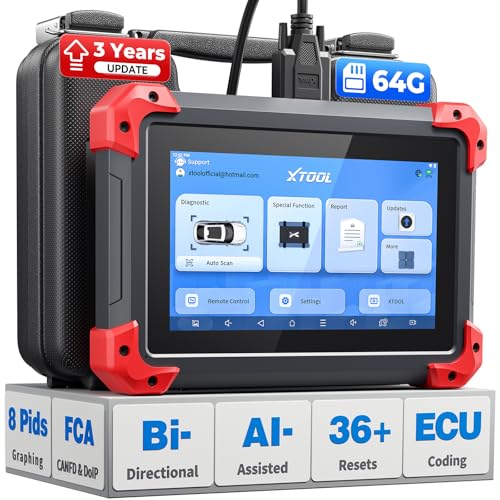
- 2026 Latest Version – Now Upgraded from 32GB to 64GB: XTOOL D7 obd2 scanner diagnostic tool with bidirectional is designed for DIY enthusiasts, professional mechanics. It now offers 64GB storage for smoother operation. Its 5000mAh battery (with 2500mAh 7.3V fast-charging) supports all-day use. With FCA, CAN FD, and DOIP protocol support, it covers more vehicle models and newer systems. A newly added battery voltage reading shows battery status before diagnostics, helping prevent low-voltage tests that could harm the vehicle. The V2.0 Diagnostic Report allows shops to personalize results with logos, customer details, and attachments to build trust and maintain records.
- Save $500+/Year with Pro-Level Diagnostics: Whether you're a DIYer, starting a repair business, or beginning work at an auto shop, XTOOL D7 car scanner offers advanced features typically found only in expensive professional OBD2 scanners - without the high price tag. With 4,000+ Active Tests & Bidirectional Pids, 36+ Special Functions, advanced module resets like SRS Reset, OE-level All-System Scan (one-click), FCA AutoAuth, CAN FD, DoIP, data export, and 8 PIDs graphing, the D7 auto scan tool covers 100,000+ vehicles (excluding Indian models). Includes 3-Year updates and supports the XV200 endoscope to detect em!ssions and intermittent issues.
- Full Bidirectional Advantage Over Other Code Readers & Scan Tools: The XTOOL D7 automotive scanner offers true bidirectional control plus advanced bidirectional PIDs, letting you send commands to components like A/C clutches, fuel injectors, windows, fans and more, while monitoring sensor responses live to catch elusive issues (even those without warning lights). Unlike budget bidirectional obd2 scanners limited to basic active tests,the D7 car fault scanner gives you full bidirectional control to run ABS pump tests, throttle position, turn fan on/off and solenoid tests, etc. No guessing, no extra fees—just smarter diagnostics
- OE-Level Full System Car Diagnostic Scanner with 8 Live Data Graphs: The XTOOL D7 is a pro-grade diagnostic tool that gives you full access to all vehicle systems—just like Snap on scanners & the factory scan tools, it delivers deep, accurate diagnostics you can trust. Easily view live data streams, retrieve freeze frame, and run active tests to pinpoint issues fast. With the ability to graph up to 8 PIDs at once, you can spot performance trends and troubleshoot like a pro. Whether you're a mechanic or car owner, with the D7 auto scanner you can stay ahead of problems and keep your vehicle running at its best
- High-value Automotive Scanner Diagnostic Tool with 36+ Special Function, Module Resets, Relearns, Calibrations, Adaptations & Initializations: XTOOL D7 diagnostic tool packs 36+ common & advanced maintenance, skip the $150 fee for battery registration after replacement, throttle body relearn after cleaning, or TPMS resets post-rotation, Auto bleed after the pad changes, or Electronic Parking Brake. Need to reset the transmission after towing? Crank sensor relearn for GM/for Dodge? Done. D7 also covered advanced functions like Ad~blue Reset, VIN Write, and many more professional OBD2 scanner functions that we can't list here. Text us your VIN + what you need, we’ll check the compatibility
This product presentation was made with AAWP plugin.
Last update on 2026-05-12 / Affiliate links / Images from Amazon Product Advertising API