
NHTSA ID Number: 11009691
Manufacturer Communication Number: 09-128-24
TSB/Document Date: 2024-11-04
Summary
"This bulletin announces availability of new reprograming files for the Engine Control Module (ECM) developed to remedy the following DTCs: • P0016: Crankshaft Position - Camshaft Position Correlation Bank 1 Sensor A • P0017: Crankshaft Position - Camshaft Position Correlation Bank 1 Sensor B • P0018: Crankshaft Position - Camshaft Position Correlation Bank 2 Sensor A • P0019: Crankshaft Position - Camshaft Position Correlation Bank 2 Sensor B • P2404: Evap System Leak Detection Pump Sense Circuit Range/Performance • P0011: “A” Camshaft Position - Timing Over-Advanced or System Performance Bank 1 and • P0012: “A” Camshaft Position - Timing Over-Advanced or System Performance Bank 2. • U0100: Lost Communication with ECM/PCM “A”"
ATTENTION:
GENERAL MANAGER
q
PARTS MANAGER
q
CLAIMS PERSONNEL
q
IMPORTANT - All
Service Personnel
Should Read and
Initial in the boxes
provided, right.
SERVICE MANAGER
q
© 2024 Subaru of America, Inc. All rights reserved.
SERVICE BULLETIN
APPLICABILITY:
2022-24MY BRZ
SUBJECT:
DTCs P2404, P0016-19, P0021,
& U0100 Diagnostic Procedures
NUMBER: 09-128-24
DATE: 10/08/24
INTRODUCTION:
This bulletin announces availability of new reprograming files for the Engine Control Module (ECM)
developed to remedy the following DTCs:
•
P0016: Crankshaft Position - Camshaft Position Correlation Bank 1 Sensor A
•
P0017: Crankshaft Position - Camshaft Position Correlation Bank 1 Sensor B
•
P0018: Crankshaft Position - Camshaft Position Correlation Bank 2 Sensor A
•
P0019: Crankshaft Position - Camshaft Position Correlation Bank 2 Sensor B
•
P2404: Evap System Leak Detection Pump Sense Circuit Range/Performance
•
P0011: “A” Camshaft Position - Timing Over-Advanced or System Performance Bank 1
•
P0012: “A” Camshaft Position - Timing Over-Advanced or System Performance Bank 2
•
U0100: Lost Communication with ECM/PCM “A”
These new files contain the following enhancements:
•
Enhanced logic for the self-diagnosis program of the ECM and to optimize stabilization of
fuel pressure.
•
Optimized fuel trim providing stabilized engine combustion during Exhaust Gas Recirculation
(EGR) valve operation.
•
Enhanced logic to prevent the ELCM pump from seizing.
•
Self-shutdown logic for the starter motor relay program, eliminating the possibility frozen
relay contacts.
CAUTION: VEHICLE SERVICING PERFORMED BY UNTRAINED PERSONS COULD
RESULT IN SERIOUS INJURY TO THOSE PERSONS OR TO OTHERS.
Subaru Service Bulletins are intended for use by professional technicians ONLY. They
are written to inform those technicians of conditions that may occur in some vehicles,
or to provide information that could assist in the proper servicing of the vehicle. Properly
trained technicians have the equipment, tools, safety instructions, and know-how to
do the job correctly and safely. If a condition is described, DO NOT assume that this
Service Bulletin applies to your vehicle, or that your vehicle will have that condition.
Subaru of America, Inc. is
ISO 14001 Compliant
ISO 14001 is the international standard for
excellence in Environmental Management
Systems. Please recycle or dispose of
automotive products in a manner that is friendly
to our environment and in accordance with all
local, state and federal laws and regulations.
Continued...
Bulletin Number: 09-128-24; Date: 10/08/24
Page 1 of 15
PFC FILE INFORMATION:
Model Year
File Description
Old Part Number
New CID/ROMID
AT
22765AR282.pfc
22765AR280
22765AR281
ZF2L400D00G
MT
22765AR292.pfc
22765AR290
22765AR291
ZF2L400C00G
AT
22765AT542.pfc
22765AT540
22765AT541
ZF2M400D00G
MT
22765AT552.pfc
22765AT550
22765AT551
ZF2M400C00G
AT
22765AU491.pfc
22765AU490
ZF2P101D00G
MT
22765AU501.pfc
22765AU500
ZF2P101C00G
2022
2023
2024
The files listed above can be found on SSM5-R
SERVICE PROCEDURE INFORMATION:
Perform a DTC scan. Refer to the table below for the next course of action.
DTC
Course of Action
P0016-19
Proceed to SECTION A
P2404
Proceed to SECTION B
U0100
Proceed to SECTION C
P0011-12
Connect the vehicle to a recommended power supply. See APPENDIX A for additional information regarding
power supply. Reprogram the ECM following the normal SSM5-R procedure. Detailed information regarding
the SSM5-R reprograming procedures can be found in TSB 14-28-21R.
SECTION A - DTC P0016-19 SERVICE PROCEDURE INFORMATION:
(*1) IMPORTANT: Use the following instructions to perform and read the OBD MODE test results.
This procedure will be required when performing the diagnostic steps outlined below.
Continued...
Bulletin Number: 09-128-24; Date: 10/08/24
Page 2 of 15
Read the following data monitor values:
1. MID - $35 TID - $8B
2. MID - $35 TID - $8C
3. MID - $35 TID - $8D
4. MID - $35 TID - $8E
5. MID - $36 TID - $8B
6. MID - $36 TID - $8C
7. MID - $36 TID - $8D
8. MID - $36 TID - $8E
STEP 1: Confirm DTCs P0016, P0017, P0018, or P0019 displayed in the ECM fault memory.
STEP 2: Review the battery charging information supplied in APPENDIX A. Reprogram the ECM following the
normal SSM5-R procedure. Detailed information regarding the SSM5-R reprograming procedures can
be found in TSB 14-28-21R.
STEP 3: Start the vehicle and allow to idle. Using the SSM, read the value the following four data monitor items
(ALWAYS Save SSM Data):
1. VVT Initial Position Learning Value #1
2. VVT Initial Position Learning Value #2
3. VVT EX Initial Position Learning Value #1
4. VVT EX Initial Position Learning Value #2
Continued...
Bulletin Number: 09-128-24; Date: 10/08/24
Page 3 of 15
Are all of the data monitor item values within the acceptable range listed in the table above?
YES - proceed to STEP 5.
NO - proceed to STEP 4.
STEP 4: Perform the procedures outlined in “#7 INSPECTION MODE N” and “#11
INSPECTION MODE T”. Then re-check the threshold values in STEP 3 along with the OBD MODE
test results (*1)
“#7 INSPECTION MODE N” procedure.
Using the applicable Service Manual, refer to: DIAGNOSTICS > ENGINE> Inspection Mode> #7
DRIVE CYCLE N
A. Confirm the battery voltage is 12 Volts or more and the fuel tank is at least half full.
B. Using SSM, clear the fault memory. Prepare the SSM to be kept in the vehicle during the
following road test.
C. With gear selector in the park position (neutral for MT models), idle the engine at
approximately 2500 rpm for 40 seconds or more.
D. Move the gear selector into the drive position (appropriate gear range for MT models.
Accelerate the vehicle to 31 mph or more.
E. When the vehicle speed is 31 mph or more, release the accelerator pedal and brake pedal
(and clutch for MT models) and allow the vehicle to decelerate without any gear shift
changes. Maintain the engine speed between 2500 rpm to 1900 rpm for 5 seconds during this
deceleration.
NOTE: Depending on road conditions, an appropriate gear might have to be selected to maintain the
desired engine speed. The vehicle speed is not important as long as the engine speed is within range
during the declaration.
F. In a suitable area, safely bring the vehicle full stop and allow it to idle for 5 minutes.
“#7 INSPECTION MODE N” procedure is complete. Proceed to “#11 INSPECTION MODE T”
procedure.
“#11 INSPECTION MODE T” procedure.
Using the applicable Service Manual, refer to: DIAGNOSTICS > ENGINE> Inspection Mode > #11
INSPECTION MODE T
A. Confirm the battery voltage is 12 Volts or more the fuel is at least half full.
B. Start the engine.
C. Allow the engine to idle for at least 3 minutes.
Continued...
Bulletin Number: 09-128-24; Date: 10/08/24
Page 4 of 15
D. Accelerate the vehicle speed to approximately 37 mph.
E. While maintaining approximately 37 mph, cycle the accelerator from a 0% to 20% opening
angle. Try to keep these cycles within 5 second intervals. Maintain this driving pattern for 20
minutes or more.
NOTE: It is acceptable to stop the vehicle if needed depending on road/traffic conditions during this
driving pattern.
F. Release the accelerator pedal and brake pedal (and clutch for MT models) and allow the
vehicle to decelerate with any gear shift changes.
G. In a suitable area, safely bring the vehicle full stop and turn off the engine.
“#11 INSPECTION MODE T” procedure is complete.
Read the threshold values from STEP 3 (pictured below) and the OBD MODE test results (*1)
Are all of the data monitor item values within the acceptable range listed in the table below? Are the
threshold values between -1000 to + 1000?
YES - The procedure is FINISHED.
NO - Repeat STEP 4 ONE TIME ONLY and if the result answer is still “NO”, proceed to STEP 6.
STEP 5: Perform the “#7 INSPECTION MODE N” and “#11 INSPECTION MODE T” procedure.
“#7 INSPECTION MODE N” procedure.
Using the applicable Service Manual, refer to: DIAGNOSTICS > ENGINE> Inspection Mode > #7
INSPECTION MODE N
A. Confirm the battery voltage is 12 Volts or more the fuel is at least half full.
B. Using SSM, clear the fault memory. Prepare the SSM to be kept in the vehicle during the
following road test.
C. With gear selector in the park position, idle the engine at approximately 2500 rpm for 40
seconds or more.
Continued...
Bulletin Number: 09-128-24; Date: 10/08/24
Page 5 of 15
D. Move the gear selector into the drive position. Accelerate the vehicle to 31 mph or more.
E. When the vehicle speed is 31 mph or more, release the accelerator pedal and brake pedal, allow
the vehicle to decelerate without any gear shift changes. Maintain the engine speed between 2500
rpm to 1900 rpm for 5 seconds during this deceleration.
NOTE: Depending on road conditions, an appropriate gear might have to be selected to maintain the
desired engine speed. The vehicle speed does is not important as long as the engine speed is within range
during the declaration.
F. In a suitable area, safely bring the vehicle full stop and allow it to idle for 5 minutes.
“#7 INSPECTION MODE N” procedure is complete. Proceed to “#11 INSPECTION MODE T”
procedure.
“#11 INSPECTION MODE T” procedure.
Using the applicable Service Manual, refer to: DIAGNOSTICS > ENGINE> Inspection Mode > #11
INSPECTION MODE T
G. Confirm the battery voltage is 12 Volts or more the fuel is at least half full.
H. Start the engine.
I. Allow the engine to idle for at least 3 minutes.
J. Accelerate the vehicle speed to approximately 37 mph.
K. While maintaining approximately 37 mph, cycle the accelerator from a 0% to 20% opening
angle. Try to keep these cycles within 5 second intervals. Maintain this driving pattern for 20
minutes or more.
NOTE: It is acceptable to stop the vehicle if needed depending on road/traffic conditions during this
driving pattern.
L. Release the accelerator pedal and brake pedal (and clutch for MT models) and allow the vehicle
to decelerate with any gear shift changes.
M. In a suitable area, safely bring the vehicle full stop and turn off the engine.
“#11 INSPECTION MODE T” procedure is complete.
N. Using SSM, select Diagnosis > Each System > Engine > DTC > Readiness Code
Continued...
Bulletin Number: 09-128-24; Date: 10/08/24
Page 6 of 15
O. Read the readiness codes for P0016, P0017, P0018, P0019, P000A, P000B, P000C, and P000D.
Confirm the self-diagnosis is complete and that the codes are not pending.
P. Check the DTC and data monitor threshold values. Using SSM, select Diagnosis > Select
Vehicle > OBD System – Each System > ECM-EngineControl > OBD MODE test results (*1)
Are there NO DTCs present and the threshold values between -1000 to + 1000?
YES - The procedure is FINISHED.
NO - Proceed to STEP 6
STEP 6: Inspect the engine oil level and condition.
IMPORTANT: If the engine oil and filter were replaced prior to diagnosis, there is no need for
inspection. Proceed to STEP: 7.
Is there any abnormal condition or inappropriate oil level??
YES - Perform the engine oil and filter change. Repeat STEP 4 or STEP 5, then continue
diagnosis.
NO – Proceed to STEP 7
STEP 7: Performed the outlined timing chain inspection outlined below:
IMPORTANT: If the timing chain was replaced prior to diagnosis, there is no need to perform
the inspection. Proceed to STEP 8.
A. Using SSM, clear the fault memory.
B. Switch the ignition to the “OFF” position.
C. Disconnect the oil control solenoid valve connector on the bank with associated DTC.
D. Switch the ignition switch to the “ON” position.
Continued...
Bulletin Number: 09-128-24; Date: 10/08/24
Page 7 of 15
E. Using SSM and the engine not running, read the “VVTAdvance Angle Value” data monitor
value.
F. Start the engine and read the “VVTAdvance Angle Value” data monitor value for a duration of
10 seconds.
G. Switch the ignition to the “OFF” position.
Is the “VVTAdvance Angle Value” data monitor value out of -10 degrees to +10 degrees?
YES - Adjust and / repair the timing chain as needed. Repeat STEP 4 and STEP 5, then continue
diagnosis.
NO - Proceed to STEP 8.
STEP 8: Perform a visual inspection of the engine harness and the connectors specified below for any
physical damage.
IMPORTANT: If the engine harness was replaced prior to diagnosis, there is no need to perform
the inspection. Proceed to STEP 9.
Connectors:
•
•
Oil Control Solenoid
•
CAM Position Sensor
•
Crank Position Sensor
Was there any damage found?
YES - Repair the damaged harness and / or connector. Repeat STEP 4 and STEP 5, then continue
diagnosis.
NO – Proceed to STEP 9.
STEP 9: Perform the following Ohm tests:
A. Switch the ignition to the “OFF” position.
B. Disconnect the ECM and the Crank Position Sensor. Disconnect the Oil Control Valve and
Cam Position Sensor associated with the DTC.
C. Measure the resistance between the following connectors specified in the tables below and
record the results:
P0016
Right Intake Oil Control Solenoid
ECM
BRZ
Right Intake Camshaft Position
Sensor
Solenoid
Crankshaft Position Sensor
Sensor
Sensor
Connector
Connector
Connector
Connector
Connector
Connector
E53
99
E105
2
E53
78
E61
2
E53
66
E65
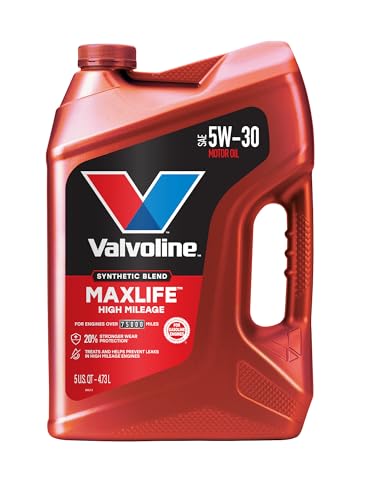
- Formulated for engines with 75,000 miles or more, Valvoline...
- Delivers 20% better wear protection and 15% better sludge...
- Extra detergents safeguard against friction, corrosion and...
- Advanced friction-fighting additives help maximize...
- Provides performance benefits for high mileage, new and...

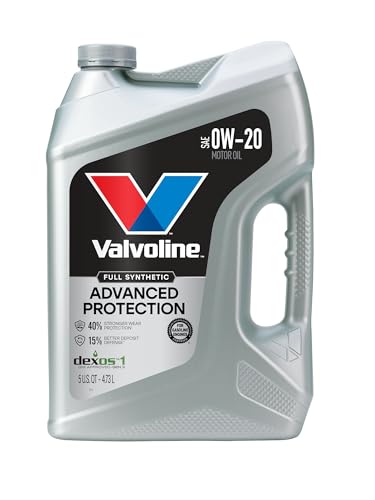
- Advanced protection against the four main causes of engine...
- Delivers 40% stronger wear protection than industry...
- Provides 15% better deposit defense vs. industry standards...
- Up to 2.5X better heat protection vs. industry standards to...
- Engineered for excellent low-temperature flow, reducing...
Last update on 2026-06-12 / Affiliate links / Images from Amazon Product Advertising API
If the PDF is very large, it may not load in the preview below.
Some older TSBs had multiple PDFs — visit the NHTSA Website to view all PDFs.
If the TSB PDF does not show, download or view it on the NHTSA Website.
Click on the (+) Plus Sign
Then Click on Associated Document(s)
Search NHTSA Database for Recalls
Search NHTSA Database for Vehicle Investigations
View Latest Vehicle Investigations
Search NHTSA Database for Vehicle Complaints
View Latest Vehicle Complaints
TSB/Document ID: 09-128-24
Replacement Service Bulletin Number:
MFR Communication Date: 2024-10-08
MFR Internal Campaign ID/Software Version:
Communication Type: Service Bulletin/Repair Instructions
NHTSA Components: ELECTRICAL SYSTEM
MFR Component System:
MFR Component Subsystem:
Previous TSB | Next TSB |

- OBD2 Bluetooth Scanner Lifetime Update: Ediag Elite offers revolutionary Advantage Lifetime Updates with unlimited access to the superior 15+ reset service, bidirectional testing and full system diagnostics.The Ediag Elite is an excellent Bluetooth OBD2 scanner diagnostic tool ideal for DIY's and private car owners.
- Bidirectional Control for Quickly Locating Problems: The Bidirectional Scan tool allows you to send commands directly from your smartphone to your vehicle for active testing. This feature helps to quickly narrow down problems such as air conditioning clutches, windows, doors, sunroofs, etc., reducing diagnostic time for mechanics and helping DIY users locate faults more easily. In addition, Ediag Elite provides fault analysis and repair guidance to help you solve problems efficiently.
- 15+ Maintenance Resets: The current version introduces 15+ popular special features: Oil Reset, Headlight Matching, Bleeding Reset, TPMS Reset, BMS Reset, Gear Box Relearn, EGR Learning, Throttle Learning, Injector Coding, SAS Reset and more special functions in system diagnose menu. These functions make it easy for owners to carry out the necessary maintenance and servicing, ensuring that your vehicle stays in top condition, prolonging its service life and preventing common problems and breakdowns. Note: The Special function vary by model& year, Reach us check compatibility.
- Wide Compatibility CANFD & FCA
 Autoauth: Compatible with GM, Ford, Toyota, Chrysler, Honda, Mazda, Nissan, Mitsubishi, Hyundai, KIA with standard OBD2 port from 1996 to newer. More car brands and features will be released gradually. Newest Ediag Elite scanner supports CANFD Protocol and FCA cars. Note: Coverage may vary on different vehicle by model& year ,Please contact us to confirm compatibility before purchase.
 - Perfect for Monitoring The Health of Your Vehicle: Ediag Elite is designed to make vehicle maintenance simple and efficient. With intelligent AutoVIN quick recognition, it is easy to connect to your car without the need for manual input. Real-time data is visualized in a variety of formats, including graphs, numeric, meter displays and clear 4-in-1 data charts, allowing you to effortlessly monitor real-time performance. Data logging/reporting is available for playback and further analysis.
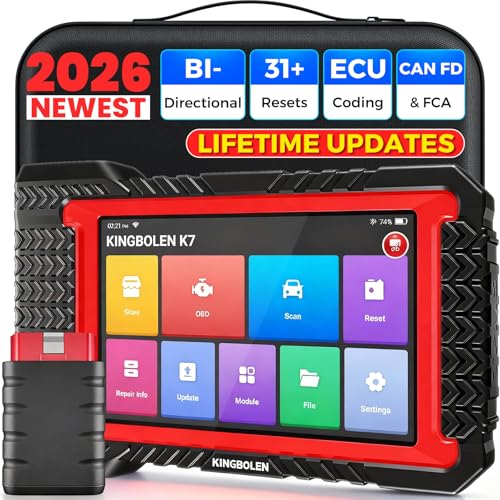
- No Annual Fees & 2026 Upgraded CAN FD: Why pay $199/year or more for updates? The 2026 newest Kingbolen K7 obd2 scanner features have been upgraded to Lifetime Updates without subscription fees, saving you significant costs in the long run. K7 scan tool also adds the CAN FD protocol for the latest GM models (2019+), enabling faster data transfer, reducing the risk of undetected errors
- 2026 Newest Top-tier Car Scanner: Kingbolen K7 diagnostic scan tool is equipped with most capabilities for daily repair/maintenance: Wireless diagnosis via Bluetooth, Bidirectional Test, ECU Online/Offline Code, 31+ Resets, PMI for Ford, Lincoln, Mazda, Global version for 100+ brand vehicles and 17 languages, no area limit, FCA AutoAuth
- OE-Level Full Systems Scan Tool: K7 professional diagnostic scanner with Auto Vin can do one-click to scan ECUs on most of vehicles, like pcm, ecm, eps, bcm, tpms, sas, a/c system... to read/clear code, view live data, freeze frame, read ecu info. 4-in-1 data stream graphics can make data viewing more intuitive. Detailed diagnostic reports will help you easily master the car situation as it can be shared by bluetooth or email! Adding workshop information can help your customers to know more
- Bidirectional Test/Active Test & ECU Code: Stop guessing and start fixing. Bidirectional scan tool Kingbolen K7 can perform real active test that can send commands to the vehicle's ECU to drive the actuators to work, like window, rear mirrors, sunroof, door, solenoids, wipers, headlamp, etc, helping you quickly find out bad parts and pinpoint faulty issues. K7 bidirectional scanner will be a good choice to save money and time on car repairs when performing complex maintenance and repair
- 31 Reset Functions: Avoid expensive dealership visits for simple services. Experience tells us that just a small repair service may cost a lot of money. Kingbolen K7 is a professional diagnostic scanner with 31 common maintenance services like Oil /SAS/EPB/TPMS Reset, Battery Matching, ABS Bleeding, Injector Code, etc. It effectively handles most of the car reset and relearning jobs, perfect for experienced DIYers and mechanics. Note: Functions in the menu vary across vehicles. Kindly check the compatibility before purchase
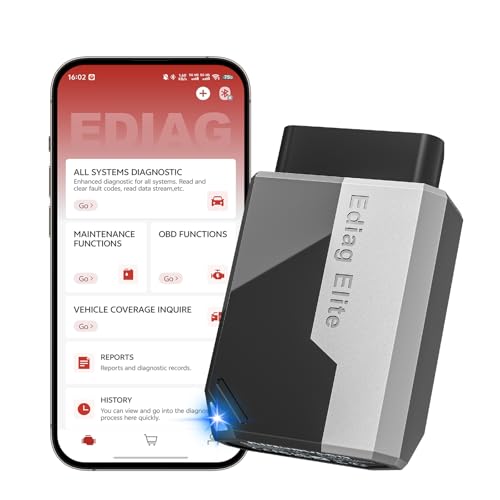
- 【Cost-effective Diagnostic Scan Tool】Lifetime updates without fee, No subscription fee required, No IP restrictions, Ediag Elite bluetooth scanner stands out. It can perform in-depth Full System diagnostics,15+ Reset Services, powerful Active Test, CANFD & FCA AutoAuth. Connect your phone via Bluetooth for diagnosis, providing a faster, smarter and smoother diagnostic experience. Easy to put in pocket, convenient to carry, keep track of the car's status anytime, anywhere. Best bang for your bucks.
- 【15+ Reset Service, Easy Problem Solving】 KINGBOLEN Ediag Elite obd2 scanner diagnostic scan tool comes with 15+ professional reset functions, including: Oil Reset, ABS Bleeding, Injector Code, SAS Reset, TPMS Reset, BMS Reset, AFS Reset, Sunroof Calibration, Brake Reset and more special functions in system diagnose menu. The ideal bluetooth scanner for mechanics and DIY enthusiasts, which can save unnecessary maintenance costs and significantly shorten repair time.
- 【Comprehensive Full Systems Diagnostic】 The Ediag Elite obd2 scanner bluetooth supports full system In-Depth diagnosis. It can read/clear fault codes, read real-time data/freeze frame, module information, and perform testing and reset functions for ECM, BCM, ABS, SRS, TPMS, TCM, BMS, SAS, A/C & RTM systems ect. It works with most car models after 1996, cover more than 150+ car brands. Supports 22 global languages for your convenience(EN, FR, ES, DE, IT, RU, PT, JP, TU...)
- 【Powerful Bidirectional Scan Tool & Active Test】 The obd2 code reader for Ediag Elite can perform real time active test that can send commands to the vehicle’s ECU to drive the actuators to work, such as turn on the radiator fan, modulate the throttle, open/close windows, etc. It can help you quickly find out the bad components and the cause of the fault, which can save you a lot of time. With BT 5.2 wireless connectivity, you can enjoy wireless diagnostics up to 33 feet.
- 【FCA AutoAuth & CANFD Compatibility】 Ediag Elite scan tool offers support with FCA Gateway Access, allowing you to perform protected functions on FCA vehicles, including Chrysler, Dodge, Jeep, Alfa Romeo, Fiat vehicles, etc.(Note:just allows you to access the FCA, but need to have your own FCA account) Supports the CAN-FD protocol, provide high-speed vehicle diagnostic communication and data transfer, working perfectly on GM vehicles produced after 2020, saving $100 to buy a CAN FD adapter.
Last update on 2026-06-12 / Affiliate links / Images from Amazon Product Advertising API
This product presentation was made with AAWP plugin.