
NHTSA ID Number: 11007757
Manufacturer Communication Number: SC-23-121
TSB/Document Date: 2024-09-13
Summary
This procedure describes the process for updating the Vehicle and Body Controller software to the latest version on 800v RR Prodrive buses.
ISSUE DATE:
08/08/2023
SERVICE BULLETIN SUBJECT:
800v RR Prodrive Spring Software Release
VINs or MODELS AFFECTED:
Service Specified Buses
COMPLETE BY:
Next Service Opportunity
SERVICE BULLETIN #:
SC-23-121
Labor Operation Code:
PD50Z
NOTICE! It is expected that this process may require up to .5 hour per bus.
Please schedule appropriately to minimize vehicle downtime.
800v RR Prodrive Spring Software Release
Description
This procedure describes the process for updating the Vehicle and Body Controller software to the
latest version.
1 | Page
Headquarters:
East Coast Manufacturing:
West Coast Manufacturing:
Summary of Software Changes:
1. HV Faulted Shutdown improvement to prevent Fuse Clearing
-
Increased VIC HV sensing and robustness to prevent closing contactor under load on
startup after faulted shutdown.
2. Overhead Charging Robustness Improvements
- Added time outs and state resets to avoid getting stuck waiting in certain overhead
charge process states.
- Added robustness to no WIFI connection.
3. Compressor Diagnostic Robustness improvements
- SPN 1351 FMI 7 false failure fix
4. Power steering Diagnostic Robustness improvements
-
Power steering compressor RPM target and diagnostic maturity time change to prevent
false failure during normal operation.
5. Compressor Faulted Audible Alert Improvement.
-
Change to make air compressor faulted Dash display constantly drive buzzer to prevent
being ignored.
6. Dash saturating and showing “0” at high value.
-
Update to only send highest value the dash is capable of displaying.
7. Radiator Fan Fault Robustness improvement
- Fix to remove false failure diagnostic setting tied to reverse speed on startup.
8. Push Button Door Button lights with door closed while moving.
- Issue noticed in final validation mileage testing.
- Verified that push button doors no longer light when not able to open and operate
appropriately.
2 | Page
Headquarters: 1815 Rollins Road, Burlingame, CA 94010
East Coast Manufacturing: 1 Whitlee Court, Greenville, SC 29607
West Coast Manufacturing: 383 Cheryl Lane, City of Industry, CA 91789
Tools/Programs Required
Tools Required:
• Laptop Computer
• Nexiq USB-Link 2
Programs Required:
• Proterra Diagnostics Tool
Software Files Required / Preparation
IMPORTANT! NEVER access the software from the USB memory device, ALWAYS copy the
software files to your computer hard drive and access the software from this location. Secure
the bus with the Vehicle Master Disconnect in the rear ON.
Component
Part Number
Version
Vehicle Controller
064390
4.9.3
Body Controller
064579
6.14.0
It is recommended that you copy the files from ServiceMax campaign page to your local machine in
order to more effectively keep track of the software versions you are deploying:
064390 SW Link https://proterra.my.salesforce.com/sfc/p/50000000BNPQ/a/8W000000eznk/FcwPrG1sV6roNaa8Fn7J
n2NCRP1hve7lh36u_aTaQis
064579 SW Link https://proterra.my.salesforce.com/sfc/p/50000000BNPQ/a/8W000000eznu/7.EgWl4N7TZTzPjej24K
RqCd0lEe.JQY5tsKJrANAuA
VEHICLE SOFTWARE UPDATE PROCEDURE
Description
This section contains the necessary information to update the Proterra Vehicle Integration Controller.
This controller provides the electrical integration of ancillary systems on 800V models. It owns the
vehicle operational state control, startup and shutdown, steering, pneumatics, thermal management,
and brake interlock controls.
3 | Page
Headquarters: 1815 Rollins Road, Burlingame, CA 94010
East Coast Manufacturing: 1 Whitlee Court, Greenville, SC 29607
West Coast Manufacturing: 383 Cheryl Lane, City of Industry, CA 91789
Preparing the Vehicle to be Programmed
When programming a vehicle, it is critical that the low-voltage batteries remain connected throughout
the process. Ensure that the LV batteries are fully charged before starting the process. If they are
low, use the vehicle to recharge them buy turning on high-voltage or place the bus on a low-voltage
charger for the duration of the process.
Connecting to the Vehicle
1. Power up and login to the Proterra-Supplied laptop or a comparable PC that has the Proterra
Diagnostics Tool software installed with a valid license.
2. Turn ON the 12/24V rear Vehicle Master Disconnect located at the curbside rear charge port
access panel.
Vehicle Master
Disconnect
3. Connect the Nexiq USB Link2 device to the laptop and to the OBDII Diagnostic Port located in
the streetside wheel well box.
4. Press and hold the streetside wheel well WORK LIGHT switch until the work lights turn on.
5. On the laptop, double-click on the Proterra Diagnostics Tool software icon to start the software.
4 | Page
Headquarters: 1815 Rollins Road, Burlingame, CA 94010
East Coast Manufacturing: 1 Whitlee Court, Greenville, SC 29607
West Coast Manufacturing: 383 Cheryl Lane, City of Industry, CA 91789
6. When the program opens, read and click “OK” for the high-voltage safety prompt.
7. On the Home tab, select the appropriate device from the drop down and click “Connect”.
8. Once the diagnostic tool has connected to the vehicle, a VIN number and connection status
will be displayed on the Home screen, and tabs available to navigate. If you do not see the
Home Screen, check that the low-voltage batteries are connected and that the Nexiq tool is
plugged in.
NOTE: 800V Proterra vehicles are equipped with an automatic battery disconnect that will
protect the low-voltage batteries from a deep discharge.
9. Before beginning the programming process, check the bus for existing faults by clicking on the
“Diagnostics” button below and make a note of any found.
Update Using the Proterra Diagnostic Tool
1. Click on the “Overhead Charging” button on the left side of the screen.
NOTE: If the bus that you are working on is not capable of overhead charging, skip to step 3
below.
5 | Page
Headquarters: 1815 Rollins Road, Burlingame, CA 94010
East Coast Manufacturing: 1 Whitlee Court, Greenville, SC 29607
West Coast Manufacturing: 383 Cheryl Lane, City of Industry, CA 91789
Click “Overhead
Charging”
2. Record the value displayed in the “Vehicle Tag” data field. This will be re-entered into the
controller after the software update.
Record Vehicle Tag
6 | Page
Headquarters: 1815 Rollins Road, Burlingame, CA 94010
East Coast Manufacturing: 1 Whitlee Court, Greenville, SC 29607
West Coast Manufacturing: 383 Cheryl Lane, City of Industry, CA 91789
3. Navigate to the CONFIGURATION tab in the left menu.
Click
CONFIGURATION
4. Select the option for Vehicle Controller “START FLASH”.
NOTICE: The “INITIAL FLASH” button is only for offline programing of the Vehicle Controller
with an Offline Programming Kit.
Beside Vehicle Controller,
Click START FLASH
7 | Page
Headquarters: 1815 Rollins Road, Burlingame, CA 94010
East Coast Manufacturing: 1 Whitlee Court, Greenville, SC 29607
West Coast Manufacturing: 383 Cheryl Lane, City of Industry, CA 91789
5. In the pop-up window, select the software flash file to load the controller. The correct file is
named SW_VIC_4.9.3.
Select the file and
Click Open
6. The Programming window will come up and may take a few minutes to complete.
7. After completing the software update, turn OFF the Work Light switch inside the streetside
wheel well box.
8. Click on the “Overhead Charging” button on the left side of the screen.
NOTE: If the bus that you are working on is not capable of overhead charging, skip to step 10
below.
Click “Overhead
Charging”
8 | Page
Headquarters: 1815 Rollins Road, Burlingame, CA 94010
East Coast Manufacturing: 1 Whitlee Court, Greenville, SC 29607
West Coast Manufacturing: 383 Cheryl Lane, City of Industry, CA 91789
9. The following screen will appear. Enter the “Vehicle Tag” that you recorded previously into the
field circled in red below. Click the button under the field. This will populate the “Vehicle Tag”
into the field above and into the controller.
Click “Button”
10. Turn OFF the 12/24V rear Vehicle Master Disconnect located behind the vehicle curbside rear
charge port access panel, wait ten seconds, and then turn back to ON.
Vehicle Master
Disconnect
11. Verify that the vehicle turns on with no faults and that it is capable of charging.
12. Shut down the PDT software program. This allows the cache to clear from the system.
13. Return the vehicle to service.
9 | Page
Headquarters: 1815 Rollins Road, Burlingame, CA 94010
East Coast Manufacturing: 1 Whitlee Court, Greenville, SC 29607
West Coast Manufacturing: 383 Cheryl Lane, City of Industry, CA 91789
BODY SOFTWARE UPDATE PROCEDURE
Preparing the Vehicle to be Programmed
When programming a vehicle, it is critical that the low-voltage batteries remain connected throughout
the process. Ensure that the LV batteries are fully charged before starting the process. If they are
low you can use the vehicle to recharge them buy turning on high-voltage, or you can place the bus
on a low-voltage charger for the duration of the process.
Connecting to the Vehicle
This process will guide the user to connect to the vehicle with the Proterra Diagnostics Tool.
1. Power on and login to the Proterra-Supplied laptop or a comparable PC that has the Proterra
Diagnostics Tool software installed with a valid license.
2. Turn on the 12/24V rear Vehicle Master Disconnect located at the curbside rear charge port
access panel.
Vehicle Master
Disconnect
3. Connect the Nexiq USB Link2 device to the laptop and to the OBDII Diagnostic Port located in
the streetside wheel well box.
10| Page
Headquarters: 1815 Rollins Road, Burlingame, CA 94010
East Coast Manufacturing: 1 Whitlee Court, Greenville, SC 29607
West Coast Manufacturing: 383 Cheryl Lane, City of Industry, CA 91789
4. Turn the Driver’s Master Switch to the “ACC” position.
5. On the laptop, double-click on the Proterra Diagnostics Tool software icon to start the software.
6. When the program opens, read and click “OK” for the high-voltage safety prompt.
7. On the Home tab, select the appropriate device from the drop-down menu and click “Connect”.
8. Once the Proterra Diagnostics Tool has connected to the vehicle, you will have a VIN number
and connection status displayed on the Home screen, and tabs available to navigate. If you do
not, double check that the low-voltage batteries are connected and that the Nexiq tool is
plugged in.
Download and Store Existing Parameters
Sometimes you might want to download and store the customer specific parameters from the vehicle.
This can be useful when comparing two vehicles that are behaving differently, or if you are replacing
the ZR32A controller on a vehicle.
1. After the first vehicle has been completed and verified, disconnect the Proterra Diagnostics
Tool and then reconnect.
11| Page
Headquarters: 1815 Rollins Road, Burlingame, CA 94010
East Coast Manufacturing: 1 Whitlee Court, Greenville, SC 29607
West Coast Manufacturing: 383 Cheryl Lane, City of Industry, CA 91789
2. Navigate to the Configuration tab and click the “Get Parameters” button. This will download the
latest parameter set to the “C:\Logs” folder on your machine.
Get Parameters
Button
3. In windows file explorer, navigate to the “C:\Logs” folder. Copy the latest downloaded *.zip file
to a folder for the specific customer and vehicle.
Copy!
4. Do not rename the file as the tool will follow the naming convention when reloading the file.
12| Page
Headquarters: 1815 Rollins Road, Burlingame, CA 94010
East Coast Manufacturing: 1 Whitlee Court, Greenville, SC 29607
West Coast Manufacturing: 383 Cheryl Lane, City of Industry, CA 91789
Update Using the Proterra Diagnostic Tool
1. Navigate to the CONFIGURATION tab in the left menu.
Click
CONFIGURATION
2. If this is a replacement controller, select the “SET VIN” and program the controller to match the
vehicle VIN, then proceed to step 3. If not a replacement controller, proceed to step 3.
3. Select the option for Body Firmware “START FLASH”.
Beside Body Firmware,
Click START FLASH
13| Page
Headquarters: 1815 Rollins Road, Burlingame, CA 94010
East Coast Manufacturing: 1 Whitlee Court, Greenville, SC 29607
West Coast Manufacturing: 383 Cheryl Lane, City of Industry, CA 91789
4. In the pop-up window, select the software flash file to load to the controller. The correct file is
named “Body_6_14_0_064579”
5. The Programming window will come up and will take a few minutes to complete. The process
will flash five different files to the controller.
6. After the controller is updated the tool will automatically try to copy the original configuration to
the new software. Since there is a possibility that configuration options change it is important
to check the configuration after restarting the vehicle.
7. Once the process has finished, cycle power to the bus by moving the Driver’s Master Switch
back to the “OFF” position before continuing.
8. Shut down the PDT software program. This allows the cache to clear from the system.
9. Return the bus to service.
14| Page
Headquarters: 1815 Rollins Road, Burlingame, CA 94010
East Coast Manufacturing: 1 Whitlee Court, Greenville, SC 29607
West Coast Manufacturing: 383 Cheryl Lane, City of Industry, CA 91789


- [J2534 Pass-Thru Programmer] - TOPDON RLink J2534 is...
- [All-in-One OEM Reprogramming and Diagnostics] - When...
- [Tested, Trusted, and Proven for Accuracy] - TOPDON RLink...
- [One-Click Installation, Continuous Updates] - The exclusive...
- [Works with Windows Compatibility and OEM Software...
Last update on 2026-06-21 / Affiliate links / Images from Amazon Product Advertising API
If the PDF is very large, it may not load in the preview below.
Some older TSBs had multiple PDFs — visit the NHTSA Website to view all PDFs.
If the TSB PDF does not show, download or view it on the NHTSA Website.
Click on the (+) Plus Sign
Then Click on Associated Document(s)
Search NHTSA Database for Recalls
Search NHTSA Database for Vehicle Investigations
View Latest Vehicle Investigations
Search NHTSA Database for Vehicle Complaints
View Latest Vehicle Complaints
TSB/Document ID: SC-23-121
Replacement Service Bulletin Number:
MFR Communication Date: 2023-08-23
MFR Internal Campaign ID/Software Version: SC-23-121
Communication Type: Service Bulletin/Repair Instructions
NHTSA Components: SERVICE BRAKES
MFR Component System:
MFR Component Subsystem:
Previous TSB | Next TSB |

- Stay Updated with Lifetime Access: This obd2 scanner includes lifetime free software updates for all app service functions. With a single payment, enjoy full access to diagnostics, reset tools, and maintenance features — zero subscription fees. A budget-friendly choice for weekend mechanics, home car owners, and DIYers, supporting vehicles from 1996 onward. Come to us with your VIN to check compatibility.
- Full Bidirectional Control/Active Tests & Stable Wireless Connectivity: This car code reader features full bidirectional control, allowing you to send commands to the vehicle's ECU for active tests on components such as fuel pumps, injectors, A/C clutches, windows, sunroofs, and more. This car scanner diagnostic tool helps DIYers quickly diagnose and test vehicle parts, cutting down troubleshooting and repair time. With BT 4.0 wireless connectivity, you can enjoy cable-free diagnostics up to 33 feet. Stand in your garage and test windows, wipers, or even engine components—all without needing to move around your car.
- Portable Car Scanner with 26 Special Functions: Scheduled vehicle maintenance with the A30M car diagnostic scanner can keep your vehicle in peak condition and save you big on dealership trips. The XTOOL A30M obd2 scanner diagnostic tool features essential reset and relearn functions, such as Oil Reset, EPB Reset (Electronic Parking Brake Release), SAS, ABS Brake Bleeding, Throttle Body Relearn, Injector Coding, Crank Sensor Relearn, Headlight Adjustment, and Tire Size Reset. Note: Service functions may vary by vehicle model – check compatibility beforehand!
- Wide Compatibility CAN FD & FCA
 Autoauth: This obd2 scanner diagnostic tool is compatible with over 85+ car brands from the U.S., Europe, and Asia, providing extensive coverage through a BT connection with your smartphone or iPad. Now upgraded to support the latest protocols, it includes FCA AutoAuth access for Chrysler, Jeep, Dodge, and Fiat (2018+), and supports CAN FD for GM (2020+) models, giving you greater access to newer vehicles and systems. Note: The FCA AutoAuth account is not included with the device. Users must register and pay separately through the official FCA AutoAuth website to access diagnostic functions for vehicles that require it.
 - Up to 8 Live Data Streams Graphing – Real-Time Graphing for Deeper Insight: This car scanner supports up to 8 live data streams simultaneously with intuitive, real-time graphing. Gain comprehensive insights into your vehicle’s performance, making it easier to spot issues, detect trends, and make informed diagnostic decisions with confidence.
 Autoauth: This obd2 scanner diagnostic tool is compatible with over 85+ car brands from the U.S., Europe, and Asia, providing extensive coverage through a BT connection with your smartphone or iPad. Now upgraded to support the latest protocols, it includes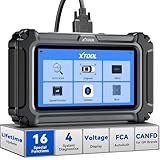
- Comprehensive OBD2 Scanner with 16 Resets: The XTOOL D5S car code reader and vehicle reset tool provides an advanced diagnostic solution with 16 commonly needed reset functions, including Electronic Parking Brake Reset (EPB Reset), SAS, BMS Reset (Battery Test), Throttle Body Relearn, TPMS Reset, ABS Bleeding, Injector Coding, Gearbox Match, Suspension Adjustment, Headlight, Window Initialization, Crank Sensor Relearn and more. Equipped with CAN FD Protocol and FAC AutoAuth, the D5S obd2 scanner diagnostic tool ensures compatibility with a broad range of modern vehicles, allowing users to address common maintenance needs quickly. NOTE: Please Check the Compatibility before ordering.
- 4 Main System Car Scanner & Full OBD2 Diagnostics: The XTOOL D5S car code reader is ideal for home mechanics, DIYers, and professionals, providing access to Transmission/Engine/ABS/SRS systems to read DTCs, Live data can be displayed in text or up to 4 PID data graphs, along with full OBD2 diagnostics to check the engine light on, other obd2 issues and routine maintenance. This car diagnostic scanner ensures you can keep your vehicles in top condition, avoiding costly repairs or unexpected breakdowns. NOTE: Some vehicles display three systems after connection because the transmission and engine of some vehicles are integrated into one.
- Check Engine Code Reader & Real-Time Engine Monitoring: Whether you're a car owner, a DIYer, or run a repair shop, the XTOOL D5S obd2 scanner diagnostic tool makes engine diagnostics fast and frustration-free, reading and explaining trouble codes in seconds—no confusion. Check live data like fuel trim, 02 sensor voltage, RPM, and coolant temp to pinpoint mis~fires, rough idle, or sensor issues. After repairs, simply use the D5S check engine code reader and reset tool to turn off the check engine light and confirm the problem’s fixed—saving time, money, and unnecessary shop visits. - Note: If the check engine light comes back on, it indicates the original problem still exists.
- Portable Car Scanner for ABS and SRS: XTOOL D5S gives you peace of mind when ABS or airbag warning lights come on. It reads and clears ABS codes to help you fix brake sensor, traction control, or wheel speed issues, and supports ABS bleeding after repairs like caliper or master cylinder replacement. For airbag systems, it scans and clears SRS codes related to airbags, seatbelt tensioners, and crash sensors. Whether you're doing repairs at home or running a small shop, the D5S is a cost-effective solution for safety diagnostics. Note: If a fault code returns after clearing, it usually means the issue hasn’t been fully resolved. Please check the compatibility before ordering.
- Transmission Warning Light ON? Here’s the Transmission Diagnostic and Reset Tool You Need: The XTOOL D5S is more than just a basic car scanner—it’s an easy-to-use transmission diagnostic tool. From rough shifts to slipping gears, the D5S lets you read and clear transmission trouble codes, monitor real-time TCM data, and perform transmission resets after fluid changes or repairs. Whether you’re a hands-on car owner or a pro running a busy shop, this OBD2 scanner with transmission functions helps you catch problems early—saving you time, money, and future headaches.. Note: Clearing fault codes is equivalent to a reset on some vehicles, but not all. For help, contact XTOOL Tech Support.
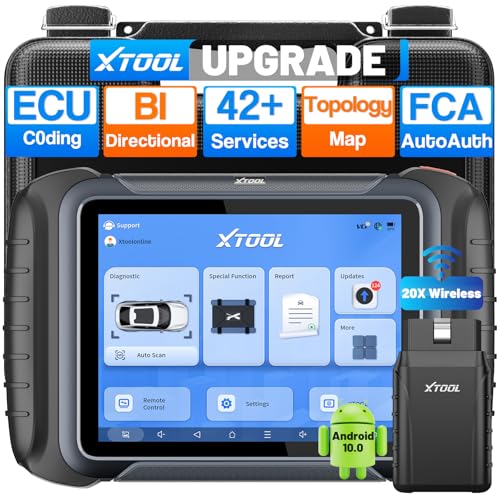
- AI-Assisted Wireless Car Diagnostic Scanner Puts $2,000 Scan Tools to Rest: Upgrade Ver. of D8BT/D7W, wireless ver. of D8S, XTOOL D8W obd2 scanner diagnostic tool targeted for professional US mechanics/workshops/family garage, with 64 GB high-end hardware, 20X faster Built-in WIFI connection, More Stable than BT, packs high-level comprehensive, easy to use AI Assistance features: Topology Mapping, ECU C0ding, PMI Function, 4K+ Active Tests, All System Diagnosis, 42+ Maintenance and more, FCA/CAN FD/DoIP, Pre/Post Scan, Diagnostic Report V2.0, etc. offers the “dealership” diagnosis, isn’t it a Top Pick Scan Tool in this budget
- Super Powerful WI-FI Communication, Extraordinary Built-in Wireless Connectivity: The WI-FI connection, the advanced version of BT, enables the D8W car scanner diagnostic tool to connect directly to vehicles more quickly, easily by simply plugging in the VCI, with the built-in Wi-Fi inside. No additional WiFi signal is required. Its Max high-speed 64 Mbps transmission speed, 33 ft-66 ft or further diagnostic distance, and stable connectivity, makes this obd 2 scanner the winner surpasses traditional BT scanners, more stable, faster, supports longer distance, convenient, and easy to plug and play
- Topology Mapping/AI-Assisted OE-Level Full Systems Diagnostics/Bi Directional Scan Tool/4000+ Active Test: D8W topology scan tool can scan, display all modules with a color topology structure, and view faults at a glance, comparable to other $1,200 to $2,000 obd scanners in the market. Its AI-powered system instantly analyzes fault codes and diagnostic reports for faster and precise repair solution. It also features full-featured bidirectional ability such as Compression Test, Mirror/Sunroof Test, and more active tests, save costs from "dearlership", covers more vehicles for Chrysler 2018+. Please check compatibility with XTOOL before purchase, AI is just for reference
- Advance ECU Configuration/PMI: XTOOL D8W advanced automotive scanner diagnostic tool has the abilities for BENZ/for BMW/for Mitsubishi are designed to unleash the hidden function like turn off the seat belt buzzer and improve car performance. New launched PMI function provided by XTOOL D8W car code scanner for Ford, for Lincoln, for Mazda supports restore full ECU operation into new modules to finish replacement. Note: Please check compatibility with VIN, and Modules
- 42+ Services/Calibration/Initialization/Matching/Relearn Functions: D8W wireless bidirectional obd2 scanner performs more than 42 comprehensive service functions for 10,000+ vehicles including Oil reset, EPB, SAS, Throttle, BMS reset, ABS Bleed, injector c0ding, Fuel Trim Reset, Cylinder Power Balance, Cam Crank Sensors Relearn, VIN Writing, Fuel Injector Balance, Language Change, Auto Stop/Start Reset, A/F Reset, PMI function, etc. Note: Special Functions do NOT work on all cars
Last update on 2026-06-21 / Affiliate links / Images from Amazon Product Advertising API
This product presentation was made with AAWP plugin.