
NHTSA ID Number: 11007441
Manufacturer Communication Number: T-SB-0059-24
TSB/Document Date: 2024-09-07
Summary
Pre-Delivery Service (PDS) is a critical step in satisfying our new car customers. Customer feedback indicates the following areas deserve special attention when performing PDS: •Careful inspection for paint chips/scratches and body dents/dings. •Proper operation of electrical accessories (including interior light, clock, and radio reset). •Interior cleanliness. •Proper function of mechanical systems. Customer retention and proper maintenance of vehicles are and have always been a major focus for Toyota . To help remind customers that regular service is essential to the proper maintenance of the vehicle, dealers are required to install a service reminder sticker before delivery. By doing this, customers will be reminded to return to your dealership for service. Your current service reminder sticker may be used. (See PDS Check Sheet item 8 of “Final Inspection and Cleaning.”) This bulletin contains the PDS procedures that apply specifically to 2025 model year Crown Signia vehicles. Refer to T-SB-0028-24, the universal Check Sheet that contains PDS steps that apply to all 2025 model year Toyota vehicles. To properly perform a complete PDS, you must complete all procedures contained in this TSB as well as the universal PDS Check Sheet. In addition, if the vehicle is stored for over 30 days, refer to T-SB-0023-24, Long-Term Vehicle Storage Guidelines.
T-SB-0059-24
July 11, 2024
2025 Crown Signia Pre-Delivery Service (PDS)
Service
Category
General
Section
Pre-Delivery Service
Market USA
Applicability
YEAR(S)
MODEL(S)
2025
Crown Signia
ADDITIONAL INFORMATION
Introduction
Pre-Delivery Service (PDS) is a critical step in satisfying our new car customers. Customer
feedback indicates the following areas deserve special attention when performing PDS:
Careful inspection for paint chips/scratches and body dents/dings.
Proper operation of electrical accessories (including interior light, clock, and radio reset).
Interior cleanliness.
Proper function of mechanical systems.
Customer retention and proper maintenance of vehicles are and have always been a major focus
for Toyota. To help remind customers that regular service is essential to the proper maintenance
of the vehicle, dealers are required to install a service reminder sticker before delivery. By doing
this, customers will be reminded to return to your dealership for service. Your current service
reminder sticker may be used. (See PDS Check Sheet item 8 of “Final Inspection and Cleaning.”)
This bulletin contains the PDS procedures that apply specifically to 2025 model year
Crown Signia vehicles.
Refer to T-SB-0028-24, the universal Check Sheet that contains PDS steps that apply to all
2025 model year Toyota vehicles. To properly perform a complete PDS, you must complete all
procedures contained in this TSB as well as the universal PDS Check Sheet.
In addition, if the vehicle is stored for over 30 days, refer to T-SB-0023-24, Long-Term Vehicle
Storage Guidelines.
© 2024 Toyota Motor Sales, USA
Page 1 of 8
T-SB-0059-24
July 11, 2024
Page 2 of 8
2025 Crown Signia Pre-Delivery Service (PDS)
Table of Contents
Warranty Policy ....................................................................................................................... 3
Warranty Information............................................................................................................... 3
Required Tools & Equipment .................................................................................................. 3
D/C Cut Fuse Installation ........................................................................................................ 4
Front License Plate and Mounting Bracket Installation* ........................................................... 5
Front Emergency Towing Eyelet Removal and Hole Cover Installation ................................... 6
Check Torque of Wheel Fasteners .......................................................................................... 7
Tire Pressure Warning System (TPWS) Initialization ............................................................... 7
Seating Position Control ECU Initialization .............................................................................. 7
Head Unit System Reset ......................................................................................................... 8
Customize ACC Function ........................................................................................................ 8
Dealer Contact Information for Call Dealer Head Unit Function .............................................. 8
Navigation — Set Date & Time by GPS .................................................................................. 8
*If applicable.
© 2024 Toyota Motor Sales, USA
T-SB-0059-24
July 11, 2024
Page 3 of 8
2025 Crown Signia Pre-Delivery Service (PDS)
Warranty Policy
If the need for additional repairs or adjustment is noted during PDS, the required service should
be performed under warranty. Reimbursement will be managed under the warranty policy.
The Warranty Policy and Procedures Manual requires that you maintain the completed
Check Sheet in the customer’s file. If you cannot produce a completed form for each retailed
vehicle upon TMS and/or Region/Distributor audit, the PDS payment amount will be subject
to debit.
An additional Repair Order completed in conjunction with normal PDS MUST have time
punch/flags for service. If multiple repairs are performed, separate time flags MUST be punched
for each repair.
Warranty Information
OP CODE
DESCRIPTION
MODEL
TIME
OFP
T1
T2
001013
Pre-Delivery Service (PDS)
Crown Signia
1.0
–
–
–
Required Tools & Equipment
REQUIRED EQUIPMENT
SUPPLIER
Techstream ADVi*
Techstream 2.0
Techstream Lite
PART NUMBER
QTY
TSADVUNIT
ADE
Techstream Lite (Green Cable)
TS2UNIT
TSLITEPDLR01
TSLP2DLR01
*Essential SST.
NOTE
Only ONE of the Techstream units listed above is required.
GTS+ Software version 2024.02.004.02 or later is required.
Additional Techstream units may be ordered by calling Approved Dealer Equipment (ADE)
at 1-800-368-6787 or by visiting TIS – Diagnostics – Tools & Equipment – Techstream Order Portal.
© 2024 Toyota Motor Sales, USA
1
T-SB-0059-24
July 11, 2024
Page 4 of 8
2025 Crown Signia Pre-Delivery Service (PDS)
D/C Cut Fuse Installation
To minimize battery discharge, the D/C cut fuse (20A) has been removed and is stored in the
engine compartment relay block. Install the D/C cut fuse (20A) and confirm ALL related
Diagnostic Trouble Codes (DTCs) are cleared.
Remove the D/C cut fuse (20A) from the blank space of the relay block in the engine
compartment and install the D/C cut fuse (20A) in the relay block as shown.
Figure 1.
1
2
3
1
Relay Block
2
Remove the D/C Cut Fuse (20A)
3
Install the D/C Cut Fuse (20A)
NOTE
With the D/C cut fuse (20A) removed, if ANY DTCs are detected when the ignition is turned ON
during transportation, use Global Techstream Software (GTS+) to clear ALL DTCs AFTER ensuring
there are NO malfunctions.
While the vehicle is stored at the dealership, disconnect the negative (–) battery terminal to prevent
battery discharge. Refer to T-SB-0021-24, Battery Inspection and Maintenance During PDS, for
battery maintenance information.
© 2024 Toyota Motor Sales, USA
T-SB-0059-24
July 11, 2024
Page 5 of 8
2025 Crown Signia Pre-Delivery Service (PDS)
Front License Plate and Mounting Bracket Installation
The front license plate bracket and two self-tapping screws are stored in the vehicle. Follow this
procedure to install the front license plate bracket and front license plate in states where it is
required by law.
1. Align holes “A” of the mounting bracket
with the dimples on the radiator lower grille.
Figure 2.
B
NOTE
Holes “A” is used for installation of the
mounting bracket to the radiator grille.
Holes “B” is used for the installation of the
front license plate to the mounting bracket.
A
2. Screw the two self-tapping screws directly
into the dimples to install the front license
plate mounting bracket.
NOTICE
Do NOT drill holes in the dimples.
Do NOT overtighten the
self-tapping screws.
1
3. Install the mounting bracket to the radiator
grille using two bolts.
2
3
1
Self-tapping Screws
2
Mounting Bracket
3
Dimples
Figure 3.
2
1
1
2
Front License Plate
© 2024 Toyota Motor Sales, USA
T-SB-0059-24
July 11, 2024
Page 6 of 8
2025 Crown Signia Pre-Delivery Service (PDS)
Front Emergency Towing Eyelet Removal and Hole Cover Installation
1. Remove the front emergency towing
eyelets from the front bumper by turning
them counterclockwise.
Figure 4.
HINT
If it is difficult to loosen the emergency
towing eyelets, use a steel bar.
2. Place one of the removed front emergency
towing eyelets into the luggage tray in the
luggage compartment.
1
1
NOTE
Front Emergency Towing Eyelets
Dispose of the other removed emergency
towing eyelet.
3. Install the front emergency towing eyelet
hole covers, which are stored in the glove
box, onto the front bumper.
Figure 5.
B
A. Insert the arrow-shaped part of the
emergency towing eyelet hole cover
“A” into the eyelet hole “B” as shown.
B. Install the emergency towing eyelet
hole cover to the hole of the bumper.
A
NOTE
Make sure that the front emergency
towing eyelet cover is installed in
the front.
1
B
A
1
A
Arrow-shaped Part
B
Eyelet Hole
1
Front Emergency Towing Eyelet Hole Cover
© 2024 Toyota Motor Sales, USA
T-SB-0059-24
July 11, 2024
Page 7 of 8
2025 Crown Signia Pre-Delivery Service (PDS)
Check Torque of Wheel Fasteners
Using a calibrated torque wrench, verify the wheel fasteners on each wheel are tightened to the
specified torque listed in the Repair Manual.
2025 Crown Signia:
General – Maintenance – Tire and Wheel – Installation
NOTICE
Do NOT continue to tighten past the specified torque.
Tire Pressure Warning System (TPWS) Initialization
Refer to the applicable Repair Manual for the TPWS initialization procedure.
2025 Crown Signia:
Suspension – Tire Pressure Monitoring – Tire Pressure Warning Receiver – Initialization
NOTE
To adjust the tire pressure correctly when the outside temperature is significantly colder than shop
temperature, perform a Health Check using GTS+ and select the compensation tire pressure
checkbox. Compensation pressures will display on the Health Check results screen. Adjust the tire
pressure when the tires are cold.
The spare tire does NOT have a TPWS sensor.
Seating Position Control ECU Initialization
Refer to the applicable Repair Manual for the seating position control ECU initialization
procedure (procedure 2).
2025 Crown Signia:
Vehicle Interior – Seat – Front Power Seat Control System – Registration
© 2024 Toyota Motor Sales, USA
T-SB-0059-24
July 11, 2024
Page 8 of 8
2025 Crown Signia Pre-Delivery Service (PDS)
Head Unit System Reset
Prior to vehicle delivery, confirm that the welcome screen with language options appears on the
head unit display when the ignition is switched to the ON position. There may be instances where
the welcome screen with language options may not properly appear on the head unit display.
If the welcome screen showing language options is not displayed, complete the following steps:
1. Select the Settings option (gear icon).
2. Scroll down and select the Info & Security option.
3. The System Reset dialogue box will appear. Select Reset to confirm the resetting of
the system.
4. Confirm that the welcome screen with language options is now displayed.
Customize ACC Function
The pre-startup function detects when a user enters the vehicle and energizes the audio head
unit (+BA) so that the multimedia system can quickly be used. This function is not enabled at the
factory to reduce parasitic current draw in transit and storage. To enable this function, it is
necessary to set the ACC customization function in the navigation display to OFF.
1. Turn the engine switch (power switch) to the ON position (ON mode).
2. Enter the following menus: Settings – Vehicle Customization – Utility – ACC Customize.
3. Change the setting to OFF.
Dealer Contact Information for Call Dealer Head Unit Function
Refer to the Navigation System Owner’s Manual to add dealer contact information.
2025 Crown Signia:
Section 2-8 Vehicle settings – Setting dealer information.
Navigation — Set Date & Time by GPS
Prior to vehicle delivery, it is necessary to turn the Set Date & Time by GPS setting to the
ON position.
1. Turn the engine switch (power switch) to the ON position (ON mode).
2. Navigate the following menus in the head unit: Settings – General – Date & Time –
Set date & time by GPS.
3. Ensure the Set Date & Time by GPS function is set to the ON position.
© 2024 Toyota Motor Sales, USA

- Seamless Bluetooth Connectivity: Car stereo with Bluetooth...
- Powerful, Clear Audio Performance: Equipped with a built-in...
- High-Quality Music Playback via USB: Enjoy clear, detailed...
- Compact 1-DIN Design: Single din radio is designed with a...
- Simple Sound Customization: Dedicated Direct EQ Keys let you...

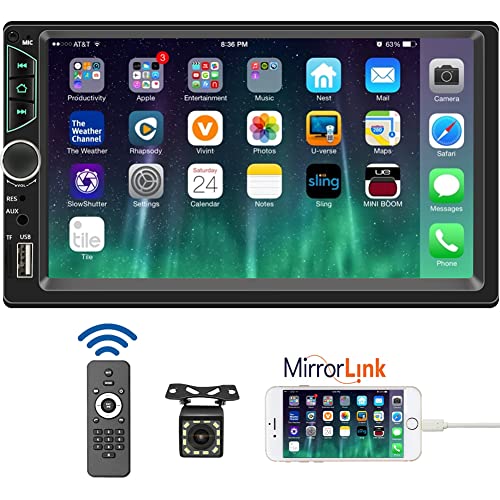
- 【High Quality Car Stereo Player】- Our double din car...
- 【Double Din Car Stereo Phone Mirror Link】- Support...
- 【7 inch Double Din Car Radio With Bluetooth 5.0 and FM...
- 【Car Stereo Double Din Inputs】- USB /SD/AUX input. car...
- 【Standard Double Din Stereo with Backup Camera】- Parking...
Last update on 2026-06-23 / Affiliate links / Images from Amazon Product Advertising API
If the PDF is very large, it may not load in the preview below.
Some older TSBs had multiple PDFs — visit the NHTSA Website to view all PDFs.
If the TSB PDF does not show, download or view it on the NHTSA Website.
Click on the (+) Plus Sign
Then Click on Associated Document(s)
Search NHTSA Database for Recalls
Search NHTSA Database for Vehicle Investigations
View Latest Vehicle Investigations
Search NHTSA Database for Vehicle Complaints
View Latest Vehicle Complaints
TSB/Document ID: T-SB-0059-24
Replacement Service Bulletin Number:
MFR Communication Date: 2024-07-11
MFR Internal Campaign ID/Software Version: T-SB-0059-24
Communication Type: Service Bulletin/Repair Instructions
NHTSA Components: UNKNOWN OR OTHER
MFR Component System:
MFR Component Subsystem:
Previous TSB | Next TSB |

- [2026 Top-Tier Hardware and Software Upgrade]: Topdon ArtiDiag900 Lite scanner has enhanced hardware and latest features, including Android 11.0, 5x faster CPU, 10000mAh battery for 12 hours of continuous operation, stable wireless diagnosis with Bluetooth 5.0, 8-inch touchscreen. Added bi-directional control, wireless diagnosis, battery testing (optional), and DTC repair guide
- [TOPDON Bidirectional Scan Tool]: This bidirectional obd2 scanner sends commands to the vehicle's ECU for active testing, enabling users to accurately and quickly locate faulty components such as injectors, coolant pumps, windows, wipers, headlights, mirrors, etc. The bidirectional control scanner is the ideal choice for workshops/automotive repair shops as it significantly reduces mechanic's diagnostic time.
- [Wireless Bluetooth Diagnostic Experience]: The AD900 Lite scan tool comes with a Bluetooth 5.0 VCI, supporting a wireless diagnostic range of up to 33 feet (10 meters), allowing you to diagnose without being confined to cables or tight spaces. Stable and fast wireless diagnosis provides a comfortable repair environment. It also offers VCI cables to increase connectivity options.
- [DTC Repair Guide Function]: Easily diagnose issues with your vehicle and receive guidance on repairs with the topdon scan tool's fault code definitions for all systems,maximize your diagnostic capabilities. This function is compatible with Chrysler
 /Dodge/Jeep/Fiat 2010-2014 and expanding with continual updates,the AritDiag 900 Lite car diagnostic scanner is the must-have tool for any technician or DIY enthusiast.
 - [OE-Level Full System Diagnostics]:AritDiag900 Lite full system diagnostic scanner can scan ALL available modules(Engine, Transmission, Airbag, ABS, ESP, TPMS, Gateway, Steering, Radio, Air conditioning, ect.) to✔read ECU info, ✔read/clear codes, ✔view live data stream, ✔retrieves freeze-frame, ✔perform active tests, and more. With just a simple click, it provides you with accurate and in-depth diagnostics.

- Dual WiFi & 10.1" Touchscreen: Provides a stable, high-speed wireless link 3x faster than bluetooth, and a responsive, professional interface. Topdon ONE obd2 scanner diagnostic tool ensures smooth, non-lagging diagnostic scan, boosting mechanic efficiency
- J2534 Pass-Thru Support: The included ONE VCI supports the J2534 standard, allowing it to function as a pass-thru device when paired with OEM diagnostic software.Through TOPDON’s RLink platform, technicians can perform dealer-level coding, expanding in-house capabilities without investing in multiple factory automotive scan tools
- OE Topology Mapping: Visualize the vehicle’s ECU network exactly as it’s built.Zoom, pan, and highlight specific modules to pinpoint component issues with precision.Topology mapping displays real-time communication between modules
- 50 Plus Service Functions: Covers high-demand services like ADAS calibration, DPF regen, TPMS reset, ABS bleed, and throttle adaptation.Expands your service menu, allows you to charge premium rates, and turns away zero jobs due to lack of tooling. Vehicle-specific functionality may vary
- Advaned ECU Coding: 10 of the most serviced brands in North America, including full ECU coding and flash hidden support for BMW, VW, Au-di, Benz, Porsche, Toyota, Ni ssan and more. Enables module replacement, feature customization, and personal settings with automatic backup or restore.Lets your shop safely offer high-margin customization services, attracting more customers and boosting profit

- Bi-Directional Control, Quickly Locate Problems: Turn your phone into a professional diagnostic tool. You can send commands from your phone to the ECU to test injectors, cooling fans, headlights, A/C clutch, windows, wipers, and more. See which one doesn't respond. Helps you quickly locate the problem and save time. No need to tear things apart, avoid blind disassembly.
- Flexible Subscription, Choose Advanced Features as Needed: TopScan Lite provides free-for-life access to core diagnostics, including full system scan, code reading, performance tests, and repair information. After purchase, advanced features (bi-directional control, service operations, live data, code clearing, and AI functions) are free-for-the-first-year. After the first year, if you want to use advanced features, you need to subscribe on a monthly, quarterly, or yearly basis. As new models and reset functions are updated, the tool will also be continuously upgraded.
- Full System Diagnostics, No Fault Hides: Unlike basic diagnostic tools that only cover 4 systems, TopScan can scan all systems. Read and clear trouble codes, view live data streams, and generate a complete vehicle health report – all issues are clear at a glance. Covers 10,000+ vehicle models and is compatible with 99.99% of vehicles.
- AI Assistant - TopFix: Think of TopFix as your personal AI mechanic. It leverages a repair database and OEM data to deliver clear, step-by-step repair solutions. Features include AI Q&A, one-click translation, and a full repair log, making your diagnostic process simpler and more efficient.
- 8+ Hot Resets, Keep Your Car in Top Shape: One-tap resets for oil, throttle, EPB, steering angle, DPF, ABS, BMS, and airbag. It enables car owners to easily perform essential maintenance, ensuring the vehicle stays in optimal condition and extends its service life.
Last update on 2026-06-23 / Affiliate links / Images from Amazon Product Advertising API
This product presentation was made with AAWP plugin.