
NHTSA ID Number: 11005487
Manufacturer Communication Number: SF698REV2-DLR LTR
TSB/Document Date: 2024-08-02
Summary
Revised Field Service Campaign for Western Star Heated Headlight Parameters. SECOND REVISION: The parameter set was updated to address a potential conflict that affected engine speed control functionality.
If the PDF is very large, it may not load in the preview below.
Some older TSBs had multiple PDFs — visit the NHTSA Website to view all PDFs.
If the TSB PDF does not show, download or view it on the NHTSA Website.
Click on the (+) Plus Sign
Then Click on Associated Document(s)
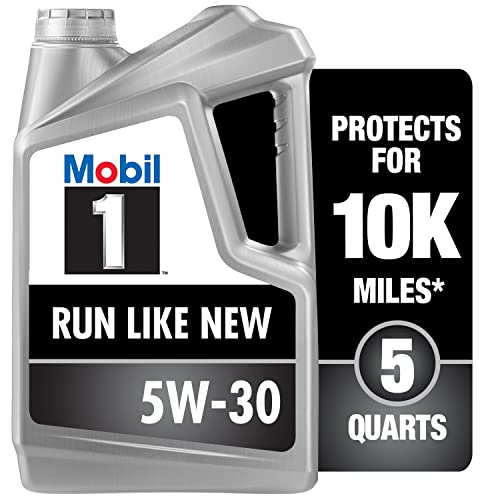

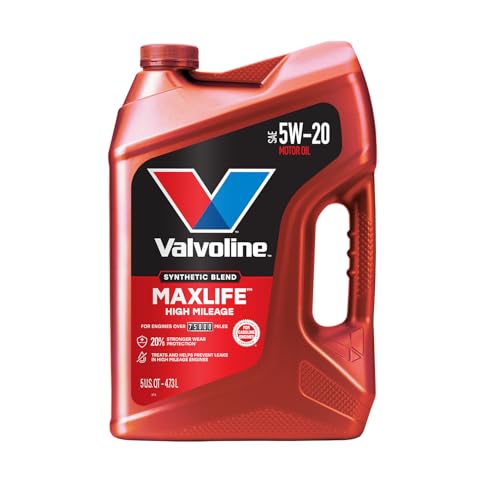
- MaxLife Technology prevents engine breakdown with 40% better...
- Includes seal conditioners to reduce oil consumption and oil...
- Added detergents reduce sludge, corrosion, rust and deposits...
- Advanced friction-fighting additives help maximize...
- Meets or exceeds all requirements of ILSAC GF-6A, API SP...
This product presentation was made with AAWP plugin.
Search NHTSA Database for Recalls
Search NHTSA Database for Vehicle Investigations
View Latest Vehicle Investigations
Search NHTSA Database for Vehicle Complaints
View Latest Vehicle Complaints
TSB/Document ID: SF698REV2-DLR LTR
Replacement Service Bulletin Number:
MFR Communication Date: 2024-07-29
MFR Internal Campaign ID/Software Version: SF698
Communication Type: Service Campaign
NHTSA Components: EXTERIOR LIGHTING
MFR Component System:
MFR Component Subsystem:
Previous TSB | Next TSB |
Daimler Truck
North America LLC
Field Service Campaign
May 2024
SF698 AB
SECOND REVISED (July 2024)
Subject: Western Star Heated Headlight Parameters
Models Affected: Specific model years 2019-2024 Western Star
47X, 49X, and 57X vehicles, manufactured August 9, 2019, through
March 9, 2024.
General Information
Daimler Truck North America LLC (DTNA), on behalf of its wholly owned subsidiary, Western Star Truck Sales,
Inc., is initiating Field Service Campaign SF698 to modify the vehicles mentioned above.
SECOND REVISION: The parameter set was updated to address a potential conflict that affected engine speed
control functionality.
The parameters that control the headlight heat function do not operate properly.
The heated headlight parameters will be updated.
There are approximately 23,829 vehicles involved in this campaign.
Additional Repairs
Dealers must complete all outstanding recall and field service campaigns prior to the sale or delivery of a
vehicle. A dealer will be liable for any progressive damage that results from its failure to complete campaigns
before sale or delivery of a vehicle.
Owners may be liable for any progressive damage that results from failure to complete campaigns within a
reasonable time after receiving notification.
Please contact Warranty Campaigns for consideration of additional charges prior to performing the repair.
Work Instructions
Please refer to the attached work instructions. Prior to performing the campaign, check the vehicle for a
completion sticker (Form WAR261).
Replacement Parts
No replacement parts are required
If our records show your dealership has ordered any vehicle(s) involved in campaign number SF698, a list of
the customers and vehicle identification numbers will be available on the DTNA Portal via OWL. Please refer to
this list when ordering parts for this campaign.
Table 1
Campaign Number
Part Number
Part Description
Qty.
SF698 AB
WAR261
BLANK COMPLETION STICKER
1 ea
Table 1
Removed Parts
U.S. and Canadian Dealers, please follow Warranty Failed Parts Tracking shipping instructions for the
disposition of all removed parts. Export distributors, please destroy removed parts unless otherwise advised.
Page 1
Daimler Truck
North America LLC
Field Service Campaign
May 2024
SF698 AB
SECOND REVISED (July 2024)
Labor Allowance
Table 2 - Labor Allowance
Campaign
Number
Procedure
Time Allowed
(hours)
SRT Code
Corrective Action
SF698 AB
Update Heated Headlight Parameters
0.5
996-F184A
12-Repair Recall/Campaign
Table 2
IMPORTANT: When the campaign has been completed, locate the base completion label in the appropriate location on the vehicle, and attach the gray completion sticker provided in the field service kit (Form WAR261). If
the vehicle does not have a base completion label, clean a spot on the appropriate location of the vehicle and
first attach the base completion label (Form WAR259). If a field service kit is not required or there is no completion sticker in the kit, write the campaign number on a blank sticker and attach it to the base completion label.
Claims for Credit
You will be reimbursed for your labor and handling (landed cost for Export Distributors) by submitting your claim
through the warranty system within 30 days of completing this campaign. Please reference the following
information in OWL:
• Claim type is Field Service Campaign.
• In the Campaign field, enter the campaign number and appropriate condition code
(SF698 A or SF698 B).
• In the Primary Failed Part field, enter 25-SF698-000.
• In the Labor section, enter the appropriate SRT from the Labor Allowance Table. Administrative time will
be included automatically as SRT 939-6010A for 0.3 hours.
• The VMRS Component Code is F99-999-005 and the Cause Code is A1 - Campaign.
• This Field Service Campaign will terminate May 31, 2025. Dealers will be notified of any changes to the
termination date via an Important Campaign Information Letter (ICI) posted on the DTNA Portal.
IMPORTANT: OWL must be viewed prior to beginning work to ensure the vehicle is involved and the campaign
has not previously been completed. Check for a completion sticker before beginning work.
All claims must be submitted within 30 days of the repair and within 30 days of the termination date of the
campaign. U.S. and Canadian Dealers: All excess inventory to be returned to the PDC following the conclusion
of the campaign must be returned in resaleable condition to the Memphis PDC within 90 days from the
termination date. Please submit a PAR to request return to the Memphis PDC. Canadian Dealers: return kits to
your facing PDC. Export Distributors: Excess inventory is not returnable.
For questions, U.S. and Canadian dealers, contact the Warranty Campaigns Department via the Warranty
Support Center (WSC) located on the DTNA Portal. Export distributors submit a WSC inquiry or contact your
International Service Manager.
Page 2
Daimler Truck
North America LLC
Field Service Campaign
May 2024
SF698 AB
Copy of Notice to Owners
Subject: Western Star Heated Headlight Parameters
Daimler Truck North America LLC (DTNA), on behalf of its wholly owned subsidiary, Western Star Truck Sales,
Inc., is initiating Field Service Campaign SF698 to modify specific model years 2019-2024 Western Star 47X,
49X, and 57X vehicles, manufactured August 9, 2019, through March 9, 2024.
The parameters that control the headlight heat function do not operate properly.
The heated headlight parameters will be updated.
Please contact an authorized DTNA dealer to arrange to have the campaign performed and to ensure that parts
are available at the dealership. The campaign will take approximately one half hour and will be performed free
of charge. To locate an authorized dealer, search online at northamerica.daimlertruck.com/contact-us. Scroll
down to “Locate a Dealer,” and select the appropriate brand.
This Field Service Campaign will terminate May 31, 2025. Please make sure the campaign is completed prior to
this date. Work completed after this date will be done at the customer’s expense.
As stated in the terms of your express limited warranty, DTNA will not pay for any damage caused by failure to
properly maintain your vehicle. DTNA considers the work necessary under this campaign to be proper
maintenance and will, therefore, not pay for any damage to your vehicle caused by your failure to have the
repairs that are the subject of this campaign performed in a reasonable time.
Contact the Warranty Campaigns Department at (800) 547-0712, 7 a.m. to 4 p.m. Pacific Time, M-F, e-mail
address: [email protected], or the Customer Assistance Center at (800) 385-4357, if you
have any questions or need additional information.
WARRANTY CAMPAIGNS DEPARTMENT
Enclosure
Page 3
Daimler Truck
North America LLC
Field Service Campaign
May 2024
SF698 AB
SECOND REVISED (July 2024)
Work Instructions
Subject: Western Star Heated Headlight Parameters
Models Affected: Specific model years 2019-2024 Western Star
47X, 49X, and 57X vehicles, manufactured August 9, 2019, through
March 9, 2024.
Heated Headlight Programming Update
SECOND REVISION: The parameter set was updated to address a potential conflict that affected engine speed
control functionality.
1.
Check the base label (Form WAR259) for a completion sticker for SF698 (Form WAR261), indicating this
work has been done. The base label is usually located on the passenger-side door, about 12 inches (30
cm) below the door latch. If a completion sticker is present, no work is needed. If a completion sticker is
not present, proceed to the next step.
2.
Park the vehicle on a level surface, shut down the engine, and set the parking brake. Chock the tires.
3.
Connect an RP1210B-compliant vehicle diagnostic adaptor to the diagnostic connector on the vehicle.
4.
Connect the other end of the RP1210B-compliant vehicle diagnostic adaptor to the laptop.
5.
Open DiagnosticLink®.
IMPORTANT: Make sure that DiagnosticLink is updated to the latest version (8.18 SP1 at the time of publication, or newer) before programming the vehicle.
To update DiagnosticLink, from the menu bar, select ‘Tools,’ then select ‘Update’ from the dropdown menu.
6.
Use the DTNA Portal credentials to connect DiagnosticLink to the server.
7.
Go to the ‘Program Device’ tab, and make sure that the vehicle identification number (VIN) that appears is
correct. Select ‘Download data from server.’ See Fig. 1.
Page 4
Daimler Truck
North America LLC
Field Service Campaign
May 2024
SF698 AB
SECOND REVISED (July 2024)
B
A
C
09/28/2023
A. Go to the ‘Program Device’ tab.
B. Verify the VIN.
f121445
C. Select ‘Download data from server.’
Fig. 1, Downloading Data from the Server
Page 5
Daimler Truck
North America LLC
Field Service Campaign
May 2024
SF698 AB
SECOND REVISED (July 2024)
8.
After the server data download is complete, go to the ‘Parameters’ tab.
IMPORTANT: It is possible that all the parameter sub-folders within the ‘XMC02T’ folder are grayed out after
downloading the unit data, and a banner that reads the following is displayed, as shown in Fig. 2.
“Parameters for [ECUs, including XMC02T] cannot be edited because the device does not match the software
or hardware part number contained in the Last Serviced data. Click here to open the Program Device view to
reprogram these devices before attempting to make parameter changes.”
• This typically occurs on a new vehicle with no service record uploaded to the server. Even though the
banner suggests reprogramming the listed ECUs, this is not usually necessary.
• To remedy the situation, allow the parameters to finish reading when the ‘Parameters’ tab is selected,
then go to the ‘Program Device’ tab, and there should be unit data to upload. Select ‘Connect to Server’
to upload the data to the server, then return to the ‘Parameters’ tab. At this point, the XMC02T parameters should no longer be grayed out.
• If the parameter sub-folders within the ‘XMC02T’ folder still continue to be grayed out, programming the
XMC02T to the ‘Newest’ configuration will be necessary to remedy the situation.
06/06/2024
f121548
Fig. 2, XMC02T Parameters Grayed Out
9.
Select and expand the ‘XMC02T – Extension Module Cabin’ folder, as shown in Fig. 3, and set the parameter values listed in Table 3.
10.
Select the ‘FSC Logic Block 11_15’ sub-folder. Set the parameter value to
‘A0334471246-003 PARM-FSC,LGC BLK 11-15,HTD HDL 81Z-008, ZGS-003.’ See Fig. 3.
Page 6
Daimler Truck
North America LLC
Field Service Campaign
May 2024
SF698 AB
SECOND REVISED (July 2024)
B
A
C
D
05/14/2024
A.
B.
C.
D.
f121535
Go to the ‘Parameters’ tab.
Select and expand the ‘XMC02T – Extension Module Cabin’ folder.
Select the ‘FSC Logic Block 11_15’ sub-folder.
Set the parameter value to ‘A0334471246-003 PARM-FSC,LGC BLK 11-15,HTD HDL 81Z-008, ZGS-003.’
Fig. 3, Setting the FSC Logic Block 11_15 Parameter Value
Module
XMC02T - Extension Module Cabin (XMC1) Parameter Values
Parameter
Parameter Value
Parameter Description
FSC Logic Block 11_15
A0334471246-003
FSC Logic Block 21_25
A0334471346-003
FSC Logic Block 6_10
A0334471146-003
FSC Timer Block 1_20
A0304474746-003
XMC02T
FSC CAN Event 1_32*
FSC Parameters OutputPinBlock 1_12*
A0264471946-003
or higher (latest
version)
A0264472146-001
A0334471246-003 PARM-FSC,LGC BLK 11-15,HTD HDL
81Z-008, ZGS-003
A0334471346-003 PARM-FSC,LGC BLK 21-25,HTD HDL
81Z-008,ZGS-003
A0334471146-003 PARM-XMC,FSC,LOGIC BLK 6-10
81Z-008,R2303, ZGS-003
A0304474746-003 FSC Timer Block 1_20 42NLG1PS1 ZGS
003
A0264471946-003 PARM-XMC,FSC,CAN EVENT 1-32,
81Z-008,R2203
A0264472146-001 Defaultstring.HeatedHL
* These parameters should already be set to the values shown.
Table 3, XMC02T - Extension Module Cabin (XMC1) Parameter Values
Page 7
Daimler Truck
North America LLC
Field Service Campaign
May 2024
SF698 AB
SECOND REVISED (July 2024)
11.
Select the ‘FSC Logic Block 21_25’ sub-folder. Set the parameter value to
‘A0334471346-003 PARM-FSC,LGC BLK 21-25,HTD HDL 81Z-008,ZGS-003.’ See Fig. 4.
A
B
05/14/2024
f121536
A. Select the ‘FSC Logic Block 21_25’ sub-folder.
B. Set the parameter value to ‘A0334471346-003 PARM-FSC,LGC BLK 21-25,HTD HDL 81Z-008,ZGS-003.’
Fig. 4, Setting the FSC Logic Block 21_25 Parameter Value
12.
Select the ‘FSC Logic Block 6_10’ sub-folder. Set the parameter value to
‘A0334471146-003 PARM-XMC,FSC,LOGIC BLK 6-10 81Z-008,R2303, ZGS-003.’ See Fig. 5.
A
B
05/14/2024
f121537
A. Select the ‘FSC Logic Block 6_10’ sub-folder.
B. Set the parameter value to ‘A0334471146-003 PARM-XMC,FSC,LOGIC BLK 6-10 81Z-008,R2303, ZGS-003.’
Fig. 5, Setting the FSC Logic Block 6_10 Parameter Value
Page 8
Daimler Truck
North America LLC
Field Service Campaign
May 2024
SF698 AB
SECOND REVISED (July 2024)
13.
Select the ‘FSC Timer Block 1_20’ sub-folder. Set the parameter value to
‘A0304474746-003 FSC Timer Block 1_20 42NLG1PS1 ZGS 003.’ See Fig. 6.
B
A
05/14/2024
f121538
A. Select the ‘FSC Timer Block 1_20’ sub-folder.
B. Set the parameter value to ‘A0304474746-003 FSC Timer Block 1_20 42NLG1PS1 ZGS 003.’
Fig. 6, Setting the FSC Timer Block 1_20 Parameter Value
NOTE: The ‘FSC CAN Event 1_32’ parameter should already be set to the correct value. If so, no change is
needed.
14.
Select the ‘FSC CAN Event 1_32’ sub-folder. Set the parameter value to
‘A0264471946-003 PARM-XMC,FSC,CAN EVENT 1-32, 81Z-008,R2203’ or a higher level, if available.
See Fig. 7.
A
B
07/24/2024
f121551
A. Select the ‘FSC CAN Event 1_32’ sub-folder.
B. Set the parameter value to ‘A0264471946-003 PARM-XMC,FSC,CAN EVENT 1-32, 81Z-008,R2203’ or a higher level,
if available.
Fig. 7, Setting the FSC CAN Event 1_32 Parameter Value
Page 9
Daimler Truck
North America LLC
Field Service Campaign
May 2024
SF698 AB
SECOND REVISED (July 2024)
NOTE: The ‘FSC Parameters OutputPinBlock 1_12’ parameter should already be set to the correct value. If so,
no change is needed.
15.
Select the ‘FSC Parameters OutputPinBlock 1_12’ sub-folder. Set the parameter value to
‘A0264472146-001 Defaultstring.HeatedHL.’ See Fig. 8.
B
A
05/14/2024
f121540
A. Select the ‘FSC Parameters OutputPinBlock 1_12’ sub-folder.
B. Set the parameter value to ‘A0264472146-001 Defaultstring.HeatedHL.’
Fig. 8, Setting the FSC Parameters OutputPinBlock 1_12 Parameter Value
Page 10
Daimler Truck
North America LLC
Field Service Campaign
May 2024
SF698 AB
SECOND REVISED (July 2024)
16.
Select the ‘Send’ button to write the parameter changes to the XMC02T ECU in the vehicle. A window
opens asking to confirm the parameter changes. Select ‘OK.’ See Fig. 9.
B
A
09/28/2023
A. Select the ‘Send’ button.
f121456
B. Select ‘OK’ to confirm the parameter changes.
Fig. 9, Writing the Parameter Changes to the Vehicle
Page 11
Daimler Truck
North America LLC
Field Service Campaign
May 2024
SF698 AB
SECOND REVISED (July 2024)
17.
Once the parameter change is complete, go to the ‘Program Device’ tab. Select ‘Unit data management’ in
the upper-right corner. See Fig. 10.
B
A
03/23/2022
A. Go to the Program Device tab.
f121174
B. Select ‘Unit data management.’
Fig. 10, Selecting Unit Data Management
Page 12
Daimler Truck
North America LLC
Field Service Campaign
May 2024
SF698 AB
SECOND REVISED (July 2024)
18.
The information corresponding to the VIN should appear under the ‘Unit data for upload.’ Select ‘Connect
to server’ to upload the new parameters. See Fig. 11.
03/23/2022
f121175
Fig. 11, Uploading the New Parameters
19.
Once the parameter updates are uploaded to the server, disconnect the vehicle from DiagnosticLink.
20.
Turn the ignition key to the OFF position.
21.
Clean a spot on the base label (Form WAR259), and attach a campaign completion sticker for SF698
(Form WAR261), indicating this work has been completed.
Page 13

- 🎉[OTOFIX D1 Lite, Perfect Cost-effective Diagnostic Tool]: OTOFIX D1 Lite, a newest bidirectional scan tool from OTOFIX company, is a great choice for DIYers and repair shops. 👉This obd2 scanner diagnostic tool packs all practical functions: OE level all systems diagnoses, Bi-Directional Control, 38+ reset services fixing 99% of common problems, support DoIP & CANDF protocols and FCA
 AutoAuth, high-end hardware configuration. Worldwide vehicles and 🔥2 Years Free Updating🔥 covered.
 - 🎉[Bi-Directional Scan Tool, Active Test]: OTOFIX D1 Lite bluetooth obd2 scanner can also command ECUs and monitor the operation of the actuators to track down the problems of certain parts, like windows, sunroof, wipers, fuel pumps, etc., saving repair time & trouble. This makes OTOFIX D1 Lite the most cost-effective bidirectional scan tool.
- 🎉[2026 Newest, 38+ Hot Reset Functions]: Equipped with 38+ reset functions in one, the OTOFIX D1 lite automotive scanner diagnostic tool allows you to troubleshoot 99% of common vehicle problems. You can use this car diagnostic scanner holding enough functions to easily repair common vehicle models in your repair shops. Including Oil Reset, Injector Coding, Throttle, DPF Reset, SCR Reset, Gear Learning, Clutch Learning, Suspension, etc. Note* Reset functions vary by model.
- 🎉[OE Level Full Systems Diagnostics]: Unlike the 2-system and 4-system diagnostic tools, the OTOFIX auto scan tool can complete comprehensive system diagnostics within 5 minutes. It accesses and scans all available onboard systems like for Engine /AT /ABS /EPB /BMS /TPMS /SRS /SAS /Audio System /BCM /Air Conditioning / etc., to read & clear codes, view live data, and check ECU information. Note: Active test is not involved.
- 🎉[Powerful Hardware Configuration]: Designed with a fashion appearance & a 7” touchscreen and a weight of 463g, this OTOFIX D1 Lite OBD2 diagnostic scanner scan tool is convenient for everywhere and easy to use & store. Android9.0 OS and 2+64GB memory enhance multi-task smoothness and diagnostic operation, no more wasting too much time. 5800mAh battery allows hours-lasting use. WiFi & VCI1 also bring faster communication for your diagnostics.

- 🏆【2026 TOP OBD2 Scanner Diagnostic Tool】OTOFIX D1 Lite wireless obd2 scanner has upgraded hardware configuration and car coverage. The newly upgraded D1 Lite with 🔥OS Android 9.0🔥1.5Ghz 4 core high efficiency processor🔥2GB RAM+64GB ROM large storage🔥5800mAh large battery, more stable and longer lasting diagnostics🔥 38+ Reset🔥action tests🔥full system diagnostic🔥Supports MV105 endoscope🔥21+ Language Supports🔥100000+ vehicle coverage to meet all your daily maintenance needs.
- 👍【Bi-Directional Control / Active Test】D1 Lite obd2 scanner has bidirectional control(worth $300+), which is the most beloved feature among mechanic. If your headlights or car windows are broken, going to a repair shop will cost a lot of money. You can use D1 Lite to send execution commands to the ECU module and identify the repair status. Such as ABS, car windows, doors, valves, wipers, headlights, etc., effectively shorten diagnostic time and reduce diagnostic costs.
- 🔥【All Systems Diagnostics, In-depth Checking】This advanced OBD2 Scanner D1 Lite can perform OE-level diagnosis of all systems including engine, transmission, airbag, ABS, ESP, TPMS, gateway, steering, radio, and air conditioning for more than 100 brands. This diagnostic scanner supports essential functions, such as reading ECU version info, reading and clearing fault codes, and reading data streams.With just a simple click, it provides you with accurate and in-depth diagnostics.
- 🏆【38+ Reset Hot Functions】For repair workshops, holding an OTOFIX D1 Lite Auto scanner is a strong advantage over others. Its 38+ maintenance functions provide various solutions for all module repairs, including Oil Reset, TPMS Reset, Injector Coding, Suspension, Throttle Matching, etc., which will usher your repair business to a new pinnacle. Continuously updating will never make the functionality & compatibility out-of-date.
- 🏆【150+ Models, 10000+ Car Coverage & 16 Languages】D1 Lite is a comprehensive car diagnostic scan tool, help you to troubleshoot car issues fast for 95% US, European, Asian auto makes. ✅ With frequent updates and optimizations allow D1 Lite to cover more vehicles to meet your needs. ✅ Multilingual menu allows auto mechanics around the world to use it without language barriers. 🚩Note: Kindly send us the S/N of the device to authorize new language updates before changing the menu language.
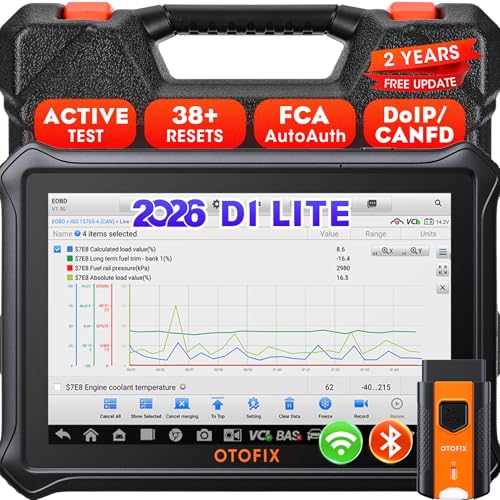
- 【2026 OTOFIX D1 Lite Gives the Best Value for Money】OTOFIX D1 Lite bidirectional scan tool is more FASTER and SMARTER with 2026 Enhanced Hardwares & New Functions! 👍Alternative Bluetooth +USB connect 👍2G+64GB 👍4x ARM Cortex-A35 (1.5GHz) Processor (5X Faster CPU) 👍Android 9.0 OS 👍5G GHz WiFi 👍CANFD&DOIP 👍 FCA AutoAuth 👍38+ Services 👍3K+ Bi-Directional Control 👍Full Systems Diagnose 👍2 Years Update 👍150+ Vehicle Coverage.
- 👍【Active Tests】 OTOFIX D1 Lite is a bi-directional scan tool that can send commands to, and also receive information from vehicle control modules. This way, you can quickly locate and repair faulty auto parts. For Example: send direct commands to ask the vehicle to turn on/off the radiator fan, lights, sound horn, fuel pump, modulate throttle, open/close windows, operate mirrors and more. *Note that only available tests will be displayed in the menu.
- 👍【38+ Service Functions】 OTOFIX D1 Lite scan tool offers 38+ of the hottest service functions that are commonly used for car repairs. That include Oil reset/SAS/EPB/BMS/Throttle/ABS bleeding, and 2065-new SUS/ADBLUE/NOX/Headlamp resets (and more) to help restore your car status after repairs are done. Compared to other diagnostic scanners for cars, the OTOFIX D1 Lite scanner is much more fully-featured. *Note that specific functions available depend on the make/model/year of your car.
- 👍【All System Diagnostics + Cloud Report Management】 This 2026 car scanner OTOFIX D1 Lite provides troubleshooting and data for all ECUs: read/clear DTCs, view graphic live data/VIN, and locate system faults for safe driving. With Cloud Report Management, you can save detailed reports to cloud servers and easily shared them with others via QR codes/emails/text messages. Others can access these reports from any device (smartphones/tablets/PCs …) anytime, and you can better manage repair work.
- 👍【99% Car Coverage】 This one-station car scanner diagnostic for all cars works on 150+ major car brands across the world. 1) It supports CAN-FD/DoIP protocols: compatible with GMCAVALIER/TRAX/Encore/Envision/GL8(LSY)/CT4/CT5 after 2019; Volvo after 2018; Land Rover/Jaguar after 2017; and BM.W F/G all chassis. 2) For models equipped with security modules (such as Renault & 2018+ FCA SGW), its built-in AutoAuth allows you to easily break diagnostic barriers after registration.
This product presentation was made with AAWP plugin.
Last update on 2026-05-12 / Affiliate links / Images from Amazon Product Advertising API