
NHTSA ID Number: 11004928
Manufacturer Communication Number: 24-NA-112
TSB/Document Date: 2024-07-18
Summary
2025 Chevrolet Equinox New Model Features.
Bulletin No.: 24-NA-112
Service Bulletin
Date: June, 2024
INFORMATION
Subject:
Brand:
2025 Chevrolet Equinox New Model Features
Model:
Equinox
Involved Region or Country
Model Year:
VIN:
from
to
from
to
2025
2025
-
-
All
All
North America
Introduction
6677443
6677442
Copyright 2024 General Motors. All Rights Reserved.
Important: Service agents must comply with all
International, Federal, State, Provincial, and/or
Local laws applicable to the activities it performs
under this bulletin, including but not limited to
handling, deploying, preparing, classifying,
packaging, marking, labeling, and shipping
dangerous goods. In the event of a conflict
between the procedures set forth in this bulletin
and the laws that apply to your dealership, you
must follow those applicable laws.
Page 2
June, 2024
Review this quick reference guide for an overview of
some important features in your Chevrolet Equinox.
Some equipment described in this guide may not be
included in your vehicle. Contact your dealer for details
on a specific vehicle. All information contained in this
guide is based on the latest information available at the
time of printing and is subject to change without notice.
More information can be found in your Owner’s Manual
and at chevrolet.com/owners.
Bulletin No.: 24-NA-112
The 2025 Chevrolet Equinox LT Trim Details
Trim Details
The LT, Activ, and RS. All Equinox trims will get the 175
hp, 1.5-liter turbocharged I-4 with a CVT as standard
on FWD. AWD is available for all trims and that option
increases its towing capacity up to 1,500 pounds, and
upgrades the transmission to a more traditional eightspeed automatic.
6677444
It comes with a unique grille and front-end design. A
panoramic sunroof is available. The LT can get both a
white and black roof as a two-tone option
6677445
Bulletin No.: 24-NA-112
June, 2024
Cloth seats. The front seats can get heating along with
the steering wheel. The color options for the seating
are black, Artemis gray or black Evotex. 11.3-inch
infotainment touchscreen display. 11-inch "Driver Information Center," or the instrument panel. You'll also get
Page 3
5G WiFi, Google Built-In, and available wireless
charging.
The 2025 Chevrolet Equinox Activ Trim Details
6677446
2025 Equinox Activ trim. It gets the black version of the
"Bow Tie". The lower grille and valence are unique. Allterrain tires on 17-inch wheels. Black roof rails.
6677447
Page 4
June, 2024
Bulletin No.: 24-NA-112
Evotex in Maple Sugar and black micro-fiber suede
materials. "ACTIV" is stitched on the head rests.
Orange piping on the shoulders of the seat backs.
Drive mode selector. FWD versions have "Normal" and
"Snow" modes. AWD adds "Off-Road" mode.
The 2025 Chevrolet Equinox RS Trim Details
RS-only grille and front fascia with a black Bow Tie,
body-color treatment on the lower valance, and larger
openings in front of the front tires. Black roof is the only
two-tone treatment where the Activ is only white. The
mirrors, emblems, roof rails, and other badging are also
exclusively colored in black on the RS. 19-inch wheels
are standard with optional 20-inch wheels unique to the
trim.
Evotex seating in black with Torch Red treatment along
the shoulders of the seatbacks and Santorini Blue
contrast stitching. The "RS" emblem is embossed on
the headrests. Flat bottom steering wheel only
available on the Equinox RS. The RS has a drive mode
selector. Heated seats and steering wheel
6677448
6677449
Bulletin No.: 24-NA-112
June, 2024
Page 5
Digital Driver Information Center
6677450
The reconfigurable Driver Information Center (DIC)
displays a variety of vehicle messages and system
information.
DIC CONTROLS
Use the controls on the right side of the steering wheel
to view and select Vehicle, Audio and Phone information.
Manual Mode — With the transmission in Drive, press
the L (Low) button on the steering wheel. Press the topleft (-) button (on the back of the steering wheel) to
reduce the highest gear available and the top-right (+)
button (on the back of the steering wheel) to increase
the highest gear available. Press the L button again to
return to Drive.
Press the Display button to view and scroll through the
cluster display layouts.
Infotainment System
Press the Up or Down switch to scroll through the
active menu.
Read your Owner’s Manual for important information
about using the infotainment system while driving.
Press the Check Mark switch to open a menu, or to
select or reset an item.
The infotainment system uses a Bluetooth or USB
connection to link to a compatible device, such as a
smartphone or portable audio player, and offers handsfree voice control. Use simple gestures on the
touchscreen, such as tap, drag and swipe, to interact
with the system. For additional information, visit
chevrolet.com/support.
Electronic Precision Shift Transmission
The automatic transmission is electronically controlled
using the shift lever on the right side of the steering
column. The selected position is illuminated in red on
the lever and is shown on the cluster display.
Park – Press the P button on the end of the lever to
shift into Park.
Reverse – Press the brake pedal and then pull the
lever toward you and up to shift into Reverse.
Neutral – Press the brake pedal and then pull the lever
toward you and hold briefly to shift into Neutral.
Note: The vehicle will not stay in Neutral for an
extended period. It will automatically shift into Park.
See Car Wash Mode in your Owner’s Manual.
Drive – Press the brake pedal and then pull the lever
toward you and down to shift into Drive.
MANAGING HOME PAGE ICONS
1. Press the Home icon.
2. To enter edit mode, touch and hold the Home page
icon to move.
3. Continue holding the icon and drag it to the desired
position on the screen or the app tray, and then
release.
GOOGLE BUILT-IN
Google built-in provides access to your favorite apps,
including Google Assistant, Google Maps and Google
Play.
Sign in to your Google Account to get your apps,
messages, custom directions and more in your vehicle.
Page 6
June, 2024
Google Assistant – Talk to Google to get hands-free
help. Easily get directions, play media, control vehicle
functions and more.
To start, say “Hey Google,” tap the Google Assistant
icon on the Home page, or press the Push to Talk
button on the steering wheel.
Google Maps – Reach your destination faster with realtime traffic information, automatic rerouting and voice
control. Sign in for personalized maps with home and
recent locations.
Google Play – Download some of your favorite apps in
your vehicle just as you would on your phone to listen
to music, podcasts, audiobooks and more.
Note: Google built-in services are subject to limitations
and availability may vary by vehicle, infotainment
system and location. Select service plan required.
Certain Google actions and functionality may require
account linking. User terms and privacy statements
apply. Google, Google Play and Google Maps are
trademarks of Google LLC.
Exterior Lighting
Unique entry and exit lighting illuminates the exterior
and interior of the vehicle. To adjust the lighting
settings, go to Settings > Vehicle > Lighting.
Select the Automatic Light Control icon on the
infotainment screen to turn the auto headlamps on/off.
To enable the IntelliBeam system, which automatically
turns the high-beam headlamps on/off based on traffic
conditions at night, go to Controls > Lights > Auto High
Beams. The exterior lamps must be in the Auto
setting. A green indicator lamp on the instrument
cluster indicates the system is on. A blue indicator lamp
appears when the highbeam headlamps are on.
Note: IntelliBeam activates the high-beam headlamps
only when driving more than 25 mph.
To operate the exterior lamp controls, go to Controls >
Lights > Headlights on the infotainment screen. Select
the Auto setting to have the exterior lamps turn on or
off automatically, depending on outside lighting conditions.
Driver Assistance Systems
Safety or driver assistance features are not a substitute
for the driver’s responsibility to operate the vehicle in a
safe manner. The driver should remain attentive to
traffic, surroundings and road conditions at all times.
Read your Owner’s Manual for important feature limitations and information.
Bulletin No.: 24-NA-112
Following are some of the many advanced driver assistance systems that may be on your vehicle. Refer to
your Owner’s Manual for more information on all
available systems.
CHEVY SAFETY ASSIST PACKAGE
To turn some of the following systems on/off or to
change some settings, go to Settings > Vehicle >
Collision/Detection Systems on the infotainment
screen.
FOLLOWING DISTANCE INDICATOR
The following distance to the vehicle detected ahead is
indicated in seconds on the instrument cluster.
AUTOMATIC EMERGENCY BRAKING
The system works with Forward Collision Alert to help
you avoid or reduce the severity of front-end collisions
with a detected vehicle you’re following. Camera
technology is used to automatically provide hard
emergency braking or enhance the driver’s hard
braking.
FRONT PEDESTRIAN BRAKING
During daytime driving below 50 mph, the system can
detect pedestrians directly ahead and displays an
amber indicator on the instrument cluster. When
approaching a detected pedestrian too quickly, a red
alert flashes on the windshield and rapid beeps sound.
The system may also automatically provide hard
emergency braking or enhance the driver’s hard
braking. Nighttime and low-visibility performance are
limited.
LANE KEEP ASSIST WITH LANE DEPARTURE
WARNING
The system may help you avoid collisions due to
unintentional lane departures. The Lane Keep Assist
indicator is green if the system is available to assist. If
the vehicle approaches a detected lane marking, the
system may assist by gently turning the steering wheel
to help prevent lane departure and displays an amber .
If active driver steering is not detected, the amber may
flash and beeps may sound on the side of the
departure direction as the lane marking is crossed. The
system does not continuously steer the vehicle; the
driver needs to steer and be in complete control of the
vehicle. Alerts do not occur when using the turn
signal in the lane departure direction or intentional lane
departure is detected.
SAFETY ALERT SEAT
The driver’s seat pulses — left, right, or both sides — to
alert the driver of the direction of potential hazards.
Audible alerts or seat-pulsing alerts may be selected.
Bulletin No.: 24-NA-112
June, 2024
Version
1
Modified
Released June 24, 2024
GM bulletins are intended for use by professional technicians, NOT a "do-it-yourselfer". They are written to inform these
technicians of conditions that may occur on some vehicles, or to provide information that could assist in the proper
service of a vehicle. Properly trained technicians have the equipment, tools, safety instructions, and know-how to do a job
properly and safely. If a condition is described, DO NOT assume that the bulletin applies to your vehicle, or that your
vehicle will have that condition. See your GM dealer for information on whether your vehicle may benefit from the
information.
Page 7
WE SUPPORT VOLUNTARY
TECHNICIAN
CERTIFICATION

- 💯【Conta.ct us for Support Directly】If you met any...
- 🔥🔥🔥【2026 AUTEL FLAGSHIP MK900BT MK900-BT, NEW...
- 🚗【3000+ ACTIVE TESTS (50➡3000+), SAME AS MS...
- 🚗【40+ HOT SERVICES FOR 150 MAKES (28+➡40+)】Full...
- 🚗【OE ALL SYSTEM DIAGNOSE, AUTO SCAN 2.0: SCAN LICENSE...


If the PDF is very large, it may not load in the preview below.
Some older TSBs had multiple PDFs — visit the NHTSA Website to view all PDFs.
If the TSB PDF does not show, download or view it on the NHTSA Website.
Click on the (+) Plus Sign
Then Click on Associated Document(s)
Search NHTSA Database for Recalls
Search NHTSA Database for Vehicle Investigations
View Latest Vehicle Investigations
Search NHTSA Database for Vehicle Complaints
View Latest Vehicle Complaints
TSB/Document ID: 24-NA-112
Replacement Service Bulletin Number:
MFR Communication Date: 2024-06-25
MFR Internal Campaign ID/Software Version:
Communication Type: Service Bulletin/Repair Instructions
NHTSA Components: EXTERIOR LIGHTING
MFR Component System:
MFR Component Subsystem:
Previous TSB | Next TSB |
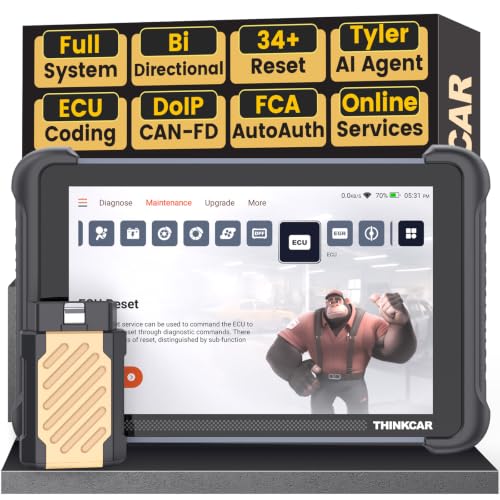
- [Notice] When you receive a used device, it may be a customer return resold by Amazon without inspection. You can exchange it for a new one through Amazon. As this situation is unavoidable, we sincerely apologize. For any issues, contacting us via Amazon's "Messages" is the best way. THINKSCAN 689BT Bidirectional Scan Tool Can Be Used Immediately After It is Turned On, Without Complicated Registration Process, Which is More Convenient & Quick.
- AI-Assisted Diagnosis Upgrade:Connect your THINKSCAN 689BT diagnostic scanner to WiFi and free-upgrade the software to unlock Tyler AI Agent. Get step-by-step diagnostic guidance, illustrated guides, and smart parts recommendations. One tap jumps to Amazon for real-time pricing. Boost efficiency up to 300% and finish jobs faster. Upgrade your shop today.
- Full Bi-Directional Control & 3000+ Active Tests: Take control and test components like actuators, fuel injectors, relays, and cooling fans in real time. You’ll quickly see if the problem is in the part itself or the control module — saving you hours of guesswork and frustrating trial-and-error.
- Advanced ECU Coding Capabilities: Handle module matching and hidden feature activation with confidence. When you replace an ECU or want to customize settings, this obd2 scanner diagnostic bi directional tool gives you the professional-level capabilities you need without the dealership price tag.
- 34+ Useful Reset and Maintenance Functions: Complete everyday service tasks smoothly with a wide range of helpful reset and maintenance functions. Whether you’re keeping up with regular upkeep or tackling a specific job, this car scanner diagnostic tool makes maintenance simpler and less stressful for both DIYers and pros.

- Top Reasons to Choose the D7S OBD2 Scanner: XTOOL D7S car scan tool, an upgrade of XTOOL D7, offers comprehensive features for automotive technicians, workshops, and DIY enthusiasts 1. Upgraded Hardware: 2+64GB memory, rear camera, intuitive interface, foldable bracket 2. Complete Diagnostics: FCA Autoauth, OE-level all system scan, 39+ maintenance services, 4K+ bidirectional, CANFD/DoIP protocol 3. Advanced Capabilities: ECU coding, PMI functions 4. Wide Compatibility: Support 10,000+ models, covering 99% vehicle brands 5. Multi-language: Available in 22+ languages, No IP Restrictions 6. 3-Year Updates: Save 300 bucks on software updates for the latest features and optimizations
- 2026 Upgraded D7S Car Scanner Features: The newly 2026 D7S V2.0 scanner for car brings exciting features for advanced vehicle diagnostics and enhanced user experience 1. FCA AutoAuth: Now supports FCA SGW module for Chrysler, for Jeep, for Dodge (2018+), for Fiat (2017+), enabling faster vehicle communication without gateway restrictions 2. PMI (Offline ECU Programming): Allows for Ford, for Lincoln, and for Mazda ECU programming for new modules 3. Optimized Diagnostic Report 2.0: Personalized reports with logos and customer info for auto shops. Note: Compatibility varies by cars, please check before order
- Cost-effective ECU Coding Scan Tool for Specific Brands: Enhance your vehicle's performance with XTOOL D7S! This obd2 scanner all systems bidirectional offers advanced capabilities at an affordable price, supports online for BMW, for Benz and offline for BENZ, for MIT, along with PMI functions for Ford, for Mazda, and for Lincoln. Ideal for technicians and DIY enthusiasts, this automotive scanner diagnostic tool optimizes vehicle performance and enhances the driving experience. Note: Not for all cars and modules, please send car VIN to check the compatibility before purchase
- OE All System Diagnostic & 8 Pids Graphing: XTOOL D7S is a comprehensive all system bi directional obd2 scanner that delivers dealer-level diagnostics, completely controlling over your vehicle’s performance and health. This automotive scan tool can read and clear DTCs, view live data and ECU information, retrieve freeze frames, and perform active tests and full obd2 functions. This bi-directional scan tool can can identify your vehicle's make, model, and year information with just one click and show up to 8 PIDs live data with options for CSV viewing, playback, and recording for in-depth analysis. It is easy-to-use for both professionals and beginners, helping pinpoint issues efficiently
- 3 Years Software Update, Value for Money: With 3 years of software updates and 22+ languages(no IP restrictions), XTOOL D7S auto scanner code scanner ensures ongoing compatibility for the latest car models and improved diagnostic functions. This all system vehicle diagnostic scanner comes with a 30-day return policy and a 24-month repair for dependable performance. XTOOL are dedicated to your satisfaction, so enjoy seamless support and lifetime expert assistance. Should you encounter any issues or concerns, don’t hesitate to reach out XTOOL. D7S with newest update with 22 languages freely transfer without authorization, check details from setting-language or from XTOOL

- 🔥 Historical lowest pr-ice now on sa-le--hot se-lling.
- 【🎈𝗜𝗙𝟳𝟰𝟱 𝗽𝗲𝗿𝗳𝗼𝗿𝗺𝘀 𝟲 𝗲𝘀𝘀𝗲𝗻𝘁𝗶𝗮𝗹 𝗿𝗲𝘀𝗲𝘁 𝗳𝘂𝗻𝗰𝘁𝗶𝗼𝗻𝘀—𝗔𝗕𝗦 𝗕𝗹𝗲𝗲𝗱𝗶𝗻𝗴, 𝗢𝗶𝗹 𝗥𝗲𝘀𝗲𝘁, 𝗘𝗣𝗕, 𝗦𝗔𝗦, 𝗧𝗵𝗿𝗼𝘁𝘁𝗹𝗲 𝗥𝗲𝗹𝗲𝗮𝗿𝗻, 𝗮𝗻𝗱 𝗕𝗠𝗦—𝗽𝘂𝘁𝘁𝗶𝗻𝗴 𝗽𝗿𝗼𝗳𝗲𝘀𝘀𝗶𝗼𝗻𝗮𝗹-𝗴𝗿𝗮𝗱𝗲 𝗺𝗮𝗶𝗻𝘁𝗲𝗻𝗮𝗻𝗰𝗲 𝗯𝗮𝗰𝗸 𝗶𝗻 𝘆𝗼𝘂𝗿 𝗵𝗮𝗻𝗱𝘀.】Spongy brakes? Stuck oil light? Parking brake won't release? Off-center steering? Rough idle after battery disconnect? Draining battery? IF745 handles all with a few taps. One tool covers six dealer-level resets, saving hundreds in labor costs. ❗ NOTE: Does NOT support bidirectional control, coding, or programming.
- 【✨ 𝗜𝗙𝟳𝟰𝟱 𝗴𝗼𝗲𝘀 𝗯𝗲𝘆𝗼𝗻𝗱 𝗯𝗮𝘀𝗶𝗰 𝗰𝗼𝗱𝗲 𝗿𝗲𝗮𝗱𝗶𝗻𝗴 𝘄𝗶𝘁𝗵 𝟭𝟬 𝗶𝗻𝘁𝗲𝗴𝗿𝗮𝘁𝗲𝗱 𝗳𝘂𝗻𝗰𝘁𝗶𝗼𝗻𝘀—𝗗𝗧𝗖 𝗟𝗼𝗼𝗸𝘂𝗽, 𝗜/𝗠 𝗥𝗲𝗮𝗱𝗶𝗻𝗲𝘀𝘀, 𝗙𝗿𝗲𝗲𝘇𝗲 𝗙𝗿𝗮𝗺𝗲, 𝗟𝗶𝘃𝗲 𝗗𝗮𝘁𝗮, 𝗢𝟮𝗦, 𝗢𝗕𝗠, 𝗘𝗩𝗔𝗣, 𝗮𝗻𝗱 𝗺𝗼𝗿𝗲. 】Pulling a code tells you something is wrong. IF745 tells you what the code means, when the fault happened, and what data surrounds it. Pass emissions with one I/M Readiness tap. Freeze the fault moment with Freeze Frame. Monitor live sensor data in real time. Turn cryptic codes into clear answers.
- 【🛒 𝗜𝗙𝟳𝟰𝟱 𝗽𝗲𝗿𝗳𝗼𝗿𝗺𝘀 𝗳𝘂𝗹𝗹-𝘀𝘆𝘀𝘁𝗲𝗺 𝗱𝗶𝗮𝗴𝗻𝗼𝘀𝘁𝗶𝗰𝘀 𝗮𝗰𝗿𝗼𝘀𝘀 𝗮𝗹𝗹 𝗺𝗼𝗱𝘂𝗹𝗲𝘀—𝗲𝗻𝗴𝗶𝗻𝗲, 𝗔𝗕𝗦, 𝗮𝗶𝗿𝗯𝗮𝗴, 𝘁𝗿𝗮𝗻𝘀𝗺𝗶𝘀𝘀𝗶𝗼𝗻, 𝘀𝘁𝗲𝗲𝗿𝗶𝗻𝗴, 𝘀𝘂𝘀𝗽𝗲𝗻𝘀𝗶𝗼𝗻, 𝗯𝗼𝗱𝘆 𝗲𝗹𝗲𝗰𝘁𝗿𝗼𝗻𝗶𝗰𝘀, 𝗮𝗻𝗱 𝗺𝗼𝗿𝗲. 】Warning lights on but you don't know why? Skip the $100+ diagnostic fee at the shop. Run a complete self-check from your driveway. IF745 reads and clears fault codes, retrieves ECU info, and displays live data from every accessible module—delivering a full vehicle health report in minutes, without leaving home.
- 【✅𝗜𝗙𝟳𝟰𝟱 𝗳𝗲𝗮𝘁𝘂𝗿𝗲𝘀 𝗮 𝟳-𝗶𝗻𝗰𝗵 𝗱𝗶𝘀𝗽𝗹𝗮𝘆, 𝗲𝗿𝗴𝗼𝗻𝗼𝗺𝗶𝗰 𝗱𝗲𝘀𝗶𝗴𝗻, 𝗪𝗶-𝗙𝗶 𝘂𝗽𝗱𝗮𝘁𝗲𝘀, 𝗮𝗻𝗱 𝘇𝗲𝗿𝗼 𝘀𝘂𝗯𝘀𝗰𝗿𝗶𝗽𝘁𝗶𝗼𝗻 𝗳𝗲𝗲𝘀 𝗳𝗼𝗿 𝗵𝗮𝘀𝘀𝗹𝗲-𝗳𝗿𝗲𝗲 𝗱𝗶𝗮𝗴𝗻𝗼𝘀𝘁𝗶𝗰𝘀.】Large screen means no squinting. Intuitive navigation and customizable data displays put key info at your fingertips. Wi-Fi delivers lifetime free updates without a computer. No recurring fees. No hidden costs. Just a reliable tool that works as hard as you do.
This product presentation was made with AAWP plugin.