
NHTSA ID Number: 11001019
Manufacturer Communication Number: TI-533
TSB/Document Date: 2024-06-05
Summary
This document is a field troubleshooting guide for the Slimrack System, meant to help end users resolve common issues quickly, and to help retract the slide for travel if further troubleshooting is required at a service location.
"7 Scere SLIMRACK® SYSTEM QUICK TROUBLESHOOTING fea}
a AND REMEDIES FOR OWNERS 4
SLIDE-OUTS
About this Document
This document is a field troubleshooting guide meant to help end users resolve common issues quickly, and
to help retract the slide for travel if further troubleshooting is required at a service location.
For more detailed troubleshooting, more technical documentation is available at:
https://support.lci1.com/slide-outs-support-slimrack.
Please see the following steps below. These are the most common remedies used to get the RVer back to
camping.
1. The steps to resolve the most common issues are:
A. Inspect for obstructions and damage.
B. Check for low battery voltage.
C. Reset and reprogram.
2. If after following the above steps the slide-out is not fully retracting, override the system:
A. First, perform an electronic override, see page 8.
B. If an electronic override fails to move the slide-out, perform a manual override, see page 9.
Safety
Read and understand all instructions before installing or operating this product. Adhere to all safety labels.
This manual provides troubleshooting procedures. Many variables can change the circumstances of
the service procedure, i.e., the degree of difficulty involved in the service operation and the ability level
of the individual performing the operation. This manual cannot begin to plot out procedures for every
possibility, but will provide the general instructions for effectively servicing the vehicle. In the event the
skill level required is too high or the procedure too difficult, a certified technician should be consulted
before performing the necessary service. Failure to correctly service the vehicle may result in death, injury
or voiding the warranty. The owner's manual for your unit may have more procedures for service and
maintenance.
The Lippert SlimRack Slide-out System is intended for the sole purpose of extending and retracting the
slide-out room. Its function should not be used for any other purpose or reason than to actuate the slide-
out room. To use the system for any reason other than what it is designed for may result in death, serious
injury or damage to the unit.
Before actuating the system, please keep these things in mind:
1. Parking locations should be clear of obstructions that may cause damage when the slide-out room is
actuated.
2. Be sure all persons are clear of the unit prior to the slide-out room actuation.
3. Keep hands and other body parts away from slide-out mechanisms during actuation. Death or serious
injury may result.
4. To optimize slide-out actuation, park unit on solid and level ground.
Rev: 05.21.2024 Page 1 CCD-0008890
SLIMRACK® SYSTEM QUICK TROUBLESHOOTING fea}
VLiPPERT in
AND REMEDIES FOR OWNERS pS
SLIDE-OUTS
The "WARNING" symbol above is a sign that a procedure has a safety risk involved and may cause
death or serious personal injury if not performed safely and within the parameters set forth in this
manual.
Failure to follow instructions provided in this manual may result in death, serious personal injury
and/or severe product and property damage, including voiding of the component warranty.
The “CAUTION” symbol above is a sign that a safety risk is involved and may cause personal injury
and/or product or property damage if not safely adhered to and within the parameters set forth
in this manual.
Always wear eye protection when performing service, maintenance or installation procedures.
Other safety equipment to consider would be hearing protection, gloves and possibly a full face
shield, depending on the nature of the task.
Motor Orientation
Each slide-out has two motors. The convention used is based on viewing the slide from the inside of the RV
(Fig.1). The motor on the left side of the slide is considered motor 1. The motor on the right side of the slide is
considered motor 2.
TOWABLE MOTORIZED
RIGHT LEFT RIGHT LEFT
LEFT RIGHT LEFT RIGHT
Rev: 05.21.2024 Page 2 CCD-0008890
SLIMRACK® SYSTEM QUICK TROUBLESHOOTING fea}
CJ LUiPPERT in
AND REMEDIES FOR OWNERS pS
SLIDE-OUTS
TROUBLESHOOTING AND REMEDIES
Step One: Inspect For Obstructions And Damage
Obstructions such as rocks and twigs will interfere with slide operation. Check the rails for obstructions and
clear them if present.
Step Two: Check For Low Power
Make sure the battery is fully charged. Even when connected to shore power, it can take a battery time to build
sufficient stored charge to properly operate the slide.
Step Three: Reset Controllers
Performing a Factory Reset and reprogramming the soft stops can facilitate troubleshooting and sometimes
correct the issue. It must also be performed after any mechanical/motor/harness repair.
An underlying fault and/or the repair can make the controller think the motors are at different locations. The
fault condition may cause the auto-program controller to enter a jog mode. The jog mode may interfere with
testing the repair. A Factory Reset exits the mode (as does a power cycle).
Factory Reset - Auto Programmable Controllers
1. Identify Controller and Revision
NOTE: If your controller is not shown in Fig. 2, skip to Factory Reset - Programmable Controllers section.
A. The controller part number can be found in the upper right corner of the label on the front of the
controller (Fig. 2A).
Fig. 2
@eerenr 700186 Ap sicrens 697096 (Currenr 2022127993
Pah Ne ae” Nee hcl : ow
co i i c rit ial Pee ~~ tainciaa
ee Bea Eo e aos Beans be e Peeeee EB cE e
Eats Es Es
Currenr 2022127994) Cuerenr 2022)27996) ‘Curren 2023022098
a | B i | B fhe || et
C) i: e e is e e Es e
Pome iui (a) c yank A) c —yeuiisied A)
eo HE Eas 5 Peeess | fe == GEE 5 Pome iB EB 5
ess ese esse | Eee ES
Rev: 05.21.2024 Page 3 CCD-0008890
SLIMRACK® SYSTEM QUICK TROUBLESHOOTING fea}
(YuiPPERT tn
AND REMEDIES FOR OWNERS pS
SLIDE-OUTS
B. Onthe side of the SlimRack controller will be a small bar code identification label (Fig. 3A) and
below the bar code will be the controller's 16-digit serial number (Fig. 4).
iat: Ad (a) iat my
IE Bm | |WIN IM A
' = oy
Gee 2 12345A0123456789 LCI
ES *
‘NX fel eh Baa ex 16 Digit Serial Number
| >—y——Ee—e
ee er |
2. Perform Reset Procedure (All Revs)
A. Mark the harnesses as Motor 1 and Motor 2 (Fig. 5), and unplug them from the controller.
NOTE: The motor receptacles are identified on the controller as Motor 1 and Motor 2 (Fig. 5).
B. Go to the wall switch (Fig. 6) and press OUT (Extend) (Fig. 6A) for at least two seconds.
C. Next, press IN (Retract) (Fig. 6B) for at least two seconds.
D. Press OUT (Extend) again and hold for at least two seconds.
NOTE: The sequence does not have to be OUT (Extend) first, as long as both OUT (Extend) and IN
(Retract) are pressed alternately and held for at least two seconds each.
Rev: 05.21.2024 Page 4 CCD-0008890
SLIMRACK® SYSTEM QUICK TROUBLESHOOTING fea}
VLiPPERT in
AND REMEDIES FOR OWNERS pS
SLIDE-OUTS
E. Plug Motor 1 harness back into the Motor 1 receptacle (Fig. 4B) and plug Motor 2 harness back
into the Motor 2 receptacle (Fig. 5C).
F. Verify that the controller is in Jog Mode:
I. Press OUT (Extend) or IN (Retract). The room should only move for about one second and
then stop every time the switch is toggled. This is Jog Mode.
G. Exit Jog Mode in one of two ways:
I. Disconnect 12V power from the controller by removing the 2-pin battery harness (Fig. 5D) for
5 seconds. After 5 seconds, plug the battery harness back into the controller.
Il. Wait for 5 minutes. The controller will time out and exit Jog Mode, returning to normal
operation mode.
H. The slide-out room IN and OUT stops may now be set. See Setting Room Stops on the last page of
this document.
Fig.5 Fig.6
(6) sipcest 700156
e | — r
EE > a. SLIDE OUT ROOY
cof” “42 (s)
e B or IN
‘Da = , ol ll 7 ; 7
e m = = En e@
Battery
gaa a
) yeas a! or bc) Out (a)
Motor 1 Wi I | Motor 2
[malt (@) FP [tos
Rev: 05.21.2024 Page 5 CCD-0008890
"7 Scere SLIMRACK® SYSTEM QUICK TROUBLESHOOTING fea}
a AND REMEDIES FOR OWNERS 4
SLIDE-OUTS
3. Set IN and OUT Stops
A. Setting the IN Stop
I. Press and hold the IN (retract) position on the rocker switch (Fig. 7A).
Il. Move the slide-out to the fully retracted position while continuing to hold the switch IN
(retract) for three to four seconds after the room stops. Release the rocker switch.
Ill. When retracting the slide-out, the rocker switch must be depressed and held for three
seconds after the slide-out stops moving. Failure to do so will cause the stops to NOT be set.
IV. Visually inspect the slide-out's seal to make certain the slide-out is fully retracted. If not, press
and hold the IN position until the slide-out is fully retracted. This procedure may need to be
repeated until both sides of the slide-out are fully retracted.
Fig. 7
B. Setting the OUT (Extend) Stop
I. Press and hold the OUT (extend) position
on the rocker switch (Fig. 7B). ra)
Il. Move the slide-out to the fully extended fe ]
position while continuing to hold the
switch OUT (extend) for three seconds r ry
after the room stops. Release the rocker
switch.
NOTE: When extending the slide-out, the rocker switch
must be depressed and held for three seconds
after the slide-out stops moving. Failure to do so
will cause the stops to NOT be set.
Ill. Visually inspect the slide-out's seal to make certain
the slide-out is fully extended. If not, press and hold the OUT button until fully extended. This
procedure may need to be repeated until both sides of the slide-out are fully extended.
Rev: 05.21.2024 Page 6 CCD-0008890
"7 Scere SLIMRACK® SYSTEM QUICK TROUBLESHOOTING fea}
a AND REMEDIES FOR OWNERS 4
SLIDE-OUTS
Factory Reset - Programmable Controllers
Factory reset is performed when entering manual programming mode as described in the Setting Soft-stops
section for Manually Programmed Controllers. Use this procedure to initially set the IN and OUT stops or change
the current stop settings.
NOTE: At any time during the program procedure, the unit will exit program mode if the slide-out has not
been moved for two minutes or if a fault is detected during programming. The FAULT CODE and
ROOM OR LOCK MOVEMENT LEDs will flash rapidly for 10 seconds to indicate that the programming
procedure failed. After 10 seconds of flashing, the controller will automatically default to Fault Code
1—Troubleshooting section—and programming must be restarted.
1. If the touch-pad switch (Fig. 8) is mounted to the wall, remove it to access the buttons (Figs. 9 & 10) on
the backside.
Lait: A}
a ; T Els) alll ,
a IDEOI a
LOW VOL’ - eet ;
Tyee Reena aoe CT
Os. [| im
— -_— ROOM OR LO! _—
mK NARNING
OU VCR CR ae mc Meg
PU em MC UM cl Mal
ec et ee me
2. Press and hold the set stops/clear fault (Fig. 9A) button on the back of the touch-pad switch for five seconds.
A. The fault code and room or lock movement LEDs (Fig. 8A) will light while the button is held down.
B. After five seconds, the green LED (room or lock movement) will begin flashing and the red LED
(fault code) will remain lit.
3. The retracted, or "IN", stop is ready to be set. The "IN" stop must be programmed first.
A. Press and hold the slide-out motor buttons (Motor 1 and Motor 2, Fig. 10), located on the back of
the touch pad switch, that correspond to the slide-out motors to be moved.
B. Press the IN or OUT button on the front of the touch-pad switch, depending upon direction of
slide-out movement desired.
C. Move the slide-out to the fully retracted position.
I. Press and release the set stops/clear fault (Fig. 9A) button on the back of the touch-pad switch
to program the retracted stop position.
Il. The red LED (FAULT CODE) will now start to flash and the green LED (ROOM OR LOCK
MOVEMENT) will remain lit.
4. The extended or "out" stop is ready to be set.
A. Press and hold the same slide-out motor buttons (Motor 1 and Motor 2, Fig. 10).
B. Press the IN or OUT button on the front of the touch pad switch (Fig. 8), depending upon direction
of gear rack movement.
Rev: 05.21.2024 Page 7 CCD-0008890
"7 Scere SLIMRACK® SYSTEM QUICK TROUBLESHOOTING
Ou AND REMEDIES FOR OWNERS
C. Move the slide-out to the fully extended position.
D. Press and release the SET STOPS/CLEAR FAULT button (Fig. 9A) located on the back of the touch-
pad switch to program the extended stop position.
I. If both LEDs flash rapidly for one second, then shut off, the controller has been programmed
correctly and is now in normal operation mode.
Il. If both LEDs flash rapidly for 20 seconds, the controller has not been programmed correctly or the system
is wired incorrectly. The touch pad switch will flash the fault code that occurred during programming.
Refer to the fault codes chart in the troubleshooting section.
a. Repair the fault.
b. Repeat the program mode procedure starting with step 1.
Ill. The controller must be programmed correctly before it will operate in normal mode. The "IN"
stop must be programmed before the "OUT" stop.
5. Programming of the manual program controller is now complete.
6. Mount the touch pad switch to the wall with two screws.
Fig.9 Fig. 10
r f ) 4 ROOM SLIDEOUT MOTOR
(le hoe ae a t HY MOTOR 4 MOTOR 3 MOTOR 2 MOTOR 1
Pe
ew
. oo Ct) 5 \
[ . 7 7 7 va
\
‘ re eee my
he ‘slo y (D 1
Step Four: Override For Retracting the Slide For Travel to Service Location
If resetting the controller does not allow the slide to be retracted, first try electronically overriding the slide. If
that does not work, manually override the slide.
Electronic Override
Auto Programmable Controllers
NOTE: If your controller is not shown in Fig. 2, skip to Programmable Controllers in this section.
If the two sides of the slide do not appear to be retracting together, and the motors are correctly wired, force
the controller into jog mode by pressing the extend and retract switch in the following sequence.
1. Mark the harnesses at the controller as Motor 1 and Motor 2 (Fig. 4), and unplug them from the
controller.
2. Go to the wall switch and press OUT (Extend) for at least two seconds.
3. Next, press IN (Retract) for at least two seconds.
4. Next, press OUT (Extend) for at least two seconds.
NOTE: The sequence does not have to be OUT (Extend) first. It could also be IN (Retract), OUT (Extend),
and IN (Retract); as long as the hold time for each action is at least two seconds.
Rev: 05.21.2024 Page 8 CCD-0008890
"7 Scere SLIMRACK® SYSTEM QUICK TROUBLESHOOTING fea}
a AND REMEDIES FOR OWNERS 4
SLIDE-OUTS
5. Plug Motor 1 harness back into the Motor 1 receptacle and plug motor 2 harness back into the Motor 2
receptacle.
6. Verify that the controller is in Jog Mode: A. Press OUT (Extend) or IN (Retract). The room should only
move for about one second and then stop every time the switch is toggled. This is Jog Mode.
7. Retract the slide fully.
8. To exit Jog Mode, either:
A. Disconnect 12V power from the control by removing the 2-pin battery harness for 5 seconds. After
5 seconds, plug the battery harness back into the control;
Or,
B. Wait for 5 minutes. The control will time out and exit Jog Mode, returning to normal operation
mode.
NOTE: During certain faults, auto programming controllers enter a jog mode automatically. Jog mode
limits the movement of the slide to very short intervals. Repeatedly press and hold retract until the
slide is fully retracted.
NOTE: It will take several attempts. Retract the slide fully for transport to service.
Programmable Controllers
1. After a factory reset and during certain faults, the in and out buttons on the touch pad will only work
if the controller is in programming mode. To enter programming mode, see the Factory Reset -
Programmable Controllers section. Then, retract the slide fully for transport to service.
2. If the controller detects signal issues from the motor, it may stop moving after 1 second of operation.
You will need to repeatedly press and hold retract to completely retract the slide.
When manually retracting the slide-out room, make sure that both sides of the slide-out room move
together. Damage to the slide-out room may result if movement is not uniform.
Manual Override
In the event that power is lost to the slide-out motor(s) or when the Electrical Override Mode does not work,
the slide-out room can be manually retracted by following these steps.
1. Gain access from either the inside or outside of the unit, whichever is more convenient, to the vertical
channel assembly by removing the OEM trim and flange pieces on the slide-out room box. The motors
are currently located at the top of the channel.
2. If applicable, use a Phillips head screwdriver to remove the top screw from the bulb seal at the top of
the vertical channel (Fig. 11).
3. Pull down the bulb seal and remove the motor cover (Fig. 12). The motor cover may stick to the bulb
seal.
4. Using a 5/6" open-ended wrench or ratcheting box wrench, loosen the motor retaining screw from
the block by turning 2 - 34 turn, (Fig. 13) .Do not remove the motor retaining screw.
5. Unplug the motor from the harness and remove the motor by lifting it up and out of the column.
6. Repeat steps 1-6 for the other side.
7. Push the slide-out room uniformly into the retracted position.
Rev: 05.21.2024 Page 9 CCD-0008890
(CuiPPERT SLIMRACK® SYSTEM QUICK TROUBLESHOOTING fs}
v7] in
AND REMEDIES FOR OWNERS z
SLIDE-OUTS
8. Once the slide-out room is retracted, secure the slide-out room in place by:
A. Re-installing the motors.
NOTE: Make sure the motor is properly seated on the block with no gap between the mounting bracket
and block.
B. Torquing the motor retaining screw to 40 in lbs. (Fig. 13) with the motor retainer fully engaged.
C. Using a transit bar (slide-out locking bar).
9. Have the slide-out room serviced by the OEM-authorized dealer as soon as possible. Do not operate
slide-out room until service is complete, as damage to the slide-out room may result.
aah Fig. 12 ata)
Remove Retaining jie
S. Motor Cover Ss 9 |
crews crew
Bulb Removed
Seal ie —
j *
a
- |
Asa supplier of a broad array of highly-engineered components in the recreation and transportation product markets, safety, education and customer satisfaction are
our primary concerns. Should you have any questions, please do not hesitate to contact us at 432-LIPPERT (432-547-7378) or by email at [email protected].
Self-help tips, technical documents, product videos and a training class schedule are available at lippert.com or by downloading the LippertNOW app.
Rev: 05.21.2024 Page 10 CCD-0008890

- 💯【Conta.ct us for Support Directly】If you met any...
- 🔥🔥🔥【2026 AUTEL FLAGSHIP MK900BT MK900-BT, NEW...
- 🚗【3000+ ACTIVE TESTS (50➡3000+), SAME AS MS...
- 🚗【40+ HOT SERVICES FOR 150 MAKES (28+➡40+)】Full...
- 🚗【OE ALL SYSTEM DIAGNOSE, AUTO SCAN 2.0: SCAN LICENSE...


- 【TURN OFF CEL】 This AL319 car scanner diagnostic tool...
- 【EXTENSIVE APPLICATION】 Autel AL319 Compatible with...
- 【FOR END USER & DIYERS】 This error code reader AL319 is...
- 【USER-FRIENDLY DESIGN】 This OBD2 scanner and check...
- 【HIGH-QUALITY SERVICES】 12 months war.ranty from the...
Last update on 2026-06-23 / Affiliate links / Images from Amazon Product Advertising API
If the PDF is very large, it may not load in the preview below.
Some older TSBs had multiple PDFs — visit the NHTSA Website to view all PDFs.
If the TSB PDF does not show, download or view it on the NHTSA Website.
Click on the (+) Plus Sign
Then Click on Associated Document(s)
Search NHTSA Database for Recalls
Search NHTSA Database for Vehicle Investigations
View Latest Vehicle Investigations
Search NHTSA Database for Vehicle Complaints
View Latest Vehicle Complaints
TSB/Document ID: TI-533
Replacement Service Bulletin Number:
MFR Communication Date: 2024-05-22
MFR Internal Campaign ID/Software Version:
Communication Type: Service Bulletin/Repair Instructions
NHTSA Components: UNKNOWN OR OTHER
MFR Component System:
MFR Component Subsystem:
Previous TSB | Next TSB |
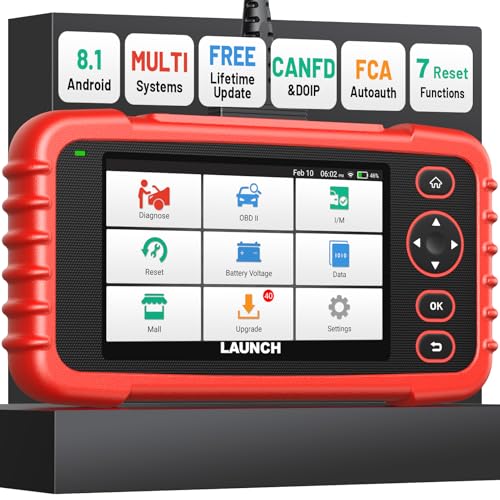
- [Newly Added in 2026: 7 Reset Functions] The 2026 new version of the OBD2 scanner diagnostic tool CRP123X V3.0 Elite has new special functions for F.REE: Throttle Ad.aptation, Oil/SAS/BMS/Brake Reset, D-P.F Re.generation and ABS Service. Before you visit a mechanic, launch obd2 Scanner CRP123X Elite can perform a more in-depth diagnosis of the car system and provide accurate data within minutes. What's more, the list of compatible models has been expanded. Upgrading frequency is regular, occurring monthly even weekly.
- 🔥[FCA AutoAuth + CAN FD & DoIP] As an upgraded version of the LAUNCH CRP123X/CRP129X, FOXWELL NT614, and ANCEL FX2000, The Newest LAUNCH CRP123X V3.0 auto diagnostic scanner supports the following new protocols: CAN-FD for 2020 and newer G.M and Chrysler
 models, as well as DoIP for V.olvo, Land Rover/Jaguar, and B.MW F/G chassis. With integrated AutoAuth, you can diagnose 2018 and newer FCA cars equipped with S.GW. Note: CAN-FD and DoIP protocols require an additional obd2 cable. *Menus vary by make, model, and year of gasoline or diesel engine vehicle. Email us your VIN data.
 - 🔥[No extra software fee. Works on 90 vehicle brands.] Most OBD2 scanners work with vehicles manufactured after 2001. However, the LUNCH OBD2 scanner is compatible with OBDII-equipped vehicles built after 1996 and works with more than 90 vehicle brands. One-click lifetime updates over WIFI 2.4&5.0Ghz keep the car software current and ensure constant coverage additions, diagnose vehicles from 1996 to 2026 with a massive global database. Android 8.1 ensures lightning-fast boot-up and processing.
- [Accurate & Intuitive Multi System Diagnosis] Will you be confused about what happens when the warning light of transmission, ABS, and SRS Airbag check engine flashes? Launch obd2 scanner diagnostic tool CRP123X V3.0 to pinpoint the problem components for a faster diagnosis for your car instead of taking your car to the dealership. Generate vehicle health reports with one click and share them via email over Wi-Fi to help avoid blind maintenance. And will turn off the warning light for you after fixing the problem, make to know more about your cars and do your own repair.
- [Multiple Display of Live Data + DTC Code Definition Explanation] Launch car tools show real-time data of oil temp, pressure, transmission temp, engine speed, coolant temperature, you will know which car part is abnormal. Data can be shown in a single, multi- graph, and merge two graphs for analysis(or 4-in-1 merged waveform graph),you can save, share, print, or email the overall inspection report for easier analysis.🔥Code Search,DTC Library provide massive information. Inbuilt “Feedback” module provides customized repair suggestions from our certified professionals.
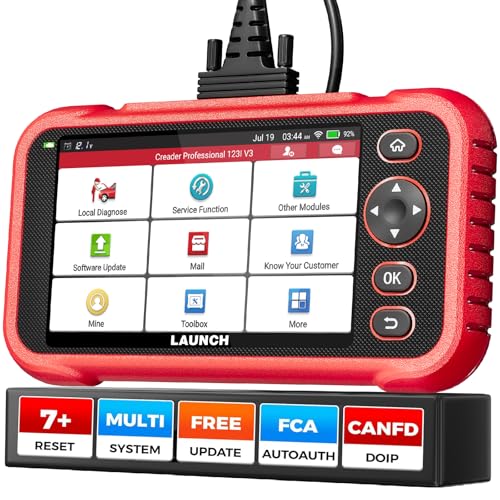
- 【2026 UPGRADED VERSION, NEW CHIPS, ADD MORE FUNCTIONS, No Extra Software Fee】Faster! The 2026 CRP123I V3.0 car diagnostic scanner has a new processor✅Android 8.1, 2+64GB of memory, 5-inch touchscreen (720P), 6100mAh rechargeable battery✅FCA SGW, New Protocol CANFD & DoIP✅Work with BST360 Battery Tester & i-TPMS Tire Pressure Detector Tool(Purchase Separately)✅2.4&5GHz dual WiFi,One-touch Lifetime Free update for 100+ Global brands(1996-2026),help you access,diagnose and fix more vehicles faster,upgrade of CRP123I V2.0.
- 【Newly Added 7 RESET FUNCTIONS】+ 【BATTERY VOLTAGE TEST】2026 New Ver. scan tool CRP123I V3.0 ADDS NEW SPECIAL FUNCTIONS-Throttle Adaptation,Oil Reset,SAS Reset,ABS Bleeding,BMS Reset,EPB Reset, DPF Regeneration,to maintain your vehicle system safely and efficiently.Graphing the battery voltage easier and more intuitive for the real-time monitors to check.It does not only reveal what error codes your car is producing,but also erase your vehicle's check engine light after the problem is fixed.
- 【Multi System Diagnostic Tool】LAUNCH CRP123I V3.0 obd2 scanner check ABS/SRS/AT/ENG systems &10 OBD2 modes, read/clear fault codes,Online Google Search, 4 IN 1 Graphing.Store and playback of dynamic data stream help to quick analysis and diagnosis. Generate vehicle health reports with one click and share them with your email via Wifi which helps avoid blind maintenance. CRP123I costs less, in the long run, saving you up to $2000 each year.
- 【Lifetime Free Update + FCA SGW +CAN FD & DoIP】This scan tool features One-click wifi update and fre e for fixing more bugs; Realtime battery voltage graphing helps to Judge the state of the battery; Auto Vin,facilitate accurate diagnosis and provide useful information.Besides,CRP123I V3.0 support AutoAuth for FCA SGW,For 2017 and later FCA Vehicles with Secure Gateway Module (SGW);New Protocol CANFD & DoIP cover more newer car and boost 4X faster data transfer(need extra adapters).
- 【Cover 10000+ Models & 100+ Car Brands】CRP123I V3.0 Elite code reader for cars and trucks is capable of diagnosing fault codes on more than 10000+ vehicles from 1996 to 2026 and 90+ car makes worldwide. Support almost all 12V OBDII cars such as SUVs, minivans, light-duty trucks, etc. It's an excellent tool for all types of mechanics from novice to pros. NOTICE: Compatibility will vary on vehicles' model and year, pls reach us via Q&A/message before purchase.
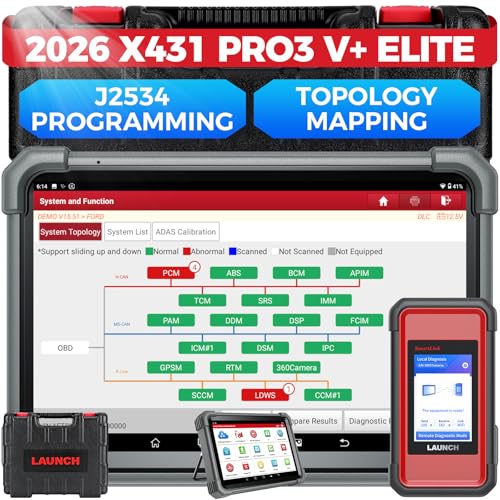
- [2026 X431 PRO3 V+ Elite] A great value for the X431 series that differs from similar diagnostic tools by adding: 1) J2534 protocol for over $800 in savings; 2) CANFD/DOIP support for enhanced communications; 3) Configuration of over $900 worth of HD(heavy truck) modules, needed purchase HD diagnostic software by HD vehicle model for use.; 4) A 10.1 inch Gorilla screen with 1280*800 resolution and 80% more touch screen sensitivity
- [J2534 Protocol Scan Tool] The J2534 Direct Access Device can be used as a factory scanning tool at no cost to you, saving you over $2,000. You can easily expand your ECU protocol capabilities for Toyota, Honda, VW, BMW, Ford, GM, Chrysler, Mercedes-Benz and more. The LAUNCH X431 PRO3 V+ ELITE Scan Tool is equipped with the newly upgraded smartlinkC V2.0. smartLinkC is a communication interface that supports the J2534 specification. It can also be used as a J2534 PassThru device to implement the J2534 protocol with a PC that has OEM diagnostic software installed.The J2534 protocol is the only way to solve problems ranging from drivability and power loss to poor fuel economy
- [Top Hardware Configuration, Upgraded Version of V+] LAUNCH Diagnostic Scanner adopts Android 10.0 OS; CPU is 4-core processor with 2.0 GHz, which greatly improves the speed of running multi-tasks. 2.4GHz/5GHz; 6300mAh/7.6V ultra-large capacity battery; 10.1 inch Gorilla screen, sunlight readable, 8MP camera; Auto VIN; 4GB+64GB storage; 20x transfer rate to save more vehicle files and customer data; New TYPE A interface to connect expansion tools such as oscilloscopes, sensors, etc.; Supports more than 25 software languages such as EN, DE, FR, SP and JP
- [60+ Reset 3000+ Active Test] Full Bi-Directional Scan Tool quickly detects problems and guides repairs based on the response of actuators such as air conditioning clutches, windows, doors, mirrors and more. With the touch of a finger, you can easily send command signals from the scanner to a variety of modular actuators, testing component integrity and functionality in minutes or even seconds to determine if a replacement or repair is needed. In addition, the machine enjoys 60+ special services such as oil reset, ABS brake bleed, EPB, SAS, BMS, suspension, injector reset and more, and undergoes rigorous field testing to ensure availability
- [Unrivaled Coverage, Over 200 Vehicle Brands] LAUNCH X431 PRO3 V+ Elite Automotive Scanner is suitable for over 200 vehicle brands, including commercial vehicles and new energy vehicles. This professional car scanner supports: 1) J2534/D-PDU protocol for HD trucks; DoIP/CANFD for Land Rover/Jaguar, BMW F/G chassis, GM, etc.; 2) FCA Autoauth, covering 2018+ Chrysler/Dodge/Fiat, etc. New/old models, all covered. Includes frequently updated vehicle software and car coverage for faster support of other new models
Last update on 2026-06-23 / Affiliate links / Images from Amazon Product Advertising API
This product presentation was made with AAWP plugin.