
NHTSA ID Number: 11000849
Manufacturer Communication Number: BW8190
TSB/Document Date: 2024-06-04
Summary
Bendix Fusion Active Safety System with Pedestrian Autonomous Emergency Braking (PAEB). Operators manual.
the integrated display when the FDA is
activated.
When the FDA reaches its highest level,
the beeping may be rapid and the
display may show an additional visual Figure 15 - Highest Level FDA and IA Alerts
alert. Figure 15 shows messages you may
see on the integrated display when the
highest level FDA and Impact Alert (IA), or AEB alert, is activated.
NOTE: If you are following very close to the detected forward vehicle while your
distance with the detected forward vehicle is also decreasing, the system may
anticipate a potential collision and may activate the Impact Alert (IA) and may apply
the vehicle brakes.
NOTE: You, the driver, should intervene to slow down, increase your following
distance with the forward vehicle, or take other action as needed to address the
potential collision.
NOTE: At all times, you, the driver, are responsible for the control and safe operation
of the vehicle and you should be alert and ready to potentially intervene.
NOTE: The Bendix® Fusion™ system does not react (alert and/or brake) to all potential
collision situations. The system also does not react to stationary objects. As the
driver, you are responsible for the safe operation of the vehicle at all times. For
more information on system limitations, refer to BW8107, Challenging Scenarios, on
B2Bendix.com or the section “Potentially Challenging Situations for the Bendix Fusion
system” in this Operator’s Manual.
F3.0
16
Impact Alert (IA) and Autonomous Emergency Braking (AEB)
Impact Alert (IA) is the most severe warning the Bendix® Fusion™ system can make.
It can become active starting at low vehicle speeds (e.g., < 10 mph), but can also
change with different versions of Fusion. Contact your dealer for more information.
The alert indicates that a collision with the detected forward vehicle is likely, and
you should take immediate action to potentially avoid – or lessen the severity
of – the potential collision.
If you, the driver, do not address the potential forward collision, the Autonomous
Emergency Braking (AEB) function may reduce throttle and automatically apply up
to full service brakes on the tractor while pulsing air to the trailer brakes – if needed
– to help mitigate or lessen the severity of the potential collision.
When activated, you may be notified by an audible and visual indication from the
OEM-integrated display. If, as a result of the Fusion system intervention, the vehicle
comes to a full stop, the service brakes may hold the vehicle at a stop until you, the
driver, intervene.
NOTE: You, the driver, can intervene by
pressing the accelerator or brake pedal,
or applying the parking brake.
Service Brake Hold is only available on
vehicles equipped with ACB Stop and
Auto-Go™ and ACB Stop and Driver-Go™.
Figure 16 shows an example of the
message you may see on the integrated
display when the IA or AEB is activated.
Figure 16 – AEB System Alert and Possible
NOTE: At all times, you, the driver, are Autonomous Emergency Braking Applied
responsible for the control and safe
operation of the vehicle and you should be alert and ready to potentially intervene.
NOTE: The Bendix Fusion system does not react (alert and/or brake) to all potential
collision situations. The system also does not react to stationary objects. For
more information on system limitations, refer to BW8107, Challenging Scenarios, on
B2Bendix.com or the section “Potentially Challenging Situations for the Bendix Fusion
system” in this Operator’s Manual.
17
F3.0
Pedestrian Autonomous Emergency Braking (PAEB)
At low vehicle speeds, the Bendix® Fusion™ system may react to a detected stationary
or moving pedestrian or cyclist in the vehicle path and may provide an audible and
visual alert from the OEM integrated display. In most applications, the Pedestrian
Autonomous Emergency Braking (PAEB) feature is enabled below approximately 35
mph (56 kph). The alert indicates that a collision with the pedestrian or cyclist may
be likely, and you should take immediate
action to potentially avoid – or lessen
the severity of – the potential collision.
If you, the driver, do not address the
potential forward collision, the Fusion
system may automatically apply up to
full service brakes on the tractor while
pulsing air to the trailer brakes – if
needed – to help mitigate or lessen the
Figure 17 – PAEB System Alert and Possible
severity of the potential collision.
Autonomous Emergency Braking Applied
Figure 17 shows an example of the
message you may see on the integrated
display when the PAEB feature is activated. Please verify with the vehicle OEM for
the actual audible and visual indications your vehicle may display.
If, as a result of the Fusion system intervention, the vehicle comes to a full stop, the
service brakes may hold the vehicle at a stop until you, the driver, intervene. Service
Brake Hold is only available on vehicles equipped with ACB Stop and Auto-Go™ and
ACB Stop and Driver-Go™. Service Brake Hold is not a parking brake and you must
intervene. You, the driver, should manually set the parking brakes when exiting the
vehicle.
NOTE: You, the driver, can intervene by pressing the accelerator or brake pedal, or
applying the parking brake.
NOTE: At all times, you, the driver, are responsible for the control and safe operation
of the vehicle and you should be alert and ready to potentially intervene.
F3.0
18
Examples of Pedestrian Autonomous Emergency Braking (PAEB) Limitations
NOTE: As the driver, you are always responsible for the safe operation of the vehicle
and you should be aware of potential threats that may enter the vehicle’s lane of
travel. As the driver, you should always be alert and ready to intervene.
The following conditions limit PAEB system performance:
•
Not all pedestrians are instantly detectable and some may not be detectable
at all.
•
Pedestrians outside the camera’s field of view are not detectable.
•
In most applications, the PAEB feature is not available above 35 mph (56 kph).
•
The vehicle is in reverse gear.
•
The Bendix® Electronic Stability Program (ESP®)/Antilock Braking System (ABS)
system in vehicle/trailer is not fully operational.
•
There is an active fault in the radar or camera, or the Bendix ESP system.
Stationary Vehicle Braking (SVB)
When a potential collision with a stationary vehicle in your lane of travel is detected,
the system may sound an alert before braking. If you, the driver, don’t take action to
address the potential impact, the Bendix® Fusion™ system may reduce the throttle
and apply the service brakes to assist you in potentially avoiding and/or reducing
the severity of the collision with the detected stationary vehicle. If, as a result of the
Fusion system intervention, the vehicle comes to a full stop, the service brakes may
hold the vehicle at a stop until you, the driver, intervene.
NOTE: The Service Brake Hold can be canceled if you, the driver, press the accelerator
pedal or the brake pedal, or apply the parking brake.
Service Brake Hold is only available on vehicles equipped with ACB Stop and AutoGo™ and ACB Stop and Driver-Go™.
Service Brake Hold is not a parking brake and you must intervene. As the driver, you
should use caution and manually apply the parking brakes on or when exiting the
vehicle.
NOTE: At all times, you, the driver, are responsible for the control and safe operation
of the vehicle and you should be alert and ready to potentially intervene.
NOTE: The Fusion system DOES NOT respond to stationary objects. Fusion will not
slow the truck or provide an alert as it approaches stationary objects.
19
F3.0
Multi-lane Autonomous Emergency Braking (AEB)
See Figure 18. Once an autonomous
emergency braking event begins and
if you, the driver, steer into an adjacent
lane to avoid potential impact with the
detected forward vehicle, the Fusion The Bendix Fusion system’s Multi-lane AEB
s ystem’s Multi- lane Autonomous feature may potentially help you, the driver,
mitigate both the first, and potentially the
Emergency Braking (AEB) feature may second, collision situation.
continue to apply the brakes and sound
an alert when it detects a potential Figure 18 – Multi-lane AEB
collision threat in the new lane of travel. If
there is no potential threat in the lane you swerve into, system intervention may stop.
If, as a result of the Bendix® Fusion™ system intervention, the vehicle comes to a full
stop, the service brakes may hold the vehicle at a stop until you, the driver, intervene.
NOTE: You, the driver, can intervene with a service brake application, throttle, or by
setting the parking brake. Service brake hold is only available on vehicles equipped
with ACB Stop and Auto-Go™ and ACB Stop and Driver-Go™.
Service Brake Hold is not a parking brake and you must intervene. As the driver, you
should use caution and manually apply the parking brakes on or when exiting the
vehicle.
NOTE: At all times, you, the driver, are responsible for the control and safe operation
of the vehicle and you should be alert and ready to potentially intervene.
F3.0
20
Lane Departure Warning (LDW)
The Bendix® Fusion™ system has the ability to warn you if your vehicle unintentionally
departs its lane or you change lanes without using the turn signal by emitting an
audible rumble strip sound to get your attention. In most applications, the Lane
Departure Warning (LDW) feature is enabled above 37 mph (60 kph). If you use the
turn signal to change lanes, the LDW feature is suppressed and no audible or visual
alerts are activated. You should always be aware of your vehicle’s lane position and
be ready to immediately correct as needed.
Figure 19 shows integrated display messages you may see from the LDW feature.
This includes:
A. Driver Assistance Screen. The system is detecting the lane lines.
B. Right LDW feature (when not viewing the Driver Assistance Screen).
C. Driver Assistance Screen; LDW indicates vehicle is departing the lane.
D. The LDW feature is disabled for approximately 15 minutes.
A
B
C
D
Figure 19 – Lane Departure Warning (LDW) Messages
NOTE: Bear in mind that the LDW feature of the Fusion system
needs clear lane markings for optimal operation. If lane lines are
faded or hard to see, the system may not deliver alerts when
needed.
NOTE: When making lane changes, the proper use of the turn
signals and/or hazard lights ensures the Fusion system LDW,
Highway Departure Warning (HDW), and Highway Departure
Braking (HDB) technologies are aware of the driver’s intention to
depart a lane and may suppress alerts and braking.
Figure 20 –
LDW, HDW, &
The vehicle is equipped with a 15-minute LDW, HDW, and HDB
HDB Disable
disable switch (Figure 20) that you can activate when driving on Switch
roads with inconsistent lane markings that can cause excessive
false warnings. Examples would include construction zones, poorly
marked lanes, or missing lane markings. The system alerts will
automatically become available again after 15 minutes or if the
disable switch is pressed a second time.
21
F3.0
Highway Departure Warning (HDW)
The Highway Departure Warning (HDW)
feature may potentially provide an
audible alert if the system determines
your vehicle has unintentionally left
the roadway.
In most applications, the HDW alert is
enabled above 37 mph (60 kph). If this
alert is sounded, you should immediately
correct the vehicle path into the proper
Figure 21 – HDW
lane position.
Figure 21 shows the message you may see
on the integrated display when the HDW
alert is activated.
Highway Departure Braking (HDB)
If the highway departure situation
that caused the HDW is not addressed,
the Bendix® Fusion™ system may
potentially apply the brakes to assist in
reducing your vehicle speed. In some
circumstances, the system may be
capable of reducing the vehicle speed
to a full stop.
Figure 22 shows the message you may Figure 22 – HDB
see on the integrated display when
Highway Departure Braking (HDB) is
activated.
If, as a result of the HDB feature intervention, the vehicle comes to a full stop, the
service brakes may hold the vehicle at a stop until you, the driver, intervene. Service
Brake Hold is only available on vehicles equipped with ACB Stop and Auto-Go™ and
ACB Stop and Driver-Go™. Service Brake Hold is not a parking brake and you must
intervene. You, the driver, should manually set the parking brakes when exiting the
vehicle.
NOTE: At all times, you, the driver, are responsible for the control and safe operation
of the vehicle and you should be alert and ready to intervene.
F3.0
22
NOTE: An active Highway Departure Braking (HDB) event can be
overridden by the driver with steering, with service brake input,
or with full throttle application. Additionally, the HDB feature can
be suppressed by activating the turn signal or hazard lights when
making a lane change.
NOTE: Highway Departure Warning (HDW) and HDB can only be
activated if the lane markings are identifiable by the system.
NOTE: When making lane changes, the proper use of the turn
signals and/or hazard lights ensures the Bendix® Fusion™ system Figure 23 –
Lane Departure Warning (LDW), HDW, and HDB features are aware LDW, HDW, &
of the driver’s intention to depart a lane and may suppress LDW, HDB Disable
Switch
HDW, and HDB alerts and braking. The vehicle is equipped with a
15-minute LDW, HDW, and HDB disable switch (Figure 23) that you
can activate when driving on roads with inconsistent lane markings that can cause
excessive false warnings. Examples would include construction zones, poorly marked
lanes, or missing lane markings. The LDW, HDW, and HDB alerts will automatically
become available again after 15 minutes or if the disable switch is pressed a second
time within the 15-minute window.
When HDW and HDB are activated excessively, the Fusion system provides a warning
and may disable these features until the driver restarts the vehicle. Other Fusion
system features, including Lane Departure Warning (LDW), will remain available.
NOTE: The Service Brake Hold can be canceled if you press the accelerator pedal or
the brake pedal, or apply the parking brake.
Lane Departure
Warning (LDW)
Alert initiates when the right side of the
vehicle crosses the solid line on the side of
the roadway.
Highway Departure
Warning (HDW)
Alert initiates when the approximate
center of the vehicle crosses the solid
line on the side of the roadway.
Highway Departure
Braking (HDB)
Braking initiates after the system
detects the vehicle has unintentionally
departed the highway.
Figure 24 – LDW, HDW, and HDB
23
F3.0
Overspeed Alert and Action (OAA)
The Bendix® Fusion™ system can read
most – but not all – roadside speed limit
signs in the United States. Sign detection
is enabled for all vehicle speeds from
near 0 mph to maximum design speed. If
more than one sign is visible, the system
may choose the lowest posted speed
limit value.
The Overspeed Alert and Action (OAA)
may potentially sound an audible Figure 25 – OAA
and visual alert when your vehicle is
traveling +5 mph (8 kph) over the posted
speed limit.
If your vehicle is traveling at +10 mph (16 kph) over the posted speed limit, in addition
to the alert, you may potentially experience a haptic warning through a brief engine
torque reduction of about one (1) second.
Both the +5 mph (8 kph) and +10 mph (16 kph) thresholds are customizable by your
fleet and may vary. Also, the system does not sound an OAA when the posted speed
limit is 20 mph (32 kph) or less.
Figure 25 shows a message you may see on the integrated display when the OAA is
activated. Please verify with the vehicle OEM for audible and visual indications your
vehicle may display.
NOTE: The OAA function does not apply vehicle brakes.
NOTE: This version of Fusion does not detect speed limit signs in Canada or Mexico.
F3.0
24
High Beam Assist (HBA)
When the driver enables the High Beam Assist (HBA) option, the Bendix® Fusion™
system may automatically deactivate the high beam headlights if one of the following
turn-off conditions exist. Verify with the vehicle OEM for how to activate the HBA
feature on your vehicle.
Turn-off Conditions
HBA may deactivate the high beam headlights if any of the following turn-off
conditions are met (several of these conditions can occur simultaneously):
•
The headlights or taillights of another vehicle are detected.
•
The vehicle is traveling below the minimum activation speed. This speed may
be configurable.
•
The brightness of the sky or ambient light indicates it is not night.
•
The vehicle is traveling in a city or built-up area with visible or passed street lamps.
•
Severe weather conditions are present (e.g., heavy rain or fog).
•
The vehicle is traveling in a tunnel.
•
The camera is blocked or a system error is detected.
Oncoming Traffic
The Bendix Fusion system may deactivate the high beam headlights when it detects
the headlights of another vehicle. If it detects an oncoming vehicle – with either
one (1) or two (2) headlights – the high beam headlights may be deactivated. If the
vehicle is no longer visible (usually because it has passed the driver’s vehicle) and no
turn-off conditions exist (see above), the high beam headlights may be reactivated
after a delay.
Preceding Traffic
If the system detects a vehicle in front – with either one (1) or two (2) taillights – the
high beam headlights may be deactivated. If the vehicle is no longer visible and no
turn-off conditions exist (see above), the high beam headlights may be reactivated
after a delay.
25
F3.0
High Beam Assist (HBA) Limitations
NOTE: High Beam Assist (HBA) is not a substitute for the driver’s judgement of when
to activate or deactivate the high beam headlights. Therefore, the driver must always
monitor the situation and intervene by switching the high beam headlights manually
– if necessary – to avoid annoyance or risk for any traffic participant.
HBA may not function correctly in the following situations, and driver intervention
may be necessary:
•
In severe weather conditions (e.g., dense fog or heavy precipitation)
•
In the presence of poorly lit traffic participants (e.g., cyclists, pedestrians, or
animals)
•
In tight curves, at hilltops, or in depression intersections
•
In poorly lit built-up areas, in the presence of highly reflective signs, or other
unusual lighting conditions
•
When the windshield in front of the camera is fogged, dirty, or otherwise
obscured
Pedestrian Go/No Go
Pedestrian Go/No Go is an independent
feature from all other Bendix® Fusion™
system features. The purpose of this
feature is to help prevent the vehicle
from moving forward when a detected
pedestrian is in the path of the vehicle
after the driver has brought the vehicle
to a stop. This feature becomes active
when the vehicle is stationary, but not Figure 26 – Pedestrian Detected - Vehicle
parked. In that scenario, if a pedestrian Hold Active
is detected in the vehicle path and the
brake pedal is not depressed, the system
may display a visual or audible warning and the service brakes may hold the vehicle
at a stop. Figure 26 shows a message you may see on the integrated display when
the Pedestrian Go/No Go feature is actively engaged. Accelerator pedal input by the
driver will be suppressed while a detected pedestrian is in the path of the vehicle.
F3.0
26
NOTE: The driver can override the
Pedestrian Go/No Go feature activation
by making a full throttle application, by
pressing the brake pedal, or by applying
the parking brake. If the driver attempts
to override with the accelerator pedal
while the detected pedestrian remains in
the vehicle path and the vehicle remains
stationary, the system may display an Figure 27 – Pedestrian Detected - Vehicle
additional visual or audible alert on the Hold Active
integrated display (see Figure 27).
The Pedestrian Go/No Go feature may
cancel under either of the following
circumstances:
•
Stepping on the brake pedal
•
Applying the parking brake
Examples of Pedestrian Go/No Go Limitations
NOTE: As the driver, you are always responsible for the safe operation of the vehicle
and you should be aware of potential threats that may enter the vehicle’s lane of
travel. As the driver, you should always be alert and ready to intervene.
The following conditions limit Pedestrian Go/No Go feature performance:
•
Not all pedestrians are instantly detectable and some may not be detectable.
•
Pedestrians outside the camera’s field of view are not detectable.
•
The driver intervenes by applying the parking brake.
•
The vehicle is in reverse gear.
•
There is an active fault in the radar or camera, or the Bendix® Electronic
Stability Program (ESP®) system.
27
F3.0
Brake Overuse
The Bendix® Fusion™ system may set an
active Diagnostic Trouble Code (DTC)
when it is intervening and using the
service brakes excessively. Overuse
of the service brakes can lead to the
brakes overheating which may result in a
reduction or loss of braking performance.
This scenario is typically referred to as
brake fade. When the system detects
brake overuse, a message may be
shown on the display. Figure 28 shows a Figure 28 – Brake Overuse
message you may see on the integrated
display when the Brake Overuse Alert is
activated. As the driver, you should intervene immediately. Please verify with the
vehicle OEM for visual indications your vehicle may display.
If the Fusion system does not detect a driver intervention, it will shut itself off and set
a DTC. All Fusion Active Cruise with Braking (ACB) system interventions (de-throttling,
engine retarder, or brake applications) will be disabled until the next ignition cycle
or until the DTC clears.
NOTE: In all cases, you have the ability to apply the service brakes if necessary. You
should take care since overheated brakes may reduce the vehicle’s braking capability.
Overheated brakes could be an indicator of a malfunctioning system or service brake
and should be checked by a certified technician immediately.
NOTE: In all cases, it is the driver’s responsibility to maintain safe operation of their
vehicle. This includes proper gear and speed selection, and engine retarder activation,
especially when driving routes with extended downhill sections of roadway.
F3.0
28
SYSTEM RESPONSES
This chart illustrates how the system reacts to specific driver actions.
Your Action:
Potential Reaction of the Bendix® Fusion™ System:
If you, the driver, do this:

- 💯【Conta.ct us for Support Directly】If you met any...
- 🔥🔥🔥【2026 AUTEL FLAGSHIP MK900BT MK900-BT, NEW...
- 🚗【3000+ ACTIVE TESTS (50➡3000+), SAME AS MS...
- 🚗【40+ HOT SERVICES FOR 150 MAKES (28+➡40+)】Full...
- 🚗【OE ALL SYSTEM DIAGNOSE, AUTO SCAN 2.0: SCAN LICENSE...


- 【TURN OFF CEL】 This AL319 car scanner diagnostic tool...
- 【EXTENSIVE APPLICATION】 Autel AL319 Compatible with...
- 【FOR END USER & DIYERS】 This error code reader AL319 is...
- 【USER-FRIENDLY DESIGN】 This OBD2 scanner and check...
- 【HIGH-QUALITY SERVICES】 12 months war.ranty from the...
Last update on 2026-06-23 / Affiliate links / Images from Amazon Product Advertising API
If the PDF is very large, it may not load in the preview below.
Some older TSBs had multiple PDFs — visit the NHTSA Website to view all PDFs.
If the TSB PDF does not show, download or view it on the NHTSA Website.
Click on the (+) Plus Sign
Then Click on Associated Document(s)
Search NHTSA Database for Recalls
Search NHTSA Database for Vehicle Investigations
View Latest Vehicle Investigations
Search NHTSA Database for Vehicle Complaints
View Latest Vehicle Complaints
TSB/Document ID: BW8190
Replacement Service Bulletin Number:
MFR Communication Date: 2024-05-24
MFR Internal Campaign ID/Software Version:
Communication Type: Other
NHTSA Components: FORWARD COLLISION AVOIDANCE: AUTOMATIC EMERGENCY BRAKING
MFR Component System:
MFR Component Subsystem:
Previous TSB | Next TSB |

- 🎉[OTOFIX D1 Lite, Perfect Cost-effective Diagnostic Tool]: OTOFIX D1 Lite, a newest bidirectional scan tool from OTOFIX company, is a great choice for DIYers and repair shops. 👉This obd2 scanner diagnostic tool packs all practical functions: OE level all systems diagnoses, Bi-Directional Control, 38+ reset services fixing 99% of common problems, support DoIP & CANDF protocols and FCA
 AutoAuth, high-end hardware configuration. Worldwide vehicles and 🔥2 Years Free Updating🔥 covered.
 - 🎉[Bi-Directional Scan Tool, Active Test]: OTOFIX D1 Lite bluetooth obd2 scanner can also command ECUs and monitor the operation of the actuators to track down the problems of certain parts, like windows, sunroof, wipers, fuel pumps, etc., saving repair time & trouble. This makes OTOFIX D1 Lite the most cost-effective bidirectional scan tool.
- 🎉[2026 Newest, 38+ Hot Reset Functions]: Equipped with 38+ reset functions in one, the OTOFIX D1 lite automotive scanner diagnostic tool allows you to troubleshoot 99% of common vehicle problems. You can use this car diagnostic scanner holding enough functions to easily repair common vehicle models in your repair shops. Including Oil Reset, Injector Coding, Throttle, DPF Reset, SCR Reset, Gear Learning, Clutch Learning, Suspension, etc. Note* Reset functions vary by model.
- 🎉[OE Level Full Systems Diagnostics]: Unlike the 2-system and 4-system diagnostic tools, the OTOFIX auto scan tool can complete comprehensive system diagnostics within 5 minutes. It accesses and scans all available onboard systems like for Engine /AT /ABS /EPB /BMS /TPMS /SRS /SAS /Audio System /BCM /Air Conditioning / etc., to read & clear codes, view live data, and check ECU information. Note: Active test is not involved.
- 🎉[Powerful Hardware Configuration]: Designed with a fashion appearance & a 7” touchscreen and a weight of 463g, this OTOFIX D1 Lite OBD2 diagnostic scanner scan tool is convenient for everywhere and easy to use & store. Android9.0 OS and 2+64GB memory enhance multi-task smoothness and diagnostic operation, no more wasting too much time. 5800mAh battery allows hours-lasting use. WiFi & VCI1 also bring faster communication for your diagnostics.
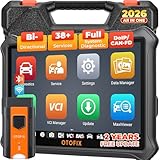
- 🏆【2026 TOP OBD2 Scanner Diagnostic Tool】OTOFIX D1 Lite wireless obd2 scanner has upgraded hardware configuration and car coverage. The newly upgraded D1 Lite with 🔥OS Android 9.0🔥1.5Ghz 4 core high efficiency processor🔥2GB RAM+64GB ROM large storage🔥5800mAh large battery, more stable and longer lasting diagnostics🔥 38+ Reset🔥action tests🔥full system diagnostic🔥Supports MV105 endoscope🔥21+ Language Supports🔥100000+ vehicle coverage to meet all your daily maintenance needs.
- 👍【Bi-Directional Control / Active Test】D1 Lite obd2 scanner has bidirectional control(worth $300+), which is the most beloved feature among mechanic. If your headlights or car windows are broken, going to a repair shop will cost a lot of money. You can use D1 Lite to send execution commands to the ECU module and identify the repair status. Such as ABS, car windows, doors, valves, wipers, headlights, etc., effectively shorten diagnostic time and reduce diagnostic costs.
- 🔥【All Systems Diagnostics, In-depth Checking】This advanced OBD2 Scanner D1 Lite can perform OE-level diagnosis of all systems including engine, transmission, airbag, ABS, ESP, TPMS, gateway, steering, radio, and air conditioning for more than 100 brands. This diagnostic scanner supports essential functions, such as reading ECU version info, reading and clearing fault codes, and reading data streams.With just a simple click, it provides you with accurate and in-depth diagnostics.
- 🏆【38+ Reset Hot Functions】For repair workshops, holding an OTOFIX D1 Lite Auto scanner is a strong advantage over others. Its 38+ maintenance functions provide various solutions for all module repairs, including Oil Reset, TPMS Reset, Injector Coding, Suspension, Throttle Matching, etc., which will usher your repair business to a new pinnacle. Continuously updating will never make the functionality & compatibility out-of-date.
- 🏆【150+ Models, 10000+ Car Coverage & 16 Languages】D1 Lite is a comprehensive car diagnostic scan tool, help you to troubleshoot car issues fast for 95% US, European, Asian auto makes. ✅ With frequent updates and optimizations allow D1 Lite to cover more vehicles to meet your needs. ✅ Multilingual menu allows auto mechanics around the world to use it without language barriers. 🚩Note: Kindly send us the S/N of the device to authorize new language updates before changing the menu language.

- 2026 Newest Wireless Bluetooth Scan Tool D1: OTOFIX D1 Diagnostic scanner is upgraded version with Enhanced Hardwares & Newest Functions, FASTER and SMARTER! ✅Alternative Bluetooth 5.0 +USB connect✅2G+64GB✅Android 9.0 OS✅5G & 2.4 GHz Dual WiFi✅5800mAh battery👍VAG Guided Function👍ECU Online Coding👍CANFD&DOIP👍40+ Services👍Bi-Directional Control👍Full Systems Diagnose👍2 Years Free Update👍150+ Vehicle Coverage🎁Contact to get gift: otofixaftersales-amz@ outlook.com
- ECU Coding to Unlock the Hidden Features: OTOFIX D1 obd2 scanner diagnostic tool newly adds ECU Coding which can Online Coding(ONLY for VW/Au.di/Sk0da), Variant Coding/Offline Programming, Flash Hidden Functions, Reset Adaptive Data, Match Replaced Components, Customize OE-Settings. Such as: halogen fog lamps retrofitted with xenon fog lamps, different capacity battery retrofit, disbale auto start-stop, sunroof initialization, injector calibration, etc. PS: Coding functions vary by model&year.
- Full Bidirectional Control for Active Car Tests: The D1 OTOFIX scanner also offers bi-directional control, allowing you to perform powerful active tests on car subsystems. This means that you can check the working status and functionality of open & close solenoids, energize injectors, turn cooling fan on & off, and more, all from the device itself.🚩The D1 bi-directional obd2 scanner can quickly help you to check if a system or component goes well,Improving 200% Efficiency.**Note that Active Tests available depend on the make/model/year of your car.
- 40+ Popular Maintenance Functions: OTOFIX D1 obd scanner for car performs 40+ hot services, including Oil Reset, EPB, TPMS, BMS, E.GR, G.PF, D.PF, SAS Calibration, ABS Bleeding, Injector Coding, Gearbox Match, Suspension, Crankshaft Relearn, Power Balance, etc., still growing. Great choice for DIYers, technician, repair shop. 🚩Get MORE special functions from "Car Brand>System>Service". Check compatibility before purchase via 📧 otofixaftersales-amz@ outlook.com.
- OE-Level All Systems Diagnostic + One-Click AutoVIN & AutoSCAN: OTOFIX D1 scanner automotriz gives you the ability to troubleshoot entire car systems including engion system,transmission system,body system,chassis,etc. 🚩One of the standout features of the D1 obd2 scanner diagnostic tool is the one-click AutoVIN & AutoScan function. This feature allows you to quickly and easily scan all diagnosable ECUs with just one click, and identify any problems hidden in your vehicle's systems.
Last update on 2026-06-23 / Affiliate links / Images from Amazon Product Advertising API
This product presentation was made with AAWP plugin.