
NHTSA ID Number: 10253867
Manufacturer Communication Number: SF687
TSB/Document Date: 2024-05-07
Summary
Field Service Campaign for Under-Hood Utility Lamp
Daimler Truck
North America LLC
Field Service Campaign
April 2024
SF687A
Subject: Under-Hood Utility Lamp
Models Affected: Specific model year 2024 Freightliner M2, 108SD,
and 114SD vehicles manufactured March 13, 2023, through
December 6, 2023.
General Information
Daimler Truck North America LLC (DTNA), on behalf of its Freightliner Trucks Division, is initiating Field Service
Campaign SF687A to modify the vehicles mentioned above.
Due to programming issues, the under-hood utility lamp does not activate when the hood is opened.
Vehicle parameters will be updated.
There are approximately 251 vehicles involved in this campaign.
Additional Repairs
Dealers must complete all outstanding recall and field service campaigns prior to the sale or delivery of a
vehicle. A dealer will be liable for any progressive damage that results from its failure to complete campaigns
before sale or delivery of a vehicle.
Owners may be liable for any progressive damage that results from failure to complete campaigns within a
reasonable time after receiving notification.
Please contact Warranty Campaigns for consideration of additional charges prior to performing the repair.
Work Instructions
Please refer to the attached work instructions. Prior to performing the campaign, check the vehicle for a
completion sticker (Form WAR261).
Replacement Parts
If our records show your dealership has ordered any vehicle(s) involved in campaign number SF687, a list of
the customers and vehicle identification numbers will be available on the DTNA Portal.
Table 1 - Replacement Parts for SF687
Campaign
Number
Part Number
SF687A
WAR261
Part Description
Qty.
BLANK COMPLETION STICKER
1
Table 1
Labor Allowance
Table 2 - Labor Allowance
Campaign
Number
Procedure
Time Allowed
(hours)
SRT Code
Corrective Action
SF687A
Under-hood lamp parameter update
0.5
996-F178A
12-Repair Recall/Campaign
Table 2
IMPORTANT: When the campaign has been completed, locate the base completion label in the appropriate location on the vehicle, and attach the gray completion sticker provided in the field service kit (Form WAR261). If
the vehicle does not have a base completion label, clean a spot on the appropriate location of the vehicle and
first attach the base completion label (Form WAR259). If a field service kit is not required or there is no completion sticker in the kit, write the campaign number on a blank sticker and attach it to the base completion label.
Page 1
Daimler Truck
North America LLC
Field Service Campaign
April 2024
SF687A
Claims for Credit
You will be reimbursed for your parts, labor, and handling (landed cost for Export Distributors) by submitting
your claim through the warranty system within 30 days of completing this campaign. Please reference the
following information in OWL:
• Claim type is Field Service Campaign.
• In the Campaign field, enter the campaign number and appropriate condition code (SF687A).
• In the Primary Failed Part field, enter 25-SF687-000.
• In the Labor section, enter the appropriate SRT from the Labor Allowance Table. Administrative time will
be included automatically as SRT 939-6010A for 0.3 hours.
• The VMRS Component Code is F99-999-005 and the Cause Code is A1 - Campaign.
• This Field Service Campaign will terminate on April 30, 2025. Dealers will be notified of any changes to
the termination date via an Important Campaign Information Letter (ICI) posted on the DTNA Portal.
IMPORTANT: OWL must be viewed prior to beginning work to ensure the vehicle is involved and the campaign
has not previously been completed. Also, check for a completion sticker before beginning work.
All claims must be submitted within 30 days of the repair and within 30 days of the termination date of the
campaign. U.S. and Canadian Dealers: All excess inventory to be returned to the PDC following the conclusion
of the campaign must be returned in resaleable condition to the Memphis PDC within 90 days from the
termination date. Please submit a PAR to request return to the Memphis PDC. (Canadian dealers should return
the kits to their facing PDC.)
For questions, U.S. and Canadian dealers, contact the Warranty Campaigns Department using the Warranty
Support Center (WSC) app located on the DTNA Portal. Export distributors submit a WSC inquiry or contact
your International Service Manager.
Page 2
Daimler Truck
North America LLC
Field Service Campaign
April 2024
SF687A
Copy of Notice to Owners
Subject: Under-Hood Utility Lamp
Specific model year 2024 Freightliner M2, 108SD, and 114SD vehicles manufactured March 13, 2023, through
December 6, 2023.
Daimler Truck North America LLC (DTNA), on behalf of its Freightliner Trucks Division, is initiating Field Service
Campaign SF687A to modify the vehicles mentioned above.
Due to programming issues, the under-hood utility lamp does not activate when the hood is opened.
Vehicle parameters will be updated.
Please contact an authorized DTNA dealer to arrange to have the campaign performed. The campaign will take
approximately 1 hour and will be performed free of charge. To locate an authorized dealer, search online at
northamerica.daimlertruck.com/contact-us. Scroll down to “Locate a Dealer,” and select the appropriate brand.
This Field Service Campaign will terminate on April 30, 2025. Please make sure the campaign is completed
prior to this date. Work completed after this date will be done at the customer’s expense.
As stated in the terms of your express limited warranty, DTNA will not pay for any damage caused by failure to
properly maintain your vehicle. DTNA considers the work necessary under this campaign to be proper
maintenance and will, therefore, not pay for any damage to your vehicle caused by your failure to have the
repairs that are the subject of this campaign performed in a reasonable time.
Contact the Warranty Campaigns Department at (800) 547-0712, from 7 a.m. to 4 p.m. Pacific Time, Monday
through Friday, e-mail address [email protected], or the Customer Assistance
Center at (800) 385-4357, if you have any questions or need additional information.
WARRANTY CAMPAIGNS DEPARTMENT
Enclosure
Page 3
Daimler Truck
North America LLC
Field Service Campaign
April 2024
SF687A
Work Instructions
Subject: Under-Hood Utility Lamp
Models Affected: Specific model year 2024 Freightliner M2, 108SD,
and 114SD vehicles manufactured March 13, 2023, through
December 6, 2023
Updating the SSAM Parameters to Enable the Under-hood Lamp
1.
Check the base label (Form WAR259) for a completion sticker for SF687 (Form WAR261), indicating this
work has been done. The base label is usually located on the passenger-side door, about 12 inches
(30cm) below the door latch. If a completion sticker is present, no work is needed. If a completion sticker
is not present, proceed to the next step.
2.
Park the vehicle on a level surface, shut down the engine, and set the parking brake. Chock the tires.
IMPORTANT: Make sure that DiagnosticLink® is updated to the latest version (8.18 SP1 at the time of publication or newer) before programming the vehicle.
3.
Open DiagnosticLink prior to connecting to the vehicle.
4.
Use the DTNAPortal credentials to connect DiagnosticLink to the server. The sign-in to the server remains
active until DiagnosticLink is closed. See Fig. 1.
01/14/2021
f120845
Fig. 1, Sign-In Window
Page 4
Daimler Truck
North America LLC
Field Service Campaign
April 2024
SF687A
5.
Connect an RP1210B-compliant vehicle diagnostic adaptor to the diagnostic connector on the vehicle.
6.
Connect the other end of the RP1210B-compliant vehicle diagnostic adaptor to the laptop.
7.
Turn the ignition key to the ‘Run’ position.
8.
Wait until all ECUs are connected and are visible in the ‘Connections’ panel.
9.
Open the ‘Parameters’ tab, and allow the parameters to be read completely by DiagnosticLink, as indicated by the status bar at the bottom of the screen. See Fig. 2.
2
1
3
02/04/2021
f120839
1. Connections List
2. Parameters Tab
3. ‘Reading Parameters’ Progress Bar
Fig. 2, Connecting the Default ECUs and Reading the Vehicle Parameters in DiagnosticLink
Page 5
Daimler Truck
North America LLC
Field Service Campaign
April 2024
SF687A
10.
Go to the ‘Program Device,’ tab, and select ‘Connected Unit’ on the top-right of the screen. Make sure the
vehicle identification number (VIN) populated in the center window is correct, then select ‘Download data
from server’ at the bottom-left of the screen. See Fig. 3.
B
A
C
10/06/2022
f121266
A. Go to the ‘Program Device’ tab.
B. Verify the VIN that appears is correct.
C. Select ‘Download data from server.’
Fig. 3, Downloading the Data from the Server
Page 6
Daimler Truck
North America LLC
Field Service Campaign
April 2024
SF687A
IMPORTANT: The parameter values listed in Table 3 are the highest ZGS levels at the time of publication. The
ZGS is the parameter part number suffix. In the example parameter value A0384574358-005, ‘-005’ is the ZGS.
While performing the update, if a higher ZGS parameter is available in DiagnosticLink, select that instead.
NOTE: If the parameters listed in Table 3 are already set correctly, the ‘Send’ button shown in Fig. 8 appears
inactive (greyed out) since it is not required to upload the parameter to the server. Skip steps 11 through 13,
and go to step 14.
11.
After the server data download is complete, go to the ‘Parameters’ tab. Select and expand the ‘SSAM02T Single SAM’ folder, then set the parameter values listed in Table 3. See Fig. 4, Fig. 5, Fig. 6, and Fig. 7.
Module
SSAM Parameter Values
Parameter
Value
Parameter
FSC Logic Block 26_30
MSC MSF Mapping Table
PGPC_Virtual_LightSw_Exists
SSAM02T (under ‘GPC - Continued’
sub-folder)
Switch_022 (under ‘MSC MSF
Vehicle Config’ sub-folder)
Parameter Description
A0384574358-005 A0384574358-005 Logic Block 26 30 - Default ZGS 005
A0374575058-006 A0374575058-006 MSC MSF Mapping Table 1-42N 812-007 ZGS 006
A0434472658-001 A0434472658-001 PGPC Virtual Light Switch - Available
A0304474658-001 A0304474658-001 Trailer Work Light Switch - Present
Table 3, SSAM Parameter Values
A
B
C
D
03/11/2024
A.
B.
C.
D.
f121521
Go to the ‘Parameters’ tab.
Select and expand the ‘SSAM02T – Single SAM’ folder.
Select the ‘FSC Logic Block 26_30’ sub-folder.
Set the parameter value to ‘A0384574358-005 Logic Block 26 30 - Default ZGS 005.’
Fig. 4, Setting the FSC Logic Block 26_30 Parameter Value
Page 7
Daimler Truck
North America LLC
Field Service Campaign
April 2024
SF687A
A
B
03/11/2024
f121522
A. Select the ‘MSC MSF Mapping Table’ sub-folder.
B. Set the parameter value to ‘A0374575058-006 MSC MSF Mapping Table 1-42N 812-007 ZGS 006.’
Fig. 5, Setting the MSC MSF Mapping Table Parameter Value
Page 8
Daimler Truck
North America LLC
Field Service Campaign
April 2024
SF687A
A
B
C
03/11/2024
f121523
A. Select and expand the ‘GPC - Continued’ sub-folder.
B. Select the ‘PGPC_Virtual_LightSw_Exists’ parameter.
C. Set the parameter value to ‘A0434472658-001 PGPC Virtual Light Switch - Available.’
Fig. 6, Setting the PGPC_Virtual_LightSw_Exists Parameter Value
Page 9
Daimler Truck
North America LLC
Field Service Campaign
April 2024
SF687A
A
B
C
03/11/2024
f121524
A. Select and expand the ‘MSC MSF Vehicle Config’ sub-folder.
B. Select the ‘Switch_022’ parameter.
C. Set the parameter value to ‘A0304474658-001 Trailer Work Light Switch - Present.’
Fig. 7, Setting the Switch_022 Parameter Value
Page 10
Daimler Truck
North America LLC
Field Service Campaign
April 2024
SF687A
12.
Select the ‘Send’ button to write the parameter changes to the SSAM02T ECU in the vehicle. A window
opens asking to confirm the parameter change; select ‘OK.’ See Fig. 8.
B
A
10/25/2022
f121145
A. Select the ‘Send’ button.
B. Select ‘OK’ to confirm the parameter.
Fig. 8, Selecting the Send Button and Confirming Parameter Send
13.
Once the parameter change is complete, go to the ‘Program Device’ tab, and select ‘Unit data management’ in the upper-right corner. Verify if there is a pending upload.
Is pending upload data available under the ‘Unit data for upload’ panel?
• YES → Select ‘Connect to Server’ to upload the parameter updates to the server.
• NO → Go to the ‘Parameters’ tab, and select the ‘Refresh’ button. Verify the parameter value are correctly set, as instructed in step 11. Go to the ‘Program Device’ tab again, and make sure the pending
upload data is visible under the ‘Unit data for upload’ panel. Select ‘Connect to Server’ to upload the
parameter updates to the server.
Page 11
Daimler Truck
North America LLC
Field Service Campaign
April 2024
SF687A
14.
Verify the operation of the underhood lamp.
14.1 Open the hood.
14.2 Turn on the work light switch, shown in Fig. 9, and verify the lamp under the hood turns on.
03/11/2024
f612250
Fig. 9, Work Light Switch
14.3 Turn off the work light switch, and verify the lamp under the hood turns off.
14.4 Close the hood.
NOTE: If the lamp turns on and off, the parameter update is successful.
15.
Clean a spot on the base label (Form WAR259), and attach a campaign completion sticker for SF687
(Form WAR261), indicating this work has been completed.
Page 12

- 💯【Conta.ct us for Support Directly】If you met any...
- 🔥🔥🔥【2026 AUTEL FLAGSHIP MK900BT MK900-BT, NEW...
- 🚗【3000+ ACTIVE TESTS (50➡3000+), SAME AS MS...
- 🚗【40+ HOT SERVICES FOR 150 MAKES (28+➡40+)】Full...
- 🚗【OE ALL SYSTEM DIAGNOSE, AUTO SCAN 2.0: SCAN LICENSE...


- 【TURN OFF CEL】 This AL319 car scanner diagnostic tool...
- 【EXTENSIVE APPLICATION】 Autel AL319 Compatible with...
- 【FOR END USER & DIYERS】 This error code reader AL319 is...
- 【USER-FRIENDLY DESIGN】 This OBD2 scanner and check...
- 【HIGH-QUALITY SERVICES】 12 months war.ranty from the...
Last update on 2026-06-23 / Affiliate links / Images from Amazon Product Advertising API
If the PDF is very large, it may not load in the preview below.
Some older TSBs had multiple PDFs — visit the NHTSA Website to view all PDFs.
If the TSB PDF does not show, download or view it on the NHTSA Website.
Click on the (+) Plus Sign
Then Click on Associated Document(s)
Search NHTSA Database for Recalls
Search NHTSA Database for Vehicle Investigations
View Latest Vehicle Investigations
Search NHTSA Database for Vehicle Complaints
View Latest Vehicle Complaints
TSB/Document ID: SF687
Replacement Service Bulletin Number:
MFR Communication Date: 2024-04-04
MFR Internal Campaign ID/Software Version:
Communication Type: Service Bulletin/Repair Instructions
NHTSA Components: ELECTRICAL SYSTEM
MFR Component System:
MFR Component Subsystem:
Previous TSB | Next TSB |

- Obd2 Bluetooth Scanner Lifetime Update: Ediag Elite offers revolutionary Advantage Lifetime Updates with unlimited access to the superior 15 reset service, bidirectional testing and full system diagnostics.The Ediag Elite is an excellent Bluetooth obd2 scanner diagnostic tool ideal for diy's and private car owners
- Bidirectional Control for Quickly Locating Problems: The Bidirectional Scan tool allows you to send commands directly from your smartphone to your vehicle for active testing. This feature helps to quickly narrow down problems such as air conditioning clutches, windows, doors, sunroofs, etc., reducing diagnostic time for mechanics and helping Diy users locate faults more easily. In addition, Ediag Elite provides fault analysis and repair guidance to help you solve problems efficiently.
- 15 Maintenance Resets: The current version introduces 15 popular special features: Oil Reset, Headlight Matching, Bleeding Reset, TPMS Reset, BMS Reset, Gear Box Relearn, Throttle Learning, Injector Coding, SAS Reset and more special functions in system diagnose menu. These functions make it easy for owners to carry out the necessary maintenance and servicing, ensuring that your vehicle stays in top condition, prolonging its service life and preventing common problems and breakdowns. Note: The Special function vary by model& year, Reach us check compatibility.
- Wide Compatibility CANFD & FCA
 Autoauth: Compatible with GM, Ford, Toyota, Chrysler, Honda, Mazda, Nissan, Mitsubishi, Hyundai, KIA with standard OBD2 port from 1996 to newer. More car brands and features will be released gradually. Newest Ediag Elite scanner supports CANFD Protocol and FCA cars. Note: Coverage may vary on different vehicle by model& year ,Please contact us to confirm compatibility before purchase.
 - Perfect for Monitoring The Health of Your Vehicle: Ediag Elite is designed to make vehicle maintenance simple and efficient. With intelligent AutoVIN quick recognition, it is easy to connect to your car without the need for manual input. Real-time data is visualized in a variety of formats, including graphs, numeric, meter displays and clear 4-in-1 data charts, allowing you to effortlessly monitor real-time data. Data logging/reporting is available for playback and further analysis.
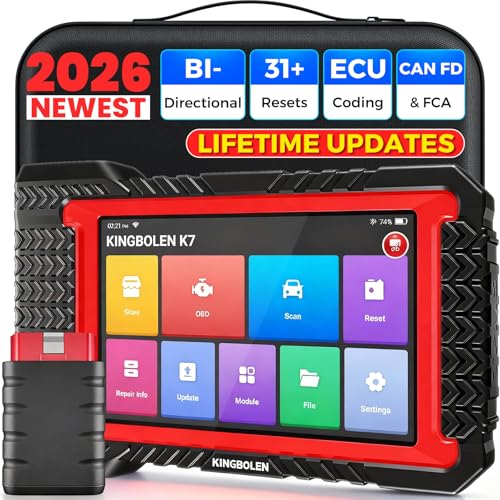
- No Annual Fees & 2026 Upgraded CAN FD: Why pay $199/year or more for updates? The 2026 newest Kingbolen K7 obd2 scanner features have been upgraded to Lifetime Updates without subscription fees, saving you significant costs in the long run. K7 scan tool also adds the CAN FD protocol for the latest GM models (2019+), enabling faster data transfer, reducing the risk of undetected errors
- 2026 Newest Top-tier Car Scanner: Kingbolen K7 diagnostic scan tool is equipped with most capabilities for daily repair/maintenance: Wireless diagnosis via Bluetooth, Bidirectional Test, ECU Online/Offline Code, 31+ Resets, PMI for Ford, Lincoln, Mazda, Global version for 100+ brand vehicles and 17 languages, no area limit, FCA AutoAuth
- OE-Level Full Systems Scan Tool: K7 professional diagnostic scanner with Auto Vin can do one-click to scan ECUs on most of vehicles, like pcm, ecm, eps, bcm, tpms, sas, a/c system... to read/clear code, view live data, freeze frame, read ecu info. 4-in-1 data stream graphics can make data viewing more intuitive. Detailed diagnostic reports will help you easily master the car situation as it can be shared by bluetooth or email! Adding workshop information can help your customers to know more
- Bidirectional Test/Active Test & ECU Code: Stop guessing and start fixing. Bidirectional scan tool Kingbolen K7 can perform real active test that can send commands to the vehicle's ECU to drive the actuators to work, like window, rear mirrors, sunroof, door, solenoids, wipers, headlamp, etc, helping you quickly find out bad parts and pinpoint faulty issues. K7 bidirectional scanner will be a good choice to save money and time on car repairs when performing complex maintenance and repair
- 31 Reset Functions: Avoid expensive dealership visits for simple services. Experience tells us that just a small repair service may cost a lot of money. Kingbolen K7 is a professional diagnostic scanner with 31 common maintenance services like Oil /SAS/EPB/TPMS Reset, Battery Matching, ABS Bleeding, Injector Code, etc. It effectively handles most of the car reset and relearning jobs, perfect for experienced DIYers and mechanics. Note: Functions in the menu vary across vehicles. Kindly check the compatibility before purchase
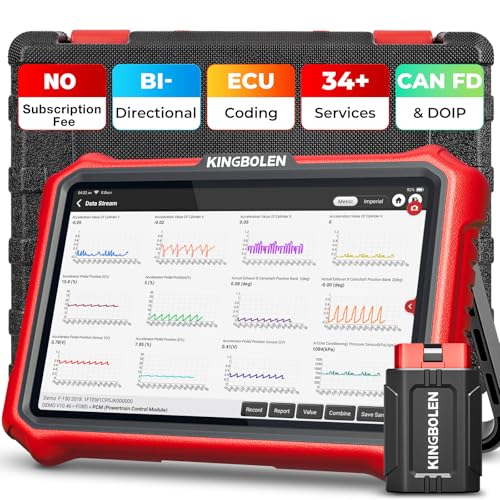
- 【Lifetime Database & Software Updates— No Subscription Fee, No Feature Lock, Save you $399/Y】KINGBOLEN K8 Pro's software can already be permanently upgraded and used for while software of other same price product still needs annual fee of almost $400. K8 pro scanner has packed all capabilities auto technicians would ever need for repair & maintenance services: Added CAN-FD & DOIP protocol, Bluetooth Wireless Diagnosis, Bidirectional Test, ECU Online/Offline Code & Guided Functions for VW, for Audi...34+ Restes, Autoauth for FCA SGW, Larger 4GB+64GB memory, 12600mAh battery, 8'' touch screen with 1280 * 800 Resolution. A Kickstand can allow the tablet to sit at a comfortable angle
- 【Newly Added CAN FD & DOIP Protocol】As Upgrade Version of Kingbolen K8, K8 Pro obd2 scanner supports CANFD and DOIP protocol, which will save you 200+ bucks as no need extra buy for special adapter. CANFD protocol suits for the latest GM(2019-), reducing the risk of undetected errors. The DoIP protocol (comes with DoIp cable) fits for 2017+ BMW(F&G chassis), for Jaguar & Land Rover after 2017, for Volvo after 2018. Plus, K8 Pro's Memory from 2G+32G expanded to 4G+64G, update period extended from 2 years to permanent
- 【34+ Hot Special Functions & V.A.G Guide】KINGBOLEN K8 pro bluetooth obd2 scanner covers almost all common services including Oil Reset, EPB, SAS, BMS Reset, ABS bleed, Throttle Reset, Suspension, Injector Code, Power Balance, Transmission Adaptation, Fuel Trim Learn, HVAC Control Module Calibrate, Language Change, A/F Settings, Stop/Start Reset, Crankshaft Sensor Relearn, TPMS, PMI function and etc. Imagine how much money and time you spend on car maintenance every year? K8 pro car scanner will be a good helper and saver for your car. V.A.G Guided function provides step-by-step guide to work for Volkswagen/Audi/Skoda. Note: Please send us model/year/vin to check compatibility before order
- 【Powerful Bidirectional Test/Active Test & ECU Code】As a bidirectional scan tool, KINGBOLEN K8 pro allows you to request information from a vehicle's ECU or send commands to the vehicle's modules to perform specific tests and functions, such as EVAP Tests, Turn on/off radiator fan, Window/Mirror/Door Lock Test, Pump and Value Tests, Sound horn Test, et. Without using the vehicle control system and dismantling car’s parts, it can quickly and accurately pinpoint the fault causes, simple operation saves time and money
- 【Wireless OE-Level All Systems Diagnostics】Equipped with Bluetooth VCI, you can do car diagnostics out of the car (up to 33F/10M) without being confined to a small space inside the car. Provides the convenience of Auto VIN, K8 pro allowing for easy access and diagnosis of all available modules on a wide range of vehicles, like PCM, ECM, BCM, TPMS, SAS, Fuel System, etc, to perform read/clear codes, view live data, freeze frame, perform active tests, and read ECU info... 12-In-1 Data Stream Graphics make data viewing more intuitive.Diagnostic reports can be shared via QR Code, Bluetooth or email.Built-in Browser and Fault Code Library allows you directly query the fault code when diagnosing
Last update on 2026-06-23 / Affiliate links / Images from Amazon Product Advertising API
This product presentation was made with AAWP plugin.