
NHTSA ID Number: 10252489
Manufacturer Communication Number: 15-195-16R
TSB/Document Date: 2024-04-03
Summary
This bulletin provides IMPORTANT information regarding diagnosis and replacement (when applicable) of the STARLINK Telematics Data Communication Module (DCM) along with a new claim submission requirement.
ATTENTION:
GENERAL MANAGER
q
PARTS MANAGER
q
CLAIMS PERSONNEL
q
IMPORTANT - All
Service Personnel
Should Read and
Initial in the boxes
provided, right.
SERVICE MANAGER
q
© 2016 Subaru of America, Inc. All rights reserved.
SERVICE INFORMATION
APPLICABILITY: All Models with STARLINK Telematics System
NUMBER: 15-195-16R
SUBJECT: Servicing and Claim Submission Requirements for
DATE: 04/28/20
STARLINK Diagnosis and Repair Involving the Data REVISED: 03/19/24
Communication Module (DCM)
INTRODUCTION
This Service Information bulletin provides IMPORTANT information regarding diagnosis and
replacement (when applicable) of the STARLINK Telematics Data Communication Module (DCM)
along with a new claim submission requirement. Use the table below to determine Telematics
system / generation applicability.
The key takeaway items from this bulletin are:
1. DCMs must NEVER be swapped as part of any diagnosis. DCMs continue to be
inadvertently swapped during a head unit swap. The DCM is located right below the head unit
and should never be included in any head unit diagnosis / swap activity.
Similarly, whenever any ECM swap is performed for diagnostic purposes THE DCM MUST BE
DISCONNECTED FIRST to prevent VIN overwrite during the ECM testing.
2. If the vehicle has an “active” STARLINK Telematics subscription, as confirmed by Subarunet
inquiry, STARLINK functions MUST be confirmed as operational prior to returning the vehicle
to the customer.
a. Successful connection MUST be made using BOTH the “i” and “SOS” buttons.
b. Remote services (e.g. Remote Engine Start) if subscribed to, must be tested by performing a
remote service request using the MySubaru Mobile App or the Customer Web Portal.
Continued...
CAUTION: VEHICLE SERVICING PERFORMED BY UNTRAINED PERSONS COULD
RESULT IN SERIOUS INJURY TO THOSE PERSONS OR TO OTHERS.
Subaru Service Bulletins are intended for use by professional technicians ONLY. They
are written to inform those technicians of conditions that may occur in some vehicles,
or to provide information that could assist in the proper servicing of the vehicle. Properly
trained technicians have the equipment, tools, safety instructions, and know-how to
do the job correctly and safely. If a condition is described, DO NOT assume that this
Service Bulletin applies to your vehicle, or that your vehicle will have that condition.
Bulletin Number: 15-195-16R; Revised 03/19/24
SUBARU OF AMERICA, INC. IS
ISO 14001 COMPLIANT
ISO 14001 is the international standard
for
excellence
in
Environmental
Management Systems. Please recycle
or dispose of automotive products in a
manner that is friendly to our environment
and in accordance with all local, state
and federal laws and regulations.
Page 1 of 4
3. Techline contact may be required in some cases. Conditions may occur which cannot be
resolved in the field solely by parts replacement and must coincide with additional vendor
activity.
4. NOTE: A new replacement DCM does not come with a BUB installed. If the BUB requires
replacement due to failure (B2A07) or the repair date is 5 years past the date stamp, (see image
for decoding the BUB date stamp) the BUB must be ordered separately. There is also a related
data collection requirement for anytime a DCM is replaced as outlined later in this bulletin.
5. All claims for DCM replacement MUST include the Serial Number of the NEW DCM in the
Miscellaneous Detail Field of the claim entry.
SERVICE PROCEDURE / INFORMATION:
1) All retailers must discontinue the practice of swapping STARLINK Telematics DCMs between
vehicles regardless if the swap is for diagnosis only or a repair.
NOTE: This requirement also potentially affects swapping of Audio or Audio/Navigation systems
between vehicles as the DCM is part of the audio unit stack (mounted on the same brackets).
If an audio or audio/navigation system must be swapped between vehicles for diagnosis, BOTH
DCMs MUST be kept with their original vehicles. AT NO TIME is the DCM to be powered up
in a vehicle other than the one it was placed in during manufacturing. This (swapping) may cause
a situation where the DCM becomes lost to the STARLINK network which may result in a loss of
Telematics services for that vehicle.
IMPORTANT NOTE: If the Technician is instructed by his FSE or Techline to swap the ECM
during the course of a diagnosis, it is a precondition of the ECM swap that the DCM in both
vehicles be physically disconnected from the vehicle before and during the entire time the donor
ECM is in the other vehicle. Not disconnecting the DCM prior to an ECM swap will result in
the same situation (DCM becomes lost to the STARLINK network) as the ECM is the Master
control unit in the vehicle. Restoration of Telematics services may require DCM replacement.
VERY IMPORTANT: Any Technician or other retailer personnel who, despite service
documentation and training to the contrary, performs a DCM swap on a subscribed vehicle
should NEVER release that vehicle back to the customer until after confirming the proper
operation of the Telematics system. If the issue is first discovered only after the vehicle has been
released to the customer, then the retailer MUST contact the customer immediately to inform
the customer the ACN/AACN feature may not be functioning properly, and that the vehicle
must be returned for inspection as soon as possible.
Charges related to repairs as a result of DCM swaps are NOT eligible for warranty coverages and are
the retailer’s responsibility.
Continued...
Bulletin Number: 15-195-16R; Revised 03/19/24
Page 2 of 4
2) IMPORTANT: After replacing a DCM, the new module must be ComChecked. Follow
instructions in the applicable Service Manual for performing the ComChecked. If the STARLINK
services are actively subscribed, the DCM must be activated (a.k.a. “provisioned”) by the
STARLINK network. In the vast majority of cases, this procedure will complete within a few
minutes to half an hour if placed in area with good cellular signal following successful com check. In
rare cases, it may take up to 4 hours. If for any reason the DCM has not completed provisioning after
25 hours, immediately contact Techline for assistance. Before calling Techline, please send an email
to: tech@subaru.com. In the e-mail subject line, enter: Delayed Provisioning, the last 8 of the VIN
and the Techline case number (if previously supplied). The body of the message must inclure:
a. The new DCM Serial Number
b. The new DCM IMEI Number
c. At least 10 seconds of Telematics data (all PIDS) from the new DCM after it was
successfully ComChecked.
CRITICAL: The car must NOT be released back to the customer as “repaired” until it has
completed provisioning AND STARLINK function has been confirmed by:
a. Perform an SOS and “i” button push making contact with operator on each and confirming
vehicle VIN and location.
b. Remote service requests need to be made through the MySubaru Mobile APP or, the MySubaru customer Web Portal with help of the customer (or after a retailer service team member has been granted access to the customer account).
To confirm provisioning is complete:
• After switching the ignition ON, a GREEN status indicator LED located between the “SOS”
and “i” buttons will be on solid.
•
•
•
The new active STARLINK Telematics subscription is verified on Subarunet.
The function of BOTH the “i” (Enhanced Roadside Assistance) and “SOS” (STARLINK
Emergency) buttons have been confirmed as being fully operational indicating the unit is able
to communicate with BOTH STARLINK support operators who can verify both the VIN and
location of the vehicle.
The operation of remote services equivalent to the customer’s subscription plan has been
confirmed through use of the MySubaru Mobile App or the Customer Web Portal.
3) Telematics-equipped vehicles do not need the DCM backup Battery (BUB) replaced as part of
repairs requiring DCM replacement. DCM BUB replacement occurs when a DTC indicates the BUB
needs replacement, the customer requests maintenance replacement, or is directed by SOA quality
assurance activity. NOTE: A new replacement DCM does not come with a BUB installed. The BUB
must be ordered separately.
Continued...
Bulletin Number: 15-195-16R; Revised 03/19/24
Page 3 of 4
4) IMPORTANT: The following data must be collected with any DCM replacement (these are all
normally part of the Telematics System Basic Diagnostic Procedure).
i. A completed Check List for Interview from the appropriate Service Manual
ii. The Current DTC(s), the past/memorized DTCs in all related units (with freeze frame
data), saved electronically
iii. Current streaming data of the DCM for at least 10 seconds. If possible, collect the data
while the complaint is occurring
iv. A description of the troubleshooting steps taken by the retailer Technician and the results
found
v. The DCM’s Serial Number and IMEI number must be noted on the Repair Order prior to
installation.
5) Effective Immediately, all claims for DCM
replacement MUST include the 10-digit DCM Serial
Number of the installed (new) DCM. This number is
found on the DCM label shown here and MUST be
entered in the Miscellaneous Detail field of the claim
entry.
IMPORTANT NOTES:
• The only effective way to confirm repair of a Telematics concern is to verify operation of remote
services through execution by using the MySubaru Mobile App or MySubaru customer web
portal. Using the SOS button or i-Button successfully should in no way be considered a full
or functional test of remote services. There are many conditions which can occur and still allow
the SOS and/or “i” button to function and reach a Starlink operator although, some or all of the
remote services may not function. Remote service operational status can only be confirmed by
execution of a remote service request through either the MySubaru APP or the customer web
portal.
•
Always reference the most up-to-date TSBs, TechTIPS and STIS information whenever
diagnosing, replacing components, performing CommCheck, or any other operational checks of
the Telematics system. If necessary, FSEs and the Techline are available for additional support.
IMPORTANT REMINDERS:
•
SOA strongly discourages the printing and/or local storage of service information as previously
released information and electronic publications may be updated at any time.
•
Always check for any open recalls or campaigns anytime a vehicle is in for servicing.
•
Always refer to STIS for the latest service information before performing any repairs.
Bulletin Number: 15-195-16R; Revised 03/19/24
Page 4 of 4

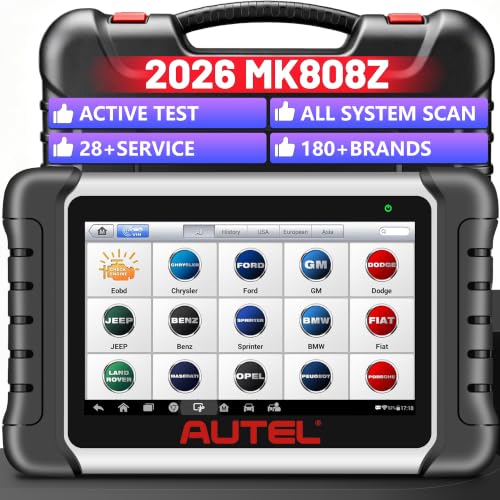
- 🔥🔥🔥🚀 【2026 Professional All-System Diagnostic...
- 🛠【28+ Essential Service Resets & Special Functions...
- ⚡ 【Advanced Bidirectional Active Test for Precise Fault...
- 🌐 【Wide Vehicle Coverage & 2026 New Car Support with...
- 💻 【Powerful Hardware & FCA
 SGW Bypass for Enhanced...
If the PDF is very large, it may not load in the preview below.
Some older TSBs had multiple PDFs — visit the NHTSA Website to view all PDFs.
If the TSB PDF does not show, download or view it on the NHTSA Website.
Click on the (+) Plus Sign
Then Click on Associated Document(s)
Search NHTSA Database for Recalls
Search NHTSA Database for Vehicle Investigations
View Latest Vehicle Investigations
Search NHTSA Database for Vehicle Complaints
View Latest Vehicle Complaints
TSB/Document ID: 15-195-16R
Replacement Service Bulletin Number:
MFR Communication Date: 2024-03-19
MFR Internal Campaign ID/Software Version:
Communication Type: Service Bulletin/Repair Instructions
NHTSA Components: ELECTRICAL SYSTEM
MFR Component System:
MFR Component Subsystem:
Previous TSB | Next TSB |

- [Notice] When you receive a used device, it may be a customer return resold by Amazon without inspection. You can exchange it for a new one through Amazon. As this situation is unavoidable, we sincerely apologize. For any issues, contacting us via Amazon's "Messages" is the best way. THINKSCAN 689BT Bidirectional Scan Tool Can Be Used Immediately After It is Turned On, Without Complicated Registration Process, Which is More Convenient & Quick.
- Full Bi-Directional Control & 3000+ Active Tests: Take control and test components like actuators, fuel injectors, relays, and cooling fans in real time. You’ll quickly see if the problem is in the part itself or the control module — saving you hours of guesswork and frustrating trial-and-error.
- Advanced ECU Coding Capabilities: Handle module matching and hidden feature activation with confidence. When you replace an ECU or want to customize settings, this obd2 scanner diagnostic bi directional tool gives you the professional-level capabilities you need without the dealership price tag.
- 34+ Useful Reset and Maintenance Functions: Complete everyday service tasks smoothly with a wide range of helpful reset and maintenance functions. Whether you’re keeping up with regular upkeep or tackling a specific job, this scanner makes maintenance simpler and less stressful for both DIYers and pros.
- Comprehensive Full System Diagnostics: Diagnose every major system — Engine, Transmission, ABS, SRS, TPMS, and more — all in one place. Finally stop wondering if you’re missing something important; get the full picture and clear codes with ease.

- Top Reasons to Choose the D7S OBD2 Scanner: XTOOL D7S car scan tool, an upgrade of XTOOL D7, offers comprehensive features for automotive technicians, workshops, and DIY enthusiasts 1. Upgraded Hardware: 2+64GB memory, rear camera, intuitive interface, foldable bracket 2. Complete Diagnostics: FCA Autoauth, OE-level all system scan, 39+ maintenance services, 4K+ bidirectional, CANFD/DoIP protocol 3. Advanced Capabilities: ECU coding, PMI functions 4. Wide Compatibility: Support 10,000+ models, covering 99% vehicle brands 5. Multi-language: Available in 22+ languages, No IP Restrictions 6. 3-Year Updates: Save 300 bucks on software updates for the latest features and optimizations
- 2026 Upgraded D7S Car Scanner Features: The newly 2026 D7S V2.0 scanner for car brings exciting features for advanced vehicle diagnostics and enhanced user experience 1. FCA AutoAuth: Now supports FCA SGW module for Chrysler, for Jeep, for Dodge (2018+), for Fiat (2017+), enabling faster vehicle communication without gateway restrictions 2. PMI (Offline ECU Programming): Allows for Ford, for Lincoln, and for Mazda ECU programming for new modules 3. Optimized Diagnostic Report 2.0: Personalized reports with logos and customer info for auto shops. Note: Compatibility varies by cars, please check before order
- Cost-effective ECU Coding Scan Tool for Specific Brands: Enhance your vehicle's performance with XTOOL D7S! This obd2 scanner all systems bidirectional offers advanced capabilities at an affordable price, supports online for BMW, for Benz and offline for BENZ, for MIT, along with PMI functions for Ford, for Mazda, and for Lincoln. Ideal for technicians and DIY enthusiasts, this automotive scanner diagnostic tool optimizes vehicle performance and enhances the driving experience. Note: Not for all cars and modules, please send car VIN to check the compatibility before purchase
- OE All System Diagnostic & 8 Pids Graphing: XTOOL D7S is a comprehensive all system bi directional obd2 scanner that delivers dealer-level diagnostics, completely controlling over your vehicle’s performance and health. This automotive scan tool can read and clear DTCs, view live data and ECU information, retrieve freeze frames, and perform active tests and full obd2 functions. This bi-directional scan tool can can identify your vehicle's make, model, and year information with just one click and show up to 8 PIDs live data with options for CSV viewing, playback, and recording for in-depth analysis. It is easy-to-use for both professionals and beginners, helping pinpoint issues efficiently
- 3 Years Software Update, Value for Money: With 3 years of software updates and 22+ languages(no IP restrictions), XTOOL D7S auto scanner code scanner ensures ongoing compatibility for the latest car models and improved diagnostic functions. This all system vehicle diagnostic scanner comes with a 30-day return policy and a 24-month repair for dependable performance. XTOOL are dedicated to your satisfaction, so enjoy seamless support and lifetime expert assistance. Should you encounter any issues or concerns, don’t hesitate to reach out XTOOL. D7S with newest update with 22 languages freely transfer without authorization, check details from setting-language or from XTOOL

- 🔥 Historical lowest pr-ice now on sa-le--hot se-lling.
- 【🎈𝗜𝗙𝟳𝟰𝟱 𝗽𝗲𝗿𝗳𝗼𝗿𝗺𝘀 𝟲 𝗲𝘀𝘀𝗲𝗻𝘁𝗶𝗮𝗹 𝗿𝗲𝘀𝗲𝘁 𝗳𝘂𝗻𝗰𝘁𝗶𝗼𝗻𝘀—𝗔𝗕𝗦 𝗕𝗹𝗲𝗲𝗱𝗶𝗻𝗴, 𝗢𝗶𝗹 𝗥𝗲𝘀𝗲𝘁, 𝗘𝗣𝗕, 𝗦𝗔𝗦, 𝗧𝗵𝗿𝗼𝘁𝘁𝗹𝗲 𝗥𝗲𝗹𝗲𝗮𝗿𝗻, 𝗮𝗻𝗱 𝗕𝗠𝗦—𝗽𝘂𝘁𝘁𝗶𝗻𝗴 𝗽𝗿𝗼𝗳𝗲𝘀𝘀𝗶𝗼𝗻𝗮𝗹-𝗴𝗿𝗮𝗱𝗲 𝗺𝗮𝗶𝗻𝘁𝗲𝗻𝗮𝗻𝗰𝗲 𝗯𝗮𝗰𝗸 𝗶𝗻 𝘆𝗼𝘂𝗿 𝗵𝗮𝗻𝗱𝘀.】Spongy brakes? Stuck oil light? Parking brake won't release? Off-center steering? Rough idle after battery disconnect? Draining battery? IF745 handles all with a few taps. One tool covers six dealer-level resets, saving hundreds in labor costs. ❗ NOTE: Does NOT support bidirectional control, coding, or programming.
- 【✨ 𝗜𝗙𝟳𝟰𝟱 𝗴𝗼𝗲𝘀 𝗯𝗲𝘆𝗼𝗻𝗱 𝗯𝗮𝘀𝗶𝗰 𝗰𝗼𝗱𝗲 𝗿𝗲𝗮𝗱𝗶𝗻𝗴 𝘄𝗶𝘁𝗵 𝟭𝟬 𝗶𝗻𝘁𝗲𝗴𝗿𝗮𝘁𝗲𝗱 𝗳𝘂𝗻𝗰𝘁𝗶𝗼𝗻𝘀—𝗗𝗧𝗖 𝗟𝗼𝗼𝗸𝘂𝗽, 𝗜/𝗠 𝗥𝗲𝗮𝗱𝗶𝗻𝗲𝘀𝘀, 𝗙𝗿𝗲𝗲𝘇𝗲 𝗙𝗿𝗮𝗺𝗲, 𝗟𝗶𝘃𝗲 𝗗𝗮𝘁𝗮, 𝗢𝟮𝗦, 𝗢𝗕𝗠, 𝗘𝗩𝗔𝗣, 𝗮𝗻𝗱 𝗺𝗼𝗿𝗲. 】Pulling a code tells you something is wrong. IF745 tells you what the code means, when the fault happened, and what data surrounds it. Pass emissions with one I/M Readiness tap. Freeze the fault moment with Freeze Frame. Monitor live sensor data in real time. Turn cryptic codes into clear answers.
- 【🛒 𝗜𝗙𝟳𝟰𝟱 𝗽𝗲𝗿𝗳𝗼𝗿𝗺𝘀 𝗳𝘂𝗹𝗹-𝘀𝘆𝘀𝘁𝗲𝗺 𝗱𝗶𝗮𝗴𝗻𝗼𝘀𝘁𝗶𝗰𝘀 𝗮𝗰𝗿𝗼𝘀𝘀 𝗮𝗹𝗹 𝗺𝗼𝗱𝘂𝗹𝗲𝘀—𝗲𝗻𝗴𝗶𝗻𝗲, 𝗔𝗕𝗦, 𝗮𝗶𝗿𝗯𝗮𝗴, 𝘁𝗿𝗮𝗻𝘀𝗺𝗶𝘀𝘀𝗶𝗼𝗻, 𝘀𝘁𝗲𝗲𝗿𝗶𝗻𝗴, 𝘀𝘂𝘀𝗽𝗲𝗻𝘀𝗶𝗼𝗻, 𝗯𝗼𝗱𝘆 𝗲𝗹𝗲𝗰𝘁𝗿𝗼𝗻𝗶𝗰𝘀, 𝗮𝗻𝗱 𝗺𝗼𝗿𝗲. 】Warning lights on but you don't know why? Skip the $100+ diagnostic fee at the shop. Run a complete self-check from your driveway. IF745 reads and clears fault codes, retrieves ECU info, and displays live data from every accessible module—delivering a full vehicle health report in minutes, without leaving home.
- 【✅𝗜𝗙𝟳𝟰𝟱 𝗳𝗲𝗮𝘁𝘂𝗿𝗲𝘀 𝗮 𝟳-𝗶𝗻𝗰𝗵 𝗱𝗶𝘀𝗽𝗹𝗮𝘆, 𝗲𝗿𝗴𝗼𝗻𝗼𝗺𝗶𝗰 𝗱𝗲𝘀𝗶𝗴𝗻, 𝗪𝗶-𝗙𝗶 𝘂𝗽𝗱𝗮𝘁𝗲𝘀, 𝗮𝗻𝗱 𝘇𝗲𝗿𝗼 𝘀𝘂𝗯𝘀𝗰𝗿𝗶𝗽𝘁𝗶𝗼𝗻 𝗳𝗲𝗲𝘀 𝗳𝗼𝗿 𝗵𝗮𝘀𝘀𝗹𝗲-𝗳𝗿𝗲𝗲 𝗱𝗶𝗮𝗴𝗻𝗼𝘀𝘁𝗶𝗰𝘀.】Large screen means no squinting. Intuitive navigation and customizable data displays put key info at your fingertips. Wi-Fi delivers lifetime free updates without a computer. No recurring fees. No hidden costs. Just a reliable tool that works as hard as you do.
This product presentation was made with AAWP plugin.