
NHTSA ID Number: 10249768
Manufacturer Communication Number: 24101
TSB/Document Date: 2024-02-06
Summary
On certain CE EV series school buses the drive motor yoke castle nut may not have been tightened to its specified value at time of assembly.
If the PDF is very large, it may not load in the preview below.
Some older TSBs had multiple PDFs — visit the NHTSA Website to view all PDFs.
If the TSB PDF does not show, download or view it on the NHTSA Website.
Click on the (+) Plus Sign
Then Click on Associated Document(s)

- 💝【Questions? We’re Here Anytime】MK808S is a...
- 🔥🔥🔥【2026 NEWLY RELEASED BI-DIRECTIONAL...
- 【28+ MOST POPULAR RESET SERVICE FOR 150 MAKES】Autel...
- 【ALL SYSTEM DIAGNOSTICS, FACTORY-LEVEL SCANNER】The...
- 【AUT0 SCAN & AUT0V1N, 10X FASTER】How much have you spent...


- 💯【Conta.ct us for Support Directly】If you met any...
- 🔥🔥🔥【2026 AUTEL FLAGSHIP MK900BT MK900-BT, NEW...
- 🚗【3000+ ACTIVE TESTS (50➡3000+), SAME AS MS...
- 🚗【40+ HOT SERVICES FOR 150 MAKES (28+➡40+)】Full...
- 🚗【OE ALL SYSTEM DIAGNOSE, AUTO SCAN 2.0: SCAN LICENSE...
This product presentation was made with AAWP plugin.
Search NHTSA Database for Recalls
Search NHTSA Database for Vehicle Investigations
View Latest Vehicle Investigations
Search NHTSA Database for Vehicle Complaints
View Latest Vehicle Complaints
TSB/Document ID: 24101
Replacement Service Bulletin Number:
MFR Communication Date: 2024-01-29
MFR Internal Campaign ID/Software Version:
Communication Type: Service Bulletin/Repair Instructions
NHTSA Components: POWER TRAIN
MFR Component System:
MFR Component Subsystem:
Previous TSB | Next TSB |
NAYVISTAR
FIELD SERVICE CAMPAIGN - 24101
29 January 2024
SUBJECT:
Driveline Motor Yoke Castle Nut Torque
MODELS INVOLVED:
IC Bus® Electric CE Series school bus
DEFECT DESCRIPTION:
On certain IC Bus® Electric CE Series school bus, the drive motor yoke castle nut may
not have been tightened to its specified value at time of assembly.
ELIGIBILITY:
This procedure applies ONLY to vehicles marked in the International ® Service Portal™
with FSC 24101. Also complete any other open campaigns listed on the Service Portal
at this time.
TOOLS REQUIRED:
No special tools required.
PARTS REQUIRED:
Part Number Description Quantity
2500674C91 U-JOINT KIT, DRIVESHAFT 4
N/A Cotter Pin 5mm x 60mm Source Locally
Table 1 Parts Information
WORK INSTRUCTIONS
WARNING! To prevent personal injury or death, NEVER service a high-voltage
vehicle without completing High-Voltage Safety training. Before working on
vehicle, read and obey all High-Voltage Safety and Lock-Out Tag-Out procedures
and information.
WARNING! To prevent personal injury or death, read all information in the Safety
Information and High-Voltage Safety sections of the service manual.
WARNING! To prevent personal injury and / or death, or damage to property, park
vehicle on hard flat surface, turn the engine off, set the parking brake, and install
wheel chocks to prevent the vehicle from moving in both directions.
© 2024 Navistar, Inc. All rights reserved. All marks are trademarks of their respective owners. Page 1
WARNING! To prevent personal injury and / or death, always wear safe eye
protection when performing vehicle maintenance.
WARNING! To prevent personal injury and / or death, or damage to property, if
the vehicle must be raised, do not work under the vehicle supported only by
jacks. Jacks can slip or fall over.
WARNING! To prevent personal injury and / or death, or damage to property, keep
flames or sparks away from vehicle and do not smoke while servicing the
vehicle’s batteries. Batteries expel explosive gases.
1. Park vehicle on a dry and level surface.
Put drive mode selector in Neutral and set parking brake.
Turn ignition to Key OFF position.
Install wheel chocks.
a Fe N
Turn 12V disconnect switch OFF. Refer to appropriate service manual for detailed
instructions.
6. Perform High-Voltage Isolation Level 1. Refer to appropriate service manual for
detailed instructions.
© 2024 Navistar, Inc. All rights reserved. All marks are trademarks of their respective owners. Page 2
0000480336
Figure 1. Universal Joint (U-Joint) Straps with Bolts (Drive Motor Yoke)
1. U-joint strap bolt (4)
2. U-joint strap (2)
NOTE: When removing or installing the universal joint (U-joint), it is possible for
the U-joint caps to slide off. Any type of tape wrapped around the top of each U-
joint cap will keep the caps in place until the U-joint is removed or installed.
7. Remove and discard four U-joint strap bolts (Figure 1, Item 1) and two U-joint straps
(Figure 1, Item 2) from drive motor yoke.
© 2024 Navistar, Inc. All rights reserved. All marks are trademarks of their respective owners. Page 3
0000480337
Figure 2. Driveshaft Safety Loop
1. Driveshaft
2. Safety loop
NOTE: When disconnecting one end of driveshaft, make sure you support the
driveshaft, so it is not damaged. You may use a suitable lifting device to lower the
driveshaft end and support the driveshaft with a safety loop already in place.
NOTE: A pry bar may be used if the U-joint will not come out of the yoke. Gently
pry the U-joint out of its seat to aid in removal.
8. Using a suitable lifting device, remove driveshaft yoke from drive motor yoke and
lower driveshaft end from drive motor yoke onto lifting device.
9. Rest driveshaft on safety loop (Figure 2, Item 2).
© 2024 Navistar, Inc. All rights reserved. All marks are trademarks of their respective owners. Page 4
ogo0480338
Figure 3. Drive Motor Yoke with Castle Nut
1. Castle nut
2. Cotter pin
3. Drive motor yoke
10. Remove and discard cotter pin (Figure 3, Item 2) from drive motor yoke (Figure 3,
Item 3) and castle nut (Figure 3, Item 1).
© 2024 Navistar, Inc. All rights reserved. All marks are trademarks of their respective owners. Page 5
a
0000480339
Figure 4, Adjustable Wrench Holding Yoke
1. Adjustable wrench
2. Yoke
NOTE: The yoke on the drive motor will spin when torquing the castle nut. You
may use a spanner wrench or an adjustable wrench to hold the yoke from
spinning. Refer to Figure 4.
NOTE: When torquing the castle nut, start with the lowest torque value in the
range and gradually raise the torque value until the slots in the castle nut line up
with the hole in the cotter pin.
11. Using torque wrench, tighten castle nut to 90-110 Ib-ft (66-81 Nem).
12. Install new cotter pin.
13. Lift driveshaft into position. Insert driveshaft U-joint into drive motor yoke and install
new U-joint straps and bolts.
© 2024 Navistar, Inc. All rights reserved. All marks are trademarks of their respective owners. Page 6
14. Using torque wrench, tighten U-joint strap bolts to 45 Ib-ft (62 Nem).
15. Install all appropriate Manual Service Disconnects (MSD) that were removed in
Step 6. Refer to appropriate service manual for detailed instructions.
16. Turn ON 12V disconnect switch. Refer to appropriate service manual for detailed
instructions.
17. Turn ON high-voltage disconnect switch. Refer to appropriate service manual for
detailed instructions.
18. Remove wheel chocks.
LABOR INFORMATION
Operation number must appear on all claims.
Operation Number Description Time
A40-24101-1 L1 Disconnect, R&R driveshaft & tighten castle nut 0.8 hr
Table 2 Labor Information
WARRANTY CLAIMS
Warranty claim expense is to be charged to Warranty. Claims are to be submitted in the
normal manner, making reference to Field Service Campaign 24101.
Section 7 of the Warranty Policy and Procedures Manual contains further information
related to the submission and processing of AFC / Recall claims.
As with all claim submissions, items acquired locally must be submitted in the “Other
Charges” tab. The cost of any bulk items (such as a bag of cable tie straps, roll of wire,
barrel of oil, or tube of silicone) should be prorated for the cost of the individual pieces /
amount used during each repair.
To make sure that this important improvement is made in a timely manner, all claims for
24101 activity must be submitted by 29 January 2025 or within the normal warranty
period for the component, if after 29 January 2025.
© 2024 Navistar, Inc. All rights reserved. All marks are trademarks of their respective owners. Page 7
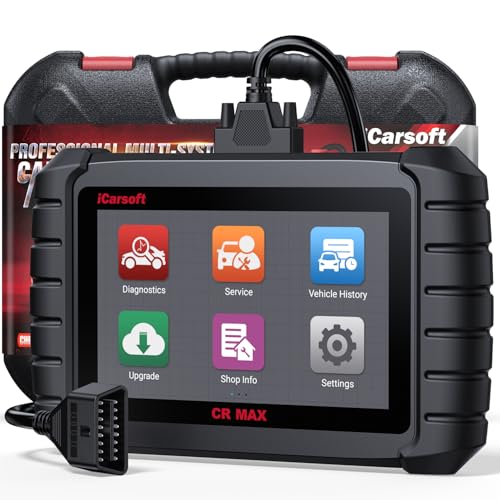
- WHY CHOOSE THE 2025 CR MAX -Upgrade the latest diagnostic capabilities for all vehicles after 1996: upgrade to 49+maintenance services; 46 extra specific functions; real all systems/all control modules diagnose; over 40K+ bidirectional actuation tests for diagnosing all control moduels of cars; Powerful full OBD2 Functions; built-in ECU Coding for BMW
 / Audi/ VW/ RollsRoyce; Fr ee V.A.G Guide Function; Battery retistration for new battery adaptation and more. It covers all vehicle diagnostic services and some special professional vehicle maintenance servces, assists you to do home DIY vehicle maintenance or car repair as a pro technician.
 - NEWEST IN INNOVATION FULL OBD2 SERVICES- iCarsoft auto car diagnostic scanner compatible with CAN-FD, CR MAX can do it all-reads and clears trouble codes, ALL SYSTEM DIAGNOSIS such as engine, transmission, ABS and airbag etc. CR MAX code reader for all cars can perform I/M Readiness, Live Data, Freeze Frame, Vehicle Information, Monitor Test, On-Board Monitor, E vap System Test,O2 Sensor Test,DTC Library Lookup,etc. (Warm Tips: If you car is after 2023,please contact us for compatibility; 3. It comes with 16PIN OBD2 diagnostic adapter, please check your car diagnostic socket if it is 16pin socket, if your car is 14pin diagnostic socket please contact us for the solution.)
- 49 RESET+ 46 SERVICES- Performs: Oil Reset, EPB,SAS,Throttle, D-P - F, Battery, ABS, Injector, TPMS, Suspension, AC, Head Lamp, Body Stablity, Engine, Tramsmission, Airbag, Seat, Door-Win-Roof, Fuel Pump, Door, E-G- R.+21 NEWEST SERVICES( Need update scanner)-AdBlue, Clutch, Crankshaft, High Voltage Battery, Cruise Control, NO xSensor, Rain Sensor, Stop And Start, Turbocharger, Head Up Display, Radar Camera, Vehicle Setup, Cyliner Misfire Check,Speedlimitassist, ControlUnitReset,OxygenSensor, Seatbelt. Extra 46+ extra services based on car brand.(Tips: Quantity of reset/ calibration fucitons are based on car system that your vehicle model has)
- REVOLUTIONARY 40000+BIDIRECTIONAL ACTIVE TESTS: Upgraded CR Max scanner equip with numberous of actuational test items for covering all available vehicle control modules, no longer only do simple light test or window test like other scanners, performs hardware modules test and software control modules test for checking car units or new updated control moduels work well or not after maintenance/ repair/ re-installation/ control system updated (Example for Benz- Roller Sun Blind test; Backup Camera test ;Self-test; EPB test; Transport Mode test;Boost Pressure Positioner test; Fuel Pump test; AND MORE!!).(Warm tip: The available test items are based on control modules your car has)
- ECU CODING+ BATTERY REGISTRATION- Powerful ECU Coding service for BMW/MINI/RollsRoyce / Audi/VW/Seat/Skoda/Bentley/Bugatti/Lamborghini, Improves Engine Power Performance and Optimizes Fuel Efficiency and Match New Hardware Unit to car and Customized a comfortable Driving Modes and Fixes & Updates Original Software Bug. The battery test function for checking car battery health, perform battery reset (BMS ) for replacing a damaged or aging car battery with a new one and register new battery to car ECU

- Scanner POR V2.0 with all obd2 services
- Do the scanning for engine
- Support OBDII/EOBD Ten Modes of Operation

- 【Designed for Most Mercedes-Benz, Sprinter and Smart from 1996-2023】As every car model of Benz has its-owned specific car system and ECUs, not all models are equipped with a complete vehicle ECU, which may cause the scanner to be unable to perform all listed reset services on some models, or even completely incompatible. Like For Sprinter's newer models, it support diagnostic functions only, lacking support for specialized service functions.. So please tell us the car's VIN and required service before purchase for compatibility check. You may also refer to the instructions in the eighth image of the main product photos to perform your inquiry.
- 【Up to 38 Reset Services】MB V3.0 2026 Version diagnostic tool performs Up to 38 maintenance services - Oil Rest , SAS, EPB, ETC, D-P-F, TPMS, ABS, Suspension, Air Conditioner, Head Lamp, Body Stability, Engine Control, Seat, Fuel Pump, Air-Filter, Engine Idle, Door, Im-mo-bilizer, Injector Coding, Transmission Control, Miscellaneous, Adblue, BMS, Cluth, Water Pump, NOxSensor, Rain/Light Sensor, Start/Stop, Radar/Camera, Cylinder Shutoff Test, Speed Limit Assist, Control Unit Reset, Oxygen Sensor, Seat Belt, Cruise Control System, Turbocharger, Crankshaft, Language Setting and etc. (Tips: Please update the software after receiving the product to obtain new service functions)
- 【OE-Level All System OBD2 Scanner】iCarsoft MB V3.0 (2026 Version) diagnostic scanner offers comprehensive OBDII services, allowing you to quickly scan all systems, including the Engine, ABS, SAS, SRS, TPMS, TCM, Fuel Pump System, ESP, EPB, EPS, Suspension, SCM, Adaptive Systems, and more. It supports functions such as reading and erasing codes, checking I/M readiness, viewing freeze frame data, performing O2 sensor tests, conducting on-board monitoring, testing the evap system, auto VIN retrieval, and reading both generic and specific codes, as well as DTCs and battery tests.
- 【Bidirectional Scan Tool】iCarsoft MB V3.0 (2026 Version) Bidirectional scanner supports activate or control a vehicle system or component, allows commanding cars’ modules and receiving info from the ECU to perform active tests on individual components, including EVAP/ABS Motor Pump/Windows/Sunroof and more, to pinpoint fault causes & resolve issues,and allows you to re-learn certain components after making repairs or replacement.
- 【Real Time Record & Graph View】iCarsoft MB V3.0 (2026 Version) can automatically record vehicle text history and identify vehicle information. Preserve real-time data information. View & Graph Live Data. Support Data Review and Print. Multi-language: English, German, Dutch, Spanish, French and so on. We promise to offer Lifetime updates (Lifetime free Update via PC), and confidence in products. We also provide 1 year warranty + extra lifetime hardware free repair if you need it in the future. We prioritize user experience & strive to meet your expectations. Please do feel free to reach out to us if you have any question or problem about the usage, our tech team will service you in time.
This product presentation was made with AAWP plugin.
Last update on 2026-05-12 / Affiliate links / Images from Amazon Product Advertising API