
NHTSA ID Number: 10249600
Manufacturer Communication Number: 09-111-24
TSB/Document Date: 2024-02-02
Summary
This bulletin announces the availability of new reprograming files for the Engine Control Module (ECM).
If the PDF is very large, it may not load in the preview below.
Some older TSBs had multiple PDFs — visit the NHTSA Website to view all PDFs.
If the TSB PDF does not show, download or view it on the NHTSA Website.
Click on the (+) Plus Sign
Then Click on Associated Document(s)
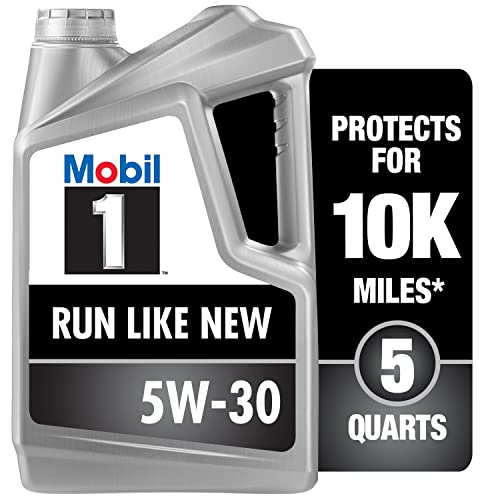

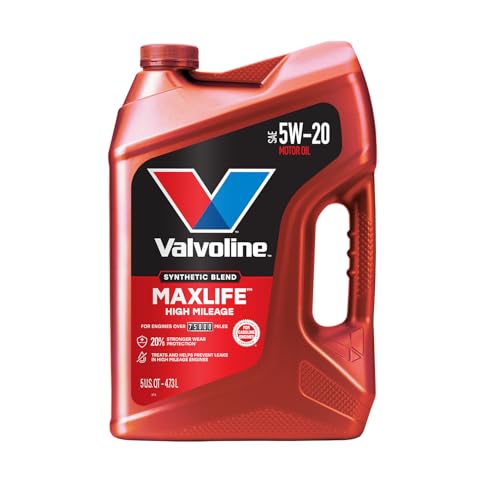
- MaxLife Technology prevents engine breakdown with 40% better...
- Includes seal conditioners to reduce oil consumption and oil...
- Added detergents reduce sludge, corrosion, rust and deposits...
- Advanced friction-fighting additives help maximize...
- Meets or exceeds all requirements of ILSAC GF-6A, API SP...
This product presentation was made with AAWP plugin.
Search NHTSA Database for Recalls
Search NHTSA Database for Vehicle Investigations
View Latest Vehicle Investigations
Search NHTSA Database for Vehicle Complaints
View Latest Vehicle Complaints
TSB/Document ID: 09-111-24
Replacement Service Bulletin Number:
MFR Communication Date: 2024-01-08
MFR Internal Campaign ID/Software Version:
Communication Type: Service Bulletin/Repair Instructions
NHTSA Components: ENGINE AND ENGINE COOLING:ENGINE:ENGINE CONTROL MODULE (ECU/ECM)
MFR Component System:
MFR Component Subsystem:
Previous TSB | Next TSB |
ATTENTION:
GENERAL MANAGER
q
PARTS MANAGER
q
CLAIMS PERSONNEL
q
IMPORTANT - All
Service Personnel
Should Read and
Initial in the boxes
provided, right.
SERVICE MANAGER
q
© 2024 Subaru of America, Inc. All rights reserved.
SERVICE BULLETIN
APPLICABILITY:
SUBJECT:
2023MY Impreza
2023MY Crosstrek
NUMBER: 09-111-24
DATE: 01/08/24
DTCs: P0016, P0017, P0018, P0019 & P0087
INTRODUCTION:
This bulletin announces the availability of new reprograming files for the Engine Control Module
(ECM) developed to remedy the following DTCs:
•
P0016: Crankshaft Position - Camshaft Position Correlation Bank 1 Sensor A
•
P0017: Crankshaft Position - Camshaft Position Correlation Bank 1 Sensor B
•
P0018: Crankshaft Position - Camshaft Position Correlation Bank 2 Sensor A
•
P0019: Crankshaft Position - Camshaft Position Correlation Bank 2 Sensor B
•
P0087: Fuel Rail/System Pressure – Too Low Bank 1
These files contain enhanced logic for the self-diagnosis program of the ECM and to optimize
stabilization of fuel pressure.\ If any of the DTCs listed above are found to be stored in the ECM,
follow the procedures outlined below.
PRODUCT CHANGE INFORMATION:
The production change information is currently TBD.
CAUTION: VEHICLE SERVICING PERFORMED BY UNTRAINED PERSONS COULD
RESULT IN SERIOUS INJURY TO THOSE PERSONS OR TO OTHERS.
Subaru Service Bulletins are intended for use by professional technicians ONLY. They
are written to inform those technicians of conditions that may occur in some vehicles,
or to provide information that could assist in the proper servicing of the vehicle. Properly
trained technicians have the equipment, tools, safety instructions, and know-how to
do the job correctly and safely. If a condition is described, DO NOT assume that this
Service Bulletin applies to your vehicle, or that your vehicle will have that condition.
Subaru of America, Inc. is
ISO 14001 Compliant
ISO 14001 is the international standard for
excellence in Environmental Management
Systems. Please recycle or dispose of
automotive products in a manner that is friendly
to our environment and in accordance with all
local, state and federal laws and regulations.
Continued...
Bulletin Number: 09-111-24; Date: 01/08/24
Page 1 of 14
PAK FILE APPLICABILITY:
Model
Specification
File Description
Old Part #
Decryption Keyword
New CID
2.0L NA,
5MT
AGS
22765AT09C.pak
22765AT09A
22765AT09B
01E2625B
XE1W400C00G
2.0L NA,
5MT
22765AT10C.pak
22765AT10A
22765AT10B
AC565DFC
XE1W400A00G
2.0L NA,
CVT
AGS
22765AT11C.pak
22765AT11A
22765AT11B
FD843875
XE1W400D00G
2.0L NA,
CVT
22765AT12C.pak
22765AT12A
22765AT12B
CB7BDA3A
XE1W400B00G
2.0L NA,
6MT
22765AT132.pak
22765AT130
22765AT131
42AEDF68
XE1W400E00G
2.0L NA,
CVT
22765AT142.pak
22765AT140
22765AT141
908DB304
XE1W400F00G
2.5L NA,
CVT
22765AT153.pak
22765AT150
22765AT151
22765AT152
85788DFF
XE1W400G00G
IMPREZA
CROSSTREK
Continued...
Bulletin Number: 09-111-24; Date: 01/08/24
Page 2 of 14
SERVICE PROCEDURE / INFORMATION:
Continued...
Bulletin Number: 09-111-24; Date: 01/08/24
Page 3 of 14
(*1) Instructions on how to perform and read the OBD MODE test results. This procedure will
be required when performing the diagnostic Steps outlined below.
Read the following data monitor values:
1. MID - $35 TID - $8B
2. MID - $35 TID - $8C
3. MID - $35 TID - $8D
4. MID - $35 TID - $8E
5. MID - $36 TID - $8B
6. MID - $36 TID - $8C
7. MID - $36 TID - $8D
8. MID - $36 TID - $8E
Continued...
Bulletin Number: 09-111-24; Date: 01/08/24
Page 4 of 14
STEP 1: Are DTCs P0016, P0017, P0018, or P0019 displayed in the ECM fault memory?
YES – Proceed to STEP 2.
NO – If DTC P0087 is stored, perform the reprogramming procedures outlined in STEP 2
ONLY. The service procedure is finished, no further action is required. For any other
DTCs not mentioned in the bulletin, performe diagnosis and repair as per the applicable
Service Manual.
STEP 2: Reprogram the ECM following the normal FlashWrite procedure.
Subaru of America, Inc. (SOA) highly recommends utilizing either the Subaru Midtronics DCA8000
Dynamic Diagnostic Charging System or the Subaru Midtronics GR8-1100 Diagnostic Battery
Charger to the vehicle and utilizing the Power Supply Mode feature anytime a vehicle control module
is being reprogrammed. Once the Midtronics charger is connected to the vehicle, if the battery is fully
charged, it takes less than three (3) minutes to boot-up the charger, select the Power Supply Mode,
and have the battery voltage stabilized and ready for reprogramming.
NOTES:
•
For instructions on using the Power Supply Mode, reference the applicable User Manual for
the Midtronics DCA-8000 Dynamic Diagnostic Charging System and the Midtronics GR81100 Diagnostic Battery Charger on STIS
•
Confirm all electrical loads such as lights, audio, HVAC, seat heaters, and rear defroster are all
switched OFF before setting up the charger for Power Supply Mode.
•
Select the correct battery type (Enhanced Flooded, Flooded, Gel, AGM or AGM Spiral).
•
Input the CCA which matches the vehicle’s battery. NOTE: OE and replacement batteries have
different CCA ratings. Always confirm the battery’s CCA rating before proceeding.
•
If using a DCA-8000 Dynamic Diagnostic Charging System, set the power supply voltage to
13.5 Volts.
•
DO NOT connect the DST-i or DST-010 until the Power Supply mode function has completed
its battery test mode and the Charging Voltage has dropped to and shows a steady 13.5 Volts on
the display.
•
Once Power Supply Mode reaches a steady 13.5 Volts, connect the DST-i or DST-010 to the
OBD connector and proceed with initiating the normal SSM5-R reprogramming process.
•
Amperage will fluctuate based upon the vehicle’s demand for power. NOTE: If the voltage
rises beyond 14 Volts while programming is in process, the procedure will abort. This can
indicate a need to test or charge the vehicle battery before any further attempt at programming
is made.
•
ALWAYS set the power supply voltage to 13.5 Volts when using Power Supply Mode. NEVER
turn the ignition switch on when charging at voltages 15 Volts or higher.
Continued...
Bulletin Number: 09-111-24; Date: 01/08/24
Page 5 of 14
REMINDER: If the DCA-8000 or GR8-1100 indicates the vehicle’s battery must be charged, charge
the battery fully before proceeding to reprogram the vehicle while using the Power Supply Mode.
NOTE: Control module failures resulting from battery discharge during reprogramming are not a
matter for warranty. Should any DTCs reset after the reprogramming update is performed, diagnose
per the procedure outlined in the applicable Service Manual.
End of procedure for vehicles WITHOUT DTCs P0016, P0017, P0018, or P0019 stored in
the ECM.
STEP 3: Using SSM, read the value the following four data monitor items (ALWAYS Save SSM
Data):
1. VVT Initial Position Learning Value #1
2. VVT Initial Position Learning Value #2
3. VVT EX Initial Position Learning Value #1
4. VVT EX Initial Position Learning Value #2
Are all of the data monitor item values within the acceptable range listed in the table above?
YES - proceed to STEP 5.
NO - proceed to STEP 4.
STEP 4: Perform the procedures outlined in “#7 INSPECTION MODE N” and “#12
INSPECTION MODE T”. Then re-check the threshold values in STEP 3 along with the OBD
MODE test results (*1)
“#7 INSPECTION MODE N” procedure.
Using the applicable Service Manual, refer to: DIAGNOSTICS > ENGINE> Inspection Mode> #7
DRIVE CYCLE N
A. Confirm the battery voltage is 12 Volts or more and the fuel tank is at least half full.
B. Using SSM, clear the fault memory. Prepare the SSM to be kept in the vehicle during the
following road test.
Continued...
Bulletin Number: 09-111-24; Date: 01/08/24
Page 6 of 14
C. With gear selector in the park position (neutral for MT models), idle the engine at
approximately 2500 rpm for 40 seconds or more.
D. Move the gear selector into the drive position (appropriate gear range for MT models.
Accelerate the vehicle to 31 mph or more.
E. When the vehicle speed is 31 mph or more, release the accelerator pedal and brake pedal
(and clutch for MT models) and allow the vehicle to decelerate without any gear shift
changes. Maintain the engine speed between 2500 rpm to 1900 rpm for 5 seconds during this
deceleration.
NOTE: Depending on road conditions, an appropriate gear might have to be selected to maintain the
desired engine speed. The vehicle speed is not important as long as the engine speed is within range
during the declaration.
F. In a suitable area, safely bring the vehicle full stop and allow it to idle for 5 minutes.
“#7 INSPECTION MODE N” procedure is complete. Proceed to “#12 INSPECTION MODE T”
procedure.
“#12 INSPECTION MODE T” procedure.
Using the applicable Service Manual, refer to: DIAGNOSTICS > ENGINE> Inspection Mode > #12
INSPECTION MODE T
A. Confirm the battery voltage is 12 Volts or more the fuel is at least half full.
B. Start the engine.
C. Allow the engine to idle for at least 3 minutes.
D. Accelerate the vehicle speed to approximately 37 mph.
E. While maintaining approximately 37 mph, cycle the accelerator from a 0% to 20% opening angle.
Try to keep these cycles within 5 second intervals. Maintain this driving pattern for 20 minutes or
more.
NOTE: It is acceptable to stop the vehicle if needed depending on road/traffic conditions during this
driving pattern.
F. Release the accelerator pedal and brake pedal (and clutch for MT models) and allow the vehicle to
decelerate with any gear shift changes.
G. In a suitable area, safely bring the vehicle full stop and turn off the engine.
Continued...
Bulletin Number: 09-111-24; Date: 01/08/24
Page 7 of 14
“#12 INSPECTION MODE T” procedure is complete.
Read the threshold values from STEP 3 (pictured below) and the OBD MODE test results (*1)
Are all of the data monitor item values within the acceptable range listed in the table below? Are the
threshold values between -1500 to + 1500?
YES - The procedure is FINISHED.
NO - Repeat STEP 4 ONE TIME ONLY and if the result answer is still “NO”, proceed to STEP 6.
STEP 5: Perform the “#7 INSPECTION MODE N” and “#12 INSPECTION MODE T”
procedure.
“#7 INSPECTION MODE N” procedure.
Using the applicable Service Manual, refer to: DIAGNOSTICS > ENGINE> Inspection Mode > #7
INSPECTION MODE N
A. Confirm the battery voltage is 12 Volts or more the fuel is at least half full.
B. Using SSM, clear the fault memory. Prepare the SSM to be kept in the vehicle during the
following road test.
C. With gear selector in the park position (neutral for MT models), idle the engine at
approximately 2500 rpm for 40 seconds or more.
D. Move the gear selector into the drive position (appropriate gear range for MT models.
Accelerate the vehicle to 31 mph or more.
E. When the vehicle speed is 31 mph or more, release the accelerator pedal and brake pedal,
allow the vehicle to decelerate without any gear shift changes. Maintain the engine speed
between 2500 rpm to 1900 rpm for 5 seconds during this deceleration.
Continued...
Bulletin Number: 09-111-24; Date: 01/08/24
Page 8 of 14
NOTE: Depending on road conditions, an appropriate gear might have to be selected to maintain the
desired engine speed. The vehicle speed does is not important as long as the engine speed is within
range during the declaration.
F. In a suitable area, safely bring the vehicle full stop and allow it to idle for 5 minutes.
“#7 INSPECTION MODE N” procedure is complete. Proceed to “#12 INSPECTION MODE T”
procedure.
“#12 INSPECTION MODE T” procedure.
Using the applicable Service Manual, refer to: DIAGNOSTICS > ENGINE> Inspection Mode > #12
INSPECTION MODE T
H. Confirm the battery voltage is 12 Volts or more the fuel is at least half full.
I. Start the engine.
J. Allow the engine to idle for at least 3 minutes.
K. Accelerate the vehicle speed to approximately 37 mph.
L. While maintaining approximately 37 mph, cycle the accelerator from a 0% to 20% opening
angle. Try to keep these cycles within 5 second intervals. Maintain this driving pattern for 20
minutes or more.
NOTE: It is acceptable to stop the vehicle if needed depending on road/traffic conditions during
this driving pattern.
M. Release the accelerator pedal and brake pedal (and clutch for MT models) and allow the
vehicle to decelerate with any gear shift changes.
N. In a suitable area, safely bring the vehicle full stop and turn off the engine.
“#12 INSPECTION MODE T” procedure is complete.
O. Using SSM, select Diagnosis > Each System > Engine > DTC > Readiness Code
Continued...
Bulletin Number: 09-111-24; Date: 01/08/24
Page 9 of 14
P. Read the readiness codes for P0016, P0017, P0018, P0019, P000A, P000B, P000C, and
P000D. Confirm the self-diagnosis is complete and that the codes are not pending.
Q. Check the DTC and data monitor threshold values. Using SSM, select Diagnosis > Select
Vehicle > OBD System – Each System > ECM-EngineControl > OBD MODE test results (*1)
Are there NO DTCs present and the threshold values between -1500 to + 1500?
YES - The procedure is FINISHED.
NO - Proceed to STEP 6
STEP 6: Inspect the engine oil level and condition.
IMPORTANT: If the engine oil and filter were replaced prior to diagnosis, there is no need for
inspection. Proceed to STEP: 7.
Is there any abnormal condition or Inappropriate oil level??
YES - Perform the engine oil and filter change. Repeat STEP 4 or STEP 5, then continue
diagnosis.
NO – Proceed to STEP 7
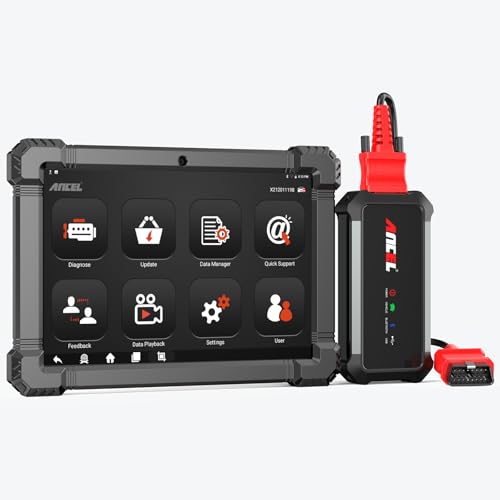
- 🔥🔥🔥2026 New Functions Making X7HD the Top Dog - Big Surprise!!! ANCEL X7HD truck scanner 10 major functional advantages .✅>Full HDOBD/OBD2 Function ✅>ALL System Diagnostic ✅>42+ Reset Function ✅>Active Test / Bi-Directional Control✅>ECU Coding✅>Graphing Live Data✅>Wide Compatibility ✅>2 Yrs Free Update✅>Remote Operation✅>Bluetooth 5.0 & Wifi In addition, 8 major hardware advantages: ✅>6000 mAh✅>10.1 inch Tablet✅>2G RAM
 ✅>32G ROM (Expandable to 128GB)✅>Data Record & Replay & Print✅>Android 10.0✅>Bluetooth 5.0 & Wifi✅>14 Languages
 - 🚛OEM DPF Forced Regen & Cylinder Cutout Test & more - ANCEL X7HD diesel scanner diagnostic tool not only supports DPF regeneration, DPF reset, DPF related information reset, DPR state reset, DPD forced regeneration etc, which helps you better solve the exhaust aftertreatment system problems, but also supports activate motor to do exhaust air in ABS Automatically. Moreover, it features TPMS activation, cylinder cut-off and learning functions
- 🚛Advanced ECU Coding & Programming - ANCEL X7HD 10.1inch truck scanner diagnostic tool is equipped with advanced ECU coding, supports Level calibration, Idle speed learning and Adjustment, Camshaft timing control learning, Control unit adaptations, Injector Codes, Read/Write VIN, Road speed limit optional vehicle speed set, etc... PLEASE NOTE that ECU codes are not compatible with all vehicles, please send us your VIN# to check vehicle compatibility
- 🚛42+ Reset Functions & Bidirectional Control - 2026 newest top heavy duty truck scan tool, comes with 42+ special services (ECU, Speed Limit and Idle Reset, Oil Reset, Injector Coding, EPB, ABS, SRS, Suspension, Throttle, etc. and always keep growing), which meet all your various needs for service and maintenance
- 🚛10 Inch All Systems Diesel Scanner & Full HDOBD/OBD2 Modes - ANCEL X7HD diesel truck scan tool supports all systems scan, such as Engine, Brake, Retarder, TECU Transmission, Tachograph, ABS, SRS, TPMS, EPB, SAS, ESP, and other vehicle systems, comes with 10 obd2 service modes: read/erase error codes, Data Stream, I/M Readiness, Vehicle Information, Actuations, DTC Lookup, EVAP, view freeze frame, etc
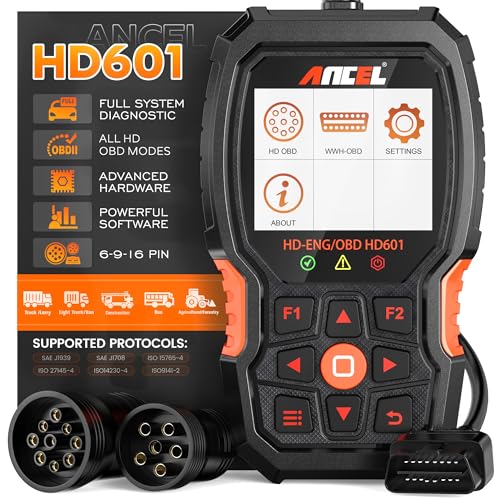
- 【Extensive Compatibility】HD601 heavy duty truck scanner supports 12V & 24V commercial vehicles and all major truck models that comply with standard protocols (SAE J1939, SAE J1708, ISO 14230-4, ISO 15765-4 and ISO 9141-2, ISO 27145-4 and Euro6). Fits for Cummins, Paccar, Detroit, Caterpillar, Freightliner, International, Peterbilt, Ford Heavy Truck, Class 4-Class 8 trucks, etc. It also supports engine diagnosis on most cars, minivans, light trucks and pickups
- 【 Full System Diagnostic】HD601 Diesel Scanner supports all system scans of heavy trucks compliant with standard protocols SAE J1939 & J1708, such as Engine, ABS, Transmission, Braking System, ESP, EPS, Fuel System, etc, It is a great scan tool for Cummins, Caterpillar, Detroit, Caterpillar, Maxxforce, Bendix,Wabash, Wabaco, Haldex, Allison, Eaton heavy trucks, With this truck tool, you can get deep analysis data about the system and do some repairs by yourself, saving much time and money. Note: Only heavy truck vehicles that comply with the above protocol can diagnose the entire system
- 【Enhanced Diesel OBD Scanner】The HD601 Diesel OBD Scanner offers unparalleled diagnostic capabilities for heavy-duty trucks. Beyond code reading, clearing, and live data display, it retrieves vehicle information, freeze frames, and DTCs. With 6, 9, and 16 pin cables, it ensures compatibility with various engines. This scanner's real-world testing prowess ensures comprehensive support for a wide array of heavy-duty truck engines, making it an indispensable tool for truck diagnostics
- 【DTC Library】+【Life Time Free Update】The built-in DTC library allows you to retrieve the codes directly without searching for the definition in the book. Whether you are a professional mechanic or a DIY car owner, HD601 diesel scanner explains the existing problem, makes it easier for you to understand code definitions and helps you locate vehicle faults. Note: This device cannot directly solve the fault. Plus, you get a lifetime free internet updates, so you always have the latest software for diagnostics in English and Spanish languages.
- 【Friendly Design, Easy of Use】This scanner is plug and play, simple and convenient, and very friendly for beginners. With improved buttons for easy menu navigation. The excellent 2.8 inch LCD color screen makes it easy to view the displayed results and gives you a better overview of your car's problem areas and the identified codes. In addition, the processor is super-fast and responds without lagging, providing maximum comfort and efficiency in diagnostic and service work
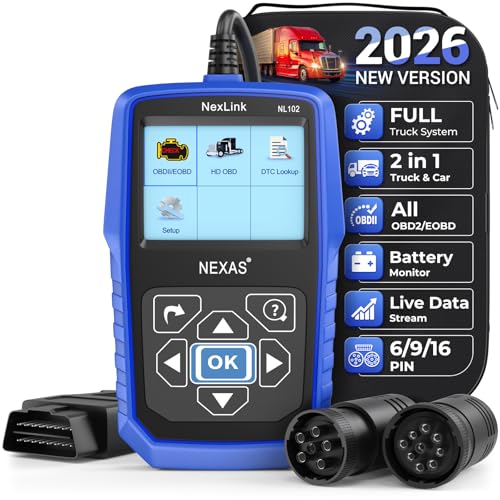
- Why NEXAS NL102 Truck Scan Tool? The NL102 outshines other truck scanner with its extensive diagnostic features. It offers full system diagnostics for major trucks meeting standard protocols, along with complete OBD2 functionality. Beyond read fault codes, clear codes and live data display, it enables vehicle info retrieval, freeze frame capture, and DTC lookup. Equipped with 6-pin, 9-pin, 16-pin connectors, it ensures broad truck compatibility. Plus, enjoy lifetime free updates in English, Spanish, and French, keeping your diagnostic scanner software current.
- Wide Compatibility - Friendly Reminder: To avoid compatibility issues, please confirm with us via Amazon Messages before purchasing. This heavy duty truck scanner is compatible with all heavy-duty trucks and semi that adhere to standard protocols (J1587, J1939, J1708). It covers a wide range of vehicle models, including Cummins, Detroit, Caterpillar, Freightliner, International, Kenworth, John Deere, Peterbilt, Sterling, Mack, Paccar, Western Star, Mercedes-Benz, Volvo, Scania, MAN, Renault, ERF, Foden, Seddon-Atkinson, Iveco, DAF, SISU, STEYR, ISUZU etc. Equipped with 6-pin, 9-pin, and 16-pin connectors for versatile device compatibility, ensuring stable plug-and-play connections.
- Save Hundreds of Money for All Heavy Duty Trucks – This diesel diagnostic scanner supports accurate full-system scans for all heavy-duty trucks that comply with standard protocols (J1587, J1939, and J1708). It can read and clear trouble codes across a range of vehicle systems, including the engine, transmission, instrument panel, drivetrain, brake system, suspension, ABS, ESP, EPS, fuel system, etc. The truck scanner communicates directly with your truck's computer to provide real-time data stream analysis, letting you pinpoint issues with precision. This cuts down on waste from unnecessary part replacements, saving you time and hundreds or even thousands of dollars.
- All OBD2 Functions + Battery Health Monitoring – Unlike many obd2 scanners on the market that only cover partial OBD2 features, ours gives you full OBD2 capability: read & clear codes, live data, freeze frame data, I/M readiness checks, EVAP tests, on-board monitor, O2 sensor tests, vehicle info, and DTC lookup. That means more detailed insights for pros and DIYers alike. The NL102 isn't just a code scanner – it's a battery saver. Regularly check your car's battery health, and catch issues before it dies completely. No more unexpected no-starts in the driveway or on the road. It diagnoses battery condition accurately, helping you avoid costly last-minute repairs.
- Plug and Play & One-click for DTC: NEXAS diesel scanner is user-friendly. It comes with an intuitive screen and easy-to-understand interface, making it accessible even for non-professionals to get started. And the built-in DTC library in the code reader allows you to directly retrieve codes without searching for definitions in books, making it easier to understand the code definitions and solve problems more quickly.
This product presentation was made with AAWP plugin.
Last update on 2026-05-11 / Affiliate links / Images from Amazon Product Advertising API