
NHTSA ID Number: 10249409
Manufacturer Communication Number: Circular 97HC
TSB/Document Date: 2024-02-06
Summary
Volkswagen is providing software improvements for certain 2022 model year Volkswagen ID.4 vehicles, free of charge.
If the PDF is very large, it may not load in the preview below.
Some older TSBs had multiple PDFs — visit the NHTSA Website to view all PDFs.
If the TSB PDF does not show, download or view it on the NHTSA Website.
Click on the (+) Plus Sign
Then Click on Associated Document(s)



- Advanced VCI Box, Industry-leading J2534 Pass-Thru...
- High-Speed OEM-Level Diagnostics & Programming: Unlock true...
- Coverage for 17 Car Brands & Ultra Reliability: Works...
- User-Friendly RLink Platform & Expert Support: TOPDON’s...
- 6.6 ft USB-C Cable & Portable Storage Case: The RLink J...
This product presentation was made with AAWP plugin.
Search NHTSA Database for Recalls
Search NHTSA Database for Vehicle Investigations
View Latest Vehicle Investigations
Search NHTSA Database for Vehicle Complaints
View Latest Vehicle Complaints
TSB/Document ID: Circular 97HC
Replacement Service Bulletin Number:
MFR Communication Date: 2024-01-19
MFR Internal Campaign ID/Software Version:
Communication Type: Service Bulletin/Repair Instructions
NHTSA Components: ELECTRICAL SYSTEM
MFR Component System:
MFR Component Subsystem:
Previous TSB | Next TSB |
Service Action
Code: 97HC
Subject
Document History
Affected Vehicles
Vehicle Software Update 3.2.1
Date
01/19/2024
Country
USA
CAN
Summary
Original publication
Beginning
Model Year
2022
2022
Ending
Model Year
2022
2022
Vehicle
ID4
ID4
Vehicle
Count
6,685
1,086
Check Campaigns/Actions screen in ELSA on the day of repair to verify that a VIN qualifies for repair under this
action. ELSA is the only valid campaign inquiry & verification source.
About this Service
Action
Code Visibility
Campaign status must show “open.”
If ELSA shows other open action(s), inform your customer so that the work can also be completed at
the same time the vehicle is in the workshop for this campaign.
Volkswagen is providing software improvements for certain 2022 model year Volkswagen ID.4
vehicles, free of charge.
On or about January 19, 2024, the campaign code will be applied to affected vehicles.
Owner Notification
Owner notification will take place in January 2024. Owner letter examples are included in this
bulletin for your reference.
Campaign Expiration
Date
This campaign expires on January 19, 2029. Work must be performed on or before this date
to be eligible for payment. Keep this expiration date in mind when scheduling customers for this
action. If a customer wishes to have this work performed after the expiration date, your normal
parts and labor cost associated with this work will apply.
Additional Information
Please alert everyone in your dealership about this action, including Sales, Service, Parts
and Accounting personnel. Contact Warranty if you have any questions.
Dealers must ensure that every affected inventory vehicle has this campaign completed before
delivery to consumers.
Fill out and affix Campaign Completion Label (CAMP 010 000) after work is complete.
Labels can be ordered at no cost via the Compliance Label Ordering portal at www.vwhub.com.
The repair information in this document is intended for use only by skilled technicians who have the proper tools, equipment and training to correctly and safely maintain your vehicle. These
procedures are not intended to be attempted by “do-it-yourselfers,” and you should not assume this document applies to your vehicle, or that your vehicle has the condition described. To
determine whether this information applies, contact an authorized Volkswagen dealer. 2024 Volkswagen Group of America, Inc. and Volkswagen Canada. All Rights Reserved.
97HC Page 1 of 28
Claim Entry Instructions
The labor times listed here may differ from the labor operations and labor times listed in ELSA.
After campaign has been completed, enter claim as soon as possible to help prevent work from being duplicated
elsewhere. Attach the ELSA screen print showing action open on the day of repair to the repair order.
If customer refused campaign work:
U.S. dealers: Submit request via WISE under the Campaigns/Update/Recall Closure option.
Canada dealers: Upload the repair order [signed by customer] to Volkswagen WIN/Operations/Campaign
Closure.
Service Number
Damage Code
Parts Vendor Code
Claim Type
97HC
0099
WWO
Sold vehicle: 7 10
Unsold vehicle: 7 90
Causal Indicator
Vehicle Wash/Loaner
Mark labor as causal
Do not claim wash/loaner under this action
Loaner/rental coverage cannot be claimed under this action. However, loaner/rental may be
covered under the current loaner/mobility program. Please refer to the Volkswagen Warranty
Policy and Procedures Manual for loaner claims information and reimbursement details.
Criteria I.D.
01
LABOR
Labor Op
Time Units
Description
0150 00 10
See ELSA
GFF/Guided functions
(connect battery charger + setup)
2706 02 99
25 TU per bus sleep
Perform up to four bus sleep procedures
NOTE: only two bus sleep procedures are required during the flash process. The reasoning
for any additional bus sleep procedures must be documented in the claim comments.
0121 00 04
See ELSA
Test drive
0150 00 60
Time stated on
diagnostic protocol(s)
Perform software update SVM, software
configuration SVM and complete all necessary
GFF test plans
NOTE: If the software update and related GFF work is performed on more than one
diagnostic session, the multiple GFF logs can be added together.
Ensure the GFF logs are added together correctly. For example, two logs from the same
diagnostic session are not allowed.
Claims and GFF logs may be audited to ensure that the actual GFF log time is being claimed.
The repair information in this document is intended for use only by skilled technicians who have the proper tools, equipment and training to correctly and safely maintain your vehicle. These
procedures are not intended to be attempted by “do-it-yourselfers,” and you should not assume this document applies to your vehicle, or that your vehicle has the condition described. To
determine whether this information applies, contact an authorized Volkswagen dealer. 2024 Volkswagen Group of America, Inc. and Volkswagen Canada. All Rights Reserved.
97HC Page 2 of 28
Customer Letter Example (USA)
This notice applies to your vehicle: ,
Subject: Service Action 97HC – Vehicle Software Update 3.2.1
Dear Volkswagen Owner,
As part of Volkswagen's ongoing commitment to customer satisfaction, we are informing you of our decision to conduct
a service action on certain 2022 model year Volkswagen vehicles. Our records show that you are the owner of a
vehicle affected by this action.
About this Service Action: Volkswagen is providing software improvements for certain 2022 model year
Volkswagen ID.4 vehicles, free of charge. This work will take about two hours to
complete and will be performed for you free of charge. Please keep in mind that your
dealer may need additional time for the preparation of the work, as well as to
accommodate their daily workshop schedule.
What should you do?
Please contact your authorized Volkswagen dealer as soon as possible to schedule
this work. To set up an appointment online, please visit www.vw.com/find-a-dealer.
This service action will be available for you free of charge only until January 19, 2029.
If you wish to have this work performed after that date, your dealer’s normal costs
associated with this repair will apply.
Lease vehicles and
address changes
If you are the lessor and registered owner of the vehicle identified in this action, please
forward this letter immediately via first-class mail to the lessee within ten (10) days of
receipt. If you have changed your address or sold the vehicle, please fill out the
enclosed prepaid Owner Reply card and mail it to us so we can update our records.
Can we assist you
further?
If your authorized Volkswagen dealer fails or is unable to complete this work free of
charge within a reasonable time, or if you should have any questions about this
communication, please reach out to us using your preferred method of communication
at www.vw.com/contact or by calling us at 800-893-5298.
Checking your vehicle for To check your vehicle’s eligibility for repair under this or any other recall/service
open Recalls and Service campaign, please visit www.vw.com/owners/recalls and enter your Vehicle
Identification Number (VIN) into the Recall/Service Campaign Lookup tool.
Campaigns
We apologize for any inconvenience this matter may cause; however we are taking this action to help ensure your
vehicle continues to meet and exceed your expectations.
Sincerely,
Volkswagen Customer Protection
The repair information in this document is intended for use only by skilled technicians who have the proper tools, equipment and training to correctly and safely maintain your vehicle. These
procedures are not intended to be attempted by “do-it-yourselfers,” and you should not assume this document applies to your vehicle, or that your vehicle has the condition described. To
determine whether this information applies, contact an authorized Volkswagen dealer. 2024 Volkswagen Group of America, Inc. and Volkswagen Canada. All Rights Reserved.
97HC Page 3 of 28
Customer Letter Example (CANADA)
This notice applies to your vehicle: ,
Subject: Service Action 97HC – Vehicle Software Update 3.2.1
Dear Volkswagen Owner,
As part of Volkswagen's ongoing commitment to customer satisfaction, we are informing you of our decision to
conduct a service action on certain 2022 model year Volkswagen vehicles. Our records show that you are the
owner of a vehicle affected by this action.
About this Service
Action:
Volkswagen is providing software improvements for certain 2022 model year
Volkswagen ID.4 vehicles, free of charge. This work will take about two hours to
complete and will be performed for you free of charge. Please keep in mind that your
dealer may need additional time for the preparation of the work, as well as to
accommodate their daily workshop schedule.
What should you do?
Please contact your authorized Volkswagen dealer as soon as possible to schedule
this work. To set up an appointment online, please visit www.vw.com/find-a-dealer.
This service action will be available for you free of charge only until January 19, 2029.
If you wish to have this work performed after that date, your dealer’s normal costs
associated with this repair will apply.
Lease vehicles and
address changes
If you are the lessor and registered owner of the vehicle identified in this action, please
forward this letter immediately via first-class mail to the lessee within ten (10) days of
receipt. If you have changed your address or sold the vehicle, please fill out the
enclosed prepaid Owner Reply card and mail it to us so we can update our records.
Can we assist you
further?
If your authorized Volkswagen dealer fails or is unable to complete this work free of
charge within a reasonable time, please contact Customer Relations, Monday through
Friday from 8AM to 8PM EST by phone at 1-800-822-8987 or via our “Contact Us”
page at www.vw.ca.
We apologize for any inconvenience this matter may cause; however we are taking this action to help ensure your
vehicle continues to meet and exceed your expectations.
Sincerely,
Volkswagen Customer Protection
The repair information in this document is intended for use only by skilled technicians who have the proper tools, equipment and training to correctly and safely maintain your vehicle. These
procedures are not intended to be attempted by “do-it-yourselfers,” and you should not assume this document applies to your vehicle, or that your vehicle has the condition described. To
determine whether this information applies, contact an authorized Volkswagen dealer. 2024 Volkswagen Group of America, Inc. and Volkswagen Canada. All Rights Reserved.
97HC Page 4 of 28
Required Tools
Battery Tester/Charger
-VAS5908-
Diagnostic Tester
-VAS6150D(or higher)
Diagnostics Interface
USB Module
W-LAN
-VAS6154/4A-
-VAS6154A-
(included with -VAS6154A-)
(or newer equivalent)
(or newer equivalent)
The repair information in this document is intended for use only by skilled technicians who have the proper tools, equipment and training to correctly and safely maintain your vehicle. These
procedures are not intended to be attempted by “do-it-yourselfers,” and you should not assume this document applies to your vehicle, or that your vehicle has the condition described. To
determine whether this information applies, contact an authorized Volkswagen dealer. 2024 Volkswagen Group of America, Inc. and Volkswagen Canada. All Rights Reserved.
97HC Page 5 of 28
Repair Instruction
Section A - Check for Previous Repair
TIP
If Campaign Completion label is present, no further work is required.
•
Enter the VIN in Elsa and proceed to the
“Campaign/Action” screen.
TIP
On the date of repair, print this screen and keep a
copy with the repair order.
•
Confirm the Campaign/Action is open . If the status is closed, no further work is
required.
•
Note the Applicable Criteria ID for
use in determining the correct work to be done
and corresponding parts associated.
CRITICAL REPAIR STEP
STOP!
If multiple software update Campaign/Actions are
open, they must be performed in order of the Start
date . The oldest should be performed
first.
•
All Safety Recalls must be completed prior
to completing this campaign.
•
Proceed to Section B.
The repair information in this document is intended for use only by skilled technicians who have the proper tools, equipment and training to correctly and safely maintain your vehicle. These
procedures are not intended to be attempted by “do-it-yourselfers,” and you should not assume this document applies to your vehicle, or that your vehicle has the condition described. To
determine whether this information applies, contact an authorized Volkswagen dealer. 2024 Volkswagen Group of America, Inc. and Volkswagen Canada. All Rights Reserved.
97HC Page 6 of 28
Section B – Repair Prerequisites
NOTE
Prior to launching the VAS Diagnostic Tester and starting an update, ensure the following conditions are
met;
The ODIS software is completely up to date.
•
Refer to the “Current ODIS Service Version” circular found in Elsa2Go Service References.
The battery charger is connected to the vehicle battery and remains connected for the duration of
the software update.
•
Battery voltage must remain above 12.5 volts for the duration of the software update. Failure to
do so may cause the update to fail, which could result in damage to the control module. Control
modules damaged by insufficient voltage will not be covered.
The screen saver and power saving settings are off.
•
Failure to do so may result in the tester entering power save mode during the software update,
which could result in damage to the control module.
The VAS Diagnostic Tester is plugged in using the supplied power adapters.
•
Under no circumstances should the tester be used on battery power alone during the software
update. Failure to do so may result in the tester powering off during the update, which could
result in damage to the control module.
The VAS Diagnostics Interface MUST ONLY be connected to the tester with a USB cable.
•
Performing a software update using a Bluetooth or WiFi connection increases the risk of losing
connection during the update, which could result in damage to the control module.
It also greatly increases the time required to perform the update. Requests for additional time
or parts will be denied if the GFF log shows the update was performed using Bluetooth or WiFi.
WARNING
Radiator Fan(s) may cycle ON high speed during the Update Process! There is a serious risk that personal injury
may result if contact is made with spinning fan blades. Keep hands and all objects away from Radiator Fan(s) during
Update Process!
TIP
To Update-Programming using SVM, review and follow instructions in Technical Bulletin 2014603: Software
Version Management (SVM) Operating Instructions.
The SVM Process must be completed in its entirety so the database receives the update confirmation response. A
warranty claim may not be reimbursed if there is no confirmation response to support the claim.
The repair information in this document is intended for use only by skilled technicians who have the proper tools, equipment and training to correctly and safely maintain your vehicle. These
procedures are not intended to be attempted by “do-it-yourselfers,” and you should not assume this document applies to your vehicle, or that your vehicle has the condition described. To
determine whether this information applies, contact an authorized Volkswagen dealer. 2024 Volkswagen Group of America, Inc. and Volkswagen Canada. All Rights Reserved.
97HC Page 7 of 28
NOTE
•
Damages resulting from improper repair or failure to follow these work instructions are the dealer’s
responsibility and are not eligible for reimbursement under this action.
•
Diagnosis and repair of pre-existing conditions in the vehicle are not covered under this action.
NOTE
•
All campaign software updates must be completed during a single, standalone ODIS Diagnostic Session.
You must fully complete this campaign and send all logs before beginning any other campaigns or
operations.
•
If there are any ODIS “Hot-Fix” patches installed, they must be removed from the scan tool before beginning
this operation. ODIS “Hot-Fix” patches may affect the update process.
Before starting the software update, the following conditions must be met:
•
ODIS Service version MUST be completely up to date.
•
ODIS Feedback must be set up correctly:
o
•
Dealership’s internet firewall settings must meet the specified requirements.
o
•
See communication: Diagnostic Device Hardware & Windows®, Number: VHW-22-15 / Subject:
VAS Diagnostic Device Firewall Settings / Date: December 19, 2022
ODIS user must have SFD access.
o
•
See communication: Offboard Diagnostic Information System Service (ODIS Service), Number:
VOS-22-06 / Subject: Dedicated Email Server Configuration & Feedback Settings / Date: Feb.
1, 2022
See communication: Offboard Diagnostic Information System Service (ODIS Service), Number:
VOS-21-08 / Subject: ODIS Login – SFD Functions / Date: Mar. 11, 2021
Windows Power Options must be set according to the ODIS tester setup directions:
o
See communication: Diagnostic Device Hardware & Windows®, Number: VHW-22-13 / Subject:
Change Power Options in Windows® 10 / Date: Nov. 1, 2022
o
The “Device Power Management” sections from the VAS 6150X Diagnostic Laptop – Unpacking
and Setup Instructions can also be referenced.
•
Only one key can be in the vehicle when performing this software flash.
•
The vehicle key’s battery must be ok.
•
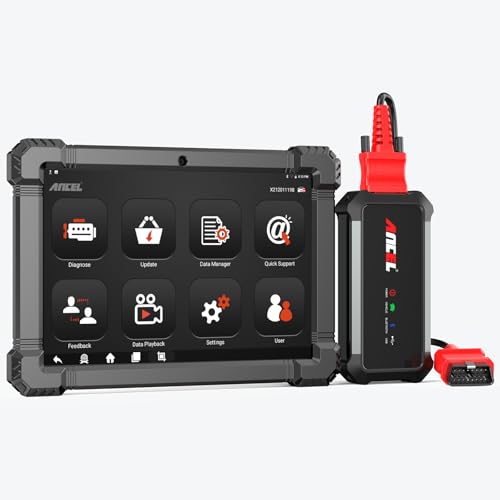
- 🔥🔥🔥2026 New Functions Making X7HD the Top Dog - Big Surprise!!! ANCEL X7HD truck scanner 10 major functional advantages .✅>Full HDOBD/OBD2 Function ✅>ALL System Diagnostic ✅>42+ Reset Function ✅>Active Test / Bi-Directional Control✅>ECU Coding✅>Graphing Live Data✅>Wide Compatibility ✅>2 Yrs Free Update✅>Remote Operation✅>Bluetooth 5.0 & Wifi In addition, 8 major hardware advantages: ✅>6000 mAh✅>10.1 inch Tablet✅>2G RAM
 ✅>32G ROM (Expandable to 128GB)✅>Data Record & Replay & Print✅>Android 10.0✅>Bluetooth 5.0 & Wifi✅>14 Languages
 - 🚛OEM DPF Forced Regen & Cylinder Cutout Test & more - ANCEL X7HD diesel scanner diagnostic tool not only supports DPF regeneration, DPF reset, DPF related information reset, DPR state reset, DPD forced regeneration etc, which helps you better solve the exhaust aftertreatment system problems, but also supports activate motor to do exhaust air in ABS Automatically. Moreover, it features TPMS activation, cylinder cut-off and learning functions
- 🚛Advanced ECU Coding & Programming - ANCEL X7HD 10.1inch truck scanner diagnostic tool is equipped with advanced ECU coding, supports Level calibration, Idle speed learning and Adjustment, Camshaft timing control learning, Control unit adaptations, Injector Codes, Read/Write VIN, Road speed limit optional vehicle speed set, etc... PLEASE NOTE that ECU codes are not compatible with all vehicles, please send us your VIN# to check vehicle compatibility
- 🚛42+ Reset Functions & Bidirectional Control - 2026 newest top heavy duty truck scan tool, comes with 42+ special services (ECU, Speed Limit and Idle Reset, Oil Reset, Injector Coding, EPB, ABS, SRS, Suspension, Throttle, etc. and always keep growing), which meet all your various needs for service and maintenance
- 🚛10 Inch All Systems Diesel Scanner & Full HDOBD/OBD2 Modes - ANCEL X7HD diesel truck scan tool supports all systems scan, such as Engine, Brake, Retarder, TECU Transmission, Tachograph, ABS, SRS, TPMS, EPB, SAS, ESP, and other vehicle systems, comes with 10 obd2 service modes: read/erase error codes, Data Stream, I/M Readiness, Vehicle Information, Actuations, DTC Lookup, EVAP, view freeze frame, etc
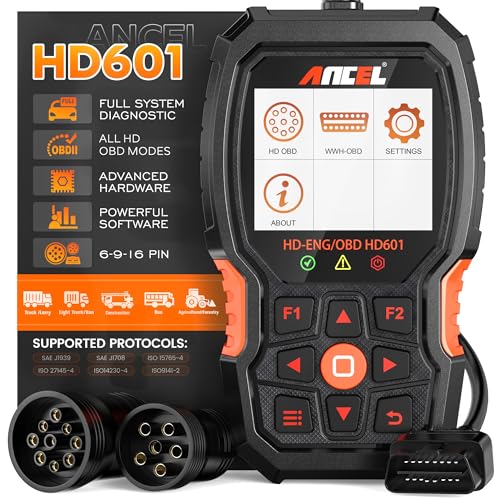
- 【Extensive Compatibility】HD601 heavy duty truck scanner supports 12V & 24V commercial vehicles and all major truck models that comply with standard protocols (SAE J1939, SAE J1708, ISO 14230-4, ISO 15765-4 and ISO 9141-2, ISO 27145-4 and Euro6). Fits for Cummins, Paccar, Detroit, Caterpillar, Freightliner, International, Peterbilt, Ford Heavy Truck, Class 4-Class 8 trucks, etc. It also supports engine diagnosis on most cars, minivans, light trucks and pickups
- 【 Full System Diagnostic】HD601 Diesel Scanner supports all system scans of heavy trucks compliant with standard protocols SAE J1939 & J1708, such as Engine, ABS, Transmission, Braking System, ESP, EPS, Fuel System, etc, It is a great scan tool for Cummins, Caterpillar, Detroit, Caterpillar, Maxxforce, Bendix,Wabash, Wabaco, Haldex, Allison, Eaton heavy trucks, With this truck tool, you can get deep analysis data about the system and do some repairs by yourself, saving much time and money. Note: Only heavy truck vehicles that comply with the above protocol can diagnose the entire system
- 【Enhanced Diesel OBD Scanner】The HD601 Diesel OBD Scanner offers unparalleled diagnostic capabilities for heavy-duty trucks. Beyond code reading, clearing, and live data display, it retrieves vehicle information, freeze frames, and DTCs. With 6, 9, and 16 pin cables, it ensures compatibility with various engines. This scanner's real-world testing prowess ensures comprehensive support for a wide array of heavy-duty truck engines, making it an indispensable tool for truck diagnostics
- 【DTC Library】+【Life Time Free Update】The built-in DTC library allows you to retrieve the codes directly without searching for the definition in the book. Whether you are a professional mechanic or a DIY car owner, HD601 diesel scanner explains the existing problem, makes it easier for you to understand code definitions and helps you locate vehicle faults. Note: This device cannot directly solve the fault. Plus, you get a lifetime free internet updates, so you always have the latest software for diagnostics in English and Spanish languages.
- 【Friendly Design, Easy of Use】This scanner is plug and play, simple and convenient, and very friendly for beginners. With improved buttons for easy menu navigation. The excellent 2.8 inch LCD color screen makes it easy to view the displayed results and gives you a better overview of your car's problem areas and the identified codes. In addition, the processor is super-fast and responds without lagging, providing maximum comfort and efficiency in diagnostic and service work
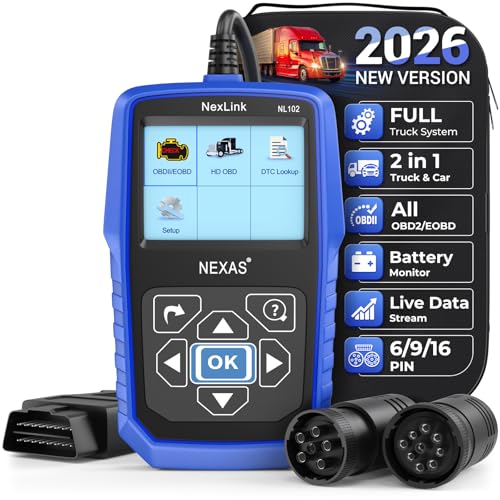
- Why NEXAS NL102 Truck Scan Tool? The NL102 outshines other truck scanner with its extensive diagnostic features. It offers full system diagnostics for major trucks meeting standard protocols, along with complete OBD2 functionality. Beyond read fault codes, clear codes and live data display, it enables vehicle info retrieval, freeze frame capture, and DTC lookup. Equipped with 6-pin, 9-pin, 16-pin connectors, it ensures broad truck compatibility. Plus, enjoy lifetime free updates in English, Spanish, and French, keeping your diagnostic scanner software current.
- Wide Compatibility - Friendly Reminder: To avoid compatibility issues, please confirm with us via Amazon Messages before purchasing. This heavy duty truck scanner is compatible with all heavy-duty trucks and semi that adhere to standard protocols (J1587, J1939, J1708). It covers a wide range of vehicle models, including Cummins, Detroit, Caterpillar, Freightliner, International, Kenworth, John Deere, Peterbilt, Sterling, Mack, Paccar, Western Star, Mercedes-Benz, Volvo, Scania, MAN, Renault, ERF, Foden, Seddon-Atkinson, Iveco, DAF, SISU, STEYR, ISUZU etc. Equipped with 6-pin, 9-pin, and 16-pin connectors for versatile device compatibility, ensuring stable plug-and-play connections.
- Save Hundreds of Money for All Heavy Duty Trucks – This diesel diagnostic scanner supports accurate full-system scans for all heavy-duty trucks that comply with standard protocols (J1587, J1939, and J1708). It can read and clear trouble codes across a range of vehicle systems, including the engine, transmission, instrument panel, drivetrain, brake system, suspension, ABS, ESP, EPS, fuel system, etc. The truck scanner communicates directly with your truck's computer to provide real-time data stream analysis, letting you pinpoint issues with precision. This cuts down on waste from unnecessary part replacements, saving you time and hundreds or even thousands of dollars.
- All OBD2 Functions + Battery Health Monitoring – Unlike many obd2 scanners on the market that only cover partial OBD2 features, ours gives you full OBD2 capability: read & clear codes, live data, freeze frame data, I/M readiness checks, EVAP tests, on-board monitor, O2 sensor tests, vehicle info, and DTC lookup. That means more detailed insights for pros and DIYers alike. The NL102 isn't just a code scanner – it's a battery saver. Regularly check your car's battery health, and catch issues before it dies completely. No more unexpected no-starts in the driveway or on the road. It diagnoses battery condition accurately, helping you avoid costly last-minute repairs.
- Plug and Play & One-click for DTC: NEXAS diesel scanner is user-friendly. It comes with an intuitive screen and easy-to-understand interface, making it accessible even for non-professionals to get started. And the built-in DTC library in the code reader allows you to directly retrieve codes without searching for definitions in books, making it easier to understand the code definitions and solve problems more quickly.
This product presentation was made with AAWP plugin.
Last update on 2026-05-12 / Affiliate links / Images from Amazon Product Advertising API