
NHTSA ID Number: 10247188
Manufacturer Communication Number: SRP 23-126
TSB/Document Date: 2023-12-14
Summary
Standard Repair Instruction (SRP) Instructions on how to relocate 48V Renogy Lithium Battery system Samkoon Screen display so that it is easily visible.
Moving Renogy Samkoon Screen
Bulletin Type:
Bulletin #(s):
Job Code(s):
Flat Rate(s):
Publication Date:
Make(s):
SRP
23-126
If affected unit has warranty
remaining, submit your claim
following the normal process
Incident:
Affected Units:
Parts List:
Misc. Tools & Supplies:
Model(s):
Terrain (19Y)
Launch (19Y)
Model Year(s):
2021-2024
Samkoon Screen placement inside Front O/H Cabinet and not easily visible.
2021-2024 Jayco Terrain (19Y); 2021-2024 Entegra Coach Launch (19Y) with Renogy
48V Lithium system
1 - PLATE,MTG BTRY MON 3.88X5.88X.06 AL PBLK RENOGY (Jayco Part #2046989)
Screwgun with Square Bit
Small Phillips Screwdriver
Drill with 1” Spade Drill Bit
Pry Tool
Oscillating Tool
The following symbols are the safety alert symbols. It is used to alert you to potential personal injury hazards. Obey
all safety messages that follow this symbol to avoid possible injury or death.
!
CAUTION
!
Indicates a potentially hazardous situation that, if not
avoided, may result in minor or moderate injury. It
may also be used to alert against unsafe practices.
!
WARNING
!
Indicates a potentially hazardous situation that, if not
avoided, may result in death or serious injury.
SAMKOON SCREEN RELOCATION INSTRUCTIONS
WARNING
!
DO NOT touch any terminals or connectors unless all charging sources have been
disconnected.
Please make sure any battery charger or charge controller has been disconnected
before working on the battery.
CAUTION
!
!
!
DO NOT wear jewelry or other metal objects when working on or around the
battery.
23-126_Changing Samkoon Location
December 2023
Page 1 of 5
1. Power down the lithium battery system.
A. Verify all charging sources have been disconnected:
i. Alternator
ii. Shore Power
iii. Rooftop Solar – disconnect near battery in the ‘OFF’
position
iv. Side Solar
B. Turn off the 12V Master Disconnect (Main Power) located
near the rear of the sliding door.
C. Turn off the Inverter by pushing button on Inverter remote
switch.
D. Press and release the Self-Locking Battery Switch. The button
will be flush in the ‘OFF’ position. Review the Samkoon
Battery
Screen to ensure that screen is off.
2. Remove the Samkoon Screen: Some earlier units will only have the Samkoon screen mounted to the wall
with Velcro. Others will be built with the bracket (Figure 1)
A. Using a screwgun with square bit, remove the Samkoon screen from inside the front overhead
cabinet. (Figure 1)
Fig. 1
B. Remove the green plug from the back of the screen. (Figure 2)
C. With a small phillips screwdriver, loosen the securement fasteners and remove the plug. (Figure 2)
D. With a small phillips screwdriver, loosen and remove the four fastener mounts. (Figure 2)
3. Using a screwgun with square bit, remove the Renogy Wanderer control panel. (Figure 3)
B
C
D
Fig. 3
Fig. 2
4. Remove the Battery Self Reset Switch (Figure 4)
A. With a screwgun and square bit, locate and remove fasteners for the Battery Self Reset Switch.
B. Disconnect the Blue Plug.
23-126_Changing Samkoon Location
December 2023
Page 2 of 5
5. With a screwgun and square bit, locate and remove fasteners from the overhead carpeted panel. (Figure 5)
Fig. 5
Fig. 4
6. Lift the carpeted panel to gain access to the wiring. (Figure 6)
7. With a pry tool, remove the Firefly Touchscreen from the mounting bracket. (Figure 7)
Fig. 6
Fig. 7
8 . Samkoon Screen Mounting Hole
A . Measure and mark the mounting hole location. (Figure 8)
i . Measure down from the Firefly Touchscreen – 3/4 inch to top of cutout and 4 inches to
bottom of cutout (Figure 9)
Fig. 9
Fig. 8
23-126_Changing Samkoon Location
December 2023
Page 3 of 5
ii. Measure from the side of the bath wall - 6 inches to left side and 11-1/4 inches to the right
side (Figure 10)
Fig. 10
B . Pull all wiring clear of the marked location.
C . Using an Oscillating Tool, cut the opening as
marked. (Figure 11)
9 . Battery Self Reset Switch Wire Hole
A. Using a drill with 1 inch spade bit, drill a 1 inch
hole below the bed switch. (Figure 12)
10. Route the Samkoon connections through the previous
drilled holes.
A. Green plug and Grey Connector to the Samkoon
Screen location.
B . Blue Plug to the Battery Self Reset Switch
location.
11. Connect the Samkoon Screen to the new mounting plate
provided. (Figure 13)
A. Connect the Green plug to the back o the screen.
B. With a small phillips screwdriver, tighten the two
securement fasteners.
C. With a small phillips screwdriver, install and
tighten the four fastener mounts.
D. Secure the Samkoon Screen with the mounting
plate.
E. Re-install the Firefly Touchscreen.
Fig. 11
Fig. 12
Fig. 13
23-126_Changing Samkoon Location
December 2023
Page 4 of 5
12. Re-installing the Battery Self Reset Switch and Renogy Wanderer Control Panel (Figure 14)
A. Re-connect to the Blue plug battery Reset.
B. Secure mounting plate to the wall.
C. Loosen the wiring and move the Renogy
Wanderer Control Panel to cover the
previously drilled hole for the Battery Self
Reset Switch.
D. Re-secure the OH carpeted panel.
Fig. 14
13. Power on the Lithium System
A. Verify all charging sources are
disconnected:
i. Alternator
ii. Shore Power
iii. Rooftop Solar – disconnect near
battery in the ‘OFF’ position
iv. Side Solar
B. Turning on the lithium battery: Turn battery on with the self-locking switch and self-resetting switch
i. Press and release the self-locking switch (typically installed
behind an access panel near the lithium battery)
ii. Next press and hold the self-resetting switch (typically
installed overhead cabinet near Firefly touchscreen) for
approximately 5-10 seconds to turn on the battery. There will
be a series of clicks count to 5 after the last one.
C. Turn on Inverter by pushing button on Inverter remote switch. Green light
will turn on the remote switch when inverter is on.
Turn off inverter
when not charging by shore power or using 120V outputs (outlets and
Timberline Heater) for short storage to preserve battery SOC%. Leaving
the inverter ON when the system is not in use can result in a 15-20% loss in
SOC per day.
D. To turn on 12V power, press and release the momentary switch located near
the rear of the sliding door. Note that the red light by switch is illuminated
when the 12V power is active. To turn off the 12V power, press and
release the switch again and the red light by switch will turn off.
Jayco’s sole obligation under our limited warranty is to repair or replace defective materials and/or workmanship deemed our responsibility as determined
by Jayco in our sole discretion. Jayco reserves the right to use new and/or remanufactured parts or materials of similar quality to complete any work, and to
make parts and/or design changes as appropriate without notice to anyone. Jayco designs and/or materials changes are done without obligation to
incorporate such changes in previously manufactured product. Jayco makes every reasonable effort to ensure field remedies will not adversely affect
performance and/or safety of the unit. This field remedy is not intended to extend to future performance of this RV, or any of its materials, components or
parts beyond the standard warranty period. The RV owner’s obligation to notify Jayco, or one of its independent, authorized dealers, of a claimed defect
does not modify any obligation placed on the RV owner to contact Jayco directly when attempting to pursue remedies under state or federal law.
.
903 South Main Street • P.O. Box 460 • Middlebury, IN 46540
23-126_Changing Samkoon Location
December 2023
Page 5 of 5
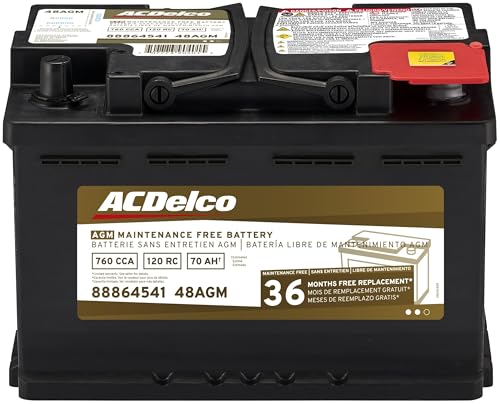
- High density negative paste, improves performance and...
- Enhanced life alloy or Silver Calcium stamped alloy...
- Calcium lead positive grid, maximizes conductivity and...
- Robust envelope separator with puncture resistant back...
- Vent cap design that resists acid leakage

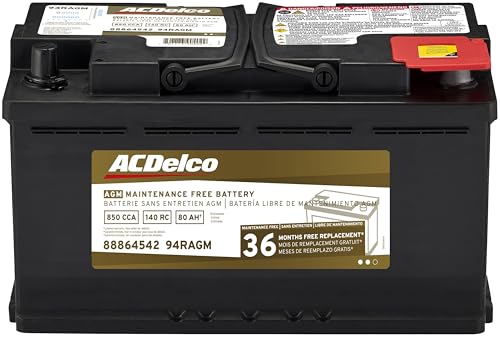
- High density negative paste, improves performance and...
- Enhanced life alloy or Silver Calcium stamped alloy...
- Calcium Lead positive grid, maximizes conductivity and...
- Robust Envelope Separator with puncture-resistant back...
- Vent cap design that resists acid leakage
This product presentation was made with AAWP plugin.
If the PDF is very large, it may not load in the preview below.
Some older TSBs had multiple PDFs — visit the NHTSA Website to view all PDFs.
If the TSB PDF does not show, download or view it on the NHTSA Website.
Click on the (+) Plus Sign
Then Click on Associated Document(s)
Search NHTSA Database for Recalls
Search NHTSA Database for Vehicle Investigations
View Latest Vehicle Investigations
Search NHTSA Database for Vehicle Complaints
View Latest Vehicle Complaints
TSB/Document ID: SRP 23-126
Replacement Service Bulletin Number:
MFR Communication Date: 2023-12-14
MFR Internal Campaign ID/Software Version:
Communication Type: Service Bulletin/Repair Instructions
NHTSA Components: EQUIPMENT:ELECTRICAL:INFOTAINMENT
MFR Component System:
MFR Component Subsystem:
Previous TSB | Next TSB |
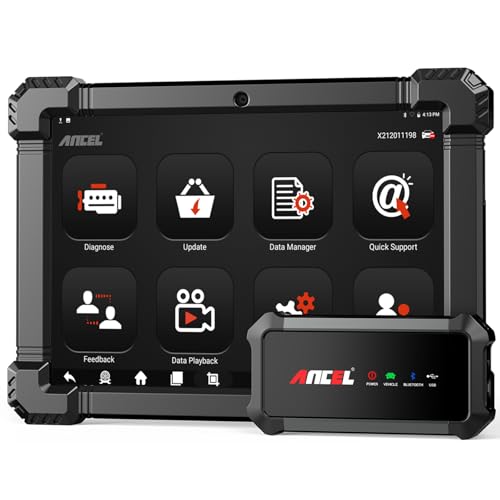
- 🔥🔥🔥2026 New Functions Making X7HD the Top Dog - Big Surprise!!! ANCEL X7HD truck scanner 10 major functional advantages .✅>Full HDOBD/OBD2 Function ✅>ALL System Diagnostic ✅>42+ Reset Function ✅>Active Test / Bi-Directional Control✅>ECU Coding✅>Graphing Live Data✅>Wide Compatibility ✅>2 Yrs Free Update✅>Remote Operation✅>Bluetooth 5.0 & Wifi In addition, 8 major hardware advantages: ✅>6000 mAh✅>10.1 inch Tablet✅>2G RAM
 ✅>32G ROM (Expandable to 128GB)✅>Data Record & Replay & Print✅>Android 10.0✅>Bluetooth 5.0 & Wifi✅>14 Languages
 - 🚛OEM DPF Forced Regen & Cylinder Cutout Test & more - ANCEL X7HD diesel scanner diagnostic tool not only supports DPF regeneration, DPF reset, DPF related information reset, DPR state reset, DPD forced regeneration etc, which helps you better solve the exhaust aftertreatment system problems, but also supports activate motor to do exhaust air in ABS Automatically. Moreover, it features TPMS activation, cylinder cut-off and learning functions
- 🚛Advanced ECU Coding & Programming - ANCEL X7HD 10.1inch truck scanner diagnostic tool is equipped with advanced ECU coding, supports Level calibration, Idle speed learning and Adjustment, Camshaft timing control learning, Control unit adaptations, Injector Codes, Read/Write VIN, Road speed limit optional vehicle speed set, etc... PLEASE NOTE that ECU codes are not compatible with all vehicles, please send us your VIN# to check vehicle compatibility
- 🚛42+ Reset Functions & Bidirectional Control - 2026 newest top heavy duty truck scan tool, comes with 42+ special services (ECU, Speed Limit and Idle Reset, Oil Reset, Injector Coding, EPB, ABS, SRS, Suspension, Throttle, etc. and always keep growing), which meet all your various needs for service and maintenance
- 🚛10 Inch All Systems Diesel Scanner & Full HDOBD/OBD2 Modes - ANCEL X7HD diesel truck scan tool supports all systems scan, such as Engine, Brake, Retarder, TECU Transmission, Tachograph, ABS, SRS, TPMS, EPB, SAS, ESP, and other vehicle systems, comes with 10 obd2 service modes: read/erase error codes, Data Stream, I/M Readiness, Vehicle Information, Actuations, DTC Lookup, EVAP, view freeze frame, etc
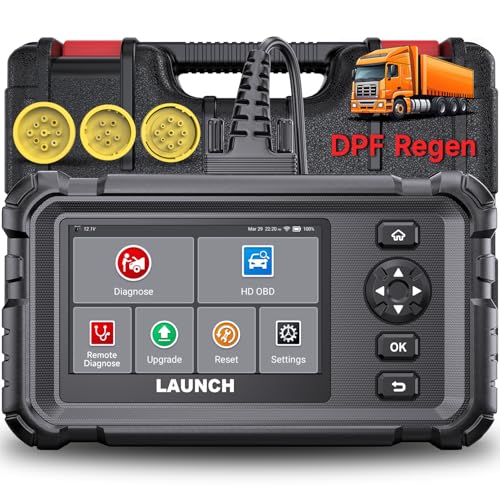
- Dealer-Level Diagnostics, Faster & Easier: The heavy duty truck scanner delivers full-system diagnostics for engine, ABS, transmission, and more, plus 7+ reset functions like DPF Regen and Speed Limit Adjust. Powered by a 1.3G CPU, 2GB RAM, 16GB storage, Android 8.1, and a 3000mAh battery, it runs smoothly for fast scanning, live data, reports, Auto VIN, Wi-Fi updates, and easy handheld use. It captures screenshots, replays live data, and generates reports to support your repair decisions.
- One Tool for 50+ Truck Brands: The diesel scanner supports J1939, J1708, J1587, and OBD2/CAN protocols, delivering broad coverage for major diesel trucks and commercial vehicles including Cummins, Cat, Detroit, Paccar, Volvo, Freightliner, Kenworth, Peterbilt, International, Mack, Isuzu, Hino, Scania, Mercedes-Benz, and more. Also supports Allison, Aisin, Eaton, WABCO, and Bendix, helping you diagnose more vehicles, reduce equipment costs, and handle more jobs with one professional scan tool.
- Diesel Truck DPF Regen & Reset Features: Experiencing loss of power, sluggish acceleration, or poor hill-climbing performance? These symptoms are often caused by a clogged or overloaded DPF. The truck diagnostic scanner offers OEM-level forced DPF regeneration, DPF reset, and DPD/DPR functions. This device extends DPF lifespan and efficiently diagnoses exhaust aftertreatment issues. It can significantly reduce diagnostic time and save you up to $3,000 or more in costly dealership fees.
- 7+ Resets - Perform Essential Procedures: The truck scanner features 7+ essential resets including DPF Regen clears carbon buildup; Oil Reset clears service light; Injector Coding matches new injectors; DEF Test checks urea injection; Speed Limit Adjust saves fuel; Cylinder Cutout pinpoints misfires; Clutch Relearn restores smooth engagement. Reset after maintenance or part replacement for proper truck operation. Vehicle compatibility varies. Email [email protected] to confirm before buying.
- Full System Diagnostic for Truck: The truck scanner diagnostic tool covers all systems like engine, ABS, transmission, SAS, SRS, TPMS and more. It reads fault codes and shows real-time data. Additionally, it includes full HD OBD and OBD2 modes: read/clear codes, live data stream, I/M readiness, freeze frame, DTC lookup, and more. When warning lights appear or performance issues arise, quickly identify which system is affected and gain the real-time data needed for accurate diagnosis.
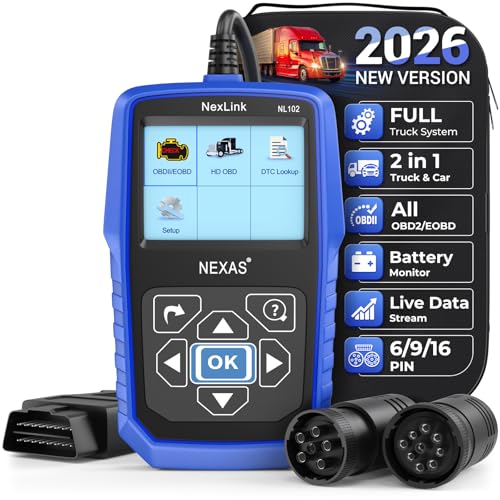
- Diagnose Heavy-Duty Truck Problems Fast — Read and clear fault codes and diagnose warning light issues on many Class 4–8 diesel trucks including Freightliner, Peterbilt, Kenworth, Volvo, Mack and Cummins-powered vehicles
- Help Reduce Downtime & Repair Costs — It offers full system diagnostics for major trucks meeting standard protocols, along with complete OBD2 functionality. Quickly check engine faults, view live truck data and identify issues before expensive repair shop visits or unnecessary repairs
- No complicated setup required — Simple menus and built-in DTC explanations make this truck code reader easy to use for owner-operators, mobile mechanics and small fleet maintenance
- Live Data & Built-in DTC Lookup — View real-time engine data and built-in truck fault code definitions directly on the scanner to help understand vehicle problems faster without searching through manuals
- Free Lifetime Updates & Technical Support — Includes free software updates plus responsive technical support for setup, compatibility and everyday truck diagnostics
This product presentation was made with AAWP plugin.
Last update on 2026-06-07 / Affiliate links / Images from Amazon Product Advertising API