
NHTSA ID Number: 10246333
Manufacturer Communication Number: BW8203
TSB/Document Date: 2023-12-07
Summary
Bendix Fusion Active Safety System with Active Cruise with Braking stop and auto-go operators manual. This operators manual describes the functions of the system to a vehicle operator. This includes proper operation of the system, challenging situations, alerts and system responses.
BENDIX® FUSION™ ACTIVE
SAFETY SYSTEM WITH
ACB (ACTIVE CRUISE WITH
BRAKING) STOP AND AUTO-GO™
OPERATOR’S MANUAL
AVAILABLE AT
This booklet contains important operational and safety information that benefits you and subsequent drivers.
F2.10
THE BENDIX® ESP® STABILITY SYSTEM
All vehicles equipped with the Bendix® Fusion™ Active Safety system are also
equipped with the Bendix® ESP® full stability system. When necessary, Bendix ESP may
automatically intervene and de-throttle the engine and/or apply the service brakes
to help you maintain stability during potential loss-of-control or rollover events.
The Fusion system uses the ESP system to help maintain vehicle stability during
service brake applications.
The ESP stability system and the Fusion system do not replace the need for you to
remain alert, react appropriately and in a timely manner, and use safe driving practices.
Bendix safety technologies complement safe driving practices. Responsibility for the
safe operation of the vehicle remains with you, the driver, at all times.
Bendix safety technologies complement safe driving practices. No commercial
vehicle safety technology replaces a skilled, alert driver exercising safe driving
techniques and proactive, comprehensive driver training. Responsibility for the
safe operation of the vehicle remains with the driver at all times.
Failure to understand and properly operate the Bendix ESP and Bendix Fusion
systems can result in a collision causing property damage, serious injuries, or
death. Be sure to read, understand, and follow all these instructions carefully.
IMPORTANT
Bendix®-brand Electronic Control Units (ECUs) are not designed to store data
for purposes of accident reconstruction, and Bendix® ACom® PRO™ Diagnostic
Software is not intended to retrieve data for purposes of accident reconstruction.
Bendix makes no representations as to the accuracy of data retrieved and
interpreted from ECUs for purposes of accident reconstruction. Bendix does
not offer accident reconstruction services or interpretation of stored data.
Bendix ECUs are not protected from fire, loss of power, impact damage, or other
conditions that may be sustained in a collision situation and may cause data to
be unavailable or irretrievable.
2
TABLE OF CONTENTS
Introduction . . . . . . . . . . . . . . . . . . . . . . . . . . . . . . . . . . . . . . . . . . . . 4
Important Safety Information . . . . . . . . . . . . . . . . . . . . . . . . . . . . . . . 5-6
System Components . . . . . . . . . . . . . . . . . . . . . . . . . . . . . . . . . . . . . . . 7
System Features . . . . . . . . . . . . . . . . . . . . . . . . . . . . . . . . . . . . . . . . . . 8
Active Cruise with Braking (ACB) . . . . . . . . . . . . . . . . . . . . . . . . . . . . . . . 8
Auto-Resume™ after ACB . . . . . . . . . . . . . . . . . . . . . . . . . . . . . . . . . . . . 9
ACB Stop and Auto-Go™ . . . . . . . . . . . . . . . . . . . . . . . . . . . . . . . . . . 10-12
Impact Alert (IA) and Autonomous Emergency Braking (AEB) . . . . . . . . . . . . 13
Stationary Vehicle Braking (SVB) . . . . . . . . . . . . . . . . . . . . . . . . . . . . . . . 15
Multi-lane Autonomous Emergency Braking (AEB) . . . . . . . . . . . . . . . . . 15-16
Following Distance Alerts (FDA) . . . . . . . . . . . . . . . . . . . . . . . . . . . . . 16-17
Lane Departure Warning (LDW) . . . . . . . . . . . . . . . . . . . . . . . . . . . . . 17-18
Highway Departure Warning (HDW) and Highway Departure Braking (HDB) 18-20
Overspeed Alert and Action (OAA) . . . . . . . . . . . . . . . . . . . . . . . . . . . . . 20
Special Alerts . . . . . . . . . . . . . . . . . . . . . . . . . . . . . . . . . . . . . . . . . 21-22
Brake Overuse Alert . . . . . . . . . . . . . . . . . . . . . . . . . . . . . . . . . . . . . . 21
Power-on Self-test (POST) . . . . . . . . . . . . . . . . . . . . . . . . . . . . . . . . . . . 22
System Responses . . . . . . . . . . . . . . . . . . . . . . . . . . . . . . . . . . . . . 22-23
What to Expect . . . . . . . . . . . . . . . . . . . . . . . . . . . . . . . . . . . . . . . 24-29
Potentially Challenging Situations . . . . . . . . . . . . . . . . . . . . . . . . . . . 30-37
System Maintenance and Troubleshooting . . . . . . . . . . . . . . . . . . . . . . . . 38
Additional Operational Notes . . . . . . . . . . . . . . . . . . . . . . . . . . . . . . . . 39
Acronyms and Definitions . . . . . . . . . . . . . . . . . . . . . . . . . . . . . . . . . . . 40
IMPORTANT FEATURE INFORMATION
Feature Removal: This version of the Bendix® Fusion™ system DOES NOT
contain the Stationary Object Alert feature as previous versions did. If the
system cannot identify an object as a detected forward vehicle, it WILL NOT
alert you.
New Functionality: This version of Bendix Fusion includes new functionality
referred to as “Service Brake Hold,” which may occur, as described in this
Operator’s Manual, after an automatic braking event.
Since this version of the Bendix Fusion system uses a new radar sensor,
differences in traditional features like Autonomous Emergency Braking (AEB),
multi-lane AEB, and Stationary Vehicle Braking (SVB) exist and may or may
not be noticed by the driver.
3
INTRODUCTION
This Operator’s Manual provides an
overview of the Bendix® Fusion™ Active
Safety System with Active Cruise with
Braking (ACB) Auto-Resume™ and ACB
Stop and Auto-Go™. This manual explains
the components, features, functions,
and possible system limitations. There
are also example descriptions and
explanations of the audio and visual
alerts and system interventions that can
be expected during operation.
Read this manual thoroughly before
operating the system. Be familiar with
the possible system actions, alerts, and
its limitations.
Keep this manual in the vehicle as a Figure 1 – System Initializing
reference at all times. See Figure 1 for an
example of the messages you may see on the integrated display when the Fusion
system is initializing.
Additional Information about Bendix® Systems
Visit bendix.com, b2bendix.com, or call 1-800-AIR-BRAKE (1-800-247-2725), option
2, for additional information. Representatives are available to assist you Monday
through Thursday, 8:00 a.m. to 6:00 p.m. and Friday, 8:00 a.m. to 5:00 p.m. ET.
NOTE: All of these alerts and actions are part of the Fusion system’s feature set
released by Bendix. To ensure full understanding of the Fusion system and its proper
operation, this Operator’s Manual should not be removed from the vehicle. Always
verify the features that are included on your vehicle with your dealer or OEM.
Information about features, operation, and other aspects discussed in this manual
is subject to change and updating and are posted on the document library located
at b2bendix.com.
4
IMPORTANT SAFETY INFORMATION
As a driver, you are always responsible for the control and safe operation
of the vehicle at all times. The Bendix® Fusion™ system does not replace
the need for a skilled, alert professional driver, reacting appropriately
and in a timely manner, and using safe driving practices.
If you determine that a hazard or unsafe condition exists, you should take
all necessary actions immediately. NEVER WAIT for the Fusion system to
intervene.
Due to the inherent limitations of image recognition technology, camerabased safety technology may not be able to detect or may misinterpret
lane markings, vehicles, or other objects and may have limited visibility at
night. At these times, alerts may not occur, or erroneous alerts may occur.
The Fusion system DOES NOT respond to side-to-side moving traffic, or
oncoming traffic. The system will not slow your vehicle or provide an alert
as you approach vehicles in these circumstances. See Figure 2.
Detected forward vehicle
Vehicle equipped with the
Bendix® Fusion™ System
The system does not brake nor warn
for vehicles approaching from the side
or oncoming
Figure 2 – System Responses
When the Fusion system needs to intervene, it works in conjunction with
the Bendix® ESP® full stability system to activate the service brakes. The
system should never be relied upon to stop your vehicle or to avoid a
potential collision. You can, and should, still apply full service braking
force, if needed.
Potential False Alerts – The Fusion system may generate a false alert or
false braking. Radar sensor and camera technology has limitations and
false alerts or false braking sometimes occur.
5
The Bendix® Fusion™ system DOES NOT respond to stationary objects – it
may only respond to stationary vehicles. The system will not slow your
vehicle or provide an alert as you approach stationary objects.
Animals, Non-Metallic, or Limited-Metallic Objects – The Fusion system
will not warn or react to animals or non-metallic objects. The system may
not warn or react to limited-metallic objects (such as recreational vehicles,
horse-drawn buggies, motorcycles, logging trailers, etc.).
The Fusion system may react to pedestrians in the vehicle path during
Active Cruise with Braking (ACB) Stop and Auto-Go™.
The system should never be relied upon to stop your vehicle or to avoid
a collision. You can, and should, still apply full braking force, if needed.
Metallic objects may impair the radar sensor – Objects that are radarreflective – such as crash barriers, guard rails, construction zone
barricades, and tunnel entrances – may impair the function of the radar
sensor.
Approach grades as you would normally, with the appropriate gear
selected and at a safe speed. Cruise control SHOULD NOT be used on steep
downhill grades. Follow all safe driving practices.
Inspect the radar sensor and mounting bracket regularly and remove
any mud, snow, ice build-up, debris, or other obstructions that may be
blocking the radar sensor. Installing aftermarket deer or bumper guards
is not recommended and could impair the operation of the radar sensor.
If the bumper and/or radar sensor are damaged or misaligned – or if the
radar sensor was tampered with – do not use the cruise control until the
vehicle is repaired.
If a problem is detected with the Fusion system, there is an audible alert
and/or icon on the display. Depending on the type of problem, the system
may disable cruise control functions or other safety functionality until
service is performed.
Smaller forward vehicles, such as motorcycles and certain types of
trailers, may be difficult for the system to identify. As the driver, it is your
responsibility to be aware of these types of vehicles, to be cautious, and
to slow down if necessary.
Service brake hold is not a parking brake. After any Bendix safety system
braking that brings the vehicle to a complete stop, you, the driver, must
intervene and secure the vehicle. As the driver, you should use caution
and manually apply the parking brake as needed.
6
SYSTEM COMPONENTS
See Figure 3. The main Bendix® components used in the Bendix® Fusion™ Active
Safety system are the Bendix® ESP® controller; the Bendix® radar sensor; and the
Bendix™ camera (powered by the Mobileye® System-on-Chip EyeQ® processor with
state-of-the-art-vision algorithms).
Bendix™ FLR-25™ Radar Sensor
Bendix® EC-80™ ESP® Controller
SafetyDirect® by Bendix
CVS Processor
Bendix™
FLC-20™
Camera
Figure 3 – System Components
The Fusion system may detect and monitor moving and stationary vehicles within
its field of view. The radar sensor is located at the front of the vehicle. The camera
is located on the windshield, inside the wiper path. The camera placement meets
federal requirements for device placement on the windshield.
The Fusion system radar sensor is pre-aligned at the factory. If the radar sensor
becomes misaligned – or any other system problem is detected – a message (or
light) on the display lets you know that service is needed.
SYSTEM DISPLAY
Driver information about the Fusion system is fully integrated into the vehicle display.
See the System Features section of this manual for more detailed information about
the alerts.
7
SYSTEM FEATURES
NOTE: You must verify with the vehicle OEM or OEM Dealer to determine
which features are included on your vehicle.
Active Cruise with Braking (ACB)
NOTE: The term Adaptive Cruise Control (ACC) may be used instead of Active Cruise
with Braking (ACB).
When vehicle cruise control is on and set, the ACB feature also becomes available.
The system may not only intervene to maintain the cruise control set speed, but also
may potentially intervene – if needed – to maintain a set default following distance
behind the moving vehicle in front of you.
When you encounter a detected forward vehicle that slows down below the cruise
control set speed, the system has the ability to automatically de-throttle the engine,
activate the engine retarder, and apply the service brakes – if needed – in order to
maintain the distance between you and the forward vehicle. The following distance
is adjustable by the driver on some vehicles. See Figure 4.
NOT TO SCALE
Detected
forward
vehicle
The shaded area approximates the field of view of the Bendix® Fusion™ system.
Detected forward vehicles in this area may generate an alert or braking by the system.
Figure 4 – ACB Example
NOTE: When the ACB feature requests
engine torque reduction or vehicle
deceleration, the cruise control of the
vehicle may be paused. Figure 5 shows a
message you may see on the integrated
display identifying this condition.
NOTE: When cruise control is paused,
the set speed is displayed in gray Figure 5 – Paused Cruise Control
numbers. When cruise control is active,
the set speed is displayed in white
numbers.
8
Auto-Resume™ after Active Cruise with Braking (ACB)
If the Bendix® Fusion™ system automatically applies the service brakes during an
Active Cruise with Braking (ACB) event in order to maintain the distance between
your vehicle and the detected forward vehicle – and the vehicle remains above a
minimum speed defined by the OEM – the vehicle will a) automatically accelerate
back to the cruise control set speed, while b) still attempting to maintain the set
following distance with the forward vehicle. If the vehicle is below the minimum
defined speed, cruise control will automatically cancel and will not attempt to adjust
the speed to the previously set speed.
Canceling Cruise Control and ACB
At any time, you can step on the brake pedal, press “cancel,” or turn cruise control
off via the switch to cancel cruise control and the ACB feature.
Figure 6a shows an integrated display
message you may see when ACB is
actively engaged and maintaining a set
following distance behind the detected
forward vehicle. Additionally, Figure
6b shows a message you may see on
the integrated display when the ACB
feature cancels, and the Autonomous
Emergency Braking (AEB) feature has Figure 6a – ACB Actively Engaged and
detected the forward vehicle.
Maintaining Set Following Distance
NOTE: Dash display images are
representative only and may not reflect
the actual vehicle display.
NOTE: At all times, you, the driver,
are responsible for the control and
safe operation of the vehicle and
you should be alert and ready to
potentially intervene.
Figure 6b – ACB Canceled, AEB Detecting
NOTE: The term CMS (Collision Mitigation the Forward Vehicle
System) may be used instead of AEB.
9
Active Cruise with Braking (ACB) Stop and Auto-Go™
When cruise control is on and set, if the
detected forward vehicle slows down to
a stop, the system may automatically dethrottle the engine, activate the engine
retarder, and apply the service brakes
to bring your vehicle to a full stop. If the
detected vehicle in front moves forward
within a few seconds and a pedestrian
Figure 7 – ACB Stop and Auto-Go
is not detected between the front of
your vehicle and the detected forward
vehicle, your vehicle will accelerate
back up to the previously set cruise
control speed while maintaining
the distance between your vehicle
and the detected forward vehicle.
Figure 7 shows a message you may see
on the integrated display when the
Active Cruise with Braking (ACB) feature
is actively engaged.
Figure 8 – Pedestrian Detection
NOTE: The Bendix® Fusion™ system may
react to pedestrians in the vehicle path
during ACB (Active Cruise with Braking) Stop and Auto-Go™. Figure 8 shows a message
you may see on the integrated display indicating a pedestrian has been detected.
If the detected vehicle in front does not move forward within a few seconds, the
service brakes will hold the vehicle at a stop until you, the driver, intervene. You
can manually accelerate the vehicle by pressing down on the accelerator pedal or
by pressing the cruise control resume switch. The ACB feature will automatically reengage upon reaching the vehicle’s minimum cruise control set speed defined by the
OEM, and will accelerate back up to the cruise control set speed. It should be noted that
stepping on the brake will cancel cruise control and the cruise control resume function.
If the System Detects a Pedestrian
If the system detects a pedestrian
between your vehicle and the detected
forward vehicle, the ACB feature will
cancel and the foundation brakes will
hold the vehicle at a stop until you,
the driver, intervene. Figure 9 shows a
message you may see on the integrated Figure 9 – Service Brake Hold
display when the ACB Stop and Auto-Go
feature cancels after a pedestrian is detected, and you, the driver, must intervene.
Alerts and messages will come from the OEM display.
10
NOTE: Dash display images are representative only and may not reflect the actual
vehicle display.
This feature can only detect pedestrians within the radar sensor’s field of view
and it is important to note that pedestrians are not instantly detectable. You,
the driver, should always be responsible for the safe operation of the vehicle and be
aware of potential threats that may enter the vehicle’s lane of travel. Bendix® Fusion’s™
Active Cruise with Braking (ACB) and the ACB Stop and Auto-Go™ feature should
not be used in city environments with a high occurrence of pedestrians crossing in
front of the vehicle. The ACB Stop & Auto-Go feature will also cancel under any of
the following circumstances:
• If the forward vehicle is no longer detected
• If the turn signal is activated
• If the hazard lights are activated
• If the steering system input indicates the vehicle is planning to turn.
Passing a Vehicle / Changing Lanes
The accelerator pedal can be applied to pass a vehicle at any time while the ACB
feature is active.
When No Forward Vehicle is Present
When cruise control is switched on and set – and no forward vehicle is within range
of the Bendix Fusion system – the vehicle will use standard cruise control to help
maintain the set speed.
The Detected Forward Vehicle Icon
When cruise control is switched on and set – and a
vehicle ahead of you is detected by the system – the
detected forward vehicle icon on the vehicle display
will illuminate. See Figure 10.
This is an indication to you that the Bendix Fusion system
detected the forward vehicle, and the system may Figure 10 – Detected
automatically intervene to help maintain the distance. Forward Vehicle Icon
What is Following Distance?
Following distance refers to the time gap – measured in seconds – between the
vehicle equipped with the Fusion system and the detected vehicle ahead. The
following distance between the two will vary based on the speeds of both vehicles.
This physical distance is sometimes referred to as “headway.”
11
Automatic Service Brake Applications
Service brake application priorities among the various Bendix® vehicle systems, such
as the Bendix® Electronic Stability Program ESP®, Bendix® Automatic Traction Control
(ATC), Bendix® Antilock Braking System (ABS), and the Bendix® Fusion™ system, are
automatically managed by the Bendix® EC-80™ Electronic Controller.
NOTE: Vehicle stability has priority over all other braking requests.
When Not to Use Cruise Control
This vehicle’s Active Cruise with Braking (ACB) system must only be used in the
same conditions that are normally recommended for cruise control systems
that do not have active, adaptive, or predictive systems. DO NOT USE CRUISE
CONTROL IN THE FOLLOWING SITUATIONS:
Inclement Weather/Low Visibility Situations – Do not use cruise
control in inclement weather or low visibility conditions – such as
rain, snow, smoke, fog, ice, or other severe weather conditions.
Dense Traffic – Follow all safe driving practices.
Sharp Curves and Winding Roads – Do not use cruise control when
traveling sharply curved or winding roadways. CAUTION: Road
curvature may impact the radar sensor’s ability to detect forward
vehicles in the same lane.
Entrance or Exit Ramps – Follow all safe driving practices.
Downhill Grades – Follow all safe driving practices.
Construction Zones – Do not use cruise control in construction zones.
Off-Road – Do not use cruise control in off-road conditions.
12
Impact Alert (IA) and Autonomous Emergency Braking (AEB)
Impact Alert (IA) is the most severe warning the Bendix® Fusion™ system can make. It
can become active at low vehicle speeds (i.e. < 10 mph [16 kph]), but can also change
with different versions of Fusion. Contact
your dealer for more information. The
alert indicates that a collision with the
detected forward vehicle is likely, and
you should take immediate action to
potentially avoid – or lessen the severity
of – the potential collision. If you do not Figure 11a – AEB System Alert
address the potential forward collision,
the Autonomous Emergency Braking
(AEB) feature may reduce throttle and
automatically apply up to full service
brakes on the tractor while pulsing air
to the trailer brakes – if needed – to help
mitigate, or lessen the severity of, the
potential collision.
Figure 11b – Possible Autonomous Braking
When activated, you may be notified by Applied
an audible and visual indication from
the OEM-integrated display. If, as a result of the Fusion system intervention, the
vehicle comes to a full stop, the service brakes will hold the vehicle at a stop until
you, the driver, intervene. Service brake hold is only available on vehicles equipped
with Active Cruise with Braking (ACB) Stop and Auto-Go™. Figures 11a and 11b shows
examples of messages you may see on the integrated display when the IA or AEB
feature is activated.
If you are following very close to the detected forward vehicle while your distance
with the detected forward vehicle is also decreasing, the system may anticipate a
potential collision and may activate the Impact Alert and possibly the AEB feature.
You should intervene to slow down, increase your following distance with the
forward vehicle, or take other action as needed to address the potential collision.
NOTE: Dash display images are representative only and may not reflect the actual
vehicle display.
NOTE: At all times, you, the driver, are responsible for the control and safe
operation of the vehicle and you should be alert and ready to potentially
intervene.
NOTE: The Bendix Fusion system does not react (alert and/or brake) to all potential
collision situations. As the driver, you are responsible for the safe operation of the
vehicle at all times. For more information on system limitations, refer to BW8107,
Challenging Scenarios, on b2bendix.com or the section “Potentially Challenging Situations
for the Bendix Fusion System” in this Operator’s Manual.

- 💯【Conta.ct us for Support Directly】If you met any...
- 🔥🔥🔥【2026 AUTEL FLAGSHIP MK900BT MK900-BT, NEW...
- 🚗【3000+ ACTIVE TESTS (50➡3000+), SAME AS MS...
- 🚗【40+ HOT SERVICES FOR 150 MAKES (28+➡40+)】Full...
- 🚗【OE ALL SYSTEM DIAGNOSE, AUTO SCAN 2.0: SCAN LICENSE...


- 【TURN OFF CEL】 This AL319 car scanner diagnostic tool...
- 【EXTENSIVE APPLICATION】 Autel AL319 Compatible with...
- 【FOR END USER & DIYERS】 This error code reader AL319 is...
- 【USER-FRIENDLY DESIGN】 This OBD2 scanner and check...
- 【HIGH-QUALITY SERVICES】 12 months war.ranty from the...
If the PDF is very large, it may not load in the preview below.
Some older TSBs had multiple PDFs — visit the NHTSA Website to view all PDFs.
If the TSB PDF does not show, download or view it on the NHTSA Website.
Click on the (+) Plus Sign
Then Click on Associated Document(s)
Search NHTSA Database for Recalls
Search NHTSA Database for Vehicle Investigations
View Latest Vehicle Investigations
Search NHTSA Database for Vehicle Complaints
View Latest Vehicle Complaints
TSB/Document ID: BW8203
Replacement Service Bulletin Number:
MFR Communication Date: 2023-11-03
MFR Internal Campaign ID/Software Version:
Communication Type: Service Bulletin/Repair Instructions
NHTSA Components: VEHICLE SPEED CONTROL
MFR Component System:
MFR Component Subsystem:
Previous TSB | Next TSB |

- OBD2 Bluetooth Scanner Lifetime Update: Ediag Elite offers revolutionary Advantage Lifetime Updates with unlimited access to the superior 15+ reset service, bidirectional testing and full system diagnostics.The Ediag Elite is an excellent Bluetooth OBD2 scanner diagnostic tool ideal for DIY's and private car owners.
- Bidirectional Test for Quickly Locating Problems: The Bidirectional Scan tool allows you to send commands directly from your smartphone to your vehicle for active testing. This feature helps to quickly narrow down problems such as air conditioning clutches, windows, doors, sunroofs, etc., reducing diagnostic time for mechanics and helping DIY users locate faults more easily. In addition, Ediag Elite provides fault analysis and repair guidance to help you solve problems efficiently.
- 15+ Maintenance Resets: The current version introduces 15+ popular special features: Oil Reset, Headlight Matching, Bleeding Reset, TPMS Reset, BMS Reset, Gear Box Relearn, Throttle Learning, Injector Coding, SAS Reset and more special functions in system diagnose menu. These functions make it easy for owners to carry out the necessary maintenance and servicing, ensuring that your vehicle stays in top condition, prolonging its service life and preventing common problems and breakdowns. Note: The Special function vary by model& year, Reach us check compatibility.
- Wide Compatibility CANFD & FCA
 Autoauth: Compatible with GM, Ford, Toyota, Chrysler, Honda, Mazda, Nissan, Mitsubishi, Hyundai, KIA with standard OBD2 port from 1996 to newer. More than 100+ car brands and features will be released gradually. Newest Ediag Elite scanner supports CANFD Protocol and FCA cars. Note: Coverage may vary on different vehicle by model& year ,Please contact us to confirm compatibility before purchase.
 - Perfect for Monitoring The Health of Your Vehicle: Ediag Elite is designed to make vehicle maintenance simple and efficient. With intelligent Auto VIN quick recognition, it is easy to connect to your car without the need for manual input. Real-time data is visualized in a variety of formats, including graphs, numeric, meter displays and clear 4-in-1 data charts, allowing you to effortlessly monitor real-time data. Data logging/reporting is available for playback and further analysis
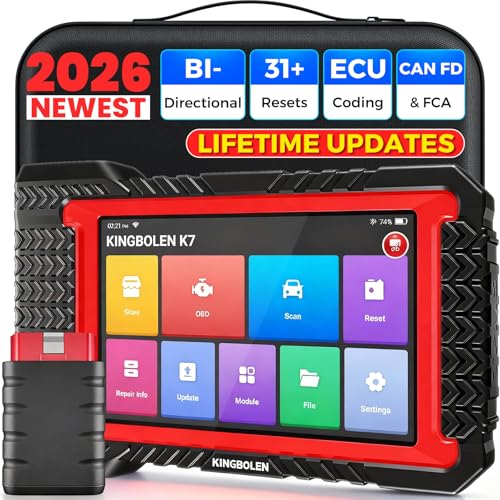
- No Annual Fees & 2026 Upgraded CAN FD: Why pay $199/year or more for updates? The 2026 newest Kingbolen K7 obd2 scanner features have been upgraded to Lifetime Updates without subscription fees, saving you significant costs in the long run. K7 scan tool also adds the CAN FD protocol for the latest GM models (2019+), enabling faster data transfer, reducing the risk of undetected errors
- 2026 Newest Top-tier Car Scanner: Kingbolen K7 diagnostic scan tool is equipped with most capabilities for daily repair/maintenance: Wireless diagnosis via Bluetooth, Bidirectional Test, ECU Online/Offline Code, 31+ Resets, PMI for Ford, Lincoln, Mazda, Global version for 100+ brand vehicles and 17 languages, no area limit, FCA AutoAuth
- OE-Level Full Systems Scan Tool: K7 professional diagnostic scanner with Auto Vin can do one-click to scan ECUs on most of vehicles, like pcm, ecm, eps, bcm, tpms, sas, a/c system... to read/clear code, view live data, freeze frame, read ecu info. 4-in-1 data stream graphics can make data viewing more intuitive. Detailed diagnostic reports will help you easily master the car situation as it can be shared by bluetooth or email! Adding workshop information can help your customers to know more
- Bidirectional Test/Active Test & ECU Code: Stop guessing and start fixing. Bidirectional scan tool Kingbolen K7 can perform real active test that can send commands to the vehicle's ECU to drive the actuators to work, like window, rear mirrors, sunroof, door, solenoids, wipers, headlamp, etc, helping you quickly find out bad parts and pinpoint faulty issues. K7 bidirectional scanner will be a good choice to save money and time on car repairs when performing complex maintenance and repair
- 31 Reset Functions: Avoid expensive dealership visits for simple services. Experience tells us that just a small repair service may cost a lot of money. Kingbolen K7 is a professional diagnostic scanner with 31 common maintenance services like Oil /SAS/EPB/TPMS Reset, Battery Matching, ABS Bleeding, Injector Code, etc. It effectively handles most of the car reset and relearning jobs, perfect for experienced DIYers and mechanics. Note: Functions in the menu vary across vehicles. Kindly check the compatibility before purchase
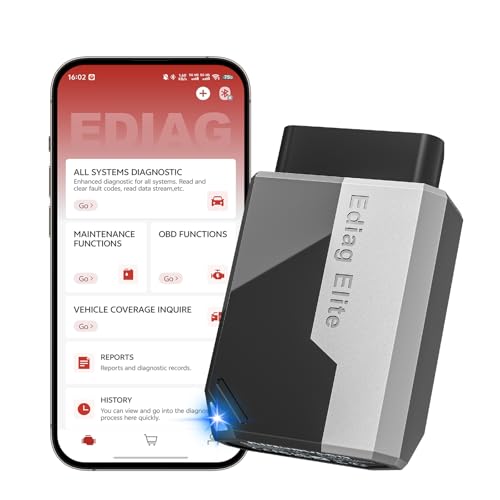
- 【Cost-effective Diagnostic Scan Tool】Lifetime updates without fee, No subscription fee required, No IP restrictions, Ediag Elite bluetooth scanner stands out. It can perform in-depth Full System diagnostics,15+ Reset Services, powerful Active Test, CANFD & FCA AutoAuth. Connect your phone via Bluetooth for diagnosis, providing a faster, smarter and smoother diagnostic experience. Easy to put in pocket, convenient to carry, keep track of the car's status anytime, anywhere. Best bang for your bucks.
- 【15+ Reset Service, Easy Problem Solving】 KINGBOLEN Ediag Elite obd2 scanner diagnostic scan tool comes with 15+ professional reset functions, including: Oil Reset, ABS Bleeding, Injector Code, SAS Reset, TPMS Reset, BMS Reset, AFS Reset, Sunroof Calibration, Brake Reset and more special functions in system diagnose menu. The ideal bluetooth scanner for mechanics and DIY enthusiasts, which can save unnecessary maintenance costs and significantly shorten repair time.
- 【Comprehensive Full Systems Diagnostic】 The Ediag Elite obd2 scanner bluetooth supports full system In-Depth diagnosis. It can read/clear fault codes, read real-time data/freeze frame, module information, and perform testing and reset functions for ECM, BCM, ABS, SRS, TPMS, TCM, BMS, SAS, A/C & RTM systems ect. It works with most car models after 1996, cover more than 150+ car brands. Supports 22 global languages for your convenience(EN, FR, ES, DE, IT, RU, PT, JP, TU...)
- 【Powerful Bidirectional Scan Tool & Active Test】 The obd2 code reader for Ediag Elite can perform real time active test that can send commands to the vehicle’s ECU to drive the actuators to work, such as turn on the radiator fan, modulate the throttle, open/close windows, etc. It can help you quickly find out the bad components and the cause of the fault, which can save you a lot of time. With BT 5.2 wireless connectivity, you can enjoy wireless diagnostics up to 33 feet.
- 【FCA AutoAuth & CANFD Compatibility】 Ediag Elite scan tool offers support with FCA Gateway Access, allowing you to perform protected functions on FCA vehicles, including Chrysler, Dodge, Jeep, Alfa Romeo, Fiat vehicles, etc.(Note:just allows you to access the FCA, but need to have your own FCA account) Supports the CAN-FD protocol, provide high-speed vehicle diagnostic communication and data transfer, working perfectly on GM vehicles produced after 2020, saving $100 to buy a CAN FD adapter.
Last update on 2026-06-10 / Affiliate links / Images from Amazon Product Advertising API
This product presentation was made with AAWP plugin.