
NHTSA ID Number: 10246313
Manufacturer Communication Number: 23-NA-115
TSB/Document Date: 2023-12-06
Summary
This service bulletin provides a procedure to verify the noise and align the camshaft caps to correct customer concerns of a Ticking, Tapping or Snapping Noise from Engine.
Bulletin No.:
Service Bulletin
Date:
23-NA-115
November, 2023
TECHNICAL
Subject:
Ticking, Tapping or Snapping Noise from Engine - 5.5L RPO LT6 Realign Camshaft
Caps as Required
This Service Bulletin replaces PIP5920. Please discard PIP5920.
Brand:
Model:
Corvette
Model Year:
VIN:
from
to
from
to
2023
2024
—
—
Engine:
5.5L
(RPO LT6)
—
Involved Region or Country
North America
Condition
Some customers may comment on a ticking, tapping, or snapping noise from the engine.
Note: It is important to note that this engine incorporates a mechanical valve train design
to enable maximum engine performance and does not use traditional hydraulic lifters and
as a result there will be some mechanical tick noise from the valvetrain, which is normal.
However, if the noise is excessive and not periodic, as described in this bulletin, this
procedure can be used to reduce the noise. For reference, this ticking disturbance noise
can be heard while the engine is idling and more noticeable with the hatch open and in
tour mode. It may also be found that the noise slightly increases as the engine gets
towards operating temperature.
Cause
This condition may be caused by the misalignment of the camshaft caps.
The verify you have this concern, it will be necessary to follow the steps below. Do not
proceed with this bulletin if the customer has not commented about this concern.
Important: Please read entire bulletin prior to performing any repair.
Correction
Copyright 2023 General Motors LLC. All Rights Reserved.
Important: You MUST use the PicoScope to verify if you have this noise concern.
Failure to use the PicoScope may result in incorrect diagnosis and the need for further or
unnecessary repairs.
Important: You need to take PicoScope measurements before and after the repair to
share with customer. Before performing any repair on the left or right side of the engine
please review the realignment procedure with the customer and ask them if they want to
proceed with the repair.
Important: Not all engines will see the same level of noise reduction after performing the
realignment procedure. Some engines may see a marginal improvement in noise
reduction.
Page 2
November, 2023
Important: Service agents must comply with all
International, Federal, State, Provincial, and/or
Local laws applicable to the activities it performs
under this bulletin, including but not limited to
handling, deploying, preparing, classifying,
packaging, marking, labeling, and shipping
dangerous goods. In the event of a conflict between
the procedures set forth in this bulletin and the
laws that apply to your dealership, you must follow
those applicable laws.
Service Procedure
Step 1:
Follow the directions below to setup the PicoScope to
obtain the sound file needed for review.
If you need to download or update the PicoScope,
follow the steps below:
1. Log into GM GlobalConnect.
2. Click on the "Departments" drop down menu and
select "Service.”
3. Under "Applications" on the service page, select
"Special Tools and Software updates.” (in Canada,
"GM Special Tools & Equipment - Software
Updates")
4. You will now be re-directed to
www.gmtoolsandequipment.com (do not access
this site directly as it requires the use of
GlobalConnect to allow downloads).
5. Click the link under "Software Downloads" for the
latest PicoScope software version and a new page
will open.
6374688
6. Click the setup links and follow instructions to
update the tool.
Bulletin No.: 23-NA-115
Bulletin No.: 23-NA-115
November, 2023
Page 3
Step 2:
⇒ Start up the vehicle/engine. Ensure engine is at
operating temperature. Stand on the driver's side
and then passenger side of the engine to listen to
the suspected tick. Subjectively determine which
bank (LH vs RH) has a more prominent tick and
proceed with instrumenting on that bank.
Determine which side of the engine the noise is
coming from.
Step 3:
Place the accelerometer on the suspect bank.
6374742
⇒ With the suspect bank determined, prep/position
the accelerometer so the X, Y, Z coordinate system
(that’s laser etched) is facing upwards before
securing to the bolt head. After accelerometer is
placed on bolt head, double check to ensure its
centered and did not rotate on the bolt head. Doing
so will ensure the best results.
Page 4
November, 2023
Bulletin No.: 23-NA-115
Note: Ensure to keep the cable routed away from the
exhaust if working in the engine compartment or
moving parts if working under the vehicle.
6374737
Important: Ensure accelerometer coordinates are
facing up towards the intake.
Step 4:
Hook up the accelerometer to the oscilloscope.
⇒ Screw the accelerometer connector into the sensor
interface. The red LED will start to blink when it
senses the connection. Attach a blue, red, and
green BNC cable to X, Y, and Z ports, respectively.
Then attach the blue, red, and green cables to
channels A, B, and C, respectively.
Bulletin No.: 23-NA-115
November, 2023
Page 5
Step 5:
Setup the software to collect data.
1. Open the GM NVH software and click on the NVH
button.
6374911
2. Start a new test with the setup wizard:
⇒ 1) Under RPM Signal – Ensure Static RPM is
set to 800 RPM.
⇒ 2) Under Vibration Signal – Select three-axis
mode then ensure all 3 channels are checked
and the location is set to Engine Compartment.
⇒ 3) Under Signal Options – Set the Maximum
Signal History Size to 500 seconds.
3. Go to the setup screen to finalize the wizard setup.
Page 6
November, 2023
Bulletin No.: 23-NA-115
6374914
4. Go to options at the top then to advanced options
and change the maximum frequency of interest to
2000. Update the SPL Weighting to dB(A) and
check that the accelerometer units are (m/s^2).
Under the FFT tab, change the responsiveness
marker to the position shown above. Finally, under
the filter tab, add a bandpass filter from 1300 to
2000 Hz.
Note: If the instrumentation needs to be moved, restart
the data collection.
4. After finishing the recording, click file then save.
Click OK on the details box as this input is optional
and save as a .pddata. Change the file name to
“[last 8 of vin]_[LH or RH bank]_[pre or post service
fix]_[date].”
Step 6:
Step 7:
Collect data.
1. Startup the vehicle/engine, leave at idle. Make
sure the HVAC is off and the vehicle is put into
weather mode so that the vehicle idles at 800 rpm.
Let the engine settle and wait for the suspected
tick to start.
2. When the suspected tick starts, click on the “start
recording” button. Let the recording go for 60
seconds, then click “stop recording.” Do not adjust
the accelerometer throughout the recording.
Analyze the data.
1. Right click in the time domain display and change
the display mode to single.
2. If scales on the left end for each channel are not
ranging from -4 m/s^2 to 4 m/s^2, right click in the
time domain display and select “reset scale.”
3. Pull the yellow window cursors on the bottom in as
close together as they will go.
4. Look at the channel lines in the time domain
window for ticks with a .15s gap between them.
⇒ Compare to the examples below for an engine
with a tick and an engine without a tick:
Bulletin No.: 23-NA-115
November, 2023
Page 7
Examples of Tick:
6374921
Page 8
November, 2023
Bulletin No.: 23-NA-115
6374923
Bulletin No.: 23-NA-115
November, 2023
Page 9
6374935
Page 10
November, 2023
Bulletin No.: 23-NA-115
Examples of No Tick:
6375022
Bulletin No.: 23-NA-115
November, 2023
Page 11
6375036
Important: Once you have captured your Pico results
before and after performing the service procedure,
please reset the settings menu to default for the next
user by clicking on the reset buttons at the bottom of
the advance PICO set up screens.
Once it is determined which bank the noise is coming
from, it will be necessary to follow the service
procedure below to adjust the camshaft cap torque.
Important: If the noise is heard from the left bank, the
camshaft cap adjustment procedure can be done with
powertrain in vehicle. If the noise is heard coming from
the right bank, it will be necessary to drop the engine
and transmission assembly to gain access and remove
the camshaft cover for the adjustment procedure.
Important: Please review the PICO results with the
customer and give them the option if they want their
powertrain removed and reinstalled for repair on the
passenger side.
Important: Ensure you batteries in the interface
module are good.
Camshaft Cap Re-Alignment Procedure:
Important: During the camshaft cap adjustment
procedure, you may notice a dull area on the camshaft
lobes. This is considered normal and does not require
any further service.
Please use the following procedure to execute a
complete bank camshaft re-alignment procedure:
1. If the tick noise is on the Driver’s side bank 1, the
repair can be done in the vehicle. If the tick is on
the passenger side bank 2, the rear cradle and
powertrain assembly must be lowered to be able to
remove the camshaft cover on that bank.
– Refer to Camshaft Cover Replacement – Bank 1
or Camshaft Cover Replacement – Bank 2 in SI
to get the camshaft cover removed to perform the
next steps.
2. Remove the camshaft cover (w/solenoids installed
in cover if LH bank, remove solenoids from cover
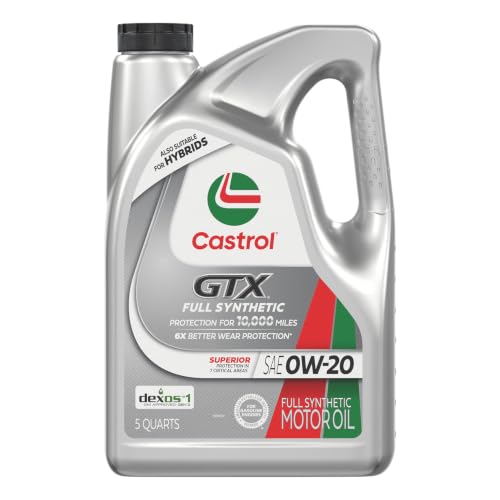
- 6X better wear protection on critical engine parts than...
- 1.3X better sludge protection than industry standards*
- 3X Stronger against viscosity breakdown than leading full...
- Protection for 10,000 miles between oil changes
- Meets or exceeds the following specifications: API SP/SN...

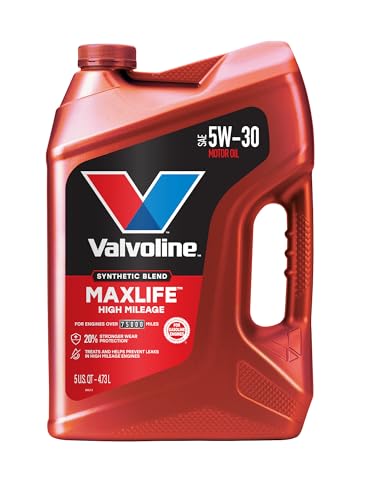
- Formulated for engines with 75,000 miles or more, Valvoline...
- Delivers 20% better wear protection and 15% better sludge...
- Extra detergents safeguard against friction, corrosion and...
- Advanced friction-fighting additives help maximize...
- Provides performance benefits for high mileage, new and...
Last update on 2026-06-23 / Affiliate links / Images from Amazon Product Advertising API
If the PDF is very large, it may not load in the preview below.
Some older TSBs had multiple PDFs — visit the NHTSA Website to view all PDFs.
If the TSB PDF does not show, download or view it on the NHTSA Website.
Click on the (+) Plus Sign
Then Click on Associated Document(s)
Search NHTSA Database for Recalls
Search NHTSA Database for Vehicle Investigations
View Latest Vehicle Investigations
Search NHTSA Database for Vehicle Complaints
View Latest Vehicle Complaints
TSB/Document ID: 23-NA-115
Replacement Service Bulletin Number:
MFR Communication Date: 2023-11-21
MFR Internal Campaign ID/Software Version:
Communication Type: Service Bulletin/Repair Instructions
NHTSA Components: ENGINE AND ENGINE COOLING
MFR Component System:
MFR Component Subsystem:
Previous TSB | Next TSB |
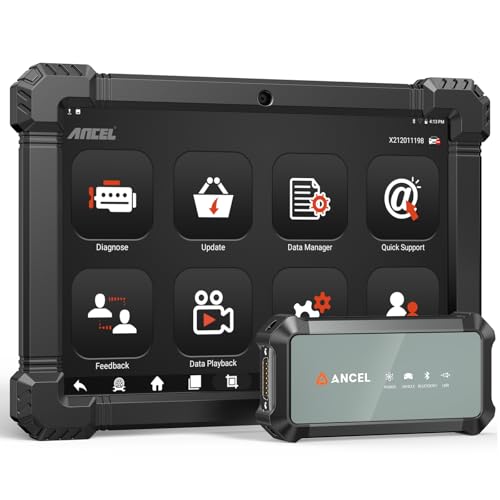
- 2026 ALL-IN-ONE HEAVY DUTY TRUCK SCANNER – BUILT FOR DIESEL DIAGNOSTICS:The ANCEL X7HD PRO combines full-system diagnostics, bi-directional control, ECU coding, HDOBD/OBD2 functions, and 42+ reset services in one powerful heavy duty truck scanner. This diesel scan tool helps technicians, fleet owners, and repair shops diagnose problems faster, reduce downtime, and complete more repairs without switching between multiple truck diagnostic tools. Features a 10.1" Android tablet, Bluetooth & Wi-Fi, live data graphing, and 2 years of f-ree updates
- 42+ RESET FUNCTIONS – MORE THAN A BASIC TRUCK CODE READER:Perform essential service functions including forced DPF regeneration, injector coding, speed limiter adjustment, idle adjustment, oil reset, ABS reset, SRS reset, EPB reset, throttle reset, and suspension calibration. Designed for real truck maintenance and fleet service, this commercial truck diagnostic scanner helps reduce dealer visits, avoid unnecessary downtime, and handle more repair jobs with one diesel diagnostic tool
- ACTIVE TEST & ECU CODING – ADVANCED BIDIRECTIONAL SCAN TOOL FOR TRUCKS:Quickly locate faults by activating components and sending commands directly to vehicle systems. Test injectors, ABS, throttle, cooling systems, and other modules in real time without unnecessary disassembly. ECU coding and module matching help adapt replacement parts, restore factory settings, and reduce repeat repairs, making this semi truck scan tool ideal for advanced troubleshooting and daily shop work
- FULL-SYSTEM HDOBD/OBD2 DIAGNOSTICS – WIDE TRUCK & ENGINE COVERAGE:Read and clear codes, monitor live data, freeze frame, and diagnose engine, transmission, ABS, body, and other major systems. Compatible with Freightliner
 , Kenworth, Peterbilt, Volvo, Mack, International, and other commercial truck brands, plus Cummins, Caterpillar, Detroit, Paccar, and Navistar diesel engines. Also supports full OBD2/EOBD diagnostics for standard vehicles, making it a versatile truck obd2 scanner for mixed fleets and repair shops
 - PROFESSIONAL HARDWARE + RELIABLE SUPPORT – BUILT FOR DAILY SHOP USE:This professional diesel diagnostic computer features a 10.1" touchscreen, Android 10.0 system, 6000mAh battery, Bluetooth/Wi-Fi connectivity, and built-in front & rear cameras for documenting repairs and remote troubleshooting. Includes 2 years of fr-ee updates, 1-year w-arranty, and responsive technical support. Contact [email protected] before purchase to confirm compatibility and supported functions for your truck or diesel engine

- 【Built for Heavy Duty Diesel Diagnostics】Designed for SAE J1939 and J1708 compliant trucks, buses, and diesel-powered commercial vehicles. HD601 truck scanner diagnostic tool helps owner-operators, small fleets, mobile technicians, and independent repair shops quickly identify fault codes, view live data, and make informed repair decisions—saving time, reducing downtime, and avoiding unnecessary shop visits
- 【Full System Diagnostics+All HD OBD Modes】The New HD601 heavy duty truck scanner delivers full-system diagnostics on SAE J1939 and J1708-compliant commercial vehicles—digging into engine, transmission, ABS, fuel, every system that keeps your rig rolling. It supports all HD OBD modes, giving you live data, freeze frame, ECU info, vehicle info, emissions data tracking, plus code reading and clearing. Not just what broke, but why—so you fix it right the first time. Pinpoint issues faster, cut repair costs, and spend less time on the shoulder
- 【Wide Heavy-Duty Vehicle Coverage】Supports a wide range of heavy-duty vehicle manufacturers and systems, including Freightliner, Kenworth, Peterbilt, Volvo, International, Detroit, Cummins, Paccar, Allison, Eaton, Bendix, Wabco, and more. Coverage varies by vehicle make, model, year, and system configuration. Contact our support team before purchase if compatibility verification is needed
- 【Speaks Major Truck Protocol】The New HD601 diesel truck scanner is built for American-made trucks—and supports the heavy‑duty protocols you' re most likely to run into on the road: SAE J1939, J1708/J1587, ISO 15765‑4, ISO 14230‑4, ISO 9141‑2, J1850 PWM/VPW, ISO 27145‑4, and EURO‑6. For most trucks, model years, and systems, it speaks the language your vehicle understands. Just plug it in and start diagnosing—no guesswork, no gatekeeping. Note: vehicle functions and module availability may vary by manufacturer and model year
- 【Save Hundreds on Diagnostic Fees】Why pay $150–300 for someone to read your codes? With the New ANCEL heavy duty truck scanner, you can pull fault codes yourself—in minutes, without leaving the truck. One or two uses pays for the tool. After that, every diagnostic is money back in your pocket. Smart investment for owner-operators, techs, and small fleets. Read and clear stored fault codes in minutes. Active fault codes may require repairs before they can be cleared
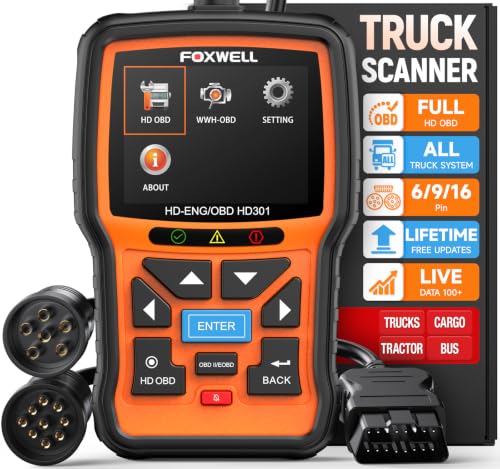
- 【One Tool, Total Fleet Coverage: 6/9/16 Pin Ready】Featuring an integrated 16-pin OBD2 connector and professional-grade 6-pin & 9-pin adapters, this heavy duty truck scanner provides extensive support for J1939, J1708, J1587, ISO 14230-4, ISO 15765-4 and ISO 9141-2, ISO 27145-4 protocols. It offers reliable diagnostic coverage for major American diesel brands—including Cummins, Paccar, Caterpillar, Detroit, and Freightliner—making it a versatile semi truck scanner for managing any diverse fleet.
- 【2 in 1 Diesel Code Reader & Advanced HD OBDII】Equipped with professional-grade diesel scanner capabilities, the HD301 diesel scanner features intuitive Read/Erase codes and turn off the "Check Engine" light. With the built-in DTC Lookup library, you can instantly access fault code definitions on-device without searching the internet. It also retrieves hundreds of essential live sensor data—such as coolant temperature, fuel pressure, and engine RPM—in a stable text format for precise and rapid troubleshooting. (Please note that the HD301 can not support DPF Regen.)
- 【Full System Truck Diagnostic】The FOXWELL HD301 heavy duty scan tool is engineered to deeply access and scan all available electronic control modules specifically for truck, including Engine, Transmission, ABS, SRS, Chassis, and Body Control. This professional truck scanner diagnostic tool allows you to identify issues across the entire vehicle, ensuring your rig stays in peak condition for the long haul.
- 【Versatile for most big Rigs: Commercial, Passenger & Beyond】Engineered for more than just trucks, this heavy duty scan tool offers extensive coverage for pickups, buses, trailers, and even marine vessels. From construction machinery (excavators, loaders) to agricultural equipment (tractors, harvesters), it provides a true all-in-one diagnostic solution.
- 【Plug-and-Play & No Subscription】Designed for the road! No WiFi, no batteries, and no complex App setup required. Simply plug it into your vehicle’s diagnostic port to start scanning immediately. Enjoy lifetime free software updates to keep your HD301 diesel truck scanner current with the latest vehicle models and features—without any hidden subscription fees—While overcoming language barriers with support for Spanish and English.
Last update on 2026-06-23 / Affiliate links / Images from Amazon Product Advertising API
This product presentation was made with AAWP plugin.