
NHTSA ID Number: 10244710
Manufacturer Communication Number: 74-05
TSB/Document Date: 2023-11-02
Summary
Service Campaign sent to dealers and owners advising of an update to the blind spot monitoring system.
Service Campaign 74-05
MODELS
AFFECTED: 2022 & 2023 EKKO
DATE:
November 3, 2023
SUBJECT:
Blind Spot Monitoring System
Please forward this information to your RV Service Manager.
Winnebago Motorhomes is conducting a Field Service Campaign on certain 2022 and 2023 EKKO models to update
the blind spot monitoring system.
Affected Vehicles and Owner Notification
Attached to this letter is a list of subject vehicles which were shipped to your dealership. Customers with affected
vehicles are being sent a letter notifying them of the service campaign. Owners are directed to contact a Winnebago
Motorhome dealer for the service campaign to be performed at no cost to them. A copy of the owner notice is provided
for your information.
Repair Procedure:
Refer to instruction sheet provided with parts kit or on WinPortal.
Parts Information:
The part order should be placed as an R: Recall type order. You will need the campaign dealer number and the
Winnebago serial number for the affected vehicle to place the order. Multiple serial numbers may be placed on a
single order.
Campaign Dealer Number: 7843
Quantity
1
Part Description
Winnebago Industries Part Number
EKKO Blind Spot Upgrade
SC7843-24-705
Reimbursement
When the service has been completed, submit a warranty claim using the operation number and TIC code listed
below.
OPERATION
TIME
TIC
DESCRIPTION
NUMBER
ALLOWANCE
CODE
Blind Spot Monitoring System
05740599
3.5
7405SB
If the vehicle is out of warranty, use service authorization 73G7405T when filing your claim.
FINAL CLAIMS NEED TO BE SUBMITTED BY MAY 3, 2024.
Perform this procedure on all subject vehicles currently in your inventory. DO NOT DELIVER ANY SUBJECT UNITS
TO A CUSTOMER UNTIL THIS CORRECTIVE ACTION HAS BEEN TAKEN.
If You Need Assistance
If dealer technical assistance is needed, please contact the Winnebago Motorhome Technical Service Department at
(866) 653-4329 from 8:00 a.m. to 4:30 p.m. Central Time or by e-mail at: [email protected].
Thank you for your cooperation.
Dean Casad
Director, Customer Support
1
RE:
BODY SERIAL
CHASSIS SERIAL
Dear Winnebago RV Owner:
When you purchased your new Winnebago RV, you also received our commitment to provide you with a quality
product and our dedication to continuing customer satisfaction. In keeping with this commitment, we are notifying you
of a service campaign that may affect your Winnebago RV.
Winnebago is conducting a Field Service Campaign on certain 2022 and 2023 EKKO models to update the blind spot
monitoring system.
Our records indicate that you have purchased a vehicle with the serial number which appears above.
What We Will Do
Your Winnebago dealer will install the upgraded blind spot monitoring system.
What You Should Do
Contact your Winnebago dealer to arrange for a service appointment. Please allow sufficient time for your dealer to
process your vehicle on the date of the appointment. The actual repair will take approximately 4 hours however your
dealer may require additional time to process your coach.
Important
This campaign and offer to provide service is at NO COST TO YOU and is valid until May 3, 2024, at which time the
campaign will be closed.
If You Need Assistance
If you have questions or need assistance, please contact Winnebago Motorhome Customer Care at (800) 537-1885
Monday through Friday from 8:00 a.m. to 4:30 p.m. Central Time or by email: [email protected].
We are sorry to cause you this inconvenience. We have taken this action in the interest of your continued satisfaction
with our products. This letter does not constitute an acknowledgement of legal liability.
Thank you for choosing a Winnebago RV.
Winnebago
Forest City, IA 50436
2
Ekko ASA Blind Spot Update:
1
3
2
5
4
Tools and Shop Supplies required1.
2.
3.
4.
5.
6.
7.
8.
9.
10.
11.
12.
Ratchet with 10mm socket.
Screw gun with #2 Philips.
Drill with 1" Hole Saw.
Cutting implement.
Wire strippers.
Scraper/Putty knife.
Cartridge gun.
Plastic trim tools.
Half round file.
Manus Sealant (185987-03-02A or equivalent).
Electrical tape.
Surface cleaner.
6
1
8
7
9
3
2
10
11
12
4,5
6
Part required - SC7843-24-705 Ekko Blind Spot Upgrade
Kit contains:
1.
2.
3.
4.
5.
6.
7.
8.
ASA Harness - 357553-01-000.
LH and RH Sensors - 357575-01-000.
Blind Spot ECU Module - 357552-01-000.
Small P-clamp - 083610-01-000 (5) and screw 000G39-10-12T (5).
Large P-clamp - 083610 –03-000 (5) and screw 000G39-10-12T (5).
Zip ties - 008343-04-000 (25).
Butt splice – 326774-01-000 (4).
2A In-line Fuse Harness - 358121-01-000.
7
8
© 2023 Winnebago Industries
1
Step 1 – Pre-rework Prep
1.
Disconnect the 110v power cord from the coach, See Image 1.
2.
Turn off the house disconnect switch, See Image 2.
3.
Turn off the 12v battery 250-amp main breaker/breakers, See Image 3.
4. Turn off the inverter disconnect, See Image 4.
5.
Turn off the 12v house battery/batteries by holding down the power
button on the top of the battery/batteries for 3 seconds. Make sure the
blue LED lights are off, See Image 5.
6.
Allow for engine bay area and exhaust to cool.
Image 1
Image 2
Image 3
Image 4
Image 5
© 2023 Winnebago Industries
2
Step 2 – Remove Original Harness
1.
Locate the ASA blind spot monitor sensors locate at the rear of the
coach, See Image 1.
2.
Under the coach, disconnect the blind spot sensors from the original
ASA harness.
3.
Starting from the rear and working towards the engine bay, pull the
harness out of P-clamps or cut zip ties as necessary. Make note of the
routing of the original harness as this will be roughly followed by the
new harness.
4. Gain access to the ASA ECU module, located under the steering
column in the dash area. Access can be achieved by removing the
closeout panel - attached via clips, below the steering column. See
Image 2, Yellow arrow for ECU module location.
5.
Disconnect the harness 16-pin plug from the module.
6.
Cut all 5 butt splices made between the ASA harness and the
Winnebago harness. Leave part of the ASA harness for easy
identification when reconnecting the new harness. See Image 3.
Image 2
Image 3
Image 1
© 2023 Winnebago Industries
3
Step 2 – Remove Original Harness (Cont.)
1.
Gain access to the connectors between the ASA harness and the buzzer, GPS
module, and Left/Right LED lights.
a) The buzzer should be mounted under the steering column along with the
ECU module. Disconnect the 2-pin connector while ensuring the buzzer
stays mounted down.
b) The GPS module and left LED connectors are both routed toward the
driver side A-pillar, See Image 1 and 2, Yellow arrows for respective
component locations. Remove the Driver side assist handle using a 10mm
socket on the two mounting bolts, See Image 2, Red arrows. Using plastic
trim tools or by hand, detach the Driver side A-pillar cover which is
now secured only by tabs, See Image 3. Additionally, remove the Driver
side dash cupholder by rotating to disengage the mounting features and
pulling out, See Image 4 and 5. With these removed follow the wires and
locate the connectors for each component. Disconnect and pull the ASA
harness side back through leaving the components in place.
Image 1
Image 4
Image 2
Image 3
Image 5
Image 1
© 2023 Winnebago Industries
4
Step 2 – Remove Original Harness (Cont.)
c) The right LED connector is routed toward the passenger side A-pillar.
Remove the same parts as listed in b), along with removing the
passenger side stepwell cupholder and center console covers, See Image
1 and 2. The glove box can also be dropped down to gain additional
access, See Image 3. With these removed follow the wires and locate the
2-pin connector for the LED. Disconnect and pull the ASA harness side
back through leaving the LED in place.
2. Pull the original ASA harness through the firewall and drop through the engine
bay to fully remove it.
Image 1
Image 3
Image 2
© 2023 Winnebago Industries
5
Step 3 – Prep Firewall Passthrough
1.
With the ASA harness removed, there still may be some Winnebago harnesses passing though the firewall outside of the Ford gro mmet.
If this is the case, disconnect the harnesses and pull back until nothing is passing between the grommet and the firewall, en sure the
grommet is fully seated in the cutout, See Image 1, Yellow arrow.
2.
Mark and cut a roughly 2" slit into the Ford grommet, ensuring that no wiring is damaged in the process and the integrity of the
grommet is retained. Be careful as there is both Ford and Winnebago harnesses on either side of the grommet, See Image 1, red arrows.
3.
If any Winnebago harnesses were disconnected, pass them through this new opening in the Ford grommet and reconnect, See Image
2.
Image 1
Image 2
© 2023 Winnebago Industries
6
Step 3 – Prep Sidewall
1.
At the rear of the coach, use the screw gun with #2 Philips bit to remove the 4 screws mounting each blind spot sensor to the
sidewalls. Use a putty knife and surface cleaner as needed to remove the sensors and clean away any residual sealant to
ensure a clean and smooth mounting surface, See Image 1 and 2.
2.
Using a drill equipped with a 1"-hole saw, cut hole for the new blind spot sensor wiring. Locate this hole on the rearward side
of the original sidewall slot, See Image 2. Drill from underneath the coach on the inside of the sidewall towards the exterior
to ensure you go through the correct area of the sidewall tube, See Image 3 and 4. As you cut, be careful not to apply
excessive force or drill speed to avoid damage to the exterior fiberglass. Once cut, use a half round file to clean up the ho le
and ensure no sharp burrs or edges are present to potentially damage the sensor wire.
Image 1
Image 2
Image 3
Driver Side
Image 4
Passenger Side
© 2023 Winnebago Industries
7
Step 4 – Install New Sensors and Harness
1.
Install the new sensors to the sidewall, being careful to follow the orientation directions molded into the sensor housings.
a)
Use fasteners supplied with the new sensors. Should screws not bite into sidewall material, add in something such as a zip ti e end into
the hole to allow the screw to gain retention.
b)
Cap sealing the sensor to the sidewall is not necessary.
2.
Use sealant to seal the 1" holes from beneath the coach, See Image 1. Tool to ensure no water intrusion into sidewall.
3.
Connect the sensors to the correct plugs in the harness. Harness branches are labeled for left or right.
4.
At the backwall, secure immediately before and after the connector with P-clamps, and at least every 18" as the branches follow the backwall.
Clamps should be screwed up to the metal tubes or trim, do not screw into the floor as it has minimal screw retention. If other clamps or screwmounted zip ties are fastened to the floor, replace with a P-clamp fastened to a metal tube. Ensure the harness is fully secured up and away
from the exhaust, See Image 2 and 3, Yellow arrows.
Image 1
Image 2 – Passengers Side
Image 3 – Drivers Side
© 2023 Winnebago Industries
8
Step 4 – Install New Sensors and Harness (Cont.)
Image 1
1.
From the backwall, follow the original
ASA harness path with the new ASA
harness, secure at least every 18" with zip
ties to the other below floor wire looms
and/or chassis frame mounting
holes, See Image 1 through 6 which are
in order starting from the hitch and
ending just forward of the battery
compartment and show examples of zip
tie locations. Yellow arrows highlight zip
ties that were added to support harness.
a) Ensure the harness does not have
freedom to sag down or chafe
during coach operation.
Image 4
Image 2
Image 5
Image 3
Image 6
b) Support harness at least every 18".
c) Coil excess ASA harness length and
secure between the battery
compartment paneling and the
tube structure supporting it, See
Image 5.
© 2023 Winnebago Industries
9
Step 4 – Install New Sensors and Harness (Cont.)
1.
As the harness reaches the engine bay area,
ensure it cannot contact any hot or moving
components. Follow Winnebago harness
bundles and secure every 18" or closer to
ensure a safe wire path, See Image 1 through
4 Yellow arrows, which are in order from
forward of the battery compartment to just
before the Ford firewall grommet.
2.
If the Ekko Charging Recall #174 was
completed there should be a 2.5" P-clamp
over the driver side of the front axle; ensure
the harness passes through this P-clamp, See
Image 2, Red arrow. If the clamp is
missing, check the serial number for any
other open Recall or Service Campaigns.
3.
Image 1
Image 2
Image 3
Image 4
Pass the harness through the firewall using
the previously created cut into the Ford
grommet.
© 2023 Winnebago Industries
10
Step 5 – Connect the New Harness
Image 1
1.
Connect the passenger side LED to the harness branch labeled
'Right LED". Follow the original harness path from under
the steering column, under the center console, behind the glove
box, and up to the A-pillar.
2.
Secure excess wiring with zip ties to ensure no wires are visible to
the owner and the wire will not get pinched, chafed, or otherwise
damaged during reinstallation or operation of the coach, See Image
1 for example of excess cable management.
3.
Reinstall all Ford plastic trim components, cup holders, and assist
handles.
4. In the engine bay, use sealant to seal around the cut in the Ford
grommet and any harness passing through it. Tool to protect from
water intrusion into coach, See Image 2.
Image 2
© 2023 Winnebago Industries
11
Step 5 – Connect the New Harness (Cont.)
Image 2
1.
Connect the ASA harness 12 pin connector to the ASA ECU module.
2.
Make the 5 butt splice connections between the ASA harness and Winnebago harness
under the steering column, See Image 1.
a) Check for a 2A fuse attached to the red/ power KE circuit underneath the steering
column. If it is not present, add the 2A in line fuse between the Winnebago harness
and the ASA harness, See Image 2 Yellow arrow.
3.
Connect the ASA harness branch labeled 'Buzzer' to the Buzzer under the steering
column.
4.
Connect the driver side LED and GPS module to their respectively labeled branches.
Follow the original harness path from under the steering column up to the A-pillar.
Image 1
© 2023 Winnebago Industries
12
Step 6 - Testing
1.
Once all service items are complete, take the coach
out to a safe stretch of road.
2.
Reach at least 13 mph and confirm the following for
both sides of the coach:
3.
1.
The appropriate LED lights up as vehicles enter
the blind spot, and that the LED turns off when
the blind spot is cleared.
2.
The appropriate led flashes and buzzer sounds
if a vehicle is in the blind spot and the coaches
turn signal is activated.
The rework is now complete.
© 2023 Winnebago Industries
13


- Advanced VCI Box, Industry-leading J2534 Pass-Thru...
- High-Speed OEM-Level Diagnostics & Programming: Unlock true...
- Coverage for 17 Car Brands & Ultra Reliability: Works...
- User-Friendly RLink Platform & Expert Support: TOPDON’s...
- 6.6 ft USB-C Cable & Portable Storage Case: The RLink J...
Last update on 2026-06-23 / Affiliate links / Images from Amazon Product Advertising API
If the PDF is very large, it may not load in the preview below.
Some older TSBs had multiple PDFs — visit the NHTSA Website to view all PDFs.
If the TSB PDF does not show, download or view it on the NHTSA Website.
Click on the (+) Plus Sign
Then Click on Associated Document(s)
Search NHTSA Database for Recalls
Search NHTSA Database for Vehicle Investigations
View Latest Vehicle Investigations
Search NHTSA Database for Vehicle Complaints
View Latest Vehicle Complaints
TSB/Document ID: 74-05
Replacement Service Bulletin Number:
MFR Communication Date: 2023-11-02
MFR Internal Campaign ID/Software Version:
Communication Type: Service Bulletin/Repair Instructions
NHTSA Components: VISIBILITY
MFR Component System:
MFR Component Subsystem:
Previous TSB | Next TSB |

- Obd2 Bluetooth Scanner Lifetime Update: Ediag Elite offers revolutionary Advantage Lifetime Updates with unlimited access to the superior 15 reset service, bidirectional testing and full system diagnostics.The Ediag Elite is an excellent Bluetooth obd2 scanner diagnostic tool ideal for diy's and private car owners
- Bidirectional Control for Quickly Locating Problems: The Bidirectional Scan tool allows you to send commands directly from your smartphone to your vehicle for active testing. This feature helps to quickly narrow down problems such as air conditioning clutches, windows, doors, sunroofs, etc., reducing diagnostic time for mechanics and helping Diy users locate faults more easily. In addition, Ediag Elite provides fault analysis and repair guidance to help you solve problems efficiently.
- 15 Maintenance Resets: The current version introduces 15 popular special features: Oil Reset, Headlight Matching, Bleeding Reset, TPMS Reset, BMS Reset, Gear Box Relearn, Throttle Learning, Injector Coding, SAS Reset and more special functions in system diagnose menu. These functions make it easy for owners to carry out the necessary maintenance and servicing, ensuring that your vehicle stays in top condition, prolonging its service life and preventing common problems and breakdowns. Note: The Special function vary by model& year, Reach us check compatibility.
- Wide Compatibility CANFD & FCA
 Autoauth: Compatible with GM, Ford, Toyota, Chrysler, Honda, Mazda, Nissan, Mitsubishi, Hyundai, KIA with standard OBD2 port from 1996 to newer. More car brands and features will be released gradually. Newest Ediag Elite scanner supports CANFD Protocol and FCA cars. Note: Coverage may vary on different vehicle by model& year ,Please contact us to confirm compatibility before purchase.
 - Perfect for Monitoring The Health of Your Vehicle: Ediag Elite is designed to make vehicle maintenance simple and efficient. With intelligent AutoVIN quick recognition, it is easy to connect to your car without the need for manual input. Real-time data is visualized in a variety of formats, including graphs, numeric, meter displays and clear 4-in-1 data charts, allowing you to effortlessly monitor real-time data. Data logging/reporting is available for playback and further analysis.
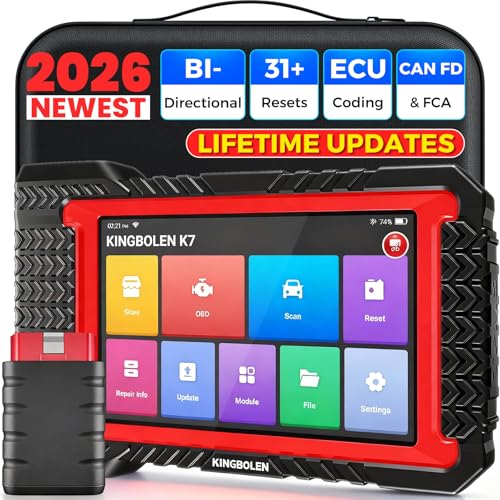
- No Annual Fees & 2026 Upgraded CAN FD: Why pay $199/year or more for updates? The 2026 newest Kingbolen K7 obd2 scanner features have been upgraded to Lifetime Updates without subscription fees, saving you significant costs in the long run. K7 scan tool also adds the CAN FD protocol for the latest GM models (2019+), enabling faster data transfer, reducing the risk of undetected errors
- 2026 Newest Top-tier Car Scanner: Kingbolen K7 diagnostic scan tool is equipped with most capabilities for daily repair/maintenance: Wireless diagnosis via Bluetooth, Bidirectional Test, ECU Online/Offline Code, 31+ Resets, PMI for Ford, Lincoln, Mazda, Global version for 100+ brand vehicles and 17 languages, no area limit, FCA AutoAuth
- OE-Level Full Systems Scan Tool: K7 professional diagnostic scanner with Auto Vin can do one-click to scan ECUs on most of vehicles, like pcm, ecm, eps, bcm, tpms, sas, a/c system... to read/clear code, view live data, freeze frame, read ecu info. 4-in-1 data stream graphics can make data viewing more intuitive. Detailed diagnostic reports will help you easily master the car situation as it can be shared by bluetooth or email! Adding workshop information can help your customers to know more
- Bidirectional Test/Active Test & ECU Code: Stop guessing and start fixing. Bidirectional scan tool Kingbolen K7 can perform real active test that can send commands to the vehicle's ECU to drive the actuators to work, like window, rear mirrors, sunroof, door, solenoids, wipers, headlamp, etc, helping you quickly find out bad parts and pinpoint faulty issues. K7 bidirectional scanner will be a good choice to save money and time on car repairs when performing complex maintenance and repair
- 31 Reset Functions: Avoid expensive dealership visits for simple services. Experience tells us that just a small repair service may cost a lot of money. Kingbolen K7 is a professional diagnostic scanner with 31 common maintenance services like Oil /SAS/EPB/TPMS Reset, Battery Matching, ABS Bleeding, Injector Code, etc. It effectively handles most of the car reset and relearning jobs, perfect for experienced DIYers and mechanics. Note: Functions in the menu vary across vehicles. Kindly check the compatibility before purchase
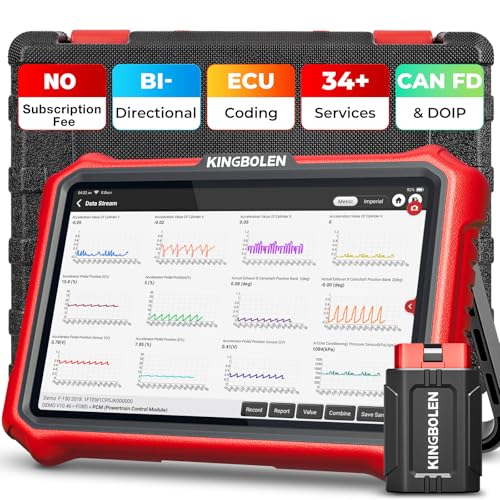
- 【Lifetime Database & Software Updates— No Subscription Fee, No Feature Lock, Save you $399/Y】KINGBOLEN K8 Pro's software can already be permanently upgraded and used for while software of other same price product still needs annual fee of almost $400. K8 pro scanner has packed all capabilities auto technicians would ever need for repair & maintenance services: Added CAN-FD & DOIP protocol, Bluetooth Wireless Diagnosis, Bidirectional Test, ECU Online/Offline Code & Guided Functions for VW, for Audi...34+ Restes, Autoauth for FCA SGW, Larger 4GB+64GB memory, 12600mAh battery, 8'' touch screen with 1280 * 800 Resolution. A Kickstand can allow the tablet to sit at a comfortable angle
- 【Newly Added CAN FD & DOIP Protocol】As Upgrade Version of Kingbolen K8, K8 Pro obd2 scanner supports CANFD and DOIP protocol, which will save you 200+ bucks as no need extra buy for special adapter. CANFD protocol suits for the latest GM(2019-), reducing the risk of undetected errors. The DoIP protocol (comes with DoIp cable) fits for 2017+ BMW(F&G chassis), for Jaguar & Land Rover after 2017, for Volvo after 2018. Plus, K8 Pro's Memory from 2G+32G expanded to 4G+64G, update period extended from 2 years to permanent
- 【34+ Hot Special Functions & V.A.G Guide】KINGBOLEN K8 pro bluetooth obd2 scanner covers almost all common services including Oil Reset, EPB, SAS, BMS Reset, ABS bleed, Throttle Reset, Suspension, Injector Code, Power Balance, Transmission Adaptation, Fuel Trim Learn, HVAC Control Module Calibrate, Language Change, A/F Settings, Stop/Start Reset, Crankshaft Sensor Relearn, TPMS, PMI function and etc. Imagine how much money and time you spend on car maintenance every year? K8 pro car scanner will be a good helper and saver for your car. V.A.G Guided function provides step-by-step guide to work for Volkswagen/Audi/Skoda. Note: Please send us model/year/vin to check compatibility before order
- 【Powerful Bidirectional Test/Active Test & ECU Code】As a bidirectional scan tool, KINGBOLEN K8 pro allows you to request information from a vehicle's ECU or send commands to the vehicle's modules to perform specific tests and functions, such as EVAP Tests, Turn on/off radiator fan, Window/Mirror/Door Lock Test, Pump and Value Tests, Sound horn Test, et. Without using the vehicle control system and dismantling car’s parts, it can quickly and accurately pinpoint the fault causes, simple operation saves time and money
- 【Wireless OE-Level All Systems Diagnostics】Equipped with Bluetooth VCI, you can do car diagnostics out of the car (up to 33F/10M) without being confined to a small space inside the car. Provides the convenience of Auto VIN, K8 pro allowing for easy access and diagnosis of all available modules on a wide range of vehicles, like PCM, ECM, BCM, TPMS, SAS, Fuel System, etc, to perform read/clear codes, view live data, freeze frame, perform active tests, and read ECU info... 12-In-1 Data Stream Graphics make data viewing more intuitive.Diagnostic reports can be shared via QR Code, Bluetooth or email.Built-in Browser and Fault Code Library allows you directly query the fault code when diagnosing
Last update on 2026-06-23 / Affiliate links / Images from Amazon Product Advertising API
This product presentation was made with AAWP plugin.