
NHTSA ID Number: 10242011
Manufacturer Communication Number: KA-01626
TSB/Document Date: 2023-09-08
Summary
McLaren Artura Engine Oil Leak Diagnosis Guide - Front of Engine
If the PDF is very large, it may not load in the preview below.
Some older TSBs had multiple PDFs — visit the NHTSA Website to view all PDFs.
If the TSB PDF does not show, download or view it on the NHTSA Website.
Click on the (+) Plus Sign
Then Click on Associated Document(s)
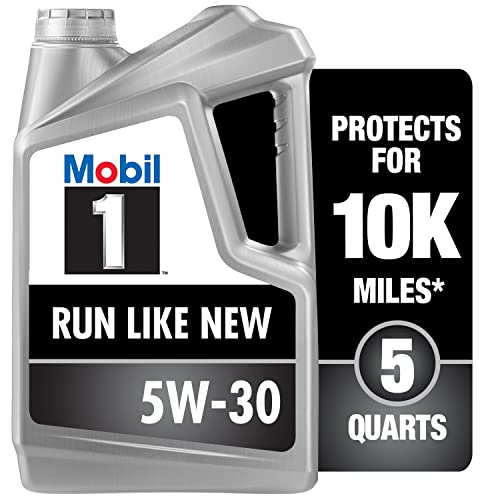

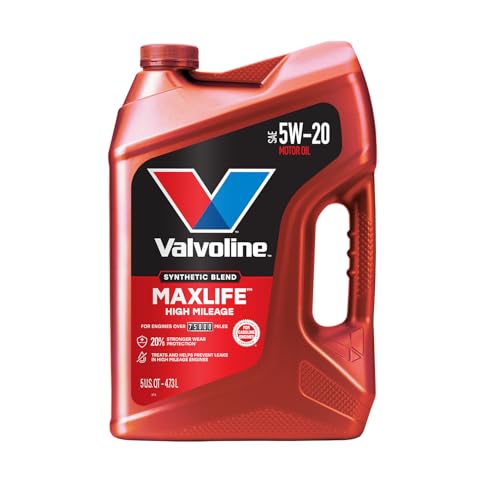
- MaxLife Technology prevents engine breakdown with 40% better...
- Includes seal conditioners to reduce oil consumption and oil...
- Added detergents reduce sludge, corrosion, rust and deposits...
- Advanced friction-fighting additives help maximize...
- Meets or exceeds all requirements of ILSAC GF-6A, API SP...
This product presentation was made with AAWP plugin.
Search NHTSA Database for Recalls
Search NHTSA Database for Vehicle Investigations
View Latest Vehicle Investigations
Search NHTSA Database for Vehicle Complaints
View Latest Vehicle Complaints
TSB/Document ID: KA-01626
Replacement Service Bulletin Number:
MFR Communication Date: 2023-08-01
MFR Internal Campaign ID/Software Version:
Communication Type: Service Bulletin/Repair Instructions
NHTSA Components: POWER TRAIN
MFR Component System:
MFR Component Subsystem:
Previous TSB | Next TSB |
This document is uncontrolled when printed. Before use, check the Knowledge Base
within the McLaren Retailer Portal to verify that this is the current version.
Document Information
Location: Powertrain
Topic: McLaren Artura Engine Oil Leak Diagnosis Guide - Front of Engine
Condition: N/A
Diagnostic Trouble Codes: N/A
Measure
This guide will help to correctly diagnose oil leaks identified on the engine of the McLaren Artura
If an Artura is found to have oil traces on the underside of the car at the front of the engine bay, specifically the
front of the engine around the torsional vibration damper (TVD) area, please follow the steps below:
1. Raise vehicle on ramp as per SIS instructions
2. Remove engine underfloor
3. Capture images prior to any cleaning, clearly showing the leaking area. Label images: “Pre-Cleaning”
4. Take picture of engine number and label image "Engine Number"
5. Clean area thoroughly using degreaser/solvent
6. Add engine oil dye to the engine - Please refer to latest update of KA-01458 for correct dye and torch to use
Care Point: Do Not use leak detector spray / chalk spray
7. Start engine and run at increased idle speed (3,000 rpm) using engine oil check procedure
until procedure is complete (this will ensure that the engine oil temperature reaches 90°C)
8. Turn off engine and allow vehicle to stand for 20 minutes on the ramp in preparation for inspection
9. Inspect engine. Capture images and label images "Cycle 1", clean area again thoroughly, capture images
and label images "Post Cycle 1"
Care Point: If there is a clear and active leak after step 9, please stop the warm up cycles and submit a TR
with supporting images/video
10. Complete warm up/cool down cycle and inspection a further 4 times capturing images. Name image folders
respectively:
•
•
•
•
"Cycle 2" & "Post Cycle 2 (after cleaning)"
"Cycle 3" & "Post Cycle 3 (after cleaning)"
"Cycle 4" & "Post Cycle 4 (after cleaning)"
"Cycle 5" & "Post Cycle 5 (after cleaning)"
Care Point: In case of uncertainty on final assessment, please update TR with supporting images correctly
labelled
Care Point: If no further oil leak is observed, then the initial oil residue is potentially due to excessive oil
used in the build process
11. If there is obvious evidence of an oil leak from the front of the engine after the 5 cycles please submit a
Technical Request with clear pictures showing the leak. If no leak is present, carry out a road test (including EV
mode), refer to KA-01633 and recheck for leaks. Capture images and label "Post Road Test" (before cleaning)
Care Point: If no further oil leak is observed, then the initial oil residue found previously is due to
excessive oil used in the build process - No further action required
12. Identify the location of the oil leak using a UV light
•
•
TVD bolts
Front of engine behind the TVD (front crankshaft seal)
13. Follow the SIS instructions to drain the oil from the engine
Care Point: The engine oil MUST be FULLY drained before continuing
14. Remove the TVD recording the crack off torque & back-to-mark (BTM) torque
If the digital torque wrench used does not have crack-off torque capability then only record BTM torque by
following this procedure:
• mark the bolt
• untighten/crack-off by ~30°
• tighten back to mark (smooth and slow movement) and record the torque
Remove and inspect each TVD bolt for signs of oil one at a time, starting from 12 O’clock position labeling the
bolts in the order of removal (clockwise) and lay down each bolt on a piece of white A4 paper with the bolt head
down (threads pointing up). Capture images of the oily bolts and their respective bolt holes on the crankshaft
flange – label as “Oil Presence on TVD Bolt and Crankshaft Flange threaded hole”
Care Point: Carefully remove the TVD to preserve the oil on any components, this will help with
identification. Do not clean any parts at this stage and ensure the area is not contaminated with oil from
an external source
Capture images immediately of the TVD and label images as "TVD Surface Bulkhead Side" & TVD Surface Engine
Side Inspection” and inspect
If oil is centralized around the TVD on the surface (Engine Side – contact with crank shaft flange) or under the
heads of the TVD bolts, this might indicate that the TVD bolts are potentially the cause of the leak
Care Point: Do not clean, capture images of leaking areas and label as “Front of engine TVD Removed”
15. Identify leaking area of the front of the engine
1.
1.
2.
3.
TVD threaded bolt holes (crankshaft flange) and TVD Bolts
Front crank seal OD
Front crank seal ID
Repair: If the engine is only leaking from the TVD bolts skip steps 17 to 19 (front crank seal removal)
16. Capture Images and label “Clean Crankshaft-TVD-Block Interface pre front crank seal removal”
Care Point: to avoid engine contamination, prior to attempting front crank seal removal clean the first 2-3
bolt hole threads (crankshaft flange) from residual threadlocker (from the original bolt fitment) and outer
surface of crankshaft flange (threadlocker and oil) without pushing any debris into the engine (through
holes), clean with standard automotive degreaser/solvent ensuring a thorough clean of the leak area. Do
not leave the area like this:
17. Follow the SIS instructions to remove the Front Crank Seal
Care Point: Avoid damage to seal lip if this is the area that is clearly identified to have leaked by removing
the seal winding two small self-tapping screws into the aluminum outer rim and levering the seal out. Be
careful not to damage the cover plate
Care Point: Do not damage the cylinder block front crank seal bore and the crankshaft
18. Follow the SIS instructions to prepare the parts, surfaces, and fitment of the Front Crank Seal
Capture images of clean front crank seal interface and label as "Clean Front Crank Seal Interface pre assembly"
Care Point: Handle the New Front Crank Seal with extra care. DO NOT TOUCH the LIP of the Crank Seal
(any contact, local pressure applied to the lip seal will cause it to distort and cause an oil leakage when the
engine is running)
All other alignment, cleaning, and RTV processes in SIS instructions are correct and should be adhered to when
fitting the front crank seal
Care Point: It is essential that the new mandrel (service tool PN 16FA064ZT) is used during this process to
slide the seal onto the crank shaft when fitting the new front seal and the cup to press in the seal into the
block
19. With the brand-new front crank seal halfway down the mandrel, apply constant thickness of RTV to the outer
surface/OD of the metallic ring of the seal (complete, 360° coverage) as follows (DO NOT contaminate the lip seal
or the mandrel with RTV):
Care Point: Clean carefully with a dry lint free cloth the RTV squeeze-out post Front Crank Seal fitment
Attention! If any trace of RTV accidentally contaminates the lip seal, replace the Crank Seal and repeat
Steps 17 & 18
Capture images post seal fitment and cleaning and label as "Clean Front Crank Seal Post Assembly"
20. Follow the SIS instructions to prepare the parts, surfaces, and fitment of the TVD
When fitting the TVD, clean the first 2-3 bolt hole threads (crankshaft flange) from residual threadlocker (from the
original bolt fitment) and outer surface of crankshaft flange without pushing any debris into the engine (through
holes)
Clean with standard automotive degreaser/solvent ensuring a thorough clean of the leak area.
Capture images pre fitment of the TVD, label as “Clean Front Crank Seal Interface Pre TVD Fitment"
TVD Bolts:
If new bolts are available, apply Loctite 243 radially to the first 4-6 -threads as follows:
If new TVD Bolts are not available, the original bolts can be reused by thoroughly cleaning the threads of debris
and original threadlocker and applying Loctite 243 radially to the first 12-19 thread ensuring full void depth over
360° coverage as follows:
21. Follow the SIS procedure to install the TVD using the bolts applied with Loctite 243
Care Point: Once the TVD is installed, allow the Loctite 243 activated by the mechanical interaction of the
threads to cure for a minimum of 6 hours before filling the engine with oil
This step will prevent the oil from reaching the threadlocker and interfering with the curing process and
potentially impacting the sealing performance of the threadlocker
Once the minimum 6 hours (required for the threadlocker curing process) have passed, follow the SIS
instructions to fill the system with oil and rebuild the Powertrain up to the point where you can start the
engine
Repair Validation:
With the floor panel removed, follow Steps 1 to 9 to validate that no leak is present anymore
Once this test has been successfully completed (no oil leaks), rebuild the vehicle as per SIS instructions
After performing the engine health checks and a road test (KA-01633), return the vehicle on the ramp and inspect
for any leakages
Remove the engine underfloor to check and confirm that the repaired area has remained dry
Parts Information
N/A
Attachments
N/A
KA Update Information
This document is uncontrolled when printed. Before use, check the Knowledge Base
within the McLaren Retailer Portal to verify that this is the current version.

- 🎉[OTOFIX D1 Lite, Perfect Cost-effective Diagnostic Tool]: OTOFIX D1 Lite, a newest bidirectional scan tool from OTOFIX company, is a great choice for DIYers and repair shops. 👉This obd2 scanner diagnostic tool packs all practical functions: OE level all systems diagnoses, Bi-Directional Control, 38+ reset services fixing 99% of common problems, support DoIP & CANDF protocols and FCA
 AutoAuth, high-end hardware configuration. Worldwide vehicles and 🔥2 Years Free Updating🔥 covered.
 - 🎉[Bi-Directional Scan Tool, Active Test]: OTOFIX D1 Lite bluetooth obd2 scanner can also command ECUs and monitor the operation of the actuators to track down the problems of certain parts, like windows, sunroof, wipers, fuel pumps, etc., saving repair time & trouble. This makes OTOFIX D1 Lite the most cost-effective bidirectional scan tool.
- 🎉[2026 Newest, 38+ Hot Reset Functions]: Equipped with 38+ reset functions in one, the OTOFIX D1 lite automotive scanner diagnostic tool allows you to troubleshoot 99% of common vehicle problems. You can use this car diagnostic scanner holding enough functions to easily repair common vehicle models in your repair shops. Including Oil Reset, Injector Coding, Throttle, DPF Reset, SCR Reset, Gear Learning, Clutch Learning, Suspension, etc. Note* Reset functions vary by model.
- 🎉[OE Level Full Systems Diagnostics]: Unlike the 2-system and 4-system diagnostic tools, the OTOFIX auto scan tool can complete comprehensive system diagnostics within 5 minutes. It accesses and scans all available onboard systems like for Engine /AT /ABS /EPB /BMS /TPMS /SRS /SAS /Audio System /BCM /Air Conditioning / etc., to read & clear codes, view live data, and check ECU information. Note: Active test is not involved.
- 🎉[Powerful Hardware Configuration]: Designed with a fashion appearance & a 7” touchscreen and a weight of 463g, this OTOFIX D1 Lite OBD2 diagnostic scanner scan tool is convenient for everywhere and easy to use & store. Android9.0 OS and 2+64GB memory enhance multi-task smoothness and diagnostic operation, no more wasting too much time. 5800mAh battery allows hours-lasting use. WiFi & VCI1 also bring faster communication for your diagnostics.

- 🏆【2026 TOP OBD2 Scanner Diagnostic Tool】OTOFIX D1 Lite wireless obd2 scanner has upgraded hardware configuration and car coverage. The newly upgraded D1 Lite with 🔥OS Android 9.0🔥1.5Ghz 4 core high efficiency processor🔥2GB RAM+64GB ROM large storage🔥5800mAh large battery, more stable and longer lasting diagnostics🔥 38+ Reset🔥action tests🔥full system diagnostic🔥Supports MV105 endoscope🔥21+ Language Supports🔥100000+ vehicle coverage to meet all your daily maintenance needs.
- 👍【Bi-Directional Control / Active Test】D1 Lite obd2 scanner has bidirectional control(worth $300+), which is the most beloved feature among mechanic. If your headlights or car windows are broken, going to a repair shop will cost a lot of money. You can use D1 Lite to send execution commands to the ECU module and identify the repair status. Such as ABS, car windows, doors, valves, wipers, headlights, etc., effectively shorten diagnostic time and reduce diagnostic costs.
- 🔥【All Systems Diagnostics, In-depth Checking】This advanced OBD2 Scanner D1 Lite can perform OE-level diagnosis of all systems including engine, transmission, airbag, ABS, ESP, TPMS, gateway, steering, radio, and air conditioning for more than 100 brands. This diagnostic scanner supports essential functions, such as reading ECU version info, reading and clearing fault codes, and reading data streams.With just a simple click, it provides you with accurate and in-depth diagnostics.
- 🏆【38+ Reset Hot Functions】For repair workshops, holding an OTOFIX D1 Lite Auto scanner is a strong advantage over others. Its 38+ maintenance functions provide various solutions for all module repairs, including Oil Reset, TPMS Reset, Injector Coding, Suspension, Throttle Matching, etc., which will usher your repair business to a new pinnacle. Continuously updating will never make the functionality & compatibility out-of-date.
- 🏆【150+ Models, 10000+ Car Coverage & 16 Languages】D1 Lite is a comprehensive car diagnostic scan tool, help you to troubleshoot car issues fast for 95% US, European, Asian auto makes. ✅ With frequent updates and optimizations allow D1 Lite to cover more vehicles to meet your needs. ✅ Multilingual menu allows auto mechanics around the world to use it without language barriers. 🚩Note: Kindly send us the S/N of the device to authorize new language updates before changing the menu language.
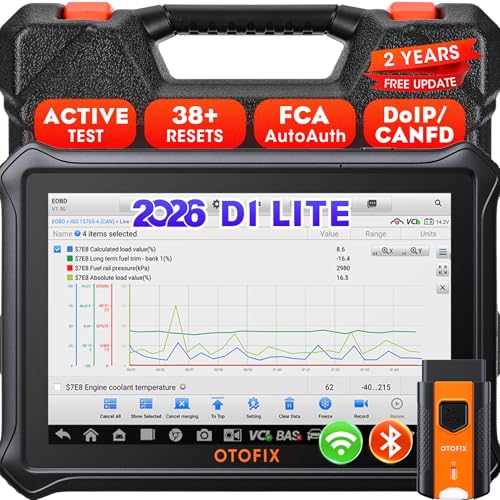
- 【2026 OTOFIX D1 Lite Gives the Best Value for Money】OTOFIX D1 Lite bidirectional scan tool is more FASTER and SMARTER with 2026 Enhanced Hardwares & New Functions! 👍Alternative Bluetooth +USB connect 👍2G+64GB 👍4x ARM Cortex-A35 (1.5GHz) Processor (5X Faster CPU) 👍Android 9.0 OS 👍5G GHz WiFi 👍CANFD&DOIP 👍 FCA AutoAuth 👍38+ Services 👍3K+ Bi-Directional Control 👍Full Systems Diagnose 👍2 Years Update 👍150+ Vehicle Coverage.
- 👍【Active Tests】 OTOFIX D1 Lite is a bi-directional scan tool that can send commands to, and also receive information from vehicle control modules. This way, you can quickly locate and repair faulty auto parts. For Example: send direct commands to ask the vehicle to turn on/off the radiator fan, lights, sound horn, fuel pump, modulate throttle, open/close windows, operate mirrors and more. *Note that only available tests will be displayed in the menu.
- 👍【38+ Service Functions】 OTOFIX D1 Lite scan tool offers 38+ of the hottest service functions that are commonly used for car repairs. That include Oil reset/SAS/EPB/BMS/Throttle/ABS bleeding, and 2065-new SUS/ADBLUE/NOX/Headlamp resets (and more) to help restore your car status after repairs are done. Compared to other diagnostic scanners for cars, the OTOFIX D1 Lite scanner is much more fully-featured. *Note that specific functions available depend on the make/model/year of your car.
- 👍【All System Diagnostics + Cloud Report Management】 This 2026 car scanner OTOFIX D1 Lite provides troubleshooting and data for all ECUs: read/clear DTCs, view graphic live data/VIN, and locate system faults for safe driving. With Cloud Report Management, you can save detailed reports to cloud servers and easily shared them with others via QR codes/emails/text messages. Others can access these reports from any device (smartphones/tablets/PCs …) anytime, and you can better manage repair work.
- 👍【99% Car Coverage】 This one-station car scanner diagnostic for all cars works on 150+ major car brands across the world. 1) It supports CAN-FD/DoIP protocols: compatible with GMCAVALIER/TRAX/Encore/Envision/GL8(LSY)/CT4/CT5 after 2019; Volvo after 2018; Land Rover/Jaguar after 2017; and BM.W F/G all chassis. 2) For models equipped with security modules (such as Renault & 2018+ FCA SGW), its built-in AutoAuth allows you to easily break diagnostic barriers after registration.
This product presentation was made with AAWP plugin.
Last update on 2026-05-12 / Affiliate links / Images from Amazon Product Advertising API