
NHTSA ID Number: 10241779
Manufacturer Communication Number: TB90H2a
TSB/Document Date: 2023-09-05
Summary
Instrument Cluster (NVLW
If the PDF is very large, it may not load in the preview below.
Some older TSBs had multiple PDFs — visit the NHTSA Website to view all PDFs.
If the TSB PDF does not show, download or view it on the NHTSA Website.
Click on the (+) Plus Sign
Then Click on Associated Document(s)

- 💝【Questions? We’re Here Anytime】MK808S is a...
- 🔥🔥🔥【2026 NEWLY RELEASED BI-DIRECTIONAL...
- 【28+ MOST POPULAR RESET SERVICE FOR 150 MAKES】Autel...
- 【ALL SYSTEM DIAGNOSTICS, FACTORY-LEVEL SCANNER】The...
- 【AUT0 SCAN & AUT0V1N, 10X FASTER】How much have you spent...


- 💯【Conta.ct us for Support Directly】If you met any...
- 🔥🔥🔥【2026 AUTEL FLAGSHIP MK900BT MK900-BT, NEW...
- 🚗【3000+ ACTIVE TESTS (50➡3000+), SAME AS MS...
- 🚗【40+ HOT SERVICES FOR 150 MAKES (28+➡40+)】Full...
- 🚗【OE ALL SYSTEM DIAGNOSE, AUTO SCAN 2.0: SCAN LICENSE...
This product presentation was made with AAWP plugin.
Search NHTSA Database for Recalls
Search NHTSA Database for Vehicle Investigations
View Latest Vehicle Investigations
Search NHTSA Database for Vehicle Complaints
View Latest Vehicle Complaints
TSB/Document ID: TB90H2a
Replacement Service Bulletin Number:
MFR Communication Date: 2012-11-13
MFR Internal Campaign ID/Software Version:
Communication Type: Service Bulletin/Repair Instructions
NHTSA Components: ELECTRICAL SYSTEM: INSTRUMENT CLUSTER/PANEL
MFR Component System:
MFR Component Subsystem:
Previous TSB | Next TSB |
UPDATE Technical Bulletin
November 13, 2012
UPDATE – 90H2 Instrument Cluster (NVLW)
NOTE:
• Perform this UPDATE on all applicable vehicles within NEW VEHICLE LIMITED WARRANTY
• It is MANDATORY to perform UPDATES on all applicable vehicles in dealer inventory PRIOR TO
RETAIL SALE.
• Inform customers that this UPDATE will be available free of charge as long as their vehicle is within
the Warranty parameters outlined in this UPDATE.
NOTE:
Required DMS Wording//Text (line item, customer concern description on repair order):
UPDATE 90H2 Instrument Cluster (NVLW)
Year Engine
Code
Model(s)
2012
–
2013
Jetta Sedan
Trans.
Code
From
To
All
3VW___AJ_CM033700
3VW___AJ_DM386273
All
REVISION HISTORY
Revision
Date
Purpose
1
October 24, 2012
Original publication – MY 2013 U.S. Only
2
November 02, 2012
Added Model Year 2012 Inventory vehicles for U.S. Only
3
November 13, 2012
Added vehicles for Canada
Condition
This update has been proactively released to prevent customer concerns related to clock and trip
meter adjustment using the instrument cluster buttons. Because of a fitment concern between the
instrument cluster halves the buttons mounted on the instrument cluster may not function properly.
This UPDATE is in effect until removed.
Vehicle must meet all of the following criteria:
•
Procedure is valid only for vehicles that show the 90H2 code in ElsaWeb, Campaign/Action
Information screen on the day of repair.
•
If the vehicle is sold it must be within the NEW VEHICLE LIMITED WARRANTY
Page 1 of 11
© 2012 Volkswagen Group of America, Inc.
All rights reserved. Information contained in this document is based on the latest information available at the time of printing and is subject to the copyright and other intellectual property rights of
Volkswagen Group of America, Inc., its affiliated companies and its licensors. All rights are reserved to make changes at any time without notice. No part of this document may be reproduced,
stored in a retrieval system, or transmitted in any form or by any means, electronic, mechanical, photocopying, recording, or otherwise, nor may these materials be modified or reposted to other
sites, without the prior expressed written permission of the publisher.
UPDATE Technical Bulletin
•
Procedure must be performed within the allotted time frame stated in this UPDATE.
•
Procedure must be performed on applicable vehicles in dealer inventory prior to sale.
Technical Background
Since the lower housing does not fit properly with the upper housing, the buttons do not make contact
when time and/or trip meter is being set. See Picture 1.
Picture 1
Production Solution
th
Improvement in the Production process as of September 30 , 2012.
Service
NOTE:
• ElsaWeb is the only valid inquiry/verification source. Check ElsaWeb on the day this vehicle UPDATE
will be performed to verify vehicle eligibility for the UPDATE. Status must show “open”. Attach an
ElsaWeb printout showing the “open” status to the repair order.
• If this UPDATE appears to have already been performed but the code still shows open in ElsaWeb,
contact Warranty before proceeding further. Another dealer may have recently performed this
UPDATE but not yet entered a claim for it in the system.
• ElsaWeb may also show additional open action(s); if so, inform your customer - this work can be done
while the vehicle is in for this UPDATE.
• Contact the Warranty Helpline (U.S.) or the Warranty Campaign Specialist (Canada) if you have any
questions.
Page 2 of 11
© 2012 Volkswagen Group of America, Inc.
All rights reserved. Information contained in this document is based on the latest information available at the time of printing and is subject to the copyright and other intellectual property rights of
Volkswagen Group of America, Inc., its affiliated companies and its licensors. All rights are reserved to make changes at any time without notice. No part of this document may be reproduced,
stored in a retrieval system, or transmitted in any form or by any means, electronic, mechanical, photocopying, recording, or otherwise, nor may these materials be modified or reposted to other
sites, without the prior expressed written permission of the publisher.
UPDATE Technical Bulletin
Work Procedure:
⇐ Check for proper operation of each
instrument cluster button .
•
If both buttons operate properly, WORK
COMPLETE.
•
If one or both buttons do not operate
properly, CONTINUE WORK
PROCEDURE.
Tip:
The estimated repair rate is approximately 20%
of vehicles inspected.
Tip:
The trim bezel and HVAC vent assemblies
should be removed together – if the vents do
not come out with the trim bezel they are
difficult to remove.
•
Turn ignition off.
•
Disconnect and secure negative battery
terminal.
Note:
DO NOT pull/pry on trim directly around vents.
Tip:
Interior of vehicle should be at or near room
temperature prior to removing trim components.
•
Verify all three HVAC vents in the
instrument cluster trim bezel are in the
full-open position.
⇐ Apply protective tape (e.g. masking tape)
to the knee bolster trim to prevent
damage .
Page 3 of 11
© 2012 Volkswagen Group of America, Inc.
All rights reserved. Information contained in this document is based on the latest information available at the time of printing and is subject to the copyright and other intellectual property rights of
Volkswagen Group of America, Inc., its affiliated companies and its licensors. All rights are reserved to make changes at any time without notice. No part of this document may be reproduced,
stored in a retrieval system, or transmitted in any form or by any means, electronic, mechanical, photocopying, recording, or otherwise, nor may these materials be modified or reposted to other
sites, without the prior expressed written permission of the publisher.
UPDATE Technical Bulletin
⇐ Gently pry the lower section of the trim
bezel loose from the bolster trim.
Note:
Take notice to the location of the two tabs on
the bottom of the bezel . DO NOT pry
directly against these tabs. Instead, gently pry
the bottom of the bezel up and over the knee
bolster trim.
•
Gently pry the bottom of the bezel up
and over the knee bolster trim.
⇐ With the locking tabs in front of the knee
bolster trim pull directly on the bezel by
hand at the 9 o’clock, then the 3 o’clock
positions of the cluster .
Tip:
HVAC vents should pull out freely with the trim
bezel. If they do not, remove vents from dash
and install onto bezel prior to reassembly.
•
Disconnect the wire harness attached to
the emergency flasher switch prior to
fully removing the bezel/vent assembly
•
Remove the upper steering column trim
Page 4 of 11
© 2012 Volkswagen Group of America, Inc.
All rights reserved. Information contained in this document is based on the latest information available at the time of printing and is subject to the copyright and other intellectual property rights of
Volkswagen Group of America, Inc., its affiliated companies and its licensors. All rights are reserved to make changes at any time without notice. No part of this document may be reproduced,
stored in a retrieval system, or transmitted in any form or by any means, electronic, mechanical, photocopying, recording, or otherwise, nor may these materials be modified or reposted to other
sites, without the prior expressed written permission of the publisher.
UPDATE Technical Bulletin
Note:
It is not necessary to remove the steering wheel
or the lower steering column trim.
⇐ Remove the instrument cluster mounting
bolts .
•
Carefully pull the instrument cluster
rearward slightly, and then tilt the
assembly downward to access the
wiring harness connection .
Note:
The slack on the harness connection is
limited. Only pull the cluster out far enough to
access and disconnect the harness.
⇐ Release the locking tab on the
connector and unplug the harness from
the back of the instrument cluster .
Page 5 of 11
© 2012 Volkswagen Group of America, Inc.
All rights reserved. Information contained in this document is based on the latest information available at the time of printing and is subject to the copyright and other intellectual property rights of
Volkswagen Group of America, Inc., its affiliated companies and its licensors. All rights are reserved to make changes at any time without notice. No part of this document may be reproduced,
stored in a retrieval system, or transmitted in any form or by any means, electronic, mechanical, photocopying, recording, or otherwise, nor may these materials be modified or reposted to other
sites, without the prior expressed written permission of the publisher.
UPDATE Technical Bulletin
•
Remove the instrument cluster from the
vehicle.
⇐ Place the instrument cluster face up on
a clean, sturdy surface.
•
With the instrument cluster removed
from the vehicle inspect the seam
between the two instrument cluster
halves .
⇐ If the cluster halves are not fully seated
together gently press downward on the
cluster. Be sure to press on the outside
edges of the glass as shown to prevent
damage.
Note:
Do not push directly on glass! Damage to
instrument cluster will occur if pushing directly
on glass.
Page 6 of 11
© 2012 Volkswagen Group of America, Inc.
All rights reserved. Information contained in this document is based on the latest information available at the time of printing and is subject to the copyright and other intellectual property rights of
Volkswagen Group of America, Inc., its affiliated companies and its licensors. All rights are reserved to make changes at any time without notice. No part of this document may be reproduced,
stored in a retrieval system, or transmitted in any form or by any means, electronic, mechanical, photocopying, recording, or otherwise, nor may these materials be modified or reposted to other
sites, without the prior expressed written permission of the publisher.
UPDATE Technical Bulletin
⇐ While pressing down on the cluster,
apply tape from kit# 5C0 998 870, one
sticker over the button housing and one
over the locking tab .
•
Perform same procedure on opposite
side of instrument cluster.
Tip:
A total of four (4) pieces of tape from kit# 5C0
998 870 must be applied to the instrument
cluster to complete repair.
Tip:
In cases where gray tape may be installed,
remove gray tape and replace with tape from
kit# 5C0 998 870.
⇐ Inspect instrument cluster thoroughly to
ensure both halves are fully seated and
fastened together .
Tip:
With the repair complete, the seam gap will be
approximately 1mm.
•
Reconnect electrical connector to
instrument cluster and insert cluster into
position.
•
Reconnect battery ground cable.
•
Check for operation of both buttons on
instrument cluster before reinstalling.
Page 7 of 11
© 2012 Volkswagen Group of America, Inc.
All rights reserved. Information contained in this document is based on the latest information available at the time of printing and is subject to the copyright and other intellectual property rights of
Volkswagen Group of America, Inc., its affiliated companies and its licensors. All rights are reserved to make changes at any time without notice. No part of this document may be reproduced,
stored in a retrieval system, or transmitted in any form or by any means, electronic, mechanical, photocopying, recording, or otherwise, nor may these materials be modified or reposted to other
sites, without the prior expressed written permission of the publisher.
UPDATE Technical Bulletin
•
Reinstall the instrument cluster and
reassemble the vehicle.
⇐ Check for proper instrument cluster
button operation .
WORK COMPLETE
Warranty
Claim Entry
Procedure
Enter your claim immediately upon completion of the UPDATE. Claims will only be paid
for vehicles that show this UPDATE code open in ElsaWeb on the day of repair. To
help ensure prompt and proper payment, attach the screen print to the repair order.
Claim Help
U.S. dealers - Contact the Warranty Helpline toll-free at 1-866-306-8447 for help with
claim entry.
Canadian dealers - Contact your Warranty Campaign Specialist. For contact
information, please proceed to “ServiceNet – Warranty/Contact Information/Campaigns
– “Warranty Campaign Specialist.”
Required Customer Ensure customers are aware of all work performed on the vehicle by recording the
Notification
information on the repair order.
Attach a copy of the Vehicle UPDATE Fact Sheet to the customer’s copy of the repair
order and take the time to explain this UPDATE to your customer.
Page 8 of 11
© 2012 Volkswagen Group of America, Inc.
All rights reserved. Information contained in this document is based on the latest information available at the time of printing and is subject to the copyright and other intellectual property rights of
Volkswagen Group of America, Inc., its affiliated companies and its licensors. All rights are reserved to make changes at any time without notice. No part of this document may be reproduced,
stored in a retrieval system, or transmitted in any form or by any means, electronic, mechanical, photocopying, recording, or otherwise, nor may these materials be modified or reposted to other
sites, without the prior expressed written permission of the publisher.
UPDATE Technical Bulletin
SAGA Code 90H2 Claim Entry Procedure
Check ElsaWeb to confirm that this UPDATE code is open on the day of repair.
Service No.: 90H2
Damage Code: 0099
Parts Manufacturer/Vendor Code: 3ME
Claim Type
Sold vehicle = 7 10
Unsold vehicle = 7 90
Accounting Instructions
Criteria I.D. 01
Check Instrument Cluster buttons operation. Buttons operate correctly. No further work required.
Repair operation:
0183 00 99
10 TU
-- OR -Check Instrument Cluster buttons operation. Buttons do not operate correctly. Repair instrument
cluster with 3M tape kit
Repair operation:
9025 41 99
60 TU
Quantity
Part Number
Part Description
1
5C0 998 870
3M Tape Kit
There is NO reimbursement for wash or loaner vehicle!
If vehicle is not eligible for repair under this UPDATE (i.e.: totaled status) OR if customer refused
repairs.
Fax the Repair Order to VWoA at (248) 754-5093 and provide VIN, applicable Service Number, Customer
Information, Dealer Number and Date
Page 9 of 11
© 2012 Volkswagen Group of America, Inc.
All rights reserved. Information contained in this document is based on the latest information available at the time of printing and is subject to the copyright and other intellectual property rights of
Volkswagen Group of America, Inc., its affiliated companies and its licensors. All rights are reserved to make changes at any time without notice. No part of this document may be reproduced,
stored in a retrieval system, or transmitted in any form or by any means, electronic, mechanical, photocopying, recording, or otherwise, nor may these materials be modified or reposted to other
sites, without the prior expressed written permission of the publisher.
UPDATE Technical Bulletin
Required Parts and Tools
Part Description
Part No:
Quantity
1
3M Tape Kit
5C0 998 870
(Note: Each kit contains four
pieces of transparent tape)
Tip:
The estimated repair rate is approximately 20% of vehicles inspected.
Additional Information
All part and service references provided in this Technical Bulletin are subject to change and/or
removal. Always check with your Parts Dept. and Repair Manuals for the latest information.
Page 10 of 11
© 2012 Volkswagen Group of America, Inc.
All rights reserved. Information contained in this document is based on the latest information available at the time of printing and is subject to the copyright and other intellectual property rights of
Volkswagen Group of America, Inc., its affiliated companies and its licensors. All rights are reserved to make changes at any time without notice. No part of this document may be reproduced,
stored in a retrieval system, or transmitted in any form or by any means, electronic, mechanical, photocopying, recording, or otherwise, nor may these materials be modified or reposted to other
sites, without the prior expressed written permission of the publisher.
UPDATE Technical Bulletin
UPDATE FACT SHEET – UPDATE Code 90H2
Dear Volkswagen Customer,
Today we performed UPDATE code 90H2 on your vehicle. This UPDATE checks the
operation of the buttons on your instrument cluster that control the clock and trip meter and
repairs them if necessary. This UPDATE was performed for you free of charge.
Volkswagen periodically makes updates like this available in order to ensure our customer’s
continued satisfaction with the quality of their Volkswagen vehicles.
We at Volkswagen are committed to providing our customers with reliable, quality products
that are a pleasure to drive and own. If you should ever have any questions or vehicle
concerns, your authorized Volkswagen dealer will be pleased to assist you.
Thank you for driving a Volkswagen!
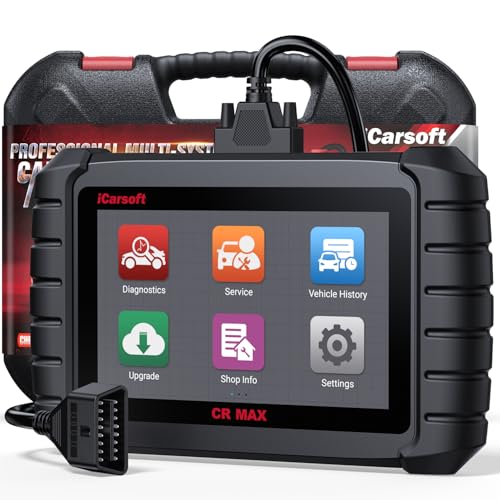
- WHY CHOOSE THE 2025 CR MAX -Upgrade the latest diagnostic capabilities for all vehicles after 1996: upgrade to 49+maintenance services; 46 extra specific functions; real all systems/all control modules diagnose; over 40K+ bidirectional actuation tests for diagnosing all control moduels of cars; Powerful full OBD2 Functions; built-in ECU Coding for BMW
 / Audi/ VW/ RollsRoyce; Fr ee V.A.G Guide Function; Battery retistration for new battery adaptation and more. It covers all vehicle diagnostic services and some special professional vehicle maintenance servces, assists you to do home DIY vehicle maintenance or car repair as a pro technician.
 - NEWEST IN INNOVATION FULL OBD2 SERVICES- iCarsoft auto car diagnostic scanner compatible with CAN-FD, CR MAX can do it all-reads and clears trouble codes, ALL SYSTEM DIAGNOSIS such as engine, transmission, ABS and airbag etc. CR MAX code reader for all cars can perform I/M Readiness, Live Data, Freeze Frame, Vehicle Information, Monitor Test, On-Board Monitor, E vap System Test,O2 Sensor Test,DTC Library Lookup,etc. (Warm Tips: If you car is after 2023,please contact us for compatibility; 3. It comes with 16PIN OBD2 diagnostic adapter, please check your car diagnostic socket if it is 16pin socket, if your car is 14pin diagnostic socket please contact us for the solution.)
- 49 RESET+ 46 SERVICES- Performs: Oil Reset, EPB,SAS,Throttle, D-P - F, Battery, ABS, Injector, TPMS, Suspension, AC, Head Lamp, Body Stablity, Engine, Tramsmission, Airbag, Seat, Door-Win-Roof, Fuel Pump, Door, E-G- R.+21 NEWEST SERVICES( Need update scanner)-AdBlue, Clutch, Crankshaft, High Voltage Battery, Cruise Control, NO xSensor, Rain Sensor, Stop And Start, Turbocharger, Head Up Display, Radar Camera, Vehicle Setup, Cyliner Misfire Check,Speedlimitassist, ControlUnitReset,OxygenSensor, Seatbelt. Extra 46+ extra services based on car brand.(Tips: Quantity of reset/ calibration fucitons are based on car system that your vehicle model has)
- REVOLUTIONARY 40000+BIDIRECTIONAL ACTIVE TESTS: Upgraded CR Max scanner equip with numberous of actuational test items for covering all available vehicle control modules, no longer only do simple light test or window test like other scanners, performs hardware modules test and software control modules test for checking car units or new updated control moduels work well or not after maintenance/ repair/ re-installation/ control system updated (Example for Benz- Roller Sun Blind test; Backup Camera test ;Self-test; EPB test; Transport Mode test;Boost Pressure Positioner test; Fuel Pump test; AND MORE!!).(Warm tip: The available test items are based on control modules your car has)
- ECU CODING+ BATTERY REGISTRATION- Powerful ECU Coding service for BMW/MINI/RollsRoyce / Audi/VW/Seat/Skoda/Bentley/Bugatti/Lamborghini, Improves Engine Power Performance and Optimizes Fuel Efficiency and Match New Hardware Unit to car and Customized a comfortable Driving Modes and Fixes & Updates Original Software Bug. The battery test function for checking car battery health, perform battery reset (BMS ) for replacing a damaged or aging car battery with a new one and register new battery to car ECU

- Scanner POR V2.0 with all obd2 services
- Do the scanning for engine
- Support OBDII/EOBD Ten Modes of Operation

- 【Designed for Most Mercedes-Benz, Sprinter and Smart from 1996-2023】As every car model of Benz has its-owned specific car system and ECUs, not all models are equipped with a complete vehicle ECU, which may cause the scanner to be unable to perform all listed reset services on some models, or even completely incompatible. Like For Sprinter's newer models, it support diagnostic functions only, lacking support for specialized service functions.. So please tell us the car's VIN and required service before purchase for compatibility check. You may also refer to the instructions in the eighth image of the main product photos to perform your inquiry.
- 【Up to 38 Reset Services】MB V3.0 2026 Version diagnostic tool performs Up to 38 maintenance services - Oil Rest , SAS, EPB, ETC, D-P-F, TPMS, ABS, Suspension, Air Conditioner, Head Lamp, Body Stability, Engine Control, Seat, Fuel Pump, Air-Filter, Engine Idle, Door, Im-mo-bilizer, Injector Coding, Transmission Control, Miscellaneous, Adblue, BMS, Cluth, Water Pump, NOxSensor, Rain/Light Sensor, Start/Stop, Radar/Camera, Cylinder Shutoff Test, Speed Limit Assist, Control Unit Reset, Oxygen Sensor, Seat Belt, Cruise Control System, Turbocharger, Crankshaft, Language Setting and etc. (Tips: Please update the software after receiving the product to obtain new service functions)
- 【OE-Level All System OBD2 Scanner】iCarsoft MB V3.0 (2026 Version) diagnostic scanner offers comprehensive OBDII services, allowing you to quickly scan all systems, including the Engine, ABS, SAS, SRS, TPMS, TCM, Fuel Pump System, ESP, EPB, EPS, Suspension, SCM, Adaptive Systems, and more. It supports functions such as reading and erasing codes, checking I/M readiness, viewing freeze frame data, performing O2 sensor tests, conducting on-board monitoring, testing the evap system, auto VIN retrieval, and reading both generic and specific codes, as well as DTCs and battery tests.
- 【Bidirectional Scan Tool】iCarsoft MB V3.0 (2026 Version) Bidirectional scanner supports activate or control a vehicle system or component, allows commanding cars’ modules and receiving info from the ECU to perform active tests on individual components, including EVAP/ABS Motor Pump/Windows/Sunroof and more, to pinpoint fault causes & resolve issues,and allows you to re-learn certain components after making repairs or replacement.
- 【Real Time Record & Graph View】iCarsoft MB V3.0 (2026 Version) can automatically record vehicle text history and identify vehicle information. Preserve real-time data information. View & Graph Live Data. Support Data Review and Print. Multi-language: English, German, Dutch, Spanish, French and so on. We promise to offer Lifetime updates (Lifetime free Update via PC), and confidence in products. We also provide 1 year warranty + extra lifetime hardware free repair if you need it in the future. We prioritize user experience & strive to meet your expectations. Please do feel free to reach out to us if you have any question or problem about the usage, our tech team will service you in time.
This product presentation was made with AAWP plugin.
Last update on 2026-05-12 / Affiliate links / Images from Amazon Product Advertising API