
NHTSA ID Number: 10241634
Manufacturer Communication Number: SA-009-23h
TSB/Document Date: 2023-09-05
Summary
Some customers may complain about any of the following: 1. Infotainment Center Display does not provide the Authorization Code (OTP) during the MyMazda App Connected Vehicle enrollment. 2. Remote function(s) inoperative. Engine Start / Stop, Door Lock / Unlock, Lights ON / OFF
If the PDF is very large, it may not load in the preview below.
Some older TSBs had multiple PDFs — visit the NHTSA Website to view all PDFs.
If the TSB PDF does not show, download or view it on the NHTSA Website.
Click on the (+) Plus Sign
Then Click on Associated Document(s)

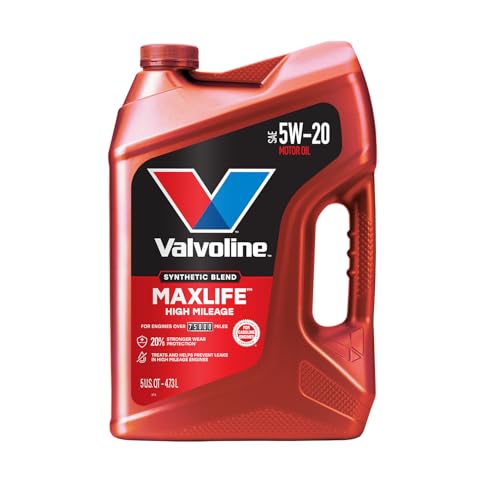
- MaxLife Technology prevents engine breakdown with 40% better...
- Includes seal conditioners to reduce oil consumption and oil...
- Added detergents reduce sludge, corrosion, rust and deposits...
- Advanced friction-fighting additives help maximize...
- Meets or exceeds all requirements of ILSAC GF-6A, API SP...
This product presentation was made with AAWP plugin.
Search NHTSA Database for Recalls
Search NHTSA Database for Vehicle Investigations
View Latest Vehicle Investigations
Search NHTSA Database for Vehicle Complaints
View Latest Vehicle Complaints
TSB/Document ID: SA-009-23h
Replacement Service Bulletin Number:
MFR Communication Date: 2023-08-28
MFR Internal Campaign ID/Software Version:
Communication Type: Service Bulletin/Repair Instructions
NHTSA Components: ENGINE AND ENGINE COOLING
MFR Component System:
MFR Component Subsystem:
Previous TSB | Next TSB |
BULLETIN NOTES
This service alert supersedes the previously issued service alert listed below. The changes are noted in Red text.
Previous TSBs:
Date(s) Issued:
SA-009/23
08/15/23, 07/05/23, 06/12/23, 05/24/23, 04/25/23, 03/28/23, 03/01/23 and 02/06/23
SA-017/22
12/13/22, 10/10/22, 08/25/22, 05/06/22, 04/04/22
SA-013/21
12/22/21, 10/13/21, 09/14/21, 05/11/21,
04/27/21, 03/15/21, 02/22/21, 02/08/21 and 02/02/2021
SA-031/20
12/09/20,11/30/20, 11/06/20, 10/28/20, 06/16/20, 06/05/20, 06/01/20, 05/18/20,
04/14/2020, 04/02/20, 03/11/20 and 02/27/20
APPLICABLE MODEL(S)/VINS:
2019-2024 Mazda3
2020-2024 CX-30
2021-2024 CX-5
2021-2023 CX-9
2022-2023 MX-30
2023-2024 CX-50
2024 CX-90
DESCRIPTION
Some customers may complain about any of the following:
1. Infotainment Center Display does not provide the Authorization Code (OTP) during the MyMazda App
Connected Vehicle enrollment.
2. Remote function(s) inoperative.
•
•
•
Engine Start / Stop
Door Lock / Unlock
Lights ON / OFF
3. MAZDA CONNECT connected vehicle reception strength icon shows "X" or "\".
Page 1 of 36
08/29/2023 11:10 AM tlawrenc
Index
•
•
•
•
MAZDA CONNECT Indication
Remote Engine Start Will Not Function
Remote Engine Start Function Will turn engine OFF
Deactivation Mode
MAZDA CONNECT Indication
Indication
Explanation
Mazda3, CX-30, CX-50, MX-30
Radio waves are not being received.
Move to a location with good reception.
Weak reception.
Good Receptioin
Strong reception.
Currently conducting an operation check of the
communication unit. If this condition continues, consult an
Authorized Mazda Dealer.
Currently conducting an operation check of the onboard
communication unit.
NOTE: Communication is not possible during this display.
CX-5, CX-50, CX-9, MX-30
Mazda3, CX-30 built July 1, 2021 and later
The communication function is temporarily disabled due to
infotainment system setting.
• Deactivation Mode
• Connected Service contract has ended
(Subscription expired)
Page 2 of 36
08/29/2023 11:10 AM tlawrenc
• TCU has not been initialized, go to SA-004/21
Vehicles built before July 1, 2021
Customer deactivated Connected Services (Opt-Out)
Vehicles built after July 1, 2021
• eMDCS Warranty Vehicle Inquiry will show
Campaign CSP04 Status Open
Connected Services disabled (box unchecked)
CX-5, CX-50, CX-9, MX-30
Mazda3, CX-30 built July 1, 2021 and later
Connected Services Disabled message
appears at engine start up
Enable Connected Services (box checked) to prevent
message appearing at engine start up.
Note: If customer Opted-Out ( CSP04), advise customer
to keep Connected Services box checked. The vehicle will
not transmit data.
Connected Vehicle Maintenance Mode
Connected Vehicle Maintenance Mode enabled.
Go to MGSS SERVICE CAUTIONS FOR VEHICLES
WITH TELEMATICS COMMUNICATION SYSTEM to
disable Maintenance Mode.
NOTE: Connected Vehicle Maintenance Mode is
unnecessary if the customers vehicle is in
Deactivation Mode .
Page 3 of 36
08/29/2023 11:10 AM tlawrenc
Remote Engine Start Will Not Function under the following conditions
Item
Condition
1
Remote Engine Start function is not available on PHEV (inline 4) models. See SA-038/23
2
Vehicle battery voltage low
3
Automatic Transmission shift position except "P"
4
Vehicles equipped with manual transmission
5
Vehicle speed above 3 mi/h (5 km/h)
6
Brake pedal switch malfunction
7
Engine has been running by remote engine start function
8
Engine started by remote engine start more than 2 consecutive times while the vehicle is not driven.
The vehicle must be driven 1-mile or 24-hours must pass from the last successful Remote Engine
Start for the use count to reset.
2021 Mazda3, 2021 CX-30, CX-50, MX-30: Vehicle's electrical control area network (CAN) is in
"Sleep Mode"
9
or
10 A registered key is detected in the vehicle
11 Brake pedal switch detects brake application
Low fuel warning
12
13
Engine starts, then turns OFF due to abnormal high engine rpm detected. (Engine rotation over
3000 rpm continued for more than 0.2[s])
14
No engine rpm detected after sending engine start request. (Engine rotation 0 rpm continued for
more than 0.2[s])
15 When the CAN data signal for engine shut off is present (e.g.: door ajar signal)
16 After 10 second maximum cranking time
17
Burglar alarm status is "Alarm" and "Alarm stand by" (CAUTION - DO NOT enable, see TheftDeterrent System section in SA-012/20)
18 Room fuse blown/missing
19 Connected Vehicle Maintenance Mode enabled (Restricted Transmitting Mode in MDARS)
Page 4 of 36
08/29/2023 11:10 AM tlawrenc
20
Vehicle is parked (stored) for approximately 1 week or longer or in deep sleep mode.
Drive the vehicle for a few miles to recover.
DTC Stored
21
22 Aftermarket Remote Engine Start accessory installed.
Mazda Remote Engine Start (BCKA-V7-620) accessory installed (No MyMazda app remote engine
start function).
23 Mazda Remote Engine Start (RES) Removal
a. Remove the Mazda Remote Engine Start (RES) accessory module.
b. Deactivate and activate Advanced Key(s). Refer to MGSS IMMOBILIZER SYSTEMRELATED PARTS PROGRAMMING [(US)]
24
First remote control attempt fails, second attempt works fine.
Go to TSB 16-002/20.
25 CSP04 Status Open
Remote Engine Start Function Will turn engine OFF under the following conditions
Item
Condition
1
Vehicle door(s) opened
2
Vehicle trunk opened
3
Vehicle hood opened
4
Ignition switch push button "ON" detected
5
Remote engine STOP request
6
Brake pedal switch detects brake application
7
DTC Stored
8
Engine will stop running automatically after 15 minutes for safety, security and emissions.
Page 5 of 36
08/29/2023 11:10 AM tlawrenc
Deactivation Mode
• Deactivation Mode Temporary Suspension 6/16/2023 (6/11/2023 retail date and later)
• Vehicles retailed before 6/11/2023 and in Deactivation Mode will remain in Deactivation mode.
NOTE:
• Customer/Dealer can activate CV services anytime via MyMazda app
Customer - There might be a slight delay in making the backend connection since it was temporarily
deactivated.
Dealer - Go to Repair Procedure -> TCU Activation
• When TCU is in Deactivation Mode, infotainment Over-the-Air (OTA) Connectivity Master Unit (CMU) software
update is not possible (disabled).
• Prior to Retail Date, the TCU is active.
○
○
Deactivation Mode Status Check:
Reception Icon Shows normal strength
TCU Active
Infotainment
Center
Display
Mazda
Connected
Vehicle
Viewer
(MCVV)
• TCU in
Deactivation
Mode
• One Time
Passcode
(OTP) is
processing
Reception Icon Shows "X"
1. Go to Mazda
Connected Vehicle
Viewer (MCVV)
2. Select "Vehicle
Communication
Line Status
Reference"
3. Enter VIN and
Page 6 of 36
08/29/2023 11:10 AM tlawrenc
then select
"Search"
TCU in Deactivation Mode (Status -> Closed)
One Time Passcode (OTP) is processing (Status -> Open Requested)
4. See Status
TCU Active (Status -> Opened)
REPAIR PROCEDURE
CAUTION: DO NOT swap TCU with another vehicle as the TCU is VIN locked after activation. A TCU swap with another
vehicle will disable Connected Services on both vehicles.
Page 7 of 36
08/29/2023 11:10 AM tlawrenc
PREPARATION:
1. Confirm that the TCU is at the latest software level. Go to Telematics Communication Unit (TCU) Updates
2. Go to eMDCS Vehicle Inquiry and confirm the following campains are not shown or closed:
•
•
•
•
CSP06
CSP07
SSPC7
DRW41
3. Go to eMDCS Vehicle Inquiry and confirm CSP04 is not shown.
4. In most cases, the customer will not leave their device with you for troubleshooting, therefore a connected vehicle
take-over is necessary. Use your personal device or dealer supplied device for troubleshooting. Go to Enrollment.
• At customer pick-up, inform customer to re-enroll into Connected Services as a new primary user.
5. Confirm the customer's phone and vehicle have good to strong reception during the concern as shown in the table
below.
• If the reception icon shows "X", the TCU is deactivated. Enrollment is not possible. Go to TCU Activation.
• Customer/Dealer can activate CV services anytime via MyMazda app
Customer - There might be a slight delay in making the backend connection since it was
temporarily deactivated.
Dealer - Go to TCU Activation
○
○
• If the reception icon shows " \ ", move the vehicle to an area with a clear view of the sky.
Page 8 of 36
08/29/2023 11:10 AM tlawrenc
• If the reception is weak, move the vehicle to a location where the reception is good to strong as shown in
the table, then try to get the Authorization Code and/or operate the remote functions before proceeding to
the Repair Procedure if there is still an issue.
• If the reception is good to strong, proceed to Connected Vehicle Troubleshooting below.
NOTE: Vehicles stored for long periods may loose GPS clock sychronization. If the vehicle is stored for a long
period, test drive the vehicle to give the GPS clock time to sychronize before enrolling or testing connected vehicle
functions.
Index
1. Unable to create a MyMazda account
2. Remote function(s) inoperative
3. No One Time Pass Code (OTP)
4. Connected vehicle reception strength icon shows "X" or "\"
5. MyMazda App displays incorrect tire pressures (Except CX-5 and CX-9)
6. Unable to activate Connected Services (2019 Mazda3)
7. Software Update Error (2020 Mazda3)
8. Functions inoperative (2021-> CX-30, CX-50, Mazda3 and MX-30)
9. First remote control attempt fails, second attempt works fine
10. Engine turns off when opening door
11. Low Tire pressure will not clear after correcting tire pressue
12. MyMazda App does not display tire air pressures (CX-5, CX-9)
TCU Activation
Educational Videos
Resources
Connected Vehicle Troubleshooting
Symptom
The customer is not able to create a
MyMazda account. The customer
receives the following error:
MyMazda App - Internal Usher SDK
error.
1
Cause
Action
1. Text “Start” to 1-949 518-0058 (Twilio SMS for
Mazda)
2. Retry to create a MyMazda account.
Customer
NOTE: USA and Canada only
inadvertently
texted “Stop”
to 1-949 5180058
(Twilio SMS for
Mazda)
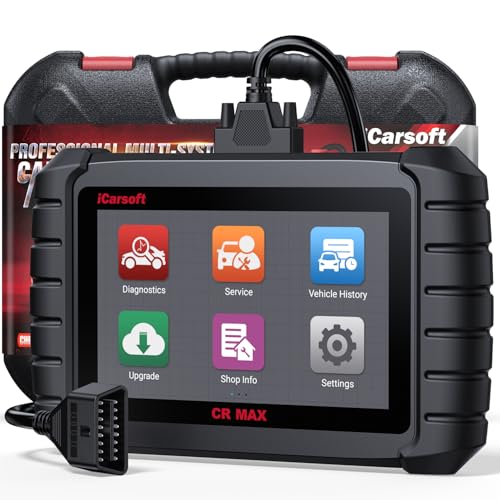
- WHY CHOOSE THE 2025 CR MAX -Upgrade the latest diagnostic capabilities for all vehicles after 1996: upgrade to 49+maintenance services; 46 extra specific functions; real all systems/all control modules diagnose; over 40K+ bidirectional actuation tests for diagnosing all control moduels of cars; Powerful full OBD2 Functions; built-in ECU Coding for BMW
 / Audi/ VW/ RollsRoyce; Fr ee V.A.G Guide Function; Battery retistration for new battery adaptation and more. It covers all vehicle diagnostic services and some special professional vehicle maintenance servces, assists you to do home DIY vehicle maintenance or car repair as a pro technician.
 - NEWEST IN INNOVATION FULL OBD2 SERVICES- iCarsoft auto car diagnostic scanner compatible with CAN-FD, CR MAX can do it all-reads and clears trouble codes, ALL SYSTEM DIAGNOSIS such as engine, transmission, ABS and airbag etc. CR MAX code reader for all cars can perform I/M Readiness, Live Data, Freeze Frame, Vehicle Information, Monitor Test, On-Board Monitor, E vap System Test,O2 Sensor Test,DTC Library Lookup,etc. (Warm Tips: If you car is after 2023,please contact us for compatibility; 3. It comes with 16PIN OBD2 diagnostic adapter, please check your car diagnostic socket if it is 16pin socket, if your car is 14pin diagnostic socket please contact us for the solution.)
- 49 RESET+ 46 SERVICES- Performs: Oil Reset, EPB,SAS,Throttle, D-P - F, Battery, ABS, Injector, TPMS, Suspension, AC, Head Lamp, Body Stablity, Engine, Tramsmission, Airbag, Seat, Door-Win-Roof, Fuel Pump, Door, E-G- R.+21 NEWEST SERVICES( Need update scanner)-AdBlue, Clutch, Crankshaft, High Voltage Battery, Cruise Control, NO xSensor, Rain Sensor, Stop And Start, Turbocharger, Head Up Display, Radar Camera, Vehicle Setup, Cyliner Misfire Check,Speedlimitassist, ControlUnitReset,OxygenSensor, Seatbelt. Extra 46+ extra services based on car brand.(Tips: Quantity of reset/ calibration fucitons are based on car system that your vehicle model has)
- REVOLUTIONARY 40000+BIDIRECTIONAL ACTIVE TESTS: Upgraded CR Max scanner equip with numberous of actuational test items for covering all available vehicle control modules, no longer only do simple light test or window test like other scanners, performs hardware modules test and software control modules test for checking car units or new updated control moduels work well or not after maintenance/ repair/ re-installation/ control system updated (Example for Benz- Roller Sun Blind test; Backup Camera test ;Self-test; EPB test; Transport Mode test;Boost Pressure Positioner test; Fuel Pump test; AND MORE!!).(Warm tip: The available test items are based on control modules your car has)
- ECU CODING+ BATTERY REGISTRATION- Powerful ECU Coding service for BMW/MINI/RollsRoyce / Audi/VW/Seat/Skoda/Bentley/Bugatti/Lamborghini, Improves Engine Power Performance and Optimizes Fuel Efficiency and Match New Hardware Unit to car and Customized a comfortable Driving Modes and Fixes & Updates Original Software Bug. The battery test function for checking car battery health, perform battery reset (BMS ) for replacing a damaged or aging car battery with a new one and register new battery to car ECU

- Scanner POR V2.0 with all obd2 services
- Do the scanning for engine
- Support OBDII/EOBD Ten Modes of Operation

- 【Designed for Most Mercedes-Benz, Sprinter and Smart from 1996-2023】As every car model of Benz has its-owned specific car system and ECUs, not all models are equipped with a complete vehicle ECU, which may cause the scanner to be unable to perform all listed reset services on some models, or even completely incompatible. Like For Sprinter's newer models, it support diagnostic functions only, lacking support for specialized service functions.. So please tell us the car's VIN and required service before purchase for compatibility check. You may also refer to the instructions in the eighth image of the main product photos to perform your inquiry.
- 【Up to 38 Reset Services】MB V3.0 2026 Version diagnostic tool performs Up to 38 maintenance services - Oil Rest , SAS, EPB, ETC, D-P-F, TPMS, ABS, Suspension, Air Conditioner, Head Lamp, Body Stability, Engine Control, Seat, Fuel Pump, Air-Filter, Engine Idle, Door, Im-mo-bilizer, Injector Coding, Transmission Control, Miscellaneous, Adblue, BMS, Cluth, Water Pump, NOxSensor, Rain/Light Sensor, Start/Stop, Radar/Camera, Cylinder Shutoff Test, Speed Limit Assist, Control Unit Reset, Oxygen Sensor, Seat Belt, Cruise Control System, Turbocharger, Crankshaft, Language Setting and etc. (Tips: Please update the software after receiving the product to obtain new service functions)
- 【OE-Level All System OBD2 Scanner】iCarsoft MB V3.0 (2026 Version) diagnostic scanner offers comprehensive OBDII services, allowing you to quickly scan all systems, including the Engine, ABS, SAS, SRS, TPMS, TCM, Fuel Pump System, ESP, EPB, EPS, Suspension, SCM, Adaptive Systems, and more. It supports functions such as reading and erasing codes, checking I/M readiness, viewing freeze frame data, performing O2 sensor tests, conducting on-board monitoring, testing the evap system, auto VIN retrieval, and reading both generic and specific codes, as well as DTCs and battery tests.
- 【Bidirectional Scan Tool】iCarsoft MB V3.0 (2026 Version) Bidirectional scanner supports activate or control a vehicle system or component, allows commanding cars’ modules and receiving info from the ECU to perform active tests on individual components, including EVAP/ABS Motor Pump/Windows/Sunroof and more, to pinpoint fault causes & resolve issues,and allows you to re-learn certain components after making repairs or replacement.
- 【Real Time Record & Graph View】iCarsoft MB V3.0 (2026 Version) can automatically record vehicle text history and identify vehicle information. Preserve real-time data information. View & Graph Live Data. Support Data Review and Print. Multi-language: English, German, Dutch, Spanish, French and so on. We promise to offer Lifetime updates (Lifetime free Update via PC), and confidence in products. We also provide 1 year warranty + extra lifetime hardware free repair if you need it in the future. We prioritize user experience & strive to meet your expectations. Please do feel free to reach out to us if you have any question or problem about the usage, our tech team will service you in time.
This product presentation was made with AAWP plugin.
Last update on 2026-05-12 / Affiliate links / Images from Amazon Product Advertising API