
NHTSA ID Number: 10240073
Manufacturer Communication Number: TSB 603
TSB/Document Date: 2023-08-02
Summary
Newmar Corporation
PO Box 30
Nappanee, IN 46550
TSB 603
June. 14, 2023
TECHNICAL SERVICE BULLETIN
AFFECTED MODELS
2023 :: Dutch Star, Supreme Aire, New Aire, Mountain Aire, London Aire, Essex
DESCRIPTION
This Solar issue only affects these models equipped with factory installed lithium batteries and
factory installed Solar option 3L010 before 2023 eco 1211 (2/20/2023).
ISSUE
It has been discovered in the field that the solar controller and remote do not interact well with
the lithium package and errors out.
UNITS AFFECTED
Please refer to the attached population list for affected units and VINs.
CORRECTIVE ACTION
On affected units follow the attached work instructions to remove and replace the Solar controller
and the solar remote panel.
PARTS NEEDED
Item Description
Quantity
Newmar Part #
MMPT solar controller
1 ea.
166694
MMPT Solar remote panel
1 ea.
166695
Adapter panel
1 ea.
108200X
Heat shrink 1/16”x4”
2 ea.
036783A
Fuse Maxi 30 amp
1 ea.
036196
Fuse holder Maxi
1 ea.
026943
Blue butt connector 6ga.
1 ea.
37298
Heat shrink ¼”x4”
2 ea.
036784A
Pin Molex minifit
8 ea.
036785
FLAT RATE CODE:
TSB 603
LABOR TIME.
2.0 hrs.
IMPORTANT: Please read this bulletin in its entirety prior to beginning any diagnosis or repairs.
NOTICE: Any technical information published in this bulletin is intended for use only by a qualified, Newmar-authorized service technician. Newmar is not responsible for the misuse of this information.
Instruc�ons to Remove a Xantrex C-60 Load/Charge Controller and C40 Remote Panel and Replace with a Xantrex MPPT Charge Controller
and Matching Solar Remote Panel
Removing the Xantrex C-60 Load/Charge Controller
1.
2.
3.
4.
5.
6.
7.
Unplug the unit and turn off the Batery Management System (BMS).
Cover the solar panels on the roof to prevent voltage from solar panels.
Remove the cover from the Load/Charge controller.
Remove the plas�c cover from the posi�ve buss bar.
Disconnect the red wire going to the solar controller from the buss bar.
Disconnect the batery ground and posi�ve from the solar controller.
Remove the fusible link from the compartment backer and set it off to the side (you will
need a piece of this wire later).
8. Disconnect the solar posi�ve and nega�ve wires, and tape them up to prevent arcing if
the solar panel is receiving light.
9. Remove the remote wire from the old controller.
10. Remove the old solar load charge controller from the compartment backer.
Installing the Xantrex MPPT Solar Charge Controller
•
•
•
•
•
•
•
•
Install the new MPPT controller on the compartment backer in approximately the same
loca�on.
Hook up the posi�ve and nega�ve solar wires to the new controller.
Take the new fuse holder (provided with TSB parts) and cut the wire in half. Then hook
up one end to the MPPT controller in the batery-posi�ve connec�on and the other to
the same terminal where the old red wire was removed. Make it longer by cu�ng off
the wire from the old fusible link (use the piece of wire with the ring terminal), and use a
large blue but connector to extend the wire to hook up to the buss bar.
Hook up the white 12-volt wire previously removed to the solar remote wire PV.
Install the fuse in the red fuse holder.
Reinstall the plas�c cover over the posi�ve buss bar.
Uncover the solar panels.
This completes the controller hook-up, except for the remote. Follow the steps below to
remove the old remote panel and connect the new remote panel.
Removing the Xantrex C-40 Remote Panel
•
•
•
•
•
•
•
•
•
•
•
Go to the remote panel loca�on (usually in the front overhead).
Remove the screws moun�ng the panel, pull the panel out, and disconnect the
communica�on wire.
Cut both ends off the old communica�on wire (remote panel and controller).
Strip back the insula�on approximately 1.5 inches (1.5”).
Separate the wires. Cut off the green and white wire, and leave the blue, yellow, red, and
black wires at each end.
Slip on a piece of the larger shrink tube.
Cut the small shrink tube into four equal pieces, then slip a piece of the small shrink
tube on each of the remaining wires.
Take the terminal ends (provided with TSB parts), and crimp one onto each end of the
remaining wires.
Using the crimping tool, crimp the terminal end with no wire in it (to make the terminal
smaller and flater for a beter fit into the terminal end).
Take the new harness and remove the connector from the ends of the wire. Then put
them on the old wiring, making sure the colors are in the correct loca�on (just like the
new harness) with terminal screws facing you and the terminal screws toward the
botom from le� to right (red, blue, yellow, black), and repeat at both ends.
Before plugging in, use heat to shrink the tubing over the small wires, and then slide the
larger tubing up and shrink with heat.
Installing the Xantrex MPPT Solar Remote Panel
•
•
•
Slide the new remote panel into the filler panel (provided with TSB parts).
Plug the terminal ends into the remote and the controller. The controller should be
ac�ve.
Center the new remote over the exis�ng hole in the plas�c panel, making sure it covers
all old screw holes. While holding it in place, pre-drill one hole into the plas�c panel with
a 1/8” drill. Secure it with one screw, then drill the remaining holes, and install screws in
panel.
This concludes the replacement procedure. Complete the following steps provided by Xantrex
to properly program the se�ngs for the temperature and batery type.
Source:
Document Name: Xantrex Solar MPPT Remote Panel (710-0010) Owner’s Guide
Document Number: 975-1013-01-01 Rev 1
Document Date: Oct 2019
To change the temperature unit setting:
Power
1. Short press
to turn on the panel, if not already on.
Menu
2. Press
displayed.
repeatedly until the BAT1
device screen is
Up / Set
3. Press
repeatedly until the temperature, the
icon, and the
icon are displayed.
Up / Set
4. Press and hold
for 5 seconds until the temperature
value changes and flashes to degC (or degF).
Menu
5. Press
to browse the desired temperature unit (degC or
Up / Set
degF), then press
20
to confirm your selection.
975-1013-01-01 Rev A
Oct 2019
To change the battery type setting:
Power
1. Short press
to turn on the panel, if not already on.
Menu
2. Press
repeatedly until the BAT1
(or BAT2
) device screen is displayed.
Up / Set
3. Press
repeatedly until the current battery type, the
icon, and the
icon are displayed.
Up / Set
4. Press and hold
type flashes.
for 5 seconds until the current battery
Menu
5. Press
to browse the desired battery type (for more on
battery types, see your charge controller's owner's guide), then
Up / Set
press
975-1013-01-01 Rev A
Oct 2019
to confirm your selection.
21
Prod#
USA UNITS
270189
270190
270194
270195
270198
270202
270203
270205
270207
502008
502019
502026
502027
502028
502029
502030
502031
502032
502033
502034
502035
502036
502037
502038
502039
502042
502044
502045
502049
502054
502065
502113
610574
610584
610594
610675
610684
610685
610690
610696
610702
610704
610716
610719
610720
VIN Number
Year Brand Type Floor Chassis Date in
Date out
3ALHC5DV3NDNH4006
1FVHC5DV0NHNH4023
1FVHC5DV8PHNL7728
1FVHC5DV0PHNW3952
1FVHC5DV1PHNW3944
1FVHC5DV8NHNL7709
1FVHC5DV6PHNL7730
1FVHC5DV5NHNL7716
1FVHC5DVXPHNL7729
4VZVU1R19PC091255
4VZVU1R16PC091262
4VZVU1R10PC093735
4VZVU1R15PC093228
4VZVU1R11PC094179
4VZVU1R1XPC093533
4VZVU1R19PC093457
4VZVU1R13PC093700
4VZVU1R14PC093737
4VZVU1R10PC093881
4VZVU1R11PC094263
4VZVU1R10PC093900
4VZVU1R15PC093553
4VZVU1R16PC093643
4VZVU1R17PC093229
4VZVU1R12PC093428
4VZVU1R15PC093701
4VZVU1R17PC093554
4VZVU1R13PC093289
4VZVU1R1XPC093970
4VZVU1R1XPC093290
4VZVU1R10PC093640
4VZVU1R16PC093853
4VZAU1D98PC091260
4UZFCHFE7PCNW9001
4UZACHFE5PCNX0397
4VZAU1D1XPC093795
4UZFCHFE0PCUK2941
4UZFCHFEXPCUM0590
4UZFCHFE7PCUH0416
4UZFCHFE8PCUP6360
4VZAU1D15PC093297
4UZFCHFE2PCUJ6557
4UZFCHFE1PCUM0588
4VZAU1D19PC093707
4VZAU1D18PC093973
2023
2023
2023
2023
2023
2023
2023
2023
2023
2023
2023
2023
2023
2023
2023
2023
2023
2023
2023
2023
2023
2023
2023
2023
2023
2023
2023
2023
2023
2023
2023
2023
2023
2023
2023
2023
2023
2023
2023
2023
2023
2023
2023
2023
2023
3/3/2022
3/10/2022
9/27/2022
12/19/2022
12/16/2022
9/22/2022
10/5/2022
8/30/2022
10/3/2022
1/18/2022
2/28/2022
12/1/2022
7/29/2022
1/12/2023
10/12/2022
9/21/2022
11/23/2022
12/22/2022
1/13/2023
2/2/2023
12/22/2022
10/11/2022
11/2/2022
7/28/2022
9/12/2022
11/29/2022
10/14/2022
8/4/2022
1/20/2023
8/17/2022
10/20/2022
12/22/2022
2/7/2022
2/16/2022
2/23/2022
10/31/2022
9/13/2022
10/28/2022
8/2/2022
1/31/2023
8/8/2022
9/16/2022
11/15/2022
10/6/2022
12/1/2022
SA
SA

- 💯【Conta.ct us for Support Directly】If you met any...
- 🔥🔥🔥【2026 AUTEL FLAGSHIP MK900BT MK900-BT, NEW...
- 🚗【3000+ ACTIVE TESTS (50➡3000+), SAME AS MS...
- 🚗【40+ HOT SERVICES FOR 150 MAKES (28+➡40+)】Full...
- 🚗【OE ALL SYSTEM DIAGNOSE, AUTO SCAN 2.0: SCAN LICENSE...

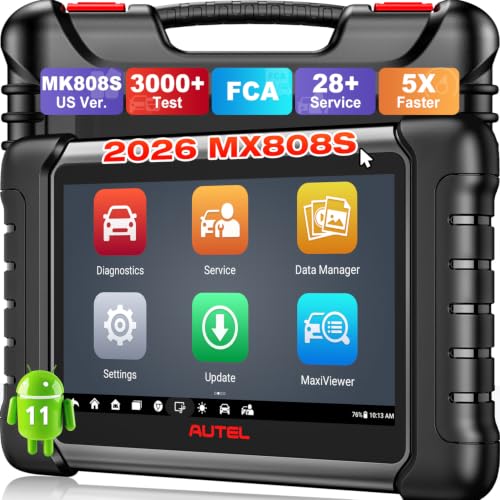
- 📌【We are Here for You】Dear valued customer, please be...
- 🚀【5X Faster Next-Level Hardware, Same as MK900/ MX...
- 🔥【3000+ Active Tests = MK900/MK900BT but...
- 📢【2026 U.S. Version, All-in-One as MK808S/ MK808Z...
- 🔥【28+ Hot Services for 150+ Brands】Same as MaxiCOM...
If the PDF is very large, it may not load in the preview below.
Some older TSBs had multiple PDFs — visit the NHTSA Website to view all PDFs.
If the TSB PDF does not show, download or view it on the NHTSA Website.
Click on the (+) Plus Sign
Then Click on Associated Document(s)
Search NHTSA Database for Recalls
Search NHTSA Database for Vehicle Investigations
View Latest Vehicle Investigations
Search NHTSA Database for Vehicle Complaints
View Latest Vehicle Complaints
TSB/Document ID: TSB 603
Replacement Service Bulletin Number:
MFR Communication Date: 2023-06-14
MFR Internal Campaign ID/Software Version:
Communication Type: Service Bulletin/Repair Instructions
NHTSA Components: ELECTRICAL SYSTEM:SOFTWARE
MFR Component System:
MFR Component Subsystem:
Previous TSB | Next TSB |

- [Notice] When you receive a used device, it may be a customer return resold by Amazon without inspection. You can exchange it for a new one through Amazon. As this situation is unavoidable, we sincerely apologize. For any issues, contacting us via Amazon's "Messages" is the best way. THINKSCAN 689BT Bidirectional Scan Tool Can Be Used Immediately After It is Turned On, Without Complicated Registration Process, Which is More Convenient & Quick.
- Full Bi-Directional Control & 3000+ Active Tests: Take control and test components like actuators, fuel injectors, relays, and cooling fans in real time. You’ll quickly see if the problem is in the part itself or the control module — saving you hours of guesswork and frustrating trial-and-error.
- Advanced ECU Coding Capabilities: Handle module matching and hidden feature activation with confidence. When you replace an ECU or want to customize settings, this obd2 scanner diagnostic bi directional tool gives you the professional-level capabilities you need without the dealership price tag.
- 34+ Useful Reset and Maintenance Functions: Complete everyday service tasks smoothly with a wide range of helpful reset and maintenance functions. Whether you’re keeping up with regular upkeep or tackling a specific job, this scanner makes maintenance simpler and less stressful for both DIYers and pros.
- Comprehensive Full System Diagnostics: Diagnose every major system — Engine, Transmission
 , ABS, SRS, TPMS, and more — all in one place. Finally stop wondering if you’re missing something important; get the full picture and clear codes with ease.

- Top Reasons to Choose the D7S OBD2 Scanner: XTOOL D7S car scan tool, an upgrade of XTOOL D7, offers comprehensive features for automotive technicians, workshops, and DIY enthusiasts 1. Upgraded Hardware: 2+64GB memory, rear camera, intuitive interface, foldable bracket 2. Complete Diagnostics: FCA Autoauth, OE-level all system scan, 39+ maintenance services, 4K+ bidirectional, CANFD/DoIP protocol 3. Advanced Capabilities: ECU coding, PMI functions 4. Wide Compatibility: Support 10,000+ models, covering 99% vehicle brands 5. Multi-language: Available in 22+ languages, No IP Restrictions 6. 3-Year Updates: Save 300 bucks on software updates for the latest features and optimizations
- 2026 Upgraded D7S Car Scanner Features: The newly 2026 D7S V2.0 scanner for car brings exciting features for advanced vehicle diagnostics and enhanced user experience 1. FCA AutoAuth: Now supports FCA SGW module for Chrysler, for Jeep, for Dodge (2018+), for Fiat (2017+), enabling faster vehicle communication without gateway restrictions 2. PMI (Offline ECU Programming): Allows for Ford, for Lincoln, and for Mazda ECU programming for new modules 3. Optimized Diagnostic Report 2.0: Personalized reports with logos and customer info for auto shops. Note: Compatibility varies by cars, please check before order
- Cost-effective ECU Coding Scan Tool for Specific Brands: Enhance your vehicle's performance with XTOOL D7S! This obd2 scanner all systems bidirectional offers advanced capabilities at an affordable price, supports online for BMW, for Benz and offline for BENZ, for MIT, along with PMI functions for Ford, for Mazda, and for Lincoln. Ideal for technicians and DIY enthusiasts, this automotive scanner diagnostic tool optimizes vehicle performance and enhances the driving experience. Note: Not for all cars and modules, please send car VIN to check the compatibility before purchase
- OE All System Diagnostic & 8 Pids Graphing: XTOOL D7S is a comprehensive all system bi directional obd2 scanner that delivers dealer-level diagnostics, completely controlling over your vehicle’s performance and health. This automotive scan tool can read and clear DTCs, view live data and ECU information, retrieve freeze frames, and perform active tests and full obd2 functions. This bi-directional scan tool can can identify your vehicle's make, model, and year information with just one click and show up to 8 PIDs live data with options for CSV viewing, playback, and recording for in-depth analysis. It is easy-to-use for both professionals and beginners, helping pinpoint issues efficiently
- 3 Years Software Update, Value for Money: With 3 years of software updates and 22+ languages(no IP restrictions), XTOOL D7S auto scanner code scanner ensures ongoing compatibility for the latest car models and improved diagnostic functions. This all system vehicle diagnostic scanner comes with a 30-day return policy and a 24-month repair for dependable performance. XTOOL are dedicated to your satisfaction, so enjoy seamless support and lifetime expert assistance. Should you encounter any issues or concerns, don’t hesitate to reach out XTOOL. D7S with newest update with 22 languages freely transfer without authorization, check details from setting-language or from XTOOL

- 【✅Compared to BOSSCOMM IF742, IF745 Offers Full-System Diagnostics】The BOSSCOMM IF745 car diagnostic scanner is an upgraded model of IF742. In addition to supporting all OBD2 Code Reader functions and 6 reset options (ABS/EPB/SAS/BMS/Oil/Throttle), it expands diagnostics from 4 systems (Check Engine/ABS/SRS/Transmission) to vehicle All systems, including Steering, Suspension, and Body Electronics. This provides deeper, more comprehensive diagnostic capabilities.
- 【✨6 Essential Resets: ABS Bleeding, Oil, EPB, SAS, Throttle, BMS】The BOSSCOMM IF745 obd2 scanner diagnostic tool swiftly purges air from brake lines to restore braking sensitivity, fine-tunes maintenance cycles to eliminate false alerts, resolves parking brake issues with one-click control, recalibrates steering sensors for stability, optimizes engine idling/acceleration for smoother performance, and deeply resets battery systems to extend lifespan and range via precise parameter adjustments.❗NOTE: Does NOT support bidirectional control, coding, or programming.
- 【✨Deep Diagnostics for All Vehicle System Modules】Beyond code reading/clearing and ECU information retrieval, our all-in-one data stream feature lets you inspect all current fault codes and their locations across the vehicle’s systems. This vehicle code reader helps you turn off dashboard warning lights and perform a comprehensive self-check of your car at home—no more back-and-forth trips to the repair shop or hefty inspection fees.
- 【✨10 OBD2 Functions】The BOSSCOMM IF745 scan tool’s DTC Lookup instantly translates fault codes into user-friendly explanations, its I/M Readiness feature streamlines emissions testing with a single tap, and Freeze Frame lets you pinpoint the exact moment of a fault for in-depth root-cause diagnosis. Combined with a live data dashboard and advanced diagnostics (O2S, OBMon, EVAP), it delivers comprehensive insights for confident troubleshooting.
- 【✨10,000+ Car Models, AutoVIN, 13 Languages】The BOSSCOMM IF745 vehicle scanner diagnostic tool covers 73+ global car brands and offers support in 13 languages, making it perfect for DIYers, auto mechanics, or as a thoughtful gift. With a single-click AutoVIN feature, it instantly retrieves vehicle serial numbers, streamlining diagnostics for users globally. This adaptable tool balances user-friendliness with precision, catering to both personal and professional requirements.✅Unsure about compatibility? Compatibility will vary on vehicles' model and year, pls reach us via 📧 [email protected] 📧 before purchase.
This product presentation was made with AAWP plugin.