
NHTSA ID Number: 10240001
Manufacturer Communication Number: Bulletin
TSB/Document Date: 2023-07-31
Summary
Customer Satisfaction Notification 51A - Incorrect Grille Insert Color
If the PDF is very large, it may not load in the preview below.
Some older TSBs had multiple PDFs — visit the NHTSA Website to view all PDFs.
If the TSB PDF does not show, download or view it on the NHTSA Website.
Click on the (+) Plus Sign
Then Click on Associated Document(s)

- 💝【Questions? We’re Here Anytime】MK808S is a...
- 🔥🔥🔥【2026 NEWLY RELEASED BI-DIRECTIONAL...
- 【28+ MOST POPULAR RESET SERVICE FOR 150 MAKES】Autel...
- 【ALL SYSTEM DIAGNOSTICS, FACTORY-LEVEL SCANNER】The...
- 【AUT0 SCAN & AUT0V1N, 10X FASTER】How much have you spent...


- 💯【Conta.ct us for Support Directly】If you met any...
- 🔥🔥🔥【2026 AUTEL FLAGSHIP MK900BT MK900-BT, NEW...
- 🚗【3000+ ACTIVE TESTS (50➡3000+), SAME AS MS...
- 🚗【40+ HOT SERVICES FOR 150 MAKES (28+➡40+)】Full...
- 🚗【OE ALL SYSTEM DIAGNOSE, AUTO SCAN 2.0: SCAN LICENSE...
This product presentation was made with AAWP plugin.
Search NHTSA Database for Recalls
Search NHTSA Database for Vehicle Investigations
View Latest Vehicle Investigations
Search NHTSA Database for Vehicle Complaints
View Latest Vehicle Complaints
TSB/Document ID: Bulletin
Replacement Service Bulletin Number:
MFR Communication Date: 2023-05-11
MFR Internal Campaign ID/Software Version:
Communication Type: Service Bulletin/Repair Instructions
NHTSA Components: STRUCTURE:BODY:BUMPERS:ACTIVE SHUTTERS/GRILL
MFR Component System:
MFR Component Subsystem:
Previous TSB | Next TSB |
CUSTOMER SATISFACTION NOTIFICATION
NORTH AMERICA
Radio Software Update
FCA US LLC
Reference:
ZD7
2018 – 2021 (RU) Chrysler Pacifica/Voyager
2018 – 2021 (LX) Chrysler 300
2018 – 2021 (LA) Dodge Challenger
2018 – 2021 (LD) Dodge Charger
2018 – 2021 (WD) Dodge Durango
2018
2018
2018
2018
2018
– 2021 (JL) Jeep Wrangler
– 2021 (MP) Jeep Compass
– 2021 (WK) Jeep Grand Cherokee
– 2021 (KL) Jeep Cherokee
– 2021 (JT) Jeep Gladiator
2018
2018
2018
2018
2018
2018
– 2021 (DS) Ram 1500 Pickup
– 2021 (DT) Ram 1500 Pickup
– 2021 (DJ) Ram 2500 Pickup
– 2021 (D2) Ram 3500 Pickup
– 2021 (DD) Ram 3500 Cab Chassis
– 2021 (DP) Ram 4500/5500 Cab Chassis
Template Version 1.8
Revision
0
Edition
May 2023
Detail
Initial Version.
SYMPTOM DESCRIPTION
The radio on about 13,848 of the above vehicles may
not have access to connected services (Remote
Operations, SOS Calls, Mobile Apps, SXM server
connectivity, Wi-Fi and other connected services).
REPAIR T O BE PERFORMED
All customers were mailed an USB and requested to
reprogram the radio with updated software,
customers may request to have their local dealer
update the radio software.
SCOPE
COMPLETION REPORTING / REIMBURSEMENT
This campaign applies only to the above vehicles
equipped with a Center Display Uconnect 12.0” 0r
8.4” with Navigation.
Claims for vehicles that have been serviced must be
submitted on the DealerCONNECT Claim Entry
Screen located on the Service tab. Claims paid will
be used by FCA to record recall service completions
and provide dealer payments.
NOTE: Some vehicles above may have been
identified as not involved in this campaign and
therefore have been excluded from this campaign.
IMPORTANT: Some of the involved vehicles may
be in dealer new vehicle inventory. Dealers should
complete this campaign service on these vehicles
before retail delivery. Dealers should also perform
this repair on vehicles in used vehicle inventory and
those vehicles in for service. Involved vehicles can be
determined by using the VIP inquiry process
Strictly respect STELLANTIS Group safety, cleanliness, and environmental instructions for any intervention.
Document exclusively reserved for dealer information. Internal distribution to be ensured by dealer.
Reproduction forbidden without the written agreement of STELLANTIS Group. (C) 2023 STELLANTIS Group. All Rights Reserved
1/5
CUSTOMER SATISFACTION NOTIFICATION
NORTH AMERICA
Radio Software Update
FCA US LLC
Use the following labor operation numbers and time
allowances:
Labor Description
Number
Hrs
Inspect for updated radio
18-ZD-71-81 0.2hrs.
software
Inspect radio software level
18-ZD-71-82 0.6hrs.
and update software
Related Operation
Create USB Jump Drive for
UAV Radio (One Time ONLY)18-ZD-71-50
NOTE: See the Warranty Administration Manual,
Recall Claim Processing Section, for complete
claim processing instructions.
PARTS INFORMATION
No parts required for this campaign
PARTS RETURN
No parts return required for this campaign.
0.2hrs.
SPECIAL T OOLS
Create USB Jump Drive for
UCV Radio (One Time ONLY)18-ZD-71-51
0.2hrs.
Create USB Jump Drive for
UAQ Radio (One Time ONLY)18-ZD-71-52
0.2hrs.
Create USB Jump Drive for
UCQ Radio (One Time ONLY)18-ZD-71-53
0.2hrs.
Create USB Jump Drive for
UAX Radio (One Time ONLY)18-ZD-71-54
The following special tools is /are required to perform
this repair:
Number
NPN
NPN
NPN
NPN
Description
wiTECH MicroPod II / MDP
Laptop Computer
wiTECH Software
USB Flash Drive (Minimum 4GB
Maximum 16GB)
0.2hrs.
DEALER NOTIFICATION
Create USB Jump Drive for
UCX Radio (One Time ONLY)18-ZD-71-55
0.2hrs.
Create USB Jump Drive for
UAS Radio (One Time ONLY)18-ZD-71-56
0.2hrs.
Create USB Jump Drive for
UCS Radio (One Time ONLY)18-ZD-71-57
0.2hrs.
To view this notification on DealerCONNECT, select
“Global Recall System” on the Service tab, then click
on the description of this notification.
Strictly respect STELLANTIS Group safety, cleanliness, and environmental instructions for any intervention.
Document exclusively reserved for dealer information. Internal distribution to be ensured by dealer.
Reproduction forbidden without the written agreement of STELLANTIS Group. (C) 2023 STELLANTIS Group. All Rights Reserved
2/5
CUSTOMER SATISFACTION NOTIFICATION
NORTH AMERICA
Radio Software Update
FCA US LLC
Service Procedure
A. Verify the Radio Software Version
1. Using the radio touch screen, simultaneously place both thumbs on the corners of the touch screen and hold
for approximately 6 seconds or until the “Dealer Mode” screen is displayed (Figure 1).
NOTE: 12” screen illustrated for 8.4” screen
place thumbs in similar location.
2. Select “System Information”.
3. Select “Radio Part Information”.
4. Read “Application Version”.
5. Verify that the software version is at
PR40.1 or above for 12” radio QR40.1
above for 8.4” radio.
or
➢ Yes – Software version is at PR40.1 or
above for 12” radio QR40.1 or above
8.4” radio. This notification is
complete. Claim the inspection LOP.
for
➢ No – Software version number is
lower than PR40.1. QR 40.1 Update
radio software. Proceed to Section B.
Download Software
the
Figure 1 – Display Screen
B. Software Download
1. Download the Software Update to a USB Flash Drive.
➢ A USB Flash Drive must be a minimum of 4 GB to a maximum 16 GB.
➢ The flash drive must not contain any files (including documents, music, or pictures).
2. Plug the flash drive into the computer and make sure it is active and ready to use. Record the name of the USB
flash drive and the drive location.
3. Format the USB flash drive (FAT32).
4. Confirm that there are no files or folders on the USB Flash drive. This is done
conflicting files that may interrupt the software update process.
to ensure that there are no
5. Leave the USB Flash drive in the computer and proceed to the next step.
6. Go to Dealer CONNECT.
7. Select the “Service” tab.
8. Select “Uconnect” from the Uconnect Command Center.
Strictly respect STELLANTIS Group safety, cleanliness, and environmental instructions for any intervention.
Document exclusively reserved for dealer information. Internal distribution to be ensured by dealer.
Reproduction forbidden without the written agreement of STELLANTIS Group. (C) 2023 STELLANTIS Group. All Rights Reserved
3/5
CUSTOMER SATISFACTION NOTIFICATION
NORTH AMERICA
Radio Software Update
FCA US LLC
Service Procedure [Continued]
9. Select “Uconnect Dealer Software Downloads”.
10.
Enter the vehicle VIN. And select “GO”
11.
Select Software Release ID.
12.
Select the “MAC” operating system (OS) only.
13.
Select “Download directly to your browser”.
14.
Select the downloaded file and copy the .zip file directly to the USB drive folder. Do not extract.
15.
Safely remove the flash drive from your computer and proceed to Section C. Update Radio Software Version.
C. Update Radio Software Version
1. Open the hood.
2. Install a battery charger and verify that the charging rate provides 13.0 to 13.5 volts. Do not allow the charger to
time out during the flash process. Set the battery charger timer (if so equipped) to continuous charge.
NOTE: Use an accurate stand-alone voltmeter. The battery charger voltmeter may not be sufficiently
accurate. Voltages outside of the specified range will cause an unsuccessful flash. If voltage reading is
too high, apply an electrical load by activating the park or headlamps and/or HVAC blower motor to lower
the voltage.
3. Remove all devices (SD, USB, AUX) from the media hub.
4. Insert the USB flash drive containing the downloaded software into the vehicle USB port.
5. The radio screen will display a Software Update message.
6. Follow the radio screen prompts.
7. The progress bar will display status of the update.
8. Wait for software update screen to be displayed. If the screen goes black for an extended period, press the radio
power button.
9. Verify the software is at the correct version (PR40.1 or above for 12” radio QR40.1 or above for 8.4” radio.
➢ YES – Remove the USB flash drive from the vehicle USB port and disconnect the battery charger. Proceed
to Step 10.
➢ No – Perform the update again beginning with Step 3.
10.
Perform a factory reset, using the radio touch screen. Navigate through the following screens: Apps > Settings
> Reset > Factory Reset.
11.
Once the reset is completed, cycle the ignition to the OFF position, open and close the driver door, then let all
modules go to sleep. Make sure the scan tool is not connected at this point.
Strictly respect STELLANTIS Group safety, cleanliness, and environmental instructions for any intervention.
Document exclusively reserved for dealer information. Internal distribution to be ensured by dealer.
Reproduction forbidden without the written agreement of STELLANTIS Group. (C) 2023 STELLANTIS Group. All Rights Reserved
4/5
CUSTOMER SATISFACTION NOTIFICATION
NORTH AMERICA
Radio Software Update
FCA US LLC
Service Procedure [Continued]
12.
After all the modules have been in sleep mode for five minutes, cycle the ignition back to the RUN position.
13.
Before clearing all DTCs, cycle the ignition OFF and back to RUN quickly (within two seconds).
14.
Using wiTECH, clear all DTCs that may have been set in any module due to reprogramming.
15.
Disconnect the battery charger and close the hood.
16.
Return the vehicle to the customer.
Strictly respect STELLANTIS Group safety, cleanliness, and environmental instructions for any intervention.
Document exclusively reserved for dealer information. Internal distribution to be ensured by dealer.
Reproduction forbidden without the written agreement of STELLANTIS Group. (C) 2023 STELLANTIS Group. All Rights Reserved
5/5
This notice applies to your vehicle,
CUSTOMER SATISFACTION NOTIFICATION
Radio Software Update
[Model Year and Model]
VIN XXXXXXXXXXXXXXXXX
ZD7
LOGO
VEHICLE PICTURE
YOUR SCHEDULING OPTIONS
1. RECOMMENDED OPTION
Call your authorized Chrysler /
Dodge / Jeep® / RAM Dealership
2. Call the FCA Uconnect Assistance
Center at 1-877-855-8400. An
agent
can
confirm
part
availability and help schedule an
appointment
3. Visit recalls.mopar.com, scan the
QR code below, or download the
Mopar Owner’s Companion App.
QR Code
Dear [Name],
At FCA US LLC, we recognize that the success of our business depends on the satisfaction of
our customers. We are constantly monitoring the quality of our products and looking for
opportunities to improve our vehicles even after they are sold. Because your long-term
satisfaction is important to us, we are contacting you on important improvements we would
like to make to your vehicle [1]. This will be done at no charge to you.
We are recommending the following improvements be performed on certain [2018-2021
Model Year (DS) Ram 1500 Pickup, (DT) Ram 1500 Pickup,(DJ) Ram 2500 Pickup,(D2) Ram
3500 Pickup,(DD) Ram 3500 Cab Chassis, (DP) 4500/5500 Cab Chassis, (LA) Dodge
Challenger,(LD) Dodge Charger, (LX) Chrysler 300,(JL) Jeep Wrangler,
(MP)Jeep
Compass,(RU) Chrysler Pacifica/Voyager,(WK) Jeep Grand Cherokee,(KL) Jeep
Cherokee,(JT) Jeep Gladiator] vehicles.
WHY DOES MY VEHICLE NEED REPAIRS?
The radio on your vehicle may not have access to connected services (Remote Operations,
SOS Calls, Mobile Apps, SXM server connectivity, Wi-Fi and other connected services).
HOW DO I RESOLVE THIS CUSTOMER SATISFACTION NOTIFICATION?
You must perform the software update utilizing the enclosed USB flash drive, following the
on-screen prompts which will guide you through the process. Please follow the enclosed
instructions to begin the update.
TO SCHEDULE YOUR FREE REPAIR,
CALL YOUR CHRYSLER, DODGE, JEEP OR RAM DEALER TODAY
WHAT IF I ALREADY PAID TO HAVE THIS REPAIR COMPLETED?
If you have already experienced this specific condition and have paid to have it repaired, you
may visit www.fcarecallreimbursement.com to submit your reimbursement request online. [2]
Once we receive and verify the required documents, reimbursement will be sent to you within
60 days. If you have had previous repairs performed and/or already received reimbursement,
you may still need to have the repair performed.
We apologize for any inconvenience, but are sincerely concerned about your satisfaction.
Thank you for your attention to this important matter.
Get access to recall notifications,
locate your nearest dealer, and more
through this website or Mopar
Owner’s Companion App. You will be
asked to provide your Vehicle
Identification Number (VIN) to
protect and verify your identity.
DEALERSHIP INSTRUCTIONS
Please reference CSN ZD7.
Customer Assistance/Field Operations
FCA US LLC
Mr. Mrs. Customer
1234 Main Street
Hometown, MI 48371
[1] If you no longer own this vehicle, please help us update our records. Call the FCA Recall Assistance Center at 1-800-853-1403 to update your information.
[2] You can also mail in your original receipts and proof of payment to the following address for reimbursement consideration: FCA Customer Assistance, P.O. Box 218004, Auburn Hills, MI 48321-8007, Attention: Recall Reimbursement.
Customer Satisfaction Notification ZD7
Radio USB Software Update Instructions
WARNING: This procedure requires the engine to be running for up to 30 minutes. The vehicle must be
located in an area with adequate ventilation. Failure to have adequate ventilation could cause a build -up
of carbon monoxide and/or low oxygen levels. Do not attempt to perform this procedure in an enclosed
garage or parking structure.
CAUTION: The software update procedure takes 30 minutes. You must allow 35 minutes to perform this
software update.
CAUTION: Do not drive the vehicle while the radio software update is being performed.
CAUTION: Do not perform this radio software update while the vehicle is parked over combustible
material (tall grass, brush, leaves, etc.). The exhaust pipe temperatures could cause a fire.
CAUTION: Be sure that there is at least 1/4 tank of fuel before performing this software update.
CAUTION: Do not leave the vehicle unattended while performing this software update. An unattended
running vehicle may result in vehicle theft. Also, a running unattended vehicle may violate state and/or
local laws.
CAUTION: Do not install the supplied USB drive into any other FCA vehicles. Permanent radio damage
to those vehicles may occur. Discard the supplied USB drive after the radio software in the intended
vehicle has been updated.
1. Start Engine
2. Insert the provided USB into the vehicles USB
media port.
3. Display screen will display “Update Now” or
“Decline” (Figure 1).
4. Select “Update Now” to update the radio
software (Figure 1).
Figure 1
5. “Updating” screen will display (Figure 2).
Figure 2
© Copyright 2023, FCA US LLC, All Rights Reserved
(kka)
6. Software update in progress screen will
display (Figure 3).
Figure 3
7. Upon successful completion of software update, the display will indicate “Software Update is
complete” (Figure 4).
8. Remove the USB from the USB port and
DISCARD.
NOTE: Do not install the supplied USB
drive into any other FCA vehicles.
Permanent radio damage to those
vehicles may occur. Discard the supplied
USB drive after the radio software in the
intended vehicle has been updated.
Figure 4
© Copyright 2023, FCA US LLC, All Rights Reserved
(kka)
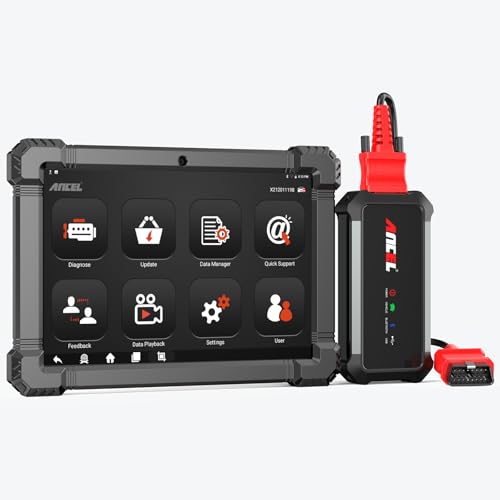
- 🔥🔥🔥2026 New Functions Making X7HD the Top Dog - Big Surprise!!! ANCEL X7HD truck scanner 10 major functional advantages .✅>Full HDOBD/OBD2 Function ✅>ALL System Diagnostic ✅>42+ Reset Function ✅>Active Test / Bi-Directional Control✅>ECU Coding✅>Graphing Live Data✅>Wide Compatibility ✅>2 Yrs Free Update✅>Remote Operation✅>Bluetooth 5.0 & Wifi In addition, 8 major hardware advantages: ✅>6000 mAh✅>10.1 inch Tablet✅>2G RAM
 ✅>32G ROM (Expandable to 128GB)✅>Data Record & Replay & Print✅>Android 10.0✅>Bluetooth 5.0 & Wifi✅>14 Languages
 - 🚛OEM DPF Forced Regen & Cylinder Cutout Test & more - ANCEL X7HD diesel scanner diagnostic tool not only supports DPF regeneration, DPF reset, DPF related information reset, DPR state reset, DPD forced regeneration etc, which helps you better solve the exhaust aftertreatment system problems, but also supports activate motor to do exhaust air in ABS Automatically. Moreover, it features TPMS activation, cylinder cut-off and learning functions
- 🚛Advanced ECU Coding & Programming - ANCEL X7HD 10.1inch truck scanner diagnostic tool is equipped with advanced ECU coding, supports Level calibration, Idle speed learning and Adjustment, Camshaft timing control learning, Control unit adaptations, Injector Codes, Read/Write VIN, Road speed limit optional vehicle speed set, etc... PLEASE NOTE that ECU codes are not compatible with all vehicles, please send us your VIN# to check vehicle compatibility
- 🚛42+ Reset Functions & Bidirectional Control - 2026 newest top heavy duty truck scan tool, comes with 42+ special services (ECU, Speed Limit and Idle Reset, Oil Reset, Injector Coding, EPB, ABS, SRS, Suspension, Throttle, etc. and always keep growing), which meet all your various needs for service and maintenance
- 🚛10 Inch All Systems Diesel Scanner & Full HDOBD/OBD2 Modes - ANCEL X7HD diesel truck scan tool supports all systems scan, such as Engine, Brake, Retarder, TECU Transmission, Tachograph, ABS, SRS, TPMS, EPB, SAS, ESP, and other vehicle systems, comes with 10 obd2 service modes: read/erase error codes, Data Stream, I/M Readiness, Vehicle Information, Actuations, DTC Lookup, EVAP, view freeze frame, etc
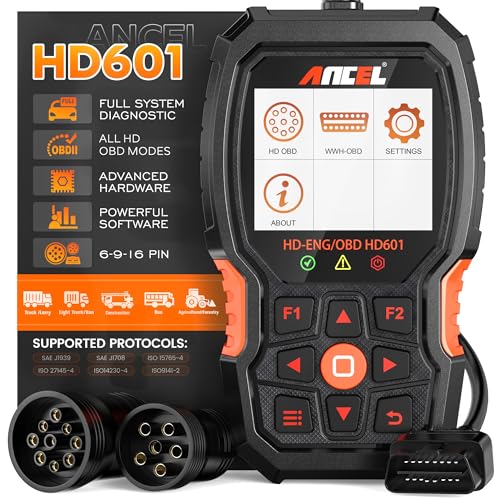
- 【Extensive Compatibility】HD601 heavy duty truck scanner supports 12V & 24V commercial vehicles and all major truck models that comply with standard protocols (SAE J1939, SAE J1708, ISO 14230-4, ISO 15765-4 and ISO 9141-2, ISO 27145-4 and Euro6). Fits for Cummins, Paccar, Detroit, Caterpillar, Freightliner, International, Peterbilt, Ford Heavy Truck, Class 4-Class 8 trucks, etc. It also supports engine diagnosis on most cars, minivans, light trucks and pickups
- 【 Full System Diagnostic】HD601 Diesel Scanner supports all system scans of heavy trucks compliant with standard protocols SAE J1939 & J1708, such as Engine, ABS, Transmission, Braking System, ESP, EPS, Fuel System, etc, It is a great scan tool for Cummins, Caterpillar, Detroit, Caterpillar, Maxxforce, Bendix,Wabash, Wabaco, Haldex, Allison, Eaton heavy trucks, With this truck tool, you can get deep analysis data about the system and do some repairs by yourself, saving much time and money. Note: Only heavy truck vehicles that comply with the above protocol can diagnose the entire system
- 【Enhanced Diesel OBD Scanner】The HD601 Diesel OBD Scanner offers unparalleled diagnostic capabilities for heavy-duty trucks. Beyond code reading, clearing, and live data display, it retrieves vehicle information, freeze frames, and DTCs. With 6, 9, and 16 pin cables, it ensures compatibility with various engines. This scanner's real-world testing prowess ensures comprehensive support for a wide array of heavy-duty truck engines, making it an indispensable tool for truck diagnostics
- 【DTC Library】+【Life Time Free Update】The built-in DTC library allows you to retrieve the codes directly without searching for the definition in the book. Whether you are a professional mechanic or a DIY car owner, HD601 diesel scanner explains the existing problem, makes it easier for you to understand code definitions and helps you locate vehicle faults. Note: This device cannot directly solve the fault. Plus, you get a lifetime free internet updates, so you always have the latest software for diagnostics in English and Spanish languages.
- 【Friendly Design, Easy of Use】This scanner is plug and play, simple and convenient, and very friendly for beginners. With improved buttons for easy menu navigation. The excellent 2.8 inch LCD color screen makes it easy to view the displayed results and gives you a better overview of your car's problem areas and the identified codes. In addition, the processor is super-fast and responds without lagging, providing maximum comfort and efficiency in diagnostic and service work
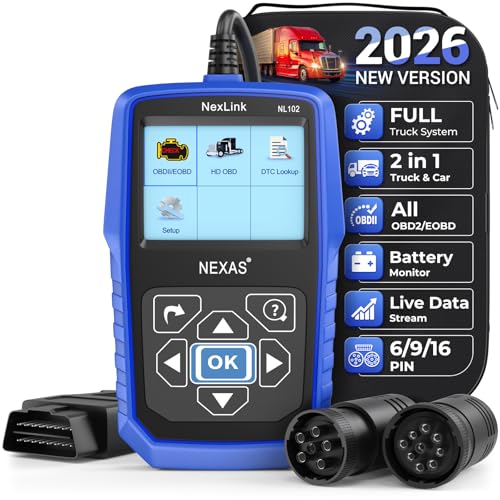
- Why NEXAS NL102 Truck Scan Tool? The NL102 outshines other truck scanner with its extensive diagnostic features. It offers full system diagnostics for major trucks meeting standard protocols, along with complete OBD2 functionality. Beyond read fault codes, clear codes and live data display, it enables vehicle info retrieval, freeze frame capture, and DTC lookup. Equipped with 6-pin, 9-pin, 16-pin connectors, it ensures broad truck compatibility. Plus, enjoy lifetime free updates in English, Spanish, and French, keeping your diagnostic scanner software current.
- Wide Compatibility - Friendly Reminder: To avoid compatibility issues, please confirm with us via Amazon Messages before purchasing. This heavy duty truck scanner is compatible with all heavy-duty trucks and semi that adhere to standard protocols (J1587, J1939, J1708). It covers a wide range of vehicle models, including Cummins, Detroit, Caterpillar, Freightliner, International, Kenworth, John Deere, Peterbilt, Sterling, Mack, Paccar, Western Star, Mercedes-Benz, Volvo, Scania, MAN, Renault, ERF, Foden, Seddon-Atkinson, Iveco, DAF, SISU, STEYR, ISUZU etc. Equipped with 6-pin, 9-pin, and 16-pin connectors for versatile device compatibility, ensuring stable plug-and-play connections.
- Save Hundreds of Money for All Heavy Duty Trucks – This diesel diagnostic scanner supports accurate full-system scans for all heavy-duty trucks that comply with standard protocols (J1587, J1939, and J1708). It can read and clear trouble codes across a range of vehicle systems, including the engine, transmission, instrument panel, drivetrain, brake system, suspension, ABS, ESP, EPS, fuel system, etc. The truck scanner communicates directly with your truck's computer to provide real-time data stream analysis, letting you pinpoint issues with precision. This cuts down on waste from unnecessary part replacements, saving you time and hundreds or even thousands of dollars.
- All OBD2 Functions + Battery Health Monitoring – Unlike many obd2 scanners on the market that only cover partial OBD2 features, ours gives you full OBD2 capability: read & clear codes, live data, freeze frame data, I/M readiness checks, EVAP tests, on-board monitor, O2 sensor tests, vehicle info, and DTC lookup. That means more detailed insights for pros and DIYers alike. The NL102 isn't just a code scanner – it's a battery saver. Regularly check your car's battery health, and catch issues before it dies completely. No more unexpected no-starts in the driveway or on the road. It diagnoses battery condition accurately, helping you avoid costly last-minute repairs.
- Plug and Play & One-click for DTC: NEXAS diesel scanner is user-friendly. It comes with an intuitive screen and easy-to-understand interface, making it accessible even for non-professionals to get started. And the built-in DTC library in the code reader allows you to directly retrieve codes without searching for definitions in books, making it easier to understand the code definitions and solve problems more quickly.
This product presentation was made with AAWP plugin.
Last update on 2026-05-11 / Affiliate links / Images from Amazon Product Advertising API