
NHTSA ID Number: 10239391
Manufacturer Communication Number: SVM3339
TSB/Document Date: 2023-07-17
Summary
For an upcoming campaign that will include all MY09-14 TDI (CBEA/CJAA) vehicles, we need to test the SVM3339 code in 200 vehicles of various model-years and engine/transmission combinations.
If the PDF is very large, it may not load in the preview below.
Some older TSBs had multiple PDFs — visit the NHTSA Website to view all PDFs.
If the TSB PDF does not show, download or view it on the NHTSA Website.
Click on the (+) Plus Sign
Then Click on Associated Document(s)
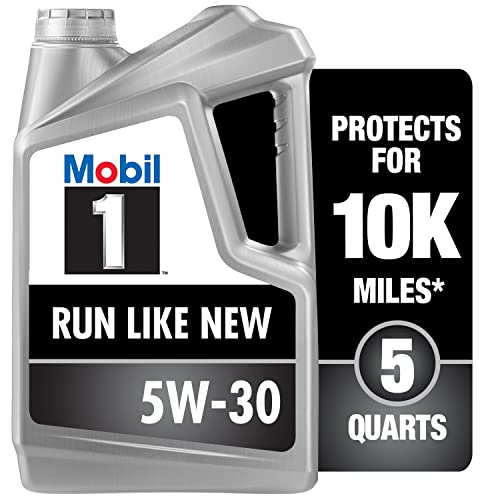

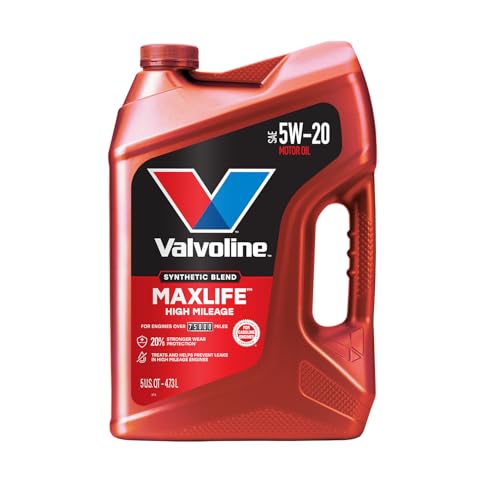
- MaxLife Technology prevents engine breakdown with 40% better...
- Includes seal conditioners to reduce oil consumption and oil...
- Added detergents reduce sludge, corrosion, rust and deposits...
- Advanced friction-fighting additives help maximize...
- Meets or exceeds all requirements of ILSAC GF-6A, API SP...
This product presentation was made with AAWP plugin.
Search NHTSA Database for Recalls
Search NHTSA Database for Vehicle Investigations
View Latest Vehicle Investigations
Search NHTSA Database for Vehicle Complaints
View Latest Vehicle Complaints
TSB/Document ID: SVM3339
Replacement Service Bulletin Number:
MFR Communication Date: 2014-05-28
MFR Internal Campaign ID/Software Version:
Communication Type: Service Bulletin/Repair Instructions
NHTSA Components: POWER TRAIN
MFR Component System:
MFR Component Subsystem:
Previous TSB | Next TSB |
PROFI Dealer Vehicle Information Request Form
MY(s) Affected:
Vehicle Model(s):
VIN Range (if applicable):
Engine Code(s):
Gearbox (Manual / Automatic):
2009 - 20014
All with TDI CBEA-CJAA engines
All
CBEA-CJAA
Issue ID #
Photos (if applicable):
All
Issue Description / Symptom:
For an upcoming campaign that will include all MY09-14 TDI
(CBEA/CJAA) vehicles, we need to test the SVM3339 code in 200
vehicles of various model-years and engine/transmission combinations.
Please use the following claiming information:
Claim type: 1SP
Service Number : 2360
Workshop Problem Validation Procedure:
Damage Code: 0039
- Flash TDI vehicles using SVM-code 3339.
Damage Location: None
- Perform Readiness Code in the first three vehicles, if any problems
are encountered with the GFF test-plan please save electronic copy of Causal Indicator: Labor (23602599)
Labor operation(s) : 23602599 -50tu (all 200vehicles ) & 01500000 –
GFF log so it can be given to GFF-team for fixing.
150tu (20 Vehicles)
Note: If customer has to pass IM inspection within 3-4 days of dealer
visit, do not flash ECM as it will erase Readiness-Code and it may take
about 100 miles of driving before resetting.
Required Actions:
- Each dealer should flash 20x cars.
- Perform Readiness Code in first 3x cars.
- Instructions attached.
VWoA Contact Information:
Requestor:
E-mail:
C:\Users\martir15\
Documents\
Projects\20- TDI
Volkswagen Gorup of America Technical Service / Quality Analysis
Ramon Martinez
ramon.martinez@vw.com
+1-248-754-5273
Phone Number:
Alternative
Contact:
E-mail:
michael.storms@vw.com
Phone Number:
+1-248-754-6042
Michael Storms
Updated 28.May.2014
Tester Modifications
In order to flash the SVM 3339 with the new software, some minor modifications are needed in the
ODIS Software. There are two URLs that need to be changed in order to flash using the “Test” software.
Please note, if the tester is in the “Test” status, it will be unable to perform dealer-level (“Active”)
flashes.
To change the URLs, please follow these steps:
With ODIS running, select “Admin” (Highlighted in Red) on the right sidebar, and press the
“Connections” tab on top (Highlighted in Green). Lastly, choose “Group System: GFF” on the left.
Please note the URLs here under RepairHints and SVMService. These will need to be changed to reflect
the picture above. Please do not change any other URLs.
RepairHints: https://odiscert.vwhub.com/Service42/RepairHintsbeta.asp
SVMService: https://odiscert.vwhub.com/svmvw/svmvwservicebeta.asp
Press “Save” after changing the URLs. The tool can now be used to flash the new software.
Note: To switch the URLs back to stock, simply navigate back to this page and press Reset. This will need
to be done once the 3339 Test action is completed.
Updated 28.May.2014
Software Update
To Update the software in the ECM of the vehicle, please follow the standard SVM steps.
In ODIS, once the vehicle is identified and the test plan has been calculated, select “Special Functions,”
then “Adapting Software.” Once asked for the Measures Code, enter “3339” (no quotes), and follow the
on-screen instructions. If there are any issues with the Flash procedure, please get in touch with the
Volkswagen TechLine.
After the flash process is completed, exit out of ODIS in the normal fashion. When the prompt arrives to
perform the readiness test, select No, and continue exiting out of ODIS. Make sure to save the Diagnosis
Log, so it can be sent as needed to your VWGoA Representative.
Readiness Testing
Next, the readiness test will need to be performed with GFF. To test the
readiness, go into ODIS, start GFF and identify the vehicle. Once the vehicle
is identified, start the readiness test by selecting the Guided Function for
“Generating Readiness Code.” (Note: Test Name may be slightly different,
dependent on Vehicle.)
Follow the GFF procedure for setting readiness. The test plan will explain the
instructions automatically.
If the Readiness Test is Successful:
If the test is successful, please save the diagnosis log (Right hand side, under
“Log,” press “Save,” and select “Long Log.” After the log is saved, keep a note of
where it is so it can be sent to your VWGoA Representative.
Exit ODIS by going under the “Data” Tab on the right and selecting “Stop.”
Exiting ODIS Normally could cause the Readiness Code to be accidentally reset,
requiring another Readiness drive cycle!
Updated 28.May.2014
If the Readiness Test is NOT Successful:
If the test either ends abruptly (“End of Test”), does not complete in a
reasonable amount of time (Reasonable defined as being less than 2 hours), or
does not perform as intended, please send a Feedback by performing the
following:
Expand the “Help” bar on the right side (You may need to scroll down)
and select “Support.” (See picture)
Fill out a description of the Year and Vehicle that was being worked on, and a
description of the problem. The more information provided the better.
If your support box has been set up, press “Send.” The Feedback will be sent
automatically to the GFF team.
If the support box has not been set up, there will be a “Save” button instead. Once the feedback
is filled out, press “Save.” ODIS will save two Zip files at the location specified, one with the
Vehicle VIN in the name (i.e. 3VWLL7AJXCM123456_XXXXXXX.zip), and another named similar
to “ar_xxxxxxxxxx.zip” Both of these files are extremely valuable to our GFF Team. Please attach
the two Zip files to an email and send them to odissupport@vw.com
If the GFF Test plan did not complete successfully, continue to have the vehicle driven normally for a
couple days (i.e. over the weekend) or use the attached guide, see next pages. The readiness monitors
will eventually set on their own. Once the readiness monitors are set (This can be checked using ODIS or
a Generic ScanTool), make a note of the required mileage and send a note to your VWGoA
Representative.
Readiness-Code setting: 2.0L CBEA / CJAA ONLY for MY2009 – MY2014
Table 1: Description of Readiness categories
PiD01 readiness description
before SAE-J1979 (mai 2007)
PiD01 readiness categories
since SAE-J1979 (mai 2007 (new))
Misfire monitoring
Misfiring monitoring
Oxygen sensor heater monitoring
PM filter monitoring
Catalyst monitoring
NMHC catalyst monitoring
EGR system monitoring
EGR system monitoring
Heated catalyst monitoring
NOx/SCR after-treatment monitoring
Oxygen sensor monitoring
Exhaust gas sensor monitoring
Secondary air system monitoring
Boost pressure system monitoring
Ambient temperature > 20 deg F (- 7 deg Cel)
Fuel level > 1/4
LSU adaptation status MWB 41/4 and 136/4 = 1
Airtemp. CACds MWB 7/3 > 0 deg Cel while coasting
Engine temp. MWB 7/3 > 70 deg Cel.
Table 2: Readiness-Bits and Driving Procedure
MVB 89
1 = not Ready
0 = Readiness
is set
Procedure
MVB 86
0 = not ready
1 = ready
Misfire monitoring
89/2 Bit 4
Misfire monitoring is not ready
1 XXXXXXXX
2 XXX1XXXX
3 XXXXXXXX
4 XXXXXXXX
76543210
Start engine and idle for 20 seconds
89/2 Bit 4
1 XXXXXXXX
2 XXX0XXXX
3 XXXXXXXX
4 XXXXXXXX
76543210
Misfire monitoring is ready
-
PM filter monitoring
89/4 Bit 6
New SAE: PM filter monitoring is not ready
1 XXXXXXXX
2 XXXXXXXX
3 XXXXXXXX
4 X1XXXXXX
76543210
Old SAE: Oxygen sensor heater monitoring is not ready
1
86/2 Bit 7
th
Strong acceleration 4 gear from 1500 – 3500 rpm
2
86/2 Bit 6
Drive alternating
th
30 sec constantly 3000rpm, gear 3rd or 4
and
140 sec dynamic, gas pedal max. 50%
3
MY2010 only
Start DPF regeneration and drive:
5 min. at a constant speed 50-70 mph, (cruise control),
avoid coasting/acceleration
MY2010 only
DPF regeneration and drive:
When MVB 100/1 > 575°C (1073°F), drive for 150 additional seconds then,
stop, and idle for 60 sec
Finally, continue with regeneration until the light turns off
89/4 Bit 6
1 XXXXXXXX
2 11X1XXXX
3 XXXXXXXX
4 XXXXXXXX
76543210
86/2 Bit 5
1
1 XXXXXXXX
2 XXXXXXXX
3 XXXXXXXX
4 X0XXXXXX
76543210
1 XXXXXXXX
2 11XXXXXX
3 XXXXXXXX
4 XXXXXXXX
76543210
86/2 Bit 4
1
4
1 XXXXXXXX
2 1XXXXXXX
3 XXXXXXXX
4 XXXXXXXX
76543210
New SAE: PM filter monitoring is ready
Old SAE: Oxygen sensor heater monitoring is ready
1 XXXXXXXX
2 1111XXXX
3 XXXXXXXX
4 XXXXXXXX
76543210
NMHC catalyst monitoring
New SAE: NMHC catalyst monitoring is not ready
89/4 Bit 0
1 XXXXXXXX
2 XXXXXXXX
3 XXXXXXXX
4 XXXXXXX1
76543210
Old SAE: Catalyst monitoring is not ready
1
89/4 Bit 0
1 XXXXXXXX
2 XXXXXXXX
3 XXXXXXXX
4 XXXXXXX0
76543210
If DPF regeneration not yet started, start now, drive constantly until finished.
New SAE: NMHC catalyst monitoring is ready
Old SAE: Catalyst monitoring is ready
Continue quickly with next step before exhaust system gets cold !
-
EGR system monitoring
EGR system monitoring is not ready
89/4 Bit 7
1 XXXXXXXX
2 XXXXXXXX
3 XXXXXXXX
4 1XXXXXXX
76543210
1
MWB 100/2 > 300 deg Cel
86/1 Bit 7
th
th
65+ mph (if possible with cruise control), 5 or 6
1 1XXXXXXX
2 XXXXXXXX
3 XXXXXXXX
4 XXXXXXXX
76543210
Do not drive in D use the manual gear selection).
2
rd
Drive at constant speed for 20 sec. in 3 gear at 1800 rpm.
86/1 Bit 3
1 1XXX1XXX
2 XXXXXXXX
3 XXXXXXXX
4 XXXXXXXX
76543210
3
Coast for 8 sec.
86/1 Bit 6
1 11XX1XXX
2 XXXXXXXX
3 XXXXXXXX
4 XXXXXXXX
76543210
89/4 Bit 7
1 XXXXXXXX
2 XXXXXXXX
3 XXXXXXXX
4 0XXXXXXX
76543210
EGR system monitoring is ready
NOx/SCR after-treatment monitoring
New SAE: NOx/SCR after-treatment monitoring is not ready
89/4 Bit 1
1 XXXXXXXX
2 XXXXXXXX
3 XXXXXXXX
4 XXXXXX1X
76543210
Old SAE: Heated catalyst monitoring is not ready
1
89/4 Bit 1
1 XXXXXXXX
2 XXXXXXXX
3 XXXXXXXX
4 XXXXXX0X
76543210
th
Drive 30-40 min. at constant speed, (50-70 mph, 80-120 km/h), in 5-6 gear.
New SAE: NOx/SCR after-treatment monitoring is ready
Old SAE: Heated catalyst monitoring is ready
LSU needs to be active : MWB 43/3 and 138/3 = 1
-
Exhaust gas sensor monitoring
New SAE: Exhaust gas sensor monitoring is not ready
89/4 Bit 5
1 XXXXXXXX
2 XXXXXXXX
3 XXXXXXXX
4 XX1XXXXX
76543210
Old SAE: Oxygen sensor monitoring is not ready
1
Test run in order to warm up exhaust system (2 min. no coasting)
86/3 Bit 0
1 XXXXXXXX
2 XXXXXXXX
3 XXXXXXX1
4 XXXXXXXX
76543210
86/3 Bit 1
1 XXXXXXXX
2 XXXXXXXX
3 XXXXXX11
4 XXXXXXXX
76543210
86/4 Bit 0
1 XXXXXXXX
2 XXXXXXXX
3 XXXXXX11
4 XXXXXXX1
76543210
86/4 Bit 1
1 XXXXXXXX
2 XXXXXXXX
3 XXXXXX11
4 XXXXXX11
76543210
2
Leave vehicle idling for 30 sec.
86/3 Bit 4
1 XXXXXXXX
2 XXXXXXXX
3 XXX1XX11
4 XXXXXX11
76543210
86/4 Bit 4
1 XXXXXXXX
2 XXXXXXXX
3 XXX1XX11
4 XXX1XX11
76543210
3
Moderate acceleration up to 2500 rpm, then quickly release gas pedal.
86/3 Bit 2
1 XXXXXXXX
2 XXXXXXXX
3 XXX1X111
4 XXX1XX11
76543210
86/4 Bit 2
1 XXXXXXXX
2 XXXXXXXX
3 XXX1X111
4 XXX1X111
76543210
4
th
Coasting phase at 3000 rpm in 4 gear (min. 10 sec.)
86/3 Bit 3
1 XXXXXXXX
2 XXXXXXXX
3 XXX11111
4 XXX1X111
76543210
86/4 Bit 3
1 XXXXXXXX
2 XXXXXXXX
3 XXX11111
4 XXX11111
76543210
5
th
Drive 30-45 min, at constant speed, (50-70 mph, 80-120 km/h), in 5-6 gear.
86/3 Bit 5
1 XXXXXXXX
2 XXXXXXXX
3 XX111111
4 XXX11111
76543210
86/4 Bit 5
1 XXXXXXXX
2 XXXXXXXX
3 XX111111
4 XX111111
76543210
89/4 Bit 5
1 XXXXXXXX
2 XXXXXXXX
3 XXXXXXXX
4 XX0XXXXX
76543210
New SAE: Exhaust gas sensor monitoring is ready
Old SAE: Oxygen sensor monitoring is ready
Boost pressure system monitoring
New SAE: Boost pressure system monitoring is not ready
89/4 Bit 3
1 XXXXXXXX
2 XXXXXXXX
3 XXXXXXXX
4 XXXX1XXX
76543210
Old SAE: Secondary air system monitoring is not ready
1
89/4 Bit 3
1 XXXXXXXX
2 XXXXXXXX
3 XXXXXXXX
4 XXXX0XXX
76543210
th
Drive 30-45 min, at constant speed, (50-70 mph, 80-120 km/h), in 5-6 gear.
New SAE: Boost pressure system monitoring is ready
Old SAE: Secondary air system monitoring is ready
1
= carry out DPF regeneration. See part 3: Procedure for DPF Regeneration
-

- OBD2 Bluetooth Scanner Lifetime Update: Ediag Elite offers revolutionary Advantage Lifetime Updates with unlimited access to the superior 15+ reset service, bidirectional testing and full system diagnostics.The Ediag Elite is an excellent Bluetooth OBD2 scanner diagnostic tool ideal for DIY's and private car owners.
- Bidirectional Test for Quickly Locating Problems: The Bidirectional Scan tool allows you to send commands directly from your smartphone to your vehicle for active testing. This feature helps to quickly narrow down problems such as air conditioning clutches, windows, doors, sunroofs, etc., reducing diagnostic time for mechanics and helping DIY users locate faults more easily. In addition, Ediag Elite provides fault analysis and repair guidance to help you solve problems efficiently.
- 15+ Maintenance Resets: The current version introduces 15+ popular special features: Oil Reset, Headlight Matching, Bleeding Reset, TPMS Reset, BMS Reset, Gear Box Relearn, Throttle Learning, Injector Coding, SAS Reset and more special functions in system diagnose menu. These functions make it easy for owners to carry out the necessary maintenance and servicing, ensuring that your vehicle stays in top condition, prolonging its service life and preventing common problems and breakdowns. Note: The Special function vary by model& year, Reach us check compatibility.
- Wide Compatibility CANFD & FCA
 Autoauth: Compatible with GM, Ford, Toyota, Chrysler, Honda, Mazda, Nissan, Mitsubishi, Hyundai, KIA with standard OBD2 port from 1996 to newer. More car brands and features will be released gradually. Newest Ediag Elite scanner supports CANFD Protocol and FCA cars. Note: Coverage may vary on different vehicle by model& year ,Please contact us to confirm compatibility before purchase.
 - Perfect for Monitoring The Health of Your Vehicle: Ediag Elite is designed to make vehicle maintenance simple and efficient. With intelligent Auto VIN quick recognition, it is easy to connect to your car without the need for manual input. Real-time data is visualized in a variety of formats, including graphs, numeric, meter displays and clear 4-in-1 data charts, allowing you to effortlessly monitor real-time data. Data logging/reporting is available for playback and further analysis

- No Annual Fees & 2026 Upgraded CAN FD: Why pay $199/year or more for updates? The 2026 newest Kingbolen K7 obd2 scanner features have been upgraded to Lifetime Updates without subscription fees, saving you significant costs in the long run. K7 scan tool also adds the CAN FD protocol for the latest GM models (2019+), enabling faster data transfer, reducing the risk of undetected errors
- 2026 Newest Top-tier Car Scanner: Kingbolen K7 diagnostic scan tool is equipped with most capabilities for daily repair/maintenance: Wireless diagnosis via Bluetooth, Bidirectional Test, ECU Online/Offline Code, 31+ Resets, PMI for Ford, Lincoln, Mazda, Global version for 100+ brand vehicles and 17 languages, no area limit, FCA AutoAuth
- OE-Level Full Systems Scan Tool: K7 professional diagnostic scanner with Auto Vin can do one-click to scan ECUs on most of vehicles, like pcm, ecm, eps, bcm, tpms, sas, a/c system... to read/clear code, view live data, freeze frame, read ecu info. 4-in-1 data stream graphics can make data viewing more intuitive. Detailed diagnostic reports will help you easily master the car situation as it can be shared by bluetooth or email! Adding workshop information can help your customers to know more
- Bidirectional Test/Active Test & ECU Code: Stop guessing and start fixing. Bidirectional scan tool Kingbolen K7 can perform real active test that can send commands to the vehicle's ECU to drive the actuators to work, like window, rear mirrors, sunroof, door, solenoids, wipers, headlamp, etc, helping you quickly find out bad parts and pinpoint faulty issues. K7 bidirectional scanner will be a good choice to save money and time on car repairs when performing complex maintenance and repair
- 31 Reset Functions: Avoid expensive dealership visits for simple services. Experience tells us that just a small repair service may cost a lot of money. Kingbolen K7 is a professional diagnostic scanner with 31 common maintenance services like Oil /SAS/EPB/TPMS Reset, Battery Matching, ABS Bleeding, Injector Code, etc. It effectively handles most of the car reset and relearning jobs, perfect for experienced DIYers and mechanics. Note: Functions in the menu vary across vehicles. Kindly check the compatibility before purchase
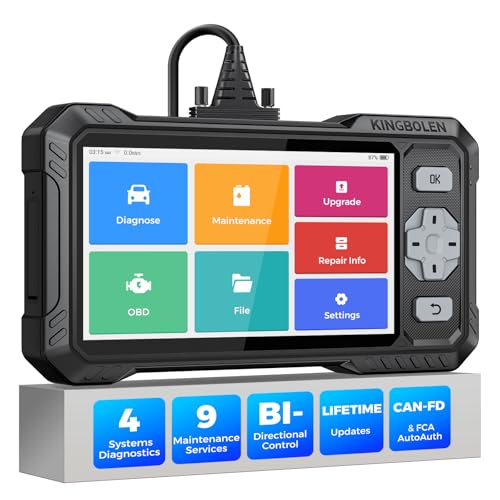
- WHY S608 STANDS OUT:2026 Kingbolen S608 is the only scanner <200 bucks that offers powerful active tests on Engine, ABS, SRS, and Transmission systems. Offers 9 resets,Covers 110+ global brands with a 6.2'' larger touchscreen
- KINGBOLEN'S NEW BIDIRECTIONAL SCAN TOOL: As the 2026 upgraded version of S600, our Newest S608 obd2 scanner has the powerful Bi-directional Control on Engine, ABS, SRS, and Transmission systems. It can send commands to the ECUs of actuators for functional tests and work status checks, such as ABS, fuel injectors, adjusting throttle, coolant pumps, EVAP test, fuel trim reset, etc. No more Guesswork. Quickly identify problem components without teardown, get fuss-free results in seconds.
- 【9 HOT RESET SERVICES CAR SCANNER】Tired of costly mechanic trips for common resets? The Kingbolen S608 obd2 scanner lets you do it yourself, even for beginners—quickly and effortlessly! It offers 9 hot reset functions: Oil/EPB Reset, ABS Bleeding, SAS Calibration, DPF Regeneration, Injector Coding, BMS Matching, Throttle Adaptation, Gear Learning. Stop paying mechanics for 5-minute jobs. Save hundreds per year! 🚗*Function vary from vehicle models. reach us to check compatibility firstly!
- 【4 SYSTEM DIAGNOSTIC TOOL + FULL OBDII FUNCTIONS】Kingbolen S608 is an OBDII scanner and 4 systems diagnostic tool made for home mechanics, DIYers, and professionals. You can access Engine, ABS, SRS, Transmission fault codes, track live data in graphs, and onboard DTC library lookup to find the right troubleshooting procedure, and diagnose with full 10 OBD2 test modes to fix most of emission issues. Give your aging cars routine maintenance to avoid costly repairs, a breakdown, or even a crash.
- 【NEW CAN FD, FCA/RENAULT SGW, 140+ BRANDS】Kingbolen S608 scanner for car supports 140+ vehicle brands, 100,000+ models, 28 languages and can be used worldwide. S608 stays up-to-date with modern vehicles, allows secure access to 2017+ FCA cars and 2015+ Renault cars (📢*Need to purchase an AutoAuth/Renault account by yourself), and supports the latest CAN-FD protocol for 2019+ GM/Chrysler, enabling 2X faster data transfer and more precise diagnostics. 🚗*Check compatibility before purchase.
This product presentation was made with AAWP plugin.
Last update on 2026-05-11 / Affiliate links / Images from Amazon Product Advertising API